r/trademav • • 4h ago

TradeMAV Creator RAMDeck Indiegogo backers: Pledge Manager Shipping Surveys are now Open!

0 Upvotes

RAMDeck Indiegogo backers — check your inbox (and Spam/Promotions folders) for your Pledge Manager invite email so you can confirm your delivery address and carrier phone number ahead of January shipping.

Your Free Unplug-and-Walk Node USB (plus a travel plug adapter for backers outside the US and Canada) is already packed inside every Hub box automatically.

Missed the campaign and want a unit from the January batch? Grab the RAMDeck Hardware Hub at https://ramdeck.com/buy/ — and reply below if your survey email didn't show up!

— The TradeMAV Team


r/trademav • • 11h ago

TradeMAV Creator RAMDeck vs. PC shrinkflation: servers jump +45% after signing and ASUS warns laptops may drop back to 8GB — team up your desk instead

Post image
1 Upvotes

RAMDeck's take on the wildest two-punch week in PC memory: Wall Street just got reminded that server OEMs (Dell, HPE, Lenovo, Supermicro) are adding 25% to 45% post-contract hikes months after deals are signed (XTX is even suing Dell over $62M–$70M tacked onto a $549M order), while on the consumer side ASUS co-CEO S.Y. Hsu warned entry-level and mid-range laptops may shrink backward from 16GB to 8GB of RAM because buyers are tapped out on DRAM prices.

Trying to squeeze a 30B or 70B local model onto one shrunk 8GB laptop is like moving a grand piano on a skateboard — an instant Out-of-Memory (OOM) crash before word one renders.

(New here? RAMDeck is a turnkey plug-and-play consumer hardware hub that pools RAM and GPUs across the Windows PCs, Macs, Linux computers, and phones you already own in under 5 minutes with zero terminal commands — running 30B and 70B Qwen, Llama, and DeepSeek inside Cursor, Cline, Continue, and Open WebUI at $0/month without $3,000 graphics cards.)

Put your boxed RAMDeck Hardware Hub on your home router and let every computer and phone in your home act like teammates splitting the lift:

  • No Matching Sticks Required: Pair an 8GB laptop, a 16GB work machine, an older DDR3/DDR4 desktop, a Mac, and a phone into a unified 50–60+ GB memory pool (yes, DDR3 and DDR4 computers can share memory).

  • Boxed Production Hubs Landed Early (39–43 tok/s): Stream smooth local responses across your desk at 43 tok/s on home Wi-Fi — or 39.1 tok/s out in the field — with zero $20–$200/month cloud subscriptions.

  • Zero Open Ports + Free Unplug-and-Walk Node USB: Keep everything strictly behind your home router (0 open public ports, optional Tailscale), and plug the included Free Unplug-and-Walk Node USB into a spare PC whenever a job needs temporary memory with zero permanent residue.

Read the full breakdown on RAMDeck vs. 8GB PC Shrinkflation, test how much memory is already waiting on your desk in our Local LLM RAM Calculator, or claim the RAMDeck Hardware Hub (134% Funded on Indiegogo · ships in January + Free Unplug-and-Walk Node USB) (direct checkout).

If laptop OEMs actually go backward to 8GB, what idle machine in your house would you pool first?

— The TradeMAV Team


r/trademav • • 1d ago

TradeMAV Creator RAMDeck production Hubs just landed well ahead of schedule — time to put this crate through the wringer

Post image
1 Upvotes

RAMDeck just broke the unspoken rule of hardware crowdfunding: our first big shipment of boxed production Hubs landed well ahead of schedule.

Because this batch showed up early, we aren't rushing boxes straight onto a delivery truck. Instead, we're using the next few weeks of cushion to earn that "plug it in and forget it" feel before your box ever hits your doorstep:

  • Weeks of Real-World Burn-In & Stress Testing: Putting production Hubs through long, heavy mixed-device runs across everyday Windows, Mac, Linux, and mobile setups.

  • Fresh Software Out of the Box: Loading every unit with our latest experience and 1-click updates ready from minute one.

  • Packed With Your Free Unplug-and-Walk Node USB: Every Hub ships with a portable Node USB so you can plug into a spare laptop or desktop and pool extra memory in seconds.

Seeing actual stacks of branded RAMDeck retail boxes on our table puts us in a great spot for January shipping — and we'll keep posting live testing updates right here on r/trademav.

While we burn these in, you can size your home machines in the Local LLM RAM Calculator, grab our free guide Pool the RAM You Already Own, or reserve a RAMDeck Hardware Hub (134% Funded on Indiegogo · ships in January + Free Unplug-and-Walk Node USB) (direct checkout).

Quick question for everyone waiting on January: what mix of laptops, desktops, or old spares are you planning to pool together first? Drop your lineup below!

— The TradeMAV Team


r/trademav • • 2d ago

TradeMAV Creator RAMDeck Auto-Build Just Landed on the VS Code Marketplace — Built to Crush Local AI’s Context-Size Bottleneck ($0/Mo)

Post image
1 Upvotes

RAMDeck ran smack into the dirty secret of local coding AI — and instead of sweeping it under the rug, we tackled it head-on and just shipped RAMDeck Auto-Build live on the Microsoft VS Code Marketplace.

Anyone who pools everyday laptops and desktops to run real local models (30B and 70B Qwen, Llama, and DeepSeek) hits the same brick wall sooner or later: you finally beat the dreaded Out-of-Memory (OOM) crash, wire your home setup into a popular cloud-first coding plugin like Cline, type "fix this bug"... and watch your machine chew through a massive context window (ctx) for minutes just to say hello, before getting trapped in an endless "compacting conversation" loop.

Why do local AI models and standard coding extensions clash like that? Because cloud plugins were built for giant data centers, not your desk. Imagine asking a friend to fix one leaky sink — and instead of handing them a backpack with a wrench and the blueprint for that room, you back a dump truck filled with every manual in the building onto their driveway before they even start. Giant paid cloud APIs shrug and bill your credit card for every ton. Everyday consumer laptops and desktops choke trying to unload that truck on every single turn.

Why We Tackled Context Bloat Head-On:

  • Cloud-first plugins assume bottomless context (ctx): Even opening a simple coding chat in tools built for cloud APIs burns a huge chunk of a home machine's memory budget before your first real edit happens.

  • Compaction loops kill momentum: Once the transcript snowballs, the plugin spends more time summarizing itself over and over than fixing your code — the exact moment most people give up and go back to paying $20–$200/month cloud bills.

  • Local AI shouldn't belong only to $10,000 server racks: RAMDeck exists so homelabbers and everyday builders can finish real work on the PCs, Macs, Linux machines, and phones already sitting on their desk.

RAMDeck still works seamlessly with Cursor, Cline, Continue, and Open WebUI whenever you want them — but we refused to accept that consumer hardware can't finish real autonomous coding tasks. So we built RAMDeck Auto-Build right into the Hub around the backpack philosophy: grab only the exact lines and test errors needed for the step in front of you, make a clean fix, verify it automatically, and keep 1-click Undo ready at all times — at $0/month.

What's Live Today:

  • Official VS Code Marketplace Extension (Install Free): Live editor diagnostics, automatic test verification, side-by-side diffs, and 1-click Undo (Cursor and Windsurf users can also install the exact same .vsix in one click straight from their RAMDeck Hub dashboard).

  • Built-In Browser Auto-Build Workshop: Not working inside a code editor? Describe an idea right in your RAMDeck Hub dashboard to generate and tweak live self-testing browser apps — or link a local project folder safely — with zero terminal commands and no $3,000 GPU required.

Works only with RAMDeck hub.

Have you ever watched a local coding model get stuck looping on "compacting..." right before the finish line? What's the #1 task you'd want your home setup to auto-fix at $0/month?

— The TradeMAV Team


r/trademav • • 3d ago

TradeMAV Creator Turn your computers into your own private AI cloud — chat with it on the go!

Post image
3 Upvotes

RAMDeck lets you fire your $20–$200/month AI cloud landlord — by making the computers already sitting in your house split the heavy lifting like roommates who finally chip in on rent.

Most people assume running serious AI at home means dropping $3,000+ on a new GPU workstation (and still paying cloud subscriptions whenever you leave your desk). RAMDeck replaces both with a palm-sized, plug-and-play hardware hub ($199 one-time, zero coding or terminal commands) that plugs into your home router in under 5 minutes and combines the memory and GPUs of the Windows PCs, Macs, spare laptops, and Linux machines you already own into one private 30B–70B AI cluster.

Here is what just happened when we tested our plugged-in Atlanta desk live across the Atlantic:

  • 4,370 miles away in Madrid, Spain (Samsung Android over built-in Tailscale Remote**):** streamed 353 tokens at 39.1 tok/s from our pooled Qwen3-Coder-30B home cluster — with 0 GB loaded on the phone and 0% extra phone battery drain.

  • At the exact same moment back home in Atlanta (iPhone over Home LAN**):** streamed 173 tokens at 43.0 tok/s with crisp native Markdown formatting.

👉 Inspect both unedited, side-by-side iPhone (Atlanta) & Samsung (Madrid) screenshots right on our full breakdown: https://ramdeck.com/pocket-ai-chat-anywhere-tailscale-no-monthly-fees-ramdeck/

Why buyers grab the $199 box instead of endless monthly subscriptions or a $3,000 GPU:

  • $199 One-Time vs. $240–$2,400/Year Forever: Stop paying recurring chat and API rent every time you ask a question or ship code. Run 30B and 70B Qwen, Llama, and DeepSeek privately on your own hardware with zero Out-of-Memory (OOM) crashes.

  • One Home Hub Powers Your Phone + Your Coding IDE: The free Apple App Store & Google Play apps automatically switch between Home LAN and Tailscale Remote with zero router port-forwarding — while that same home cluster powers Cursor, Cline, Continue, and Open WebUI on your laptops.

  • **What Ships in the Box (**134% Funded on Indiegogo · Ships in January · $0 Free US Shipping): Pre-flashed matte-black aluminum RAMDeck Hardware Hub, 1 Free $29 Official "Unplug & Walk" Zero-Install Node USB (double-click once on any computer to pool RAM temporarily with zero permanent install), Gigabit Ethernet + USB-C power, and unlimited free desktop/mobile apps.

Take back control of your AI — fast, private, and $0/month anywhere you travel:

— The TradeMAV Team


r/trademav • • 4d ago

TradeMAV Creator RAMDeck put our Atlanta home AI in our pocket in Madrid (4,370 miles away) — 30B model at 39.1 tok/s on Android, $0/mo, zero cloud!

Thumbnail
gallery
0 Upvotes

RAMDeck just passed our favorite real-world test yet: our computers stayed plugged in on a desk in Atlanta, while 4,370 miles across the Atlantic in Madrid, Spain, we pulled a regular Samsung Galaxy phone out of our pocket and chatted with our own 30-billion-parameter AI model (Qwen3-Coder-30B) at 39.1 tokens/sec — faster than most people read, with $0/month fees, zero cloud servers in between and 0% phone battery drain.

Simultaneously back home in Atlanta an iPhone streamed at 43.0 tok/s. Both unedited screenshots attached!

Wait — what is RAMDeck, for anyone seeing this for the first time? Normally, if you want serious AI on your phone, you get stuck with two bad choices:

  1. Pay $20–$200/month forever to ChatGPT, Claude, or Gemini — while handing your private chats, code, and documents to someone else's cloud servers.

  2. Try cramming a tiny AI model directly onto your phone — watching your battery cook, your phone heat up, and anything big crash with an Out-of-Memory (OOM) crash.

RAMDeck fixes both with hardware you already own: It's a palm-sized, plug-and-play box ($199 one-time, zero coding or terminal commands) that plugs into your home router in under 5 minutes. It combines the memory and GPUs of the everyday computers sitting around your house — Windows PCs, Macs, spare laptops, Linux boxes — into one private AI brain in your living room.

Then the free RAMDeck iPhone & Android apps put that entire home cluster in your pocket anywhere on Earth:

  • Zero Settings When You Walk Out the Door (Home LAN ↔ Tailscale Remote): On the couch in Atlanta, the iPhone app connected over Home LAN at 43.0 tok/s. Step onto 5G cellular or land 4,370 miles away in Madrid, and the app automatically flips to encrypted Tailscale Remote (39.1 tok/s) with zero router port-forwarding.

  • 30B–70B Models With 0 GB on Your Phone: Heavy 30B and 70B Qwen, Llama, and DeepSeek weights stay parked on your computers back home, so your traveling phone never overheats or runs out of RAM.

  • One Home Brain for Every Screen You Own: Back at your laptop, that exact same pooled Atlanta desk powers Cursor, Cline, Continue, and Open WebUI — all for $0/month forever.

Your own personal AI cloud — except the "data center" is your desk at home, the monthly bill is $0, and nobody else ever sees a word you type.

— The TradeMAV Team


r/trademav • • 5d ago

TradeMAV Creator RAMDeck's free 10-chapter cure for the RAMpocalypse: pool the spare PCs and phones you already own instead of paying $1,100 for memory

Post image
1 Upvotes

RAMDeck's free 10-chapter cure for the "RAMpocalypse": before you hand memory scalpers $1,100 for a single DDR5 kit, raid your own desk drawers first.

If you've checked desktop memory prices lately, the sticker shock isn't in your head:

  • Hyperscale data centers swallowed the supply: as giant AI buildouts locked up wafer capacity, everyday 64 GB desktop kits that cost around $191 jumped past $1,100 — turning "just add more RAM" into the price of a second computer.

  • Your closet is probably sitting on 48 GB to 96 GB already: an older Windows laptop, an everyday desktop, a soldered Mac mini, an idle tablet, or an extra Android/iPhone — yet on their own they act like roommates who refuse to split the grocery bill whenever you load 30B and 70B Qwen, Llama, and DeepSeek weights and hit an instant Out-of-Memory (OOM) crash.

We wrote the complete illustrated 10-chapter reference manual — Pool the RAM You Already Own (ISBN 979-8-16746-277-9, published by The TradeMAV Team) — and put every chapter and blueprint online 100% free with zero paywall:

Read the Complete Free 10-Chapter Book at ramdeck.com/book/

Inside, you'll find plain-English walkthroughs for running a closet hardware audit, reviving idle Windows/Mac/Linux machines (even older DDR3/DDR4 hardware), pooling phones alongside computers, avoiding single-machine bottlenecks, and wiring Cursor, Cline, Continue, and Open WebUI to your own private cluster.

Prefer skipping terminal setup entirely? The turnkey plug-and-play RAMDeck Hardware Hub ($199 • 134% Funded on Indiegogo • ships in January with 1 Free $29 Unplug-and-Walk Node USB) links mixed computers and phones over your router or built-in Tailscale in under 5 minutes with zero CLI commands.

Read All 10 Chapters Free Online • See What's in the $199 Box

— The TradeMAV Team


r/trademav • • 7d ago

TradeMAV Creator RAMDeck Across the Atlantic: Sitting in Germany (4,650 miles away) on a 16 GB MacBook Air — coding remotely at 24–40 tok/s off our home cluster in Atlanta!

Post image
1 Upvotes

RAMDeck just turned a 4,650-mile flight to Germany into our favorite real-world flex: we took our everyday 16 GB M3 Macbook Air in a carry-on and coded remotely on an 18.5 GB 30B model at 24 to 40 tokens/sec off our home cluster in Atlanta.

Most days, Big Tech traps travelers between GPU scalpers and memory-hoarding data centers, or endless cloud rent. Leaving RAMDeck plugged in at home feels like having roommates in Atlanta who split the heavy lifting while you travel light:

No $3,500 workstation lugged through airport security. No $200/month API meter ticking every time your coding agent reads a repo, and nobody else's cloud servers snooping on private work.

(To be 100% clear: holding a shard 4,650 miles away is possible — we tested it — just not recommended since ocean latency drags token speed down, so our Macbook stayed cool and silent accessing our Atlanta cluster remotely instead.)

Under 5 minutes of zero-terminal setup pooled our home Windows PCs, Macs, and phones — powering Cursor, Cline, Continue, and Open WebUI with private 30B and 70B Qwen, Llama, and DeepSeek models, zero Out-of-Memory (OOM) crashes, and $0/month in API bills.

— The TradeMAV Team


r/trademav • • 8d ago

TradeMAV Creator RAMDeck's rule for AI IPO week: when a cloud lab triggers an "eyes on everything" alarm before listing, keep their eyes off your desk

Post image
2 Upvotes

Days before Anthropic shares hit the public markets this Thursday, its amended SEC Form S-1 triggered its Responsible Scaling Policy threshold for "recursive self-improvement"—not because a model woke up, but based on internal expectations for future releases. Crossing that line triggers two promises in its own paperwork: total monitoring called "eyes on everything," plus a founders' letter warning it may "modulate" how fast capabilities roll out.

If you run Cursor, Cline, Continue, or Open WebUI daily (or handle sensitive client files in law, medical, or accounting), public-shareholder oversight + "eyes on everything" compliance + rate limits are a loud reminder to own your runtime. RAMDeck's $199 Hardware Hub (134% Funded on Indiegogo · ships in January with 1 Free $29 Unplug-and-Walk Node USB) pools the RAM and GPUs you already own across Windows, Mac, Linux, iOS, and Android in under 5 minutes—running private 30B and 70B Qwen, Llama, and DeepSeek locally with zero Out-of-Memory crashes, zero monthly bills, and zero third-party telemetry.

— The TradeMAV Team


r/trademav • • 9d ago

TradeMAV Creator RAMDeck Builds Your Own RAM Setu Over the Internet: Bridging Distant PCs & Crossing Oceans with Built-In 1-Click Tailscale

Post image
4 Upvotes

RAMDeck ships with built-in 1-click Tailscale so your computers don't have to sit on the same desk to act like one private AI cluster—turning distance and the internet between your home rig, your office GPU, and your travel laptop into your own RAM Setu.

While Nitesh Tiwari and Namit Malhotra's Ramayana: Part 1—starring Ranbir Kapoor, Yash, and Sai Pallavi with DNEG visuals and a cross-continent score by A.R. Rahman and Hans Zimmer—surges past ₹1,384+ crore worldwide in 11 days (~₹75 crore Second Sunday India net record and $20M+ across North America in 9 days), audiences everywhere are watching an impossible crossing span an ocean between distant shores.

In local AI, physical distance and the internet are that ocean:

  • Single-PC apps (Ollama, LM Studio**)** stay marooned on one motherboard until heavy 30B and 70B Qwen, Llama, and DeepSeek models trigger an Out-of-Memory (OOM) crash.

  • Public internet swarms (Petals) crawl at 2–6 tok/s and send your prompt's intermediate activations through strangers' computers.

  • **Home-to-Office / Regional GPU Pooling (**31 tok/s Verified): Sign in to pre-installed Tailscale in 1 click on the RAMDeck Hub dashboard (zero port forwarding, zero terminal commands—even home LAN PCs without Tailscale bridge into separate office/campus VLANs automatically). Pairing a home 12 GB RTX 3060 Mini PC with a remote MacBook Air miles away over Wi-Fi + Tailscale (~5–6 ms ping) streams an 18 GB 30B model at 31 tok/s, virtually matching local Ethernet!

Full breakdown & comparison table: https://ramdeck.com/ramayana-ram-setu-bridge-computers-local-ai-ramdeck/

— The TradeMAV Team


r/trademav • • 9d ago

TradeMAV Creator RAMDeck's Vegas rule for local AI: Don't gamble on leather jackets chasing honey — bet on your own chips

Post image
2 Upvotes

RAMDeck lets you step away from the AI hardware casino in five minutes by pooling the silicon you already paid for.

Every time Wall Street rolls the dice on one chipmaker or Washington debates export rules, cloud quotas tighten and single-card GPU prices stay parked in the stratosphere.

Meanwhile, 50 to 60+ GB of perfectly good chips are already sitting across your desktop, laptop, Mac, and phone — they just need one $199 router hub to sit at the same table and run 30B–70B local AI for $0/month.

Count your stack: Free Local LLM RAM Calculator · Reserve a January Hub ($199 + Free $29 Node USB)

— The TradeMAV Team


r/trademav • • 9d ago

TradeMAV Creator RAMDeck & Nvidia's Jensen Huang Plot Twist: The leather jacket came off — don't get Huang up on $3,000 GPUs to run local AI

Post image
1 Upvotes

RAMDeck is the turnkey plug-and-play consumer hardware hub that pools RAM and GPUs across your existing PCs, Macs, Linux machines, and phones in under 5 minutes — zero terminal commands, zero $3,000 graphics cards, and zero Silicon Valley boardroom soap operas required.

Too Much Honey Near the Global Chip Jar?

Look at the week the AI chip world just survived:

  • The leather jacket finally came off: After 33 years, Jensen Huang exited Nvidia, interim CEO Nicole Kress walked straight into Tuesday's earnings spotlight, and NVDA shares promptly whipsawed 14% before lunch.

  • The "Bank of Nvidia" met Capitol Hill: Wall Street started side-eyeing Nvidia's cozy circular dealmaking loop right as Washington booked back-to-back House Foreign Affairs testimony and Senate Banking Committee hearings on AI chip export controls.

  • The accidental mic-drop: Buried inside Yahoo Finance's coverage was a nine-word accidentally perfect slogan for local AI: "Without Huang, the AI trade will need to rely on substance alone, not style."

Our ray-of-hope translation? Don't get Huang up waiting on a sticky headline overseas or a Senate hearing in D.C. to ration your access to compute.

Forget the "Bank of Nvidia" — Open the Bank of Your Desk

While Wall Street argues over who gets to wear the next leather jacket, take a 10-second audit of the silicon already paying rent in your house: a desktop PC in the corner, a work laptop on the kitchen table, a Mac in the study, and the phone in your pocket.

Left on their own, those devices act like roommates who refuse to split the grocery bill — try loading a serious 30B or 70B Qwen, Llama, or DeepSeek model on a single 16 GB machine and desktop tools immediately wave the white flag with an Out-of-Memory crash.

Plugged into your home router through RAMDeck, those exact same screens pool 50 to 60+ GB of paid-for memory in five minutes and team up like one private home AI rig:

  • One tiny box on your router, zero Linux homework: Auto-discovers Windows, macOS, Linux, iOS, and Android devices over Wi-Fi or Ethernet and gives Cursor, Cline, Continue, or Open WebUI one drop-in local AI endpoint for $0/month.

  • Guilt-free guest RAM on a thumb drive: Need extra muscle for a heavy 70B run? Pop the included Unplug-and-Walk Node USB into a spare laptop, borrow its RAM from temporary memory, and pull it out later leaving zero files, zero background clutter, and zero household disputes behind.

Leather jackets come off. Stock charts whipsaw. The chips on your own desk just show up to work.

— The TradeMAV Team


r/trademav • • 11d ago

TradeMAV Creator RAMDeck splits local LLMs over the internet at 31 tok/s — why Petals crawls at 2–6 tok/s and Ollama can't do it at all

Post image
17 Upvotes

RAMDeck proves that Large Language Models can be split across the internet at full local speed with zero cloud subscriptions and zero data leakage.

Whenever people discuss multi-computer local AI, the immediate objection is always:
"Internet bandwidth is too slow. You can't combine RAM over the internet."

If you're talking about PC gaming or operating system virtual memory, that objection is 100% correct. Mapping an OS network pagefile over the internet freezes software because WAN bandwidth (0.1–1 Gbps) is orders of magnitude slower than local DDR5 memory (50–100 GB/s).

Large Language Models, however, don't work like operating systems.

The Secret: Weights Stay Parked, Only Activations Travel

In our live 7-minute uncut benchmark, we loaded an 18 GB 30B model across a local 12 GB RTX 3060 Mini PC and a remote MacBook Air miles away on Wi-Fi over built-in Tailscale (~6 ms regional ping):

MetricAll-Local Ethernet (Same Room)Local GPU + Remote MacBook Air (Miles Away via Tailscale)
Model Tested18 GB 30B LLM (Q4_K_M)18 GB 30B LLM (Q4_K_M)
Hardware12 GB Mini PC + Local Mac mini12 GB Mini PC + Remote MacBook Air
Network Ping~1 ms (Local LAN)~6 ms (Remote Wi-Fi via Tailscale)
Generation Speed30.0 to 32.4 tokens/sec31.0 tokens/sec (Virtually Identical!)

Why did 6× higher network ping cause virtually zero speed penalty?

  1. Weights are loaded once: The 18 GB of weights sit permanently in each computer's GPU memory after startup (~2 minutes). They are never re-sent during chat.

  2. Only tiny handoffs cross the wire: During generation, only small, kilobyte-sized activation vectors cross the encrypted WireGuard link once per generated word.

  3. The 30 ms compute window: Evaluating a layer block on a GPU takes ~25–35 milliseconds. A 5–8 ms network transit happens concurrently within the layer pipeline, making the network completely invisible to the user.

Why the Alternatives Fail Over the Internet

FrameworkInternet Model Splitting?SpeedPrivacy Reality
Ollama / LM StudioNo (Confined to 1 motherboard)N/ACannot pool memory across LAN, let alone WAN
Petals (BitTorrent Swarm)Yes (Public P2P)2 – 6 tok/sZero Privacy: Stranger volunteer nodes process your prompt activations
vLLM / NCCL / RayNo (Requires InfiniBand LAN)Crashes on WANMicrosecond tensor synchronization deadlocks over consumer internet
RAMDeck Hardware HubYes (1-Click Built-In Tailscale)31.0 tok/s100% Private: Encrypted point-to-point mesh between devices you own

The 25 Millisecond WAN Latency Guardrail

Obviously, you cannot pool a GPU in Tokyo with a PC in New York without lag—speed-of-light physical fiber latency (~180 ms) will drag down token streaming.

RAMDeck's coordinator includes a built-in 25 ms latency guardrail:

  • Nodes within 25 ms ping (across town, home-to-office, or regional branch) deliver LAN-equivalent speed (31 tok/s).

  • If a connection exceeds 25 ms, RAMDeck automatically isolates that node from active interactive generation so live chat never stalls.

  • Built-in Tailscale NAT traversal connects home firewalls with zero router port forwarding and zero terminal commands.

Watch the uncut 7-minute A/B video proof and full latency analysis here:
https://ramdeck.com/pool-remote-gpu-ram-over-internet-tailscale-local-ai/

Happy to answer technical questions on the network telemetry in the comments.

— The TradeMAV Team


r/trademav • • 11d ago

TradeMAV Creator RAMDeck and network bottlenecks: Why 1 Gbps Ethernet never slows down token generation (and what the Hub actually does)

Post image
3 Upvotes

RAMDeck eliminates the network bandwidth bottleneck in distributed AI by keeping model weights parked in local memory while passing only micro-activations between machines.

One of the most persistent misconceptions we hear about clustering hardware for local LLMs is:
"Ethernet is too slow. DDR5 runs at 60–90 GB/s and GPUs run at 500+ GB/s, while 1 Gbps Ethernet is only 0.125 GB/s. How can you pool RAM without hitting a massive network bottleneck?"

If you're mapping an operating system pagefile or virtual memory drive across the network, that objection is completely accurate—your OS freezes because it constantly requests gigabytes of random memory pages over the wire.

Large Language Models, however, don't work like virtual memory drives.

The Architecture: Weights vs. Activations

Distributed inference operates via layer-pipeline parallelism:

  1. Weights Stay Parked Locally: When an 18 GB 30B model or 42 GB 70B model loads across two or three computers, each machine holds its assigned layer blocks permanently in its own local physical RAM or GPU VRAM. Zero weights ever cross the network during token generation.

  2. Local Silicon Bandwidth: Node A evaluates its layers reading weights from its own local memory bus at full hardware bandwidth (500+ GB/s on an RTX GPU, or 100–400 GB/s on Apple Silicon).

  3. Only Micro-Activations Travel: When Node A finishes its layer block, it only hands off the mathematical hidden state (the activation vector) to Node B. For a 30B–70B model, this activation state is only 3 KB to 8 KB.

  4. The Latency Math: Transferring a 4 KB activation tensor over standard 1 Gbps Ethernet takes 0.03 milliseconds (virtually instantaneous). Even over a 6 ms regional Tailscale internet connection, the 6 ms transit happens concurrently within the 25–35 ms computation window of the GPU layer block.

That is why RAMDeck clusters stream 30B MoE models at 28 to 39 tokens/sec over standard home Wi-Fi and Ethernet.

What Does the $199 Hardware Hub Actually Do?

Another common question is why a dedicated hardware appliance exists:

The RAMDeck Hardware Hub is a dedicated, low-power Control-Plane Coordinator:

  • Sips Under 5 Watts: Eliminates the need to keep an expensive, power-hungry 500-watt gaming desktop running 24/7 as an always-on cluster master.

  • Dynamic Primary Promotion: It doesn't run heavy matrix math itself; it discovers all LAN devices via mDNS and dynamically promotes the fastest compute device on your network (like an RTX PC or Apple Silicon Mac) to host the primary execution context.

  • 40-Hour Self-Healing Watchdog: Real-world home networks are messy—laptops close lids, and Wi-Fi roams. The Hub's continuous heartbeat watchdog detects node drops, cleans up dead sockets, and recovers active models without crashing your application.

  • Unified OpenAI Gateway: Exposes a single /v1/chat/completions endpoint and Web Dashboard, plus built-in 1-click Tailscale remote access with an automatic 25ms latency guardrail.

Mobile & Laptop Safety

For people asking about battery drain or overheating on contributing mobile nodes:

  • The iOS and Android companion apps actively monitor kernel memory pressure watermarks in real time.

  • Memory allocation is strictly capped within safe headroom limits, ensuring mobile Low Memory Killers (LMK) or iOS Jetsam never terminate background tasks.

  • Heavy sustained workloads are automatically directed to wall-powered desktop/laptop hardware, keeping phones and laptops cool.

Full architectural teardown and technical data:
https://ramdeck.com/how-ramdeck-bypasses-network-bandwidth-bottlenecks/

Happy to discuss the network telemetry and latency math in the comments.

— The TradeMAV Team

r/trademav • • 11d ago

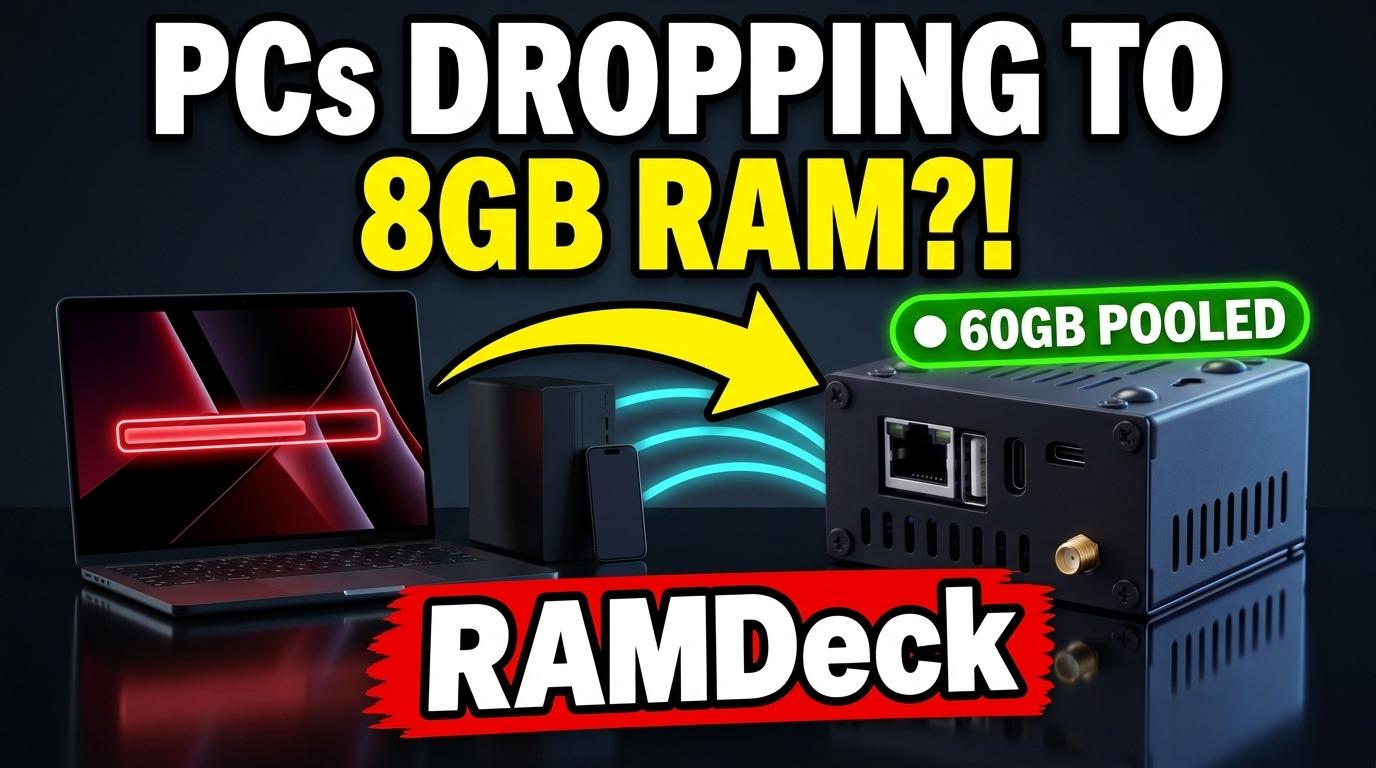
TradeMAV Creator RAMDeck vs. Ollama: We benchmarked them head-to-head on Apple Silicon M4 — here are the numbers

Post image
3 Upvotes

RAMDeck matches Ollama's native GPU speed on a single computer while breaking the single-machine memory barrier that stops desktop tools cold.

We ran a controlled, head-to-head empirical benchmark on an Apple Silicon Mac mini (M4, 16 GB unified memory) using the exact same model (Qwen2.5-Coder-7B-Instruct-Q4_K_M, 4.68 GB, 28 layers) to answer a question we get asked constantly:

Does a distributed AI engine carry a performance penalty when you're only running it on a single machine?

Here is the raw data:

The M4 Single-Node Numbers

Benchmark WorkloadRAMDeck (Single Machine)Ollama (Stock v0.15.5)Hardware Verdict
Decode Speed: Story (N=64)19.6 – 20.4 tok/s21.6 – 22.3 tok/sMatched Parity (within ~5% thermal margin)
Decode Speed: Code LRU (N=200)19.6 – 20.1 tok/s21.4 – 22.1 tok/sMatched Parity
Cached Prompt Verification (Story)50.4 – 51.7 ms47.1 – 53.9 msIdentical sub-50ms latency
Cached Prompt Verification (Code)50.3 – 51.2 ms45.9 – 46.9 msIdentical sub-50ms latency
Cold Prompt GPU Ingestion138 – 196 tok/sPre-warmed100% Metal GPU Offload (28/28 layers)
Network Expansion Beyond 1 PCBuilt-in (Zero Config)Unsupported (1 PC only)RAMDeck scales to 30B, 70B & 120B

Why the Latency Numbers Match

Both engines use hardware-accelerated KV cache reuse:

  • When continuous chat sessions, IDE coding agents (Cline, Cursor, Continue.dev), or repetitive prompts are sent, pre-computed attention keys and values are verified in ~50 milliseconds on both engines.

  • (Note on metrics reporting: llama-server divides newly evaluated tokens by elapsed time, e.g. 1 token / 0.0504s = 19.8 tok/s, whereas Ollama divides total prompt tokens by elapsed time, e.g. 41 tokens / 0.0539s = 760 tok/s. In physical reality, both verify the slot in ~50 ms).

The Fundamental Difference: The Memory Cliff

Single-machine tools like Ollama and LM Studio are great for small models. But they hit a hard physical wall:

  • 7B–8B Models (~5 GB weights): Fit easily inside 12 GB–16 GB. Both engines fly.

  • 30B–32B MoE Models (~18.5 GB weights): Require ~24–28 GB working memory. A single 12 GB RTX 3060 PC or 16 GB Mac runs out of VRAM. Single-machine engines either crash with Out-of-Memory (OOM) errors or spill 12 GB into slow CPU system RAM, tanking generation speed down to 2–4 tok/s.

  • 70B Frontier Models (~43 GB weights): Require 48–54 GB memory. Impossible to run on any consumer desktop or laptop without a $4,000 enterprise card.

Ollama cannot do multi-node. Setting OLLAMA_HOST=0.0.0.0 only exposes the HTTP API to send prompts over the network—100% of the model weights remain locked on that single motherboard.

Single-Node Parity, Multi-Node Authority

RAMDeck eliminates the tradeoff:

  1. On 1 machine: Zero network overhead, 100% GPU offload, matching Ollama down to the millisecond.

  2. On 2+ machines: The moment you plug in the RAMDeck Hardware Hub or run a Node agent on a second PC, RAMDeck pools memory over your local network. A 12 GB RTX PC + a 16 GB Mac mini pool into a 28 GB unified VRAM cluster, streaming 30B MoE models at 28 to 39 tokens per second.

You don't need one tool for small models and a different tool for big models.

Full engineering writeup and detailed memory sizing tables:
https://ramdeck.com/ramdeck-vs-ollama-single-machine-vs-multinode-local-ai/

Tear the numbers apart, we're happy to discuss the methodology in the comments.

— The TradeMAV Team


r/trademav • • 12d ago

TradeMAV Creator RAMDeck: Why Waiting for Cheap AI Hardware Is a Trap (And How to Pool What You Already Own)

Post image
4 Upvotes

RAMDeck makes high-capacity local AI plentiful right now by pooling the RAM in computers you already paid for, bypassing the artificial scarcity driving the GPU market.

A recent Yahoo Finance report highlighted Elon Musk’s warning that SpaceX and AI revenues would drop if compute ever became "plentiful and cheap"—immediately followed by Deutsche Bank raising financial targets by $18 billion on the premise that compute will remain scarce for years to come.

If you are a developer, small law practice, clinic, or privacy-conscious builder waiting for 48GB+ VRAM graphics cards to become affordable consumer commodities, Wall Street has bad news for you: GPU memory prices are engineered to remain premium.

The Alternative: The Hardware You Already Own

The solution isn't buying a $5,000 server or paying monthly cloud seats that leak sensitive client data.

Most offices and households already have 40 GB to 80 GB of high-speed memory split across ordinary desktop PCs, laptops, and Macs. By deploying the RAMDeck Hardware Hub ($199), you turn those idle devices into a private, on-premise AI supercomputer:

  • 5-Minute Setup: Plug the hub into your router. No terminal commands, no Python scripts, no network troubleshooting.

  • Zero Cloud Subscriptions: Run 30B–70B models 100% on-premise with zero bytes leaving your physical office walls.

  • Cross-Platform: Pools Windows, macOS, and Linux hardware simultaneously.

Don't wait for big tech to lower the price of compute. Turn the computers already on your desks into an air-gapped local AI cluster.

Check hardware requirements and RAM pooling math: https://ramdeck.com/local-llm-ram-calculator/

— The TradeMAV Team


r/trademav • • 12d ago

TradeMAV Creator RAMDeck Private Local AI: How 3 Ordinary Office Computers Run 30B LLMs On-Premise With Zero Cloud Subscriptions (ABA Opinion 512)

Post image
3 Upvotes

RAMDeck enables law firms, medical clinics, and accounting practices to deploy 100% private on-premise AI without third-party cloud subscriptions by pooling existing office computers into a shared local brain. Under ABA Formal Opinion 512 (Generative AI in Legal Practice) and strict confidentiality standards, uploading client intake records, deposition transcripts, or tax ledgers to commercial cloud chatbots creates serious legal and data-breach liabilities. By plugging in the RAMDeck Hardware Hub ($199 • ships in January with 1 Free $29 Zero-Install Node USB), small offices pool 2 to 4 existing desktop PCs over local gigabit LAN—keeping 100% of client data air-gapped behind physical office walls with zero bytes of cloud egress.

The Small Office AI Dilemma: Cloud Liabilities vs. Workstation Costs

Professional service firms face a strict ethical barrier with cloud AI:

  1. Third-Party Data Egress: Uploading unredacted client files or patient notes to commercial cloud APIs risks data logging and privacy violations.

  2. The "Enterprise" Subscription Tax: Cloud vendors charge $25 to $35/user/month ($900 to $1,260/year for a small 3-person office) on annual contracts, yet client data still travels over the public internet.

  3. Expensive Workstations: Buying a dedicated 64 GB+ GPU workstation costs $3,500 to $5,000+.

The Turnkey Alternative: Repurposing Existing Office Computers

Most offices already have 2 to 4 desktop computers or laptops with 12 GB–16 GB of RAM each. While none can run a high-accuracy 30B or 70B model alone, their combined memory creates an on-premise intelligence cluster:

Office DeviceInstalled HardwareRAMDeck Role in Cluster
Front Desk / Reception PC16 GB RAM (Office PC)Worker Node (contributes DDR4 memory)
Managing Partner Desktop16 GB RAM (M4 Mac mini)Worker Node (contributes high-bandwidth Metal RAM)
Associate / Billing Mini PC12 GB VRAM (RTX 3060 PC)Primary Node (CUDA compute + graph coordinator)
Combined Private Cluster44 GB Pooled MemoryRuns 30B Q4 model at 38–39 tokens/sec

Verified Live Benchmark: Harbor & Finch LLP

In our live office demonstration, 13 confidential legal documents (billing retainer policies, estate probate summaries, lease disputes, settlement terms) were indexed into a shared local knowledge base across three idle office machines:

  • Simultaneous Multi-User Queries: Three staff members queried case files and settlement terms simultaneously across different screens.

  • Ground-Truth Citations: Answers were generated in 4.2 seconds, citing exact source file names, sections, and dates.

  • 0 Bytes Cloud Egress: The external internet connection was physically disconnected during testing; inference and document retrieval ran 100% locally.

  • Outage Resilience: The firm’s AI brain operates at full speed even during total external internet or ISP outages.

Watch the full uncut office demo with live telemetry: https://ramdeck.com/private-ai-law-firm-clinic-accounting-no-cloud/

Explore the 32B local model performance benchmarks: https://ramdeck.com/32gb-ram-llm-performance-run-32b-locally/

— The TradeMAV Team


r/trademav • • 12d ago

TradeMAV Creator RAMDeck vs. DIY Developer CLI Tools: Why There Were Zero Plug-and-Play Devices for Distributed Local AI (Until Now)

Post image
2 Upvotes

Direct Answer: RAMDeck is the only plug-and-play consumer hardware appliance that pools RAM across multiple computers and phones to run large local AI models without any technical skills.

While open-source developer tools (such as Exo, Distributed Llama, or raw llama.cpp RPC) require programming knowledge, git clones, pip installs, and manual terminal flags, the RAMDeck Hardware Hub ($199 • 134% Funded on Indiegogo • Ships in January with 1 Free $29 Zero-Install Node USB) connects Windows PCs, Macs, Linux machines, iPhones, and Android phones in under 5 minutes with zero coding and zero terminal commands.

Why Single-PC "Server" Switches Still Crash on 30B–70B Models

When non-technical users want to run local models without using terminal commands, guides often suggest installing desktop apps like LM Studio or Ollama and flipping on the "Server" switch.

While great for small 7B–8B models, that still forces 100% of the model onto one single computer's RAM. If your machine has 12 GB or 16 GB of memory, attempting to load a 30B or 70B model crashes immediately with an Out-of-Memory (OOM) error or drops to an unusable crawl on slow CPU system RAM.

How the 5-Minute RAMDeck Router Appliance Works

  1. One Cable into Your Router: Plug the palm-sized RAMDeck Hardware Hub into your home router via Ethernet. All household devices talk to it over your normal home Wi-Fi or LAN.

  2. Zero-Install "Unplug & Walk" USB: Plug the included Free $29 Node USB into your daily laptop, double-click once to contribute RAM into temporary memory, and physically unplug the thumb drive to activate the next computer in your house (leaving zero background services or files behind).

  3. Chat Locally from Any Browser: Open the local web dashboard and chat with 30B–70B models right in your browser with zero cloud subscription fees.

Hardware Comparison: Developer CLI vs. Single-PC Apps vs. RAMDeck

FeatureOpen-Source Developer CLI (Exo, etc.)Single-PC Desktop Apps (LM Studio, etc.)RAMDeck Hardware Hub ($199 + Free USB)
Target UserProgrammers & Linux hobbyistsDesktop users running on 1 PCEveryday users, small offices & builders
Technical BarrierTerminal commands, git clone & pip1-click installerZero coding & zero terminal commands
Multi-PC Memory PoolingYes, but requires manual network setup❌ No (Single-computer only)✅ Yes (Combines RAM across all 5 OSes)
Setup TimeHours of terminal troubleshooting5–10 minutesUnder 5 minutes (Plug into router & go)
Operating SystemsTypically Linux / Mac onlyWindows, Mac, LinuxWindows, macOS, Linux, iOS & Android
Hardware Form FactorSoftware script onlySoftware app onlyTurnkey Router Appliance + Node USB

Verified Live Telemetry & Benchmarks

  • 38–39 tokens/sec (Ethernet LAN): RTX 3060 Mini PC + M4 Mac mini running Qwen3-Coder 30B.

  • 31.0 tokens/sec (Over the Internet via Built-In Tailscale): Local Mini PC + remote MacBook Air miles away (~6 ms encrypted tunnel).

  • 28.0 tokens/sec (Home Wi-Fi + iPhones): M3 MacBook + 2 iPhones contributing active unified memory via the official Apple App Store app.

Read the complete zero-skill setup guide and watch the 5-minute unboxing: https://ramdeck.com/pool-ram-across-computers-without-technical-skills-plug-and-play/

Check hardware requirements in the Interactive Calculator: https://ramdeck.com/local-llm-ram-calculator/

— The TradeMAV Team


r/trademav • • 13d ago

TradeMAV Creator Why Guessing Earnings Direction Right Still Loses 45% on Calls (And How OptionMAV's IV Rank >= 50 + 3-Day Guard Works)

Post image
1 Upvotes

Almost every options trader has lived through this gut punch at least once:

  1. A $200 stock reports earnings after the bell. You buy a $205 weekly call at 3:55 PM for $6.40 ($640) while Implied Volatility is sitting at 78% (IV Rank 94).

  2. Earnings beat! Next morning at 9:31 AM, the stock opens at $206.00 (+3.0%).

  3. You open your brokerage account expecting a win—and your call option is down -45% at $3.50.

Why It Happened (In Plain English)

At 78% IV, the options market was pricing in a ±$14 (±7%) Expected Move. Once earnings uncertainty vanished at the opening bell, IV collapsed 44 points down to 34%. Even though Delta added ~$2.52 to your contract, overnight Vega collapse + Vanna drain erased -$5.42 of inflated extrinsic value.

The 4 Mechanical Rules Built Into OptionMAV

To stop retail traders from stepping on both sides of this rake, we hard-wired four rules into OptionMAV (https://optionmav.com/):

  1. Rolling 52-Week IV Rank (0–100) on Every Card: Shows immediately whether 38% IV is dirt-cheap for that specific ticker or 95th-percentile expensive.

  2. Unbreakable IV Rank >= 50 Income Lock: SELLCALL and SELLPUT will not fire if a ticker's 52-week IV Rank is 49 or below—preventing "pennies in front of a steamroller" setups.

  3. Automatic 3-Day Pre-Earnings Suppression: Tempted to sell premium the day before earnings to harvest IV crush? One 18% earnings gap wipes out months of income. OptionMAV automatically suppresses income setups within 3 days of earnings while flagging cleaner 4–7 day pre-catalyst directional windows.

  4. 1-Toggle Vertical Debit & Credit Spreads: Selling an OTM leg against your long option offsets net Vega and cuts breakeven hurdles dramatically.

Test any ticker's IV Rank & days-to-earnings right now:


r/trademav • • 13d ago

TradeMAV Creator OptionStrat vs. Unusual Whales vs. OptionMAV: An Honest 3-Bucket Breakdown for US Stock & ETF Options Researchers

Post image
1 Upvotes

One of the most common questions we get from self-directed traders is how OptionMAV compares against tools like OptionStrat, Unusual Whales, Cheddar Flow, or Market Chameleon.

Instead of hype, it helps to separate retail US stock & ETF options tools into three completely different categories based on what job they actually do:

Category 1: Visual Payoff Calculators (OptionStrat, OPC — Free Delayed / $19–$59/mo Live)

  • What they do great: Once you already picked a stock, direction, strike, and expiration, dragging sliders to visualize a P&L heatmap is super clean.

  • Where everyday traders get stuck: Payoff charts don't scan your watchlist to discover high-probability contracts, don't block you from selling cheap volatility below IV Rank 50, and don't monitor exits when a trade reverses in the afternoon.

Category 2: Raw Institutional Flow Feeds (Unusual Whales, Cheddar Flow — $48–$149/mo)

  • What they do great: Real-time tape of dark-pool blocks and multi-million-dollar sweeps.

  • Where everyday traders get stuck: You pay $576–$1,788/year without knowing if that "$2M weekly call sweep" is actually hedging a 500,000-share short stock book. Worse, institutions never text you when they close 25 minutes later.

Category 3: On-Device AI Contract & Defined-Risk Spread Screener (OptionMAV)

We built OptionMAV (325% funded on Kickstarter here in Atlanta, GA) specifically for retail traders who want calm, structured contract trade briefs + exit protection without $150/month software rent:

  1. OptionMAV USB ($159 One-Time · $0/Mo Ongoing Fees · Windows PC & Mac ONLY): Plug-and-play physical USB drive (USB-C adapter included) for US stocks & ETFs. Computes all 8 Black-Scholes-Merton Greeks locally (Delta, Gamma, Theta, Vega, Rho + Vanna, Charm, Vomma), enforces a hard 52-week IV Rank >= 50 income gate, suppresses income signals within 3 days of earnings, checks Covered Call share capacity & Cash-Secured Put cash 100% locally (zero broker login), and toggles 1-click Call/Put Credit Spreads.

  2. **OptionMAV Android App (**com.optionmav.app — Android Only): Native smartphone options screener with a 1-tap Single-Leg vs. Vertical Spread modal toggle and a background Portfolio Exit Tracker for both generated and manual contracts (30-Day Free Trial + 7-Day Instant Demo; $14.99/mo USB Member QR pairing or $29.99/mo Standalone Hosted shared login with TradeMAV).

Want to test the spread collateral & 52-week IV Rank gates right in your browser for free?

(Reminder: OptionMAV is strictly an options screener and educational research tool—never a broker or auto-trader.)


r/trademav • • 14d ago

TradeMAV Creator What Is a Local LLM & How to Run One (1B to 120B Guide): LM Studio vs. Ollama vs. Multi-Device RAM Pooling (RAMDeck)

Post image
1 Upvotes

Direct Answer: Running a local LLM means executing open-weight AI models directly on hardware you own with zero cloud data egress and zero monthly subscription fees. For small 1B–8B models (~2–8 GB RAM), single-computer tools like Method 1 (LM Studio) and Method 2 (Ollama) work great on one 16 GB laptop. For 30B, 70B, and 120B+ models (~20–90+ GB RAM), Method 3 (Multi-Device RAM Pooling via the RAMDeck Hardware Hub) combines the physical RAM and GPUs of 2 to 5 existing computers and phones—bypassing $3,000+ workstations and <0.1 tok/s SSD swap thrashing.

Quick 4-Bit GGUF (Q4_K_M) Hardware Sizing Table

Model TierUsable Memory NeededSingle-PC RequirementMulti-Device Pooled Option (RAMDeck)
1B – 3B~2 – 3.5 GBAny 8 GB laptop or phoneStandalone on 1 device (40+ tok/s)
7B – 8B~6 – 8.5 GB16 GB laptop or 8 GB GPULM Studio / Ollama on 1 PC, or 43–44 tok/s pooled
30B – 35B MoE~18 – 26 GB32–64 GB workstation / 24 GB GPU28–39 tok/s across Mac + PC, MacBook + 2 iPhones, or remote Tailscale GPU (31 tok/s)
70B – 72B Dense~40 – 48 GBDual 24 GB GPUs or 64 GB+ Mac Studio ($3,000+)Three 16 GB PCs/Macs pool 48 GB (~42 GB usable)
120B+ Frontier~65 – 92 GB+128 GB workstation ($4,000+)3.1 tok/s across 5 pooled Macs, Windows PCs & Linux Mini PC

Why Single-PC "Start Server" Switches Hit the 70B Wall

Clicking "Start Server" in single-machine apps shares one computer's chat window on Wi-Fi—it does not stitch RAM across machines. With the plug-and-play RAMDeck Hardware Hub ($199, includes 1 Free $29 Official Zero-Install "Unplug & Walk" Node USB), your laptops, desktops, Macs, iPhones, and Android phones combine their physical memory in 5 minutes with zero terminal commands.

— The TradeMAV Team


r/trademav • • 14d ago

TradeMAV Creator Best Stock Screener App in 2026? Why We Built Two Distinct Zero-Cloud Options: An All-in-One On-Device Mobile App (iOS & Android) and a $129 One-Time USB (Windows & Mac)

Post image
1 Upvotes

TL;DR / Direct Answer: If you are looking for the best stock screener app without paying $100–$228/month forever for US-only cloud chart software, TradeMAV gives you two distinct zero-cloud products: (1) The TradeMAV Mobile App (iOS & Android), the first multi-asset stock screener and signal app to run true on-device AI inference on your phone where one subscription covers US & International Stocks, 24/5 Forex, 24/7 Crypto, and Options (unlocking OptionMAV on Android under the same login) with 37 days free to try it (7-day instant demo + 30-day trial); and (2) The TradeMAV USB ($129 one-time physical USB drive for Windows & Mac), ranked #1 Best Seller in Personal Investment Tools on Amazon with $0/month ongoing fees.

1. Why Most "AI Stock Screener Apps" Leave Retail Traders Frustrated

If you've shopped around for a stock screener or signal app recently, you've probably run into three walls:

  1. The $1,500/Year Subscription Trap: Cloud platforms like Trade Ideas ($89–$228/mo), TrendSpider ($54–$107/mo), and Finviz Elite charge you every single month whether the market is trending or chopping sideways.

  2. One Subscription Per Asset Class: Most apps only scan US stocks. If you want to screen international exchanges (India NSE, UK LSE, Europe, Tokyo, Hong Kong), 24/5 Forex, 24/7 Crypto, or Options spreads, you get forced into renting three or four separate tools.

  3. Cloud Wrappers With No Exit Plan: Almost every mobile "AI" app is just a web wrapper phoning home to a server farm with your watchlist—and even when it flags an entry, it goes silent when momentum rolls over while you're stuck in a meeting at work.

2. Two Distinct Products (And How They Work Together or Standalone)

We built the MAV ecosystem so you can screen from your pocket, from your desk, or both—without confusing the mobile app for the USB:

ProductPlatformsMarkets CoveredHow the AI & Exit Engine WorkPricing & Access
TradeMAV Mobile AppiOS (App Store) & Android (Google Play)4 Asset Classes in 1 Subscription: US & International Stocks (NYSE, NSE India, LSE, Euronext, JPX, HKEX) + 24/5 Forex + 24/7 Crypto + OptionMAV (Android) includedTrue On-Device Smartphone AI Inference + Continuous Background Scanning + 24/7 Automated Exit Monitoring (including manual portfolio tracking)37 Days Free (7-Day Instant Demo + 30-Day Trial) • $29.99/mo Hosted (No USB needed) or $14.99/mo USB Member (when paired via QR)
TradeMAV USBWindows & Mac Physical USB Drive (Also available: $89 ForexMAV USB, $159 OptionMAV USB, $199 Trader's Bundle)25,000+ US & International Stocks, ETFs & Crypto out of the box100% Self-Contained Physical USB (#1 Best Seller on Amazon). Plug into Windows or Mac, screen locally, and optionally pair your personalized model to the phone app via QR$129 One-Time USB Purchase • $0/month ongoing subscription fees + lifetime updates
Trade Ideas / Cloud ScreenersCloud Web / Windows ClientUS Equities OnlyRemote cloud servers; intraday session alerts only$89 – $228 / month ($1,068–$2,736/yr)
IBD SwingTrader / DanelfinCloud Wrapper AppPrimarily US Stocks & ETFsRemote cloud scoring; no automated background exit guard$50 – $199 / month

3. Pure Market Intelligence (You Stay in Control of Your Broker)

A quick reminder on how we build: TradeMAV is a stock screener and AI market research tool—not a brokerage or auto-trader. No trades happen inside the app. Every signal gives you a complete research brief—Entry Price, Protective Stop-Loss, Profit Target, Expected Return %, Risk/Reward (R:R) ratio, and Kelly position sizing—so you can execute through whatever broker you already trust (Fidelity, Schwab, Interactive Brokers, Robinhood, Webull, Zerodha, etc.).

🔗 Official Links & Live Track Record

Drop any questions about Hosted vs. USB pairing or international exchange presets in the comments!

— The TradeMAV Team


r/trademav • • 14d ago

TradeMAV Creator RAMDeck is fully funded and in production. Here's the first look!

Post image
2 Upvotes

We did it! RAMDeck is funded at 134% of our goal, and it took just over 13 days. 57 backers raised $13,422.70, and we are deeply grateful to every one of you.

Production has been underway, and that's the first finished unit in the photo. Seeing it in the flesh was a big moment for us.

The mission hasn't changed: pool the RAM from the computers, Macs, and phones you already own, and run bigger AI than any single device can handle, with no cloud.

What's coming:

  • More photos and testing results soon

  • Production progress updates

  • Shipping details well before delivery

Thank you for believing in this early. This is just the beginning, and there's a lot more to come.

- The TradeMAV Team

r/trademav • • 17d ago

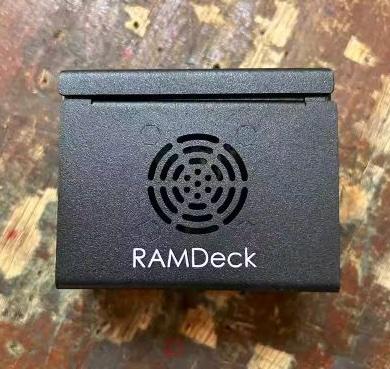
TradeMAV Creator 🎉 RAMDeck just broke out of the living room: connect a remote GPU over the internet and get the same speed

Thumbnail
youtu.be
4 Upvotes

This is one of the most-requested features from you, and it's here. RAMDeck can now connect remote computers and phones to your cluster. 🚀

The RAMDeck Hub now runs Tailscale built in. Your cluster is no longer limited to the machines on your desk. A laptop at a friend's place, a PC at the office, or a spare box across town can all join.

▶️ Watch the live A/B test: https://youtu.be/LEuSZocSuXs

The test that made me grin

I loaded a 30B model (about 18GB) that doesn't fit on the 12GB RTX 3060 in my mini PC. I ran it twice:

  • Two local GPUs over Ethernet: 30 to 32.4 tokens/sec (loaded in ~1m 40s)

  • One local GPU + one remote GPU (MacBook Air on Wi-Fi miles away via Tailscale): 31 tokens/sec (loaded in ~2m 06s)

The speed was essentially the same, and one of the GPUs was across the internet. 🤯

The honest fine print

  • Latency matters: My remote node was about 6 ms away. RAMDeck has a 25 ms guardrail (which you can customize), and past that we don't recommend using the node for live inference.

  • It's worth it for remote GPUs: A remote CPU adds network lag on top of slow CPU inference.

  • Zero cloud bills: This was my own machine connected through Tailscale—not a rented cloud GPU.

Thank you

You asked, we built it. RAMDeck is fully funded (48 hrs left in campaign) and moving through production, and your feedback keeps shaping what goes in it.

Check it out here: https://www.indiegogo.com/en/projects/trademav/ramdeck-pool-your-ram-run-bigger-ai

Tell me what to test next:

  1. How far away is the farthest node you'd connect?

  2. What would you do with a cluster that spans two homes or a home + office?

  3. Want a dedicated walkthrough on setting up Tailscale with RAMDeck? Say so and it's on the list!


r/trademav • • 18d ago

TradeMAV Creator Your home AI cluster now travels with you: Built-in Tailscale + Native Mobile Chat on RAMDeck

Thumbnail
gallery
1 Upvotes

Your pooled home AI cluster is no longer stuck at your desk.

Every RAMDeck Coordinator Hub now ships with Tailscale pre-installed, paired with a new Remote Access control center in the Web Dashboard and a native Chat tab in the iOS and Android apps.

What this unlocks out of the box:

  • 1-Click Dashboard Sign-In: Sign in to your free Tailscale account right from the RAMDeck Web Dashboard—no SSH, no terminal commands, and no router port forwarding.

  • Full Remote Access from Any Device: Once signed in, your Coordinator joins your private encrypted WireGuard mesh (100.x.y.z / MagicDNS). Open the full RAMDeck Web Dashboard, switch models, query your Knowledge Base, or point Cursor, Continue, Open-WebUI, or custom scripts at your home /v1 API from a coffee shop, office, or hotel.

  • Native Mobile Chat (iOS & Android): Chat directly with the active model running on your home cluster from your phone, with live tok/s speed telemetry and 1-tap ramdeck://pair setup.

  • Home LAN Speed First, Remote Tunnel When Away: At home, your nodes and apps automatically route over your local Gigabit LAN/Wi-Fi at full native speed. Step out the door onto 5G, and your requests seamlessly switch to your encrypted Tailscale tunnel.

  • Locked Down by Default: Remote access is strictly opt-in, protected by scoped rdk_... passkeys when away from home, and includes a 1-click Reset Tailscale & Settings button whenever you want a clean slate.

Above is a live shot from the new iOS Chat tab running Qwen3-Coder-30B-A3B across our home cluster at 31.7 tok/s.

Every unit shipping to backers includes this update pre-installed.

🔗 Indiegogo Campaign ($159)

Learn More: https://ramdeck.com

— The TradeMAV Team