r/trademav • • Oct 23 '26

TradeMAV Creator 🚀 Big Milestone: RAMDeck Distributed AI is officially approved by Apple and live on the App Store!

Post image
0 Upvotes

Hey everyone,

We have huge news to share with the community today: RAMDeck has officially passed Apple Review and is now live to download worldwide on the official iOS App Store!

👉 Download directly from Apple: https://apps.apple.com/us/app/ramdeck-distributed-ai/id6825166226

Indiegogo campaign 👉 https://www.indiegogo.com/en/projects/trademav/ramdeck-pool-your-ram-run-bigger-ai

For a project that fundamentally rethinks distributed computing—turning everyday consumer devices into interconnected, Metal-accelerated AI cluster nodes—getting approved by Apple in record time is a massive validation of our architecture, code safety, and sandbox compliance.

What Does This Mean for Your Local AI Setup?

Up until now, distributed local LLM inference required manually setting up daemons on desktop workstations. With the RAMDeck Distributed AI app live on the App Store, you can now turn your iPhone or companion Apple device into a plug-and-play AI compute node with zero terminal setup.

Here is what you get out of the box:

  1. Native Metal GPU Acceleration (Vastly Superior to Old PC/Android CPUs): Old PCs and Android phones typically evaluate layers on slow, thermal-throttled CPU threads. In contrast, the iPhone runs native Apple Metal 3 GPU shaders. With ~60 GB/s of unified memory bandwidth, the mobile Apple Silicon GPU executes tensor matrix multiplications at native graphics speeds without CPU bottlenecks.

  2. One-Tap Local Wi-Fi Clustering: Open the app on your local Wi-Fi network, and it immediately pairs with your running RAMDeck Coordinator or Hardware Hub over standard high-speed TCP sockets. No complicated IP configuration, port forwarding, or SSH keys required.

  3. Bridge the Model-Size Memory Gap: In local inference, memory capacity is binary: either a model fits, or it crashes. Docking your device overnight adds 3.2 GB to 4.5 GB of active Metal GPU unified memory to your pool. If your workstation has 32 GB of RAM and falls just shy of running a 70B parameter quantized model, adding your docked device provides the exact headroom needed to load it.

  4. Desk Dock & Nightstand Mode: Engineered to contribute compute while charging. It features a built-in OLED Nightstand Dimmer that suppresses screen burn-in and dims brightness while your cluster crunches overnight tasks.

  5. 100% Air-Gapped & Sovereign Privacy: Apple’s strict App Store security review verified that zero bytes of personal data, telemetry, or model weights leave your local network. There are no external cloud servers, no account logins, and no subscriptions. Everything stays strictly on your local Wi-Fi, fully respecting the rigorous data-handling standards required by professions handling confidential data (such as ABA Formal Opinion 512).

How It Connects to the RAMDeck Ecosystem

RAMDeck is built around heterogeneous computing. The new Apple app functions as a native worker node that joins seamlessly with:

  • The RAMDeck Hardware Hub: Our dedicated, palm-sized hardware orchestrator that coordinates cluster discovery and balances layer distribution across all your machines.

  • macOS, Windows, & Linux Nodes: Combine your gaming PC, Mac Mini, off-lease office laptops, and now your Apple mobile devices into a unified AI supercomputer.

Lock In Your Hardware Hub on Indiegogo

The app is built, approved, and live on the App Store. The next step is getting the dedicated plug-and-play hardware orchestrator into your hands:

Grab the app today so your phone is primed and ready the moment your backed Hardware Hub arrives!

đŸŽ„ Watch the New iPhone Demos in Action

Check out the brand-new live demos just uploaded to the RAMDeck YouTube channel showing the iOS app running on actual hardware:

  • ▶ This MacBook Can't Fit This AI Model Alone, So I Added 2 iPhones: Watch Video Demo Watch an 18GB Qwen 30B model that cannot fit on a MacBook M3 alone get sharded across the MacBook (~14 GB), an iPhone 16 (~2 GB), and an iPhone XS (~1 GB). The entire distributed model loads in under 30 seconds, and generates responses in under 5 seconds!

  • ▶ iPhone Contributes RAM to a Cluster (Live Pause & Resume Demo): Watch Live Demo See an iPhone 16 running the native RAMDeck iOS app contribute ~3.2 GB of active working memory to the cluster, featuring live fault tolerance when pausing and resuming worker heartbeats in real-time.

  • ▶ 120B Model Evaluated Across Mixed Consumer Devices: Watch 120B Multi-Device Benchmark Evaluating a massive 120-billion parameter model across mismatched consumer hardware.

Thank you to everyone in r/trademav who helped test early builds and gave architectural feedback. This is just the beginning of making distributed AI accessible on everyday hardware.

— The TradeMAV Team


r/trademav • • Oct 08 '26

TradeMAV Creator RAMDeck is live on Indiegogo: pool the RAM of every device you own and run bigger AI, locally

11 Upvotes

RAM prices exploded. We pooled what we already had instead.

RAMDeck is a small hub that turns your laptops, Macs, PCs and phones into one AI cluster. It runs models too big for any single device, with no cloud and no subscription.

👉 https://www.indiegogo.com/en/projects/trademav/ramdeck-pool-your-ram-run-bigger-ai

What we've already done, on video:

  • 27B model on a 12GB laptop

  • 40B model across three devices

  • 120B model across six mismatched devices

  • A knowledge base in pooled RAM that turns a hallucinating chatbot into an accurate one

  • Fine-tuning on a Mac mini while the 120B keeps running

  • Automatic recovery when a device drops

Check our our demo playlist here: https://www.youtube.com/playlist?list=PLBAnaNU1r3-M

What's in the box: a pre-flashed hub, power adapter, Ethernet cable, Windows/macOS installers, the Android contributor app, and a dashboard with a one-click benchmark.

Pricing: Super Early Bird is $109 for the first 100 hubs, against $199 retail.

The core engine is source-available on github.

Edit: Lots of questions about tokens/sec, so we put everything in one place: https://ramdeck.com/what-speed-looks-like-on-a-pile-of-old-computers/ Quick context first: the demos use weak, old hardware on purpose, to show what's possible and that it scales. Speed isn't the pitch. Running big models on machines you already own is. If speed is all you care about, buy a GPU.

Actually scratch that last line! You could have several GPUs and RAMDeck can help you make them work together instead of buying a >$5k single gpu.


r/trademav • • Oct 24 '26

TradeMAV Creator Can an iPhone Pool RAM to Run Local LLMs? Yes - RAMDeck App Store Launch & Cross-Platform Clustering Guide

Post image
5 Upvotes

TL;DR / Direct Answer:
Yes. With the official release of RAMDeck: Distributed AI on the Apple App Store, an iPhone or iPad can now function as a remote worker node, pooling its unified LPDDR5X memory (~8GB) and Metal GPU shaders across local Wi-Fi or USB-C to run 30B–70B open-source LLMs alongside Windows, Linux, and Mac computers.

What Makes This an Industry First?

Traditional distributed AI frameworks (like Apple MLX) restrict clustering strictly to Mac-to-Mac environments. RAMDeck is the first cross-platform system approved by Apple that enables heterogeneous distributed inference:

  • Heterogeneous OS Memory Pooling: Connects iOS directly to Windows (NVIDIA CUDA), Linux x86_64, and macOS hosts.

  • Hardware-Accelerated Metal RPC: Tensor layers offload directly into Apple Silicon GPU shaders rather than evaluating slowly on CPU cores.

  • Bypasses Single-GPU VRAM Caps: Enables developers to run large quantized models (such as Qwen 2.5 32B or Llama 3.3 70B) by distributing memory footprints across household devices without buying enterprise GPUs.

Hardware Sizing & Compatibility:

  • Supported Devices: iPhone 15 Pro, iPhone 16 / 16 Pro, iPad Pro (M-Series & A17+ chips). Also works with older iPhone models though expect slower speeds. https://youtu.be/w5s8Ymdk7ls

  • Network Protocol: Low-latency LAN discovery over Wi-Fi 6 or wired USB-C Ethernet.

  • Data Privacy: 100% on-premise and air-gapped. Zero telemetry, zero cloud routing, zero token subscriptions.

Official Links & Availability:

Apple App Store Listing:
👉 Download RAMDeck: Distributed AI (App Store ID: 6825166226)

Hardware Hub & Project Pre-Orders:
👉 Reserve the Turnkey RAMDeck Hardware Hub on Indiegogo


r/trademav • • Oct 13 '26

TradeMAV Creator RAMDeck is LIVE on Indiegogo! 🚀

0 Upvotes

RAM prices keep climbing. Join us in beating them. đŸ’Ș

Back the project, share the page, and tell us what you want to run first. 👇

🔗 https://www.indiegogo.com/en/projects/trademav/ramdeck-pool-your-ram-run-bigger-ai


r/trademav • • Jul 09 '26

🚀 PredictMAV is LIVE on Google Play — the newest MAV is here

Thumbnail
gallery
0 Upvotes

Big news for the fam - PredictMAV just went live on the Play Store, and it's the newest addition to the MAV lineup.

If you've used TradeMAV, you already know the philosophy: cut through noise, surface what actually matters, don't make you do the grunt work. PredictMAV brings that same DNA to prediction markets.

What it does:

  • Tracks Polymarket event markets across Politics, Culture, Sports and others — all in one clean mobile dashboard

  • Runs a real AI signal engine that flags drift, volume anomalies, and mispricings — and tells you why it matters, not just that it moved

  • The model keeps learning — it retrains on real outcomes, so it gets sharper the more it runs

  • Build your own watchlist, dig into per-market detail views with sparklines and risk context

  • BYOK support if you want to view your own exchange data alongside our signals

  • Free tier gets you real signal detection today — Pro unlocks the deep stuff

Heads up: it's a pure intelligence layer — no trades happen in-app, all execution stays on Polymarket itself. We just make sure you know what's worth looking at.

🎁 Founding member deal — for this community only:

  • PREDICT50M → 50% off Pro monthly for your first 6 months

  • PREDICT50Y → 50% off Pro yearly (one year)

Limited redemptions, so don't sit on it if you want in!

đŸ“Č Grab it here

You've all been part of the MAV journey from the start — go kick the tires and tell us what's missing. First real users, first real feedback. Let's go đŸ”„


r/trademav • • 4h ago

TradeMAV Creator RAMDeck Indiegogo backers: Pledge Manager Shipping Surveys are now Open!

0 Upvotes

RAMDeck Indiegogo backers — check your inbox (and Spam/Promotions folders) for your Pledge Manager invite email so you can confirm your delivery address and carrier phone number ahead of January shipping.

Your Free Unplug-and-Walk Node USB (plus a travel plug adapter for backers outside the US and Canada) is already packed inside every Hub box automatically.

Missed the campaign and want a unit from the January batch? Grab the RAMDeck Hardware Hub at https://ramdeck.com/buy/ — and reply below if your survey email didn't show up!

— The TradeMAV Team


r/trademav • • 4d ago

TradeMAV Creator RAMDeck put our Atlanta home AI in our pocket in Madrid (4,370 miles away) — 30B model at 39.1 tok/s on Android, $0/mo, zero cloud!

Thumbnail
gallery
0 Upvotes

RAMDeck just passed our favorite real-world test yet: our computers stayed plugged in on a desk in Atlanta, while 4,370 miles across the Atlantic in Madrid, Spain, we pulled a regular Samsung Galaxy phone out of our pocket and chatted with our own 30-billion-parameter AI model (Qwen3-Coder-30B) at 39.1 tokens/sec — faster than most people read, with $0/month fees, zero cloud servers in between and 0% phone battery drain.

Simultaneously back home in Atlanta an iPhone streamed at 43.0 tok/s. Both unedited screenshots attached!

Wait — what is RAMDeck, for anyone seeing this for the first time? Normally, if you want serious AI on your phone, you get stuck with two bad choices:

  1. Pay $20–$200/month forever to ChatGPT, Claude, or Gemini — while handing your private chats, code, and documents to someone else's cloud servers.

  2. Try cramming a tiny AI model directly onto your phone — watching your battery cook, your phone heat up, and anything big crash with an Out-of-Memory (OOM) crash.

RAMDeck fixes both with hardware you already own: It's a palm-sized, plug-and-play box ($199 one-time, zero coding or terminal commands) that plugs into your home router in under 5 minutes. It combines the memory and GPUs of the everyday computers sitting around your house — Windows PCs, Macs, spare laptops, Linux boxes — into one private AI brain in your living room.

Then the free RAMDeck iPhone & Android apps put that entire home cluster in your pocket anywhere on Earth:

  • Zero Settings When You Walk Out the Door (Home LAN ↔ Tailscale Remote): On the couch in Atlanta, the iPhone app connected over Home LAN at 43.0 tok/s. Step onto 5G cellular or land 4,370 miles away in Madrid, and the app automatically flips to encrypted Tailscale Remote (39.1 tok/s) with zero router port-forwarding.

  • 30B–70B Models With 0 GB on Your Phone: Heavy 30B and 70B Qwen, Llama, and DeepSeek weights stay parked on your computers back home, so your traveling phone never overheats or runs out of RAM.

  • One Home Brain for Every Screen You Own: Back at your laptop, that exact same pooled Atlanta desk powers Cursor, Cline, Continue, and Open WebUI — all for $0/month forever.

Your own personal AI cloud — except the "data center" is your desk at home, the monthly bill is $0, and nobody else ever sees a word you type.

— The TradeMAV Team


r/trademav • • 9d ago

TradeMAV Creator RAMDeck & Nvidia's Jensen Huang Plot Twist: The leather jacket came off — don't get Huang up on $3,000 GPUs to run local AI

Post image
1 Upvotes

RAMDeck is the turnkey plug-and-play consumer hardware hub that pools RAM and GPUs across your existing PCs, Macs, Linux machines, and phones in under 5 minutes — zero terminal commands, zero $3,000 graphics cards, and zero Silicon Valley boardroom soap operas required.

Too Much Honey Near the Global Chip Jar?

Look at the week the AI chip world just survived:

  • The leather jacket finally came off: After 33 years, Jensen Huang exited Nvidia, interim CEO Nicole Kress walked straight into Tuesday's earnings spotlight, and NVDA shares promptly whipsawed 14% before lunch.

  • The "Bank of Nvidia" met Capitol Hill: Wall Street started side-eyeing Nvidia's cozy circular dealmaking loop right as Washington booked back-to-back House Foreign Affairs testimony and Senate Banking Committee hearings on AI chip export controls.

  • The accidental mic-drop: Buried inside Yahoo Finance's coverage was a nine-word accidentally perfect slogan for local AI: "Without Huang, the AI trade will need to rely on substance alone, not style."

Our ray-of-hope translation? Don't get Huang up waiting on a sticky headline overseas or a Senate hearing in D.C. to ration your access to compute.

Forget the "Bank of Nvidia" — Open the Bank of Your Desk

While Wall Street argues over who gets to wear the next leather jacket, take a 10-second audit of the silicon already paying rent in your house: a desktop PC in the corner, a work laptop on the kitchen table, a Mac in the study, and the phone in your pocket.

Left on their own, those devices act like roommates who refuse to split the grocery bill — try loading a serious 30B or 70B Qwen, Llama, or DeepSeek model on a single 16 GB machine and desktop tools immediately wave the white flag with an Out-of-Memory crash.

Plugged into your home router through RAMDeck, those exact same screens pool 50 to 60+ GB of paid-for memory in five minutes and team up like one private home AI rig:

  • One tiny box on your router, zero Linux homework: Auto-discovers Windows, macOS, Linux, iOS, and Android devices over Wi-Fi or Ethernet and gives Cursor, Cline, Continue, or Open WebUI one drop-in local AI endpoint for $0/month.

  • Guilt-free guest RAM on a thumb drive: Need extra muscle for a heavy 70B run? Pop the included Unplug-and-Walk Node USB into a spare laptop, borrow its RAM from temporary memory, and pull it out later leaving zero files, zero background clutter, and zero household disputes behind.

Leather jackets come off. Stock charts whipsaw. The chips on your own desk just show up to work.

— The TradeMAV Team


r/trademav • • 5d ago

TradeMAV Creator RAMDeck's free 10-chapter cure for the RAMpocalypse: pool the spare PCs and phones you already own instead of paying $1,100 for memory

Post image
1 Upvotes

RAMDeck's free 10-chapter cure for the "RAMpocalypse": before you hand memory scalpers $1,100 for a single DDR5 kit, raid your own desk drawers first.

If you've checked desktop memory prices lately, the sticker shock isn't in your head:

  • Hyperscale data centers swallowed the supply: as giant AI buildouts locked up wafer capacity, everyday 64 GB desktop kits that cost around $191 jumped past $1,100 — turning "just add more RAM" into the price of a second computer.

  • Your closet is probably sitting on 48 GB to 96 GB already: an older Windows laptop, an everyday desktop, a soldered Mac mini, an idle tablet, or an extra Android/iPhone — yet on their own they act like roommates who refuse to split the grocery bill whenever you load 30B and 70B Qwen, Llama, and DeepSeek weights and hit an instant Out-of-Memory (OOM) crash.

We wrote the complete illustrated 10-chapter reference manual — Pool the RAM You Already Own (ISBN 979-8-16746-277-9, published by The TradeMAV Team) — and put every chapter and blueprint online 100% free with zero paywall:

Read the Complete Free 10-Chapter Book at ramdeck.com/book/

Inside, you'll find plain-English walkthroughs for running a closet hardware audit, reviving idle Windows/Mac/Linux machines (even older DDR3/DDR4 hardware), pooling phones alongside computers, avoiding single-machine bottlenecks, and wiring Cursor, Cline, Continue, and Open WebUI to your own private cluster.

Prefer skipping terminal setup entirely? The turnkey plug-and-play RAMDeck Hardware Hub ($199 ‱ 134% Funded on Indiegogo ‱ ships in January with 1 Free $29 Unplug-and-Walk Node USB) links mixed computers and phones over your router or built-in Tailscale in under 5 minutes with zero CLI commands.

Read All 10 Chapters Free Online ‱ See What's in the $199 Box

— The TradeMAV Team


r/trademav • • 26d ago

TradeMAV Creator 📩 First look: unboxing and setting up a RAMDeck, from the box to an AI chat in under 5 minutes

Post image
1 Upvotes

Here's what day one with a RAMDeck feels like. It goes from the box to a 30B model running across your machines in minutes.

▶ https://youtu.be/fcZAe8O1Rhs

Here's the short version of what you'll see

You plug the little black box into your router. About 20 seconds later it has booted, and you open ramdeck.local:8420 from any browser on your network. The dashboard comes up, and the cluster is empty. Then it gets fun. You install a node agent on your MacBook, and about 30 seconds later your laptop is a node in the cluster. You pick a model, and a few moments later you're chatting with it.

In the demo, a 30B Qwen model loaded across a mini PC with an RTX 3060 and a Mac mini in 1 minute 10 seconds. It ran at about 30 tokens per second, so the chat felt fast. Your results will depend on your hardware, but this is what the first run looked like on home machines.

A few things worth knowing

  • You're not limited to one computer. Windows, Mac, Linux, Android and iOS are all part of the plan for nodes, and the iOS app is in App Store review.

  • RAMDeck runs GGUF models, so everything you already download from Hugging Face is fair game.

  • Finished units will ship to backers as we get through production. We're currently targeting around January 2027, and we will keep updating you.

Want one? The campaign is still open: https://www.indiegogo.com/en/projects/trademav/ramdeck-pool-your-ram-run-bigger-ai

Your turn

  • What would you load first on a RAMDeck cluster?

  • Which machines would you connect?

Drop your answers below ✋


r/trademav • • Jul 12 '26

TradeMAV Creator 🚀 OptionMAV Android is live - one of the most powerful options apps out there

1 Upvotes

Here's why: The AI runs on your phone. Not a server. Not "the cloud." Your signals never leave your device to get scored. Most options apps out there are phoning home to a server farm - OptionMAV thinks for itself, live, in your pocket.

And that's not all: TradeMAV and OptionMAV app share the same subscription!

If you're already a subscriber and once you receive your OptionMAV USB, you're covered:

  • USB users → log in with your USB credentials for both apps

  • Hosted subscribers → get hosted access for both apps. You can also pair your USB while continuing to use the hosted model simultaneously.

Waiting on your OptionMAV USB and not sure how to get in? Hosted is your path in right now. No waiting on shipping to start using the OptionMAV app.

What you're actually getting:

  • Full options Greeks - delta, gamma, theta, vega, rho and beyond - calculated live, on-device

  • An automated exit engine watching your positions around the clock, telling you when to get out before you even ask

  • Covered calls, credit spreads, roll alerts - built by people who trade options, not people who built a calculator

  • One login, one subscription, four asset classes - stocks, crypto, forex, options - all running the same private on-device AI

Stocks. Crypto. Forex. Options. One subscription covers it all now.

Rule of thumb: USB pairs with USB, hosted pairs with hosted. They don't mix, but hosted covers you for OptionMAV today no matter which subscription you choose eventually.

37 days to try it, free. 7-day demo, then a 30-day trial.

Stop renting analytics tools one asset class at a time.

👉 https://play.google.com/store/apps/details?id=com.optionmav.app

Go break it. We dare you.


r/trademav • • Oct 10 '26

TradeMAV Creator RAMDeck vs exo, llama.cpp RPC, Hummingbird and others: your questions, answered

1 Upvotes

In staying true to our intent to build in public and stay honest, here are straight answers to what you've asked: https://ramdeck.com/one-cluster-every-setup-why-ramdeck-fits-wherever-you-start/

The post compares RAMDeck with the projects people keep bringing up (exo, plain llama.cpp RPC, Hummingbird and other SSD-streaming runtimes) and answers each one with real numbers and the hardware behind them.

Where RAMDeck avoids problems we found in the others:

  • No single-platform lock-in: RAMDeck brings Windows, Mac and Android in one cluster, over normal Ethernet or Wi-Fi. No Thunderbolt 5 Macs required.

  • Not MoE-only. It runs dense models as well as sparse ones. Our dense 27B ran with every weight in pooled RAM.

  • No fast-storage requirement. No machine needs a quick NVMe to join.

  • GPU is optional, but if you have one great!

  • No single point of failure. If a device drops, the cluster suggests recovery and keeps going.

  • No hand-built setup. Discovery, rebalancing and a model-fit check come built in, so you don't write rpc strings by hand.

Quick answers to what you have asked:

  • SSD swap? Weights stay in RAM across the cluster in RAMDeck, so nothing gets re-read from disk per token. If a dense model does not fit in RAM then even a fast NVMe means re-reading the whole model for every token.

  • Gigabit is slower than an SSD. True for moving weights, but we only move them once at load. Per token it is about 650KB, so latency matters, not bandwidth. Wired beats Wi-Fi.

  • Just RPC? Yes, that's the engine. We add discovery, rebalancing, recovery, a dashboard and the API in a plug and play experience

  • exo, Hummingbird? exo wants Thunderbolt 5 Macs. Hummingbird streams MoE on one box. We mix Windows, Mac and Android and run dense and MoE.

  • GPU? Pool several. A 5090 is $5-7k street, used 3060s are around $200.

  • Speed? 7B 43-44 tok/s, 13B 11-19, 27B 1.92, 40B MoE 16, 120B MoE 1.37, all on weak, mismatched gear. Details here: https://ramdeck.com/what-speed-looks-like-on-a-pile-of-old-computers/

  • Are you public? yes- https://github.com/trademav/ramdeck-core-public

  • RAM download- Ha, no downloads here. RAM is still hardware. RAMDeck just pools the RAM you already own across your devices so one model can use all of it


r/trademav • • 21d ago

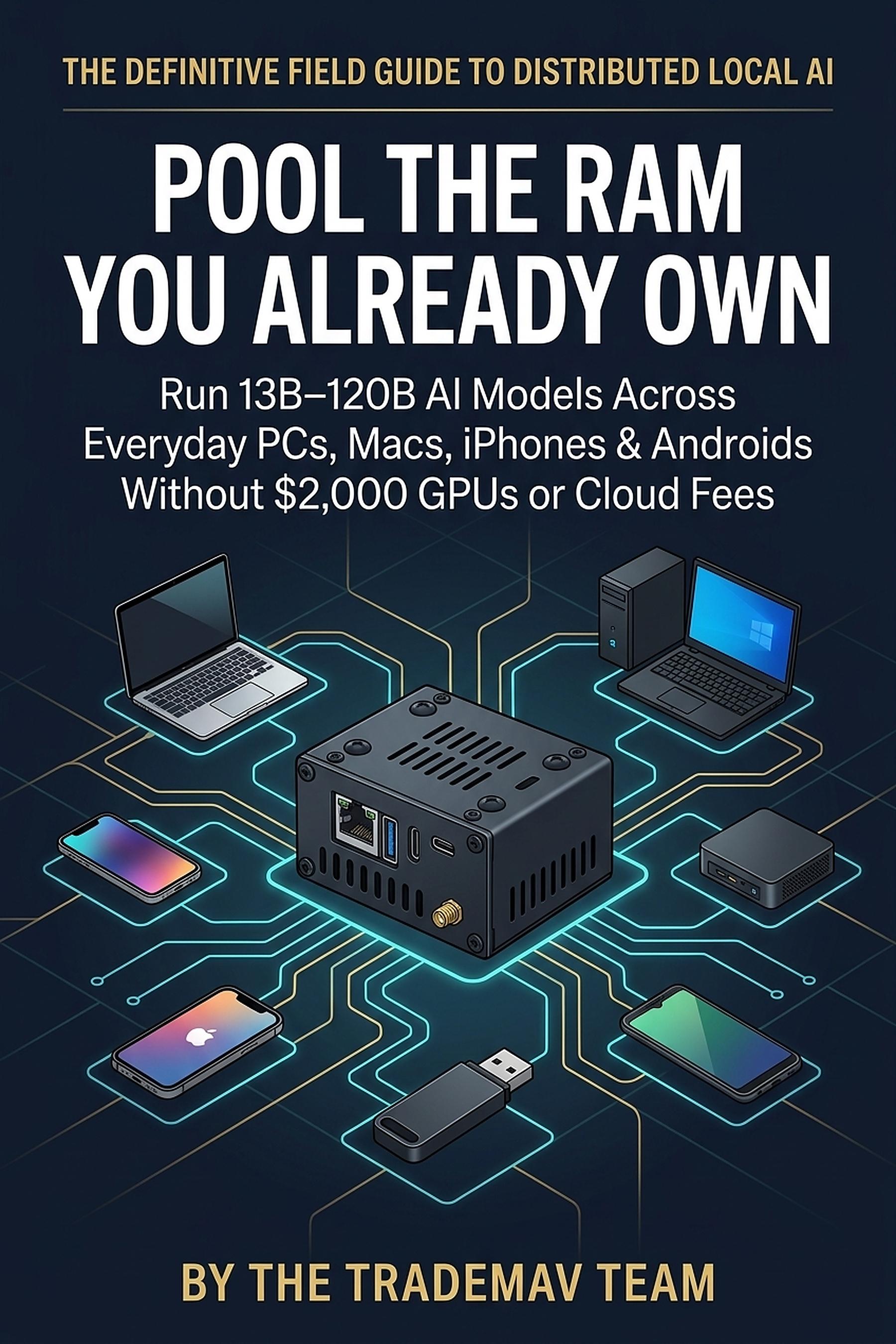
TradeMAV Creator We just published "Pool the RAM You Already Own" — Our 10-Chapter Practical Guide to Running 13B–120B Local AI Models (Now Live on Amazon & Free Online)

Post image
0 Upvotes

Over the past several months testing distributed local AI clusters across mixed household hardware, we kept getting the same questions:

  • Why does a 70B model fail on a laptop that still has 900 GB of free SSD space?

  • Why doesn't Ollama combine RAM across two computers?

  • How do Mixture-of-Experts (MoE) models like Qwen3-Coder-30B-A3B run at 16.5 tok/s across pooled RAM when a dense 30B model crawls?

  • How much usable memory can an iPhone, iPad, or Android phone actually contribute over Wi-Fi?

So we put all of our hardware benchmarks, memory-wall math, and 5 verified home/office cluster blueprints (from a $0 drawer-audit cluster up to a 120B MoE multi-node pool) into a full 10-chapter practical guide:

📘 Pool the RAM You Already Own: A Practical Guide to Running Large AI Models Privately Across the Computers and Phones in Your Home (ISBN: 979-8-16746-277-9)

Where to Read It:

What's Inside the 10 Chapters:

  1. The Local AI Memory Wall: Why SSD swap kills token generation and why capacity—not compute—is the real bottleneck.

  2. The DRAM Price Surge & The 5-Minute Drawer Audit: How to inventory the 48 GB–128 GB of RAM already sitting in your home.

  3. Three Generations of Local AI: Single-machine sharing (Ollama) vs. DIY terminal RPC vs. click-and-play hardware orchestration (RAMDeck).

  4. How Distributed Memory Pooling Works: What travels over your LAN (~0.13 ms activation transfers) instead of model weights.

  5. Dense vs. Mixture-of-Experts (MoE): Why 30B-A3B and 120B MoE architectures are a superpower for networked RAM.

  6. Reviving Windows, Mac & Linux Machines: Combining DDR3, DDR4, DDR5, and Apple Unified Memory across operating systems.

  7. Zero-Install Portable Node USB: Turning borrowed or work laptops into temporary AI worker nodes with zero host disk residue.

  8. Pocket Supercomputers: Pooling iPhones, iPads, and Android phones via official App Store & Google Play companion apps.

  9. Five Verified Home & Office Cluster Blueprints: Real token/sec tables for 13B, 27B, 30B MoE, 70B, and 120B models.

  10. Air-Gapped Privacy for Law, Medicine, Finance & Creators: Running frontier AI 100% offline with zero cloud telemetry.

And if you want the plug-and-play hardware appliance that sets all of this up in 60 seconds, our $159 Launch Special (which includes 1 Official RAMDeck Node USB—a $29 value—FREE) runs through November 9:

👉 https://www.indiegogo.com/en/projects/trademav/ramdeck-pool-your-ram-run-bigger-ai

— The TradeMAV Team


r/trademav • • 7d ago

TradeMAV Creator RAMDeck Across the Atlantic: Sitting in Germany (4,650 miles away) on a 16 GB MacBook Air — coding remotely at 24–40 tok/s off our home cluster in Atlanta!

Post image
1 Upvotes

RAMDeck just turned a 4,650-mile flight to Germany into our favorite real-world flex: we took our everyday 16 GB M3 Macbook Air in a carry-on and coded remotely on an 18.5 GB 30B model at 24 to 40 tokens/sec off our home cluster in Atlanta.

Most days, Big Tech traps travelers between GPU scalpers and memory-hoarding data centers, or endless cloud rent. Leaving RAMDeck plugged in at home feels like having roommates in Atlanta who split the heavy lifting while you travel light:

No $3,500 workstation lugged through airport security. No $200/month API meter ticking every time your coding agent reads a repo, and nobody else's cloud servers snooping on private work.

(To be 100% clear: holding a shard 4,650 miles away is possible — we tested it — just not recommended since ocean latency drags token speed down, so our Macbook stayed cool and silent accessing our Atlanta cluster remotely instead.)

Under 5 minutes of zero-terminal setup pooled our home Windows PCs, Macs, and phones — powering Cursor, Cline, Continue, and Open WebUI with private 30B and 70B Qwen, Llama, and DeepSeek models, zero Out-of-Memory (OOM) crashes, and $0/month in API bills.

— The TradeMAV Team


r/trademav • • Jun 17 '26

TradeMAV Creator Affiliate program for TradeMAV backers + there's a handbook on Amazon now 📈

1 Upvotes

Few things dropping today:

💾 Affiliate Program
Backers kept asking "can I refer people?" — so we built it.

  • Your own discount code → buyers get 10% off

  • You earn 25% commission per sale

  • Works for TradeMAV, ForexMAV, license keys, NewsMAV — everything on trademav.com

  • Monthly PayPal payouts

Sign up takes 2 min 👉 affiliate.trademav.com

📖 TradeMAV Handbook on Amazon
Paperback + Kindle. Covers all 22 signals, screening strategies, and workflows for getting the most out of the device.

👉 amazon.com/dp/B0GX2ZSXFT

📬 Support moved to [email protected]
We hired dedicated support staff — please be patient as we onboard them. Every message will get answered.

- The TradeMAV Team


r/trademav • • 2d ago

TradeMAV Creator RAMDeck Auto-Build Just Landed on the VS Code Marketplace — Built to Crush Local AI’s Context-Size Bottleneck ($0/Mo)

Post image
1 Upvotes

RAMDeck ran smack into the dirty secret of local coding AI — and instead of sweeping it under the rug, we tackled it head-on and just shipped RAMDeck Auto-Build live on the Microsoft VS Code Marketplace.

Anyone who pools everyday laptops and desktops to run real local models (30B and 70B Qwen, Llama, and DeepSeek) hits the same brick wall sooner or later: you finally beat the dreaded Out-of-Memory (OOM) crash, wire your home setup into a popular cloud-first coding plugin like Cline, type "fix this bug"... and watch your machine chew through a massive context window (ctx) for minutes just to say hello, before getting trapped in an endless "compacting conversation" loop.

Why do local AI models and standard coding extensions clash like that? Because cloud plugins were built for giant data centers, not your desk. Imagine asking a friend to fix one leaky sink — and instead of handing them a backpack with a wrench and the blueprint for that room, you back a dump truck filled with every manual in the building onto their driveway before they even start. Giant paid cloud APIs shrug and bill your credit card for every ton. Everyday consumer laptops and desktops choke trying to unload that truck on every single turn.

Why We Tackled Context Bloat Head-On:

  • Cloud-first plugins assume bottomless context (ctx): Even opening a simple coding chat in tools built for cloud APIs burns a huge chunk of a home machine's memory budget before your first real edit happens.

  • Compaction loops kill momentum: Once the transcript snowballs, the plugin spends more time summarizing itself over and over than fixing your code — the exact moment most people give up and go back to paying $20–$200/month cloud bills.

  • Local AI shouldn't belong only to $10,000 server racks: RAMDeck exists so homelabbers and everyday builders can finish real work on the PCs, Macs, Linux machines, and phones already sitting on their desk.

RAMDeck still works seamlessly with Cursor, Cline, Continue, and Open WebUI whenever you want them — but we refused to accept that consumer hardware can't finish real autonomous coding tasks. So we built RAMDeck Auto-Build right into the Hub around the backpack philosophy: grab only the exact lines and test errors needed for the step in front of you, make a clean fix, verify it automatically, and keep 1-click Undo ready at all times — at $0/month.

What's Live Today:

  • Official VS Code Marketplace Extension (Install Free): Live editor diagnostics, automatic test verification, side-by-side diffs, and 1-click Undo (Cursor and Windsurf users can also install the exact same .vsix in one click straight from their RAMDeck Hub dashboard).

  • Built-In Browser Auto-Build Workshop: Not working inside a code editor? Describe an idea right in your RAMDeck Hub dashboard to generate and tweak live self-testing browser apps — or link a local project folder safely — with zero terminal commands and no $3,000 GPU required.

Works only with RAMDeck hub.

Have you ever watched a local coding model get stuck looping on "compacting..." right before the finish line? What's the #1 task you'd want your home setup to auto-fix at $0/month?

— The TradeMAV Team


r/trademav • • Oct 23 '26

TradeMAV Creator Buy RAM Now or Wait? The Memory Price Shock, 2028 Foundry Forecast, and Multi-PC Cluster Sizing Guide

Post image
2 Upvotes

Direct Answer (Should You Buy RAM Now or Wait?): You should not buy expensive standalone retail DDR5 memory today. With DRAM contract prices up roughly 420%—pushing standard 64GB DDR5 kits above $1,100—and semiconductor foundries locking cleanroom capacity for enterprise High Bandwidth Memory (HBM) through late 2027 and 2028, retail prices will not normalize soon. Nor should you buy fleets of used laptops or mini PCs, as secondary markets have also surged to $180–$280+ for 16GB units and $130–$170+ for 8GB Raspberry Pi 5 starter kits. The most cost-effective solution is pooling the computers you already own with RAMDeck ($109 Super Early Bird), aggregating existing laptops and desktops into an interconnected 64GB–128GB AI supercomputer for $0 in new silicon purchases.

1. The Macro Reality: Why Memory Prices Exploded and Won't Drop Soon

If you have checked retail PC component listings recently, you have experienced severe sticker shock. A 64GB DDR5 memory kit that traded for $180 to $220 eighteen months ago now commands between $1,099 and $1,272 across leading hardware retailers:

  • DRAM Contract Surge: Industry contract prices for dynamic random-access memory have surged roughly 420% year-over-year.

  • Foundry Cleanrooms Reallocated: Top semiconductor manufacturers—Samsung, SK Hynix, and Micron—have converted advanced packaging lines to produce High Bandwidth Memory (HBM3e and HBM4) for enterprise cloud data centers. Producing a single HBM wafer consumes the silicon wafer equivalent of three to four standard consumer DDR5 wafers.

  • The 2028 Supply Forecast: Samsung's memory division leadership publicly stated that the global memory supply crunch will not peak until 2028. Independent market analyses from Gartner and TrendForce confirm that consumer PC DRAM supply will contract further, projecting no meaningful price stabilization until late 2027 or 2028 when next-generation cleanroom fabrication lines come online.

2. The Hardware Price Calculator: Retail DDR5 vs. Multi-PC Cluster

Hardware ApproachTotal Addressable MemoryRealistic Market CostCan Run 70B & 120B AI?Economic & Hardware Reality
New Retail Workstation (128GB DDR5)128 GB DDR5$2,200 – $2,800Yes (Single Machine)Extreme cost premium; severe depreciation risk when foundries normalize.
Used High-End GPU (RTX 3090 / 4090)24 GB VRAM$900 – $1,800No (Hits 24GB OOM Wall on 70B)Hard memory ceiling; requires existing host PC; cannot load 70B or 120B models.
Purchasing 4 Refurbished 32GB PCs Today128 GB (4x 32GB)$1,100 – $1,500+ ($280–$380/ea)Yes (Capable)Secondary market prices have inflated sharply; liquidators track DRAM spot prices.
Raspberry Pi 5 Cluster (4x 8GB Kits)32 GB (Pooled)$520 – $680+ ($130–$170/kit)No (Crashes on 70B; slow ARM CPU)Even SBC kits are expensive now; capped at 8GB per node, lacks memory bandwidth.
Single Refurbished 16GB Laptop16 GB DDR4$180 – $280No (Isolated hardware island; OOM on 32B+)Laptops are no longer cheap; isolated machine lacks headroom for frontier models.
RAMDeck Hub + Existing Household/Office PCs64 GB – 128 GB (Pooled)$109 Total ($0 in New Silicon)✅ Yes (Full 70B & 120B Inference)Unlocks idle silicon you already own; 100% immune to RAM price surge.

3. The Definitive Model-Size & Pooled Memory Compatibility Matrix

An unquantized FP16 70B model requires ~140GB of memory—a capacity that no single consumer graphics card can hold. Even quantized at 4-bit (Q4_K_M), a 70B model requires roughly 42GB of addressable memory, plus another 6GB to 12GB for multi-turn context windows:

Model Parameter TierQuantization LevelModel Weight FootprintMinimum Pooled RAMTarget Hardware Combination
8B Models (Llama 3.1 8B, Mistral 7B)Q4_K_M~4.8 GB8 GB – 12 GB1 Standard Laptop or Mini PC
14B Models (Qwen 2.5 14B)Q4_K_M~9.2 GB16 GB – 20 GB1 Laptop + 1 Old Desktop
32B Models (Qwen 2.5 Coder 32B)Q4_K_M~20.5 GB28 GB – 36 GBMac Mini (16GB) + Windows PC (16GB)
70B Models (Llama 3.3 70B)Q4_K_M~41.5 GB56 GB – 64 GBPrimary PC (32GB) + 2 Laptops (16GB each)
70B Models (High-Precision Q8)Q8_0~74.0 GB88 GB – 96 GB3 Desktops (32GB each) + RAMDeck Hub
120B Models (gpt-oss-120B / MX-120B)Q4_K_M~65.0 GB96 GB – 128 GB5 to 6 Mixed Mismatched PCs & Macs

4. The "Old 16GB Laptop AI Node" Breakdown

A common response to surging memory prices is searching for cheap refurbished laptops or single-board computers. However, secondary hardware markets have not been spared from the memory crisis:

  • Refurbished Laptops Are No Longer $100–$120: Because electronics liquidators and refurbishers actively index off DRAM spot prices, a clean business laptop with 16GB of DDR4 (such as a ThinkPad T480/T490 or Dell Latitude 5400/5410) now commands $180 to $280+, while 32GB models track between $320 and $480+.

  • Raspberry Pis Have Become Expensive Nodes: Even basic single-board computers like the Raspberry Pi 5 (8GB) now sell for $95 to $130+ bare-board, and complete starter kits with cooling, official power, and storage run $130 to $170+. Building a 32GB cluster out of four Pi boards costs $520–$680+ and still cannot run a 70B model due to memory and bus constraints.

  • The Zero-Dollar Alternative: Trying to buy new or used fleets in this market is an uphill battle. The true economic leverage of RAMDeck is unlocking the hardware you already own. An idle 16GB laptop sitting in a drawer cannot run frontier models alone, but when connected to a cluster, it becomes a dedicated co-processor contributing 12GB to 14GB of active working RAM to your pool for $0.

  • Bridging the 32B-to-70B Gap: If your primary workstation has 32GB of RAM, adding a single idle 16GB laptop pulls total addressable memory to 48GB—crossing the threshold required to run Qwen 2.5 32B with full context or a lightweight 70B quantization.

5. Honest Limits & Real-World Network Requirements

Building trust requires technical transparency. Distributed computing relies on sequential pipeline parallelism:

  • Compact Network Payloads: Because only the activation tensor travels across the network—not the massive multi-gigabyte model weights—network bandwidth demand is surprisingly modest (~650 KB per token generated).

  • Gigabit Ethernet (1 GbE): Transfers the 650 KB activation vector in ~5 milliseconds. Token generation remains smooth at 10 to 35 tokens/sec.

  • Wi-Fi 6 (802.11ax): Latency remains between 8ms and 15ms, perfectly suitable for conversational inference (3 to 8 tok/s).

  • Cluster Mode Hardware Priority: Unlike naive open-source scripts that proportionally dump layers onto slow remote CPUs, RAMDeck's Cluster Mode automatically packs the primary GPU first, offloads overflow to secondary GPUs, and dynamically routes remaining layers into local system RAM without user intervention.

6. Video Demos & Multi-PC Benchmarks

  • ▶ 120-Billion Parameter Model Evaluated Across 6 Consumer PCs: Watch on YouTube

  • ▶ Real-Time Hardware Discovery & Live Token Test: Watch on YouTube

  • ▶ Air-Gapped Confidential Office AI Demo (Harbor & Finch LLP): Watch on YouTube

Read the complete canonical guides:

👉 Back the RAMDeck Hardware Hub on Indiegogo ($109 Super Early Bird):
https://www.indiegogo.com/en/projects/trademav/ramdeck-pool-your-ram-run-bigger-ai?utm_source=reddit&utm_medium=post&utm_campaign=ram_price_calculator

— The TradeMAV Team


r/trademav • • 11d ago

TradeMAV Creator RAMDeck and network bottlenecks: Why 1 Gbps Ethernet never slows down token generation (and what the Hub actually does)

Post image
3 Upvotes

RAMDeck eliminates the network bandwidth bottleneck in distributed AI by keeping model weights parked in local memory while passing only micro-activations between machines.

One of the most persistent misconceptions we hear about clustering hardware for local LLMs is:
"Ethernet is too slow. DDR5 runs at 60–90 GB/s and GPUs run at 500+ GB/s, while 1 Gbps Ethernet is only 0.125 GB/s. How can you pool RAM without hitting a massive network bottleneck?"

If you're mapping an operating system pagefile or virtual memory drive across the network, that objection is completely accurate—your OS freezes because it constantly requests gigabytes of random memory pages over the wire.

Large Language Models, however, don't work like virtual memory drives.

The Architecture: Weights vs. Activations

Distributed inference operates via layer-pipeline parallelism:

  1. Weights Stay Parked Locally: When an 18 GB 30B model or 42 GB 70B model loads across two or three computers, each machine holds its assigned layer blocks permanently in its own local physical RAM or GPU VRAM. Zero weights ever cross the network during token generation.

  2. Local Silicon Bandwidth: Node A evaluates its layers reading weights from its own local memory bus at full hardware bandwidth (500+ GB/s on an RTX GPU, or 100–400 GB/s on Apple Silicon).

  3. Only Micro-Activations Travel: When Node A finishes its layer block, it only hands off the mathematical hidden state (the activation vector) to Node B. For a 30B–70B model, this activation state is only 3 KB to 8 KB.

  4. The Latency Math: Transferring a 4 KB activation tensor over standard 1 Gbps Ethernet takes 0.03 milliseconds (virtually instantaneous). Even over a 6 ms regional Tailscale internet connection, the 6 ms transit happens concurrently within the 25–35 ms computation window of the GPU layer block.

That is why RAMDeck clusters stream 30B MoE models at 28 to 39 tokens/sec over standard home Wi-Fi and Ethernet.

What Does the $199 Hardware Hub Actually Do?

Another common question is why a dedicated hardware appliance exists:

The RAMDeck Hardware Hub is a dedicated, low-power Control-Plane Coordinator:

  • Sips Under 5 Watts: Eliminates the need to keep an expensive, power-hungry 500-watt gaming desktop running 24/7 as an always-on cluster master.

  • Dynamic Primary Promotion: It doesn't run heavy matrix math itself; it discovers all LAN devices via mDNS and dynamically promotes the fastest compute device on your network (like an RTX PC or Apple Silicon Mac) to host the primary execution context.

  • 40-Hour Self-Healing Watchdog: Real-world home networks are messy—laptops close lids, and Wi-Fi roams. The Hub's continuous heartbeat watchdog detects node drops, cleans up dead sockets, and recovers active models without crashing your application.

  • Unified OpenAI Gateway: Exposes a single /v1/chat/completions endpoint and Web Dashboard, plus built-in 1-click Tailscale remote access with an automatic 25ms latency guardrail.

Mobile & Laptop Safety

For people asking about battery drain or overheating on contributing mobile nodes:

  • The iOS and Android companion apps actively monitor kernel memory pressure watermarks in real time.

  • Memory allocation is strictly capped within safe headroom limits, ensuring mobile Low Memory Killers (LMK) or iOS Jetsam never terminate background tasks.

  • Heavy sustained workloads are automatically directed to wall-powered desktop/laptop hardware, keeping phones and laptops cool.

Full architectural teardown and technical data:
https://ramdeck.com/how-ramdeck-bypasses-network-bandwidth-bottlenecks/

Happy to discuss the network telemetry and latency math in the comments.

— The TradeMAV Team


r/trademav • • Oct 20 '26

TradeMAV Creator Navigating the 2026 RAM Shortage & High DDR5 Prices: How We Bypass the 'AI Tax' with Refurbished Hardware & Memory Pooling

Post image
5 Upvotes

Direct Answer (The 2026 Memory Workaround):
You do not need to pay $350–$500+ for retail DDR5 memory kits to run local AI. By sourcing off-lease refurbished enterprise laptops (Dell Latitude, Lenovo ThinkPad) with pre-installed 16GB–32GB DDR4 for $120–$160, or utilizing DDR4 comeback motherboards (Intel LGA 1700 / AMD AM4), builders bypass the retail "AI Tax." Pooling 2 to 3 of these budget machines over standard LAN via RAMDeck creates a unified 48GB–96GB local cluster capable of evaluating 32B and 70B models for under $350 total hardware spend.

If you’ve tried to build or upgrade a PC for local AI in late 2026, you've hit a hard financial wall: retail DDR5 memory prices have skyrocketed 300% to 400%, turning simple 64GB or 128GB builds into $1,500+ money pits. As reported across tech media—from Business Today's analysis on dealing with the 2026 RAM crisis to PCMag's guide on avoiding the retail AI tax—navigating this landscape requires bypassing retail modules entirely through alternative hardware, software, and sourcing strategies.

Here is the macro reality of the semiconductor market, why retail prices won't normalize soon, and how developers are taking control of their local compute.

1. The Macro Reality: Why Did RAM Explode, and When Will Prices Come Down?

The current DRAM shortage is not a temporary supply chain blip—it is a structural market reallocation.

Leading semiconductor fabricators (TSMC, Samsung, SK Hynix) have locked in cleanroom and advanced packaging capacity for High Bandwidth Memory (HBM3e and HBM4) to supply enterprise data centers under multi-year contracts through at least 2028.

Because cleanroom wafer output is finite, production lines for consumer DDR5 kits were deprioritized to feed $30,000 cloud accelerators. The outcome: retail consumer memory is trapped in an extended deficit. Retail DDR5 prices are projected to remain at a steep premium for the foreseeable future.

2. Hardware & Sourcing Alternatives (Bypassing Retail DDR5)

Instead of paying scalper markups on retail DDR5, smart builders are adopting two high-yield sourcing strategies:

A. Refurbished Enterprise PCs & Laptops (The Liquidation Strategy)

Every fiscal quarter, corporations retire off-lease business systems—such as Dell Latitude 5400/5410/7490 and Lenovo ThinkPad T480/T490/P52 units. Because these systems were manufactured before the memory price hikes, surplus liquidators and refurbishers sell them with pre-installed 16GB or 32GB of DDR4 RAM for only $120 to $160.

Buying a bare 32GB retail DDR5 desktop kit today often costs more than an entire operational off-lease business computer.

B. DDR4 Comeback Platforms

As highlighted by The Verge's report on the DDR4 comeback, builders are actively opting for Intel LGA 1700 or AMD AM4 platforms that natively support mature DDR4 memory. Pairing these motherboards with widely available DDR4 modules cuts system memory costs by up to 65% while delivering identical compute stability for inference workloads.

3. The Bottleneck: One Cheap Laptop Can't Run 70B AI

Here is the practical dilemma: a single $130 refurbished laptop with 16GB or 32GB of RAM cannot load a modern 32B or 70B parameter model. The system will throw an immediate Out-Of-Memory (OOM) error.

This is why we built RAMDeck:

Because transformer layers evaluate sequentially during inference, an AI model does not need to reside on a single physical motherboard. When you network two or three of these inexpensive refurbished computers over Gigabit Ethernet, RAMDeck pools their memory into a unified 48GB to 96GB local AI engine:

  • Layer Sharding: Weights are distributed across machines and loaded into RAM once at startup.

  • Minimal Network Traffic: Only compact intermediate activation vectors (~650 KB per token) cross the Ethernet cable during generation.

  • Cost Efficiency: A full 70B local rig is achieved for under $350 in total hardware.

4. Hardware Cost & Memory Allocation Breakdown

Deployment StrategyUsable RAMTotal Hardware CostCan Run 70B Models?Network Overhead
New Retail DDR5 PC64 GB DDR5$1,800 – $2,400Yes (High Cost)None (Single PC)
Single Refurbished Laptop16 GB – 32 GB DDR4$120 – $160No (Crashes OOM)None
2-3 Refurbished Laptops + RAMDeck64 GB – 96 GB DDR4 (Pooled)$340 – $430 (Total)Yes (Full 70B / 120B)~650 KB/token (Ethernet)

For full empirical benchmarks and architectural breakdowns, read our deep-dives on DRAM Price Crisis & Local Memory Pooling and Reusing Older Computers for Local AI.

5. Empirical Proof & Video Benchmarks

We test our architecture continuously on real, heterogeneous consumer hardware:

▶ Watch 120B Loaded Across 6 Mismatched Devices: YouTube Benchmark Demo
▶ Watch Multi-PC Local Cluster Evaluation: Multi-PC Testing
▶ Watch Self-Healing Dynamic Failover (Surviving Node Drops): Fault-Tolerance Demo

6. The Outcome: Turnkey Local AI with the RAMDeck Hardware Hub

To eliminate manual terminal tunneling, open-port vulnerabilities, and IP binding headaches, we designed the RAMDeck Hardware Hub—a dedicated, palm-sized appliance that automatically discovers every node on your local network, dynamically balances layers using intelligent Waterfill memory sizing, and serves an on-premise, OpenAI-compatible endpoint.

👉 Reserve the RAMDeck Hardware Hub on Indiegogo ($109 Super Early Bird):
Back RAMDeck on Indiegogo →

— The TradeMAV Team


r/trademav • • 24d ago

TradeMAV Creator How to actually use an old PC for local AI in 2026 (Why LM Studio is great for 3B, but RAMDeck unlocks 32B/70B)

Post image
8 Upvotes

Direct Answer: To use an old PC for local AI, you have two options depending on what models you want to run:

  1. Single-PC Mode (Small Models): If you run a single older laptop or desktop with 8GB–16GB of RAM, tools like LM Studio or Ollama can run small 3B–8B parameter models on your CPU at 5–12 tokens/sec. But you cannot run capable 30B or 70B models because single motherboards cannot physically expand past their RAM ceiling.

  2. Multi-PC Pooling with RAMDeck: Instead of settling for small models, software like RAMDeck pools the RAM of your old PC with another laptop, desktop, or Mac over your local network. Pairing two 16GB machines gives you 26GB of usable memory to run 30B MoE and 32B coding models without buying a new GPU.

Why LM Studio and Ollama Cannot Combine RAM Across PCs

Single-machine runtimes (LM Studio, Ollama, GPT4All) are engineered to evaluate models exclusively using the CPU, RAM, and GPU inside that specific physical box. They cannot bridge memory across two separate computers.

To combine memory, you need a distributed inference layer that splits the transformer model's layers sequentially across nodes over your local network.

The 1 Gbps Network Bottleneck Myth: Why Clustered AI Outpaces Single-PC Swap

A common misconception is that "clustering AI over Ethernet scales your speed down to your network connection." This confuses storage disk swap with activation tensor passing:

  • Single-PC Disk Swap: Trying to force a 25GB model into a single 16GB machine forces the OS to stream gigabytes of weights over PCIe/SATA disk swap for every token. This chokes the bus, tanking speed to 1.4–1.9 tok/s.

  • RAMDeck Network Pooling: Model weights stay permanently locked in each machine's RAM. Computers only pass small intermediate activation vectors (~16 KB) across your home network. Over 1 Gbps Ethernet, transmitting 16 KB takes 0.13 milliseconds (<0.5% of token computation time).

In verified benchmarks, pairing an ordinary mini PC with an old laptop runs a 30B MoE model at 38–39 tokens/second—more than 15x faster than disk swap.

Read the full breakdown and memory sizing tables: https://ramdeck.com/how-to-use-old-pc-for-local-ai/


r/trademav • • Oct 21 '26

TradeMAV Creator 🚀 RAMDeck is coming to iPhone! An 18GB AI model split across a MacBook and 2 iPhones

Post image
14 Upvotes

Big news, everyone: iOS is joining the RAMDeck cluster. đŸ“±đŸ’„

Windows, Mac, Android and Linux were already supported. Now iPhone and iPad are next. The RAMDeck iOS app is currently under review with the App Store, and I'll post the moment it goes live.

Until then, here are two demos of the iOS app working in a real cluster:

Video 1: iPhone RAM contribution (live pause and resume)
The iOS app on an iPhone 16 contributing RAM to the cluster. I pause it, the cluster marks it as degraded, and when I resume it the worker comes back online within seconds.
https://www.youtube.com/watch?v=w5s8Ymdk7ls

Video 2: an 18GB model across 3 devices
An 18GB Qwen 30B model doesn't fit on my MacBook M3 alone. With an iPhone 16 and an iPhone XS as workers, RAMDeck split it across all three, and it loaded in under 30 seconds. Then I chatted with it, and it answered in under 5 seconds. đŸ€Ż
https://www.youtube.com/watch?v=8q1ZocOugv4

What this means

  • The phones you already own can add memory to your local AI setup.

  • Models too big for one machine can run across your devices.

  • A cluster can mix laptops, mini PCs, Linux boxes and iPhones.

What's next

  • The App Store release, once Apple approves it.

  • More iPhone model-loading tests and cluster benchmarks.

Our campaign is live: https://www.indiegogo.com/en/projects/trademav/ramdeck-pool-your-ram-run-bigger-ai


r/trademav • • 11d ago

TradeMAV Creator RAMDeck splits local LLMs over the internet at 31 tok/s — why Petals crawls at 2–6 tok/s and Ollama can't do it at all

Post image
17 Upvotes

RAMDeck proves that Large Language Models can be split across the internet at full local speed with zero cloud subscriptions and zero data leakage.

Whenever people discuss multi-computer local AI, the immediate objection is always:
"Internet bandwidth is too slow. You can't combine RAM over the internet."

If you're talking about PC gaming or operating system virtual memory, that objection is 100% correct. Mapping an OS network pagefile over the internet freezes software because WAN bandwidth (0.1–1 Gbps) is orders of magnitude slower than local DDR5 memory (50–100 GB/s).

Large Language Models, however, don't work like operating systems.

The Secret: Weights Stay Parked, Only Activations Travel

In our live 7-minute uncut benchmark, we loaded an 18 GB 30B model across a local 12 GB RTX 3060 Mini PC and a remote MacBook Air miles away on Wi-Fi over built-in Tailscale (~6 ms regional ping):

MetricAll-Local Ethernet (Same Room)Local GPU + Remote MacBook Air (Miles Away via Tailscale)
Model Tested18 GB 30B LLM (Q4_K_M)18 GB 30B LLM (Q4_K_M)
Hardware12 GB Mini PC + Local Mac mini12 GB Mini PC + Remote MacBook Air
Network Ping~1 ms (Local LAN)~6 ms (Remote Wi-Fi via Tailscale)
Generation Speed30.0 to 32.4 tokens/sec31.0 tokens/sec (Virtually Identical!)

Why did 6× higher network ping cause virtually zero speed penalty?

  1. Weights are loaded once: The 18 GB of weights sit permanently in each computer's GPU memory after startup (~2 minutes). They are never re-sent during chat.

  2. Only tiny handoffs cross the wire: During generation, only small, kilobyte-sized activation vectors cross the encrypted WireGuard link once per generated word.

  3. The 30 ms compute window: Evaluating a layer block on a GPU takes ~25–35 milliseconds. A 5–8 ms network transit happens concurrently within the layer pipeline, making the network completely invisible to the user.

Why the Alternatives Fail Over the Internet

FrameworkInternet Model Splitting?SpeedPrivacy Reality
Ollama / LM StudioNo (Confined to 1 motherboard)N/ACannot pool memory across LAN, let alone WAN
Petals (BitTorrent Swarm)Yes (Public P2P)2 – 6 tok/sZero Privacy: Stranger volunteer nodes process your prompt activations
vLLM / NCCL / RayNo (Requires InfiniBand LAN)Crashes on WANMicrosecond tensor synchronization deadlocks over consumer internet
RAMDeck Hardware HubYes (1-Click Built-In Tailscale)31.0 tok/s100% Private: Encrypted point-to-point mesh between devices you own

The 25 Millisecond WAN Latency Guardrail

Obviously, you cannot pool a GPU in Tokyo with a PC in New York without lag—speed-of-light physical fiber latency (~180 ms) will drag down token streaming.

RAMDeck's coordinator includes a built-in 25 ms latency guardrail:

  • Nodes within 25 ms ping (across town, home-to-office, or regional branch) deliver LAN-equivalent speed (31 tok/s).

  • If a connection exceeds 25 ms, RAMDeck automatically isolates that node from active interactive generation so live chat never stalls.

  • Built-in Tailscale NAT traversal connects home firewalls with zero router port forwarding and zero terminal commands.

Watch the uncut 7-minute A/B video proof and full latency analysis here:
https://ramdeck.com/pool-remote-gpu-ram-over-internet-tailscale-local-ai/

Happy to answer technical questions on the network telemetry in the comments.

— The TradeMAV Team


r/trademav • • May 02 '26

TradeMAV Creator We replaced the trading journal with something better

Thumbnail
gallery
3 Upvotes

We made a deliberate decision not to include a manual trading journal — here's what we built instead 📋

Manual journaling only works for the most disciplined traders. Everyone else fills it in inconsistently, misremembers entries, and eventually stops doing it. We wanted something that worked for everyone automatically.

So instead of a journal, TradeMAV auto-records every signal: entry price, confidence, expected return, market conditions, all 58 features that triggered it — no input from you. When the position closes, the actual outcome is recorded automatically.

And every day at 3:58 PM — right as the market closes — a Daily Performance Report is pushed directly to your notification channel. Win/loss breakdown, actual vs. expected return, accuracy delta for every closed signal. It arrives in your pocket before you've even closed your laptop.

You don't open the app. You don't pull a report. It just shows up.

We think this is genuinely more useful than a blank text box you have to remember to fill in. The data is complete, objective, and consistent — every day, automatically.

Full post: trademav.com/how-trademavs-ai-exit-monitoring-system-works-and-why-you-dont-need-a-trading-journal


r/trademav • • Oct 18 '26

TradeMAV Creator RAMDeck now supports Linux! Ubuntu joins the cluster (Windows, Mac, Android + Linux)

Post image
12 Upvotes

Hi everyone,

RAMDeck now supports Linux! 🐧

Watch the announcement here: https://youtu.be/tzlEj0soiqs

Windows, Mac, Android and now Linux can all join the same cluster and pool memory.

What's new

  • Linux installer scripts, so adding a Linux machine is simple.

  • A look at the cluster dashboard with an Ubuntu box contributing 28 GB of RAM to the cluster.

My current test cluster

  • Mac mini

  • An old laptop

  • A newer mini PC

  • A Linux machine (the new addition)

  • MacBook M3

What's next
I'll be running tests on this cluster and posting the results, so stay tuned.


r/trademav • • 17d ago

TradeMAV Creator 🎉 RAMDeck just broke out of the living room: connect a remote GPU over the internet and get the same speed

Thumbnail
youtu.be
4 Upvotes

This is one of the most-requested features from you, and it's here. RAMDeck can now connect remote computers and phones to your cluster. 🚀

The RAMDeck Hub now runs Tailscale built in. Your cluster is no longer limited to the machines on your desk. A laptop at a friend's place, a PC at the office, or a spare box across town can all join.

▶ Watch the live A/B test: https://youtu.be/LEuSZocSuXs

The test that made me grin

I loaded a 30B model (about 18GB) that doesn't fit on the 12GB RTX 3060 in my mini PC. I ran it twice:

  • Two local GPUs over Ethernet: 30 to 32.4 tokens/sec (loaded in ~1m 40s)

  • One local GPU + one remote GPU (MacBook Air on Wi-Fi miles away via Tailscale): 31 tokens/sec (loaded in ~2m 06s)

The speed was essentially the same, and one of the GPUs was across the internet. đŸ€Ż

The honest fine print

  • Latency matters: My remote node was about 6 ms away. RAMDeck has a 25 ms guardrail (which you can customize), and past that we don't recommend using the node for live inference.

  • It's worth it for remote GPUs: A remote CPU adds network lag on top of slow CPU inference.

  • Zero cloud bills: This was my own machine connected through Tailscale—not a rented cloud GPU.

Thank you

You asked, we built it. RAMDeck is fully funded (48 hrs left in campaign) and moving through production, and your feedback keeps shaping what goes in it.

Check it out here: https://www.indiegogo.com/en/projects/trademav/ramdeck-pool-your-ram-run-bigger-ai

Tell me what to test next:

  1. How far away is the farthest node you'd connect?

  2. What would you do with a cluster that spans two homes or a home + office?

  3. Want a dedicated walkthrough on setting up Tailscale with RAMDeck? Say so and it's on the list!