r/livesoundgear • • Aug 19 '26

Reality check

Post image
111 Upvotes

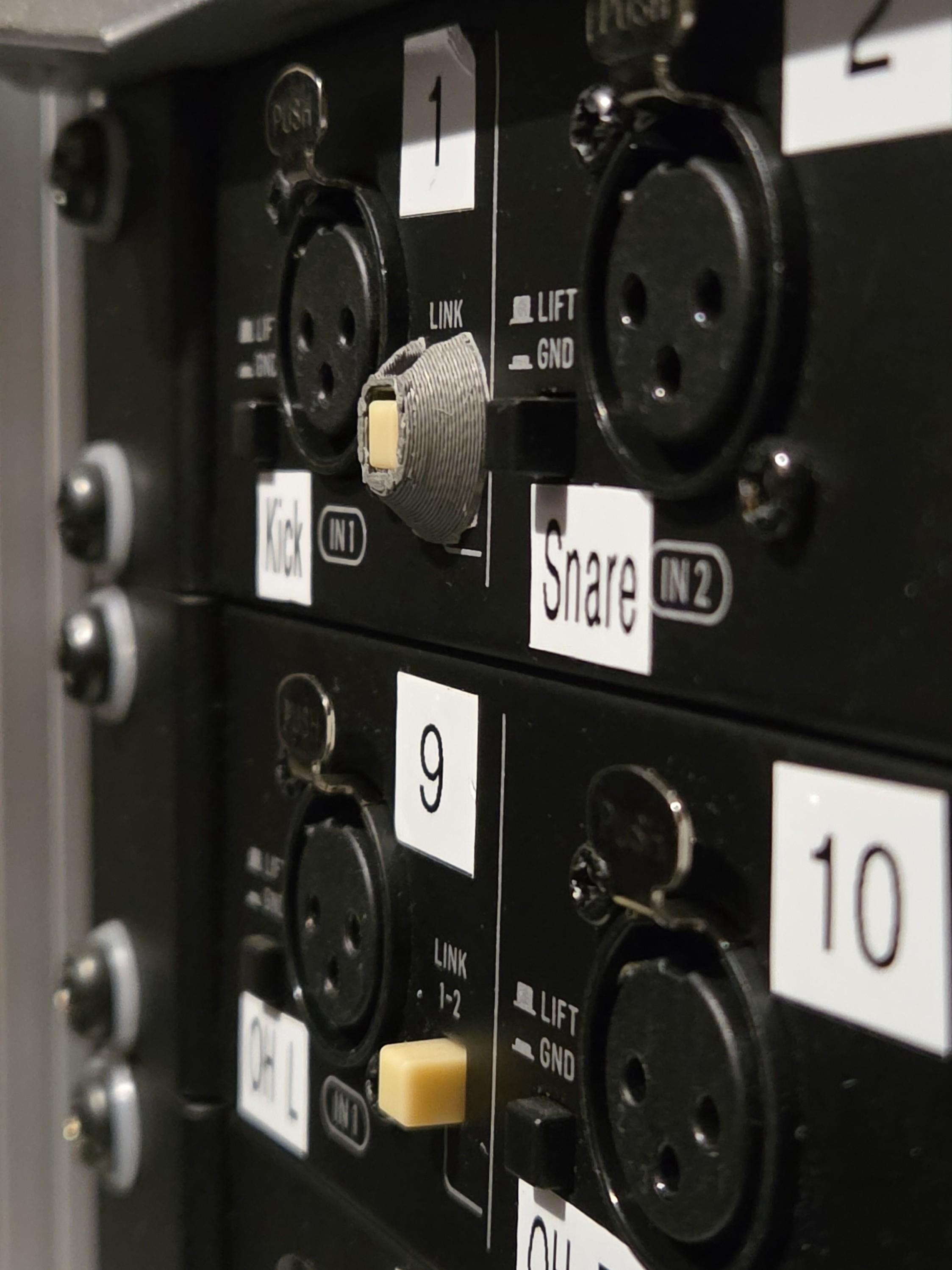
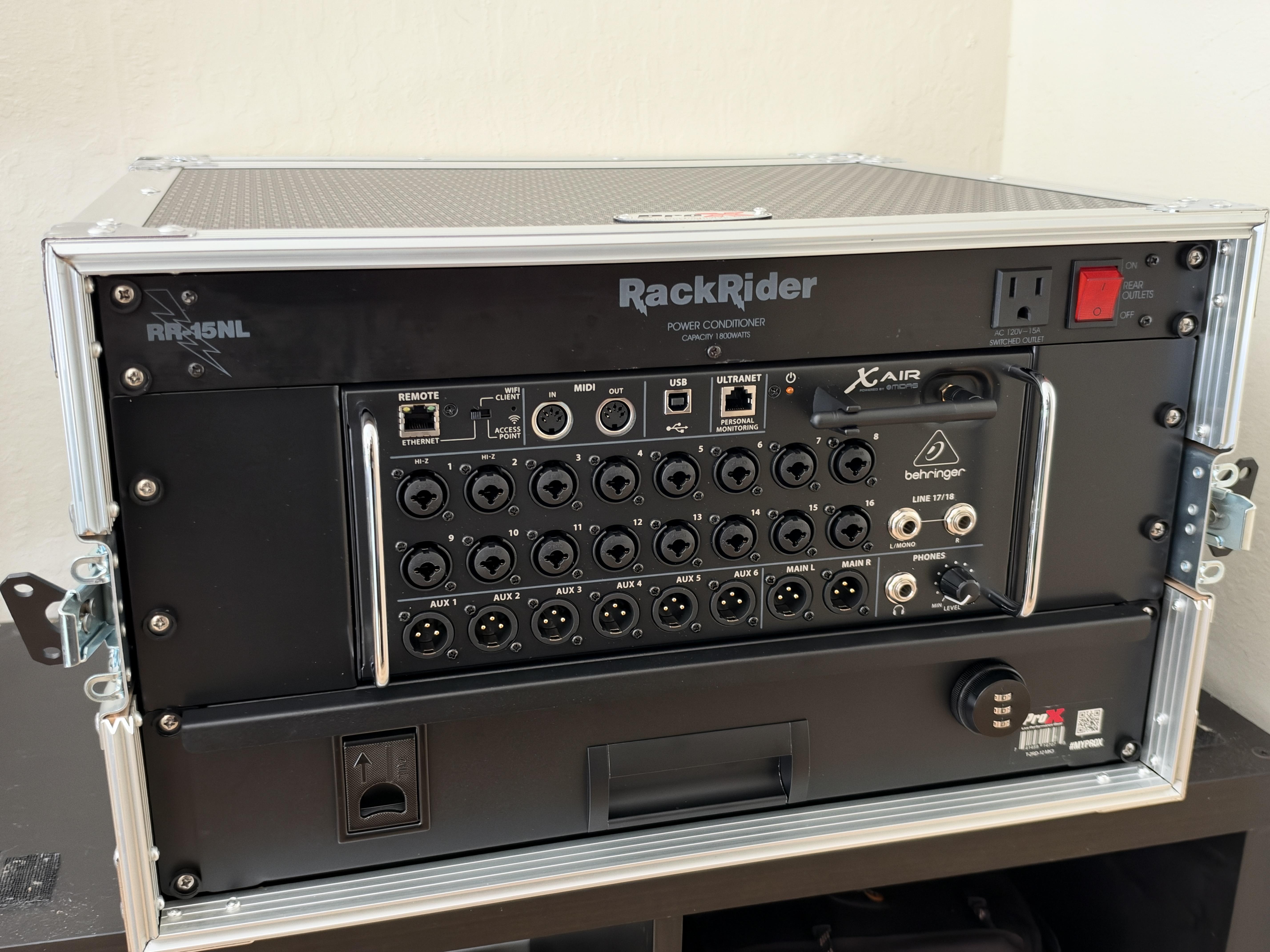
We here like to tell people what won’t work. Admittedly the idea is to help people avoid future headache. The truth is a pair of Alto TS112 speakers can work as mains for a field full of people. These particular ones have been gigging for 5+ years.

Sure there are speakers that sound better and last longer, but sometimes the budget is the budget. Get out there a polish those turds. Make some noise. Have a good time. Show them cheap speakers who’s boss.


r/livesoundgear • • May 23 '26

Theatre was throwing away 41 Countryman Microphones so I grabbed them

Thumbnail
gallery
99 Upvotes

Basically the title. I found 41 countryman microphones (about 28 are in perfect condition) in the dumpster out back. Grabbed them and not sure what to do with them now. It is 31 B6, 8 E2, and 2 E6. Any help would be appreciated to understanding what I have.


r/livesoundgear • • 20d ago

Creating my own line of Audio Over CAT products based on a tiny etherCON breakout board available in any AES72 pinout

Thumbnail
gallery
96 Upvotes

Been doing a deep dive into Audio Over CAT products recently, and ended up making my own etherCON breakout boards for installing into a rack without taking up a full 1U of space. The Neutrik IDC punchdown's didn't fit the bill since I wanted to use 3-conductor mic cable and have an easy way to join all the grounds and do passive splits, so these little guys were the answer: IO Panel

Since then, I've adapted them to 13 (!!) different AES72 pinouts, and also created an enclosed cable breakout using the JST variant—meaning you can easily swap the cables in and out if your channel needs ever change: IO Mini

Open to any and all feedback, or additional pinouts if you know of any. Stage boxes, full rack-mounted boxes, and other adapters are in development.


r/livesoundgear • • Oct 23 '26

Update #4: my virtual WING (real firmware), now with WING Edit, the console’s own routing, and more headroom

73 Upvotes

Voices are muted in the demo and I renamed the buses, so no real names show. I recorded with OBS on the same PC again.

Follow-up to [Update #3 https://www.reddit.com/r/livesoundgear/s/gceHMKtGqT]. Quick recap: this is a software WING that runs the console’s own firmware (WING Rack 3.1.1), all four DSPs included, instead of a re-creation. The goal is still a virtual sound check at home: play a multitrack recording through the real WING processing on my PC, and mix it on the console’s own interface.

What’s new since last time

  • WING Edit works both ways. PC → mixer and mixer → PC both stay connected now, meters included. The console sends its meters over UDP, and my network bridge was mishandling those packets. That’s fixed.

  • The console itself runs faster than real time. The console’s main processor and the front-panel controller now run at about 1.2× real time while the audio runs

  • Outputs follow the console’s own routing. I can map PC sound outputs to any of the console’s output sockets (local, aux, USB, card), and they play whatever the console routes there: buses, mains, matrices, or inputs patched straight through. The monitor bus, solo and the phones knob work too.

  • The Rack’s front panel works. The buttons, the screen knob and the fader knobs go through the panel’s own firmware, just like on the real Rack.

  • The RTA works. The EQ page shows the console’s own analyzer.

  • One web page for the screen, the patch page, the audio settings and the status.

Speed

Last time the DSPs used about 86 % of real time. Since then I’ve made the emulated DSP code a lot faster and cut out a lot of overhead between audio blocks:

  • With just the four DSPs running (no console), they now need about 120 µs of every 167 µs audio block. That’s about 1.38× faster than real time.

  • With my full show live (all 16 FX slots, 32-track card playback, WING Edit connected), it’s about 139 µs of 167, so roughly 17 % spare.

  • Silence used to cost more than music (DSP math on very small numbers is slow to emulate). Now both cost the same.

What’s still limited

  • It still needs a strong PC (Ryzen 7 8845HS, 8 cores): each DSP gets its own core.

  • When Windows Defender scans or another heavy program starts, I can still get short gaps.

  • Channel and output delays don’t work yet. From the WING service manual I found that the bus DSP has its own memory chip, which it uses for those delays, and I don’t emulate that yet. It’s next on the list.

  • The XMOS (USB audio) and the FPGA’s audio side still aren’t emulated. My own code moves the audio in and out of the DSPs where the FPGA would.

What’s next

  • More speed: cheaper handling of the console’s messages to the DSPs, and faster DSP code (I estimate another 10–20 %).

  • Then hopefully running on less powerful PCs.


r/livesoundgear • • Oct 13 '26

Update #3: my virtual WING (running the real firmware) now runs in real time, with FX

64 Upvotes

I recorded the video with OBS on the same PC, which takes CPU too: while recording, the load went from about 0.86 to 0.90 and there were 4 short gaps in 5 minutes. Without OBS it ran almost 10 minutes with 0 gaps.

Follow-up to https://www.reddit.com/r/livesoundgear/s/Yp6Xp0cOr1 about a software WING that runs the console’s own firmware (WING Rack 3.1.1) instead of a re-creation of it. The goal is still a real virtual sound check at home: play back a multitrack recording through the actual WING’s processing on my PC, and mix it on the console’s own interface.

Last time I ended with a list of what was missing. Here’s where those stand:

  • Speed: it runs in real time now. The audio runs at 1.00× real time with 0 gaps over almost 10 minutes. The DSPs use about 86% of real time, so there’s some room left.

    • Most of the speed came from making the emulated DSP code itself faster, not from throwing more cores at each DSP. Each DSP still runs on one core, but on a core of its own.

    • The engine that feeds the audio now does its own work while the DSPs are computing, instead of taking turns with them.

    • Clicking into the browser no longer makes it worse the way it did in the last video.

  • FX DSPs in the live path: FX inserts work. Both FX DSPs now run live alongside the input and bus DSPs. I’ve used delay, reverb and VSS3 on inserts at the same time, and an insert on MAIN works too.

    • The input DSP and the FX DSPs feed each other within every block of audio: sends go out, returns come back. So all four DSPs now run in lockstep, one block at a time. Each one waits until the others have published what they send before it takes in what it receives, the same order as on the real hardware.

    • I checked this against an offline render of the same scene (HALL on a channel insert and on a bus insert). Every output word, and the whole memory of all four DSPs at the end, came out identical.

  • The XMOS and the FPGA’s audio side still aren’t emulated. My own code moves audio in and out of the DSPs where the FPGA would, and takes the routing from the firmware itself.

What’s still limited:

  • It needs a fairly strong PC. This is a Ryzen 7 8845HS with 8 cores: each of the four DSPs gets a core to itself, and the console (and OBS while recording) runs on the rest.

What’s next:

We’re close now. The whole console runs in real time with its own DSPs and effects, which is the point where a virtual sound check starts to make sense. Next I’m going to improve the performance further, so there’s more headroom:

  • recording or other programs running alongside without gaps;

  • hopefully running on less powerful PCs than mine.


r/livesoundgear • • Oct 09 '26

I got the real Behringer WING Rack firmware running on my PC, the console’s own screen included

53 Upvotes

I’ve been working on a side project: a software WING that runs the console’s own firmware (WING Rack 3.1.1) instead of a re-creation of it. The goal is a real virtual sound check at home: play back a multitrack recording through the actual WING’s processing on my PC and mix it on the console’s own interface, without hauling the desk out.

What’s in the video:

  • The console boots from nothing, exactly like a real Rack

  • The real WING touchscreen interface, drawn by the firmware itself, in a browser window

  • Clicking works as touch and dragging works for faders and swipes

  • All four SHARC audio DSPs boot and get loaded by the console, the way they do in the real hardware

  • The Rack’s front-panel controller runs too

  • Settings and snapshots survive a restart, because the console saves to its own virtual storage

  • The firmware’s own built-in debug shell answers commands

What doesn’t work (yet):

  • No audio. The XMOS chip and the FPGA’s audio side aren’t emulated. That’s the big missing piece for the sound check.

  • No network, so WING Edit can’t connect to it

  • It runs at roughly a third of real-time speed.

The setup: the i.MX6 ARM application runs on Unicorn, starting from its reset vector, with the SoC’s peripherals modelled from public documentation (timers, interrupt controller, SPI, eMMC, I2C, display controller). The four ADSP-214xx SHARC DSPs run on an interpreter built for this project, with a C version checked against it instruction by instruction. The Rack’s panel MCU runs its own firmware on a second emulated core. The console’s GUI renders into the display controller’s framebuffer, and that’s what you see. Nothing is faked. Every screen is the firmware doing its own thing.

And yes, I obviously didn’t do this alone: I built it with a lot of help from Claude.

I own a WING and I wanted a way to prep shows at home on the real console software instead of an approximation.


r/livesoundgear • • Dec 21 '25

Behringer x32 Rack Full DIY

Thumbnail
gallery
53 Upvotes

Behringer x32 Rack Full DIY

Hi. I came across this post one day. https://www.reddit.com/r/livesound/s/qfyGDMn7C6

The guy had done a lot of work reassembling the boards. I decided to take the easy way out. I found a burned-out console from a studio. Yes, burned-out.

During the repair, I sketched out the enclosure in Paint, keeping in mind that I would use the input and output boards as is. I only had to replace two cables; the original ones were too short. This is what I ended up with. The problem: I have to find the console's IP address through the Mixing Station. And if a firmware update comes out, the console can't be updated. The problem is that the USB port is connected directly to the motherboard. But the View button is routed through all the fader boards, so there's no easy way to fix it.


r/livesoundgear • • 8d ago

My In-Ear monitor rig

Post image
49 Upvotes

I wanted to share the very clean IEM rig I built. It is based around a product by Phenyx that sends 2 balanced audio signals + power all over a single Ethernet cable. Thus, I can achieve stereo AND eliminate the need for batteries all with just one cable. I’m using 5 of the Phenyx units built into the rack and a pass through panel with ethercon connections. The rest of pass through panel routes all the connection on the back of the mixer to front including the IEC which is converted to powercon. Thus I only ever need to take the back off the rack if I’m using the splitter tail. It works great and all under 2.5k for 5 stereo plus 2 mono mixes plus mains.


r/livesoundgear • • Oct 16 '26

Made a 3D-printable MS8000 Link Button Guard after seeing the same fault twice

Post image
45 Upvotes

Made a 3D-printable cover for the MS8000 Link button

I use three Behringer MS8000 splitters in our IEM rack and I've always considered the Link button a potential point of failure.

In our setup, the Link function is never used. If the button gets pressed accidentally during patching or troubleshooting, both channels suddenly appear on both outputs. That's usually not hard to fix if you know exactly what happened, but it can become a surprisingly confusing fault in a live environment.

I've actually had this happen once in my own rack. Since I was aware of the possibility, I found the cause fairly quickly.

What really motivated me to make a solution, though, was an experience while helping as a stage hand at a multi-band show. One of the bands was using an MS8000 and somehow two of the Link buttons had been activated. The issue wasn't noticed until the second song, and nobody was completely sure how it had happened. Fortunately it wasn't a show-stopping problem, but it reminded me how difficult these kinds of faults can be to trace under pressure.

I've seen people mention removing the switch entirely, but I wanted a reversible solution instead.

So I designed a small 3D-printable guard that sits over the Link button and is attached with double-sided tape. It requires no modification to the MS8000, keeps the front-panel labeling visible, and still allows intentional access to the button with a pen or other pointed object.

I've now installed and tested it on all three of my MS8000s. It's essentially impossible to press the button accidentally with a finger, but still easy to activate deliberately when needed.

If anyone finds this useful, the files are available at Behringer MS8000 Link Button Guard (printables.com)

Has anyone else run into this issue with the MS8000, or am I the only one paranoid about that button?

r/livesoundgear • • Mar 22 '26

Making your own stuff is damn satisfying.

Thumbnail
gallery
44 Upvotes

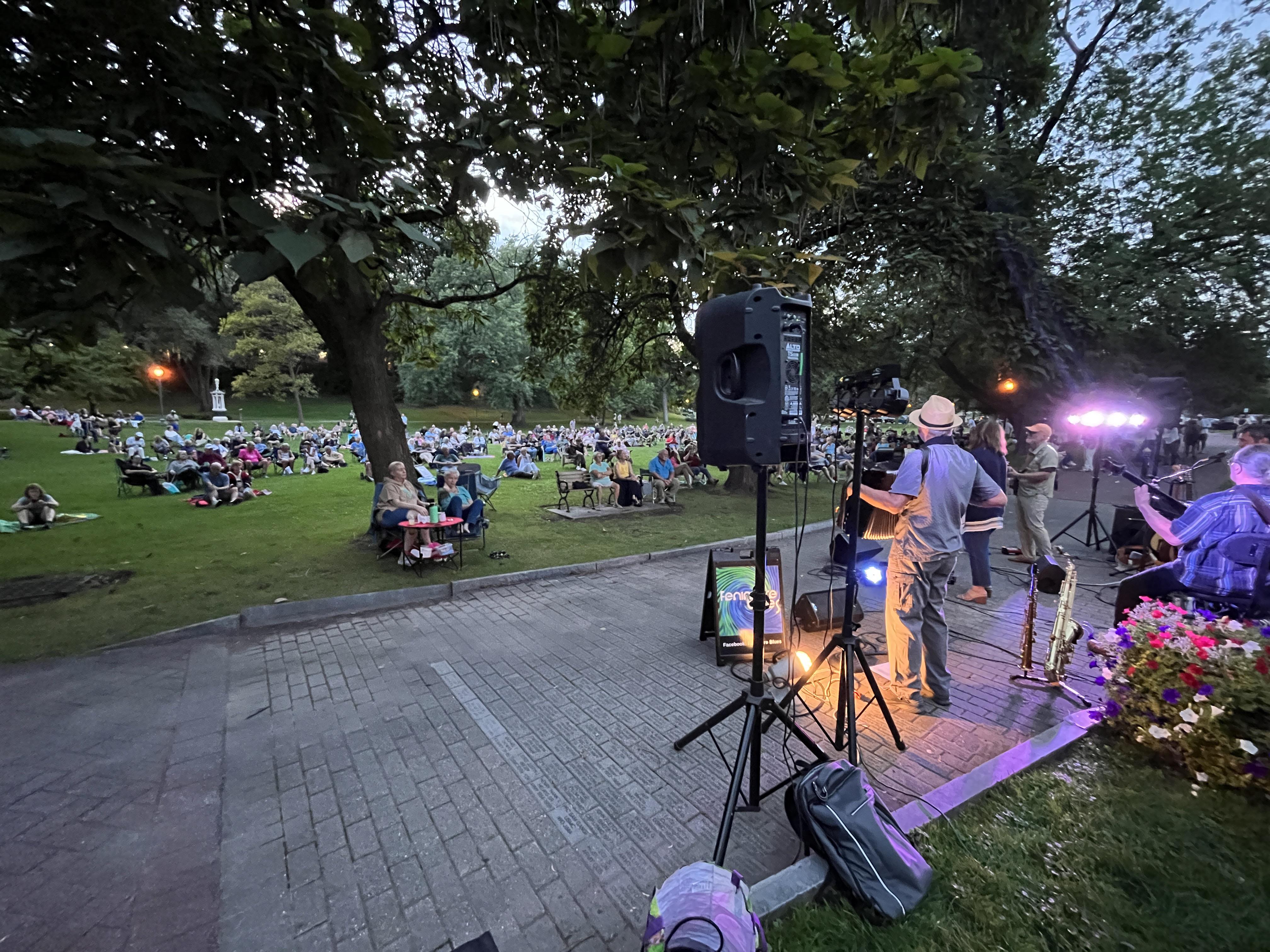
The main parts are 3D printed, the mic clips are not as they are high traffic parts. The tubes are some material I found that was being thrown out.


r/livesoundgear • • Jul 18 '26

Used Biamp Tesiras seem ridiculously undervalued…

Post image
42 Upvotes

Maybe I’m missing something, but these things seem to be one of the best bargains in pro audio at the moment.

For a few hundred quid on the used market, you’re getting a DSP that originally cost many thousands, with features like:

- 32×32 Dante
- 4×4 analogue I/O
- 8-channel USB audio
- POTS telephone interface
- Extensive DSP and control interfaces

Mine’s destined for theatre and live sound environments, and I’m already wondering how long it’ll be before I convince myself I *need* to route an analogue telephone over Dante or have QLab trigger a genuine phone ring on stage…

Are these just massively undervalued as organisations pull them out of meeting rooms? Interested to hear what other people are doing with ex-commercial DSP hardware.


r/livesoundgear • • Jul 07 '26

New system. How’d I do?

Thumbnail
gallery
42 Upvotes

Never considered wireless since most singers bring prefer their own. Decided to plunk some money down and build my own rig.


r/livesoundgear • • Oct 28 '26

What do you guys think of this setup?

Post image
41 Upvotes

This is my first set-up with a digital mixer. I’m gonna start mixing our houseband. Do you guys think this is overkill? It’s pretty heavy too.


r/livesoundgear • • Oct 11 '26

Update 2#: my virtual WING (running the real firmware) now makes sound, with EQ and compression, slowly

39 Upvotes

Follow-up to https://www.reddit.com/r/livesoundgear/s/htqXGb10zX about a software WING that runs the console’s own firmware (WING Rack 3.1.1) instead of a re-creation of it. The goal is still a real virtual sound check at home: play back a multitrack recording through the actual WING’s processing on my PC, and mix it on the console’s own interface.

Last time I ended with a list of what didn’t work. Here’s where those stand:

  • No audio → it plays sound now. Audio goes through the console’s own emulated input and bus DSPs and out of MAIN 1 on my speakers. My Scarlett comes in as local inputs (didn't show in the video), and a WAV loops on USB 1/2 (in the video).

    • When I move a fader on WING Edit, the firmware itself writes the new value into the DSP that’s making the sound.

    • Which channel hears which source comes from the firmware’s own routing.

    • EQ and the compressor work too. Changing them on the console’s screen changes what I hear, because the console’s own EQ and dynamics run on the emulated input DSP.

  • No network → WING Edit connects. The console answers discovery, and WING Edit talks to it like a real WING.

  • About a third of real time → the console runs at about half real time. The audio DSPs run at about 0.6×, and that’s the catch: the sound has gaps. The audio itself is correct (an offline render of the same DSP state comes out clean); there just isn’t enough of it per second yet.

One thing to know while watching: when I click out of the command window (the emulator runs from there and isn't shown in the video) into the browser to change something, the sound gets noticeably worse: more gaps and more crackle. That’s not the EQ or the compressor doing it; it happens just by switching windows. Windows gives the window you’re using more CPU time than background ones, and the emulator is already short on speed. Most likely it loses just enough when it’s in the background to get worse. With the command window focused, it’s only gaps.

What’s still missing:

  • Speed. Each DSP runs on one CPU thread flat out, while the rest of the CPU sits mostly idle. The next step is spreading each DSP’s work over more cores.

  • The FX DSPs in the live path. They boot and run, but FX inserts are silent live for now.

  • The XMOS and the FPGA’s audio side still aren’t emulated. My own code moves audio in and out of the DSPs where the FPGA would, and it takes the routing from the firmware itself.

  • No comparison against a recording from a real WING yet.

The setup is the same as before. The i.MX6 ARM application runs on Unicorn. The four ADSP-214xx SHARC DSPs run on an interpreter built for this project, with a C version checked against it instruction by instruction.

What’s new is that the DSPs answering the console are the same ones making the sound, each in its own process. Between blocks of audio, each one takes the console’s control messages through its own firmware, exactly as it does on the real hardware.


r/livesoundgear • • Aug 24 '26

Saved these from the skip. Now what?

Thumbnail
gallery
39 Upvotes

Old school Peavey SP-4s. A local community recording studio was throwing them away.

What size power amp am I going to need? How do I connect them to anything?

I'm a local DJ, usually using active powered PA speakers, and have no practical use for these *at the moment* - but I couldn't let them to go landfill..!

Thanks, everyone!


r/livesoundgear • • 8d ago

3D printed Wi-Fi router mount and mic stand adapter

Thumbnail
gallery
37 Upvotes

I've been needing a Wi-Fi router upgrade, as I'm currently using an old residential-grade Asus model. I bought a GL.iNet mini, USB-C powered. I found a mount 3D print from LinkGear.net. Then designed and printed an adapter plate that screws to the back of it with a 1/4-20 threaded insert to fasten it to a camera mount. Swivel camera mount mic stand adapter and straight mic stand, 15' Ethernet and USB-C cables and now I've got a solid Wi-Fi point that gets overhead.


r/livesoundgear • • Oct 24 '26

Paradiso, Amsterdam,SSL desk

Post image
36 Upvotes

r/livesoundgear • • Sep 17 '26

Help me understand what I have here

Thumbnail
gallery
36 Upvotes

Hey guys, good friend is clearing out his trailer. Some of the equipment is live sound related from his days managing a touring band. Is any of this stuff worth keeping? I currently have a fully powered PA, (a pro reck 8000 watt off Amazon) and a behringer xr18 air mixer, and a wireless in ear monitor system
Could any of this equipment be integrated, and would it be worth it?


r/livesoundgear • • Aug 11 '25

New console

Post image
36 Upvotes

My first mixer! I’m so thrilled! I was deciding between the SQ5 and the Wing, but damn, I love using Allen & Heath products. In my country, everyone has a Wing now, so I decided to go a bit different. I can use a Wing in almost every club, so Now, just more expenses I still need to get two DXes and Add-Ones🙃


r/livesoundgear • • 4d ago

How you mic’ing this

Thumbnail
gallery
35 Upvotes

Carillon at a large cathedral. Needs to be mic’d so it can play along with an orchestra below in the body of the church


r/livesoundgear • • 27d ago

PSA for Audio Over Ethernet gear purchases

Thumbnail
gallery
34 Upvotes

If you are looking to use Audio over Ethernet make sure that you stick to one brand. Attached are pinout documents for Rat Sound, whirlwind Catdusa, and Radial Catapult Mini. None of them are compatible with each other. Stick to one brand when buying these items to prevent issues.

I can confirm that with the Rat Sound / Sound Tools Pinout that Pin 1 is tied to the shield of the ether on connector, it is not super clear in their document.


r/livesoundgear • • Oct 11 '26

XLR for passive stage wedges?

Thumbnail
gallery
34 Upvotes

These are listed for sale, from a high school. Appear to be passive stage wedges with only xlr in/out. I don't think xlr can carry enough current from an amp, but these big things only have xlr ports.

Any ideas? Anyone ever encountered these, or used them before?


r/livesoundgear • • Sep 30 '26

I don’t even specialize in this, but I need some help

Thumbnail
gallery
34 Upvotes

I don’t really use reddit nor have I really posted anything, so I have no clue if this is the right subreddit to go to. If anyone can help or redirect me, it will be greatly appreciated. I went to r/AskElectronics and they brought me here soo

My school bought this sound system that came with cables to connect the speakers to the system. I’m pretty sure it’s a 2 pole speakon adaptor, I’m not big with wiring or technology at all, so I don’t know if that’s correct or what the other plug is. My issue is that I cannot find anywhere to buy them because I’m thinking that the people we bought this from was made by them, since it’s a little bit janky and breaks easily (Which probably shouldn’t happen, but whatever..). Sooo, I was wondering if someone can help me out on what to do.

The school has an event at the end of October and there will be performances. So I don’t want them breaking on me mid performances and I want to get longer cables so that I can push the speakers out further.

Hopefully the photos provide a better understanding😞


r/livesoundgear • • 24d ago

Qu3 leak?

Post image
31 Upvotes

Anyone seen this ?


r/livesoundgear • • Sep 13 '26

I need a new router for my rig, anyone tried running their mixing station rig on one of these Davolink 6E Kevin routers? Fully serious.

Post image
31 Upvotes

Honestly I’m really tempted to get one of these to run off my M32 as I’ve only seen good things about them. Anyone tried one with a live rig before? Specs are crazy on paper for a minion router.