r/WindowsUpdate • • 13d ago

How to cancel the New Windows Update that's messing up computers 2026-11 Security Update (KB5132061) (26300.9974)

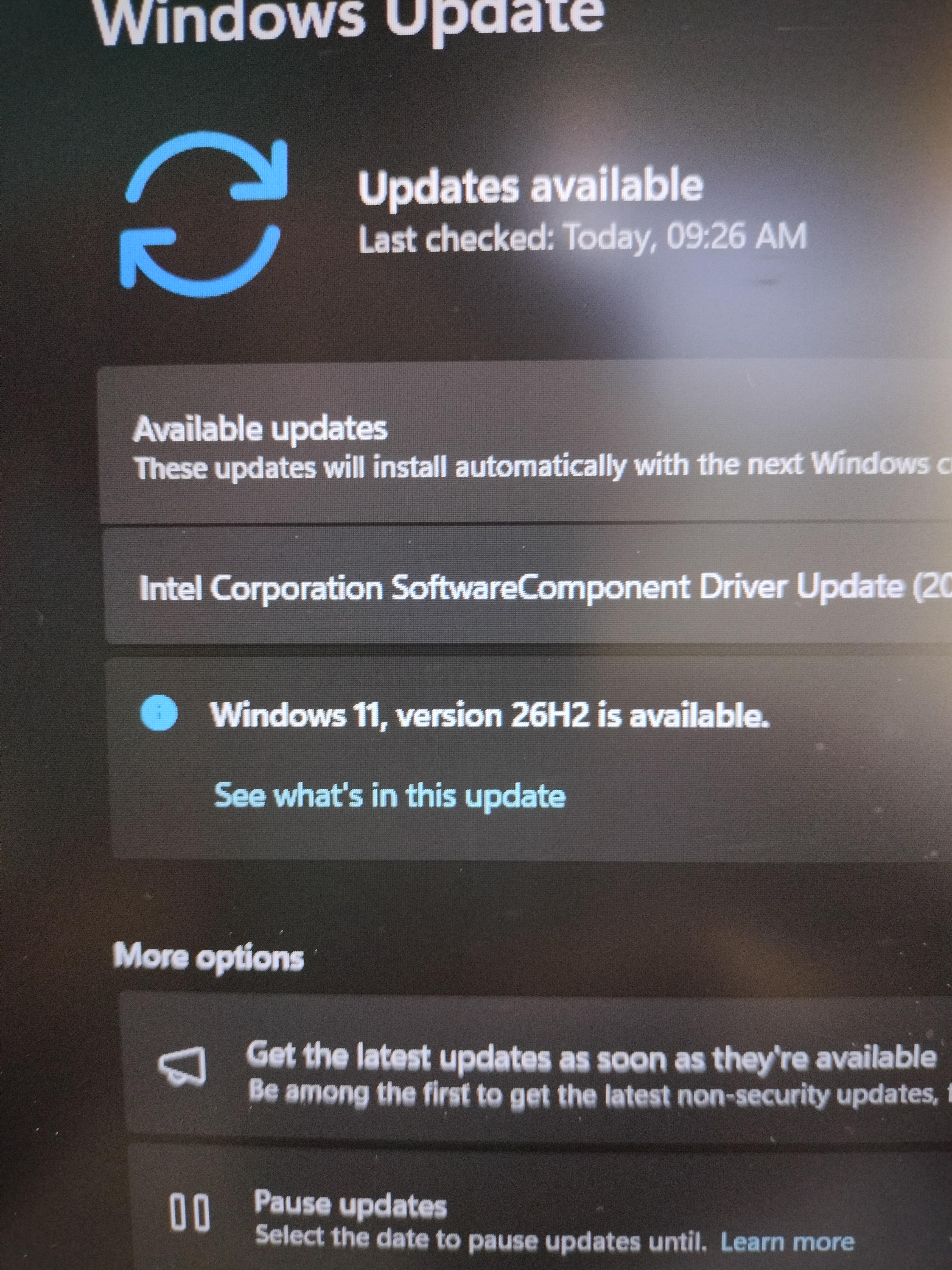
Post image
79 Upvotes

So I've been hearing this new Windows Update is slowing down and even bricking computers and it's pending rn on my PC Handheld (Legion Go 1) i feel like i have a ticking timebomb on my hands because i took it off yesterday and Thankfully it never updated. But what if it accidental shuts down and triggers it? What should i do and how do i stop this update from going through. I heard they made a fixed but idk if this is the fixex update or the bad one.


r/WindowsUpdate • • 19d ago

Tired of Windows updates breaking your PC? I built a traffic light for them

76 Upvotes

windows updates break stuff way too often (black screens, audio, remote desktop) and the dumb part is microsoft usually lists the problem publicly. nobody checks that before updating

so i made patchlight. it checks every pending update against microsoft's known issues and gives it a green / yellow / red light. red ones get paused automatically and come back once microsoft fixes them. everything else keeps installing

github.com/G4SBO/PatchLight

lmk what u think, any feedback is appreciated ;)


r/WindowsUpdate • • 10d ago

Fix: Windows 11 stuck in Recovery after the November 2026 update (KB5132061)

70 Upvotes

So I was hit by this update aswell and at first got stuck in recovery mode endless loop, after first attempts that I made some mistakes it turned into black screen loop that locked me out from even entering BIOS or anything, however after quite some work I've managed to fix this shit and boot normally without any wipe or anything, The full google doc that contains all the steps/scripts and things I've done that helped to fix the issue:

Full guide with scripts and all:

https://docs.google.com/document/d/1Tk6dRSvE2I1Z4bdCsQ8mWluRm4XlXM1v2qDm7hFE0Bs/edit?usp=sharing

In short (check the doc for the scripts and all):

Fix: Windows 11 stuck in Recovery after the Nov 2026 update (KB5132061), no reset needed

Symptoms: Recovery loop on every start, error 0xc000000d “critical system driver missing”, with File: \Windows\ and nothing after it. DISM RevertPendingActions fails with 0x800f082f.

Cause (on my PC): the update left two Defender for Endpoint boot drivers (MsSecFlt and MsSecWfp) with blank file paths, so Windows can’t start. Disabling them fixed it.

You need: a Windows 11 install USB, plus your BitLocker key if the drive is encrypted (account.microsoft.com/devices/recoverykey).

Steps:

  1. Boot the USB and press Shift+F10 at the language screen.

  2. Find your Windows drive with dir C:\Windows. If that fails, try D:, E: and so on, and use that letter instead of C: below.

  3. Load the registry:

reg load HKLM\offline C:\Windows\System32\config\SYSTEM
  1. Check the two entries. If ImagePath is blank, this is your problem:

reg query HKLM\offline\ControlSet001\Services\MsSecFlt /v ImagePath
reg query HKLM\offline\ControlSet001\Services\MsSecWfp /v ImagePath
  1. Disable them, and turn off Memory Integrity while you’re there:

reg add HKLM\offline\ControlSet001\Services\MsSecFlt /v Start /t REG_DWORD /d 4 /f
reg add HKLM\offline\ControlSet001\Services\MsSecWfp /v Start /t REG_DWORD /d 4 /f
reg add "HKLM\offline\ControlSet001\Control\DeviceGuard\Scenarios\HypervisorEnforcedCodeIntegrity" /v Enabled /t REG_DWORD /d 0 /f
  1. Unload the registry. It must say “completed successfully”:

reg unload HKLM\offline
  1. In the BIOS, turn off Intel VT-x / VT-d (or SVM on AMD).

  2. Remove the USB and boot. It showed “Undoing changes” and took one or two restarts. Don’t power off during it.

If you get 0xc0000098 File: \BCD instead: from the USB prompt, give the small FAT32 boot partition a letter (diskpart, list volume, select volume N, assign letter=S, exit), then run:

bcdedit /store S:\EFI\Microsoft\Boot\BCD /set {default} recoveryenabled no
bcdedit /store S:\EFI\Microsoft\Boot\BCD /set {default} bootstatuspolicy ignoreallfailures

Once you’re in: pause Windows Update first. Then run reagentc /enable, dism /online /cleanup-image /restorehealth and sfc /scannow, and create a restore point.

Don’t: run bcdboot with /s pointing at your Windows drive, diskpart clean, or Reset this PC.

Full guide with scripts, other error codes and aftercare: https://docs.google.com/document/d/1Tk6dRSvE2I1Z4bdCsQ8mWluRm4XlXM1v2qDm7hFE0Bs/edit?usp=sharing


r/WindowsUpdate • • Aug 18 '26

Possible KB5121003 issue causing random AC adapter disconnects / black screens on Lenovo Legion?

60 Upvotes

I’m trying to figure out a strange issue that started very recently on my Lenovo Legion.

The laptop randomly goes to a black screen for a couple of seconds and then recovers. At first I thought it was an NVIDIA/Optimus or refresh-rate issue, but I started monitoring the Windows AC power state directly.

What I found is that whenever this happens, Windows actually reports:

AC → Battery → AC

for roughly 1–5 seconds.

I then checked the historical Windows Kernel-Power Event ID 105 logs. My System log goes back to March 2026, but the first occurrence of these short AC-loss events is August 12.

The interesting part is that KB5121003 was installed on my system late on August 11.

Since then I have recorded around 40 AC power transitions, most lasting only a few seconds. Examples:

07:41:55 → 07:42:02
13:12:35 → 13:12:36
17:17:50 → 17:17:52
02:17:32 → 02:17:37

and many more over the following days.

Windows Kernel-Power itself logs AcOnline=false, followed shortly by AcOnline=true, so this isn't only the battery icon/UI changing.

Another strange detail is that the physical charging LED on the laptop can remain on while this happens.

I have now temporarily uninstalled KB5121003 as a test.

Before rollback:

Windows 11 25H2 – Build 26200.9168

After rollback:

Windows 11 25H2 – Build 26200.8875

Windows Update is paused and I haven't changed anything else: same Intel driver, NVIDIA driver, BIOS, Hybrid Mode, Optimus settings, charger, etc.

I'm currently running a 50 ms AC-state monitor for the next 24–48 hours to see whether the AC_LOST events disappear after removing KB5121003.

Obviously this doesn't prove the update is responsible yet. It could still be Lenovo firmware/EC behavior or a hardware power issue. But the fact that the event history starts immediately after this update is suspicious enough that I'm testing it as the only changed variable.

Has anyone else on KB5121003, especially Lenovo Legion users, noticed random Kernel-Power 105 events, brief AC-to-battery transitions, or black screens that started around August 12?

UPDATE since then : https://www.reddit.com/r/WindowsUpdate/s/3llt33FaAt


r/WindowsUpdate • • 15d ago

New Windows 11 update destroyed my PC, not even AI can fix the issue

45 Upvotes

UPDATE 11/15/2026 - Impossible to fix and recover, had to wipe drive, backup files and reinstall windows. Goodluck!

I see many with the same issue, have spent over 24 hours trying to fix it. Not even the latest ai can solve this. Can't repair, can't do nothing without installing new version of windows. What gives? Over 20 years fixing my own pcs. This one has been the hardest, tried every solution you can think of. It started with shutdown (update now) then in the process it went haywire and into repair loop. Till blue troubleshoot screen appears with cmd prompt etc nothing fixes the issue but a backup of files and reinstall of windows. I deff don't want to start from 0 again with all of my programs. smh

The Windows update versions involved in boot failure were:

  • KB5127936 — Windows 11 26H2, build 26300.9818 (October 28, 2026).

  • KB5132061 — Windows 11 26H2, build 26300.9974 (November 10, 2026).

Computer was running 26300.9818, with the newer 26300.9974 update stuck in a pending installation state.

Errors I'm receiving

Recovery error: 0xc0000001

Startup Repair: "A recently serviced boot binary is corrupt."

DISM RestoreHealth: 0x800f0915 – The repair content could not be found anywhere.

DISM RevertPendingActions: 0x800f082f

System Restore: Failed with error 0x800701b1.

DISM ScanHealth: The component store is repairable.

SFC: Windows Resource Protection did not find any integrity violations.

The DISM logs also reported approximately 1,537 corrupted or missing component payloads that could not be repaired.

Everything I've already tried

Startup Repair: Failed repeatedly.

Safe Mode: Unable to boot; returns to Recovery.

System Restore: Initially failed, and now no restore points are available.

Uninstall latest quality update: Windows says it cannot find an eligible update to uninstall.

CHKDSK: Completed without finding file-system errors.

SFC offline scan: Completed without integrity violations.

BCDBoot: Successfully rebuilt the EFI boot files, but Windows still won't boot.

DISM /RevertPendingActions: Failed with error 0x800f082f.

Pending update recovery: Renamed pending.xml and removed its corresponding PendingXmlIdentifier registry value after creating backups.

DISM /ScanHealth: Confirmed repairable component-store corruption.

DISM /RestoreHealth: Failed repeatedly with error 0x800f0915.

Windows installation USB repair attempts

I created a Windows 11 Pro 26H2 installation USB using Microsoft's Media Creation Tool.

The installation image was build 26300.9711, while my damaged Windows installation was build 26300.9818.

I successfully exported the USB's split SWM files into a WIM image, verified the Windows 11 Pro image, and mounted it using DISM.

I then attempted an offline repair using the mounted Windows folder as the repair source.

The repair consistently failed at approximately 84.9% with error 0x800f0915.

My question

Is there a confirmed issue with KB5132061 or KB5127936 causing Windows 11 26H2 systems to become unbootable?

More importantly, is there a way to repair this Windows installation using a newer, fully updated repair image without reinstalling Windows?

I'm considering integrating KB5132061 into a Windows 11 Pro 26H2 repair image and trying DISM again, but I would appreciate guidance from Microsoft engineers or anyone who has successfully recovered from this specific problem.

I urgently want to preserve my installed applications, settings, and personal files. I have numerous programs and configurations that would be difficult to recreate.

My Windows installation is on an M.2 SSD, which remains accessible through Windows Recovery.

Has anyone experienced the same corrupted boot binary message or DISM error 0x800f0915 after these updates and found a solution that doesn't require a clean installation?

Any technical guidance would be appreciated. Title: Windows 11 26H2 Won't Boot After KB5132061 Update – Error 0xc0000001, Corrupt Boot Binary, DISM 0x800f0915. How Can I Repair Without Reinstalling?

I'm looking for help with a serious Windows 11 boot failure that happened immediately after a Windows update on November 11, 2026.

My computer was running Windows 11 Pro 26H2, build 26300.9818 (KB5127936). When I selected "Update and shut down," Windows began processing the update normally, but during the process it unexpectedly entered Recovery.

Since then, Windows has been completely unable to boot, including in Safe Mode.

The pending update appears to have been KB5132061 (build 26300.9974).

Errors I'm receiving

Recovery error: 0xc0000001

Startup Repair: "A recently serviced boot binary is corrupt."

DISM RestoreHealth: 0x800f0915 – The repair content could not be found anywhere.

DISM RevertPendingActions: 0x800f082f

System Restore: Failed with error 0x800701b1.

DISM ScanHealth: The component store is repairable.

SFC: Windows Resource Protection did not find any integrity violations.

The DISM logs also reported approximately 1,537 corrupted or missing component payloads that could not be repaired.

Everything I've already tried

Startup Repair: Failed repeatedly.

Safe Mode: Unable to boot; returns to Recovery.

System Restore: Initially failed, and now no restore points are available.

Uninstall latest quality update: Windows says it cannot find an eligible update to uninstall.

CHKDSK: Completed without finding file-system errors.

SFC offline scan: Completed without integrity violations.

BCDBoot: Successfully rebuilt the EFI boot files, but Windows still won't boot.

DISM /RevertPendingActions: Failed with error 0x800f082f.

Pending update recovery: Renamed pending.xml and removed its corresponding PendingXmlIdentifier registry value after creating backups.

DISM /ScanHealth: Confirmed repairable component-store corruption.

DISM /RestoreHealth: Failed repeatedly with error 0x800f0915.

Windows installation USB repair attempts

I created a Windows 11 Pro 26H2 installation USB using Microsoft's Media Creation Tool.

The installation image was build 26300.9711, while my damaged Windows installation was build 26300.9818.

I successfully exported the USB's split SWM files into a WIM image, verified the Windows 11 Pro image, and mounted it using DISM.

I then attempted an offline repair using the mounted Windows folder as the repair source.

The repair consistently failed at approximately 84.9% with error 0x800f0915.


r/WindowsUpdate • • Oct 15 '26

Windows 11 new update breaks SSD?

Post image
43 Upvotes

My friend's windows 11 lenovo laptop, just got an update now and after doing it windows wont boot, he has ubuntu dual booted so from there we saw that C drive was corrupted or so.I am sharing a screenshot of the error.

Similarly my other friend also got this update yesterday and now his SSD is having some issue, windows wont turn on. The first case is a new laptop with 8-10 months only, second one is a hp victus 3yr old. the second case i havent seen the laptop that is why i cant share what is being shown when laptop is being turned on.

Anybody here encountering the same issue..


r/WindowsUpdate • • 4d ago

Why I am getting this update on windows 11?

Post image
42 Upvotes

r/WindowsUpdate • • 29d ago Bravo

Fuck you and your shit updates

39 Upvotes

r/WindowsUpdate • • Sep 30 '26

Windows 11 26H2 update has known issues. You might want to wait

Thumbnail
pcworld.com
38 Upvotes

r/WindowsUpdate • • May 13 '26

2026-05 Security Update (KB5089549) (26200.8457) - Another failed installation

33 Upvotes

Basically, I haven't been able to install the last 2 or 3 security updates - the installation keeps failing. This is happening on two relatively new machines running Avast, while on two older computers, I installed the updates without any issues, and they are running the default Windows Defender. Does anyone know what the problem might be or why the installation has been failing for the past 2 or 3 Security Updates? I read somewhere that Windows changed something regarding BitLocker, but I don't see why that would cause the installation to fail.

*** UPDATE: What actually helped me fix this issue on both computers was the 25H2 Repair Version option that pops up from time to time under the Windows Update tab.


r/WindowsUpdate • • 19d ago

I think we now know why so many people hate Windows.😡😡

Post image
32 Upvotes

It asked me to update, and when I updated it, a restart message appeared and it remained stuck on this message for about 10 minutes.😡😭


r/WindowsUpdate • • Oct 04 '26

Need Suggestion

Post image
32 Upvotes

Win11 26H2.

Should I install it or is there anything i should keep in mind before i proceed.


r/WindowsUpdate • • Mar 20 '24 Heart of Silver Take My Silver

Fix for KB5034441 that keeps failing

32 Upvotes

Hi fellow System Admins,

EDIT: I have tried the below solution on five different PC's now running Windows 10, and it fixed the issue on all of them, without having to resize the RE partition.

If you, like me, has been annoyed by the "recent" KB5034441 Update that keeps failing, and no suitable fix has been released by Microsoft yet. Or if you, like me, doesn't even have Windows RE-partition enabled, and the update somehow still fails (even though the update should be redundant in in this case), and have been reading various fixes including Microsoft's own Powershell-script or manual approach, that doesn't fix the issue (or at least not for me), please read this small guide on how to solve this issue for good in a relatively easy manner:

  1. Use a program like Veeam, Macrium or Acronis to backup your PC before continuing. Not that these steps are very unlikely to cause any system issues, but they do include altering system files, so better be safe than sorry.

  2. Open CMD as Admin and write reagentc /info to determine if Windows RE is enabled or not. If it's already disabled, continue, otherwise, write reagentc /disable to disable it

  3. Go to the Windows site and download the corresponding Tool for your system

  4. Open the Tool and choose "Create Installation Media" > Next > ISO file > download the ISO file somewhere on your C-drive, e.g. C:\ISO\ > Mount the ISO-file in Explorer > Take note of the Drive Letter (e.g. E:)

  5. Go back to CMD and write: DISM.exe /Get-ImageInfo /ImageFile:[Drive Letter]:\sources\install.esd /Index:1

  6. Write in CMD: DISM.exe /Export-Image /SourceImageFile:[Drive Letter]:\sources\install.esd /SourceIndex:1 /DestinationImageFile:C:\install.wim /Compress:fast /CheckIntegrity

  7. Create a new dir: C:\MountDir

  8. Write in CMD: DISM.exe /Mount-Wim /WimFile:C:\install.wim /index:1 /MountDir:C:\MountDir /ReadOnly

  9. Open C:\MountDir\Windows\System32\Recovery\ and copy both ReAgent.xml and Winre.wim. Paste both files in a new directory somewhere else, as these files will be used later.

  10. Write in CMD: DISM.exe /Unmount-Wim /MountDir:C:\MountDir /discard. This will empty the directory and unmount the DISM image.

  11. Delete the folders C:\MountDir, C:\ISO (unmount first) and the file C:\install.wim.

  12. Copy the two files from the directory you copied them to earlier, and paste them into C:\Windows\System32\Recovery\. Replace the file(s) if they already exists.

  13. Write in CMD: reagentc /enable

  14. Attempt to run a Windows Update again, and this time it should install the KB5034441 update.

The nice thing is now that you have a portable solution to the problem. The next machine you need to fix for this issue, you simply have to do the following:

  1. Open CMD and write: reagentc /disable

  2. Copy the two files to C:\Windows\System32\Recovery\

  3. Write in CMD: reagentc /enable

  4. Run Windows Update, and voila

The simplicity of this fix once you have the two files, makes it easy to implement as a GPO or simple script that distributes these files to C:\Windows\System32\Recovery\ and write the CMD commands.

I hope this guide will find its way and can be used by other system admins desperately seeking to find a solution in this headless Windows world.


r/WindowsUpdate • • 23d ago

What should I do 😭😭😭

Post image
31 Upvotes

My current Windows is like 25H2. Should I really update it?

I don't really have any problems with it right now and I don't really know should I or should I not do it. After watching so many new update videos, I have come to conclusion that new Windows version, this 26H2 one is more efficient and uses less RAM overall when using it, and Co-pilot is mostly disabled.

I don't know if it is if anybody is using it, or if anybody is expert in this, please give me advice.,🥀


r/WindowsUpdate • • Jun 12 '26 Bravo

[FIX] Windows 10 freezing few minutes after boot since June 2026 update (KB5094127) — Secure-Boot-Update task is the cause

29 Upvotes

My PC (Dell Inspiron 3542, 2014-era BIOS) started hard-freezing a few minutes after every single boot right after installing the June 2026 cumulative update (KB5094127). No BSOD, no error — just a complete freeze. Power button restart, works a few minutes, freezes again.

I even did a clean install of Windows earlier — didn't help, because the next update brought the problem right back. After digging around, found the actual cause.

**THE CAUSE**

Microsoft's original Secure Boot certificates (from 2011) expire in June 2026. Windows Update is pushing new certificates to every machine via a scheduled task called `Secure-Boot-Update`, which runs a few minutes after every boot and tries to write the new keys into your BIOS/UEFI firmware.

On older PCs with outdated or no-longer-supported BIOS, this write operation crashes the firmware → entire system hard-freezes. That's why it happens a few minutes after startup, every time. Reinstalling Windows does NOT fix it.

**THE FIX (5 minutes, fully reversible)**

*Step 1 — Disable the scheduled task:*

  1. Press `Win + R`, type `taskschd.msc`, press Enter

  2. Navigate to: **Task Scheduler Library → Microsoft → Windows → PI**

  3. Right-click **Secure-Boot-Update** → **Disable**

*Step 2 — Stop future updates from re-enabling it (registry):*

  1. Press `Win + R`, type `regedit`, press Enter

  2. Navigate to: `HKEY_LOCAL_MACHINE\SYSTEM\CurrentControlSet\Control\SecureBoot`

  3. Double-click `AvailableUpdates` → set value to `0`

  4. Right-click empty space → **New → DWORD (32-bit) Value** → name it `HighConfidenceOptOut` → set value to `1`

*Step 3 — Restart and use the PC normally for 15–20 minutes.* If no freeze, you're done.

**TIP:** If the PC freezes before you can finish, restart and do Step 1 first — the task usually waits a few minutes after boot, so you have a window. Work fast.

**WHAT THIS DOES / TRADE-OFF**

This opts your PC out of the Secure Boot certificate rollout. On old machines with unsupported BIOS, the update can never apply properly anyway — the only thing it does is freeze your system. Your PC keeps booting normally with the old certificates.

Everything is reversible: re-enable the task and delete `HighConfidenceOptOut` if you ever want the update back (e.g., after a BIOS update, if your OEM ever releases one).

**Standard disclaimer:** this involves a registry edit — follow at your own risk. But both changes are simple and fully reversible.

Hope this saves someone the days of frustration it cost me. If this fixed your freeze, drop your PC model in the comments so others can find this thread when searching.


r/WindowsUpdate • • Sep 30 '26

Windows 11, 26H2

28 Upvotes

what's your thought about this??? should i update my laptop/desktop


r/WindowsUpdate • • 4d ago

Tired of Windows updates breaking your PC? I built a traffic light for them

27 Upvotes

windows updates break stuff way too often (black screens, audio, remote desktop) and the dumb part is microsoft usually lists the problem publicly. nobody checks that before updating

so i made patchlight. it checks every pending update against microsoft's known issues and gives it a green / yellow / red light. red ones get paused automatically and come back once microsoft fixes them. everything else keeps installing

github.com/G4SBO/PatchLight

lmk what u think, any feedback is appreciated ;)


r/WindowsUpdate • • 8d ago

Solved Windows update error 0xe0000003.

22 Upvotes

TL;DR: the root cause was a corrupted INF file.
Exact file name was found in C:\Windows\INF\setupapi.dev.log.
sfc and dism don't fix corrupted INF files.
AI helped me to find and fix it.

.

My windows update wasn't working for several months.
Whenever I was trying to install updates, it was spending a lot of time downloading, installing, rebooting... and then rolling back the update because "Something didn't go as planned".
After the rollback, windows update was reporting error 0xe0000003, and was proposing to retry it again.

.

What I unsuccessfully tried:

* Retrying the update.
* Waiting for the next cumulative update. Even the entire 26H2 fails with the same error.
* Clearing disk space (useful by itself, but not for this issue).
* Resetting windows update
* Running sfc /scannow and dism /restorehealth.
(I think sfc has fixed something, but it didn't help)
* Exporting and reading windows update logs.

What I found as recommended but didn't try:
* Manual update.
* In-place upgrade.

.

What helped: I asked AI to check the logs for me.

AI quickly found that there is one more useful log: C:\Windows\INF\setupapi.dev.log

In this log, the reason was more clear:

[Boot Session: 2026/11/15 07:27:28.500]

>>>  [Uninstall Driver Updates]
...
!    inf: Unable to load INF: 'C:\WINDOWS\System32\DriverStore\FileRepository\usb4devicerouter.inf_amd64_673d1e08be26f97e\usb4devicerouter.inf'(e0000003)
!    inf: Error 0xe0000003: The syntax of the INF is invalid.
!!!  sto: Failed to get version info for driver update 'C:\WINDOWS\System32\DriverStore\FileRepository\usb4devicerouter.inf_amd64_673d1e08be26f97e\usb4devicerouter.inf'. Error = 0xE0000003
<<<  Section end 2026/11/15 07:28:21.033
<<<  [Exit status: FAILURE(0xe0000003)]

Next, AI checked the specified INF file, and found out that INF file size is 0.
Then, it scanned the Windows folder, and found several copies of the INF file:

  1. INF folder:

  2. C:\Windows\INF\usb4devicerouter.inf

  3. Bad file, size is 0.

  4. DriverStore folder:

  5. C:\Windows\System32\DriverStore\FileRepository\usb4devicerouter.inf_amd64_673d1e08be26f97e\usb4devicerouter.inf

  6. Bad file, size is 0.

  7. WinSxS folder 1: C:\Windows\WinSxS\amd64_dual_usb4devicerouter.inf_31bf3856ad364e35_10.0.26100.1591_none_2960bddbe5c3a159\Usb4DeviceRouter.inf

  8. Good file, file version is 1591.

  9. WinSxS folder 2:

  10. C:\Windows\WinSxS\amd64_dual_usb4devicerouter.inf_31bf3856ad364e35_10.0.26100.7309_none_296cb03de5bc415a\Usb4DeviceRouter.inf

  11. Good file, file version is 7309.

  12. WinSxS folder 3:

  13. C:\Windows\WinSxS\amd64_dual_usb4devicerouter.inf_31bf3856ad364e35_10.0.26100.9818_none_2937bb7fe5e3c713\Usb4DeviceRouter.inf

  14. Good file, file version is 9818.

Then, AI proposed to copy the healthy file with version 7309 over the corrupted files.
It even prepared a set of commands to copy it.

Of course, I didn't trust AI, and didn't run the commands.
I checked file sizes and file versions myself, and asked the AI to explain why do I need version 7309 and not 1591 or 9818.
AI explained that corresponding .sys file is not corrupted, only .inf is corrupted.
So I can check which .sys file I have, and select the corresponding .inf.

Also, AI explained that 9818 is the same version which update is trying to install.
But it fails because it can't uninstall 7309.

So, I manually copied the file.
It was painful, because administrators don't have write access to C:\Windows\System32\DriverStore\FileRepository.
Besides that, driver folders are owned by "NT AUTHORITY\SYSTEM", while driver files are owned by "NT SERVICE\TrustedInstaller".
I needed to run several different takeown and icacls commands to take ownership, grant access rights, and later to restore the ownership and remove the granted access.

Then, I repeated the same steps for another corrupted INF file, Usb4HostRouter.inf, which was also found by AI.

After all these steps, the update finally installed successfully.
I even verified that after the update, driver version was changed to 9818.

.

Final notes:

  1. I hope Microsoft will eventually improve sfc, so it could restore corrupted INF files too.

  2. USB4 is not some third-party driver, it is a Microsoft driver. I don't even need it, because my old motherboard supports only USB 3.2. But when this driver file is corrupted, it blocks a security update, which I think shouldn't normally happen.


r/WindowsUpdate • • Oct 19 '26

Multiple boot failures after the October 2026 update

21 Upvotes

We have had about 20 computers in our organization giving boot failures after Windows restarts to apply the October update, KB5127648. Affected machines are Dell devices, both laptops and desktops. The most common error message is "file missing or containing errors \windows\system32\winload.efi"

The only fix for now is to try booting into Safe Mode and uninstall the October update.

But here is what's interesting, we use Automox to patch our computers, so all of these machines have received their Windows Update from Automox. When we trigger updates manually from Windows Update in the Settings menu, the updates install and no issues come up during the reboot. Windows Update is also installing other drivers that I assume Automox does not install.

Has anyone else experienced anything similar with this update? Or have any ideas on what may be the root cause in our case? Any feedback will be much appreciated.

UPDATE
Our number of affected machines has escalated to close to 50 devices and counting. We're a shop of 300 so that accounts for close to 20%. And I can't figure a single root cause. I originally said that running updates from Windows Update worked, but that has also been an issue. So we're massively running Dell updates on our devices to make sure all drivers, firmware, BIOS, is up to date, and then continue with the monthly update. We have paused updates from Automox, but most machines already have the update downloaded and installed just pending a reboot, so I don't think there is a way out besides taking the hit and fixing on the go.


r/WindowsUpdate • • Aug 02 '26

PERFECT WINDOWS UPDATE

Post image
20 Upvotes

r/WindowsUpdate • • Sep 24 '26

Update on random AC disconnects/blackouts after KB5121003: rollback stopped them, newer Windows updates brought them back

19 Upvotes

I posted here in August about my Lenovo Legion Pro 5 16IAX10H randomly going black for a few seconds while its charger was plugged in and untouched. During captured incidents, Windows briefly reports charger power → battery → charger power, recorded as Kernel-Power Event 105. Rolling back Windows stopped the symptoms for weeks; they returned after updates resumed.

KB5121003 was installed on August 11, bringing Windows 11 25H2 to 26200.9168. The first brief AC-loss entries appeared August 12. I rolled back to 26200.8875 on August 18 while keeping the same charger, BIOS, graphics drivers and graphics settings. My monitoring recorded zero AC drops over about 15 hours, and I observed no blackouts. I paused updates and remained symptom-free for weeks; the retained System log has no Event 105 entries from August 20 through September 22.

The pause expired September 22. Overnight, Windows reached 26200.9457 / KB5129195, and the blackouts returned. Lenovo driver updates arrived that night too, so timing alone cannot isolate one package. I then installed KB5124010 / 26200.9550 and rebooted. The unexpected AC-state drops and blackouts still happen.

The investigation compared the actual code inside Windows’ battery driver, CmBatt.sys:

Windows buildCmBatt.sys versionWhat I observedRelevant driver behavior
26200.887510.0.26100.8655Quiet after rollbackQueries the adapter, then uses the refreshed answer
26200.955010.0.26100.9549Repeated AC-state drops and blackoutsThe captured path saves the answer before querying and still uses that old copy afterward

Here is the suspected chain in ordinary terms:

  1. A battery check and charger-status check happen at the same time.

  2. The charger check temporarily clears a shared value to 0 (“AC absent”) while obtaining a fresh answer.

  3. The affected code can copy that temporary zero and keep it, even after the query updates the answer to “plugged in.”

  4. Windows reports battery power for roughly a second and applies its battery display settings.

  5. The display gets reconfigured. During a captured blackout, the laptop panel switched HDR off and back on.

The stable code refreshes the answer before using it; the current captured path keeps the earlier copy. That is a concrete code difference. The checks need to overlap at a particular moment, which helps explain why the interruptions are intermittent.

The current driver contains code for a correction called Servicing_CmBattAcOnlineRaceFix, but the captured calls took its older path. Microsoft’s KB5124010 notes also mention a gradually rolled out display/performance improvement for plugged-in laptops incorrectly detecting a switch to battery. That update has not stopped my symptoms.

The evidence strongly points to Microsoft’s battery-status code, but the crucial saved value was not captured directly, so the complete cause still needs confirmation. The first introducing update remains unknown, and firmware or electrical contributions are not fully excluded. No Lenovo-owned file has been demonstrated to be defective.

If you know someone from Microsoft on reddit, please tag them here.


r/WindowsUpdate • • Sep 18 '26

2026-09 Security Update KB5129195 destroys Windows 11 (trying again)

19 Upvotes

A PC has Windows 11 (genuine, supported) and the latest Secure Boot certificate updates (genuine, supported) previously installed successfully by Windows Update.

On 2026-09-07, Windows Update tried to install one single update which was a Security Update, and I think it had to be 2026-09 Security Update KB5129195 (26200.9457). Something didn't go as planned, not to worry, Windows Update was undoing the update and everything would be OK. Wrong.

After Windows Update tried to revert the failed update and rebooted, Dell's UEFI said there were no bootable devices. The SSD was recognized but not bootable.

On a different PC I used Microsoft's Windows Media Creator to make a Windows 11 installation USB stick.

The damaged PC booted the USB stick. I selected to repair my PC. The setup program rebooted the PC without displaying any error message. I tried again and it rebooted again without any error message. I tried again and told it to use the previous version of the setup program. In the previous version of setup, I selected to repair my PC. The previous version didn't automatically reboot but it still failed to repair. I rebooted manually.

In the latest version of the setup program, I tentatively selected to install. It said it would wipe out the hard disk, all partitions and files gone. I declined and rebooted again.

In the previous version of the setup program, I tentatively selected an upgrade install. The setup program refused because upgrades only work when Windows is already booted and running. So I tentatively selected a new install. The setup program said I could do a new install into the existing partition and put old files in windows.old, which is fine with me. But next the setup program failed again, because a 100MB EFI System Partition is too small.

Finally, in the previous version of the setup program, I told it to delete most of the partitions (but not delete Dell's recovery partition and a Microsoft recovery partition) and make a new installation into the newly freed space. Installation succeeded.

But I lost all the files in my old C partition.

I think the newly installed EFI System Partition is 200MB instead of 100MB.

Now I worry about my other PCs. If Windows Update tries to install 2026-09 Security Update KB5129195 (26200.9457), Windows will become unbootable and I will lose all the files in my C partitions.

If 100MB is too small for an EFI System Partition, maybe Windows Update shouldn't try to install an update which is going to destroy Windows?

And why did the original Windows 11 installer create too small of an EFI System Partition to begin with?

Microsoft won't let me post this in their Q&A site. I tried 6 times and they deleted them all. Does anyone know the manner in which this posting violates Microsoft's Code of Conduct?

(A Google search found KB5129195 discussed in r/sysadmin before I found r/WindowsUpdate. I mistakenly posted in Wendys before a moderator deleted it, so now am trying Burger King if this might be the right place. Someone suggested running commands like diskpart and dism, but that is not a solution when the PC doesn't even boot after Windows Update destroyed the EFI System Partition.)


r/WindowsUpdate • • Oct 14 '26

Security Update borked?

Post image
18 Upvotes

r/WindowsUpdate • • Sep 06 '26

New ASUS Vivobook S14 broken after Windows updates

Thumbnail
gallery
18 Upvotes

I bought a new laptop yesterday and set it up and everything was working find so I decided to update everything as it was new and I wanted it to be on the best software. After doing this the Microsoft search bar seems to have changed to some kind of ai search bar which when clicked brings up a blank page and if you try and look up something simple like settings it loads for ages without opening anything. Please help