r/WindowsUpdate • • Oct 20 '26

UPDATE: The Oct 13/14 Windows Update completely bricked my PC (Both Asus & Corsair just approved my RMAs) 🤬😔🄺😫

0 Upvotes

Summary - For quick reading

The Trigger: A forced Windows Update crashed during the "Update and Shut Down" phase on October 14.

The Damage: The abrupt power crash caused a fatal electrical surge, destroying the 12V rail on the original power supply and permanently frying the power-on circuitry (PS_ON) on the Asus PRIME B650M-A AX II motherboard.

The Proof: A brand-new Corsair RM850e power supply only lit up external USBs but couldn't boot the PC, and a BIOS FlashBack attempt froze in an infinite loop because the motherboard chip was physically dead.

The Resolution: Both Asus and Corsair fully approved the RMAs because their support databases are already filling up with identical hardware failures caused globally by this specific Windows update wave\*\*.\*\*

Hey everyone, just wanted to give a final update on my system after the October 13/14, 2026 Windows Update completely murdered my hardware.

To recap: My PC locked up aggressively right during the "Update and Shut Down" process. When I came back, the system was entirely dead. A lot of comments on my original thread claimed it was a "dying power supply coincidence," but my intuition was right—it was a software-induced hardware failure caused by a severe ACPI power-state transition glitch during the forced shutdown.

Here is what went down and where things stand:

The Power Supply (Corsair): The sudden, uncoordinated drop in load during the update crash sent an inductive voltage spike backwards, completely killing the 12V rail on my old PSU.

I bought a brand-new Corsair RM850e to replace it. The new unit successfully delivered 5V standby power (turning on my external USB peripherals), but the system still refused to turn on or click.

The Motherboard (Asus PRIME B650M-A AX II): Because the new PSU wouldn't trip the PS_ON circuit, the motherboard's internal power management circuitry or Super I/O chip was permanently shorted or firmware-locked by the update crash.

I attempted a low-level hardware ASUS BIOS FlashBack, but the green light got trapped in an infinite, changing-speed blinking loop for hours, meaning the EEPROM chip was physically incapable of accepting data. The board was completely toast.

The Good News:
I reached out to both manufacturers, and both Asus and Corsair have officially accepted my RMA claims.

When speaking with their level-2 support teams, they explicitly confirmed they are approving these replacements based on a massive, sudden influx of similar occurrences tracked directly back to the Oct 13/14 Windows Update.

If your AM5 system suddenly died this week after walking away from an update, do not let people convince you it’s a coincidence.

The forced power-state transition is actively killing hardware. Start your RMAs immediately.

Huge thanks to those who helped me troubleshoot through the night until 5:00 AM!

My PC Specs

GPU: AMD Radeon RX 7900 XT

CPU: AMD Ryzen 7 7800X3D Raphael AM5 4.2GHz 8-Core

RAM: TeamGroup T-FORCE DELTA RGB 32GB (2 x 16GB) DDR5-6000 PC5-48000 CL30

SSD: WD Black SN770 2TB SSD

Motherboard: Asus PRIME B650M-A AX II

Power Supply: Corsair RM850 850 Watt 80 Plus Gold ATX Fully Modular Power Supply - White

Cooling / Fans: DeepCool AK620 High-Performance

CPU Cooler - White w/ Lian Li UNI Fan SL Infinity Fluid Dynamic Bearing 120mm Case Fan - 3

Exhaust: Lian Li UNI Fan SL Infinity Fluid Dynamic Bearing 120mm Case Fan - White - 2Ā 


r/WindowsUpdate • • 9d ago

I have the newest Windows update, but I haven't encountered any problems, should I uninstall it anyway?

1 Upvotes

Checking my system, I installed it on the 10th, but I haven't had any problems yet. Should I uninstall it just in case..?


r/WindowsUpdate • • 14d ago

After update for Windows 11, version 26H2 volume can no longer be controlled from Keyboard or Mouse.

0 Upvotes

After the following updates, i can no longer control volume from USB controllers like keyboard and mice:

Windows 11, version 26H22026-11

Security Update (KB5132061) (26300.9974)

Last week I was able to control them, now I am not. I have not installed any piece of software in the last 2 weeks.

Has anyone else ran into this?


r/WindowsUpdate • • 8d ago

After a windows update or randomly OS corrupts.

0 Upvotes

You can see it visually since NTFS cannot detect corruption you have to use dism why haven't they just ported ZFS to windows?


r/WindowsUpdate • • 15d ago

My thought on KB5132061 (build 26300.9974), where lots of people have complained

3 Upvotes
  1. I have dual boot; both are Windows 11, one for work and another for personal. In personal, all are standard settings for Windows updates. Just Wi-Fi connecting automatically is disabled.

  2. Let me tell the story... yesterday I received this update and it was already installed in the background as usual. So when I was about to go home, during shutting down the computer, I selected shutdown. Instead, there were yellow marks with "restart" and "shutdown," which can take about 6 minutes, but I selected shutdown because i don't wanted to wait.

  3. Today when I turn on this machine and boot to my personal Windows, it pops up kind of like it ads an OOBE white screen in the background with several icons like OneDrive, co-pilots, and Edge—some things like this—and keeps those icons moving where there was no next button visible to continue further. I waited for, like, 30 minutes, and still the same while the background windows with those icons had nothing more. When I press the Ctrl+Alt+Del keys, Task Manager does appear with normal back screen windows and also shows the Wi-Fi, Accessibility, and power icons in the corner.

  4. So what I thought was rather stopping that nagging OOBE ads screens from Task Manager. I choose the restart icon from the power icon, and it does show the same options, "Restart computer" and "Update," which take 6 minutes.
    And the computer restart is being updated as usual; it restarts itself a couple of times, and then after the successful update process is finished, it brings back the normal login screen without that nagging ads screen pop-up. And yes, of course, as I have not enabled automatic WIFI connection, and the Wi-Fi was not connected, so I clicked connect and logged in.

  5. After logging in, I waited for about 10 minutes. Usually I do so every time I restart the computer. I wait for 5-10 minutes, and then only open anything. So yeah, this update was successful, and I didn't see any unusual behaviors after this update. It looks like the computer runs smoothly, but one thing that improved the context menu still doesn't seems appear yet, maybe it will take some time, I guess.

Edit: For now, better skip this update if you are not in a hurry and wait for the next monthly Tuesday patch.


r/WindowsUpdate • • 9d ago

Not a pro, just regular Microsoft user. But my mom received this and sent it to the entire family tonight, anyone have good feedback?

0 Upvotes

I received this email from my computer man today. He’s well-respected & has been my computer guru for several years. He’s reliable & not one to get excited. This type of notice is a first for him, so I’m taking this seriously & thought I would share just in case.

Sent from Yahoo Mail for iPhone

Begin forwarded message:

On Tuesday, November 17, 2026, 2:51 PM, Tim The Computer Wizard [email protected] wrote:

The WizLetter

EMERGENCY!

WINDOWS UPDATE ISSUE

There is a Windows update that is erasing hard drives.

If you do not have a back-up system, I strongly recommend Carbonite ASAP. www.carbonite.com

Sign up for the least expensive option and follow the prompts.

First, do this:

PAUSE WINDOWS UPDATES

Right-click on the 4 squares, usually in the left-hand bottom corner of your screen.

Left-click on ā€œSettingsā€.

Left-click on ā€œWindows Updateā€ in the bottom left.

Find ā€œPause Updatesā€. Left-click ā€œPick a dateā€.

Left-click on the date furthest away from today’s date. (Usually 5 weeks away)

Wait 1 minute.

Left-click on the ā€œXā€ in the upper right corner of the screen to close.

I will update through this newsletter before the middle of December.

I will not be able to walk you through this process.

Please follow the instructions .


r/WindowsUpdate • • Feb 13 '26

my pc is so fuckin laggy

1 Upvotes

why the hell does this new update fry my pc like seriously bro


r/WindowsUpdate • • Nov 01 '25

Guess I'll just never shut down

Post image
4 Upvotes

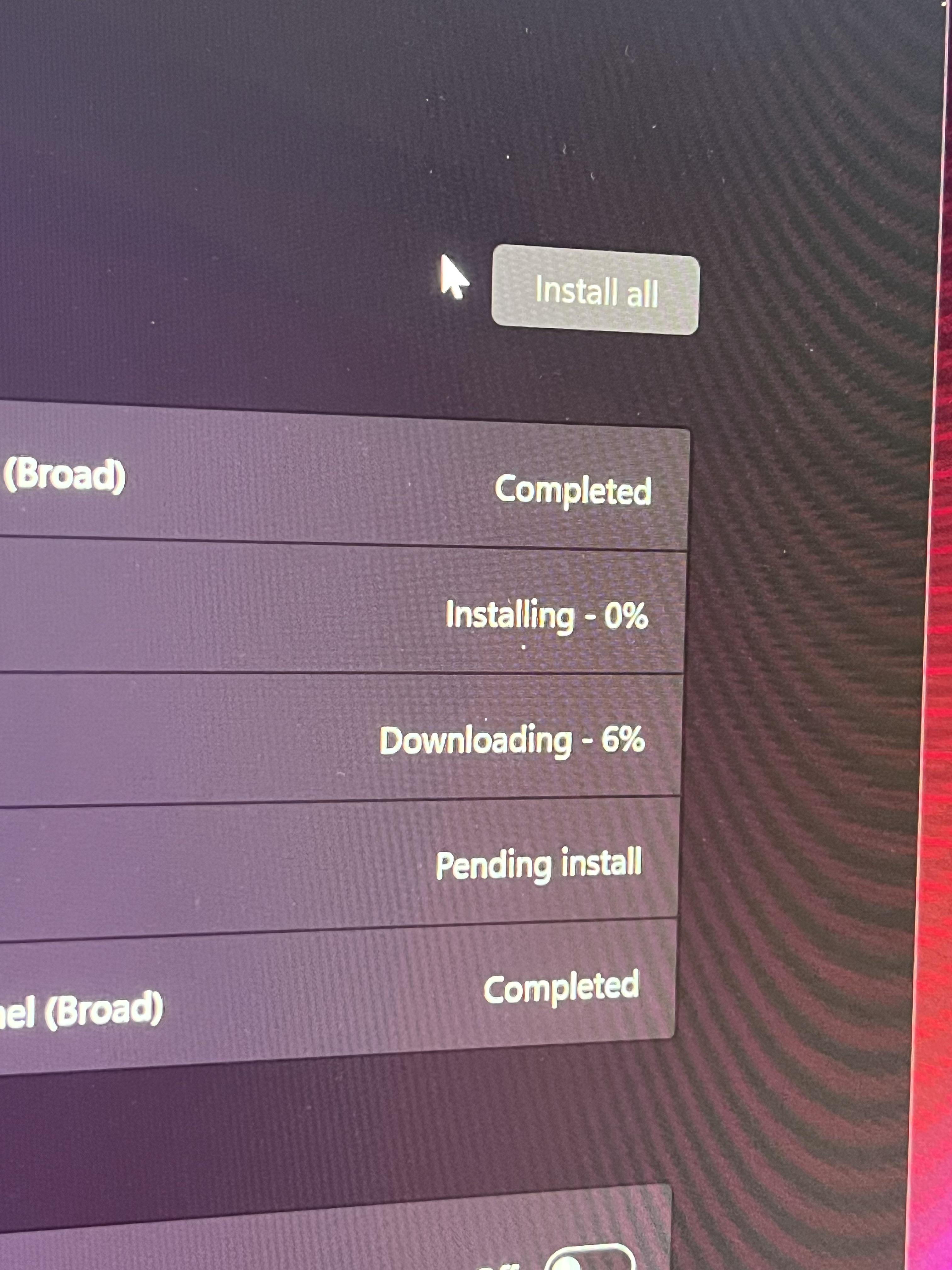
The pause function is completely blocked now, and it already tried installing the updates during sleep mode since I saw an unable to write error message when I turned my screen on this morning. Oh well, seems like I will just have to swallow their updates and be happy with it.


r/WindowsUpdate • • 29d ago Bravo

Fuck you and your shit updates

39 Upvotes

r/WindowsUpdate • • Feb 08 '26

What version of windows can i install and use normally on my pc?

2 Upvotes

I have 4,00 GB installed

Its a 64 Bits

I use an Intel(R) Celeron(R) N4020 CPU @ 1.10GHz 1.10 GHz

Edit: Guys, dont bother commenting anymore, im between staying with the one i have now and 8.1. Any suggestion of any kind can still be accepted at DM


r/WindowsUpdate • • Oct 01 '26

Windows 11

0 Upvotes

You owe me $100 Microsoft Windows 11. I ran your update last night and it completely crashed my PC and I’m having to have Windows reinstalled.


r/WindowsUpdate • • 15d ago

New Windows 11 update destroyed my PC, not even AI can fix the issue

45 Upvotes

UPDATE 11/15/2026 - Impossible to fix and recover, had to wipe drive, backup files and reinstall windows. Goodluck!

I see many with the same issue, have spent over 24 hours trying to fix it. Not even the latest ai can solve this. Can't repair, can't do nothing without installing new version of windows. What gives? Over 20 years fixing my own pcs. This one has been the hardest, tried every solution you can think of. It started with shutdown (update now) then in the process it went haywire and into repair loop. Till blue troubleshoot screen appears with cmd prompt etc nothing fixes the issue but a backup of files and reinstall of windows. I deff don't want to start from 0 again with all of my programs. smh

The Windows update versions involved in boot failure were:

  • KB5127936 — Windows 11 26H2, build 26300.9818 (October 28, 2026).

  • KB5132061 — Windows 11 26H2, build 26300.9974 (November 10, 2026).

Computer was running 26300.9818, with the newer 26300.9974 update stuck in a pending installation state.

Errors I'm receiving

Recovery error: 0xc0000001

Startup Repair: "A recently serviced boot binary is corrupt."

DISM RestoreHealth: 0x800f0915 – The repair content could not be found anywhere.

DISM RevertPendingActions: 0x800f082f

System Restore: Failed with error 0x800701b1.

DISM ScanHealth: The component store is repairable.

SFC: Windows Resource Protection did not find any integrity violations.

The DISM logs also reported approximately 1,537 corrupted or missing component payloads that could not be repaired.

Everything I've already tried

Startup Repair: Failed repeatedly.

Safe Mode: Unable to boot; returns to Recovery.

System Restore: Initially failed, and now no restore points are available.

Uninstall latest quality update: Windows says it cannot find an eligible update to uninstall.

CHKDSK: Completed without finding file-system errors.

SFC offline scan: Completed without integrity violations.

BCDBoot: Successfully rebuilt the EFI boot files, but Windows still won't boot.

DISM /RevertPendingActions: Failed with error 0x800f082f.

Pending update recovery: Renamed pending.xml and removed its corresponding PendingXmlIdentifier registry value after creating backups.

DISM /ScanHealth: Confirmed repairable component-store corruption.

DISM /RestoreHealth: Failed repeatedly with error 0x800f0915.

Windows installation USB repair attempts

I created a Windows 11 Pro 26H2 installation USB using Microsoft's Media Creation Tool.

The installation image was build 26300.9711, while my damaged Windows installation was build 26300.9818.

I successfully exported the USB's split SWM files into a WIM image, verified the Windows 11 Pro image, and mounted it using DISM.

I then attempted an offline repair using the mounted Windows folder as the repair source.

The repair consistently failed at approximately 84.9% with error 0x800f0915.

My question

Is there a confirmed issue with KB5132061 or KB5127936 causing Windows 11 26H2 systems to become unbootable?

More importantly, is there a way to repair this Windows installation using a newer, fully updated repair image without reinstalling Windows?

I'm considering integrating KB5132061 into a Windows 11 Pro 26H2 repair image and trying DISM again, but I would appreciate guidance from Microsoft engineers or anyone who has successfully recovered from this specific problem.

I urgently want to preserve my installed applications, settings, and personal files. I have numerous programs and configurations that would be difficult to recreate.

My Windows installation is on an M.2 SSD, which remains accessible through Windows Recovery.

Has anyone experienced the same corrupted boot binary message or DISM error 0x800f0915 after these updates and found a solution that doesn't require a clean installation?

Any technical guidance would be appreciated. Title: Windows 11 26H2 Won't Boot After KB5132061 Update – Error 0xc0000001, Corrupt Boot Binary, DISM 0x800f0915. How Can I Repair Without Reinstalling?

I'm looking for help with a serious Windows 11 boot failure that happened immediately after a Windows update on November 11, 2026.

My computer was running Windows 11 Pro 26H2, build 26300.9818 (KB5127936). When I selected "Update and shut down," Windows began processing the update normally, but during the process it unexpectedly entered Recovery.

Since then, Windows has been completely unable to boot, including in Safe Mode.

The pending update appears to have been KB5132061 (build 26300.9974).

Errors I'm receiving

Recovery error: 0xc0000001

Startup Repair: "A recently serviced boot binary is corrupt."

DISM RestoreHealth: 0x800f0915 – The repair content could not be found anywhere.

DISM RevertPendingActions: 0x800f082f

System Restore: Failed with error 0x800701b1.

DISM ScanHealth: The component store is repairable.

SFC: Windows Resource Protection did not find any integrity violations.

The DISM logs also reported approximately 1,537 corrupted or missing component payloads that could not be repaired.

Everything I've already tried

Startup Repair: Failed repeatedly.

Safe Mode: Unable to boot; returns to Recovery.

System Restore: Initially failed, and now no restore points are available.

Uninstall latest quality update: Windows says it cannot find an eligible update to uninstall.

CHKDSK: Completed without finding file-system errors.

SFC offline scan: Completed without integrity violations.

BCDBoot: Successfully rebuilt the EFI boot files, but Windows still won't boot.

DISM /RevertPendingActions: Failed with error 0x800f082f.

Pending update recovery: Renamed pending.xml and removed its corresponding PendingXmlIdentifier registry value after creating backups.

DISM /ScanHealth: Confirmed repairable component-store corruption.

DISM /RestoreHealth: Failed repeatedly with error 0x800f0915.

Windows installation USB repair attempts

I created a Windows 11 Pro 26H2 installation USB using Microsoft's Media Creation Tool.

The installation image was build 26300.9711, while my damaged Windows installation was build 26300.9818.

I successfully exported the USB's split SWM files into a WIM image, verified the Windows 11 Pro image, and mounted it using DISM.

I then attempted an offline repair using the mounted Windows folder as the repair source.

The repair consistently failed at approximately 84.9% with error 0x800f0915.


r/WindowsUpdate • • Sep 11 '26

PSA: KB5124008 update was eating my RAM (95% → 20% after uninstalling)

4 Upvotes

Windows 11 update KB5124008 (Sept 2026 security update) was absolutely wrecking my RAM usage — sitting at 95%+ doing nothing.

Uninstalled it via Settings > Windows Update > Update history > Uninstall updates, rebooted, and usage dropped straight back to ~20%.

If your PC's been chugging lately, check if you've got this one installed.

I will change to Linux soon FThis.


r/WindowsUpdate • • 16d ago

Latest windows update erased tabs opened in Chrome and Firefox

1 Upvotes

I saw a notification in system tray to update windows today (10NOV2026). I decided to proceed, why not?

After the update and reboot, I lost about 200 opened tabs opened in 3 Chrome instances, 2/3 of opened tabs in Firefox, and none in Edge.

Now I am using google takeout to get my surfing history.


r/WindowsUpdate • • Oct 28 '26

Happy Anniversary, Windows Insider! Huge shoutout to Microsoft and the team!

Post image
0 Upvotes

r/WindowsUpdate • • Jun 22 '26

Windows 11 June 2026 Update Worth it? -I need the new Secure Boot Certificates-

1 Upvotes

Hey Folks,

So, I'm between a rock and a hard place with the state of things. My PC (Which is an Acer Nitro 5 that I got in 2024) doesn't have the New Secure Boot Certificates, like my new HP that I bought last year which does.

Microslop said: We'll be rolling out the New Secure Boot Certificates in an update, and I thought 'fine' and went on with my life.

During last month's update I got the: "Secure Boot Allowed Signature Database (DB) Update" but if I check MS Defender it says I'm still running on the old certificates.

Here's my problem, it's two fold:

1 The cutoff date for the New Certificates (as far as I understand and tech is not my thing so I probably don't understand) is June 24th, two days from writing this. So the new certificates kind of have to be in this update. But-

2 The June update has been, apparently a shit show, lots of BSOD, crashes, just usual Microsoft BS as far as I've been reading.

So here's my question: If I hold off on updating (past the 24th) can I still get the new certificates in another update or am I SoL?

And if I am SoL if I don't update before the 24th then is it worth updating now and risking Miscroslop's BS because they don't test their updates?

I hope this makes sense. Please forgive my lack of knowledge on computers. And thanks for any advice, or help you can offer in advance.


r/WindowsUpdate • • Oct 16 '26

w11 26h2 funciona lento

0 Upvotes

Hace una semana actualice mi notebook lenovo (r9 y 32gb) a la version 26h2 home, y ahora noto que le cuesta abrir archivos o navegadores, cosa que antes hacia al instante ahora intento abrir chrome y se traba por 1 minuto. Luego reviso en otra notebook lenovo (i5 11va 16gb) que se usa para oficina, despues de la actualizacion, archivos excel que antes corria sin problemas ahora le cuesta reaccionar.
Alguien noto estos problemas en portatiles? capaz en pc escritorio no pasa igual


r/WindowsUpdate • • Aug 15 '26

Yesterday update bricked my desktop

0 Upvotes

Title, it freezes on startup, sometimes before i can even write my password. After force restar it doesnt even start anymore. Was able to boot it once on safe mode after testing ram and gpu, no idea how i proc it, everything seemed fine, then i tried to normal boot and its back at the same behaviour. I reset the mboard, i flashback bios, ive tried multiple monitors and even the igpu on my ryzen 7600 and nothing fixes it...

Im trying to create a recovery usb atm but im not sure my pen has enough storage so im stuck, ive been troubleshootin all day and cant find a solution im losing my damm mind


r/WindowsUpdate • • Oct 24 '25

Update removed desktop icons and internet browser.

0 Upvotes

Opened up my laptop to a different background, different system version, all my desktop icons are removed, spotify is removed as a whole, microsoft edge just forgot all my shortcuts and search engine preferences. Can someone explain to me what the actual f happened to my laptop after the latest update and if this is ''normal''


r/WindowsUpdate • • Jun 27 '26

Windows no puede actualizar los datos del registro de en la instalación

Post image
0 Upvotes

Alguien sabe cómo solucionarlo? Pasa cuando intento instalar windows 10


r/WindowsUpdate • • Jul 24 '26

Windows Update hoses Windows 10 Search

0 Upvotes

Windows 10 Search is washed out when using a dark theme following Windows Update. I can see the update in Update History but can not uninstall it. DISM restore health has no effect. Reset of Windows Search has no effect.


r/WindowsUpdate • • Nov 07 '25

Update usb drivers?

0 Upvotes

So I’ve been getting the windows sound and it like pauses my game everytime. I have no clue why so I’m kind of guessing it’s my usb because I’ve never updated my usb drivers and I know you shouldn’t update your gpu drivers through device manager but would it be safe for the usb drivers? I’m not sure where else to update them from.


r/WindowsUpdate • • Oct 23 '26

necesito ayuda, windows se reinicia cuando intento hacer algo en la neetbok, entra a escritorio pero cuando quiero hacer algo da pantalla azul diciendo que no se pudo hacer la actualizacion eliminando cambios algo asi, intente reinstalar windows y se queda en 51% y salta que se cancelo la descarga,

0 Upvotes

r/WindowsUpdate • • Aug 14 '26

Way too many small windows updates and they take so much time

Post image
3 Upvotes

Every time i don’t use my PC for like a week, i come back to multiple small updates which can take up to half an hour or longer to complete. This takes away valuable time and i feel like this is not normal.

Without doing the updates, my PC is unusable and simple programs take forever to load.

My settings are:

Windows 11

ā€žGet latest updates as soon as they are availableā€œ: OFF

ā€žRecieve updates from other microsoft productsā€œ:
OFF

My system:
AMD Ryzen 5 3600
Geforce RTX 3060ti
16gb ram