r/PowerShell • u/MadBoyEvo • Jun 24 '18
Script Sharing PSWriteWord - PowerShell Module to create Microsoft Word documents without Word installed...
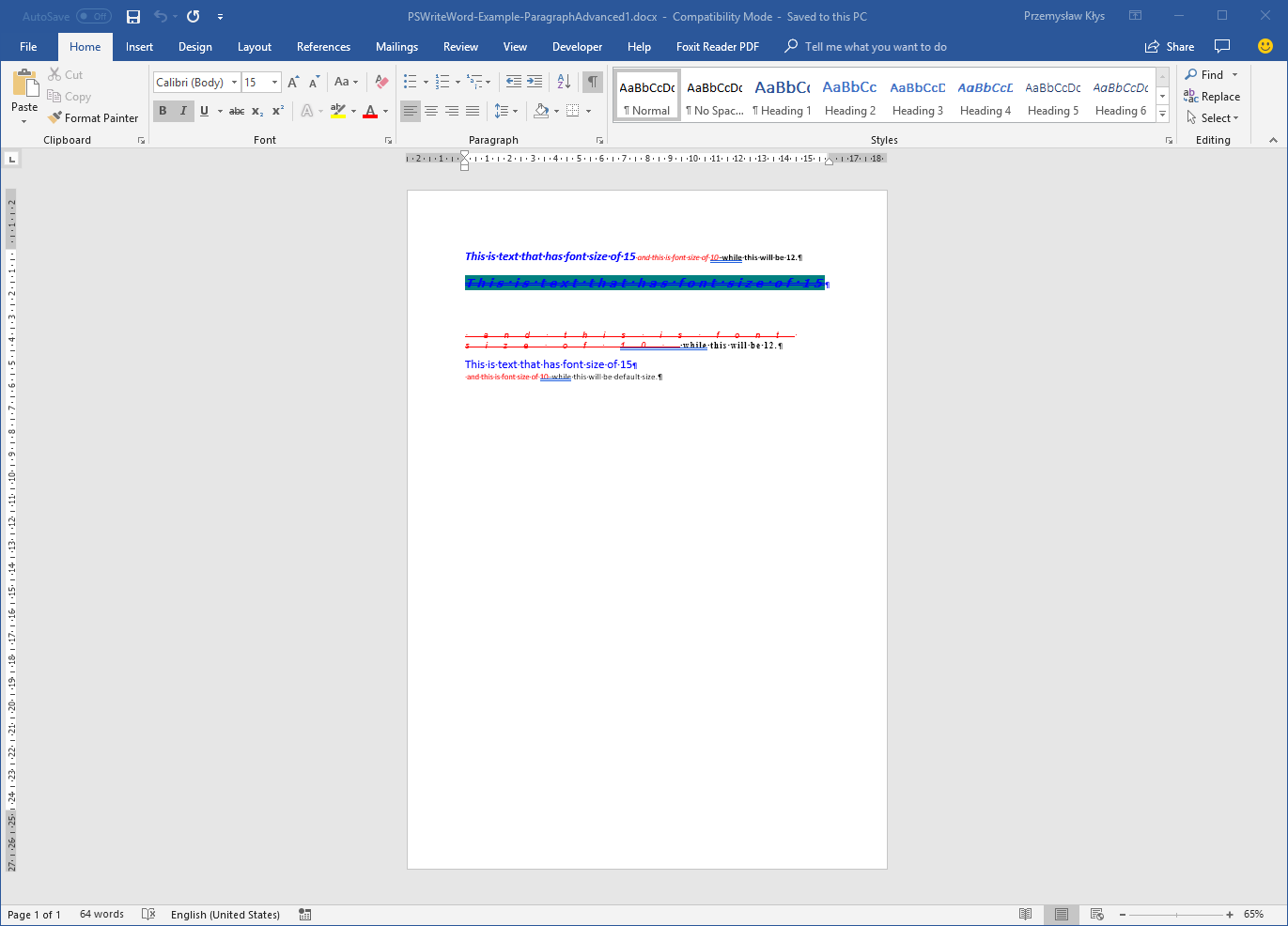
I wanted to share something new with you today. PowerShell module called PSWriteWord. As the name suggest this little module is able to create Microsoft Word documents on the fly from PowerShell. The tricky part is ... it doesn't require Microsoft Word installed on the machine to work. As always source is available on GitHub, published as module to PowerShellGallery and for those that want to use it I've created about 20 examples showing different functionalities. It's still work in progress and probably will be for longer time as I've to find the best ways to utilize some features. I do hope for some decent feedback. Enjoy
Module page: https://evotec.xyz/hub/scripts/pswriteword-powershell-module/
GitHub: https://github.com/EvotecIT/PSWriteWord




9
7
u/jantari Jun 24 '18
This is great. If someone is looking for something that can handle more formats and also easily convert between them I also cannot recommend pandoc enough.
It can convert between LaTeX, Markdown, HTML, Docx, ODT, ROFF, PowerPoint, ePub and more.
So while it in and of itself does not produce Word or other documents, in some use cases it may be easier to generate say HTML or Markdown with PowerShell and convert that to Docx than producing the Docx "from scratch".
You could also use the two tools complementary, say to write a Docx with this module and also produce a PDF export without having Word installed (which obviously would have its own PDF-exporting feature which could be accessed via the COM-object)
3
u/MadBoyEvo Jun 24 '18
Seems very nice. Could see myself implementing this as an option to this module ;-) Although it requires installation so not really simple to add.
5
u/Pervy_Uncle Jun 24 '18
This has so many great ways it can be used. Is the ability to use macros also included? Is that even possible?
8
u/MadBoyEvo Jun 24 '18
It's not supported. And i don't think it's that needed. Considering you can prepare data in PowerShell and just insert to Word. There is also pay version of the .dll from Xceed and it has few other features such as pdf conversion. But since this one most likely never gets into free edition I didn't even bother.
My plan is to actually create AD/Exchange documentation for my environments. I thought that I would write a script that would do it for me. Hard part is almost done :) I am too lazy to write docs so need to write a script to write it for me ;-)
8
4
2
u/chris_conlan Jun 24 '18
This is pretty cool. As someone runs DOCX generators on Linux, I am no stranger to generating Word docs without Word installed. Are you using the OpenOffice XML standard? Or something else?
3
u/MadBoyEvo Jun 24 '18
I'm a coauthor / maintainer of old docx.codeplex.com which after move to GitHub was given up to Xceed.for further work. They have kept the old code as DocX-Classic and wrote new version of it that they are developing further as a commercial product. I'm working on their free (community) edition which is 4 versions behind at the moment. But I got a promise from them that they will be adding fixes/new features to the free versions (just with a delay). So to answer your question... https://github.com/xceedsoftware/DocX is what I use now.
1
2
u/Z_Zeay Jun 26 '18
Haven't looked at it yet, on the phone. But can you create templates to use? If not does anyone know any solution of creating a template and using Powershell (Or Python/NodeJS) to fill in the document?
2
u/MadBoyEvo Jun 26 '18
Its not yet added but yes. Requires very little effort. Its on my todo.
2
u/Z_Zeay Jun 26 '18
Awesome! I'll keep an eye out, starred on Github!
2
u/MadBoyEvo Jun 26 '18
By template you mean docx file that has headers/footers and that you can find text and replace that in document right?
1
1
u/jamalstevens Jun 25 '18
So what are you going to be using this for?
2
u/MadBoyEvo Jun 25 '18
I want to create documentation of my infrastructure (and all clients). Actually wanted to prepare scripts that would prepare audit documentation automatically with just places for comments on each section. We will see how it goes.
1
1
u/ApricotPenguin Jun 25 '18
I'm trying this out, and it's really cool. Much better than outputting to a plain old textile.
What I'm struggling with is Add-WordTable. Do you think you could add an example of that to your site?
I'd very much appreciate it :)
3
u/MadBoyEvo Jun 25 '18
There is already example of it. Go to github. 20 examples await you :-)
2
u/ApricotPenguin Jun 25 '18
D'oh! I was expecting it to be in the ReadMe or the linked site. Didn't expect it to be in an examples folder.
Thanks :)
3
u/MadBoyEvo Jun 25 '18
Creating blogs, README takes much more time then just coding something and pushing to GitHub. Some of the stuff I do is ready much much sooner before I get time to write a blog about it. Keep in mind that I've not tested Add-WordTable much. Just on few outputs. If you have specific case and it doesn't work let me know what it is and i'll try to add it. I am not really sure how to process all kind of possible options people can throw at it. Also few of the examples are not supported by the release in PowershellGallery. I've to release new version. Added few small things today.
2
u/ApricotPenguin Jun 26 '18
That makes sense :)
I really should've checked the entire git project first, but didn't expect that for a Powershell module since it was in the gallery :)
I tried following the examples for the Table, but I can't get it to work by using a Dictionary/HashTable. Your examples work but I'm not sure what I'm doing wrong (I'm still learning Powershell as I go :))
I'll post a code snippet of what I did in about 30 mins.
2
u/MadBoyEvo Jun 26 '18
In Issues on github please. Need to track it there ;)
2
u/ApricotPenguin Jun 26 '18
Sounds good.
I'll most likely be entering it in tonight since I'm currently on my phone.
2
0
1
Jun 24 '18
[removed] — view removed comment
1
u/MadBoyEvo Jun 24 '18
You mean bookmarks?
1
Jun 24 '18
[removed] — view removed comment
2
u/MadBoyEvo Jun 24 '18 edited Jun 24 '18
I believe those are called CustomProperties and as such are added. The next thing is adding bookmarks. If that's not that.. then I will have to check.
Import-Module PSWriteWord -Force

$FilePath = "$Env:USERPROFILE\Desktop\PSWriteWord-Example-AddCustomProperty.docx"

$WordDocument = New-WordDocument -FilePath $FilePath

Add-WordText -WordDocument $WordDocument -Text 'Custom Properties Example' -HeadingType Heading1

Add-WordCustomProperty -WordDocument $WordDocument -Name 'CompanyName'  -Value 'Evotec'
Add-WordCustomProperty -WordDocument $WordDocument -Name 'CustomEntry'  -Value 'Important Value'

$PropertyValue = Get-WordCustomProperty -WordDocument $WordDocument -Name 'CompanyName'


$AllCustomProperties = Get-WordCustomProperty -WordDocument $WordDocument

Add-WordText -WordDocument $WordDocument -Text 'Following document has ', $AllCustomProperties.Count, ' custom properties.' -UnderlineStyle none, dash, none -SpacingAfter 5

foreach ($custom in $AllCustomProperties) {
    Add-WordText -WordDocument $WordDocument -Text 'Custom property: ', $Custom.Name, ' with value: ', $Custom.Value -Bold $false, $true, $false, $true
}

Save-WordDocument $WordDocument
2
u/Lee_Dailey [grin] Jun 24 '18
howdy MadBoyEvo,
it looks like you used the New.Reddit.com
Inline Codebutton. it's the4th5th from the left & looks like</>.on Old.Reddit.com, the above does NOT line wrap, nor does it side-scroll.
for long-ish single lines OR for multiline code, please, use the
Code Blockbutton. it's the11th12th one from the left, & is just to the left of the...more menu.that will give you fully functional code formatting, from what i can tell so far. [grin]
take care,
lee2
u/MadBoyEvo Jun 24 '18
Done ;)
1
u/Lee_Dailey [grin] Jun 24 '18
howdy MadBoyEvo,
kool! the inline code stuff get remarkably nasty to look at when you've several lines of it ... [grin]
take care,
lee
26
u/Suihaki Jun 24 '18
I go to work and write tools for teams to use and make their jobs easier, then i come to this subreddit and see ghat people are making tools for me to use to make tools to make peoples jobs easier. Brilliant work and humbling to witness :p cheers!