r/PCsupport • • Jan 08 '26

In progress How Windows Update works? Can someone explain it simply?

248 Upvotes

Edit: I have got a license from CodeGuardia and it worked just fine. Thanks for all the replies.

Hi everyone, I’m trying to understand how Windows Update works and what exactly happens when my PC installs updates.

When I click “Check for updates,” how does Windows decide:

which updates to download and install

whether they are security updates, feature updates, or drivers

if it downloads full files or only small patches

Also, how Windows Update works in the background while I’m using the computer? Sometimes updates install very fast, other times it takes a long time and needs multiple restarts, so I’m confused about what’s different in each case.

I’d really appreciate a simple explanation of how Windows Update works on Windows 10 and Windows 11, and if there’s anything users should know to avoid update problems.

Thanks a lot!


r/PCsupport • • Nov 26 '25

Not solved Graphics card overheating

Post image
49 Upvotes

Have a custom loop water cooled PC graphics card goes real hot when used. When running something like abiotic factor. It peaks around 75 C and has a hotspot of 105.

Card is a 3090 it's using a colored coolant so that's not gunk or anything


r/PCsupport • • Aug 22 '25

In progress I think I f****ed my pc

45 Upvotes

So I think that I messed my pc up to the point of beyond repair and let it go on for to long without getting it fixed.. so a few months ago my computer bluescreened during a power outage and now unless i have some kind of game open and the computer idles i get a bluescreen with the message DPC_Watchdog_Violation error and it crashes or tries to boot back up and freezes to where i have to restart it.


r/PCsupport • • Oct 29 '22

Solved Extremely low fps in Modern Warfare 2

41 Upvotes

UPDATE THE ISSUE HAS BEEN RESOLVED! This video was extremely helpful and fixed my game, i went from 30-40fps to 170+ with no tearing or lag

https://youtu.be/BekUkThChsk

Im averaging 40 fps in MW2 with very low graphics settings, im running a RTX 2070 super, Ryzen 7 3700x and 32gb dd4 ram. I have updated drivers, verified game files and even went as far as to delete and reinstall the game, im not sure what the issue could be, i dont have this problem with any other games and average 100+ fps on rust which is a much more demanding game and 280+ on valorant. Any tips would be appreciated, thanks!


r/PCsupport • • Feb 22 '26

In progress My pc is randomly crashing or smth when I am playing and it’s doing this weird noise what should I do ???

39 Upvotes

r/PCsupport • • Aug 13 '25

Not solved I got a new pc

Post image
30 Upvotes

I got a new prebuilt pc for $1500 and i want to know if its bad/good/great/awesome/overkill. And if theres any upgrades I could do of my own, please let me know. Also, ive been trying to find out what motherboard it has but im having no luck, same goes with the Psu


r/PCsupport • • Aug 23 '26

In progress Pc won’t shut off

23 Upvotes

I downloaded this GTA 6 build cause this guy on telegram sent me a video of him playing it and I paid him $50 to play it and now my pc won’t shut off but I actually don’t know what to do because I have so many files, do I use a usb to recover them before I factory reset or no? He said it’s my cpu but I don’t know I just want to play gta 6 cause I saw a Twitter someone playing it


r/PCsupport • • Feb 23 '26

In progress Should I add more fans?

Post image
20 Upvotes

So I have 3 120mm intake fans on the front but no exhaust fan, the only "exhaust" fan I truly got is this big ol CPU cooler with two 120mm fans on it.

Now I never had any over heating issues, I dust every two to three weeks. Also I don't do anything heavy on this, it's used for 1440p gaming and at most when it comes to heavy use I play cyberpunk 2077.

Specs wise: 5070 OC rzyen 7 9800x3d 32gb ddr5 1000w psu

Listed the specs just so yall pros got a full picture. But I appreciate knowing if I should put atleast one exhaust fan also I the whole top section free to put exhaust fans pointing up and out


r/PCsupport • • Oct 04 '26

Not solved CPU locked at 0.5 GHz

Thumbnail
gallery
17 Upvotes

Hi, my newly built PC runs extremely sluggish. Both in Win11 and when booting from a linux usb the cpu clockspeed seems to be locked at roughly 0.5 GHz. Even the BIOS is quite laggy.

It's a Ryzen 7 7800X3D and the mainboard is an MSI PRO B850-S WIFI6E.

I did update the BIOS and used the clear CMOS button to reset everything to factory defaults, but the problem persists.

Any idea, what could be causing this and how to fix it?

See the attached images for screenshots from CPU-Z, MSI control center and the bios.


r/PCsupport • • Feb 21 '21

In progress Any way to PERMANENTLY disable Windows Sonic for Headphones

17 Upvotes

I have a great pair of headphones that I use with Dolby Atmos for Headphones (sometimes DTS Sound Unbound) . Depending on the order in which I've shut off the headphones, or shut down Windows, disconnect my WMR headset, or possibly other activities, Windows 10 insists on reverting the spatial sound to Windows Sonic for Headphones. I never, ever want to use it. I'm posting to ask if there is a way to completely, permanently disable Windows Sonic. I've seen posts in the past that indicate this is not possible, but I'm hoping there has been some development which provides a solution. I'm very technical, so if the solution involves delving into policy settings or the registry, all good.

To pre-empt some suggestions, I am not looking for any of the following:

- Advice on how to enable/disable spatial sound in the Windows settings or control panel. I know how all of that works. This is a different issue.

- Basic advice on how to use my headphones or other audio hardware. Everything is properly configured and working perfectly, EXCEPT when Windows decides to reset to Windows Sonic.

- Advice on whether Windows Sonic is a good option for spatial sound. It is not.

Thanks in advance for any helpful solutions.


r/PCsupport • • Dec 23 '25

In progress PC randomly restarting (Kernel-Power 41 (63))

15 Upvotes

Hello everyone! I built my PC about 1 month ago and since then I've been experiencing random restarts, without blue screens and with no clear pattern.

Configuration:

CPU: Ryzen 5 7500F
Motherboard: Huananzhi B650M-B PRO
GPU: RX 7700 XT Gigabyte Gaming OC
RAM: T-Force 32GB DDR5 (2x16) 6000MHz
SSD: NVMe 1TB Kootion
Cooler: TGT 240mm Water Cooler
Fans: 7 in total (6 connected to SATA controller + 1 on SYS_FAN)
PSU: Revenger FO-MAX8 750W

The problem:

The PC randomly restarts under various conditions:

  • During games

  • During light tasks (YouTube, browser)

  • While idle

  • On the lock screen

There’s no blue screen. Windows just restarts as if there was a sudden power loss.
It is always logged in the Event Viewer:

Kernel-Power 41 (63)

Error log:
https://sourceb.in/smN7jONwTf

Additional strange behavior:

  • Sometimes the PC shuts down when the fans suddenly increase speed

  • I've noticed quick LED/fan flickering

  • On one occasion, the PC wouldn't turn on and only worked again after removing all USB peripherals

  • Occasionally, when the PC restarts, a black screen appears with the loading icon and a message that passes very quickly containing the word "keep"

  • Screen freezes with a “zoooooom” sound and then restarts

  • When I put the PC to “Sleep,” the LEDs turn off, the screen goes black, but then the LEDs turn back on and the PC resumes normally, as if it can't enter sleep properly (I will attach a video)

What I've tried:

  • Reconnected all power cables (24-pin, CPU, PCIe, SATA)

  • Reinstalled the RAM modules

  • Cleared CMOS (removed the battery)

  • Tested RAM using Windows Memory Diagnostic (no errors)

  • Adjusted Windows power settings

  • Ran system integrity checks

  • None of this solved the issue

  • Tried running the PC without the Iclamper power strip, directly into the wall (it did not restart on its own, except when I was idle on the lock screen)

Current suspicion:

My main suspicion is the PSU, as it’s not from a well-known brand and I don’t have another one available to test.

If anyone has experienced something similar or has any ideas on what else I can try before replacing components, I would really appreciate it.
Any help is welcome 🙏


r/PCsupport • • Oct 16 '25

Not solved How the heck do I found out exactly what's taking up so much storage on my PC.

Thumbnail
gallery
15 Upvotes

r/PCsupport • • Aug 19 '26

In progress I was gifted a brand new spec PC — but I don’t know what I’m doing..

Thumbnail
gallery
14 Upvotes

I was gifted this brand new PC, hasn’t been used before. I connected my HDMI cable and power cable to my monitor and it turns on however there doesn’t seem to be any signal to my monitor from the PC. I’m too afraid to unplug any wires or taken apart so I wanna know how to put it back together can someone help me understand where to maybe start troubleshooting this and also help me understand what I’m looking at?


r/PCsupport • • Sep 14 '25

In progress Please, HELP

14 Upvotes

r/PCsupport • • Sep 29 '24

In progress Can someone help me with this?

Post image
14 Upvotes

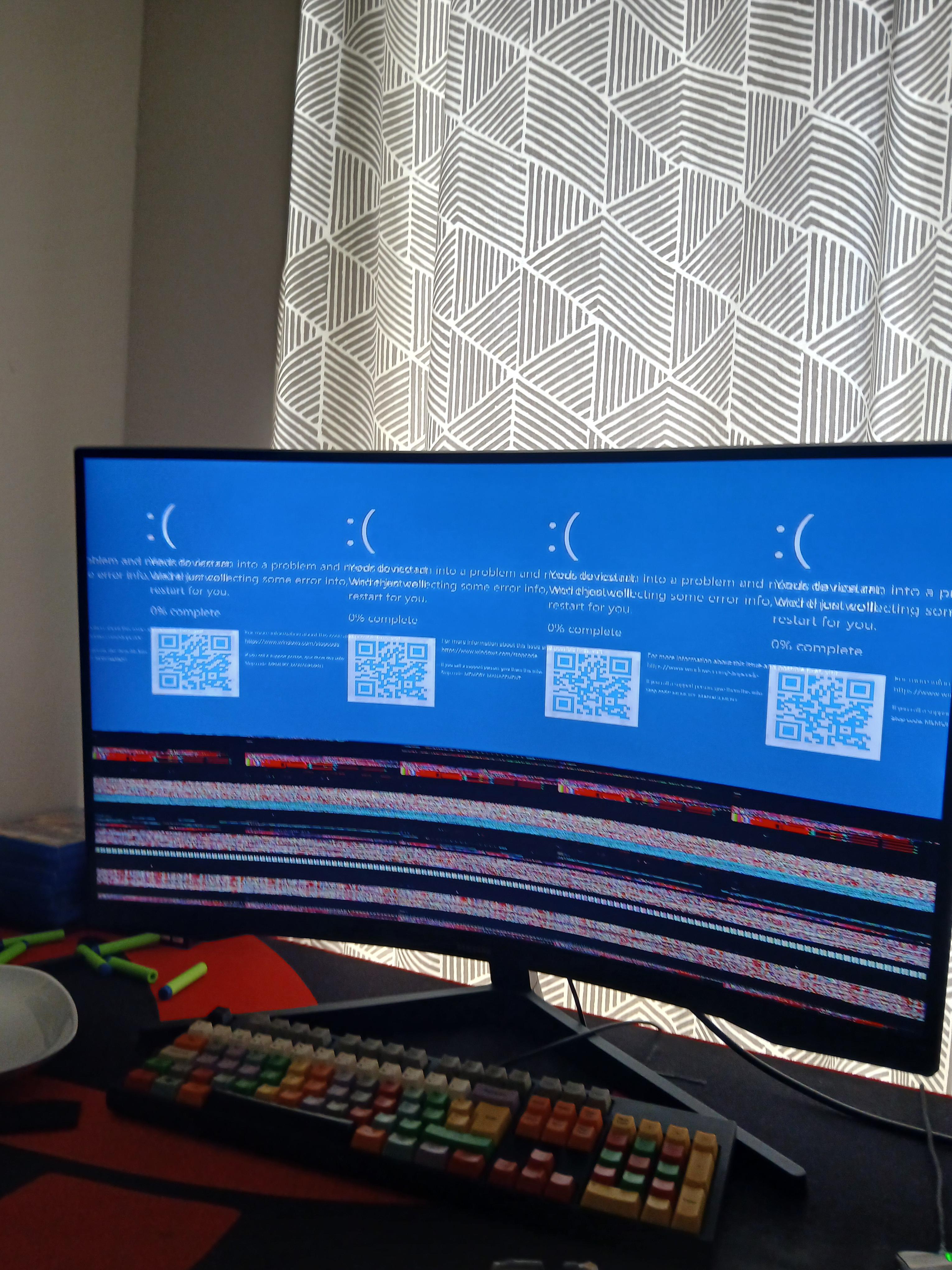
I dont know what this is and it has happened alot latly when i have been playing league and ark sruvival evolved it happnes randomly


r/PCsupport • • Mar 19 '26

In progress I need help with my RTX 3060!

13 Upvotes

When I went to turn on my PC today my graphics card doesn't display. I looked up ways to fix it, I reseat the ram, and graphics card. I made sure there was no loose cables. My dedicated graphics can display. I went to device manager and my graphics card isn't detected. Now it won't even boot without it trying to auto repair.

Hopefully I can get an answer to this problem because I am confused.


r/PCsupport • • Feb 05 '26

In progress Help! CPU overheating in seconds

13 Upvotes

This happened for the first time just now. I download some pirated stuff can this be by any chance some sort of virus?


r/PCsupport • • Aug 29 '25

In progress URGENT! PC wont turn on no matter how many times I replace its parts.

Post image
13 Upvotes

My pc has been bricked for almost a week now, I have no way to work at all so getting this fixed as soon as possible is really important.

PC specs: https://pcpartpicker.com/list/fKzhxg (although I have a different case and I dont have those fans) plus a g502, razer keyboard, in total 4 sticks of G.Skill Trident Z5, and four monitors.

Issue: Last Saturday before going to bed I put my PC in sleep mode. Sunday morning when I tried to get on my pc all the lights were on but my keyboard, mouse and monitors were off. This had only ever happened one time before, and was fixed instantly by turning the pc off and on again.
Right now turning on only makes all my pc parts turn on but my monitors, keyboard, and mouse remain off. I cannot use my PC.

Steps I tried: on sunday I spent like 8 hours trying to fix things like unplugging everything, removing my gpu, resetting my bios, removing all my storage, and testing each ram stick individually. Today I replaced my motherboard with a new ASRock Phantom X870E ( the exact same motherboard I had), and installing some fresh Crucial - Pro 32GB (2x16GB) DDR5 5600MHz C46 UDIMM Desktop Memory - Black. This changed nothing. for the error codes i would get on the mobo were 15 for a little while until my fans stared spinning up faster then the mobo would flash a lot of different codes and land on 03 for the rest of the time.

GPU: I have not tried plugging my old 1080 gpu into the motherboard to see if the gpu is the problem.
CPU: I think my cpu is fine because i dont think my pc would turn on at all if it was busted.
Memory: The ram shouldnt be the issue because i just tried putting in some Crucial - Pro 32GB.
Mobo: The motherboard cant be the issue because i just bought a new one.
Storage: Storage shouldn't be the issue because i tried running with only a mostly empty storage that didn't have windows on it.
Power supply: idk
Case: idk

Moments where my pc turned on: Sunday afternoon the first time I tried taking out all my ram sticks to check each one solo, one of my ram stick turned my pc on, it seemed everything was fine so i didnt even log in and just tried the last ram stick. the pc failed to boot, and the former ram stick that worked once also failed. much later on in the day i tried this again and got things to work but since i removed all my storage i was sent straight to bios where I took some screen shots.

Thank you for reading my post and I'm sorry for how long it is. I just really need to get my pc running as soon as possible. I'm willing to buy replacements or anything its just, this has made me loose a whole week of work and I fear for my job if I cant even get one day of work in before monday.

Thank you!


r/PCsupport • • Dec 13 '25

Solved Hasn't been booted properly in 5 + years, but can I fix this?

Post image
12 Upvotes

I am trying to boot it up but it buzzes in a rythem, has no visual, I dont understand how to fix it, should I just power it on and leave it? I used the bist button, but its green. Its custom built with a Dell motherboard.


r/PCsupport • • Nov 02 '25

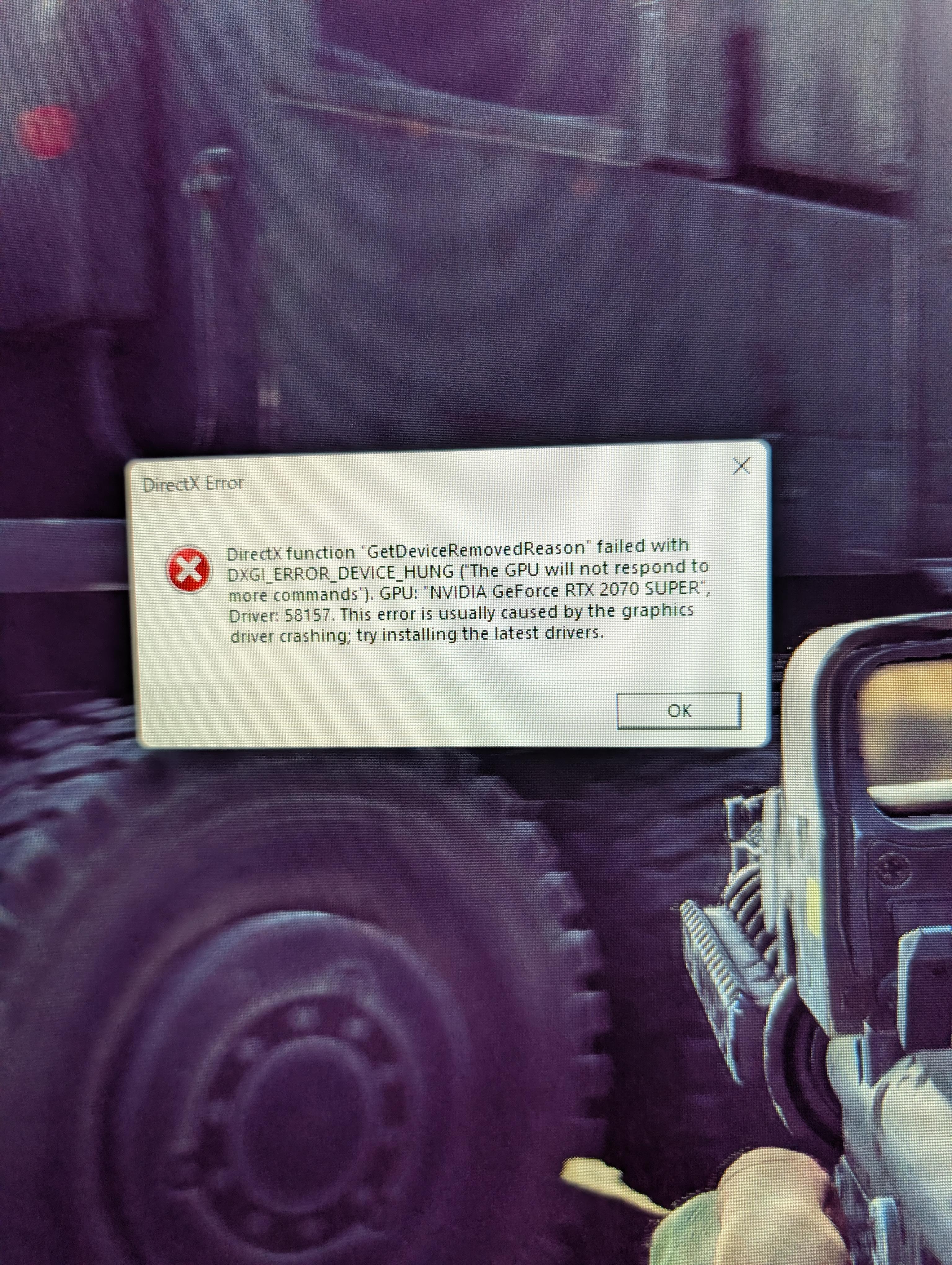
In progress This keeps popping up after playing BF6 for 30ish minutes

Post image
12 Upvotes

My windows and graphics driver are up to date. I'm new to PC gaming and don't know where else to turn, Any advice is appreciated!


r/PCsupport • • Aug 24 '25

Not solved I get this message every time I boot my pc

Post image
12 Upvotes

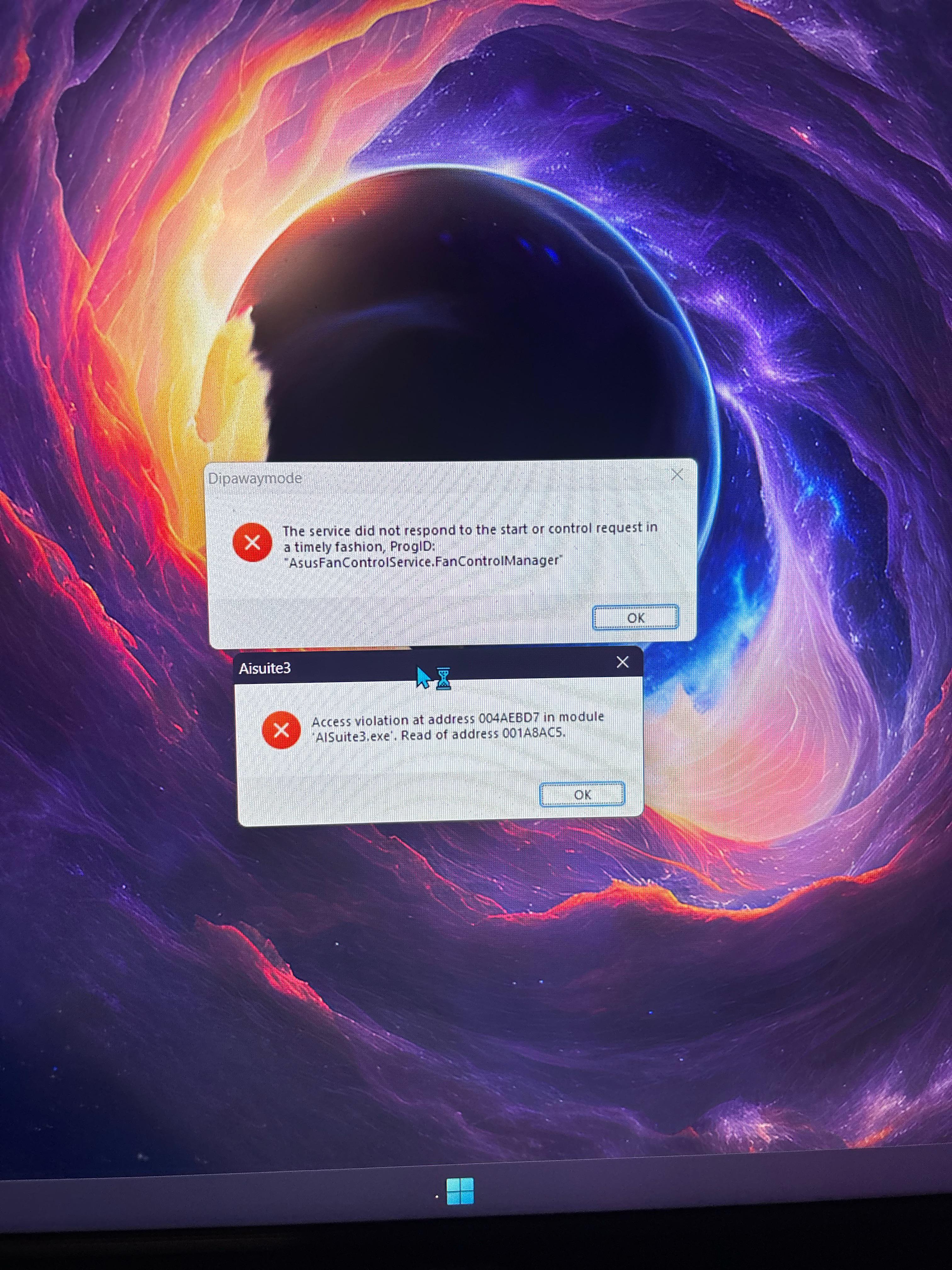
Every time I boot my pc I get this error message from my old motherboard drivers and I can’t find where it’s coming from. It used to be 3 but I uninstalled an app and one disappeared. Anyone know the fix for this? It’s not much of a hassle since I can just close them but it’s been happening for a while…


r/PCsupport • • Jun 13 '23

In progress Having an issue with Youtube and my middle mouse button.

12 Upvotes

So my middle mouse button click I generally use to open links/videos to a new tab. This isn't working on the home page of Youtube though, but works every where else even when I click on a video the middle mouse button works just fine on that page. It just doesn't want to do it on the Youtube home page. Anyone have an idea on what could cause this?


r/PCsupport • • Jan 06 '15

Mod post Welcome!

12 Upvotes

I hope you all find this sub as useful as we can make it. Be patient with us as we are small, and may remain small for awhile. However, we will get to you and we will help the best we can. For those who do post, please keep in mind a few things you should include in your question -Full specs please -Updates on your issue after we have helped so we can see if you have solved your problem or not. -Clear and understandable question. Make sure you spread the word too, we could always use more questions! Thanks for choosing PCsupport and have a great day!


r/PCsupport • • Sep 23 '25

Solved Need Help

11 Upvotes

Yesterday my pc was fine and now today I turn on my pc and now there a red light blinking and can't even run Google, while my other pc run perfectly fine my motherboard is a Micro-Star International and the product is (MS-7D22)