r/PCsupport • u/krystek257 • 24m ago
In progress Monitor Keyboard Mouse not responding

1
Upvotes
r/PCsupport • u/Neilzdogg • 54m ago
Lately, just the past few days, I've been experiencing a problem where I would be doing my usual gaming (nothing different than before).. though it is very demanding I'd say.
Out of the blue both my monitors would lose signal and power down after a few seconds ⁉️
This has happened once when it wasn't doing anything more than browsing the web, so I don't think it's entirely to do with games in particular.
This isn't happening constantly, either. Probably twice over the past 3 days.
I'm not good at advanced PC things, but the specs are
GIGABYTE B550 Aorus Elite V2
Rtx 3080
Ryzen 5 3600x
32gb ram
Monitors are: LG ultra gear 27" 1440p and an LG 1080p (I don't know the models, but if it's important I'll try to find them)
Not sure what else is important 😭
Do I need to update software somehow?
I know BIOS exists but I've never accessed it myself.
Are there any precautions or other troubleshooting I should try first?
I'd appreciate any help or suggestions!
Thanks in advance
r/PCsupport • u/NaCl-yMarshmallow • 1h ago

r/PCsupport • u/szareoczy • 1h ago
r/PCsupport • u/Tomas__Gumpy • 2h ago
Phone link error
So to be save I fully reset my pc and when I came back on i couldn’t get passed the phone link page , if I click skip it would say something went wrong and if i tried to link my phone same thing except I would have to turn off my pc to be able to do anything. I once again reset my pc and came back to the same thing . Anyone have any idea on what to do ?
r/PCsupport • u/Efficient-Study-9005 • 3h ago
Hello, good afternoon. I have a PC that turns on (the fans spin), but it doesn't output an image via HDMI or DisplayPort from my GTX 970. It previously froze and became unresponsive to the power button; it also makes a high-pitched buzzing sound. Performing a "Clear CMOS" doesn't help—the issue persists, or it simply remains without a video signal. Does anyone know what might be causing this or what I can do to fix it?
r/PCsupport • u/Seifer202 • 3h ago
r/PCsupport • u/Sea-Concentrate1934 • 3h ago

Titel: DRINGEND Hilfe benötigt – Nach BIOS-Update komme ich nicht mehr in Windows (PIN kann nicht eingerichtet werden)
Hallo zusammen,
ich brauche dringend Hilfe mit meinem Lenovo IdeaPad Gaming 3 15ACH6 (82K2) mit Windows 11 Home.
Ich hatte ursprünglich ein Problem mit dem TPM. Dort wurde mir eine Fehlversuchsanzahl von 31/32 und eine Sperr-Wiederherstellungszeit von 2 Stunden angezeigt.
Deshalb habe ich ein BIOS-Update auf die neueste Version (H3CN49WW) installiert, in der Hoffnung, dass dadurch das TPM-Problem behoben wird.
Seit dem BIOS-Update komme ich allerdings nicht mehr in meinen Laptop.
Folgendes passiert:
Windows fordert mich auf, eine neue PIN einzurichten.
Ich kann mich mit meinem Handy über Passkey bzw. eine andere Bestätigungsmethode erfolgreich authentifizieren.
Meine Anmeldedaten werden akzeptiert und die Anmeldung funktioniert zunächst.
Anschließend werde ich aber immer wieder aufgefordert, eine neue PIN einzurichten.
Sobald ich das versuche, erscheint folgende Fehlermeldung:
„Es ist ein Problem aufgetreten. Ihre PIN konnte nicht neu eingerichtet werden. Versuchen Sie es erneut oder überspringen Sie diesen Schritt und wiederholen Sie den Vorgang später.“
Wenn ich auf „Erneut versuchen“ klicke, passiert nichts. Wenn ich „Vorerst überspringen“ auswähle, komme ich trotzdem nicht weiter und lande wieder bei diesem Problem.
Es gibt außerdem eine weitere Anmeldeoption mit einem Sicherheitsschlüssel. Dort steht, dass ich einen USB-Sicherheitsschlüssel anschließen soll. Ich habe allerdings keine Ahnung, was das genau ist oder welchen Schlüssel ich dafür benötigen würde.
Meine Fragen:
Wie komme ich wieder in Windows hinein?
Hat das BIOS-Update möglicherweise das TPM zurückgesetzt und dadurch meine bisherige Windows-Hello-PIN unbrauchbar gemacht?
Wie kann ich eine neue PIN einrichten, wenn Windows diesen Vorgang ständig mit einer Fehlermeldung abbricht?
Gibt es eine Möglichkeit, das Problem zu beheben, ohne Windows neu zu installieren oder meine persönlichen Dateien zu verlieren?
Kann ich mich irgendwie mit meinem normalen Windows-Kennwort anmelden und die PIN-Einrichtung umgehen?
Ich bin mittlerweile ziemlich verzweifelt, weil ich überhaupt nicht mehr auf meinen Laptop zugreifen kann.
Ich wäre wirklich für jede Hilfe dankbar!
Vielen Dank im Voraus!
r/PCsupport • u/PinkShockblade • 4h ago
r/PCsupport • u/Firm_Relation9830 • 5h ago
r/PCsupport • u/LittleBall7285 • 5h ago
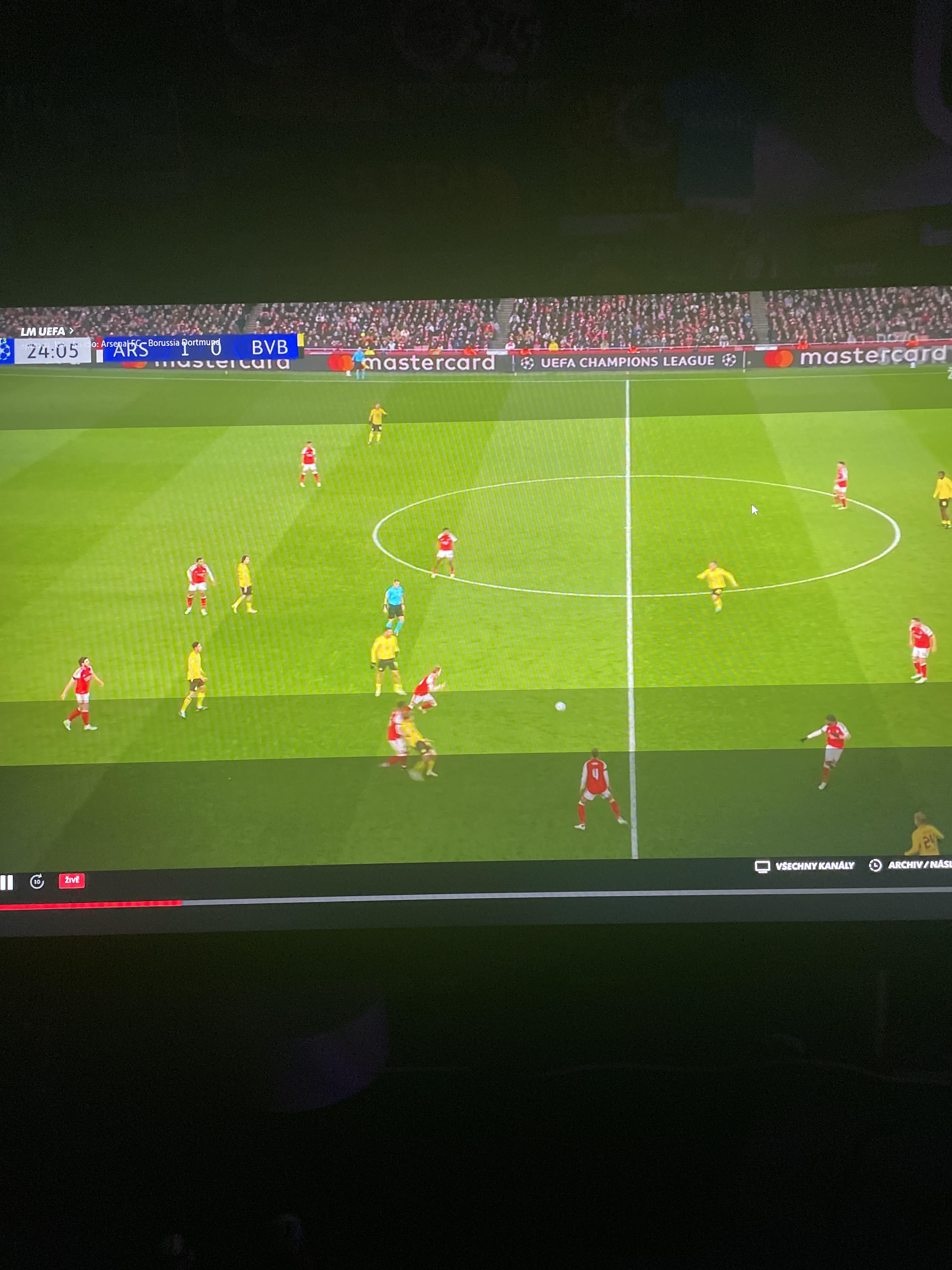
Its not there when i dont move mouse ofc but its weird i have new pc and also those outlines happen when i open task manager when playing game
r/PCsupport • u/Droriel_Bauz • 6h ago
Buen día tenga todo aquel que se haya detenido a leer este post y de antemano extiendo un agradecimiento si les es posible brindarme apoyo con su experiencia.
Soy un neofito en el mundo de la computación quizá no tenga derecho a llamarme del todo un amateur, dicho esto, acudo a esta comunidad para obtener algún consejo sobre mi problema.
Yo ensamblé una PC que me funcionó bastante bien durante al rededor de unos 5 años; he aquí sus componentes:
AMD Ryzen 7 5700x.
32 Gb de RAM en DDR4 (4x8) (2x8Gb de la marca VIPER Y LAS OTRAS 2x8 Gb de la marca Corsair Vengance rgb pro).
500 Gb de memoria en SSD.
Nvidia RTX 3060 ti.
GIGABYTE B550M AORUS ELITE.
Corsair RM750.
Todo dentro de un gabinete Gamefactor CSG560.
Pero hace al rededor de año y medio que por algún motivo se apagó sola y empezó a reiniciarse a sí misma una y otra vez sin parar. Parece que quiere iniciar, arránca con el logo de la MB y puede mantenerse en el menú de la BIOS sin problema; pero al momento de intentar iniciar el SO, simplemente se apaga y vuelve a iniciar nuevamente con el logo de Gigabyte.
La he llevado ya con 3 técnicos distintos. Uno me dijo que pasaba por que el gabinete estaba oxidado y la computadora entera estaba arruinada (Ese mismo técnico perdió mis cables SATA y no me los devolvió nunca); Y los otros dos técnicos me dijeron que no pudieron probar mis componentes en otra PC porque no tenían los materiales necesarios (Lo cuál es comprensible si me lo hubiesen dicho de antemano y no me hubieran dejado esperando como un mes sin novedad algúna).
A la PC yo le realizaba sus respectivos mantenimientos, como el cámbio de pasta térmica y limpiéza en general, usaba una pulsera antiestática, alcohol isopropílico y demás materiales especializados. Cuándo empezó a fallar pensé que el SO se habría corrompido, así que formatee el disco duro desde una laptop que también uso, le volví a instalar Windows pero seguía sucediendo lo mismo. Tomé la desición de iniciar el SO desde una memoria USB, y cambiándo algúnos valores de la BIOS, pero no tuve éxito algúno.
Ahora me encuentro algo frustrado y quiero encontrarle solución ya. De momento mi teoría es que algó de la MB falló por algún apagón que hubo al momento de que estuviera en uso, ya que cúando empezó a fallar se estaba reproduciendo un video de YouTube y yo no le había comprado un No-Brake cúando de repente simplemente falló.
Estoy pensando en comprar una nueva MB, siendo esta la ASUS TUF GAMING B550M-PLUS WIFI II. Para ver que tal me va con ella y comprobar si sí es la MB la causa de la falla, Si no lo es, compraré otro CPU; quizá uno con gráficos incluídos en lo que consigo suficiente dinero para conseguir otra GPU... Pero en general no sé muy bien que hacer, aunque de momento lo más seguro es que compre la ya mencionada MB.
He aquí dónde entra su opinión y experiencias, me gustaría que pudieran orientarme si es que saben algo acerca de por qué está fallando mi PC y que opciones/componentes puedo cambiár y me recomienden actualizar para hacerla funcionar de nuevo.
Sin más por el momento, lamento el extenso texto y espero me puedan ayudar.
r/PCsupport • u/FireDasher22 • 6h ago
r/PCsupport • u/No_Corner1521 • 7h ago
r/PCsupport • u/Palker741 • 8h ago

r/PCsupport • u/littlecreaturess • 8h ago
r/PCsupport • u/JustAlexhia • 10h ago
r/PCsupport • u/gunnybunnyyy • 11h ago

r/PCsupport • u/Birdmeatschnitzel • 13h ago
PC freezes every few seconds
Milords,
my PC does this weird thing and I can't reproduce/ deduce a cause.
It just freezes every \~3 seconds for \~half a second.
When I uninstall my AMD driver with ddu and reinstalling, it just works fine for some time.
The issue can happen while playing and on the desktop.
Troubleshooting I did:
Reinstall W11
Reset Bios
Use another driver version
Maybe someone here knows a fix or at least a cause.
Specs:
9070XT
7800X3D
X870 Steel Legend
48GB Ram
3 NVME
1 HDD