r/OptimizedGaming • • Nov 17 '21

Mod Post Optimization Information & Guide

128 Upvotes

-- Terminology

Quality Optimized

  • The difference between the highest preset available and these settings are virtually indistinguishable. This is for people who set graphics settings to max and forget about it, it's free FPS, great for high-end systems

Balanced Optimized

  • Is willing to cut down on very taxing settings or settings with minor visual differences. The difference between the highest preset and these settings are able to be spotted in side by side images but may be hard to tell otherwise. This is the most optimal, great for mid-range systems

Performance Optimized

  • The lowest settings you can go in a game without destroying the visuals. There is a noticeable difference between this and the highest preset but the game still looks like a modern title. This is for performance enthusiasts who want high framerates without 2009 graphics. Also great for low-end systems or competitive games

Competitive Settings

  • These are settings which affect player visibility in PvP games. Whichever setting makes the player more visible is what you will want to put to give a competitive advantage

Optimized RT Settings

  • This is like the balanced preset but for ray/path tracing settings

Optimization Tips

  • This is for doing extra stuff other than tweaking in game settings. Using launch arguments, ingame commands, mods, ini tweaks, etc

Ultra+ Graphics

  • Better graphics than the original games max settings, typically achieved via ini tweaks or mods

Lowest+ Graphics

  • Worse graphics than the original games lowest settings, typically achieved via ini tweaks or mods

–––––––––––––

-- Post Flairs

Optimized Settings

  • A curated list of optimized settings for a specific title someone has done there own testing & evaluations on

Min/Max Settings

  • This is for posts that takes the games graphics beyond its lowest or highest preset. Neither of these are deemed "Optimized" thus require it's own flair but its useful for low spec and high end gamers

Optimized Console/Handheld

  • Same as above but for consoles & handheld devices; Steam Deck, Playstation, etc

Optimization Guide / Tips

  • This is a post flair for posts specially designed for what the "Optimization Tips" in the Terminology section does but only if it doesn't include the optimized in-game settings and only has the additional tweaks

OS/Hardware Optimizations

  • This is a post flair for optimizations that tweak/debloat the OS or tweak the hardware itself via overclocks

Optimization Video

  • Any sort of optimization done in video format requires this flair. People like the ease of access benefit of written guides. Videos are still helpful but ruins a benefit of the sub so you must use this flair so people can filter them out

Optimized Settings Builder

  • This flair is for posts that uploads screenshots of each setting and gives no recommendation. It's meant to let people build their own presets based off performance & image quality

–––––––––––––

-- Information & FAQ

Specs

  • Why are the specs of the PC doing these tests not given out? Optimized settings typically means testing how taxing a feature is vs how much it improves visuals and evaluating if its worth it. This evaluation will have a different answer depending on the optimized preset which is here to help people with varying levels of hardware by valuing visuals vs performance differently, favoring performance the lower you go.

Optimizing

  • You can do your own testing and upload your findings to help build a collection of optimized presets. Refer to this post to see the recommended way of structuring your posts & watch this video to see how I find my settings

Missing Settings

  • If a setting is missing from a post that either means it's subjective or it should be left at its highest value. Whether someone wants to include these settings in their post is up to them. Someone may elect to exclude them to make the post less cluttered, its quicker to select a specified preset then read the things they have listed and turn them down/up accordingly sometimes.

How To Find/Suggest Game

  • Refer to this post > Optimized Games List to find a specific game, if you can't locate it there please use reddit search since this is not always up-to-date and vice versa. To suggest games refer to this post > Suggest Games. To get your game tested refer to this post > How To Get A Game Tested

–––––––––––––

-- Helpful Resources

Links


r/OptimizedGaming • • 14h ago

Developer Resource | Info I built a ReShade add-on that injects real ray-traced reflections into DX12 games that don't have RT

Thumbnail
gallery
175 Upvotes

The screenshots are RDR2 with URTI on: the polished parquet hall, the puddle in front of the house and the wet alley. The game has no ray tracing of its own; every reflection there is a real DXR ray.

What it is

URTI (Universal Ray Tracing Injector) is a ReShade 6.8 add-on that adds ray-traced reflections to DirectX 12 games without touching their files or shaders. It knows nothing about the game in advance. It watches the game render, rebuilds the scene on its side and traces real rays with DXR 1.1 inline ray queries.

How it works

Geometry without reading vertex buffers. Every game pipeline gets a "shadow" copy: the same vertex shader, with stream output of the position and no rasterisation. Each draw is replayed once through it. URTI gets the triangles exactly as the game transformed them: skinning, instancing, compressed vertices, even tessellated terrain. The captured triangles reproduce about 97.5 % of RDR2's depth buffer.

Measuring what the game doesn't say. The depth law is fitted every frame. The field of view is measured from the sun's shadow cascades (RDR2 is 38°, not the 50° I assumed for months, and every reflection angle was slightly off until I measured it). The sun direction comes from matching meshes drawn both on screen and in the shadow map. The DLSS jitter and the camera motion are measured too.

RT scene. A per-frame BLAS holds near and moving geometry, plus a 1 GB cache of per-object BLAS. Things behind you or off screen keep reflecting.

Where the colour comes from. If the reflected point is on screen, its colour is read from the game's own image, so lighting, shadows and fog are exact. If it's hidden or off screen, the colour comes from a world-space radiance cache (a spatial hash in the spirit of NVIDIA's SHaRC) filled from what the screen has shown. If a ray misses everything, a learned sky map provides the colour.

Stable on every displayed frame. The history is reprojected with the motion of the reflected point, not the surface, and clamped to the current neighbourhood. Reflections are composed on every presented frame, including DLSS frame-generation frames, in HDR, and the UI is left untouched.

Measured, not eyeballed. Every change was judged in game against the same frame without URTI. I used flicker measurements, phase-correlation alignment at 0.1 px, trail measurement while turning, NVIDIA FLIP, and regressions replayed on old builds.

What I think is new

As far as I know, no other tool traces real rays into a closed game's live geometry without knowing its formats. URTI captures with stream-output replay, measures the camera and projection from the game's own frames, and classifies surfaces with the game's own G-buffer.

The G-buffer: what's next

URTI reads the game's G-buffer to decide which pixels reflect. In RDR2, one material target holds smoothness, the material type (foliage, skin…) and metalness, and the normal target holds world normals, with alpha marking characters. A pixel gets a ray only if it's smooth, flat and surrounded by smooth pixels. That's what keeps reflections on puddles, glass and polished floors, and off cobblestone edges and leaves. What I want to improve:

Normal maps. The reflection direction still comes from depth-derived normals. Using the G-buffer normals would bring the fine ripples of a puddle or the grain of a floor. It's implemented but off: no measured gain yet.

Rough surfaces. Glossy (blurred) reflections from the roughness channel exist, but a blurred sheen on every dry pavement looked worse than sharp mirrors. It needs a better denoiser and a ray cone driven by roughness.

Real F0. Fresnel uses a fixed F0 of 0.04. Metalness and base colour from the G-buffer would let metals tint their reflection properly.

Automatic layout detection. Each game still needs a small profile saying which render target holds what. I'd like URTI to identify the layout on its own.

Limits

Story mode / single player only: it injects into the game's rendering, so never use it online. It needs a DXR 1.1 GPU. Mesh-shader draws aren't captured. Points the screen has never shown get an approximate colour.

Repo (MIT), with the full technical walkthrough: https://github.com/Skynizz/URTI


r/OptimizedGaming • • 8m ago

Topic / Question | Discussion This game is so well optimised!!

Post image
4 Upvotes

I mean I was playing this game called plague tale: resonance in my 1650 GTX and this game being so recent runs so well and is so darn beautiful, it just shows that if one is willing than he can push the limits of the existing hardware. I mean look at the art and quality of this game

Truly mind blown.


r/OptimizedGaming • • 21m ago

Graphic & FPS Mods | Optimization Guide Which one is better

0 Upvotes

Ive seen a bunch of benchmarks of 4080 super and 5070ti. Both of these cards provides decent frames but I've a question

Which is better

114 real rendered frames with 4080s vs 314 ai frames(4x MFG)on 5070ti WHICH ONE IS BETTER for only smoothness

Don't gimme advice me about Ghost or latency cuzz I'm playing on sp titles


r/OptimizedGaming • • 4h ago

Graphic Settings | Optimization Guide Нужна помощь в настройке Crimson Desert

Thumbnail reddit.com
1 Upvotes

r/OptimizedGaming • • 15h ago

Topic / Question | Discussion Hdr bug is it fixed yet with all the blurriness?

Thumbnail reddit.com
0 Upvotes

r/OptimizedGaming • • 1d ago

Topic / Question | Discussion do i have to use performance mods to play monster hunter wilds game smoothly?

2 Upvotes

i currently have intel i7-13620H and RTX 4050 6gb and experiencing issues with the game performance even having it for lowest settings possible. how do i configure for the best settings for performance wise and help would be appreciated ;-;


r/OptimizedGaming • • 1d ago

Topic / Question | Discussion Sometimes cyberpunk takes 7gb vram usage and sometimes 10+gb vram?

4 Upvotes

Has this happened to anyone else? Last week I open up the game im on ultra settings no RT (rtx 5060 intel i7 14700hx 16gb ram) usually im right around 7gb vram game is 80fps flawless, everythings good then next day i open the game I didnt change my settings but now its at 10gb vram usage? I go look at nvidia app theres new drivers I do a clean install, back to normal 6.5-7gb vram, yesterday I open the game back up its back at 10gb vram usage and lags like a mtf, anyone knows wth is going on?


r/OptimizedGaming • • 2d ago

Graphic & FPS Mods | Optimization Guide I built Atom (free Windows app, open beta): it tests each tweak individually, measures frametimes, and reverts Windows back when you close the game

15 Upvotes

Most "FPS boosters" and .bat scripts blindly apply 40 registry edits at once, never measure whether anything actually improved, and leave your Windows install permanently altered.

I've been building Atom (currently in free open beta, v2.14.0) with a different approach:

  • Detects the running game and hardware, then tests changes individually instead of applying a static checklist.

  • Measures frametimes so only changes with a measurable gain are kept.

  • Fully reversible: every change is recorded first and Windows is restored to its previous state when the game closes.

  • No kernel drivers, no DLL injection, and no game memory edits (safe with anti-cheats).

Links:

Note: Because it's an open beta without a paid Authenticode certificate yet, Windows SmartScreen will show an "Unknown publisher" prompt — you can verify the SHA-256 hash against SHA256SUMS.txt or check the VirusTotal link above.

Feedback and bug reports (especially on frametime results across different GPUs/CPUs) are super welcome!


r/OptimizedGaming • • 2d ago

Comparison / Benchmark | Info Apex Neural Rendering vs DLSS Frame Generation - Image Quality, Performance + More

Thumbnail
youtube.com
24 Upvotes

r/OptimizedGaming • • 4d ago

Vibecoded Tools & Mods | Optimization Guide NEXUS: a tool that tunes your game's graphics by testing and measuring, instead of guessing

94 Upvotes

NEXUS 0.40 Beta is coming today! More game launchers, better game detection and new optimization features

Hey everyone!

This update focuses on expanding game compatibility, finding more game configurations and improving hardware detection.

What's new in NEXUS 0.40?

🎮 More game launchers

  • Expanded game detection beyond Steam and Epic.

  • Added Xbox / Microsoft Store game discovery.

  • Added EA App and Ubisoft Connect detection.

  • Support for manually adding games.

  • Additional launcher integrations, including GOG, Amazon Games, Riot and non-Steam shortcuts.

🔍 Better game configuration discovery

  • Improved detection of Windows Documents folders redirected through OneDrive.

  • Better discovery of game configuration directories.

  • Improved handling of game-specific data folders.

  • Steam launch options can now be inspected.

  • Better detection of anti-cheat systems.

🖥️ Improved GPU detection

  • NEXUS can now identify NVIDIA, AMD and Intel graphics adapters through Windows hardware detection.

  • GPU diagnostics are no longer limited to NVIDIA.

⚙️ New graphics and Windows optimizations

  • New NVIDIA driver settings, including multithreaded optimization and shader cache size.

  • New per-game Windows graphics options, including windowed-game optimizations, VRR and Auto HDR controls.

  • Improved backup and restoration handling for these settings.

📊 Better feedback and diagnostics

  • Improved game library performance with caching.

  • New beta feedback system to tell me whether NEXUS performs better, the same or worse than the previous version.

  • Improved diagnostics and error reporting.

What's still in development?

Advanced AMD and Intel driver-level optimization is still being developed and validated. GPU detection is available, but this does not mean all vendor-specific optimization controls are ready yet.

Some launcher integrations also need additional testing with real installed games.

Help me test NEXUS!

I'm looking for PC gamers with different hardware configurations, launchers and games.

Real-world feedback is extremely valuable for an independent project like this.

NEXUS is still in Beta, and not every game or optimization is guaranteed to work on every PC.

GitHub: https://github.com/Haitianleo/nexus-beta

Thanks to everyone supporting the development of NEXUS! More improvements are coming.

Update (Nov 21): v0.39 is out

- Many more games supported. NEXUS now finds settings in Unreal and Unity games, on Steam and Epic, including games it missed before. Some games save their graphics in their own .sav file and ignore their .ini; NEXUS now writes there too, with a backup. Encrypted files are left alone.

- Update from the app. When there's a new version, NEXUS shows what's new and installs it with one click, only if the SHA-256 matches the published one.

- More accurate FPS. Standard 1% low calculated from frame times, ignoring loading screens and Alt+Tab.

- Games with anti-cheat. By default NEXUS only changes the NVIDIA driver and Windows. You can extend permissions per game at your own risk, and removing them puts everything back.

- Mod files are protected. Files from mods are read-only: NEXUS shows them but never touches them.

- Windows notifications with buttons, and a new dark installer.

- Anonymous usage stats to know how many people use it (no name, games, PC data or IP). It's on by default, explained on first launch, and you can turn it off there or in settings.

- Game Streaming and remote access are "Coming soon" in this beta: NEXUS works only on your PC and doesn't open any firewall ports.

VirusTotal: 0/65. SHA-256 and the scan link are on the release page.

Download: https://github.com/Haitianleo/nexus-beta/releases/tag/v0.39.0-beta

Most "optimizers" apply a fixed preset and tell you your game is now faster. NEXUS does something different: it treats your PC as the test bench.

How it works:

  1. You press one button (AUTO AI) on a game.

  2. NEXUS reads how that game stores its graphics settings: the config files, the engine variables, and the NVIDIA driver profile for that game.

  3. It applies what it can safely change, and may leave ONE extra setting on trial.

  4. You play normally. While you play, it records your real FPS and your worst dips.

  5. When you close the game, it compares before and after. If the change helped, it stays. If it didn't, NEXUS removes it by itself and tries a different one next session.

So after a few sessions you end up with settings that were proven on your hardware, not on someone else's.

What you see in the app:

- A status for each game, from "detected" to "optimized". It only says "optimized" when the game accepted the change AND the measured FPS improved.

- A plain result after each session: what changed, what was kept, what was removed and why.

- A slider to decide how far it goes: max FPS, balanced (up to your screen's refresh rate, without stutter) or max quality (never lowers anything).

- One button that restores every setting to how it was.

What it doesn't do: it doesn't modify game executables, it doesn't touch anti-cheat, and it doesn't make numbers up. If it can't change something, it tells you what to change yourself in the game's menu.

One real example from my PC (RTX 3080, 4K): Phantom Blade Zero went from 67 to 81 FPS on average after NEXUS turned ray tracing off from outside the game. The game itself confirmed the change, and the FPS difference was measured, not estimated.

It's built for Unreal Engine games and works best with NVIDIA cards. Windows 11, English and Spanish. It's a free beta, tested on very few machines, so expect rough edges.

Edit: thanks for the feedback. Version 0.35.1 adds two things suggested in the comments: an FPS target you can set per game, and a Settings guide that tests one setting per session against a reference run and lets you pick which ones to keep. On anti-cheat: NEXUS doesn't inject anything or read game memory, and in games with anti-cheat it only changes the driver and Windows unless you allow more for that game. Details in the README.

UPDATE (0.36): you can now keep any setting as it is (for example ray tracing on) and let NEXUS tune the rest, and NEXUS now tells you when a new version is out. If you installed 0.35.1, please grab 0.36 once by hand: https://github.com/Haitianleo/nexus-beta/releases

What's new in 0.37.0

  • Your own Engine.ini changes are kept. Engine.ini isn't only NEXUS's: you can edit it yourself, and some games (Mortal Shell II, for example) save their own options there, like frame generation or Reflex. Before, undoing a NEXUS change put the whole file back to its old copy, which could undo your changes or the game's. Now NEXUS removes only its own lines; if nobody else touched the file, it goes back exactly as it was. This also works with the copies saved by 0.36.1.

  • Settings guide, plan B. When the guide tests a quality level through Engine.ini, it now also writes the exact variables the game itself uses for that level, read from the game's own configuration inside its packages (only when they aren't encrypted). That way the level applies even if the game re-applies its quality groups at startup, and the values are the game's own, not made up. The table shows it as "via Engine.ini · N variables from the game". Checked against the real definitions of SILENT HILL: Townfall (Shadows High → Medium = 22 of the game's own variables).

  • Forget what was learned. A new button in the settings guide sets aside what NEXUS checked about a game on your PC, so you can run the guide again from scratch. It doesn't change the game or undo anything you applied.

  • More kinds of settings recognized. 25 kinds instead of 21, in any game that saves its settings in readable files: frame generation, geometry and detail, materials and hair are new, and NEXUS recognizes more names for HDR (including Unreal's standard HDR setting, which it missed in every game), low latency, lighting, FPS limit, effects (film grain, sharpening…) and display. A .txt next to a .json with the same name no longer counts each setting twice. Checked against the real settings files of three games.

  • If something looks worse after AUTO AI, NEXUS now reminds you right there: tick it in What NEXUS leaves alone and it goes back to how it was. A Reddit comment asked what happens if the AI makes shadows blurry; that's the answer, together with ULTRA QUALITY, which never lowers quality.

  • Switching off an Engine.ini change made by AUTO AI (for example, moving the slider to ULTRA QUALITY) no longer removes the settings you applied with the guide.

  • Notes about Mortal Shell II now come with NEXUS: Ray Reconstruction can't be enabled through Engine.ini, and the game uses Engine.ini to save its own options, so don't make that file read-only.

Page with screenshots and download: https://github.com/Haitianleo/nexus-beta

If you try it, a quick rating here helps a lot (no account needed): https://forms.gle/orRMRurHcRCdbiBRA

r/OptimizedGaming • • 7d ago

Topic / Question | Discussion Has shader compiling always been this heavy or is my pc trash?

Post image
71 Upvotes

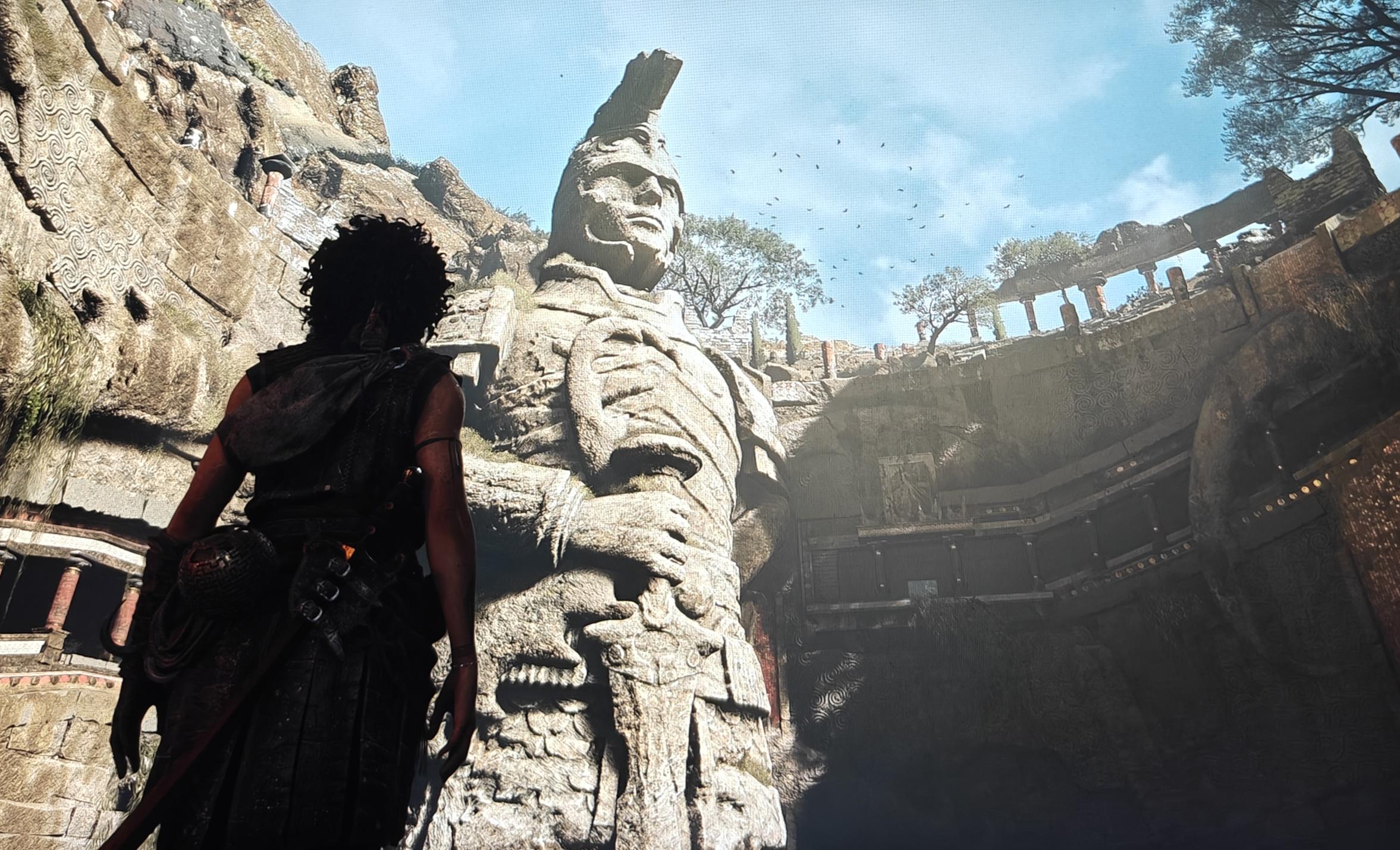
I game on pc since 2012 but in recent years I feel that shader compiling takes so long and fries my pc... And every time windows or drives updates I need to redo it :(


r/OptimizedGaming • • 8d ago

Video | Optimization Guide The BEST MW4 Graphics Settings for Warzone & DMZ | All Settings Tested

Thumbnail
youtu.be
1 Upvotes

Windows Settings

Resizable BAR (ReBAR): ON +17FPS
Windows Game Mode: OFF
Hardware-Accelerated GPU Scheduling (HAGS): OFF

Configuration File Tweaks

Velocity-Based Blur: FALSE
GPU Upload Heaps: TRUE (when using ReBAR)
Blood Limit: TRUE
Blood Limit Interval: 2000
Show Blood: FALSE

Graphics: Display

Display: FULLSCREEN BORDERLESS
NVIDIA Reflex: OFF (CPU-bound) / ON (GPU-bound)
AMD Anti-Lag 2: OFF
HDR: OFF

Graphics: Quality

Ray Tracing: OFF
Frame Generation: OFF
VRAM Scale Target: 60% (8GB) / 70% (16GB) / 80% (20GB+)
Texture Resolution: Very Low (8GB) / Normal (16GB+)
Texture Anisotropic Filtering: HIGH - ULTRA
Detail Quality: LOW
Particle Resolution: VERY LOW
Bullet Impacts: Personal Preference
Persistent Effects: OFF
Shader Quality: MEDIUM -5%
Surface Quality: LOW
On-Demand Texture Streaming: MINIMAL (8GB) / OPTIMIZED (16GB+)
Local Texture Streaming Quality: DEFAULT
Shadow Quality: VERY LOW
Shadow Filtering Quality: HIGH -4%
Screen Space Shadows: LOW
Occlusion & Screen Space Lighting: DISABLED
Screen Space Reflections: LOW
Static Reflection Quality: HIGH
Terrain Quality: MEDIUM
Volumetric Quality: LOW
Deferred Physics Quality: LOW
Weather Grid Volumes: OFF
Water Quality: LOW

Upscaling & Sharpening

RTX 2000/3000: DLSS CNN – QUALITY +25%
RTX 4000/5000: Preset K / QUALITY +20%
Alternative: Preset M / BALANCED +22%
AMD RX 7000/9000: FSR 4 – QUALITY
Older AMD GPUs: XeSS – ULTRA QUALITY
Sharpness: 60%

Graphics: View

Field of View: 110
Enhanced Field of View: OFF
ADS Field of View: AFFECTED


r/OptimizedGaming • • 9d ago

Video | Optimization Guide MW4 Warzone PC Performance Guide with Comparisons and Testing for Nvidia Drivers, HAGS, All Upscalers (Preset K Included), Enhanced FOV, Shadow Filtering, Config Files and Overall Performance. Season 1 is definitely much heavier so test ReBar On vs Off along with Renderworkercount for your CPU.

Thumbnail
youtube.com
6 Upvotes

r/OptimizedGaming • • 10d ago

Comparison / Benchmark | Info Fortnite Mini Season C7 – i3 10100F + GTX 1660 Ti – 1080p All Settings Tested!

Thumbnail
youtu.be
0 Upvotes

r/OptimizedGaming • • 12d ago

Vibecoded Tools & Mods | Optimization Guide FPSS (FPS Stabilizer) – Auto-cap G-Sync/FreeSync frames with ultra-low latency & per-game profiles

Post image
23 Upvotes

Hey everyone,

I’ve been working on **FPSS (FPS Stabilizer)**, a lightweight Windows 10/11 utility built to eliminate screen tearing, flatten frame-time spikes, and reduce input lag by automatically aligning your frame rate cap with your monitor's Variable Refresh Rate (VRR) range.

Instead of manually calculating sub-refresh limits or dealing with high-latency traditional V-Sync, FPSS queries your display's EDID and GPU driver directly to handle the math for you.

**Key Features:**

* **Auto Sub-Refresh VRR Capping:** Reads your monitor's exact refresh rate (Hz) and calculates the optimal ceiling to keep G-Sync, FreeSync, or Adaptive-Sync locked without hitting V-Sync input lag.

* **Ultra-Low Latency Limiter:** Caps frame rates cleanly while avoiding heavy frame-pacing queues. You can also set custom manual FPS targets per game.

* **Zero-Friction Per-App Profiles:** Saves individual limits per game and auto-applies them in the background upon launch. Includes automatic admin privilege detection for games with elevated launchers/anti-cheats.

* **Real-Time Telemetry & Jitter Detection:** Built-in FPS and frame-time graphs to help spot micro-stutters and frame pacing spikes while tweaking settings (with adjustable polling rates to keep CPU overhead minimal).

* **1.0 FPS AFK Power Saver Mode:** Drops your game to 1.0 FPS when you step away from your keyboard, putting your GPU into a deep idle state to save power and cut heat while keeping the game running safely.

* **Quality of Life:** Global hotkeys, an "Always-on-Top" overlay toggle for mid-match tweaks without Alt-Tabbing, and a hardware-aware UI (Dark, Light, and Acrylic/Glass themes).

**GitHub & Info:** https://github.com/3RUC3L33/FPSS/

I’d love to hear any feedback, feature requests, or questions about how it handles frame pacing on your setup!


r/OptimizedGaming • • 13d ago

Topic / Question | Discussion I just don't like the noise of my fans...

4 Upvotes

that's really it. I'm huge into audio, I mean I want to hear the grass hitting the grass. I've got 6 beautiful speakers surrounding me and they are perfect.

if not for the gpu fans doing the banshee howl. so the fix?

make it quiet by any means necessary! which for me means less fps but more ssshhhhhh....


r/OptimizedGaming • • 15d ago

Comparison / Benchmark | Info Silent hill 2 remake fix stutter with SCSKiller

29 Upvotes

I've been trying out the new experimental traversal stutter fix in SCSKiller, and so far it's made a huge difference in Silent Hill 2 Remake for me. From quitting the game to trying it again because I saw this experimental feature. Actually gonna finish the game now.

Before, I'd get massive FPS drops when entering new areas, sometimes all the way down to 5 FPS. With the fix enabled, those huge stutters seem to be gone. I still get some small microstutters ~1-5fps, but nothing like before.

My specs:

RX 9070 16GB

Ryzen 7 7800X3D

32GB DDR5 RAM

I haven't done any proper benchmarks, just sharing my experience so far.

Has anyone else tried this new feature? I'm surprised I haven't seen more people talking about it.


r/OptimizedGaming • • 16d ago

Topic / Question | Discussion [Java/Fabric] Ryzen 7 5700X3D + RTX 5070 – Looking for help optimizing Minecraft fps (1440p, with and without shaders)

Thumbnail
gallery
3 Upvotes

Hi everyone!

I'm looking for advice on how to fully optimize my Minecraft setup. Considering my PC specifications, I feel that I could be getting better and more consistent performance, both with and without shaders.

I'm playing Minecraft Java Edition 26.3 using Fabric through the Modrinth App with several mods and resource packs.

I've attached screenshots showing my FPS and F3 information in two different situations:

  • Without shaders: Approximately 180 FPS in the attached screenshot.

  • With shaders: Approximately 46 FPS in the attached screenshot. In general, I experience around 40–60 FPS, with noticeable drops and stuttering.

I'm using Complementary Shaders – Reimagined.

These screenshots are examples of my performance in both situations, rather than a controlled benchmark, since the scenery and camera positions are different.

I'd like to improve the overall performance of my game, not just the FPS when using shaders.

My PC specifications

  • CPU: AMD Ryzen 7 5700X3D (8 cores)

  • GPU: MSI GeForce RTX 5070 Shadow 2X OC 12GB

  • RAM: Corsair Vengeance LPX 32GB (2x16GB) DDR4 3200MHz CL16

  • Motherboard: MSI B550M PRO-VDH WIFI

  • CPU Cooler: Thermalright Assassin X 120 Refined SE ARGB

  • PSU: MSI MAG A750BN 750W

  • Storage: 2TB SSD

  • Resolution: 2560x1440 (1440p)

  • Operating System: Windows 11 Pro

Minecraft and Modrinth configuration

  • Minecraft Java Edition: 26.3

  • Mod Loader: Fabric

  • Fabric Loader: 0.20.1

  • Java Version: 25.0.1

  • Launcher: Modrinth App

Current in-game settings

  • Render Distance: 20 chunks

  • Simulation Distance: 12

  • FPS Limit: Unlimited

  • Graphics: Custom

  • Clouds: Fancy

  • Biome Blend: 2

  • Resolution: 2560x1440

Shader

  • Shader: Complementary Shaders – Reimagined

Modrinth memory and Java settings

  • Custom Memory Allocation: Enabled

  • Allocated RAM: 16GB (16384MB)

  • Custom Java Installation: Disabled

  • Custom Java Arguments: Disabled

  • Custom Environment Variables: Disabled

My F3 screenshots show approximately 1.6GB of actual memory usage and around 4.3–4.6GB of allocated heap memory at the time of the screenshots.

GPU utilization also appears as N/A in the F3 overlay.

I'm attaching screenshots of my installed mods, resource packs, textures, Modrinth settings, installation information and in-game performance.

What I'm looking for

I'd really appreciate advice on how to optimize the entire setup, including Minecraft itself, Modrinth, Java, Fabric, shaders, Windows and NVIDIA settings.

1. Minecraft and Modrinth settings

  • What are the best settings for maximum FPS and stable frame times?

  • Should I change my memory allocation from 16GB to 8GB?

  • Are there any Java settings or arguments worth changing?

  • Should I change anything in the Modrinth launcher?

  • Are there any Minecraft video settings that could improve performance without affecting gameplay mechanics?

2. Shader optimization

  • Which Complementary Reimagined settings should I use for my RTX 5070?

  • Which settings have the biggest performance impact?

  • What shadow distance and shadow quality would you recommend?

  • Should I disable Entity Shadows?

  • Are there any settings for reflections, clouds, volumetric lighting and other visual effects that I should change?

I'd like to maintain good visual quality while getting much better performance.

3. Fabric mods and resource packs

  • Which performance mods would you recommend for my Minecraft version?

  • Are Sodium, Iris, Lithium, FerriteCore and Entity Culling worth using?

  • Could any of my installed mods or resource packs be affecting performance?

  • Are there any mods I should remove or replace?

4. Windows, NVIDIA and PC optimization

I'd also appreciate recommendations outside Minecraft itself.

  • Are there any NVIDIA Control Panel settings I should change?

  • Are there Windows 11 settings that could improve Minecraft performance?

  • Which NVIDIA driver settings would you recommend?

  • Should I change anything related to power management, background processes or graphics settings?

  • Is there anything worth checking in my BIOS, RAM/XMP configuration or CPU/GPU settings?

  • What software would you recommend to monitor CPU/GPU usage, temperatures, clocks, power consumption and frame times?

I'd like to identify whether I'm dealing with a CPU bottleneck, GPU bottleneck, shader-related limitation, memory issue or something else.

VERY IMPORTANT: I want to preserve vanilla mechanics and farm functionality.

I play survival and build a lot of farms, including mob farms, mob traps, automatic farms and redstone contraptions.

I absolutely do NOT want optimizations that change or interfere with:

  • Mob spawning rates or mob caps.

  • Entity AI or mob behaviour.

  • Random ticks or block ticks.

  • Redstone mechanics or update behaviour.

  • Entity ticking or chunk simulation.

  • Chunk loading in ways that could affect farm functionality.

I want to keep my current Simulation Distance if possible.

I'm perfectly fine with reducing graphical settings, shader quality, shadow distance or render distance, as long as the actual world simulation and vanilla mechanics remain unchanged.

Please prioritize client-side rendering optimizations and other solutions that preserve vanilla gameplay.

My ultimate goal is to get the maximum realistic FPS my hardware can deliver, both with and without shaders, with excellent frame-time consistency, minimal stuttering and good visual quality.

I'd really appreciate specific recommendations for my hardware and setup, including which settings to change and why, rather than just a generic list of optimization mods.

Thank you in advance for your help!


r/OptimizedGaming • • 16d ago

Topic / Question | Discussion Why doesn’t anyone talk about monitor hardware Upscaling?

0 Upvotes

No I’m not talking about any of the dlss or fsr stuff. I’m talking about how no one ever talks about how buying a 1440p or 4k monitor doesn’t have to mean you have to run the games natively on that resolution, almost all modern gaming monitors have built in hardware Upscaling that lets you run the game in 1080p and than the monitor upscales the image to fit its native resolution. It has no performance cost and it gives a way higher image quality than just base 1080p without the gpu having to do any work. So that makes me think that buying a higher resolution monitor still can be a substantial upgrade to your gaming experience without even if you don’t run the game at the monitors base resolution.
For some reason I couldn’t find any videos talking about this anywhere so I just wanted to post this to hear your guys opinions.


r/OptimizedGaming • • 19d ago

Graphic & FPS Mods | Optimization Guide [Mod] FSR 4 for Assassin's Creed Valhalla - replaces the stock FSR 1 (comparison video)

69 Upvotes

Valhalla only ships with FSR 1, which is pretty soft, especially in motion. I made a mod that swaps it for FSR 4 using AMD's official FSR SDK.

It reads motion vectors, depth and jitter from the game's own TAA pass and feeds them to FSR 4 in place of the stock TAA + FSR 1. You keep using the game's own FSR quality presets. With FSR off in the game, it runs FSR 4 as native anti-aliasing instead.

On my RX 9070 XT at 4K, FSR 4 costs roughly 1.4 ms per frame over the stock FSR 1. The biggest gain is in motion, where the stock TAA smears detail.

- F2 settings menu (sharpness, jitter phases and more)

- F7 toggles FSR 4 live for comparison

- AMD Radeon GPUs, Steam version, offline single player

Download: https://www.nexusmods.com/assassinscreedvalhalla/mods/426


r/OptimizedGaming • • 21d ago

Topic / Question | Discussion Is latency from frame-gen similar to latency in online games?

5 Upvotes

Forgive my ignorance, I'm just wondering this all of a sudden.

I've heard from a few different friend groups over the years that frame-gen is only good if you get 60fps natively, otherwise it causes too much latency. From what I understand, which is admittedly very little, that's because your inputs linger for longer to make up for each added frame, right?

If that's the case, how does that differ from latency in an online game? I've played most games in my life with at least 50ms latency, back when I had shittier wifi and didn't use ethernet. I used to play Overwatch, Roblox and League of Legends that way, three completely different kinds of game, and it wasn't that big of an issue in any of them, from what I remember. (Though I didn't have any reference to what low latency felt like then)

Is this added latency really that terrible? I've been getting around 45~50 fps average on Cyberpunk 2077, but dropping to around 40 when loading in the more populated areas, especially in DT, and sometimes even low 30s when many enemies in them. I'm hoping to get a steady 60fps through frame-gen, though ideally 75 would be best; how would the added latency from this compare to how it is in online games? Would it be that bad?

Or maybe I'm just misunderstanding latency entirely LMAO let me know

Also not sure how much info this helps, but I have an AMD rx590 8gb for my GPU, with r5500 for my CPU, and a monitor that only goes up to 75hz, so I guess generation would be capped at that(?). And the frame-gen option I'd get to use is FSR3.1


r/OptimizedGaming • • 23d ago

Comparison / Benchmark | Info Awaken Chan new graphics settings in Lantern Engine on v0.9.39 beta 25. Mainly showing fps and optimizing.

Thumbnail
reddit.com
4 Upvotes