r/MoonlightStreaming • • Jun 29 '26

Steam Remote Play is better than Sunshine/Moonlight now

Thumbnail
gallery
0 Upvotes

It's been near a year since I switch to Steam Remote Play instead, streaming on a CMP 40HX with MTT Virtual Display Driver:

  1. Mouse/input lag: this is a big killer for me, Sunshine really sucks at this, the stream is smooth, the mouse is not. I think the mouse is draw/capture separately in Parsec and Steam Remote Play

  2. Higher fps: hook directly into the game .exe, completely bypass DWM, unlike Sunshine still DXGI/WGC and has to wait for DWM (see ie: 118 fps vs 99 fps)

  3. You can use Steam Remote Play for desktop stuff (DWM mode), but it's require you run Steam as admin, disable UAC (otherwise you can't control anything), which is not recommended for security, but work and smooth

  4. By default if you stream outside your home, it routes through Valve's server which add latency like +20ms, you need to manually resolve like this: steam://connect_remote/ip:port


r/MoonlightStreaming • • Feb 06 '26

Vibepollo the Rotten A.I enters the scene

2 Upvotes

"Approximately 99% of Vibepollo’s code is AI‑generated"

"Currently, Vibepollo has already introduced over 50,000 new lines of code, nearly matching the size of Sunshine’s original codebase."

"Vibepollo is largely AI‑generated. While it works well, it carries a kind of surface‑level technical debt that many upstream projects want resolved before taking big changes (styling consistency, thin/missing docs, and some over‑engineering). I see that debt as relatively unimportant today because modern AI tools can answer “why does this function exist?”, “what does this parameter do?”, or “how do these classes interact?” and will soon auto‑fix these issues—re‑style trees, write docstrings, and prune unused layers—without human effort."

with the A.I tech bubble, please don't support a guy with a chatgpt subscription playing dev. specially with the new Steam hardware being delayed.


r/MoonlightStreaming • • Sep 18 '25

What do you think this is?

Thumbnail
gallery
0 Upvotes

r/MoonlightStreaming • • May 02 '26

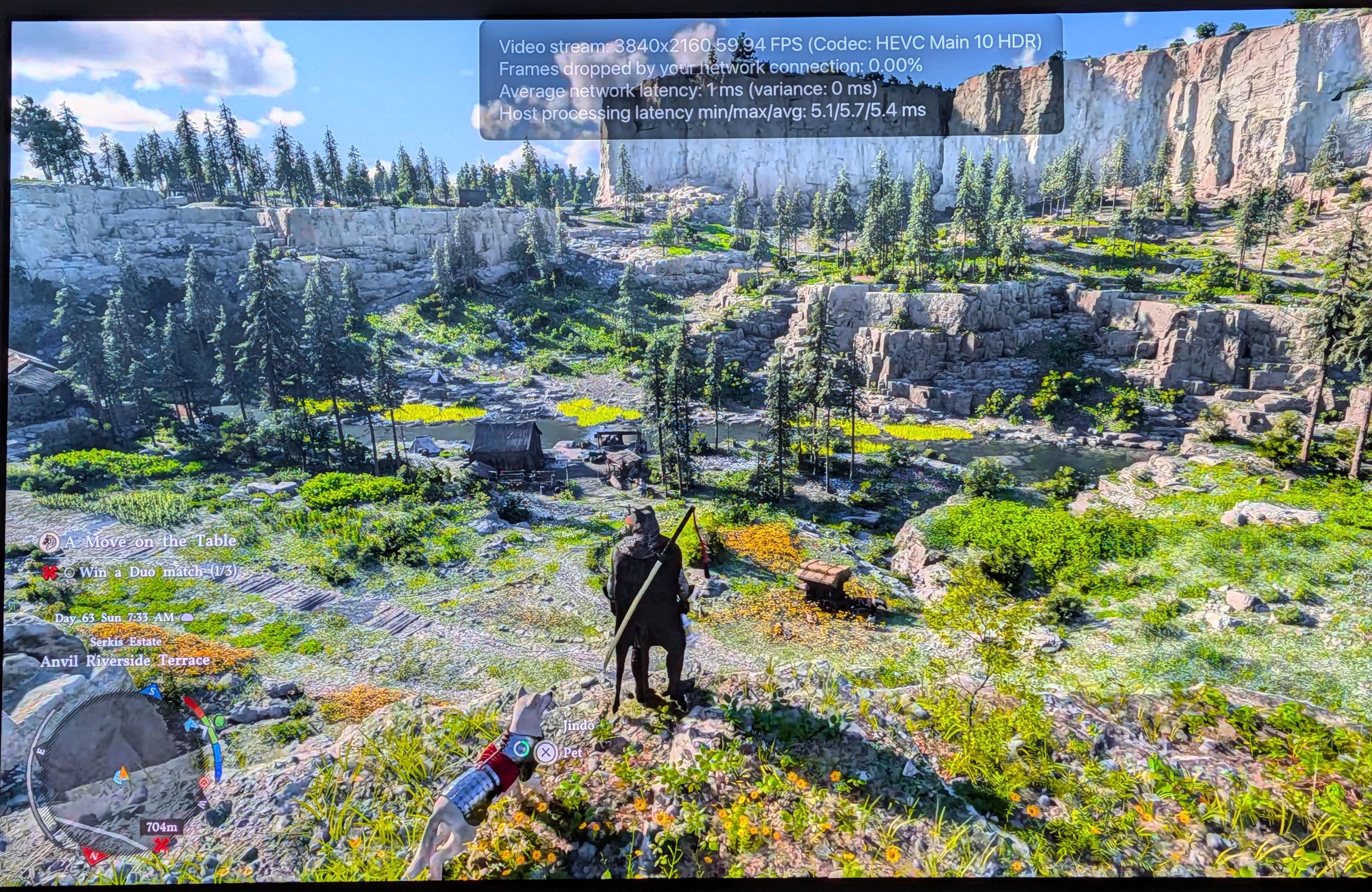
How are these stats? Using Vibeshine

Post image
0 Upvotes

I've been using Apollo for a few months after first using Sunshine. Been interested in Vibepollo but I read somewhere that Vibeshine was the more stable version so I tried that instead. Idk if I'm just more experienced with it now but I enjoyed the set up a little more. Anyways I believe I got Crimson Desert streaming at 4k60 over ethernet using AppleTV on a LG OLED C4 77”. Stunning performance and lag feels like a thing of the past now.


r/MoonlightStreaming • • Apr 07 '26

Found a new actively developed fork! Offers amazing image quality!

2 Upvotes

Hello guys, after using Artemide and Vibeshine (and Vibepollo for sure); I found a new chinese fork of Moonlight that stunned my mind. Has alots of extra features.

It even has microphone passthrough feature!

I get much sharper quality, better HDR comp. (In RE2 Remake, Artemide and Vibeshine's HDR was not recognized by the game but with this fork, all good), better colors and decode time (it was 4.2-4.5 on latest Artemide but with this it's around 3-4 with SD8SGen4).

https://github.com/qiin2333/moonlight-vplus

https://github.com/AlkaidLab/foundation-sunshine

It's kinda hard to figure out first because some settings are still in Chinese but after a few try it's flawless!

Give it a shot!

Also, I have a question for *Huawei phone or tablet users* that uses a Kirin CPU if their decode time reduced or not.

Have a nice day!


r/MoonlightStreaming • • Apr 08 '26

Introducing JUJO Stream: A Premium UI for Moonlight/Sunshine

37 Upvotes

Hey everyone,

APP INFO

I’ve been using Moonlight for a couple of years to stream my PC games to my TV and phone. It works great, but the app itself has always felt a bit barebones. no game info, no categories, and limited customization.

READ HERE FIRST

Not paywall will be added. The UI presented is made with "VibeCode" as conceptual help for my lack of design skills and time.

Final product still will have "Vibecode" with plenty more self code.

JUJO Stream.

Built with Flutter and Kotlin, JUJO Stream uses the Moonlight protocol (compatible with Sunshine and Apollo) but features a completely redesigned client. I used Artemis as my foundation, and while it's currently in BETA

Check In App Navigation here: https://www.youtube.com/watch?v=MxZLDLR5Dy0

Navigation through the app. Missing feature in video:

  1. Companion app.

  2. TV Layout.

  3. Picture in Picture

All of missing features are full functional

What Makes It Different?

  • TV-First UI: Designed specifically for gamepads. You can navigate every menu, list, and button using your controller—no mouse required. It’s built to make your setup feel like a native console.

  • Dynamic Trailers: By enabling the Steam plugin and Extra Metadata, you can watch trailers while browsing your collection.

    • Default previews play for 3 seconds.

    • "Hero" and "Backbone" themes play trailers when you view Game Info (D-pad down).

    • Includes a dedicated Trailer Button for fullscreen viewing via Steam or YouTube.

  • Launcher Themes: Choose from four distinct styles: Classic, Backbone, Hero, and PS5.

  • Adaptive Layouts: Whether you're on a phone (vertical) or a TV (horizontal), the UI scales beautifully.

  • Playnite & Apollo Integration: Works with VibeApollo (shoutout to Nonary!) and the Sunshine app export plugin. Direct Playnite integration is planned for the future.

  • Metadata Enrichment: Uses Steam and RAWG.io to pull descriptions, genres, posters, and hover-previews.

  • Per-Game Stream Profiles: Customize your experience. Set a high bitrate and 120fps for shooters, or 4K/60 for visual novels.

    • Coming soon: Smart Bitrate (auto-adjusts to connection) and In-Stream Fast Presets.

  • Overlay Shortcuts: 26 special key shortcuts (Alt+F4, Ctrl+Shift+Esc, Win+Tab, etc.) accessible via the overlay without a keyboard.

  • Picture-in-Picture (PiP): Minimize your stream to a floating window on your phone so you can check messages without disconnecting.

  • Screensaver: A "Ken Burns" effect that showcases your game art when the app is idle.

  • Companion App: Navigating a TV UI can be tedious. JUJO Stream generates a QR code you can scan with your phone to open a Companion App. From there, you can easily paste API keys (Steam/RAWG) and adjust settings on the fly.

  • Gamer Profile: Track your stats—sessions, total playtime per game, and "gamified" achievements to see your progress.

**JUJO Stream will be available on GitHub first, then Google Play soon! **

LICENSE DISCLAIMER

GPL-3.0 obligations the source code will be published on GitHub before any public release


r/MoonlightStreaming • • Oct 08 '25

Impressions from the “perfect setup” while using Moonlight

0 Upvotes

I want to share my experience with Sunshine/Moonlight. I’ve been playing around with it for a while now. I’ve completed Cyberpunk, Final Fantasy, Mafia 1–4, Shadow of the Tomb Raider, Resident Evil 7–8, Horizon, and currently GTA V.

My PC: 14600K / 4080S / 32GB / NVMe, running fully headless (no monitor attached) + Unifi 10Gb network stack.

Clients: Nvidia Shield, Apple TV (2018), and since yesterday, a MacBook Pro M4 — all connected to an LG OLED G4 77”.

Software: Windows 11 + Sunshine + Moonlight.

We’re all chasing the best possible image quality and lowest latency. We all want a client that supports HDMI 2.1, 120Hz, max bitrate, 2.5Gb NIC, AV1 decoding, full audio codec support, and Dolby Vision. But does it actually make sense?

Most of the games I mentioned… I played them with a 200ms decoding delay. My main client was the Shield. I had AI Enhancement mode turned on (to upscale <4K content to 4K using AI — mainly so The X-Files would look a bit better) and totally forgot about it. While gaming, I felt a noticeable lag between input and image, but didn’t bother investigating — just got used to it. I literally finished all those games with a 1/5 second delay. And it was fine.

Last week I spent days trying to fix a weird image artifact: every ~1.5–2 seconds, the frame would freeze for a single frame. Very subtle, rhythmic, but still annoying. Debugging that issue, I finally realized how massive the decoding delay actually was. And yes — I beat all those games that way :)

Clients:

Nvidia Shield 2019 (tube) – when it works, it’s great, but it’s old and slow. Probably still better than 99% of Android boxes, but it overheats and reboots even during Plex playback. Regularly cleaned from dust, but it’s aging.

4K@60Hz [email protected] audio 150Mbps → 3–4ms decoding time

Apple TV 4K (2018) – older than Shield, yet UI smoothness is amazing. Moonlight just works.

4K@60Hz [email protected] audio 150Mbps → 3–4ms decoding time

MacBook Pro M4 – yesterday I thought: “hey, maybe I can use this as a client.” Didn’t even realize it’s an option. It has HDMI 2.1, so finally I could test 120Hz on my TV. Unlike the other clients limited to 150Mbps, macOS allows 500Mbps. So I played in 4K@120Hz HDR@500Mbps.

Impressions? Ehhh… nice, but same as Shield.

4K@120Hz [email protected] audio@500Mbps → 5–6ms decoding time

I used to work professionally in photography, so I have a good eye. I’m a DevOps/programmer by trade — I know what to look for in image quality. After pushing the streaming setup to its max, I can say: the difference just isn’t worth it.

GTA V runs 110–150 fps in the performance test, so I had the full experience. The extra smoothness is visible but not perceptible. Compression artifacts (like dust shimmering) were gone, but that’s about it.

To upgrade my daily setup to 120Hz, I’d need to spend about $1000 — $500 for a new client and another $500 for a new HDMI 2.1-capable receiver (so I wouldn’t have to rely on eARC). That’s a lot of money for something I’d use only for Moonlight, and using it with a remote is hardly convenient anyway.

About networking - if 500Mbps is experimental limit, why do we need 2.5Gb? With AV1 500Mbps is worth 1000Mbps HEVC.

I’m repeating myself, but I just want to make a point: if you’re chasing 4K@120Hz streaming perfection, it’s probably not worth it.

For that budget, I’d rather rebuild my living room and run a long HDMI cable from another room — and still have $800 left for some nice LED strips and weed to for marathons ;)

Post translated with chatgpt, 100% my work.


r/MoonlightStreaming • • Jul 12 '25

My abxylute One + Moonlight = Cloud Gaming Perfection ❤️

Thumbnail
gallery
0 Upvotes

Just wanted to share how blown away I am by the abxylute One paired with Moonlight. This combo has totally changed how I game on the go! I stream directly from my PC using Moonlight, and the experience is insanely smooth: low latency, crisp graphics, and zero hiccups. I can play AAA titles like Spider-Man Remastered and Starfield while lounging on the couch or even outside. No bulky laptop, no setup hassle, just launch and play. The abxylute feels super premium in the hand, the controls are tight, and the screen is vibrant. Also, big props to their software optimization and it wakes fast and connects to Moonlight almost instantly.


r/MoonlightStreaming • • May 25 '25

My PC dissappeared after i left home

Post image
6 Upvotes

Hi, i installed sunshine and moonlight 20-30 minutes ago and i tested it at home. Worked very well. But now im going to another city. A minute ago i checked moonlight on my tablet and my computer seems offline. But I set everything for pretend the sleep mode or shutdown. Can I fix it or not ? Is there a way to connect my pc with only ip adress? I forgot the teamviewer setup and rdp setup for these.


r/MoonlightStreaming • • 16d ago

I wanted my own console experience, using the PC I already had. This is Monolith X.

Thumbnail
gallery
13 Upvotes

I’m Samir, an independent developer, and this is the project I’ve been building for my own living room.

I’ve played on PC for years. With all the anticipation around GTA 6, I caught myself considering a console. Another machine, another game to buy, and possibly buying it again if I wanted it on PC later. Honestly, that annoyed me.

I already had a PC, a TV and a controller. I wanted to see how far I could get with those.

I discovered Moonlight, tried it on my TV over my home Wi-Fi, and started building an interface around how I actually spend time in my living room. A library first. Then game pages. Then videos, news, creators, a phone companion… Little by little, it became Monolith X.

The idea is simple: pick up a controller and find my games, the people I watch, and what’s happening around them, in the same place.

WHAT’S IN IT

The home screen is for those moments when I sit down without knowing exactly what I want to do. Resume my last game, watch someone we follow, find a live stream, check an update. There are also free game offers and games I already own but have barely touched. I’d rather remember those than immediately buy something else.

The library brings together games from the sources I’ve connected. Covers, favourites, filters, and a shortcut to videos when I’ve forgotten why I picked up a game. Open its page and there are launch and installation controls where supported, trailers, video reviews, updates, images and game information.

I wanted creators to have a proper place in this. My partner watches people like Bob Lennon. Sometimes she’s interested in a game’s story without wanting to play through it herself. So there’s also a Game Movie section, bringing together story edits and playthroughs from YouTube, with the creators identified. Watching a game is part of our living room too.

I’m also experimenting with a language model to bring together recurring points from player reviews. Hype, sponsored coverage and review bombing are part of why I wanted to try this. I want to know what people actually liked or disliked. It’s an experiment, not a guarantee that a score is unbiased.

News brings updates, announcements and events together, so I don’t have to visit each store for patch notes. Watch starts from my games, followed creators or current streams. Search brings games, YouTube videos and Twitch channels into the same interface. I want to start with what interests me, then decide where to go.

And I haven’t forgotten the phone. The companion gives me controls, text entry and information about the game selected on the TV. A controller is good for browsing. Typing a search on my phone is simply easier.

I also want to keep the things I like about PC gaming. I’ve started experimenting with local mod management on Cyberpunk. Further ahead, I’d like other developers to be able to add integrations: services, local libraries and other sources. Stremio’s approach to bringing sources together is one inspiration. An extension system is a direction I want to build, not something I’m claiming is finished.

WHERE IT IS TODAY

Sunshine and Moonlight handle the streaming. My work is the interface, the integrations and the companion around them.

I’m an independent developer. This started as a personal project, and I’ve been using it at home for about two weeks. It’s still a proof of concept, with bugs and unfinished work. The screenshots are from my own setup; the interface shown is in French. I’m preparing to open the project on GitHub, but there isn’t a public download yet.

I want to take it beyond my own setup and find people interested in helping with integrations, testing or developing the project further.

What would you actually use here? What feels unnecessary? And what still sends you back to the keyboard when you’re using your PC from the sofa?

I’ve built this around my habits so far. I’d like to hear about yours.

If you’d like to know more about my work or discuss a collaboration, my CV is linked on my profile.

An update about AI, my background, and why I shared this project

Yes, I use AI heavily, both for development and to help put my replies into words. I’ve studied computer science, which helps me understand what’s going on and sometimes spot where the bottlenecks are. I still have plenty to learn.

English isn’t my first language. I’ve travelled quite a bit and I’m very comfortable speaking it, but my written grammar and spelling don’t always keep up. I read every comment myself. I use AI to help organise my answers and make them easier on your eyes. My dad is a French teacher, so spelling mistakes tend to distract me too, including my own. Sorry for trying to spare you mine. Apparently that needs a disclaimer now.

What matters to me about languages and tools is that they help us understand each other and get somewhere together. I’m not going to spend years learning Mandarin, German or Wolof every time I want to exchange ideas with someone, especially if a tool can help me express them more clearly than I could on my own. Learning those languages has value. I also value being able to have the conversation now.

That’s broadly how I approach development. There’s real expertise involved, and there will still be work for specialists maintaining COBOL systems, for example. But when I want to create something, I don’t see the point of insisting on doing every step the hard way when tools can help me get there. I still have to understand enough to check the result and take responsibility for what I share.

I’m not claiming to be the next Steve Jobs. I’ve made something I wanted to use. For those spending their time and energy pouring negativity into this, I honestly don’t know where that resentment comes from. I hope you find something that gives you a reason to smile and somewhere more enjoyable to put that energy.

Anyway, back to the actual project.

I built this at home. I use it every day. Friends have given me feedback, and I’d like to share it, improve it and talk with other people who enjoy this stuff.

In my everyday life, I don’t know many people who are as interested in computers as I am. That’s a big part of why I posted here. I was hoping we could show each other what we’re working on, compare approaches and learn a few things.

Some of you have pointed out limitations, described your setups or offered to test it. Thank you. Those are conversations I can actually do something with. Maybe something you’ve already figured out solves a problem I’m stuck on. Maybe something I’ve tried will be useful to you.

That also includes practical advice on getting more out of Codex, Claude or local models, or skills you’ve tried and found genuinely useful. There’s an ocean of stuff out there that doesn’t actually work. If you’ve found something that does, I’d love to hear what you used it for and what its limits were.

If you’re willing to share what you know, I’d be grateful. That’s what I came here for.


r/MoonlightStreaming • • 29d ago

I've been working on Syzygy, and it's time to start asking for feedback.

Post image
0 Upvotes

I've been developing Syzygy for a little while now, and I think it's finally time to get it in front of more people and hear what they think.

Right now, Syzygy is still a manual build on distros other than Fedora. I do plan to make installation more accessible across distributions, but I'm intentionally holding off until development slows down a bit. Things are changing rapidly, and I don't want to overwhelm people with constant GitHub build status updates while I'm still making major changes.

I know one of the first questions will be: Why use Syzygy over Vibepollo, Apollo, Sunshine, Moonlight, or any of the other existing solutions?

Because I genuinely believe Syzygy takes a different approach. Rather than simply reimplementing an existing solution, I'm trying to bring together multiple approaches to problems that are often tackled separately, while also addressing some long-standing limitations in the Sunshine/Moonlight ecosystem.

A couple of areas I'm particularly interested in improving are:

  • Mobile network optimization: Making remote streaming more reliable and usable over cellular connections and less-than-ideal networks, rather than assuming everyone has a stable, low-latency LAN.

  • Native stream recording: Making it possible to record the actual stream as part of the streaming experience, without having to rely on separate screen-recording workarounds.

  • A more integrated streaming experience: Bringing together features and solutions that usually require separate tools, configuration, or workarounds.

I'm not trying to claim that every problem is solved or that Syzygy is already better than the established projects. It's still actively evolving, and that's exactly why I'm starting to ask for feedback now.

I'd especially like to hear from people who use Sunshine/Moonlight regularly:

  • What frustrates you about the current ecosystem?

  • What features do you wish were built in instead of relying on workarounds?

  • What networking or streaming problems have you run into, especially on mobile connections?

  • What would make you consider switching to another solution?

I'm building this because I think there's room to push the streaming experience further, and I'd rather get feedback from actual users while I still have the flexibility to change direction.


r/MoonlightStreaming • • May 27 '26

Moonlight client on Xbox SUCKS!!

4 Upvotes

I used to use Sunshine with a moonlight client on an Nvidia Shield pro, I started using it on my Xbox Series X, about every 5 minutes the client disconnects. The machine is hardwired with 1G (the host computer has 2.5G) on a Unifi network. The switch in between is 10G so it isn't any latency. I tried using Apollo as well and no change.

/Rant off (PS this was supposed to be taken as a joke but seems like it triggered some)

If there is any suggestions on making this better rather than buying a Steam Machine when it comes out I am all ears.

UPDATE:
There may be an underlying bug with the Moonlight Client for Xbox first reported in January, some suggested in the below link that reinstalling the client may fix it.

https://github.com/TheElixZammuto/moonlight-xbox/issues/250

Make sure to go and upvote u/definitely_not_a_bee comment as they provided the link:
https://www.reddit.com/r/MoonlightStreaming/comments/1tpli6l/comment/ood89eu/?utm_source=share&utm_medium=web3x&utm_name=web3xcss&utm_term=1&utm_content=share_button

UPDATE 2: Reinstall looks very promising. I played for about 15 minutes with no issues that is a rarity that it goes so long. I will be able to update in about a week


r/MoonlightStreaming • • Jun 29 '25

Has anyone else had this to pop up on them?

Post image
0 Upvotes

I went AFK for a moment just to come back to this. I wasn't actively using apollo at the time either. I don't know if this is a false positive or if Apollo/Sunshine is trying to use my computer for crypto mining (something I have not consented to). I haven't been using the program lately anyways, since I haven't need to. I keep it installed for game I can't get running on my Steam Deck.


r/MoonlightStreaming • • May 28 '26

I released CloudBoost 3.0.4, a native macOS utility for smoother cloud gaming

Thumbnail
gallery
2 Upvotes

I just released CloudBoost 3.0.4, a native macOS menu bar app built for people who play through GeForce NOW, Xbox Cloud Gaming, Boosteroid, Moonlight, VoidLink, and similar services on Mac.

The goal is simple: reduce random ping spikes, input lag, Wi-Fi stutter, and session interruptions by applying temporary and reversible macOS optimizations before and during a cloud gaming session.

What’s new in 3.0.4:

  • AWDL Guard: temporarily disables awdl0, which can reduce AirDrop/Handoff Wi-Fi scanning spikes, with automatic restore protection.

  • Redesigned Session Monitor with CPU, ping, jitter, network path, health status, process priority, and AWDL state.

  • Safer network diagnostics with timeout protection, so metrics do not freeze if ping stalls.

  • Competitive tuning for users who want a more aggressive cloud gaming profile.

  • Adaptive Intelligence in PRO, which watches latency, jitter, packet loss, thermal pressure, Low Power Mode, and background interference.

Free version includes:

  • GeForce NOW and Xbox Cloud Gaming support

  • Manual boost

  • Balanced preset

  • AWDL Guard rollback protection

  • Basic system optimization

PRO includes:

  • Boosteroid, Moonlight, and VoidLink Extreme profiles

  • Auto-detect

  • Keep Alive

  • Competitive and Stream Quality presets

  • Diagnostics export

  • Adaptive Intelligence

CloudBoost does not use kernel extensions or shady “cleaner” tricks. Changes are temporary and restored when the session ends.

Download: https://github.com/victorbrandaao/CloudBoost/releases/tag/v3.0.4


r/MoonlightStreaming • • Oct 21 '26

Give Streamlight a shot!

0 Upvotes

Just wanted to give a shoutout to streamlight. It’s a Moonlight fork with pyrowave support and a really nice modern design. If you run it with streamtweak on the host, you get host stats like VRAM usage right alongside the usual moonlight stats. (Just to clarify, streamtweak is NOT a streaming software that replaces stuff like vibeshine or Vibepollo—it just runs alongside them.)

I think I've opened 3-4 issues so far. Most of them were honestly user error on my end, but they actually ended up leading to new features. The developer was moving so fast I couldn't even keep up to test the fixes and improvements..

One feature I really love is that it waits to start streaming until the game is actually open. It's mostly a "cosmetic" thing, but it really gives you that sleek console feel. Another awesome feature is being able to put both the host and client to sleep directly from streamlight if you also use streamtweak. I used to run commands for that, but this gives you way more control and is just a lot more elegant. The design is also quite customizable.

Try it out and if there is something you dont like about it or a feature you would love to see open a ticket on github!

https://github.com/FoggyBytes/StreamLight


r/MoonlightStreaming • • Jul 15 '26

Sunshine wants password on the first try and I set the password from the cmd but it still appears and the new password does not work.

Post image
0 Upvotes

r/MoonlightStreaming • • Aug 31 '26

how do I stream my pc remotely

0 Upvotes

I keep my pc on at home with displays off but I want to access it and game while on break at work how do I do this


r/MoonlightStreaming • • Aug 12 '25

Benefits of Virtual Screen

0 Upvotes

I think I am missing something. What are the real benefits of using a virtual display instead of changing your screen resolution, frecuency and hdr? If you already have a display connected, of course.


r/MoonlightStreaming • • Oct 21 '24

Anyone know how to stretch screen so it fits full ?😭

Post image
0 Upvotes

r/MoonlightStreaming • • Sep 07 '26

I’m building a Moonlight/Sunshine alternative that runs entirely in the browser

5 Upvotes

Hi everyone!

I've been happily using Moonlight and Sunshine for years, both on Windows and Linux, and I've finally decided to create my own streaming system from scratch.

The main idea is to use only a web browser as a client; no dedicated application is needed.

I'm still in the early stages of development, so I'll be doing a lot of testing and experimenting to see how far I can push it, especially regarding latency and overall responsiveness.

For now, I'm calling it MotionLAN.

Let's see how it goes!


r/MoonlightStreaming • • Sep 29 '25

high decode latency

Thumbnail
gallery
1 Upvotes

Is there any way to reduce the decoding latency on a macbook m4 pro for a more smoother experience ? and also i am experiencing some type of banding in flat background with streaming.

host

9600x

5070ti

client

macbook pro m4 pro

edit : sorry for the incorrect identification of the host and client. I swapped it around. With the post, I understand that the current latency is low but I just meant that if it is possible to get it even lower to maximise the streaming experience. 😀


r/MoonlightStreaming • • Apr 08 '25

COPIUM: Will Moonlight be available on Nintendo Switch 2?

0 Upvotes

Would be great for me: I could get rid of my old switch and rog ally so I can stream my gaming PC to the NS2. Bonus if it can support AV1 like the Ally


r/MoonlightStreaming • • Nov 02 '25

Linus Tech Tups - Terrible News, Cloud Gaming is Good Now

Thumbnail
youtube.com
1 Upvotes

Has anybody else watched this? It isn't quite the same type of streaming but I was interested in the overlap. I thought there were some interesting comments on bitrate, film grain, frame gen, and how responsive/unresponsive distance streaming can be. Especially as I can be smug as I'm locally streaming high bit rate with a 5090 so the issues he does find don't really affect me. I want one of those latency measuring devices but apparently nVidia don't sell them. It reinforced my dislike of framegen and film grain type effects.


r/MoonlightStreaming • • Jan 07 '26

Constant stutter while streaming over the internet - I'm going insane

0 Upvotes

I'm trying to play on my phone using a 5G mobile network. My connection is fast and stable (250 Mbps download, 50 Mbps upload, ~30 ms ping, ~10 ms jitter in multiple network speed tests).

My host PC is running Sunshine on Windows 11 (AMD 9800X3D, RTX 5070 Ti, 32 GB RAM). Internet latency from my PC is a rock-solid 5–6 ms.
On my phone (a brand new Samsung A56) I'm using Artemis (latest stable version), and I'm connecting to my host PC through Tailscale.

As you can see in the video, the stream has constant stutter and is basically unplayable.

Things I've tried (no improvement):

  • Multiple bitrates (5 Mbps to 150 Mbps)

  • Different resolutions and aspect ratios

  • Different framerates (lower FPS makes it slightly less visible but the stutter is still there)

  • Different encoding presets / codecs

  • 3 different SIM, from different internet providers using separate 5G networks

  • Testing in the middle of the night (low network load)

  • Disabling HAGS

  • Enabling/disabling virtual display (confirmed the PC runs at 120 FPS)

  • Fully disabling G-Sync

  • Forcing V-Sync ON/OFF in Nvidia settings

  • Using ZeroTier instead of Tailscale

  • Trying all frame pacing modes in Artemis (low latency, image quality, warp, etc.)

  • Probably more tweaks I've forgotten at this point

What worked (but is not sustainable):

  • Streaming over local Wi-Fi (but that's not what i aim at using streaming for)

  • Streaming at 480p 120 FPS (even at high bitrate) -> stutter is almost gone but anything higher (720p+) brings the stutter back

  • Edit : And sometimes, for no reason at all, it just work flawlessely, and keeps working great as long as i don't leave the stream whatever my network ping. And the next 10 streams are bad. Black magic here.

Additional observations:

  • 5G stays stable during internet speed tests across all 3 networks, and the chosen bitrate is far below network capacity

  • In the Artemis stats overlay, I can see FPS fluctuations

    • The host-reported FPS isn't always 120

    • The displayed FPS on the phone doesn't always match the incoming FPS

  • Using the UFO test, the stutter feels very regular, almost like a micro slowdown every second

I can't figure out whether this is a network issue (but all tests look good), a VPN tunneling issue (Tailscale?), a software/encoder configuration issue (Windows settings, capture, encoding…) or a phone hardware issue...

Any help would be greatly appreciated !