r/GetComputerHelp • u/yourdadp • 3d ago
Trying to delete this annoying app "360 Total security"
Deleted the thing with revo uninstaller and its still shows up with pop ups and when i search it but not when i want to delete it?? what should i do??
r/GetComputerHelp • u/yourdadp • 3d ago
Deleted the thing with revo uninstaller and its still shows up with pop ups and when i search it but not when i want to delete it?? what should i do??
r/GetComputerHelp • u/AlphaOmegaBeta21 • 3d ago
r/GetComputerHelp • u/Former-Guidance-2501 • 3d ago
r/GetComputerHelp • u/Caneca-Ac • 3d ago
r/GetComputerHelp • u/Wild-Bee-9740 • 3d ago
This shows on my laptop once in a while it does get fixed automatically after sometime Idk how but its been occuring repeatedly lately and its irritating can someone help pls?
r/GetComputerHelp • u/kulkid_exe • 3d ago
r/GetComputerHelp • u/Kairachadavi • 3d ago
r/GetComputerHelp • u/superrappermc • 3d ago
I have an EVICIV dual monitor, which I connected to my laptop with USB-C
These two monitors are supposed to be configured for 1920 x 1080
One of the monitors is displaying properly with the full field, displayed on the monitor without any black spaces
The other Monitor is only displaying half of the screen and leaving the lower half black space
This results where I cannot access anything on the upper half of the screen as it is cut off
It looks like my computer is reading the incorrect monitor as a 1920 x 2160 monitor
I’ve tried all the resizing options in the Nvidia dashboard and the resolution options in the system-display settings for this screen, and they all results where I still cannot see what’s supposed to be on the upper half of the display area.
How can I fix this?
Please let me know if I need to provide any more details
r/GetComputerHelp • u/Boring_Ad_2204 • 4d ago
so my pc, keyboard, mouse and speakers are all working. they light up and I can hear the startup sound, but my monitor is still black and isnt turning on, I've tried all the controls to try turning it on (i.e. win + ctrl + shift + b and stuff) and they aren't working. im using an hdmi to connect the pc and monitor, and theyre both plugged in correctly (it doesnt fit in any of the other ports) can anyone please help me get my monitor to work 😭🙏?
p.s. this is after my entire desk and pc were moved (not by me) because of some renovation, I'm not sure if that has anything to do with why the monitor isnt turning on
r/GetComputerHelp • u/Purple_Promotion_576 • 3d ago
Hey guys please help me fix this if you have the time
r/GetComputerHelp • u/daster80 • 4d ago
r/GetComputerHelp • u/Warkanam • 4d ago
Je crois que j'ai un problème 😂
Pour commencer je n'ai pas les dernières versions de NVIDIA qui écrivent en continue sur ton SSD donc rien à voir.
Réinstaller mes pilotes graphiques ça peut aider ou c'est vraiment endommagé ? Juste réduire la vidéo que je venais de mettre en pleine écran en cliquant en bas à droite de mon écran à rétablis mon affichage mais j'ai peur ma cg soit trop endommagée.
J'avais des signes depuis un moment :
-D'abord mon écran qui fait un gros *POC* quand j'utilise Spotify ou quand je charge des vidéos lourdes (haut bitrate ou résolution 2k+) sur mon navigateur.
-Plus récemment mon affichage qui se coupe complètement puis reviens comme si je redémarrais ma carte graphique (sans aucun bruit), problème apparemment courant quand on a des pb de pilotes graphiques.
-Et aujourd'hui je viens d'avoir ce que vous voyez sur la photo. Je pouvais bouger ma souris et quitter la vidéo forte heureusement.
Ma carte graphique est encore sous garantie elle a moins d'un an.
Mon ordinateur est branché sur une prise CPL car j'ai jamais eu le choix que de faire comme ça mais j'ai peut-être trouvé une solution à ça. C'est je pense l'origine de tout mes malheurs cette année.
r/GetComputerHelp • u/felipeRUST • 4d ago
r/GetComputerHelp • u/mslan_bruh • 4d ago
Seriously? With a TON of optimization mods installed, I'm getting 130 FPS while looking at the sky?
I know my laptop is a piece of dog shit, but it's not THAT bad, dude.
I don't think a GTX 1050 Ti, Intel Core i5-7300HQ, and 16 GB of RAM should be getting ONE HUNDRED AND THIRTY FPS, BRO.
WHAT THE ACTUAL HELL IS GOING ON?!
Dear laptop, I'm not asking you to run GTA 6 on Ultra settings while simultaneously hosting the entire world's AI.
I JUST WANT TO PLAY FUCKING MINECRAFT AT AT LEAST 200 FPS.
r/GetComputerHelp • u/carrerars911 • 4d ago
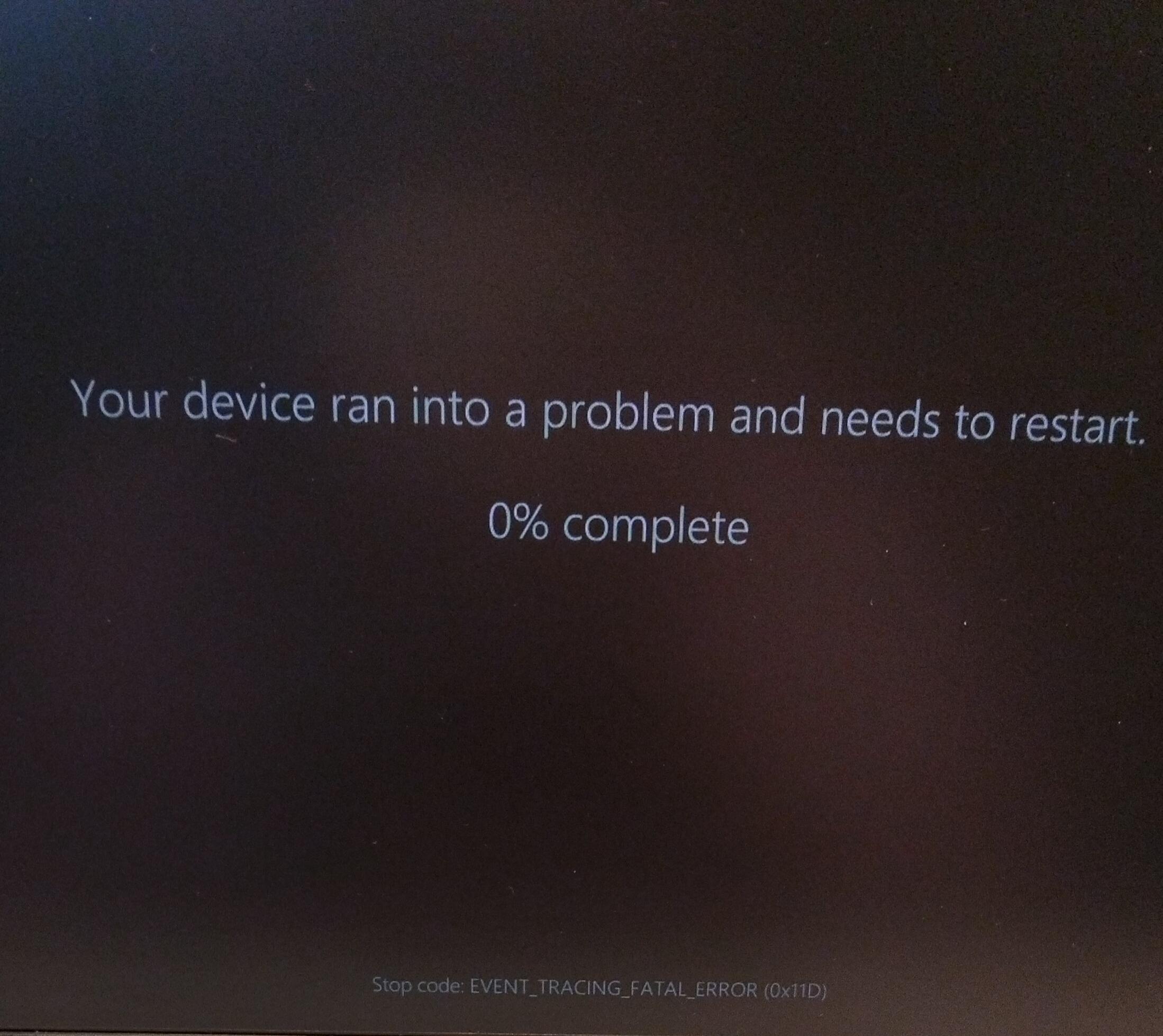
This case suddenly happened. Restarting itself every 5-10 mins. Tried some suggestions, but nothing changed. Anyone's has experienced? How to fix it?
r/GetComputerHelp • u/Tier3Guy • 4d ago
r/GetComputerHelp • u/Big-Subject-4332 • 4d ago
Why isnt my monitor turning on ps5 is on
r/GetComputerHelp • u/BacktoRiyas • 4d ago
r/GetComputerHelp • u/Tacocat0406 • 4d ago
r/GetComputerHelp • u/Character-Staff-5841 • 4d ago
r/GetComputerHelp • u/HunterJoe05 • 4d ago
My PC has 3 monitors. I was using it the other day for an online class, I was in a zoom meeting on my first monitor and had chrome pulled up on my second. I started a video for class on my second monitor and everything on my PC froze. I could not move my mouse, type, pull up task manager, or even use the power button to shut it off. After a few minutes of waiting I cut power to my PC and turned it on. When I did so only my second monitor turned on. I rejoined my class and when it ended I just turned off my PC. When I turned it on today I expected shutting it down and turning it back on to fix the issue but I can’t get the PC the detect my other monitors. I am going to explain what I did to trouble shoot it, I apologize if it is confusing because it confuses me.
Updated drivers
Drain residual power
I messed with the cables and found that if I take the cable form the working monitor and plug it into the another monitors display port it works, but it has to stay in the same port of the PC. But if I take the cable the is originally plugged into one monitor keep it plugged in to the monitor and move it to the port of the PC that was working it will not work. I have to use the same cable in the same port, then plug it into different monitors. I understand the way I have just described this is confusing. Please let me know if you need more clarification. I can try it film a video. Any help would be approached