r/GetComputerHelp • u/Boring_Ad_2204 • 4d ago
black screen. monitor not turning on
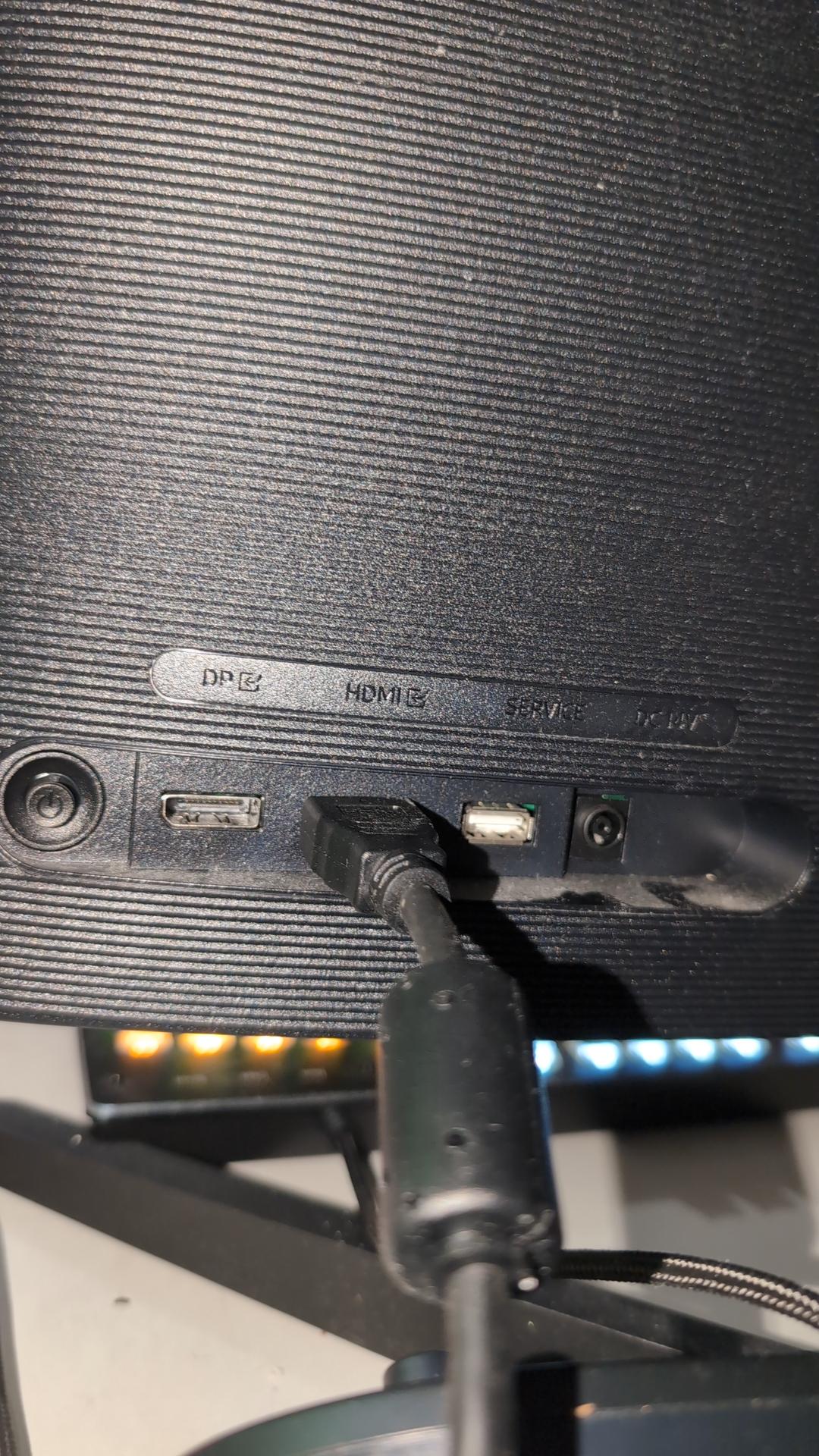
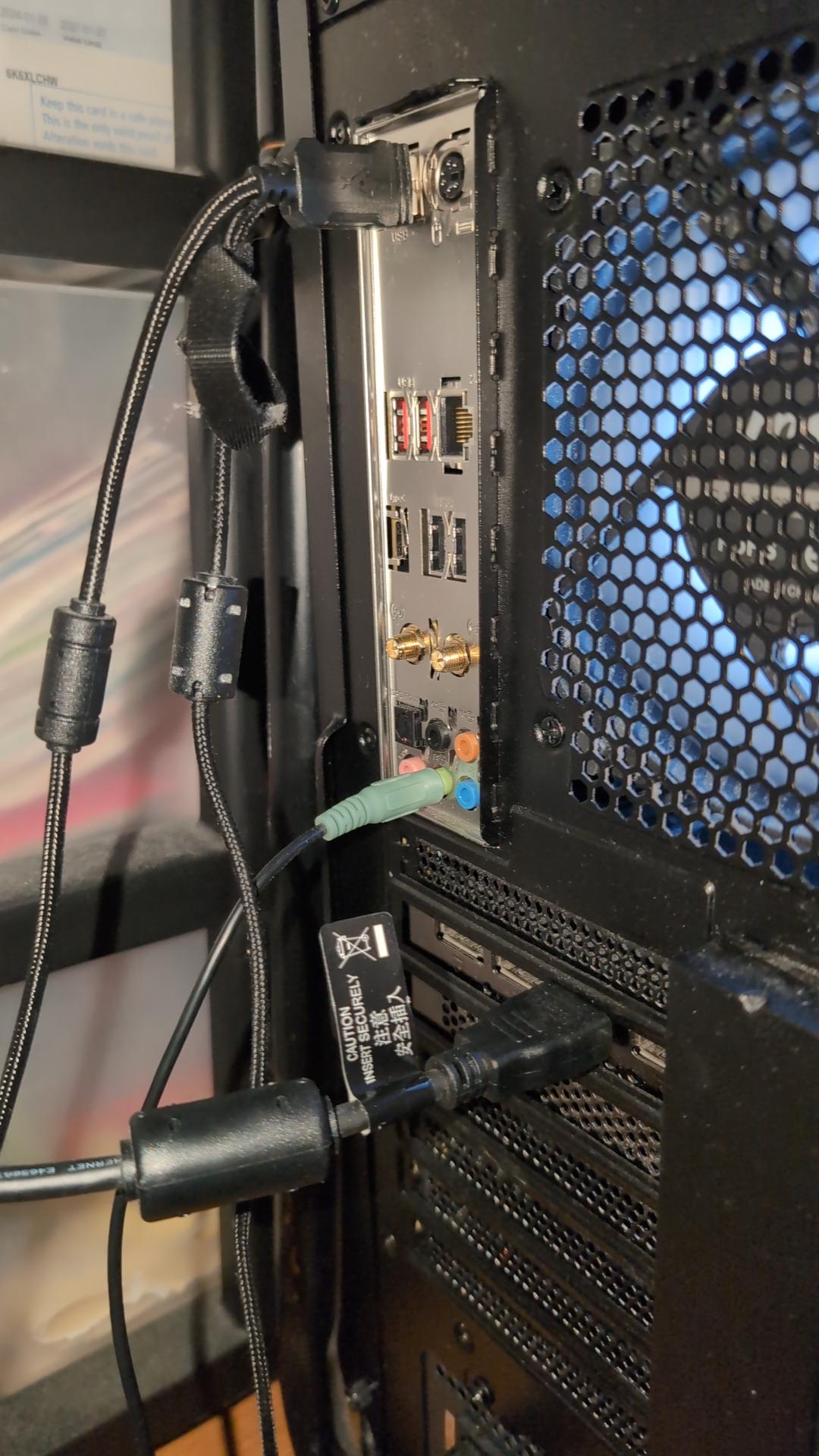


so my pc, keyboard, mouse and speakers are all working. they light up and I can hear the startup sound, but my monitor is still black and isnt turning on, I've tried all the controls to try turning it on (i.e. win + ctrl + shift + b and stuff) and they aren't working. im using an hdmi to connect the pc and monitor, and theyre both plugged in correctly (it doesnt fit in any of the other ports) can anyone please help me get my monitor to work 😭🙏?
p.s. this is after my entire desk and pc were moved (not by me) because of some renovation, I'm not sure if that has anything to do with why the monitor isnt turning on
1
u/Rifter0876 4d ago
Try giving the monitor power through that round plug 2 to the right of the cable to PC, the one labeled DC in......
1
u/Fabulous_Putz6264 3d ago
Also looks like the HDMI cable at the computer backplane/video card output (2nd-3rd photo) is not fully plugged in (is being prevented by the edge of the backplane slot (plug too "fat"), try another thinner plug/cable.
1
1
1
u/panzrvroomvroomvroom 2d ago
if youre this tech-illiterate, please take pictures of your stuff before unplugging. of course your monitor needs power.
1
1
u/Academic_Ad_3953 2d ago
If going by the first picture, the power cable seems to not be plugged in.
2
u/Agerak 4d ago
In first picture you don't have power connected to the monitor. Gotta plug it in.
It ain't got no gas in it...