r/GetComputerHelp • • 1h ago

Crackling sound

1 Upvotes

MacBook Pro 2020 M1. Timeline: 5Pm, I spilt water onto my Mac and I immediately tipped it upside down for like 30 minutes shut down and then turned it on to discover my touchpad not working. It was responsive and working browns but i couldn’t click it and press down on it. So I let it dry for another 90 minutes then I decided to just try to use it. It would occasionally click on its own. However, 4 hours later with use, I start hearing this noise of crackling and my touchpad was going psychotic and repeatedly clicking down and for a brief moment I could click down but it was clicking on its own along with the noise. I shut it off and it stopped but it is currently doing it occasionally even shut off. I’m just wondering whether it’s a serious sound that I should keep off or if it’s just resolving on its own or if I should let it dry over a day. The rest of the Mac works fine.

The sound just spooked me a bit


r/GetComputerHelp • • 4h ago

HELP

1 Upvotes

r/GetComputerHelp • • 6h ago

Restart loop - HP Omen 30L

1 Upvotes

I have an HP Omen 30L that’s getting a bit old, and it’s been giving me trouble for quite some time. I’d really appreciate some advice from someone with expertise.
Under load, my computer keeps crashing and getting stuck in a loop where it tries to restart, then shuts off again. If I unplug all the cables and leave it alone for a few hours or days, it starts working again. It seems like the longer I leave it unplugged, the longer it works afterward.
However, if I leave it stuck in that restart loop for too long, additional issues crop up, such as BIOS problems and drives no longer being detected. I’ve already tried various things to address the BIOS issues, but nothing has helped in the long term.


r/GetComputerHelp • • 11h ago

Wireless display haveing issue

2 Upvotes

I stream art a lot and have used windows wireless display many times before this issue occured. My windows is currently completely up to date with all its drivers and what not, ive checked many times since that seems to be one of the main issues. Ive also checked fire wall to make sure that it was not blocking it in any way as well as makeing sure I have the proper things checked inside of the wireless display settings. Ive tried deleting and reinstalling it and resseting both my pc and the device I was trying to project from. I have not blocked my device in the wireless display settings, and honestly I have no idea what other issue it can be. It started to occur a few updates ago and have tried all the common fixes ive seen online.


r/GetComputerHelp • • 8h ago

LG BIOS SCREEN

Post image
0 Upvotes

HELP HOW CAN I BRING THIS BACK TO NORMAL. I'VE DONE EVERYTHING WHAT THE GOOGLE AND I CANT FIND THE EXACT SAME THING ON YOUTUBE


r/GetComputerHelp • • 9h ago

I can not figure out how to connect to the Wi-Fi🥲

0 Upvotes

I dropped my book bag in the bathroom and my laptop was in it. that was a few days ago. it resulted in a big black dot on my screen but over those 3 days it slowly started to disappear so I thought everything was fine. I don't know if that's contributing to this Wi-Fi thing.

I believe this is a windows 11


r/GetComputerHelp • • 19h ago

Problemas para reinstalar wd 11

1 Upvotes

Buenas, tengo una notebook la cual uso como segunda pantalla, para reuniones y como almacenamiento para pdf y archivos. (PD ya no importa perder archivos y pdf quiero solucionar el problema)

Al encenderla esta tarde se quedo tildada en pantalla negra y nunca encendió. Force al cierre. Y al volver a iniciarla se quedó en pantalla de hp cargando.

Averigüe y me fije si habia sido un daño en el ssd, pero las pruebas dan que funciona bien. Entonces di por hecho que es un error del Windows.

Intente instalarle de nuevo el Windows y me salia que no reconocía el ssd. Por lo que averigüe y necesita instalar drivers. Le instale al pendrive los controladores y al intentar instalarlos para que reconozca se tilda, al apretar aceptar no ocurre nada no se instala nada. Por lo que no puedo instalar el Windows.

Pd todo esto es lo que ya probé.

Título: Instalador de Windows 11 no detecta SSD NVMe en HP 15-dy2xxx (Intel 11.ª Gen) y se congela al cargar el driver Intel RST / VMD

Hardware:

- Notebook: HP Laptop 15-dy2xxx (Intel Core i5-1135G7, arquitectura Tiger Lake)

- Almacenamiento: SSD NVMe interno de 250 GB

- Sistema a instalar: Windows 11 (instalación limpia desde USB booteable)

Problema:

Al iniciar desde el pendrive booteable de Windows 11, el instalador no detecta el SSD interno en la pantalla de particiones y muestra el cartel "Instalar el controlador para mostrar el hardware" (Install driver to show hardware / No signed device drivers were found). En la BIOS de esta HP no aparece la opción para desactivar Intel VMD.

Lo que ya intenté (en orden):

  1. Creé un pendrive booteable con Windows 11 (`ESD-USB`).

  2. Descargué desde la web de soporte de HP (sección Chipset) el paquete Intel Rapid Storage Technology `18.36.1.1016 Rev.S` y extraje los archivos en la raíz del pendrive (creó las carpetas `F6`, `dchu_inonVMD` y `dchu_other`). Al seleccionar la carpeta `F6` sin desplegar subcarpetas, Windows dijo que no encontró controladores compatibles.

  3. Descargué el paquete específico Intel Rapid Storage Technology - Tiger Lake `18.06.1.1016 Rev.S` y también lo extraje en el mismo pendrive (agregó la carpeta `dchu_iVMD`).

  4. Intenté cargar `dchu_iVMD` desde el botón Examinar del instalador, pero el asistente gráfico de Windows 11 se congeló por completo (también llegué a desenchufar y volver a conectar el pendrive con el instalador abierto para copiar los archivos desde otra PC).

  5. Cerré el instalador y apagué el equipo. No llegué a borrar ni formatear ninguna partición del SSD.

Situación actual y limitaciones:

- Tengo un solo pendrive (ahí están tanto el instalador de Windows 11 como las carpetas extraídas `F6`, `dchu_iVMD`, `dchu_inonVMD`, `dchu_other` y `dchu_cardreader`).

- Cuento con una segunda PC con Windows para limpiar o rearmar ese mismo pendrive si hace falta.


r/GetComputerHelp • • 1d ago

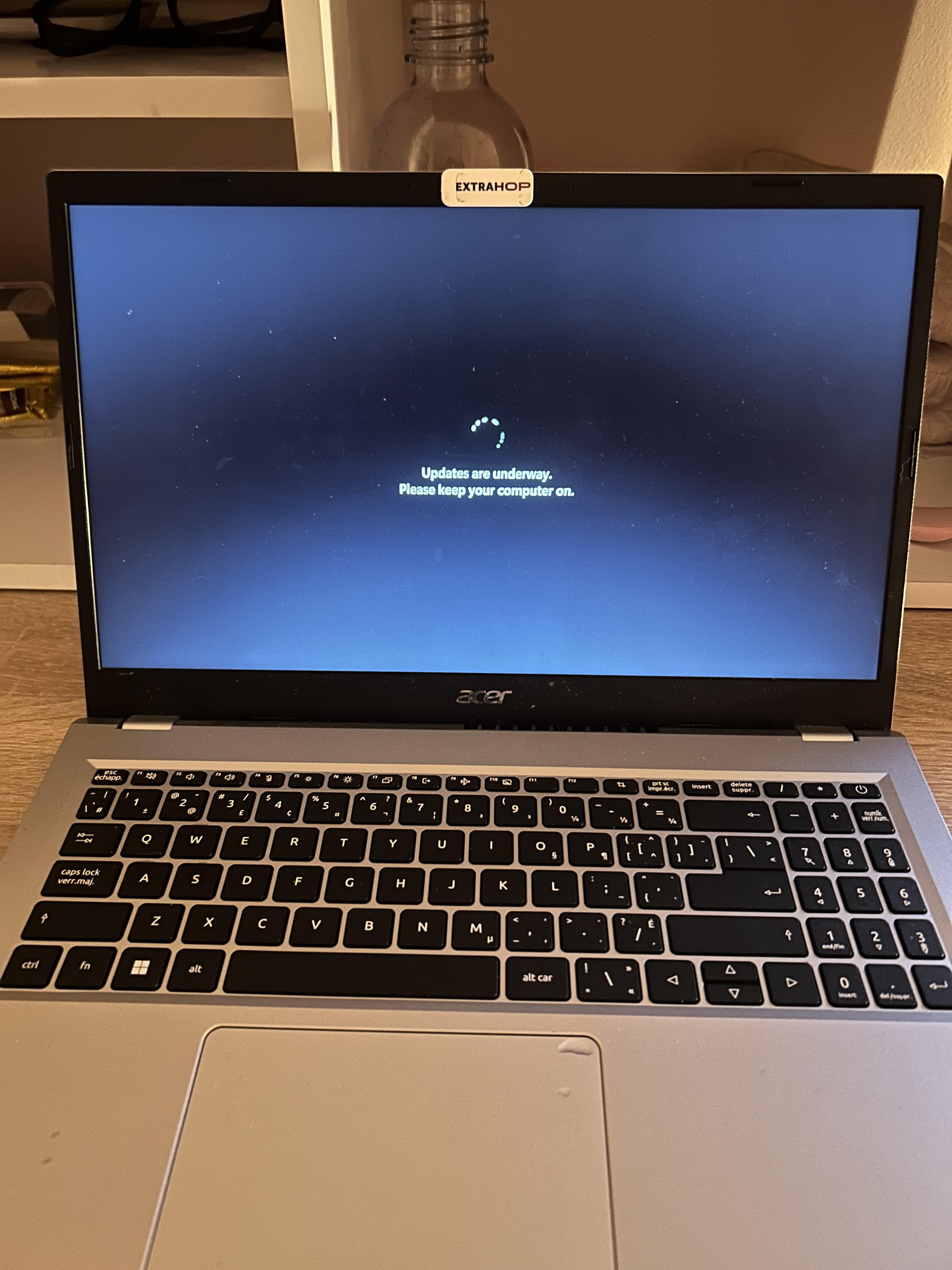
It’s been open like this for 2 days straight

Post image
3 Upvotes

r/GetComputerHelp • • 22h ago

Mi segundo monitor parpadea al iniciar un juego

1 Upvotes

Hola tengo un problema desde hace ya un tiempo que me esta volviendo loco.

Tengo 2 monitores, uno Samsung Oddysey G4 240hz y un monitor Dell 76hz. La cuestion es que desde hace un tiempo que parpadea el monitor segundaria (la Dell) y mayormente pasa cuando estoy abriendo y jugando un juego. Cuando la uso normalmente no suele pasar. Quizas si, pero muy pocas veces.

Estuve con este problema hace ya unas semanas, pero despues de la absolutamente nada se soluciono y pero ahora esta volviendo a pasar.

Ya intente reinstalar el windows, reinstalar desde cero el driver de AMD (Instalacion limpia), tambien cambie el cable DisplayPort por uno nuevo e intente bajar el monitor afectado a 60Hz.

Le pregunte a Claude Code mil veces sobre este tema, no supo darme una explicacion.

No lo pude grabar por que es algo aleatorio pero suele pasar muchisimo cuando estoy jugando un juego. Es insoportable.

Si alguien sabe de algo de verdad que lo agradeceria un monton!!


r/GetComputerHelp • • 1d ago

Help needed... so when i get in full scrren mode in any app on my pc.. there are black lines on top and bottom,... idk why they are coming but they annoying af.. pls help me fix them

2 Upvotes

My pc is Lenovo Yoga 7.. with quallcomm ardeno gpu ... I have tried all display settings but hv kept all on recommended so no luck there ... idk wht to do at this point hv tried all things told by chatgpt but nothing worked,,, so pls hekp


r/GetComputerHelp • • 1d ago

Touchpad cursor misssing

Thumbnail reddit.com
1 Upvotes

Help pls🙏🙏


r/GetComputerHelp • • 1d ago

After unplugging and replugging in a Displayport cable, my monitor looks like this unless I use HDMI instead. Did I permanantly ruin my monitor's Displayport input connector, or is this salvageable?

Thumbnail
gallery
1 Upvotes

I've been really struggling trying to find a USB-C hub that works for my setup to do a multi-monitor displaya USB-C hub that works for my setup to do a multi-monitor display, and as described across this, this, and this post, while I finally found a hub, I couldn't get it's Displayport output to work, and in the process of trying to troubleshoot that, I've been plugging in and out a lot of Displayport cables into my monitor.

I guess one of those times something went wrong, and now when I plug at least two different Displayport cables into the Displayport port on the monitor, the screen looks glitchy, with different elements cut up, stretched, and then repeated/tiled over the screen (the second photo I attached for example should just be the Google homepage), and a warning from the monitor's end that the resolution is incorrect, being 2560x215 instead of 2560x1440

Is this kind of issue common? If I bring it to a repair shop (What repair shops even work on monitors? Would any computer repair place be able to do it?) would they likely be able to fix it, and if so for how much, or is my DP port likely broken for good?

Also, if it is broken for good, I need some guidance on what to do next for a USB-C hub: While HDMI still works for my monitor (which is what I'm using now), VRR and certain color management options don't show up in the Nvidia control panel when using HDMI, so I'd need to figure out why that is, how to resolve it, and any USB C hub I'd use would need to still facilitate at least working VRR.


r/GetComputerHelp • • 1d ago

Mi ordenador no da imagen y no sé porque si todo está conectado bien

2 Upvotes

Necesito ayuda de alguien para esto


r/GetComputerHelp • • 1d ago

CAN THIS BE FIXED?

1 Upvotes

r/GetComputerHelp • • 1d ago

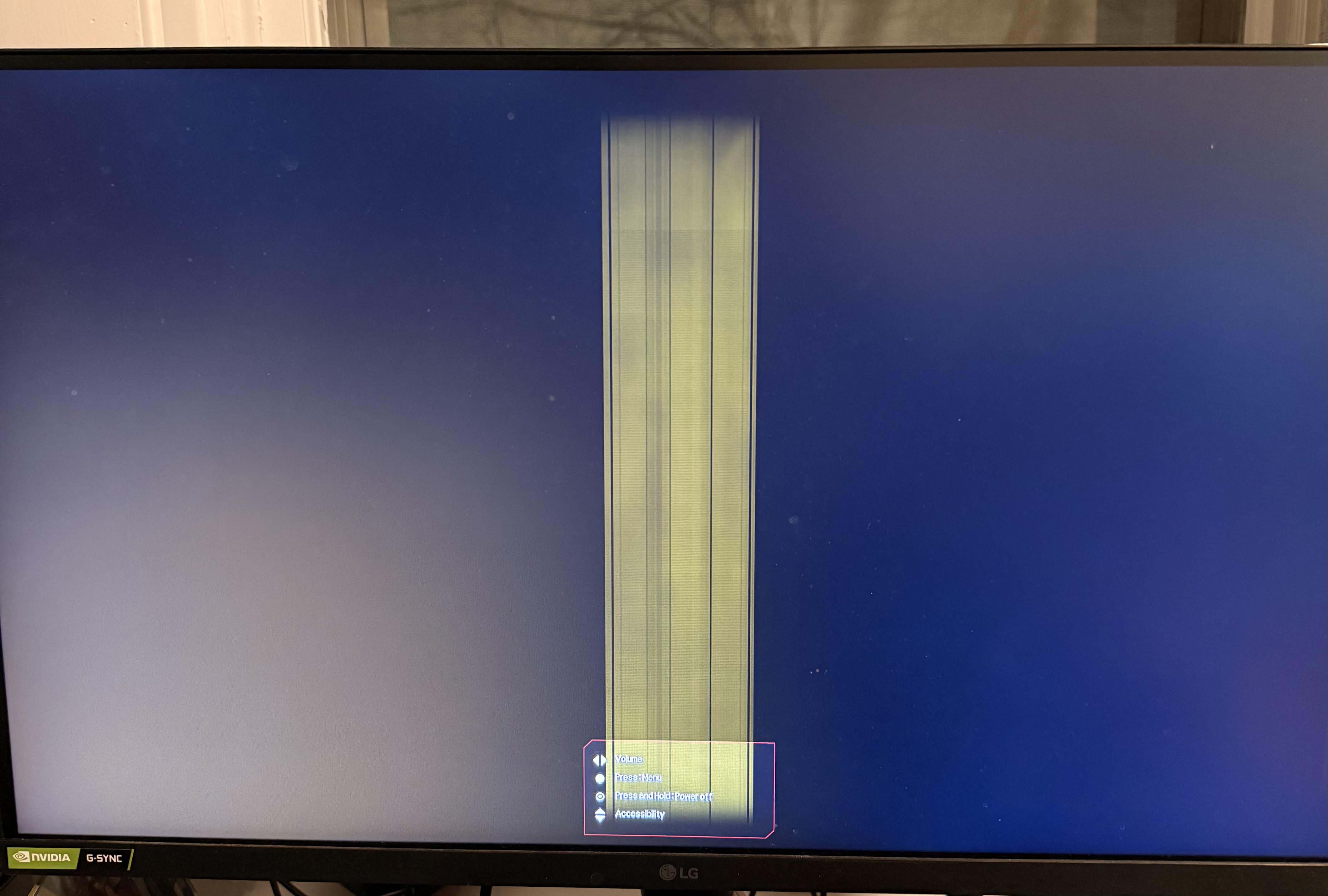
Is my monitor cooked?

Post image
2 Upvotes

Just randomly happened, so physical damage. Happens with no signal from the PC.

LG Ultragear, ~5 years old


r/GetComputerHelp • • 2d ago

Mouse Clicking but not moving

Thumbnail reddit.com
1 Upvotes

r/GetComputerHelp • • 2d ago

My second monitor black out when my PC Tower stands

Thumbnail reddit.com
1 Upvotes

r/GetComputerHelp • • 2d ago

Samsung monitor flashing white around all four edges every few seconds

Thumbnail
reddit.com
1 Upvotes

r/GetComputerHelp • • 2d ago

PC is turning on but the monitors show no video input.

Thumbnail reddit.com
1 Upvotes

r/GetComputerHelp • • 2d ago

Weird afterimages, lines, and dimming started. (help plz)

Thumbnail reddit.com
1 Upvotes

r/GetComputerHelp • • 2d ago

Can Anyone Explain Why This is Happening when I turn on my PC?

1 Upvotes

r/GetComputerHelp • • 2d ago

Green pixels flickering whenever laptop is connected to TV

Post image
1 Upvotes

r/GetComputerHelp • • 2d ago

Samsung Odissey G5 blue led light doesn't stop blinking when on standby

Thumbnail reddit.com
1 Upvotes

r/GetComputerHelp • • 2d ago

Help!!!

Thumbnail gallery
1 Upvotes