r/CompTIA_Security • • May 19 '24

CompTIA security+ SY0-601 & SY0-701 iOS App

661 Upvotes

Hi everyone,

With the security+ 601 exam retiring soon, many of you might be preparing for the security+ 701 exams. To support your study efforts, I wanted to share an iOS app I've developed specifically for CompTIA Security+ 601 & 701 exam preparation.

You can check out the app here:

https://apps.apple.com/us/app/comptia-security-601-701-prep/id6499492455

If you're interested in a free promo code, please send me a direct message. I hope this resource proves helpful in your exam prep. Good luck with your studies, and feel free to reach out with any feedback or questions!


r/CompTIA_Security • • Oct 20 '26

4 Weeks of study with no IT background

Post image
390 Upvotes

4 weeks ago I didn’t even know what a port was. Thanks to all the feedback and replies on Reddit I managed to pass it on the first try. So just wanted to give back to the community.

Resources that I used were Messer’s video on YT, which I’ve only managed to watch half of it because it’s a bit draggy and I’m rushing for time. And more importantly Dion’s practice exam which I bought from Udemy. I bought both sets. You’ll have to get at least 85% in order to have a chance of passing the actual exams. There were still quite a handful of questions I didn’t know in exam. But I probably managed to eliminate the wrong answer for those question I didn’t know what the answer was.

For PBQ I’ve no idea what I was doing. I watched cyberkraft YT video, but nothing close even came out. But you should still watch just in case.

Go through every single question of Dion’s exam. Use Claude or any other AI to understand the terms, concepts and abbreviations. And with some luck you could pass it.


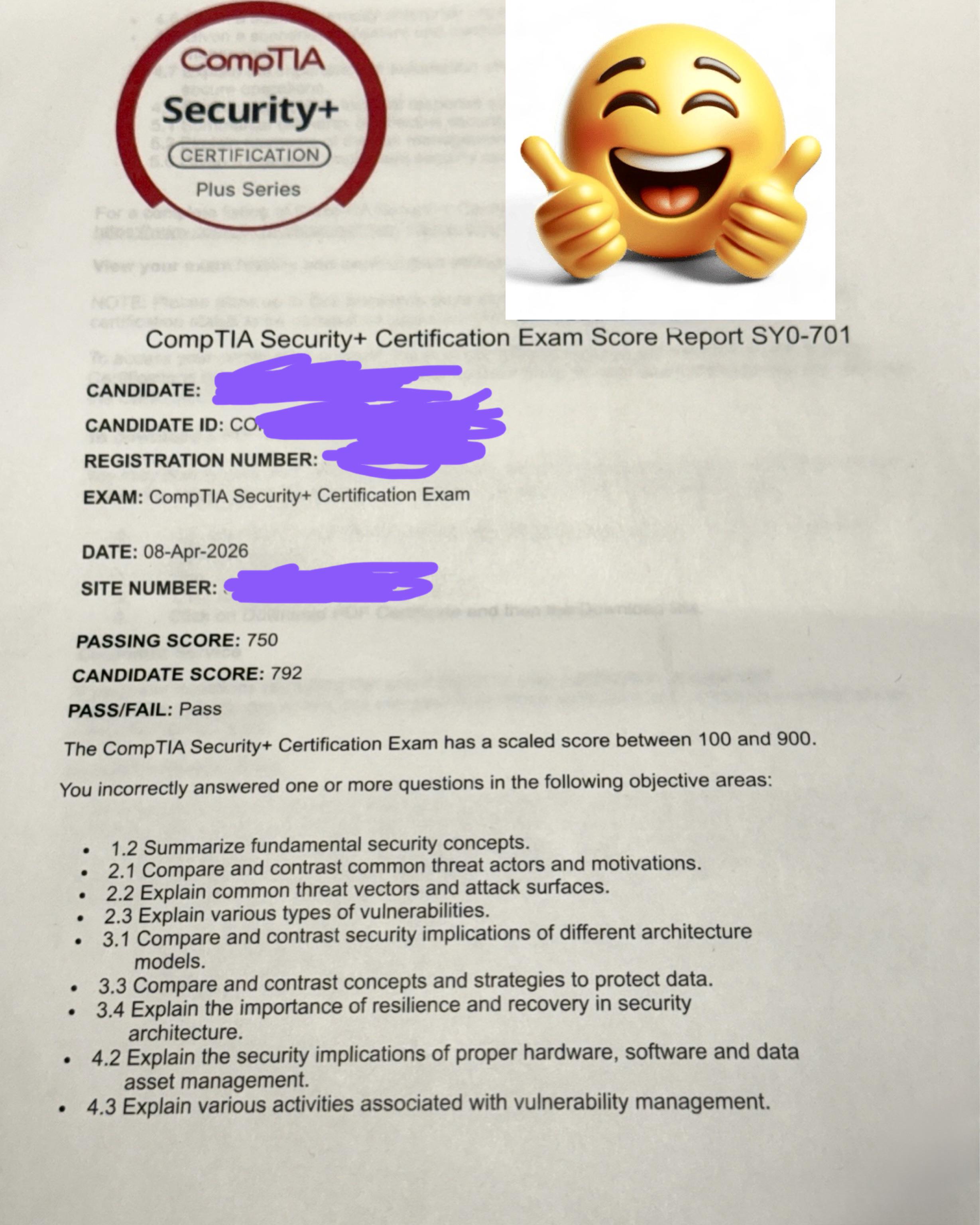
r/CompTIA_Security • • May 08 '26

We did it guys🥳🥳

Post image
363 Upvotes

r/CompTIA_Security • • 7d ago Bravo Mindblown Popcorn Heartwarming

My Security+ SY0-701 study cheat sheet — hope it helps!

350 Upvotes

I recently passed Security+ and wanted to share my study cheat sheet in case it helps someone else! These are the notes I put together while preparing, shortened to fit here 😊 It’s not a complete guide to every exam objective, but hopefully it makes reviewing a little easier. Happy studying!

Vulnerabilities and threat information

CVSS — Common Vulnerability Scoring System. A severity score, usually 0–10. Score severity to help prioritize fixes; also consider exploitation and business impact.

CVE — Common Vulnerabilities and Exposures. The identifier for a publicly disclosed vulnerability. CVE names it; CVSS scores it.

SCAP — Security Content Automation Protocol. Standards for automating security checks, vulnerability management, and configuration assessment.

OSINT — Open Source Intelligence. Intelligence collected from publicly available sources. Think public websites and records.

Quick distinction: CVE = which vulnerability; CVSS = how severe; SCAP = automated assessment standards; OSINT = public information.

Risk and business continuity

BIA — Business Impact Analysis. What would a disruption do to the business? Identify critical processes and recovery priorities.

RPO — Recovery Point Objective. How much data loss is acceptable, measured in time? A 1-hour RPO means losing at most 1 hour of data.

MTTR — Mean Time to Repair or Recover. Average time needed to repair a failure or restore service. The exact expansion depends on context.

ARO — Annualized Rate of Occurrence. Expected incidents per year. Once every 5 years = 0.2.

EF — Exposure Factor. Fraction or percentage of asset value lost in one incident. 25% = 0.25.

SLE — Single Loss Expectancy. Expected money lost in ONE incident. Asset value × exposure factor.

ALE — Annualized Loss Expectancy. Expected money lost per YEAR. SLE × ARO.

ROI — Return on Investment. Benefit compared with cost. Common formula: (benefit − cost) ÷ cost × 100%.

Example: An asset worth $100,000 has an EF of 25%. SLE = $25,000.

Certificates and cryptography

CA — Certificate Authority. Trusted entity that issues and signs digital certificates.

PKI — Public Key Infrastructure. The overall system of certificates, keys, authorities, and processes. CA is part of PKI.

CSR — Certificate Signing Request. Request sent to a CA to obtain a certificate; contains the public key and identity information, not the private key.

CRL — Certificate Revocation List. Published list of revoked certificates. Revoked means canceled before normal expiration.

OCSP — Online Certificate Status Protocol. Ask an online responder about a particular certificate’s revocation status.

SSL — Secure Sockets Layer. Legacy protocol name still used in “SSL certificate.” Modern secure connections use TLS (Transport Layer Security).

TPM — Trusted Platform Module. Security hardware tied to a device; protects keys and supports platform integrity.

HSM — Hardware Security Module. Dedicated protected hardware for generating, storing, and using cryptographic keys.

TLS — Transport Layer Security. Encrypts data in transit and authenticates the server using a certificate; client authentication is optional. Think secure connection.

Important correction: CRLs list revoked certificates, not simply expired certificates. Expiration is checked using the certificate’s validity dates.

Identity and network security

AAA — Authentication Authorization and Accounting. Who are you? What may you do? What did you do? Identity, permissions, and activity records.

RADIUS — Remote Authentication Dial In User Service. Centralized AAA for network access. Think network login decisions and accounting.

IPsec — Internet Protocol Security. Protects IP traffic; commonly used for VPNs. IPsec secures traffic while RADIUS can handle AAA.

RDP — Remote Desktop Protocol. Interact with a remote computer’s desktop.

LDAPS — Lightweight Directory Access Protocol over SSL or TLS. Encrypted access to a directory of users, groups, and other objects.

802.1X — Port based network access control standard. Authenticate before getting normal wired or wireless network access.

VPN — Virtual Private Network. Protected tunnel over another network.

ACL — Access Control List. Rules that permit or deny access or network traffic.

GPO — Group Policy Object. Centrally apply Windows settings to many users or computers.

IPS — Intrusion Prevention System. Detect and block suspicious or malicious activity.

NGFW — Next Generation Firewall. Firewall with application awareness and additional inspection and security features.

WAF — Web Application Firewall. Filters web application requests, including common attack patterns.

ZTA — Zero Trust Architecture. Verify each access request, apply least privilege, and assume breach.

Network and device terminology

DNS — Domain Name System. Translates domain names into IP addresses. Names to numbers.

URL — Uniform Resource Locator. The address of a resource, such as a web page.

IP — Internet Protocol. Network addressing and packet delivery. In legal or business contexts, IP can mean intellectual property.

ARP — Address Resolution Protocol. Maps an IPv4 address to a local hardware MAC (Media Access Control) address. ARP poisoning supplies false mappings.

SDN — Software Defined Networking. Software centrally controls network behavior; control and forwarding are separated.

IoT — Internet of Things. Connected physical devices such as cameras, sensors, and appliances.

SCADA — Supervisory Control and Data Acquisition. Monitors and controls industrial processes. Think utilities and factories.

SMB — Server Message Block. Network file and printer sharing. SMBv1 is an obsolete and insecure version.

SFTP — SSH File Transfer Protocol. Secure file transfers over SSH (Secure Shell). FTPS means FTP over TLS, a different protocol.

DLP — Data Loss Prevention. Detects or prevents sensitive data leaving approved boundaries.

SPF — Sender Policy Framework. DNS record identifies servers authorized to send email for a domain.

RFID — Radio Frequency Identification. Uses radio signals to identify tags, such as access badges.

IT — Information Technology. Computers, networks, software, and related services.

WPA2 — Wi-Fi Protected Access 2. Protects the wireless connection between a device and its Wi-Fi network. It does not protect the entire path to a cloud server.

IP geolocation estimates an IP address’s geographic location; filtering can use that estimate to restrict traffic.

Agreements and leadership

NDA — Non Disclosure Agreement. Keep confidential information private. Think “do not disclose.”

MSA — Master Service Agreement. Umbrella terms for an ongoing service relationship; avoids renegotiating general terms for each job.

SLA — Service Level Agreement. Measurable service commitments such as uptime and response time. Think service targets.

SOW — Statement of Work. Specific work, scope, deliverables, and schedule. Think what gets done.

MOU — Memorandum of Understanding. Records shared intentions and understanding; legal effect depends on wording and jurisdiction.

MOA — Memorandum of Agreement. Documents agreed responsibilities and collaboration terms; may cover confidentiality and intellectual property.

AUP — Acceptable Use Policy. Rules for permitted and prohibited use of organizational technology.

CISO — Chief Information Security Officer. Executive responsible for the information security program.

CSO — Chief Security Officer. Executive security leadership; scope varies and may include physical and information security.

CEO — Chief Executive Officer. Top executive responsible for overall company leadership.

A right-to-audit clause grants contractual rights to inspect a vendor’s controls and compliance. Supply chain analysis examines risks from suppliers and dependencies.

Mobile ownership and incident preparation

BYOD — Bring Your Own Device. Employee brings a personally owned device. YOUR device.

CYOD — Choose Your Own Device. Employee chooses from an approved list. Ownership and payment depend on company policy.

COPE — Corporate Owned Personally Enabled. Company owns it and permits personal use. COMPANY device, PERSONAL use allowed.

COBO — Corporate Owned Business Only. Company owns it and restricts use to business. BUSINESS only.

IRP — Incident Response Plan. Documented responsibilities and steps for handling security incidents.

Preparation and awareness

Tabletop exercise: A discussion of a simulated incident to test plans, roles, decisions, and gaps. Findings help improve the IRP.

Situational awareness: Notice security issues around you, such as missing badges and unauthorized people at entrances.

Tailgating: Following an authorized person through a controlled entrance without separately authenticating.

Social engineering training: Teach employees to recognize manipulation and verify unusual requests.

Simulated phishing campaign: A controlled phishing test used to assess behavior and guide training.

Insider threat awareness: Recognize and report risks involving people with trusted access.

Fail open: If the control fails, traffic or access is allowed. Prioritizes availability, but can expose systems.

CIA = Confidentiality, Integrity, Availability. Confidentiality keeps secrets; integrity protects against unauthorized changes; availability keeps services accessible.

Attacks and social engineering

Smishing — SMS phishing. Phishing through text messages. SMS = Short Message Service.

Vishing — Voice phishing. Phishing through phone or voice calls.

Phishing — Deceptive messages. Trick someone into revealing information or taking an unsafe action.

Pretexting — Invented story or scenario. A believable excuse used to manipulate someone.

Impersonation — Pretending to be another person. For example, claiming to be the CEO. Can occur within vishing or smishing.

Typosquatting — Lookalike or mistyped domain. A small spelling change takes you to an attacker’s site.

XSS — Cross Site Scripting. Malicious script runs in a victim’s browser through a vulnerable website.

On path attack — Attacker between communicating parties. Intercepts or alters communications.

Rootkit — Malware that hides privileged access. Can conceal attacker control; an embedded rootkit may reside in firmware.

Keylogger — Records keystrokes. Can capture passwords and other typed data.

Buffer overflow — Data exceeds a memory buffer. Can crash a program or enable unintended code execution.

Sideloading — Install outside an approved app channel. Can introduce malicious software; not automatically malicious.

Other terms: Hacktivism = attacks motivated by political or social causes. Blackmail = coercion through threatened disclosure or harm.

Protecting data and applications

Hashing — One way fingerprint of data. Compare with a trusted expected hash to detect changes. Does not conceal the original data.

Encryption — Scramble data using a key. Authorized decryption recovers the original. Think confidentiality.

Tokenization — Replace sensitive data with a token. Authorized detokenization can retrieve the original through a protected mapping or process.

Masking — Hide all or part of a displayed value. For example, show only the last four digits of an account number.

Obfuscation — Make code or data harder to understand. Slows analysis or reverse engineering; does not guarantee secrecy.

Steganography — Hide the existence of a message. For example, conceal a message inside an image.

Code signing — Digitally sign software. Helps verify publisher and detect changes after signing; does not hide code.

Blockchain — Distributed linked ledger. Records are linked and difficult to alter undetected; not a general secrecy control.

SQL — Structured Query Language. Language for working with relational databases. SQL injection treats unsafe input as part of a query.

Input validation — Check incoming data. Reject values outside allowed types, lengths, ranges, or formats.

Authentication — Verify identity. Establish who a user or system is.

Secure cookies — Protect browser cookies.

Static code analysis examines code without executing it.

Securing data in transit

Data in transit means data moving between systems. Data at rest means stored data.

TLS certificates help authenticate a server and support establishing a TLS connection. TLS provides the connection encryption; a certificate alone does not encrypt files.

VPN = Virtual Private Network. It protects traffic traveling through its tunnel.

Practice question note: The supplied answer key selects TLS certificates and VPN.

Encryption key management covers creating, storing, rotating, and retiring keys.

Finding application vulnerabilities

SAST = Static Application Security Testing. Examines source code, bytecode, or binaries without running the application.

DAST = Dynamic Application Security Testing. Tests a running application by sending inputs and observing its responses.

Penetration testing attempts authorized exploitation to demonstrate impact.

Bug bounty = a program that rewards eligible vulnerability reports under defined rules. Researchers may demonstrate exploitation when the rules permit it.

Virtualization and isolation

VM = Virtual Machine. A software-based computer running its own operating system.

Hypervisor = the software layer that creates, runs, and isolates virtual machines.

VM escape = an attacker breaks out of a guest VM’s isolation to access the host or hypervisor.

Race condition = a flaw where security or correctness depends on the timing or order of operations.

TOCTOU = Time of Check to Time of Use. A type of race condition: a resource changes after it is checked but before it is used.

Qualitative and quantitative risk analysis

Qualitative analysis uses descriptive categories such as high, medium, or low to rate likelihood and impact.

Quantitative analysis uses numerical estimates such as money lost, failure rates, or recovery time.

MTBF = Mean Time Between Failures. Average operating time between failures of a repairable system.

Compare MTTR = Mean Time to Repair or Recover: how long it takes to restore service. Higher MTBF and lower MTTR generally indicate better reliability and recovery.

Risk register = a record of identified risks, ratings, owners, responses, and status.

Network isolation

Air gap = physical isolation from other networks, including the internet. Best choice when a secure network does not need external communication.

An air gap reduces network-based data leakage, but does not guarantee that data can never leave.

Containerization isolates applications in containers that typically share the host operating system kernel.

Decentralization distributes control or resources across multiple systems. It does not by itself prevent external communication or data leakage.

Security zones group systems with similar security needs into separate network segments. Enforce access rules between zones using firewalls or ACLs.

Network segmentation divides a network into smaller sections with controlled communication.

Load balancers distribute traffic across servers. Proxy servers act as intermediaries for requests.

Cloud services and resilience

IaaS = Infrastructure as a Service. Rent computing infrastructure such as virtual machines, storage, and networking.

SaaS = Software as a Service. Use a provider-managed application.

Multicloud architecture uses services from more than one cloud provider. Hosting critical VMs with different IaaS providers can reduce dependence on a single provider.

Resilience means the ability to withstand disruption and recover.

Compare: On-premises means infrastructure hosted in facilities managed by the organization. Load balancing distributes requests across servers.

Acquisition and supply chain security

Acquisition process = how the organization selects suppliers, purchases equipment, and accepts deliveries.

Sanitization removes or renders stored data unrecoverable, commonly before reuse or disposal. It does not establish that newly purchased hardware is trustworthy.

Change management reviews, approves, tests, and documents changes. Asset tracking records equipment identity, location, ownership, and status.

Risk limits and decisions

Risk tolerance = the acceptable limits or thresholds of risk for an activity or objective.

Risk appetite = the broad amount and type of risk an organization is willing to pursue or retain to achieve its objectives.

Risk acceptance = an informed decision to retain a particular risk.

Risk assessment identifies and evaluates risks, including likelihood and impact. A risk register records and tracks them.

Security monitoring and log correlation

SIEM = Security Information and Event Management. Collects and correlates security logs to support detection and investigation.

Correlation links related events across sources.

DDoS = Distributed Denial of Service. Many distributed sources overwhelm a service or exhaust its resources, reducing availability.

A SIEM can also help investigate password resets, DDoS activity, and breaches when relevant logs are available.

Availability and recovery choices

Load balancing distributes traffic across multiple servers.

State preservation needs more than a load balancer: session or application state must be replicated or stored in a shared service.

Cold site = an alternate recovery facility with basic space and utilities, but without a ready-to-run production environment.

Full backup = a copy of all selected data at a point in time.

Hybrid cloud combines distinct cloud environments, such as private and public clouds, connected to support data or application portability.

Secure access for remote workers

SASE = Secure Access Service Edge.

SOAR = Security Orchestration, Automation, and Response. Connects security tools and automates incident response workflows and playbooks.

NAT = Network Address Translation. Translates IP addresses between networks, commonly private internal addresses to public addresses.

Alert fatigue and detection quality

Alert fatigue = analysts become overwhelmed or desensitized by too many alerts, especially repetitive, irrelevant, or false-positive alerts.

Rule tuning adjusts detection logic, thresholds, exceptions, and priorities to improve useful detection and reduce unnecessary alerts.

False positive = an alert flags benign activity as suspicious. False negative = malicious activity occurs but is not detected.

Log aggregation collects logs from multiple sources into one place. Correlation connects related events across those sources.

Compensating control = an alternative safeguard used when a primary control cannot be implemented, to provide comparable protection.

Data location and sovereignty

Data sovereignty = data is subject to applicable laws and jurisdiction, often connected to where it is stored or processed. ata at rest outside a country’s borders.

Data residency = the geographic location where data is stored. Data localization = a requirement to keep certain data within a specified geographic boundary.

Data at rest is stored data, such as files on a disk or records in a database. Data in transit is moving between systems.

PII = Personally Identifiable Information. Information that can identify a person, directly or in combination with other information.

Physical security barriers

Bollards = sturdy posts spaced to block vehicles while allowing pedestrians between them.

Video surveillance monitors and records activity; it does not physically stop a vehicle.

Network authentication and VLAN access

VLAN = Virtual Local Area Network. Logically separates a switched network into distinct broadcast domains.

802.1X = port-based network access control standard for wired and wireless networks.

ACL = Access Control List. Rules that permit or deny traffic or access.

Captive portal = a web page that users encounter before network access, often for guest login or accepting terms.

DNSSEC = Domain Name System Security Extensions. Uses digital signatures to validate DNS data authenticity and integrity.

Recognizing SQL injection

SQL injection = attacker-controlled input is interpreted as SQL code and changes the intended database query. , injection. SQL = Structured Query Language.

Recognition clues: 1=1 is an always-true condition that can alter query logic; -- can comment out the rest of a SQL statement; a conditional database sleep can reveal information through response delays.

Brute-force attacks repeatedly guess passwords or other secrets. Replay attacks reuse captured messages or authentication data.

Hardening end user devices

FDE = Full Disk Encryption. Protects data at rest on a device, especially if it is lost or stolen.

Endpoint protection = security tools on devices such as laptops and desktops that prevent, detect, and respond to threats.

Hardening reduces a device’s attack surface through secure configuration, updates, removal of unnecessary software or services, and appropriate security controls.

Conditional access and device trust

Conditional access policies evaluate signals such as user identity, device management or compliance, location, and sign-in risk before allowing access.

MFA = Multifactor Authentication. Requires evidence from at least two different factor categories, such as something you know, have, or are.

CASB = Cloud Access Security Broker. Applies security policies and visibility controls to cloud service use.

DLP = Data Loss Prevention, already listed in the network terminology section. It helps detect or prevent sensitive information leaving approved boundaries.

Host intrusion prevention and control functions

HIPS = Host-based Intrusion Prevention System. Runs on an individual host to monitor for suspicious activity and block activity that matches its prevention rules.

Preventive controls try to stop an unwanted event. Detective controls identify and report activity or events.

Directive controls state required behavior, such as security policies. Corrective controls repair or restore after a problem.

Penetration testing knowledge levels

Unknown environment testing, also called black-box testing: testers receive little or no prior technical information about the target.

Known environment testing, also called white-box testing: testers receive extensive information, such as architecture, source code, or credentials.

Partially known environment testing, also called gray-box testing: testers receive some information or limited access.

SOC = Security Operations Center. The team or function that monitors security events, investigates alerts, and coordinates incident response.

Study clarification: An internal IT or SOC team being unaware of a test describes an unannounced exercise.

Checking exposure to a newly disclosed vulnerability

Vulnerability scanning checks systems for known weaknesses, vulnerable versions, and insecure configurations.

PoC = Proof of Concept. Code or a demonstration showing that a vulnerability can be exploited.

Packet captures record network traffic for analysis. Security dashboards summarize available security data.

Preventing sensitive data leakage

PHI = Protected Health Information. Individually identifiable health information protected under applicable health privacy requirements.

DLP = Data Loss Prevention. Detects or blocks unauthorized disclosure of sensitive information.

EDR = Endpoint Detection and Response. Monitors endpoint activity to detect threats, support investigation, and respond, for example by isolating a compromised device.

Secure protocols encrypt communication, but do not by themselves stop an authorized user from sending sensitive data to an unapproved destination.

Login policies and similar acronyms

AUP = Acceptable Use Policy. Rules for permitted and prohibited use of organizational systems.

EULA = End User License Agreement. Terms governing a user’s license to use software.

EAP = Extensible Authentication Protocol. A framework supporting authentication methods, commonly used with 802.1X.

MAC can mean Mandatory Access Control: access decisions enforced through centrally defined labels and clearances.

IoT purchasing and residual data

IoT = Internet of Things, already defined in the network terminology section.

Counterfeit products imitate genuine products or misrepresent their origin or authenticity.

Data remanence = data that remains on storage media after deletion or incomplete erasure. It matters when devices are reused, returned, or disposed of.

Device responsiveness concerns performance, which can affect availability in critical environments. Ease of deployment concerns setup.

Quarantine and mobile device management

Quarantine isolates a potentially infected system to limit communication and prevent spread while it is investigated.

MDM = Mobile Device Management. Centrally manages enrolled mobile devices, including security settings, configuration, locking, and remote wiping when supported.

Remote wipe erases device data; it is not quarantine and can destroy evidence. Disabling remote login alone leaves other communication paths.

Network access and device posture

NAC = Network Access Control. Enforces policies determining which users and devices may connect and what access they receive.

Posture assessment checks a device’s security condition, such as required patches, active anti-malware, firewall settings, and configuration compliance.

Compare: VPN provides a protected tunnel; WAF filters web application requests; IPS detects and blocks malicious activity.

Connecting company networks securely

Site-to-site VPN connects two networks through a protected tunnel, commonly using IPsec. It is the best match when two companies need secure network connectivity.

UTM = Unified Threat Management. Combines multiple security functions, such as firewalling, intrusion prevention, anti-malware, and content filtering, in one solution.

NGFW = Next Generation Firewall, It inspects and controls traffic with application awareness.

Privacy deletion requests

Right to be forgotten, also called the right to erasure, means an individual can request deletion of personal data under applicable privacy rules.

Data retention determines how long records are kept. Attestation and acknowledgment document a statement or confirmation.

Platform diversity

Platform diversity uses different technologies or platforms to reduce dependence on one and limit shared failure or vulnerability risks.

If the solutions use different cloud providers, this is also multicloud.

Compare: Load balancing distributes traffic; parallel processing performs work concurrently; clustering coordinates multiple systems as a group.

Industrial control systems

PLC = Programmable Logic Controller. An industrial computer that controls machinery or processes using sensor inputs and programmed logic.

SCADA = Supervisory Control and Data Acquisition, already defined in the network terminology section.

Compare: SDN = Software Defined Networking; IoT = Internet of Things; VPN = Virtual Private Network. The PLC clue most directly points to industrial control and SCADA.

Mobile operating system restrictions

Jailbreaking removes manufacturer-imposed operating system restrictions, commonly on Apple mobile devices, allowing privileged changes and unapproved software.

Sideloading installs applications outside the usual approved app store or distribution channel. It does not necessarily require jailbreaking or rooting.

Unauthorized startup or administrative changes may indicate operating-system compromise.

Password salting

Salting adds a unique random value to each password before hashing. Two users with the same password therefore have different stored hashes.

Logs for investigating SQL injection

Application logs are the best listed source for identifying the SQL injection command or payload submitted through an application, when request or query details are recorded.

System logs mainly record operating system events. NetFlow records connection details such as addresses, ports and traffic volume, rather than SQL payloads.

Cloud guardrails and secure baselines

Guardrails are policies and controls that keep cloud resources within approved security baselines.

CSPM = Cloud Security Posture Management. It discovers cloud misconfigurations and checks resources against security policies.

IAM = Identity and Access Management: controls identities, roles and permissions. CASB = Cloud Access Security Broker: applies security policies to cloud service use.

People policies and assurance

Social engineering and elicitation

The stranger in the coffee shop builds trust through conversation to obtain work and personal details.

Operational security

OPSEC protects sensitive information during everyday activities.

Insider awareness and behavior

For the layoff awareness question, B: train supervisors to recognize and manage signs of employee distress or disgruntlement.

Internal audits

Identify gaps in controls so the organization can remediate them.

Reviewing a SaaS vendor

Request a third-party audit report, such as a SOC 2 report, for independent assurance about security controls.

Change management

A formal process requests, reviews, approves, tests and documents changes to processes, assets and security controls. An acceptable use policy governs system use.

Legal investigation requests

E-discovery identifies, preserves, collects and reviews electronically stored information for legal requests. Root cause analysis investigates why an incident happened.

Threats and attack recognition

Watering hole attacks

Attackers compromise a website commonly visited by their intended target group, such as developers. Typosquatting uses look-alike domain names.

Worms and SMB

Heavy TCP port 445 traffic with widespread network disruption suggests a worm propagating through SMB. NTP amplification uses UDP 123.

SQL injection payloads

A condition such as UserId = 10 OR 1=1 adds an always-true expression to alter query logic. cat /etc/shadow is a shell command; ../ patterns indicate directory traversal.

Side channel attacks

Side channels exploit implementation leakage, such as execution time, power consumption or electromagnetic emissions. Weak cryptographic algorithms alone do not define a side-channel attack. Cue: Learn secrets from how the system behaves.

Buffer overflow wording caveat

A buffer overflow occurs when data exceeds allocated buffer capacity. An abnormally large number of incoming packets more directly describes flooding or denial of service; it does not by itself establish a buffer overflow. Cue: Too much data for a buffer = overflow; too much traffic = flood.

ARP poisoning and attacker type

Unskilled attacker is the only attacker category among the supplied options; readily available tools can enable ARP poisoning. Shadow IT means unauthorized technology, credential stuffing reuses stolen credentials, and DMARC concerns email authentication. ARP poisoning alone does not prove the attacker is unskilled.

Privilege escalation and passive reconnaissance

Moving from a guest account to administrator is vertical privilege escalation.Cue: More privilege = escalation; public research = passive recon.

Web protection and remote users

SASE for remote web protection

Secure Access Service Edge (SASE) combines network connectivity with cloud-delivered security.

Protection when the VPN fails

Install host-based content filtering so protection runs on the device even when the VPN cannot reach the on-premises proxy.

Blocking a newly identified domain

Update the proxy filters to enforce the existing restriction against the new suspicious domain.

DNS filtering and TLS inspection

DNS filtering blocks resolution of known malicious domains. A centralized TLS inspection proxy decrypts supported HTTPS traffic for inspection, then re-encrypts it.

Endpoint detection and response

EDR is the best listed choice for detecting and blocking a malicious file on a company computer.

EDR compared with SIEM

EDR collects and rapidly analyzes endpoint telemetry, including processes, files and network connections, and forwards it for correlation and reporting.

APIs and automation

An application programming interface (API) enables programs to exchange data and invoke functions. SOAR orchestrates security workflows, often through APIs.

Network visibility and isolation

Wireless site surveys and heat maps

A site survey assesses coverage and signal leakage into surrounding buildings. Use findings to adjust access-point location, antenna direction and transmit power.

NetFlow and packet capture

NetFlow records traffic metadata such as source, destination, ports and volume to help identify suspicious communication patterns.

Load balancer logs

Review these first for excessive traffic to front-end web servers: they show incoming requests, distribution to backends and, where recorded, response times and errors.

IPS configuration

Packet inspection enables an intrusion prevention system to analyze traffic against attack signatures or anomalies and block matches.

Air gaps

C in the physical-isolation question; D in the internet-access question. An air-gapped system has no network connection to external networks.

Detecting zero-day lateral movement

UBA can detect unusual account activity and access patterns even when an exploit has no known signature. DLP addresses sensitive-data leakage; NAC controls admission.

Federation and identity

Federation lets an organization trust another identity provider for authentication. OAuth delegates authorization; OpenID Connect adds authentication on top of OAuth 2.0.

Hardening vulnerabilities and resilience

Application allowlisting and bloatware

Allow only approved applications to reduce installation or execution of unwanted software.

Container image hardening

Remove unnecessary default applications and disable Telnet if present.

Zero-day vulnerability mitigation

For highly available production systems, monitor closely and implement compensating controls such as access restrictions, segmentation and exploit-prevention rules.

Vulnerability scanning and remediation

Daily endpoint vulnerability scans help track patch status and remaining exposure; they are not primarily threat hunting.

CVSS and CVE

Common Vulnerability Scoring System (CVSS) expresses vulnerability severity on a 0–10 scale. Common Vulnerabilities and Exposures (CVE) provides identifiers.

Bug bounty programs

Invite researchers to report vulnerabilities under defined rules, sometimes for rewards. Human investigation can uncover flaws automated tools miss.

Generator maintenance and MTBF

Mean Time Between Failures (MTBF) describes expected average operating time between failures of repairable equipment and informs maintenance planning.

Media disposal and quick distinctions

Shredding and destruction assurance

Proper shredding physically destroys storage media and provides the strongest assurance among the listed choices when performed to an appropriate destruction standard.

Certificates of destruction

Disposal certification provides a record that media destruction was performed, identifying the items and relevant method or details.

Self-signed certificates

A self-signed certificate is signed using the private key corresponding to its own public key. It is not automatically trusted by other systems.

Honeypots and honeynets

A honeynet is a network of decoy systems designed to attract and observe attackers, potentially exposing services such as SMB and RDP. A honeypot is an individual decoy.

Right to erasure review

The intended answer is to remove personal data in response to a valid right-to-erasure request. Applicable retention duties and legal exceptions can limit deletion.

Rapid review of control purposes

OPSEC protects everyday information handling. DLP restricts sensitive-data transfers.


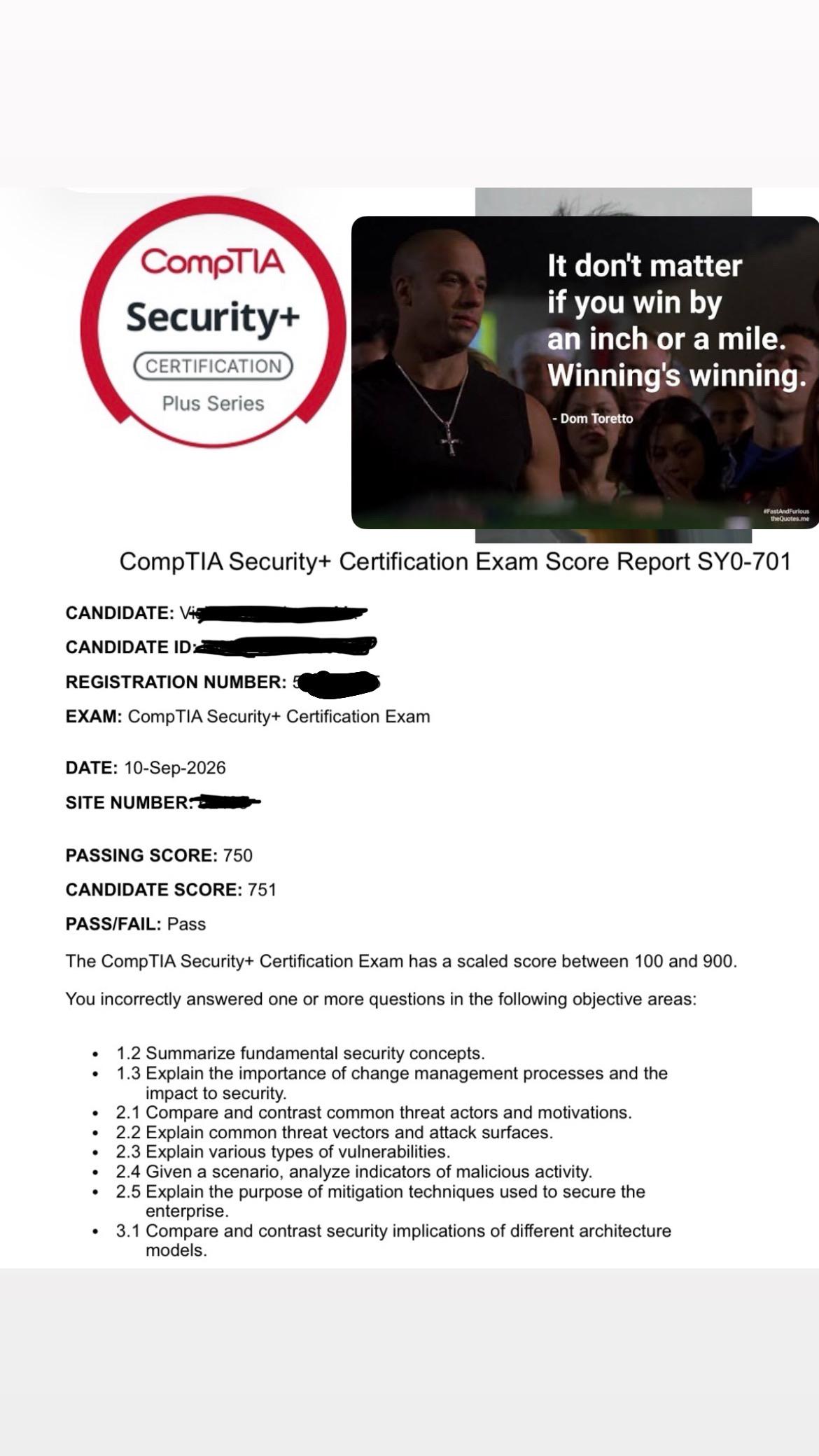
r/CompTIA_Security • • Oct 19 '26

A WIN IS A WIN!!

Post image
345 Upvotes

Just passed my exam, if you guys have any questions regarding preparation or resources let me know. I bought Messer’s exams and can forward those to you for freebies.


r/CompTIA_Security • • Jul 08 '26 Bravo

I passed CompTIA A+, Network+, Security + and CySA+ all on my first attempt!

Post image
332 Upvotes

It was a lot of work and studying but it’s possible. Even though I had a lot of connection issues especially with the CySA+ but I still managed to pass. How has everyone else found them? I am now looking to get into cybersecurity. Anyone have any advice?😆


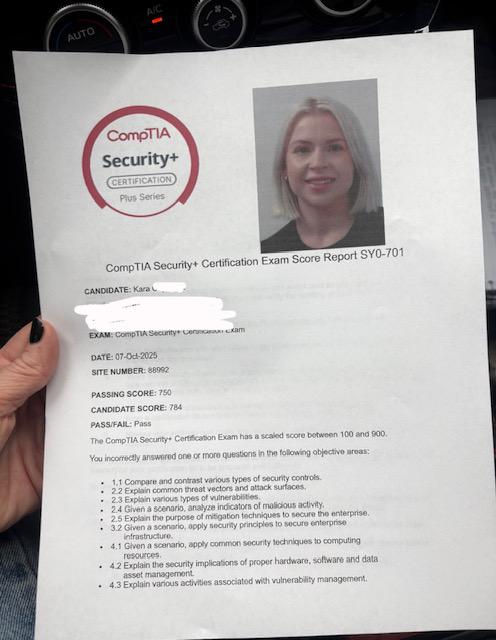
r/CompTIA_Security • • Oct 07 '25

Sec+ Passing, Zero Related Work Experience, Self Taught - Here's Hope :)

Post image
304 Upvotes

Took my CompTia Sec+ today and passed 784. Literally on cloud nine.

After grad school I had a quarter life crisis and decided my BA and MA would never give me a stable job or healthy income. I've always been an avid gamer and good with tech, and my dad is 30+ years cyber analyst. Decided to go back to school for BS in Cybersecurity at Purdue Global (about 80% done with that at the moment) and spent the past three months intensively studying for Sec+. I mean, 4-6 hours a day studying on an average of 4-5 days a week. I only have a liberal arts background - BA in international studies/spanish and MA in spanish linguistics.

So, to any fellow career life crisis-ers, zero experience folks, it is possible. I legit self-taught all the material to myself. Here's what I used:

ChatGPT (I know this is a hot topic, but it was used as a study aid)

Professor Messer YT videos and purchased and took all 3 of the practice exams twice.

CyberJames Udemy Practice Exams (3) and took them each once. I took the final CyberJames exam yesterday and scored an 80%. Me being the impulsive person I am said f*** it - I'm gonna take the real thing tomorrow. So I did. And passed.

You can do it <3


r/CompTIA_Security • • Jul 17 '26

Finally PASSED! (After failing Dion's 5 times)

Thumbnail
gallery
294 Upvotes

Happy to share that I finally passed! Here's what I did, in order:

Before even thinking about Sec+ I went through the whole SOC L1 path on THM. Then I watched all of Professor Messer's videos. While watching I took notes in a physical notebook, which really helped me remember the info.

After that I watched Pete Zerger's videos for each domain. I found his explanations clearer and more to the point.

Then I did a few of Dion's practice exams... and failed every single one 😄. Don't worry tho, the real exam wasn't nearly that hard.

Here's a PDF with all the acronyms each with a short 2-3 sentence explanation. I made it with Claude's help (I edited some parts myself to make them easier to understand).

https://drive.google.com/file/d/15aZVbxjoZ5G9jB0W_SfEzF5MgFp737T1/view?usp=sharing


r/CompTIA_Security • • Apr 10 '26

I passed Sec+! Studied for 2 weeks

Post image
288 Upvotes

I Passed the Sec+ Exam!

For context: I don’t work in tech (yet). I currently work in manufacturing, 12 hour shifts, four days a week and I’m also in school (studying IT).

Study Path:

I started studying for the Sec+ exam about two weeks ago while at work. I spent four days listening to YouTube videos. I couldn’t see the slides on the screen since I am unable to use my phone while working (I listened to the videos with AirPods)

After that, I took a week off work to focus on studying for the exam (the knowledge I got from the courses in school also helped). while also doing my school tests and assignments.

I took the exam yesterday and I passed!

This group has been incredibly helpful.

My next goal is to take the CCNA exam this year.

I’m also hoping to land a tech job. I know I’ll need to work my way up, so I’m not rushing to land a super high paying job.

Hopefully with home labs, certs, and a tech degree, I will get a good job.

Thanks to everyone who contribute in this group.


r/CompTIA_Security • • Sep 15 '26

I passed Security+!

Post image
283 Upvotes

I passed Security+ after 3 months of studying while working full-time as cabin crew! ✈️

No IT background at all, just curiosity, dedication, and a lot of studying whenever I could fit it around work, different schedules and different time zones.

For those currently studying, I don’t know if my scores will be useful to anyone, but I’ll leave them here anyway. I bought the Dion exams Set 1 and scored:
72%, 84%, 75%, 76%, 67%, 81%
(75,8% average)

I didn’t retake any of them because I didn’t want to end up memorising the questions. I used AI mainly to look at my results, help me identify my weak areas and explain things I wasn’t understanding. During my last week, I tried to focus mainly on those weaker areas.

Resources I used:
*Professor Messer YouTube
*Professor Messer practice exams
*Jason Dion practice exams — Udemy Set 1
*AI, mostly for clarifications, explanations and summaries
*Some PBQ videos from Cyberkraft, but honestly not that many

A few things that helped me personally:
*Don’t let your practice exam scores get into your head. I tried to use the scores mainly to figure out what I was getting wrong and where I needed to improve, rather than as a prediction of whether I would pass.
*Don’t try to memorise every single acronym. At least for me, it was much more useful to understand what area/concept an acronym belonged to. After doing enough practice questions, I started recognising them naturally.
*Actually go through your wrong answers. I didn’t just look at the correct answer and move on. I tried to understand why it was correct and why the other options were wrong.
*If something doesn’t make sense, ask AI to explain it differently. I used it a lot for this, especially when two concepts sounded almost identical to me.

About the exam:
I personally found the actual exam harder to understand than the practice exams I had done (I’m not a native English speaker). The questions were actually much shorter, but I found the wording and figuring out what they were really asking me to identify more challenging.
I had 3 PBQs in total. I think I may have completed one properly 😅 For the other two, I just tried to get whatever points I could by testing things and applying what I knew.

Good luck to everyone studying! You’ve got this.


r/CompTIA_Security • • 15d ago Heartwarming Bravo

Passed With Self Preparation With AI ~ 10 days

Post image
279 Upvotes

Self study , used chatgpt to study overview of all domain
claude to build the interactive learning with animations flow
and lab to test myself out.

Update 1 : Below is the prompt i used in claude code to build me the study plan

Update 2 : https://github.com/shahid98/SY0-701 link the my study guide

PROJECT: Build an Interactive CompTIA Security+ SY0-701 Learning Website

You are an expert cybersecurity instructor, CompTIA Security+ curriculum designer, full-stack developer, and interactive educational UX designer.

I am preparing for the CompTIA Security+ SY0-701 (V7) certification exam.

I want you to design and implement a complete, visually beautiful, interactive cybersecurity learning website that teaches me every exam domain, objective, topic, and important technical term.

The website should feel like an interactive learning platform, not a PDF, documentation page, or collection of plain text notes.

Think of a combination of:

  • Brilliant.org for interactive explanations.

  • Duolingo for progression, memorization, and learning rewards.

  • TryHackMe for security-oriented scenarios.

  • A modern technical documentation website for searchable, hierarchical navigation.

  • An interactive cybersecurity laboratory for visual simulations.

These are conceptual design references, not requirements to reproduce their proprietary interfaces.

1. MOST IMPORTANT GOAL

Teach me the complete SY0-701 syllabus in a way that even a complete beginner can understand, while preparing me for the technical English and decision-making required by the real exam.

I want to understand concepts rather than memorize definitions without context.

For each concept, explain:

  1. What it is.

  2. Why it exists.

  3. How it works.

  4. Where it is used.

  5. A simple analogy.

  6. A realistic cybersecurity example.

  7. A visual diagram, animation, or interactive demonstration.

  8. The technical terminology CompTIA might use.

  9. How it differs from similar concepts.

  10. How to recognize it in a scenario-based exam question.

  11. Common misconceptions and exam traps.

  12. A short memory aid.

  13. A knowledge-check question with feedback.

Use approachable English initially, but progressively introduce accurate professional terminology. Do not avoid technical vocabulary. Explain it clearly.

For complex topics, introduce the prerequisites before teaching advanced material.

Do not skip a subject because it seems too basic or too complicated.

2. OFFICIAL EXAM CURRICULUM

The website must follow the CompTIA Security+ SY0-701 V7 official exam objectives.

Reference:
https://www.comptia.org/en-us/certifications/security/

I will also provide the official objectives PDF when available.

Treat the official PDF as the authoritative content coverage checklist.

The following is the required domain and objective hierarchy. The descriptions are topic summaries, not replacements for the full official bullet lists.

DOMAIN 1.0 — GENERAL SECURITY CONCEPTS (12%)

1.1 — Security control categories and functions

Cover:

  • Technical, managerial, operational, and physical controls.

  • Preventive, deterrent, detective, corrective, compensating, and directive controls.

  • Practical examples and ways to distinguish overlapping categories.

1.2 — Fundamental security principles

Cover:

  • Confidentiality, integrity, availability (CIA).

  • Non-repudiation.

  • Authentication, authorization, and accounting (AAA).

  • Gap analysis.

  • Zero Trust architecture.

  • Control plane and data plane.

  • Policy engine, policy administrator, and policy enforcement point.

  • Adaptive identity and policy-driven authorization.

  • Physical security controls and sensors.

  • Honeypots, honeynets, honeyfiles, and honeytokens.

1.3 — Security-aware change management

Cover:

  • Approvals, stakeholders, ownership, and impact analysis.

  • Standard operating procedures.

  • Maintenance windows and downtime.

  • Testing and rollback/backout plans.

  • Version control and change documentation.

  • Legacy system dependencies and technical implications.

1.4 — Cryptographic solutions

Cover:

  • Symmetric and asymmetric encryption.

  • Keys, algorithms, block size, key length, and key exchange.

  • AES, RSA, and relevant cryptographic terminology.

  • Public key infrastructure (PKI).

  • Public/private keys and certificate authorities.

  • Root and intermediate certificate chains.

  • Certificate signing requests.

  • CRL, OCSP, self-signed and wildcard certificates.

  • Hashing, salting, key stretching, and digital signatures.

  • Hardware security modules, TPMs, and secure enclaves.

  • Tokenization, masking, steganography, and obfuscation.

  • Blockchain and public ledgers.

  • Encryption at different storage and communication levels.

Special interactive lesson: Animate a TLS certificate validation sequence, followed by a separate simplified symmetric encryption and decryption demonstration.

DOMAIN 2.0 — THREATS, VULNERABILITIES, AND MITIGATIONS (22%)

2.1 — Threat actors and motivations

Cover:

  • Nation-state actors, organized crime, hacktivists, insiders, and unskilled attackers.

  • Shadow IT.

  • Internal vs. external actors.

  • Capabilities, resources, and sophistication.

  • Espionage, financial motives, blackmail, revenge, disruption, and ideology.

2.2 — Attack vectors and attack surfaces

Cover:

  • Email, SMS, messaging, voice, image, and file-based vectors.

  • Removable media.

  • Vulnerable software and unsupported systems.

  • Wireless and wired attack surfaces.

  • Open ports and default credentials.

  • Supply chain compromise.

  • Social engineering, phishing, smishing, vishing, pretexting, impersonation, business email compromise, watering-hole attacks, and typosquatting.

2.3 — Types of vulnerabilities

Cover:

  • Application and operating system vulnerabilities.

  • Buffer overflow and memory-related weaknesses.

  • Race conditions, including TOCTOU.

  • SQL injection and cross-site scripting.

  • Cloud misconfigurations.

  • Virtual machine escapes.

  • Hardware/firmware vulnerabilities.

  • Supply chain weaknesses.

  • Insecure cryptography.

  • Jailbreaking and sideloading.

  • Zero-day vulnerabilities.

2.4 — Indicators of malicious activity

Cover:

  • Viruses, worms, Trojans, ransomware, spyware, rootkits, logic bombs, and keyloggers.

  • Physical, network, application, and cryptographic attacks.

  • DDoS, amplification, reflection, DNS attacks, and on-path attacks.

  • Injection, replay, privilege escalation, and directory traversal.

  • Password spraying vs. brute-force attacks.

  • Credential replay.

  • Attack indicators in authentication logs, network traffic, and endpoints.

  • Impossible travel, unusual resource utilization, account lockouts, and missing logs.

2.5 — Enterprise mitigation techniques

Cover:

  • Segmentation and isolation.

  • Access control lists.

  • Least privilege.

  • Allowlisting.

  • Patching.

  • Encryption and monitoring.

  • Secure configurations.

  • Endpoint protection.

  • Host firewalls and HIPS.

  • Unnecessary service removal.

  • Decommissioning.

Special interactive lesson: Show a simulated attacker progressing through an enterprise network. Let me activate security controls and observe which stages are prevented, detected, or contained.

DOMAIN 3.0 — SECURITY ARCHITECTURE (18%)

3.1 — Architecture models and security implications

Cover:

  • On-premises and cloud architectures.

  • Public, private, and hybrid environments.

  • Shared responsibility.

  • IaaS, PaaS, and SaaS.

  • Serverless architecture.

  • Microservices.

  • Virtualization and containers.

  • Infrastructure as Code.

  • Software-defined networking.

  • Centralized vs. decentralized systems.

  • IoT, embedded systems, ICS, SCADA, and RTOS.

  • Air-gapped infrastructure.

  • High availability, scalability, cost, resilience, and recoverability.

3.2 — Enterprise infrastructure security

Cover:

  • Network zones and segmentation.

  • DMZ and screened subnets.

  • Firewalls, proxies, jump servers, IDS, and IPS.

  • Network appliance placement.

  • Fail-open vs. fail-closed.

  • Inline vs. passive monitoring.

  • 802.1X and EAP.

  • Network access control.

  • WAF, NGFW, and UTM.

  • Layer 4 vs. Layer 7 filtering.

  • VPN, TLS, IPsec, tunneling, remote access.

  • SD-WAN and SASE.

3.3 — Data protection concepts

Cover:

  • Regulated data, trade secrets, intellectual property, financial and legal information.

  • Data classification.

  • Data at rest, in transit, and in use.

  • Data sovereignty and geographic restrictions.

  • Encryption, hashing, masking, tokenization, and obfuscation.

  • Access restrictions and segmentation.

3.4 — Resilience and recovery

Cover:

  • High availability.

  • Load balancing vs. clustering.

  • Hot, warm, and cold recovery sites.

  • Geographic diversity.

  • Multi-cloud systems.

  • Capacity planning.

  • Continuity of operations.

  • Backup frequency, snapshots, replication, journaling, and restoration.

  • Failover testing and tabletop exercises.

  • UPS, generators, and redundancy.

Include supplementary, clearly labeled connections to BIA, RTO, RPO, MTTR, and MTBF.

Special interactive lesson: Provide a network architecture builder. Let me position devices, create network zones, and simulate traffic between systems.

DOMAIN 4.0 — SECURITY OPERATIONS (28%)

4.1 — Hardening computing resources

Cover:

  • Secure baselines.

  • Server, workstation, router, switch, cloud, and mobile hardening.

  • IoT and industrial device security.

  • MDM.

  • BYOD, COPE, and CYOD.

  • WPA3 and RADIUS.

  • Wireless site surveys.

  • Secure development controls.

  • Input validation, code signing, static analysis, sandboxing, and monitoring.

4.2 — Asset lifecycle management

Cover:

  • Procurement.

  • Inventory and enumeration.

  • Ownership and accountability.

  • Data and asset classification.

  • Tracking.

  • Retention.

  • Sanitization, destruction, and certified disposal.

4.3 — Vulnerability management

Cover:

  • Scanning and identification.

  • SAST vs. DAST.

  • Threat intelligence and OSINT.

  • Penetration testing and bug bounties.

  • CVE and CVSS.

  • False positives and false negatives.

  • Vulnerability prioritization.

  • Risk-based remediation.

  • Patches, compensating controls, exceptions, exemptions.

  • Rescanning and verification.

4.4 — Security monitoring and alerting

Cover:

  • Log aggregation.

  • SIEM.

  • Alerting and tuning.

  • SCAP.

  • Security benchmarks.

  • Antivirus.

  • DLP.

  • SNMP traps.

  • NetFlow.

  • Vulnerability scanners.

  • Monitoring systems, applications, and networks.

  • Agent-based vs. agentless monitoring.

4.5 — Enterprise security capability configuration

Cover:

  • Firewall rules and ACLs.

  • Ports, protocols, and traffic controls.

  • IDS/IPS signatures.

  • Web filtering and reputation.

  • DNS filtering.

  • Group Policy and SELinux.

  • Secure communication protocols.

  • SPF, DKIM, DMARC.

  • File integrity monitoring.

  • NAC, EDR, XDR.

  • User behavior analytics.

4.6 — Identity and access management

Cover:

  • Account provisioning and deprovisioning.

  • Identity proofing and attestation.

  • Federation.

  • SSO.

  • LDAP, OAuth, and SAML.

  • DAC, MAC, RBAC, rule-based and attribute-based access control.

  • Multifactor authentication.

  • Authentication factors.

  • Biometrics and security keys.

  • Password managers and passwordless authentication.

  • Privileged access management.

  • Just-in-time access, ephemeral credentials, and password vaults.

4.7 — Security automation and orchestration

Cover:

  • Automated user and resource provisioning.

  • Scripting.

  • Security guardrails.

  • Automated ticketing and escalation.

  • APIs and integrations.

  • Continuous integration and testing.

  • Scalability and efficiency.

  • Automation risks, technical debt, operational complexity, and failure points.

4.8 — Incident response

Cover:

  • Preparation.

  • Detection.

  • Analysis.

  • Containment.

  • Eradication.

  • Recovery.

  • Lessons learned.

  • Incident response playbooks.

  • Threat hunting.

  • Root cause analysis.

  • Tabletop exercises.

  • Digital forensics.

  • Evidence acquisition and preservation.

  • Chain of custody, legal hold, reporting, and e-discovery.

4.9 — Investigation data sources

Cover:

  • Firewall logs.

  • Application logs.

  • Endpoint and operating system logs.

  • IDS/IPS logs.

  • Network logs.

  • Metadata.

  • Vulnerability reports.

  • Dashboards.

  • Packet captures.

Special interactive lesson: Create a simulated Security Operations Center (SOC) with logs, SIEM alerts, suspicious events, and incident investigations.

DOMAIN 5.0 — SECURITY PROGRAM MANAGEMENT AND OVERSIGHT (20%)

5.1 — Security governance

Cover:

  • Policies, standards, procedures, and guidelines.

  • Acceptable use policies.

  • Information security policies.

  • Business continuity, disaster recovery, and incident response policies.

  • Change management.

  • Governance structures.

  • Regulatory and legal considerations.

  • Data owners, controllers, processors, custodians, and stewards.

  • Roles and accountability.

5.2 — Risk management

Cover:

  • Risk identification.

  • Qualitative and quantitative assessments.

  • Risk appetite, tolerance, and thresholds.

  • Risk registers.

  • Risk avoidance, mitigation, acceptance, and transference.

  • Exceptions vs. exemptions.

  • SLE, ARO, and ALE.

  • Exposure factors.

  • Probability, likelihood, and business impact.

  • Business impact analysis.

  • RTO, RPO, MTTR, MTBF.

5.3 — Third-party risk management

Cover:

  • Vendor evaluation.

  • Due diligence.

  • Supplier risk.

  • Right-to-audit clauses.

  • Independent assessments.

  • SLA, MOU, MOA, MSA, SOW, NDA, and BPA.

  • Vendor monitoring.

  • Rules of engagement.

  • Questionnaires and evidence reviews.

5.4 — Compliance and privacy

Cover:

  • Internal and external compliance.

  • Due care vs. due diligence.

  • Regulatory reporting.

  • Attestation.

  • Non-compliance consequences.

  • Privacy obligations.

  • Data subjects.

  • Data controllers vs. processors.

  • Retention.

  • Right to be forgotten.

  • Applicable regulatory concepts.

5.5 — Audits and security assessments

Cover:

  • Internal audits.

  • External audits.

  • Independent assessments.

  • Attestation.

  • Self-assessments.

  • Compliance audits.

  • Penetration testing.

  • Physical and technical assessments.

  • Known, partially known, and unknown environment tests.

  • Active vs. passive reconnaissance.

5.6 — Security awareness

Cover:

  • Phishing awareness.

  • Phishing simulation campaigns.

  • Suspicious message reporting.

  • Anomalous user behavior.

  • Insider threats.

  • Password awareness.

  • Removable media security.

  • Operational security.

  • Remote and hybrid work security.

  • Training effectiveness, reporting, and recurring education.

Special interactive lesson: Include a risk assessment simulator, interactive recovery calculations, and realistic phishing-identification exercises.

3. HIERARCHICAL WEBSITE NAVIGATION

Use this structure:

Home
Dashboard
Learning Path
Domain 1
Objective 1.1
Topic
Concept Lesson
Interactive Visualization
Practice
Objective 1.2
...
Domain 2
Domain 3
Domain 4
Domain 5
Interactive Labs
Flashcards
Vocabulary & Acronyms
Practice Questions
PBQ Simulator
Mock Exam
Revision Center
Progress & Analytics

The navigation must support three levels:

Domain → Objective → Individual Concept

Each level must be clickable, searchable, and easy to navigate.

Show breadcrumbs, previous/next lesson buttons, completion indicators, and a collapsible navigation sidebar.

Do not create a long page containing all the curriculum.

4. VISUAL LEARNING SYSTEM

This is a critical requirement.

Do not simply display paragraphs alongside decorative pictures.

Visuals must actively explain how a concept works.

Choose the right teaching tool for each subject:

  • Animated flowcharts for processes.

  • Network topology diagrams for architecture.

  • Interactive timelines for ordered procedures.

  • Before/after demonstrations for security controls.

  • Side-by-side comparisons for easily confused terms.

  • Step-through simulations for cryptography and authentication.

  • Drag-and-drop diagrams for configuration exercises.

  • Calculators for risk and recovery metrics.

  • Miniature log viewers for investigations.

  • Animated data packets for networking.

  • Flashcards for vocabulary and acronyms.

For each complex visualization, provide:

  • Play / Pause.

  • Previous / Next Step.

  • Restart.

  • Short explanations for each stage.

  • Visible labels and moving elements.

  • A static fallback for reduced-motion accessibility.

Example: If teaching DNS resolution, show a client, recursive resolver, root server, TLD server, authoritative name server, and returned result.

Let me advance step by step and see how the query travels.

Explain exactly what happens at each step.

Prefer genuine interactive diagrams over pre-rendered videos.

5. TWO LEVELS OF EXPLANATION

Each concept should have two selectable learning modes.

Beginner Mode

Explain with everyday examples, short sentences, and analogies.

Example:

"A firewall is like a security guard checking which visitors are allowed into a building."

Explain unfamiliar vocabulary immediately.

Exam Mode

Explain using accurate CompTIA terminology and scenario-style language.

Example:

"A network administrator implements a stateful firewall to enforce ingress and egress traffic filtering."

Provide a vocabulary breakdown.

Important: Both modes must remain technically accurate. Beginner Mode must not introduce misleading shortcuts.

6. INTERACTIVE LABORATORIES

Implement functional, browser-based simulations.

Initial priority labs:

  1. CIA triad and security control classification.

  2. Zero Trust policy decision and enforcement.

  3. AES vs. RSA and certificate trust chains.

  4. Phishing and social engineering recognition.

  5. Network attacks and mitigation controls.

  6. Enterprise networks, VLANs, DMZs, and firewalls.

  7. 802.1X authentication.

  8. Cloud shared-responsibility models.

  9. Data protection states.

  10. Backup strategies and disaster recovery.

  11. Firewall and ACL rule evaluation.

  12. SIEM alert investigation.

  13. IAM permissions and MFA.

  14. Incident response workflow.

  15. Risk calculations and BIA.

  16. Vendor agreement and compliance decisions.

These are educational simulations with realistic data, not live offensive attack tools.

Each simulation must clearly distinguish simplified learning models from actual production behavior.

7. VOCABULARY AND EXAM ENGLISH

Create a searchable cybersecurity glossary.

Every abbreviation should include:

  • Acronym.

  • Full expansion.

  • Simple explanation.

  • Technical definition.

  • Real example.

  • Exam context.

  • Related terms.

  • Frequently confused terms.

Examples: PKI, OCSP, CRL, HSM, SIEM, SOAR, EDR, XDR, NAC, SAML, OAuth, SLE, ARO, ALE, RTO, RPO, MTTR, and MTBF.

Also create an Exam Vocabulary Trainer.

Include challenging words such as:

  • Mitigate.

  • Exfiltrate.

  • Repudiate.

  • Attest.

  • Remediate.

  • Enumerate.

  • Decommission.

  • Obfuscate.

  • Reconcile.

  • Provision.

  • Corroborate.

  • Custodian.

  • Deterrent.

  • Compensating.

  • Inherent.

  • Residual.

  • Proprietary.

Explain how these words change the meaning of a question.

Distinguish question directives such as:

  • MOST likely.

  • BEST solution.

  • FIRST action.

  • NEXT action.

  • MOST appropriate.

  • LEAST privilege.

Use original, exam-inspired questions, never purportedly leaked real exam questions.

8. MEMORY AND REVISION SYSTEM

Implement:

  • Spaced-repetition flashcards.

  • Flashcard difficulty ratings.

  • Active recall exercises.

  • Short memory hooks and mnemonics.

  • Topic-level completion tracking.

  • Incorrect-answer review.

  • Weak-topic recommendations.

  • Domain-level progress.

  • A revision queue.

  • Daily study goals.

Do not mark a topic as mastered merely because I opened its page.

Use quizzes and demonstrated recall to measure mastery.

9. EXAM PRACTICE SYSTEM

Every objective should have an associated question bank.

Include:

  • Beginner conceptual questions.

  • Intermediate application questions.

  • Difficult scenario questions.

  • Log-based questions.

  • Multiple-response questions.

  • Simulated performance-based questions (PBQs).

Answers must remain hidden until submission.

After submission:

  • Show the correct answer.

  • Explain why it is correct.

  • Explain why each alternative is wrong.

  • Highlight the decisive clues in the question.

  • Explain any difficult vocabulary.

  • Link to the associated concept lesson.

Add a mixed-domain practice exam with up to 90 questions and a configurable 90-minute timer.

Track raw scores and objective-level performance. Do not pretend to calculate CompTIA's proprietary scaled scoring algorithm.

10. DESIGN REQUIREMENTS

Create a polished, premium-feeling educational platform.

Visual direction:

  • Clean modern layout.

  • High-quality typography.

  • Professional cybersecurity-inspired colors.

  • Attractive but restrained gradients.

  • Interactive cards with meaningful hover effects.

  • Smooth transitions and subtle animations.

  • Consistent icons and information hierarchy.

  • Dark and light themes.

  • Responsive desktop, tablet, and mobile layouts.

Usability:

  • Avoid excessive text walls.

  • Show short learning sections progressively.

  • Keep important diagrams near their explanations.

  • Use expandable details for advanced material.

  • Include a distraction-free reading mode.

  • Allow keyboard navigation.

  • Respect reduced-motion preferences.

  • Maintain good contrast and accessibility.

Use animation only when it supports comprehension.

11. TECHNOLOGY STACK

Preferred technologies:

  • React.

  • TypeScript.

  • Vite.

  • Tailwind CSS.

  • Framer Motion or Motion for React.

  • React Flow for interactive node diagrams.

  • Lucide icons.

  • React Router.

  • LocalStorage or IndexedDB for progress.

You may choose better freely available libraries where justified.

Requirements:

  • Fully functional locally.

  • No paid APIs.

  • No mandatory account.

  • No backend required for the initial version.

  • No external AI API required for explanations.

  • Lessons and questions must be stored as structured local content.

  • Progress persists after refresh.

  • Allow export/import of learning progress as JSON.

Use reusable components rather than manually duplicating layout code.

12. CONTENT DATA STRUCTURE

Create a structured curriculum data model.

Every concept should have:

  • Stable unique identifier.

  • Domain ID.

  • Objective ID.

  • Topic title.

  • Prerequisites.

  • Beginner explanation.

  • Technical explanation.

  • Examples.

  • Glossary references.

  • Visual lesson configuration.

  • Practice questions.

  • Flashcards.

  • Completion status.

  • Source mapping.

Mandatory coverage rule:

When I provide the official CompTIA objectives PDF, extract its domain, objective, bullet-point, and nested-topic hierarchy.

Create a coverage manifest mapping every official objective and its listed subjects to implemented lessons.

Mark any missing content as incomplete.

Do not silently omit any bullet or claim full coverage when some topics are placeholders.

Do not duplicate copyrighted training guides. Write original educational content based on the published objective scope and established technical knowledge.

13. SPECIAL LEARNING FEATURES

Add these if practical:

Explain Differently: Re-explain a concept using another analogy or perspective from a prepared collection.

Compare Concepts: Select two technical terms and receive a detailed comparison table and example.

Show the Flow: Open a diagram showing the sequence of operations.

Why This Answer?: Connect exam answers to the underlying concept.

Teach Me the Prerequisite: Link backwards to foundational subjects whenever advanced material depends on them.

What Am I Missing?: Show uncovered and weakly understood objectives.

Scenario Decision Trainer: Present a realistic business situation and let me choose the appropriate security control.

Every feature must work without requiring a paid AI service.

14. IMPLEMENTATION AND DELIVERY

This is a real coding project, not a request for conceptual mockups.

Implement the actual website and provide runnable code.

First establish:

  1. Application architecture and dependencies.

  2. Domain and objective data model.

  3. UI layout and navigation.

  4. Design system and reusable components.

  5. Progress persistence.

  6. Lesson and visualization framework.

  7. Quiz engine and review system.

  8. Curriculum content and interactive demonstrations.

Then populate all five domains with meaningful lessons and objective-specific activities.

If implementation is too large for one response or coding session, use a phased approach while preserving the complete architecture and coverage plan.

Do not sacrifice instructional depth just to display all 28 objectives with superficial one-paragraph summaries.

Prioritize a complete, functional learning experience, but clearly identify every unfinished feature or lesson.

Verify that:

  • All 5 domains appear.

  • All 28 numbered objectives are navigable.

  • The hierarchical sidebar works.

  • Lessons have meaningful actual content.

  • Animations and simulations function.

  • Quizzes are interactive and correctly graded.

  • Progress survives a page refresh.

  • Search works.

  • The layout works across screen sizes.

  • No dead buttons or fake interactions remain.

Provide exact installation commands, project structure, and launch instructions.

FINAL PRODUCT VISION

I should be able to open this website, choose any SY0-701 domain, drill into a particular objective, select a concept, understand it through an interactive explanation, test my understanding, memorize the necessary terminology, and return later to revise weak concepts.

For example:

Domain 3 → Objective 3.2 → 802.1X → Interactive Authentication Flow

I should visually watch:

  1. A client connecting to a switch or wireless access point.

  2. The authenticator controlling network admission.

  3. Authentication messages traveling to the authentication server.

  4. The server deciding whether authentication succeeds.

  5. The port or network access becoming authorized or remaining restricted.

Each stage should have an explanation, and I should be able to repeat the process.

This level of interactive instruction should guide the design of the entire platform.

Build a comprehensive cybersecurity learning environment that helps me understand, visualize, retain, apply, and confidently explain the complete CompTIA Security+ SY0-701 curriculum. Start implementing the project.


r/CompTIA_Security • • Apr 23 '26

I passed!

Post image
270 Upvotes

3 PBQs and 75 or so questions. This subreddit helped a lot!

I studied for about 3 weeks. I went through the Jason Dion course. I also watched Cyberkraft for PBQs.


r/CompTIA_Security • • Jun 21 '26 Bravo

How I passed Security+ with an 808 in 3 weeks

Post image
244 Upvotes

I got an 808 on the Security+ exam with 3 weeks of study. Here's all you need to know:

Study materials:

Professor Messer's SY0-701 Security+ YouTube videos, supplemented with these notes:

https://github.com/heraclescap/comptia-secplus-sy0-701-notes/tree/main

These aren't my own notes, but they helped me a ton by filling in the gaps. They are super complete and I recommend everyone check them out. Heraclescap, if you're reading this post, send me your Venmo and I'll transfer you 20 bucks :P

In your own notes, make sure you have every single exam objective covered.

https://assets.ctfassets.net/82ripq7fjls2/6TYWUym0Nudqa8nGEnegjG/0f9b974d3b1837fe85ab8e6553f4d623/CompTIA-Security-Plus-SY0-701-Exam-Objectives.pdf

My study schedule:

1.5 to 2.5 hours of study every day. Watch a couple of videos, double check them against the GitHub notes, then finish up writing my own notes. I then quizzed myself on that day's objectives through this website (has 5 different quizzes for every objective): https://thecybersecuritytrail.com/comptia-security-practice-tests-by-domains-and-subdomains/

Acronym memorization:

I did not try to memorize the acronyms listed in the exam objectives sheet. If you study thoroughly, no acronyms will be a surprise. If an exam answer contains an acronym that you don't recognize at all, chances are that answer is incorrect. You're better off spending your time reviewing other topics instead of trying to memorize every acronym.

Command memorization:

Minimal. I got a command prompt PBQ - all you need to do is type help and it shows every available command. From there, you can just spam every single command if you're in doubt.

Port memorization:

I did not get any questions that required me to memorize ports. However, I'd still recommend studying the most common ones just in case. By knowing these, you should be good: FTP, SSH, TELNET, HTTP, HTTPS, LDAP, LDAPS, RADIUS, TACACS+, RDP, STMP, DNS, DHCP, Kerberos, POP3, NTP, IMAP, SNMP, and SMB.

Practice exams:

Once I was fully done with all the objectives, I purchased Jason Dion's exams on Udemy. These practice exams show exactly how many questions you missed per objective so they are great to identify your weaknesses. When it comes to gauging what score you will get on your Security+, not so much. The questions are very wordy, and sometimes confusing. Do not take your scores too seriously.

After I was confident in the material, I purchased Messer's exams. If there's one thing you spend your money on, let it be these exams. The level of difficulty is extremely similar to the Security+ multiple choice questions (Messer's PBQs are easier), and the explanations to the answers are invaluable. If you're scoring above 90% on them, I'm 99.99% certain you can pass the exam.

PBQs:

I did not study for PBQs. The PBQs make you think a lot, and they can be very confusing and catch you off guard - they won't ask for stuff that isn't covered on the objectives, though. You will not need to know Nmap syntax or specific hardening benchmarks. The question will tell you exactly what it wants, and you just have to apply the knowledge you have from all these weeks of studying. Don't panic, I've read from multiple posts that people often pass the exam even when they literally skipped every single PBQ. Flag the questions, answer the multiple choice ones, then come back to them. Trust me, if you fail this exam, it won't be because of the PBQs.

Everyone's background is different. If you are just getting into tech, don't expect only 3 weeks of studying. I have years of experience and others who studied a month or less probably do to. Don't compare yourself to others, take your time.

Practice exam benchmarks:

My range on Dion's was 86% to 93%. My range on Messer's was 93% to 97%. I'd love to hear your scores and how much you got on the actual exam so people have an idea of the equivalency.

I'd be happy to hear any questions! I was very anxious the days before my exam, so if you have any worrying doubts I'll do my best to answer them.


r/CompTIA_Security • • Sep 12 '26

i Passed Sec+ ,i have no words.

Post image
242 Upvotes

Holy....

I studied for 5 months, With help of Professor messor, Jason dion and mike meyers for courses and ai for additional practice and mock exams.

I really messed up the entire network part the most,which were in all 3 pbqs that i got, im pretty sure i had no idea what i was doing once i saw those questions . Overall the exam was okay, expected the tricky parts and similar answers in mcqs .I did flag unsure questions and left them for the end to answer and review twice and i changed a few answers last second as i remembered it wasn't the right answer.

So Barely passed ,i did feel a bit disappointed that I couldn't get a solid score. but if i had the chance to do the exam again i would try for a higher score! (What dom said)

That said, thank you to everyone in this subreddit for the tips and guidance over the months , much love, going for the network+ and A+ soon, have a good weekend!


r/CompTIA_Security • • Aug 31 '26

Passed Security+!! I was 100% convinced I was going to fail 😭

Post image
241 Upvotes

Thats my cat btw, finally finally finally i passsssssssed


r/CompTIA_Security • • Oct 23 '26

[AMA] Passed with 779 in 7 days (First attempt)

Post image
238 Upvotes

Personal Background

- Bachelor's in Computer Science

- Working full time as a SWE

Resources

- Bought Dion's Pass Guarantee (just as a fail safe in case it was harder than I anticipated) this unlocked his question bank of over 1000 questions and quite a few PBQs

- Cyberkraft PBQ walkthroughs on youtube

- Cyber James practice exam question walkthroughs on youtube

- Professor Messor's Security+ Course on youtube

How I studied

- spent a weekend watching through Professor Messor's course and wrote brief notes (skipped/fast-forwarded topics I was familiar in from school)

- Listened/watched Cyberkraft and Cyber James' videos while travelling to and from work

- did 1-2 attempts of Dion's practice exams everyday after work (averaged 83-93%)

Advice

- Cyberkraft PBQs were really useful in exposing you to more PBQ styles

- Acronyms are really important

- I skipped the PBQs and spent a maximum of 20 seconds on a question. If I did not know the answer immediately, I flagged and skipped it/went with my gut. This left me with quite a lot of time at the end to thoroughly go through these questions.

Feel free to leave your questions below, happy studying and all the best!


r/CompTIA_Security • • Aug 18 '26

Passed 751

Post image
234 Upvotes

Holy smokes that was hard. I took my test this morning and pass with just 1 point. I studied on and off for 4 months and zoned in on the last 3 weeks. I answered the PBQ's at the end as recommended. I also did not answer 1 PBQ since it was fill in the blank and I really had no idea. If I really didn't know a question, I answered it to the best of my knowledge and flagged it for later. Regardless, I had no time to go over the flagged questions since the time pretty much ended when I finished. I thought I failed the test since I flagged half the questions that seemed confusing. But I highly recommend you trust yourself if you really put the time and studied everyday.

I have no IT experience/ background and this is my first certification.

I used Jason Dion Udemy complete course and practice exams set 1 & 2 and CyberKraft and whatever else I can find on YouTube. And physical flash cards for everything. That's it.

My personal opinion:

- #1 is to understand every concept and to give an example in what it does. Say it out loud.
- learn all acronyms - they really throw in only acronyms
- look for key words and use process of elimination
- if you really don't know, take the best educated guess
- & pray - God really has a funny way of showing it with just 1 point pass. Regardless thank God.

Hope this post helps anyone. Open to answering questions!


r/CompTIA_Security • • 12d ago

Heart was beating fast asf hitting the submit button

Post image
222 Upvotes

r/CompTIA_Security • • Mar 03 '26

Just passed my N+ on my first try

Post image
212 Upvotes

preparation was tough especially after previously struggling with CompTIA A+ core 1, but this win shows growth. i come from a software background building ai web systems and orchestrating ai agents, and now im expanding into networking and computer technician work.

it feels good to merge these skills. software teaches logic and systems thinking, networking teaches how systems communicate, and technician work teaches hands-on problem solving. they complement each other.

im starting azure az-900 next, continuing the path of learning and building tools that actually help people.

if youre on similar paths lets connect and share ideas. knowledge grows when we exchange it ;)


r/CompTIA_Security • • Aug 20 '26

I PASSED my Security+ First try!!!

Post image
206 Upvotes

This was my first time taking the exam. I do not have any background in this field and was recently blessed with a job as a GRC Analyst. Day one on the job I was given the CompTia study guide as a tool to help me study.

Someone shared these notes and I wanted to share them as well. Super organized and helpful.

https://github.com/heraclescap/comptia-secplus-sy0-701-notes/tree/main

I watched Professor Messer full course on YouTube. Took a lot a notes but never revisited them. I also had access to Jason Dion’s practice exams scoring 57% 87% 78% 83%. Jason Dion’s test are more wordy to help you to understand the concept. I really enjoyed Pocket Prep. The repetition was good.

What I would recommend is that you do some studying on your own before starting with Pocket Prep. I paid for 1 month right before my exam. 3 months later I have passed my exam on the first try. Let me know if you guys have any questions I may be able to assist with.


r/CompTIA_Security • • Oct 02 '26

I Passed Security+ Before I Felt Ready

Post image
193 Upvotes

Sharing this for anyone who needs to hear it: if you’re taking Dion’s practice tests and consistently scoring in the 70s like I was, consider taking the actual exam, especially if you’ve already paid for a retake.
I kept going down rabbit holes, trying to master every detail of each section before moving on. It felt impossible to be “ready.” What finally pushed me to take the exam was realizing my voucher was about to expire.
Yes, you read that right: I spent an entire year working toward this certification while struggling with imposter syndrome. I ended up passing with a score of 773—you need a 750 to pass. Looking back, I think I could have taken the exam six or seven months earlier and still passed.
Practice scores aren’t a guarantee, but if you’re in a similar situation, don’t let the pursuit of perfect preparation keep you stuck. You may be closer to ready than you think. Take the chance. Your time is valuable.


r/CompTIA_Security • • 5d ago

Career Moves - Sec+

Post image
185 Upvotes

Over 20 years in Aviaton, and spent the last 2 weeks studying for Sec+.

Let's see what kind of doors this can open.


r/CompTIA_Security • • Jun 13 '26 Bravo Popcorn

Passed Security+, Here's Some Friendly Advice!

Post image
185 Upvotes

I passed my Security+ with a 790/900 today after 3 weeks of (on and off) prep, without spending any money on external resources. I had 73 questions on my exam with 4 PBQ's.

This subreddit helped me a lot while I was preparing for the exam. However, most people here recommend Dion's or Messer's practice tests, which are completely valid, but I wanted to share the free resources I used and how I passed with them.

I used my college student email, plus a voucher from the Google Cybersec Course, and paid a total of $215 USD (20,500 INR) for the voucher, and spent no money on extra resources. This is mainly for people tryna pass without spending too much, so I hope it helps.

I'm currently pursuing a bachelor's degree in cybersec and don't have any prior proper certs like A+ or Network+, but I did some basic free certs like the Google Cybersec Cert (Coursera free trial) and Cisco's Intro To Cybersec, and have some cybersec knowledge out of interest.

What worked for me may not work for you (and vice-versa), but I'm sharing this in case it does!

This is exactly what I did, and a couple of tips regarding the exam:

  1. Professor Messer's Security+ Playlist - The main part of my prep was going through this playlist extensively and typing out my own detailed notes on all of the videos (literally have 25000+ words of notes lmao, purely because I prefer writing my own notes). The typing-out part may feel redundant to you (and you can also find Professor Messer's notes on Scribd for free lol), but I'd definitely recommend going through his playlist properly nonetheless. I found his videos pretty detailed and watched them on 1.5-2.5x (slowing down and asking ChatGPT for clarification if I needed it).

  2. CertPreps Practice Exams - I gave the 3 free CertPreps exams just to get some practice going (I got 86%, 78%, and 81%), and they defo aren't as good (at least from what I've heard) as the paid alternatives, but they give you an idea of what you know/don't know. The situational questions from these free exams are a bit tricky, and some of the answers are a bit ambiguous (or just wrong), so don't beat yourself up over the scores too much. This is just for some exposure to practicing questions.

  3. PBQ Practice - I used the CyberKraft playlist for some PBQ practice, along with some random free PBQ websites I found on Reddit and the CompTIA website's simulation. Honestly, it didn't really help me that much, and I'm not sure if it'll help you either. PBQ's are the most random part of the exam, and you've gotta just figure them out during the exam (prioritize concepts over practice, especially if you aren't gonna spend on any resources).

I also watched Professor Messor's study groups and some other videos with questions on YouTube (and gave some small, random, free tests),

Try to focus on understanding the concepts properly instead of spamming practice questions imo, but those practice questions help you develop intuition, so try to go through those as well.

Some quick tips and parting words from my experience:

  1. If you can afford to buy with a re-take and aren't that confident, go for it. But if you have some money but don't want to spend it on that, you may wanna buy Messers/Dion's practice tests just for the peace of mind. BUT it's definitely possible without, and the only difference is just gonna be nerves/confidence during the exam imo.

  2. Dw too much about PBQ's, there's only a couple, and there's only so much you can do. Try to do some labs or general cybersec practice, and you can hope for (at least) half of the PBQ's to be things you're familiar with. For the other half, focus on leveraging and applying your concepts from theory!

  3. Go through and revise your notes/material properly before your exam, and don't overload yourself with ports and/or acronyms. I just went through the top 60ish acronyms Claude gave me from the objectives sheet and then used the Cyberkraft ports sheet (there were like 2-3 acronyms and 1 port that I didn't know on the exam, but it didn't make a difference).

  4. You WILL FEEL like your exam is going much worse than it actually is. I genuinely thought I wasn't gonna pass, so take it easy and trust yourself!

Best of luck, you got this!


r/CompTIA_Security • • May 28 '26

Passed Sec+

Post image
185 Upvotes

Started studying about 3 weeks ago, have my A+ already. resources I used to study were messers course on youtube and comptiastudy.io , if any other questions about it feel free to ask!