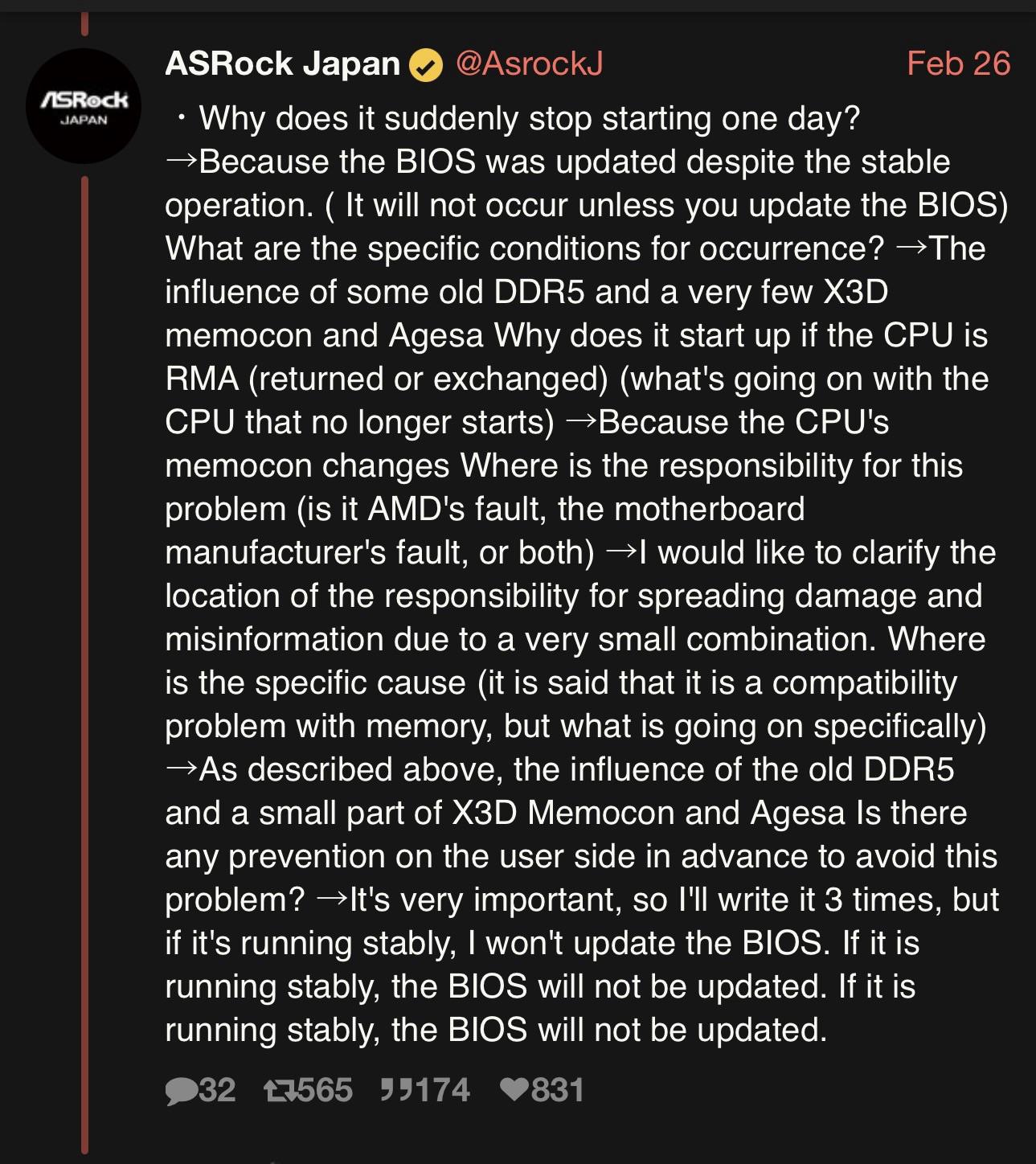
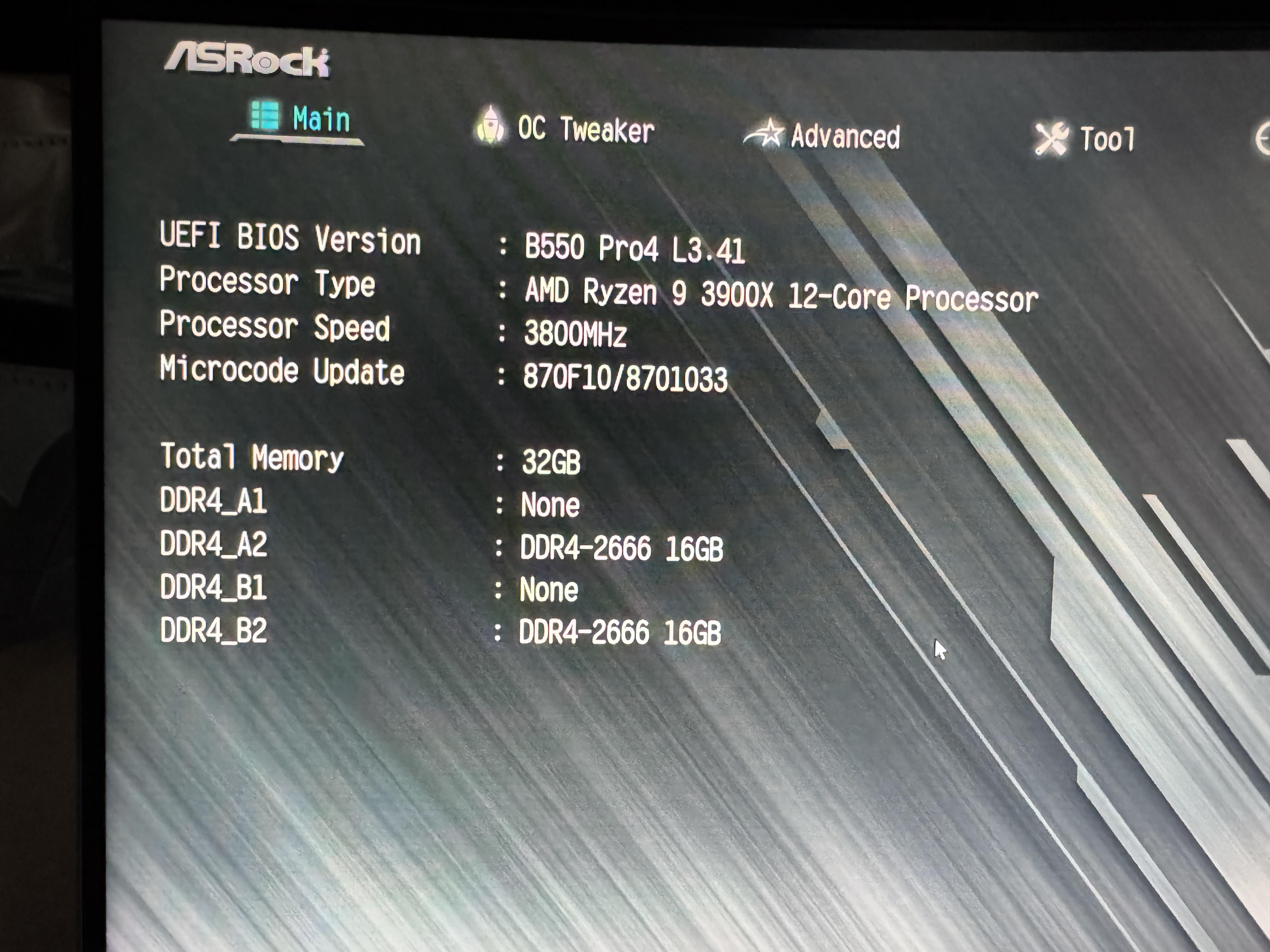
Can anyone matter than me make more sense of this? It was translated so maybe that makes it slightly more confusing. But I still don’t understand what the issue is because I feel like people had it fail with no bios updates? Also didn’t they more recently say to update Bios?
I got my 9800x3d and my asrock x870 pro rs motherboard back in march and it's been nearly 6 months of maxed out fps in games. I installed v3.20 bios using the bios flashback feature before installing the cpu, then i upgraded to v3.30 and today i'm upgrading to v3.40 and this whole time everything has been amazing, best motherboard i've ever had the pleasure to work with.
Based on Asrocks last financial report. Mobo revenue has been in freefall for the last four quarters. Q3 2024 it was a bit under 40% and for the last quarter reported Q2 2025 it was more than halved. Not good considering their weak marketshare in the mobo space. I can only imagine the trend will continue for Q3 and Q4.
Guess the question is, with quarter after quarter of declining mobo revenue and a miniscule marketshare compared to its competitors, and the scandal now plaguing them plus the brand damage because of it, does it even make sense to try and compete in the space? Would the resources dedicated to mobo’s be better reallocated to something they are actually good at?
If you are afraid that your new build is going to get damaged by any ASRock motherboard and AMD CPU, just return the motherboard and get something else. Stop asking if every chipset is going to hurt the CPU. If you're that scared/paranoid, go to Intel and do well. And stop complaining if 6xx or 8xx motherboard is going to damage my 7xxx or 9xxx AMD CPU. There is enough info out now to tell you before you even ask
It's working again after using Flashback to update BIOS to the most current version on the support website. I'm mostly posting just in case it helps someone Googling the same issue.
I've had it up and running for 2 months with no issues. It was working yesterday morning, then DOA after a break. The lights turned on, but the system wouldn't POST. Error code 00 on the display. I used Flashback to flash the update with the system powered off and then when I powered on it came back to life like nothing had ever happened.
Hi everyone, I’m writing this post after exhausting all options. I believe my ASRock X870 Pro RS motherboard has killed two AM5 CPUs, and I need help understanding what went wrong and what steps I can take toward RMA or support escalation.
My System Setup:
Motherboard: ASRock X870 Pro RS
CPU #1 (initial): AMD Ryzen 9 9900X
CPU #2 (test): AMD Ryzen 5 8400F (brand new)
RAM: 2× KingBank DDR5 6800MHz 24GB (total 48GB) ‣ Note: These modules are not listed in ASRock's official QVL
Cooler: High-performance AIO liquid cooler (installed from first launch)
Case cooling: Well-ventilated case with high-quality airflow and fans
PSU: Lian Li EG1000G (Gold-rated, 1000W, stable and verified)
BIOS version(s): Multiple tested (latest used was 3.25)
Initial Setup
I began assembling the system on May 31, but it wouldn’t boot at first — the motherboard showed solid red and yellow LEDs, indicating CPU and RAM errors.
Assuming the issue was caused by an unsupported CPU on the stock BIOS, I immediately used the BIOS Flashback feature to update to the latest version available at that time — version 3.25.
After the BIOS update, I started researching and found community suggestions to boot with only one RAM stick. I tested several slots, and finally slot B2 worked — the system successfully booted into BIOS on June 1.
I accessed BIOS only once, and only to enable EXPO so that both RAM sticks could work. I did not apply any overclocking, nor did I modify any advanced parameters — the system remained on default.
Sudden Freeze and Boot Failure
The system was fully operational from June 1 to July 11, running daily from 8:00 AM to 10:00 PM. The PC was never shut down during that time — it was always sent into sleep mode, and there were no crashes, freezes, or boot issues whatsoever.
On July 11, during regular use, the screen suddenly froze. The system became completely unresponsive to all keyboard shortcuts. Since I had a free moment, I decided to give it time to recover rather than reboot immediately. After about 10 minutes with no change, I attempted to shut down the PC via the power button.
Unfortunately, my case does not have a reset button, and the power button had no effect. I had no choice but to turn off the system using the PSU switch.
After powering back on, the system did not boot. I was greeted again by solid red and yellow LEDs on the motherboard (CPU and DRAM). Since I had encountered this issue before during initial setup, I assumed it might be a BIOS-related configuration issue.
I opened the case, removed one stick of RAM, and started testing different DIMM slots — first A2, then B2, followed by A1 and B1. In all cases, the system failed to POST.
Suspecting a BIOS issue, I downloaded and flashed the latest BIOS version available at the time — version 3.3 — but there was no improvement. I also tried downgrading and flashing earlier versions (3.20, 3.15, and 3.08) — again, with no success.
I came across a Reddit post describing identical symptoms — the red and yellow LEDs, complete lack of response to power or reset buttons, and no POST. The user eventually discovered they had forgotten to connect the CPU power cable.
That sparked an idea: what if I intentionally disconnected CPU power, in order to try and force the motherboard to reset or clear the last known error state?
By this time, I had already tried clearing the BIOS — both by removing the CMOS battery and using the CLR_CMOS jumper — but neither method had any effect.
I tested my theory by unplugging the CPU power cable and attempting to power on the system. The result was identical to what I experienced during the original freeze: → No display, and the power button was completely unresponsive.
This strongly pointed to a power delivery issue.
In other words, the motherboard might have damaged the CPU power circuitry, which would explain why even after replacing BIOS versions and changing slots, the board failed to POST properly.
At that point, I was fully convinced that the original CPU (Ryzen 9 9900X) was dead, but that the motherboard was still functional. So, I ordered a budget CPU (Ryzen 5 8400F) just to test the system.
When it arrived, I began filming a video of the CPU replacement. However, I made a mistake — the RAM was installed in slot B1. As expected, the system didn’t boot with the old 9900X, and also didn’t boot with the new CPU after replacement.
Next, I moved the RAM stick to slot B2, but again — no result. That’s where I ended the video.
Later, I tried slot A2, but I didn’t record that part. This time, the motherboard powered on, and the green BOOT LED lit up. I then rebooted the system, and this time all diagnostic LEDs turned on briefly and then turned off, which usually means that POST was successfully completed. However, there was still no display output, and none of the USB ports worked, including the front panel.
While I was browsing forums and trying to troubleshoot the issue, the system remained powered on. But after one more reboot, the original error returned — solid red and yellow LEDs. No matter what I tried, I couldn’t reproduce the successful POST behavior again.
Today, I’m also expecting a stick of QVL-listed RAM to arrive, just to test again — even though the system had previously worked fine with the current memory. One more thing I noticed during diagnostics:
When I turn off the PSU switch and press the power button to discharge capacitors, the system lighting (RGB) still comes back on after a few seconds — despite the system being supposedly discharged.
I’ve done everything I could: replaced the CPU, tested different RAM slots and BIOS versions, swapped power supplies, reset CMOS multiple times, and documented every step with photos and videos.
Despite all efforts, the system never returned to a fully working state. One processor is confirmed dead, and the second one might be damaged now as well. The motherboard seems to be the root cause, with signs pointing to power delivery failure or deeper instability.
I hope this helps someone else avoid the same fate.
✅ Update:
I just received a new RAM stick from the official QVL list and installed it alongside the Ryzen 5 8400F — the system booted successfully on the very first try.
Looks like the previous memory (which was not on the QVL) was the main reason for the failure, not the motherboard or CPU.
However, I still need to verify this by reinstalling the old Ryzen 9 9900X to see if it works with the new RAM.
Unfortunately, I confirmed that my Ryzen 9 9900X CPU is dead. After replacing it with a new processor, the system booted successfully — which proves the original CPU was damaged, most likely by the motherboard (ASRock X870 Pro RS).
Hey everyone, just wanted to give a final update and close this story.
After months of frustration, everything is finally resolved — and, surprisingly, both AMD and ASRock turned out to be very supportive in the end.
The biggest problems came not from the manufacturers, but from local resellers here in Ukraine.
AMD were absolute legends.
My Ryzen 9 9900X died, and even though AMD doesn’t officially handle RMAs in Ukraine, they still helped me directly.
My local seller completely denied that I ever bought anything from him — seriously — but AMD still processed my case and replaced the CPU without any drama. Massive respect for that.
ASRock also did their part.
They confirmed that they were willing to accept the motherboard and refund my seller through their Polish distributor (AB Poland).
But again, the seller dragged things out for weeks, the distributor was slow to respond, and the whole process took forever.
Still, in the end, ASRock approved the refund and the case was finally closed.
The Chinese seller who sold me the RAM was also great — no arguments, just accepted the return and replaced the sticks once I sent them back.
Of course, I had to pay for the shipping (like in every case), but at least the process was smooth.
So, after almost half a year of back-and-forth emails, returns, and waiting, everything’s done:
✅ CPU replaced by AMD
✅ Motherboard refunded through ASRock
✅ RAM replaced by the Chinese seller
It cost me some nerves and a bit of shipping money, but at least everything’s working now.
The manufacturers did great — it was the local resellers who made it painful.
Big thanks to AMD and ASRock for standing behind their products. 🙏
Get off of ASRock. Sell your motherboard on Facebook marketplace or return to the vendor. Everyday there’s the “I thought it would never happen to me” post. So let me ask you… do you want to be next? There’s no price on piece of mind.
So my Question is. instead of looking into this Sub or their own "testing" why not use your networking to ask these mega stores like microcenter etc how many people are calling/returning their Asrock boards with these dead CPUS? they sell alone more than THE ENTIRE COMMUNITY of this sub alone.
The entire thing is almost a joke now. daily 3-4 dead CPUS or boards failures daily in this sub but him trying to kill a CPU/board was not happening still etc yet didn't ask these companies about return rate? or calls , the generic user doesn't even know how RMA Works they call their Store and ask for direction if anyone knows its the shops that sell these stuff
Watch Asrock Quote them later on "third party popular unbiased media tested our boards/cpus over almost a full year with hundreds and hundreds of hours and couldn't produce a single failure if anything this proves our boards are flawless"
Hey guys, I’m by no means questioning the higher failure rate regarding ASRock motherboards, but I do question the reliability of some of these reports. In my opinion, the statistics being collected can be added to by anyone without any kind of proof. There are so many posts without much detail, screenshots, etc.
As I said, I’m not doubting that the problem itself exists, but everyone — including YouTubers — is basing their statements on the same community lists of dead CPUs. I strongly believe that a double-digit percentage of those reports and posts are trolls.
For example, I would only include CPUs on the list if there’s a photo of the chip along with a handwritten note showing the username and date. If, for whatever reason, that’s not possible, then they simply shouldn’t be included.
To sum it up: I don’t doubt that the issue is real, but I do doubt the number of cases and the validity of some of the reports and posters.
Cheers
Edit:
I’m quoting an editor from the German magazine PC Games Hardware:
"This too is merely speculation based on a single data point: feedback in an Asrock Reddit thread. However, such bias is to be expected there – as Gamers Nexus quite openly admits, only to then ignore this crucial observation for the rest of their video.
If there were also an accumulation of defective systems with Asrock boards in the Asus, Gigabyte, and MSI forums, that would indeed be noteworthy. But there isn’t.
So far, among those repeating the ‘Asrock is to blame’ claim, I haven’t encountered a single person who has systematically analyzed only neutral or all motherboard-related forums. At this point, such an effort wouldn’t even make sense or would need extensive correction: due to the coverage, Asrock users are now far more likely to speak up online when encountering problems – possibly even when only suspecting a connection without justification – whereas an MSI user in a similar situation might just contact support directly and therefore not show up as a ‘case’.
To actually demonstrate a statistical concentration for Asrock, one would have to compare the number of unexplained 9800X3D deaths relative to the total number of defective CPUs across different motherboard brands (assuming DOAs, gross assembly errors, and similar issues occur at equal rates everywhere).
Alternatively, one could compare successful CPU RMAs with the sales figures of the respective motherboards – but AMD and its partners keep those numbers secret.
Until such analysis is done, the rule stands: never trust a pseudo-statistic, not even one you faked yourself.
What is certain so far: – More 9800X3Ds are dying than would be expected – or desirable. – This happens on motherboards from all manufacturers, including Asrock. – Nobody knows why. – Every party that has conducted a technical analysis or attempted a reproduction has been unable to find or force any faults. – The motherboards found to be completely safe after these meticulous investigations were from Asrock. – No other manufacturer has yet conducted a comparable investigation.”
While under minimal stress “YouTube” my Taichi Lite Mobo X870E fried my 9800X3D popping up a 00 error code. After testing all my components in other systems my mobo ate the dust and took my CPU with it. Never again will I use an ASRock board… Lesson learned.
So for Clarity I have had this build a few months now, running AsRock Nova X870E paied with 9800X3D and 5090 GSKILL Royal NEO 8000 but I have it sent to 6000 with the EXPO set to 4800 for decent timings. For the AMD 9800X3D and most AMD processors, you must disable the integrated GPU (iGPU). For some reason, Windows often designates it as the primary display driver, which can lead to the processor running at excessively high voltages if not manually configured in the BIOS.
I discovered this during my own testing; many users are unaware that the iGPU can cause premature failure in 9800X3D processors, even when a dedicated graphics card is installed. My findings indicate that Windows is sending instructions intended for a dedicated graphics card to the iGPU. If you run resolutions higher than 1080p (such as 1440p or 4K) with both the iGPU and a dedicated graphics card active, Windows attempts to force the iGPU to render at those higher resolutions, leading to significant problems.
I also observed that the AMD iGPU was conflicting with my RTX 5090. After disabling the iGPU, all issues resolved, and my processor now idles at 28°C instead of 39°C. There appears to be an underlying issue with AMD iGPUs.
I got a X870e Taichi and was super excited when it arrived.
However when I am starting the build, I noticed there is a lot rattling sound on EZ release of GPU and SSD. The structure is super loose at these parts.
Is this normal for Taichi or I just got a bad board?
-ASRock B650 Livemixer -2x16 DDR5 Corsair Vengeance 6000MHz -RYZEN 7 9800X3D -Radeon 6600XT (upgrading entire system from AM4 so the new GPU will be soon)
I saw somewhere that lower-memory builds tend to avoid the 9800 burn out. Any tips on BIOS settings I should change to avoid CPU failure? Already updated BIOS to 3.20 with Flashback
As title says, i´m having vsoc spikes during gaming even though i have vddcr_soc limited to 1.12V and SOC/Uncore OC is set to Enabled, and EXPO is set to enable aswell.
I´m not having these spikes on Prime95 or Cinebench, just when gaming.
See my PC specs. I thought I had a pretty good PC. I have 32 gigs of ram and a Nvidia RTX 4070. I thought I was in good shape to come back and play World of Warcraft but everywhere I go and do anything I am sitting at 50 fps or lower. I have turned things down and watched YouTube videos on good settings for fps but still low. Like I said 30-65fps most of the time.
Is it my CPU that’s killing me? Is there sometimes on my B550 pro I can do to help?
9800x3d was on asrock b850m steel legend for about 4 months with no issue, replaced it today with asus b850m tuf for more usb port
should i be worried about my 9800x3d? not sure what bios i was on, is there any way for me to check if my 9800x3d got degraded in any way? ive tried a bunch of cpu and gaming benchmark/stress test and no issue so far
Hello, I am that guy who was so noisy about my system stuck at boot POST.
I went to distributor service center with my motherboard, cpu, ram and the technician showed me that my cpu was the problem (went to test my motherboard with their cpu using my ram, etc). I went home dissapointed then inspected the mtoherboard then I found this.
I dont think this is normal and might be the sole cause of my fried cpu (no burnt marks though). I am not sure since when did this CPU power went loose, it might be a factory defect.
I am trying to contact the distributor and will update on this case in Monday.