r/zabbix • u/Julwazza • Mar 07 '25
Replacing my UptimeKuma for this Zabbix Dashboard

160
Upvotes
r/zabbix • u/Zabbix_LLC • 21d ago

Zabbix 8.0 LTS is released. Here’s what we think you’ll notice first in daily operations.
Troubleshooting
APM and OpenTelemetry. Traces, metrics and logs now live next to your infrastructure data. Zabbix connects to your existing OTel collectors with no vendor lock-in, and the data feeds triggers and automated remediation, not just dashboards.
Complex event processing. The new engine does automatic root cause analysis, event correlation, deduplication and suppression, and context enrichment. You can also write your own pattern-matching logic in JavaScript. The goal is one alert that says “it’s the core switch” instead of 200 that say “everything is down”.
Scale
Up to 10x performance through server optimizations, lower resource usage and ClickHouse as a new high-performance history backend. It’s aimed at big installations where history tables swell and housekeeping drags.
AI
Zabbix MCP server. Connect your own AI agents to Zabbix to query the environment, analyze collected data and event history, and cut alert noise. Your existing Zabbix permissions and roles are respected.
Daily-driver improvements
Customizable views for hosts, templates and problems: unlimited custom views, extra columns such as inventory data, resizable and reorderable columns, and per-column display options.
UI/UX refresh: full tag inheritance for templates, hosts and items, a new dark blue theme, inline validation in all forms, and SAML certificates and private keys importable from the UI.
Dashboards and widgets: dashboard export/import, a new Scatter Plot widget, Y-axis inversion and metric highlight/broadcast across Graph widgets, marker clustering in Geomap, and item pattern aggregation in Top Items.
New templates: Kubernetes, Proxmox VE, Hyper-V, Claude API, OpenAI Platform, Envoy Proxy, generic OpenTelemetry, GCP and Oracle Cloud cost and platform monitoring, plus new Azure, AWS, Podman, MariaDB, Percona, Cisco, Aruba and OpenRouter templates, and more.
Coming soon: the official Zabbix Mobile app (iOS and Android, E2E encryption, push notifications) arrives shortly after 8.0: https://www.zabbix.com/mobile_app
Links
Download Zabbix 8.0: https://www.zabbix.com/download
Upgrade procedure: https://www.zabbix.com/documentation/current/en/manual/whatsnew#upgrade-notes
Explore what’s new: https://www.zabbix.com/whats_new_8_0
Release notes: https://www.zabbix.com/rn/rn8.0.0
Livestream (Nov 5, 5:00 PM UTC+2 / 9:00 AM CST) with Alexei Vladishev, Vladimir Elster and Arturs Lontons, extended walkthrough plus live Q&A: https://www.youtube.com/live/7Q-TYINSCVA?si=fSvvIJW55YA6eNlg
We’d love to hear what you test first and what you’d like to see next. 👇
r/zabbix • u/Zabbix_LLC • Oct 01 '26

Here's the short version of what it means for you:
See your whole stack in one place: application performance monitoring and OpenTelemetry bring traces, logs, and metrics together with your infrastructure data.
Get fewer, smarter alerts: complex event processing helps with correlation, root cause detection, and noise reduction.
Nice touches: ad-hoc maintenance, proxy permissions, and a new dark blue theme.
The final 8.0 LTS isn't far off, so RC1 is a great chance to try it out early.
Explore full release notes: https://www.zabbix.com/rn/rn8.0.0rc1
r/zabbix • u/chavessecret • Sep 01 '26

I’ve been working on a custom module for Zabbix 7.0 called Industrial Operations Map.
The idea came from a common problem I see in monitoring environments: Zabbix is great at showing hosts, metrics, triggers and problems, but sometimes it is difficult for an operations team to immediately understand where an incident is impacting the actual operation.
So I built a visualization layer that maps Zabbix objects into operational areas, facilities and process flows.
Each area on the map can be linked to a real Zabbix Host Group. The module then correlates monitored hosts, active problems and severities from that group and represents its operational state directly on the map.
For example, instead of only seeing individual alarms for PLCs, servers, network devices or industrial systems, you can visualize areas such as:
Water Treatment
Utilities & Power
Production Lines
CIP Systems
Quality Lab
Packaging
Cold Storage
Shipping / Dispatch
The current version includes:
Integration with real Zabbix Host Groups
Active problem and severity correlation
Host/problem aggregation by operational area
Geographic maps
Native Zabbix images as industrial layout backgrounds
Directional and bidirectional connections
Animated process flows
Problem Tag filtering
Operational status based on active problems
Persistent topology
Atomic save and recovery
Statistics caching
Native Zabbix permission handling
Interactive area/problem details
One of the main goals was to keep Zabbix as the source of truth.
The module does not replace Zabbix monitoring logic and does not poll devices independently. It consumes the existing hosts, groups, triggers, problems, tags and permissions and adds an operational visualization layer on top of them.
For the screenshots, I created a synthetic beverage plant environment with multiple operational areas and simulated incidents. All hosts, problems and operational data shown in the demonstration are synthetic.
The module is currently at:
Industrial Operations Map v1.0.0
Zabbix 7.0
I’m the author of the module and I’m currently continuing to test and improve it.
I’d be interested in feedback from other Zabbix users, especially people working with NOC, industrial monitoring, OT/IT environments or large infrastructure dashboards.
Would something like this be useful in your Zabbix environment?
r/zabbix • u/Afewofmyfavorite • Jan 21 '25
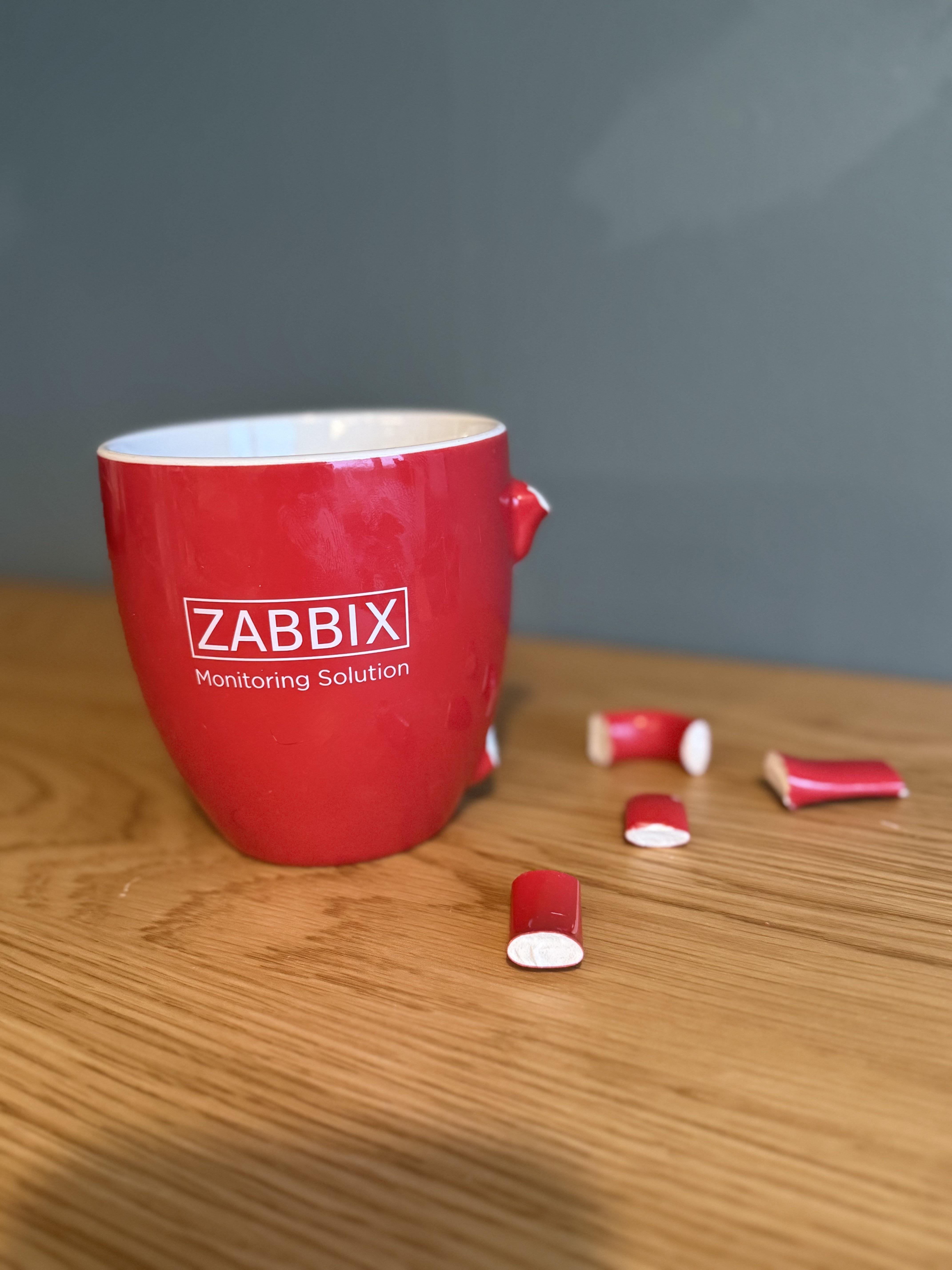
Mods, please delete this if it’s not appropriate.
I broke my boyfriend’s Zabbix cup last night while doing the dishes. And to quote him, it’s “his favorite cup”. He actually saw it happen and slow-motion yelled “Nooo” as it hit the floor.
I’m considering just gluing the handle back together. But I figured it wouldn’t hurt to ask here, if it was possible to purchase a new one for him somewhere?
Please and thank you!
r/zabbix • u/planet_fox • Sep 07 '26

My own project, AGPL-3.0, nothing commercial behind it.
Frontend module for Zabbix 7.0 LTS and 7.4 that draws a topology from LLDP/CDP neighbour tables. What 5.3 adds:
A confidence score per edge. A neighbour name is matched to a host by several routes — exact name, IP, short name, normalized port — and those are not equally trustworthy. That now shows on the edge. Before, a guess looked like a measurement.
Edges age instead of vanishing. A neighbour that stops being reported stays visible as stale, and the diff to the previous state is shown — rewired cables stand out even when nothing went down.
Errors and discards at the port rather than summed over the host. On a 48-port switch a single bad port disappears in the total.
Memory. Metric items were fetched in a single API call: at 5,000 hosts with 24 ports that is 840,000 items and 457 MB, against a 128 MB frontend limit. Now chunked — 566 MB down to 90 MB at unchanged runtime.
One fix that justifies updating on its own: a URL parameter could hang the map on "Loading topology…" permanently. Not an information leak, but triggerable by link, and present in 5.1.x and 5.2.0.
Updating from 5.2: replace the directory, reload php-fpm. No scan directory, no template import.
r/zabbix • u/Glittering-End-1361 • Aug 31 '25

Zabbix is an amazing monitoring tool, but let’s be real — the UI isn’t exactly “friendly” for non-technical folks. My service desk team only needed to see problems in real-time, but giving them full Zabbix access was a pain: • Extra accounts to manage • Security risks • Endless “where do I click?” questions
So… I built my own solution: a Custom Zabbix QuickView Dashboard.
👉 Features: • Real-time problem view (directly pulls from the Zabbix DB). • Admin panel to hide certain hosts/host groups from specific users. • No Zabbix logins needed → safer and way simpler. • Clean, modern UI (think less “enterprise tool”, more “dashboard you actually enjoy looking at”). • Easily updatable → can add new dashboard requirements on the fly.
Here’s a screenshot of what it looks like: [screenshot attached]
Since rolling it out, my service desk finally gets what they need without touching Zabbix at all. And my ops team isn’t worried about handing out unnecessary access anymore.
r/zabbix • u/ZomboBrain • Mar 11 '25
While we don't like to bring real-life politics into our subreddit, the actions of the current owner recently have been reprehensible. While we definitely don't account for even a fraction of the traffic of the site, we're still going to do our part to turn people towards alternatives.
If you would like to post a Tweet: Please take a screenshot of it and post it as an image. No source will be required for such posts.
Mods will be in the comments to answer any edge cases, as well as to hear your opinions on the rule. If you have any alternative ideas, we would be happy to address them as well.
r/zabbix • u/Zabbix_LLC • Jun 04 '24
Zabbix 7.0 LTS is now available for download!
With the Zabbix 7.0 release, it is now easier than ever for organizations to implement an all-in-one monitoring solution with a variety of enterprise-grade features available right out of the box.
The release introduces such new features as:
Synthetic end-user web monitoring
Monitor websites and web applications by defining flexible multi-step browser-based scenarios
Zabbix proxy high availability and load balancing
Scale your Zabbix environment as you go and ensure 100% availability with automatic proxy load balancing and high availability features
Improved Zabbix proxy flexibility and speed with configurable proxy buffer modes
Zabbix proxy now supports fully in-memory data storage for the collected metrics enabling better proxy flexibility for devices with embedded hardware and edge computing scenarios
Improved data collection speed and scalability
To greatly improve the speed and scalability of metric polling, synchronous poller processes have been replaced with asynchronous pollers
Centralized control of data collection timeouts
Centralized control of data collection timeouts via Zabbix GUI enables better support for metrics and custom checks taking longer data collection time intervals
New ways to visualize your data
A variety of new dashboard widgets such as Honeycomb, Gauge, Pie chart, and others, have been introduced enabling a more comprehensive overview of your monitored metrics and infrastructure.
Major network discovery speed improvements
Parallelization support has been introduced to network discovery, improving the speed of host and service discovery by measures of 10-100x
Dynamic dashboard widget navigation
A new communication framework has been introduced for dashboard widgets, enabling communication between widgets. A widget can now behave as a data source for other widgets in the same dashboard.
Native enterprise-grade multi-factor authentication support
Out-of-the-box support of multi-factor authentication (MFA) enables enterprise-grade security and more flexibility for configuring user authentication methods. Supported MFA providers include Time-Based One-Time Password (TOTP) and Duo Universal Prompt authentication.
Low-level discovery resource management improvements
Low-level discovery has received a variety of improvements, which enable enhanced host configuration and management flexibility when discovering hosts in complex environments, such as VMware or Kubernetes
Many other changes and improvements
Zabbix 7.0 LTS comes pre-packaged with various new templates and webhooks for the most popular vendors and cloud providers:
Find out more about Zabbix 7.0 LTS by visiting our “What's new in Zabbix 7.0 LTS” webinars and workshops. The full webinar and workshop list can be found on our Webinar page
You can find the download instructions and download the new version on the download page
In order to upgrade to Zabbix 7.0 LTS you need to upgrade your repository package and download and install the new Zabbix component packages (Zabbix server, proxy, frontend, and other Zabbix components). When you start the Zabbix server, an automatic database schema upgrade will be performed. Zabbix agents are backward compatible, therefore, it is not required to install the new agent versions. You can perform the agent upgrade at a later time.
You can find detailed step-by-step upgrade instructions on our Upgrade procedure page.
Learn about new features and changes introduced in Zabbix 7.0 LTS by visiting the What's new in Zabbix 7.0 page
A detailed description of the new features can be found in What’s new documentation section
Take a look at the release notes to see the full list of new features and improvements.
r/zabbix • u/Zabbix_LLC • Feb 15 '22
The Zabbix team is proud to announce the release of Zabbix 6.0 LTS. The latest version comes packed with many new features, improvements, new templates, and integrations.
Out-of-the-box High Availability cluster for Zabbix server with support for one or multiple standby nodes
Redesigned Services section, tailored for flexible Business Service monitoring with the ability to monitor over 100k services, define flexible service calculation rules, perform root cause analysis, receive service status change alerts, and more
New machine learning trend functions for baseline monitoring and anomaly detection
Monitor your Kubernetes instance with out-of-the-box Kubernetes monitoring for pods, nodes, and Kubernetes component monitoring
New Audit log schema enables detailed logging for both the Zabbix frontend and backend
Track your host status and location with the new Geomap widget
The Top hosts widget displays a list of Top N or Bottom N hosts sorted by an item value
Ability to define custom Zabbix password complexity requirements
Multiple UI improvements - Hosts can now be created directly from the Monitoring section. The Monitoring - Hosts - Graphs section has received UX and performance improvements.
Zabbix agent2 now supports loading stand-alone plugins without having to recompile the Zabbix agent2
Monitor SSL/TLS certificates with a new Zabbix agent2 item
New history and aggregate functions
New functions for Prometheus monitoring
Performance improvements for Zabbix Server, Proxy, and Frontend
All of the official Zabbix templates are now stand-alone and do not require importing additional template dependencies
And many other improvements and features
New templates for:
F5 BIG-IP
Cisco ASAv
HPE ProLiant servers
Cloudflare
InfluxDB
Travis CI
Dell PowerEdge
pfSense
Kubernetes
Mikrotik
Nginx Plus
VMware SD-WAN VeloCloud
GridGain
Systemd
Zabbix 6.0 also brings a new Github webhook integration
Find out more about Zabbix 6.0 LTS by visiting our What's new in Zabbix 6.0 LTS webinar, covering the most important new features and improvements: https://www.zabbix.com/webinars
Official Zabbix packages are available for:
Linux distributions for different hardware platforms on RHEL, CentOS, Oracle Linux, Debian, SuSE, Ubuntu, Raspbian
Virtualization platforms based on VMWare, VirtualBox, Hyper-V, XEN
Docker
Packages and pre-compiled agents for most popular platforms, including macOS and MSI packages for Windows
One-click deployment is available for the following cloud platforms:
AWS, Azure, Google Cloud, Digital Ocean, Linode, Oracle Cloud, Red Hat OpenShift, Yandex Cloud
You can find the download instructions and download the new version on the download page: https://www.zabbix.com/download
Zabbix 6.0 LTS also incorporates the features added in Zabbix 5.2 and Zabbix 5.4 non-LTS versions.
In order to upgrade to Zabbix 6.0 LTS you need to upgrade your repository package and download and install the new Zabbix component packages (Zabbix server, proxy, frontend, and other Zabbix components). When you start the Zabbix server, an automatic database schema upgrade will be performed. Zabbix agents are backward compatible therefore, it is not required to install the new agent versions. You can perform the agent upgrade at a later time.
Join the Zabbix Workshop Week to try out the new Zabbix 6.0 LTS features under the guidance of a Zabbix Certified trainer! You can register for individual workshops here:
https://www.zabbix.com/workshops
An overview of the new features and changes can be found on our What's new in Zabbix 6.0 page:
https://www.zabbix.com/whats_new_6_0
What's new in Zabbix 6.0.0 documentation section:
https://www.zabbix.com/documentation/current/en/manual/introduction/whatsnew600
Take a look at the release notes to see the full list of new features and improvements:
r/zabbix • u/broadband9 • Oct 08 '22

r/zabbix • u/Zabbix_LLC • Jul 01 '25
The Zabbix 7.4 major release is now available for download!
Zabbix 7.4 simplifies host configuration, expands automated discovery capabilities for complex environments, enhances dashboards with live editing, and delivers significant UI/UX improvements that make monitoring more accessible and efficient.
Discover multi-tier environments with nested low-level discovery (LLD)
Nested LLD enables automatic LLD rule creation with discovery prototypes
Automate hierarchical host discovery with nested host prototypes
Hosts discovered from host prototypes can now use low-level discovery to create hosts of their own
Simplify your host workflows with the Host Wizard
The Host Wizard can be used to guide users through host creation and configuration, from host definition to template selection, interfaces, macro customization, and agent deployment
Visualize individual items with the Item Card widget
Display the latest collected values, tags, error messages, related triggers, and more
Extend your network maps with the latest features
Network maps now support scalable background images, item thresholds in link indicators, element ordering in maps, and other improvements
Do more with your dashboards
Zabbix 7.4 introduces live dashboard editing, color schemes for graphs, an instant widget configuration change preview, and an updated Global view dashboard
Catch errors instantly with inline form field validation
Inline validation works in Host, Item, Template, and Trigger configuration forms
Zabbix 7.4 comes pre-packaged with new templates for the most popular vendors:
Pure Storage FlashArray
Azure SQL Managed Instance
Azure MSSQL DTU database by HTTP
Azure Backup Jobs by HTTP
Palo Alto PA-440
Juniper MX
Improvements for Dell by HTTP and SNMP templates
A variety of media types have been updated:
Discord
GitHub
GLPi
Jira
Jira Service management
MS Teams
MS Teams Workflows
OTRS CE
PagerDuty
Slack
Telegram
Zammad
Tune in to our “What's new in Zabbix 7.4” webinar in English on July 3 at 10 AM CDT to discover more and ask your questions live. The webinars in other languages can be found on our webinar page.
You can find the download instructions and get the new version on our download page.
Detailed upgrade steps are available on our upgrade procedure page.
Learn about the new features and changes introduced in Zabbix 7.4 by visiting the What's new in Zabbix 7.4 page.
Take a look at the release notes to see the full list of new features and improvements.
r/zabbix • u/Ibrita12 • Oct 25 '25

Drowning in alerts? Here’s how I automated incident handling.
I recently built a proof of concept that integrates a Large Language Model (LLM) into my zabbix to diagnose and even resolve incidents automatically.
The goal was to create an AI agent that behaves like an IT admin — it follows SOPs, analyzes issues, and even waits for human approval before applying remediations. This was all done using Zabbix and n8n;
I documented the full architecture, workflows, and security considerations in an article so others can try it out or build on it.
Would love your thoughts and feedback!
r/zabbix • u/Zabbix_LLC • Oct 06 '26

Instead of clicking through the UI, you can now ask your AI assistant to pull host data, check active problems, investigate triggers, or manage maintenance windows – all in natural language.
What it actually does:
Query hosts, templates, triggers, problems, maintenance periods
Let AI analyze Zabbix data and suggest root causes
Acknowledge, comment, suppress, change severity, or close problems
Create, update, delete maintenance windows
Confirm changes before anything gets executed
Scope access with permissions and tool selection – the AI only does what you allow
Works with any MCP-compatible client. Less clicking, same Zabbix access controls.
Get started: https://www.zabbix.com/download?zabbix=8.0&os_distribution=debian&os_version=13&components=mcp_server&db=&ws=
r/zabbix • u/s9suparl • Oct 07 '26

Release again moved to NOVEMBER 2026
r/zabbix • u/Zabbix_LLC • Dec 10 '24
The Zabbix 7.2 major release is now available for download!
Zabbix 7.2 introduces new ways to visualize your data and host information while improving upon a variety of existing monitoring features and workflows.
The release introduces such new features as:
New ways to display metrics
Group, filter, and display your data in a dynamic table view by using indicators, bars, and sparkline charts in the new Top items widget
Get a comprehensive overview of your hosts
Display detailed information about your hosts on your dashboards with the new Host card widget
Gain additional insights about your data
Provide additional contextual information by applying sparkline charts on top of your existing widgets
Automatically discover and start monitoring NVIDIA GPUs
Discover and monitor your GPU graphics cards by utilizing the new NVIDIA GPU monitoring template and Zabbix agent 2 plugin (Available in Zabbix 7.2.1)
Monitor SSH subsystems such as NETCONF and SFTP with SSH item subsystem support
With the added support of SSH subsystems in SSH items, Zabbix users can now collect data from endpoints limited to a particular subsystem, such as NETCONF monitoring for network devices
Enhance your automation and configuration management workflows
Improve your automated Zabbix deployment workflows with the support of environment variables in Zabbix configuration files
Enrich your alerts and monitoring workflows with newly supported macros
A set of new macros enables Zabbix users to display event Unix timestamps, show service IDs, enrich existing expression macros with new information, and more.
VMware monitoring improvements
Zabbix 7.2 enables the use of VMware hypervisor templates in stand-alone mode and adds a new virtual machine hypervisor maintenance status item
Zabbix 7.2 comes pre-packaged with new templates for the most popular vendors:
Multiple templates for LAMP stack monitoring by Zabbix agent active
*Available in Zabbix 7.2.1
You can find out more about Zabbix 7.2 by tuning in to our “What's new in Zabbix 7.2” webinars. The full webinar list can be found on our Webinar page
You can find the download instructions and download the new version on our download page.
In order to upgrade to Zabbix 7.2, you need to upgrade your repository package and download and install the new Zabbix component packages (Zabbix server, proxy, frontend, and other Zabbix components).
When you start the Zabbix server, an automatic database schema upgrade will be performed. Zabbix agents are backward compatible, so installing the new agent versions is not required. Agent upgrade can be performed at a later time.
You can find detailed step-by-step upgrade instructions on our Upgrade procedure page.
Learn about new features and changes introduced in Zabbix 7.2 by visiting the What's new in Zabbix 7.2 page.
A detailed description of the new features can be found in the What’s new documentation section.
Take a look at the release notes to see the full list of new features and improvements.
r/zabbix • u/ObviousAIChicken • Nov 15 '25
I built this widget after the company I work for migrated to Zabbix, when colleagues mentioned missing something like it. It’s a quick NOC-style host overview similar to what you’d see on a wall display. Sharing it for free in case it’s useful to someone.

r/zabbix • u/lukagroswtf • Oct 09 '25

Zabbix Summit @Riga Love it here 👍
r/zabbix • u/ttake-55 • Sep 29 '26

I wanted an easier way to see which Zabbix Server, Proxy, or Proxy Group is responsible for monitoring each host, so I built a dashboard widget to visualize those monitoring paths.
This is not a physical network topology map — it focuses on the monitoring relationships already known by Zabbix.
The target can be selected directly by host/host group, or dynamically from a connected Navigator widget.
GitHub: https://github.com/HOLOZTEK/zabbix-widget-monitoring-topology
How do you usually keep track of monitoring paths in larger or distributed Zabbix environments?
r/zabbix • u/Trikke1976 • Apr 01 '25
🚀 Zabbix Book Update! 🚀
We’ve made some exciting updates to the book over the past few weeks! Check out the latest improvements:
📌 Zabbix Data Flow – Read More
📌 Custom LLD in Zabbix – Read More
📌 LLD with Dependent Items – Read More
💡 Help Us Improve!
Spotted a mistake? Think something is missing? Create an issue here: GitHub Issues
🔧 Want to contribute?
Join us in making this book even better! Fork the repo and submit your contributions: GitHub Repo
🌍 Looking for Translators!
We need help translating our Welcome page, Guidelines, and Supporters & Contributors sections. If you're interested, let us know!
Your feedback and contributions are what make this project great. Thanks for being part of it! 💙 #Zabbix #Monitoring #OpenSource #ZabbixBook
Just saw Zabbix is finally releasing an official mobile app with 8.0! That was always one of my biggest downsides to it. Looks like it'll handle alerts, push notifications, and resolving issues natively on mobile:https://www.zabbix.com/mobile_app
r/zabbix • u/ZaBbeast • Jan 27 '23
Hi folks,
I've been using Zabbix for over a decade and its greatest power is definitely its flexibility and tones of features.
I know all these features can be overwhelming for new users, even though Zabbix has one of the best documentation on the web. This is the main reason why I wrote this step-by-step guide:
https://bestmonitoringtools.com/zabbix-tutorial-for-beginners-a-step-by-step-guide/
With this guide, you can set up monitoring for your entire infrastructure in just one day and learn more advanced features like hysteresis, trend prediction, and escalation.
Regards
EDIT: Just to add clarification, this tutorial is a collection of guides that have been carefully crafted over a period of two years to guide anyone from beginner to expert level. Each guide is divided into two parts: first, a basic section and then an advanced section, covering topics such as Zabbix server/proxy optimization, DB optimization, VMware optimization, hysteresis, trend prediction, and advanced web monitoring creation with Python scripts. You need to follow a few tutorials to get the full picture.

