r/widgy • • 2h ago

Question Tap Action not working

1 Upvotes

Bear with me, I’m new to Widgy. Attempting to make a medium widget with a couple tap actions. One going to health app, one to calendar, and I’ve tried everything my brain has thought of.. every time it opens to the Widgy app. I’ve tried to a shortcut, to the apple app, to “Apple health app”, everything. Neither one will open correctly. I’m a total noob so I’m assuming it’s something I’m doing wrong but can someone help? It would be super beneficial to see a screenshot of how a tap action should be set in the settings so I can mimic. I’ve been at this for a couple hours trying all different things for widget action and external action.

Ps - I read something about iOS issues.. this is on my iPhone and I’m currently running 26.0.1 if that’s helpful.


r/widgy • • 13h ago

Discussion Current setup and questions

6 Upvotes

Before anyone asks, these are the Liquid Glass icons from lokki.

I was finally able to get the Liquid Glass look and true transparency to work at the same time with my Widgy widgets, while not using clear icon mode. Before to achieve this look with my widgets, I had to use clear icon mode under the Home Screen customize menu, but now it works under the normal icon mode.

The only issue is that I can only get this specific setup working on my iPhone, my iPad still requires me to set both my widgets and icons clear if I want true transparent + Liquid Glass look.

Is there anyway to get this specific setup also working on the iPad? Anyone able to do it?


r/widgy • • 1d ago

My Setup My current homescreen 📱

Post image
8 Upvotes

r/widgy • • 21h ago

My Home Widget 🩵

Post image
0 Upvotes

r/widgy • • 1d ago

Concept Is this possible?

Post image
5 Upvotes

I saw a video on tiktok, and I want to see if its possible to do.

I know that there are people here who are experts in doing things like this. u/ElijahBailey-


r/widgy • • 2d ago

My Home Widget 🤍

Post image
18 Upvotes

r/widgy • • 1d ago

My Home Widget My new homepage’s

Thumbnail
gallery
0 Upvotes

Glossy brushed copper with a splash of color


r/widgy • • 2d ago

Question “EXPLORE” ???

1 Upvotes

No “EXPLORE” widgets ?
The WIDGY “Explore “ window
says “No Results” ??? Help! !


r/widgy • • 3d ago

Question Calendar widget

Post image
3 Upvotes

Just wondering if this type of calendar widget is possible to be made in Widgy? It comes from default iOS calendar widgets. Called Up Next.


r/widgy • • 3d ago

My Home Widget I'm giving them to you

Thumbnail
gallery
10 Upvotes

r/widgy • • 3d ago

Question Curious cat

1 Upvotes

Hi guys I have some Widgy before and it uses transparency, it saying it’s not supported when I try to import them on my iPhone Duo. Is Widgy still working on fully optimizing the app?


r/widgy • • 4d ago

Question Action button keeps opening app

1 Upvotes

So, i made a widget that has the same icons but rotate their visibility with an action button. I don’t have this issue with other widgets just with this one whenever I push one of the action buttons the app also opens and I don’t know why. could someone please tell me where am I missing something?


r/widgy • • 4d ago

Bug Dynamic color background always shows black — doesn't follow system Light/Dark appearance

1 Upvotes

Summary
Since a while ago, when I set a widget's background to a dynamic color (white in Light appearance, black in Dark appearance), the widget on my Home Screen always shows black. It doesn't switch to white when the system is in Light appearance. Same configuration worked properly in earlier Widgy/OS version.

Steps to reproduce

  1. Create a new widget in Widgy (size: Small).

  2. Set the background to a dynamic color: Light = white, Dark = black.

  3. Save and add the widget to the Home Screen.

  4. Set the system appearance to Light (Settings > Display & Brightness > Light).

  5. Look at the widget on the Home Screen.

Expected result
The background is white in Light mode and black in Dark mode, switching automatically with the system appearance.

Actual result
The background is always black, whatever the system appearance. The preview inside the Widgy app switch correctly, though.

Environment

  • Widgy version: 27.0.1

  • iOS version: 26.7.3

  • Device: iPhone 17 Pro

  • Home Screen icon style: Default

What I've tried

  • Creating new widget with same color option; can reproduce

  • Regular troubleshooting: Including reassign widget, delete from Home Screen, reboot, Reinstall Widgy.

Has anyone else run into this, or developer been aware of this condition?


r/widgy • • 4d ago

My Home Widget 💙

Post image
2 Upvotes

r/widgy • • 4d ago

Tips, Tricks & Tutorials Documentation on true transparency?

1 Upvotes

Where can I find a thorough explanation of true transparency and glass effect settings that tells me how they work?


r/widgy • • 5d ago

Question Help with transparent background

Thumbnail
gallery
3 Upvotes

Hey all
Would anyone know why this widget isn’t being transparent? It looks fine while editing in Widgy but when adding to the Home Screen it’s blurred out. I’ve tried customising the app themes as well but to no avail. TIA


r/widgy • • 6d ago

My Setup My New Homepage

Post image
1 Upvotes

Brushed copper


r/widgy • • 7d ago

My Setup A little city on your home screen 🏙️🌃

Thumbnail
gallery
25 Upvotes

Fun hourly changes through the day ✈️🪂🛸


r/widgy • • 7d ago

My Home Widget Made a System 1 style weather tab for my iPhone

Thumbnail
gallery
18 Upvotes

One Widgy widget with three tabs: Home, Agenda and Weather. This is the Weather tab: next hours on top, 6 days below. I drew the icons pixel by pixel to match. Happy to answer how it is built.


r/widgy • • 7d ago

My Setup My current homepage (Slightly Tweaked from original)

Post image
4 Upvotes

r/widgy • • 7d ago

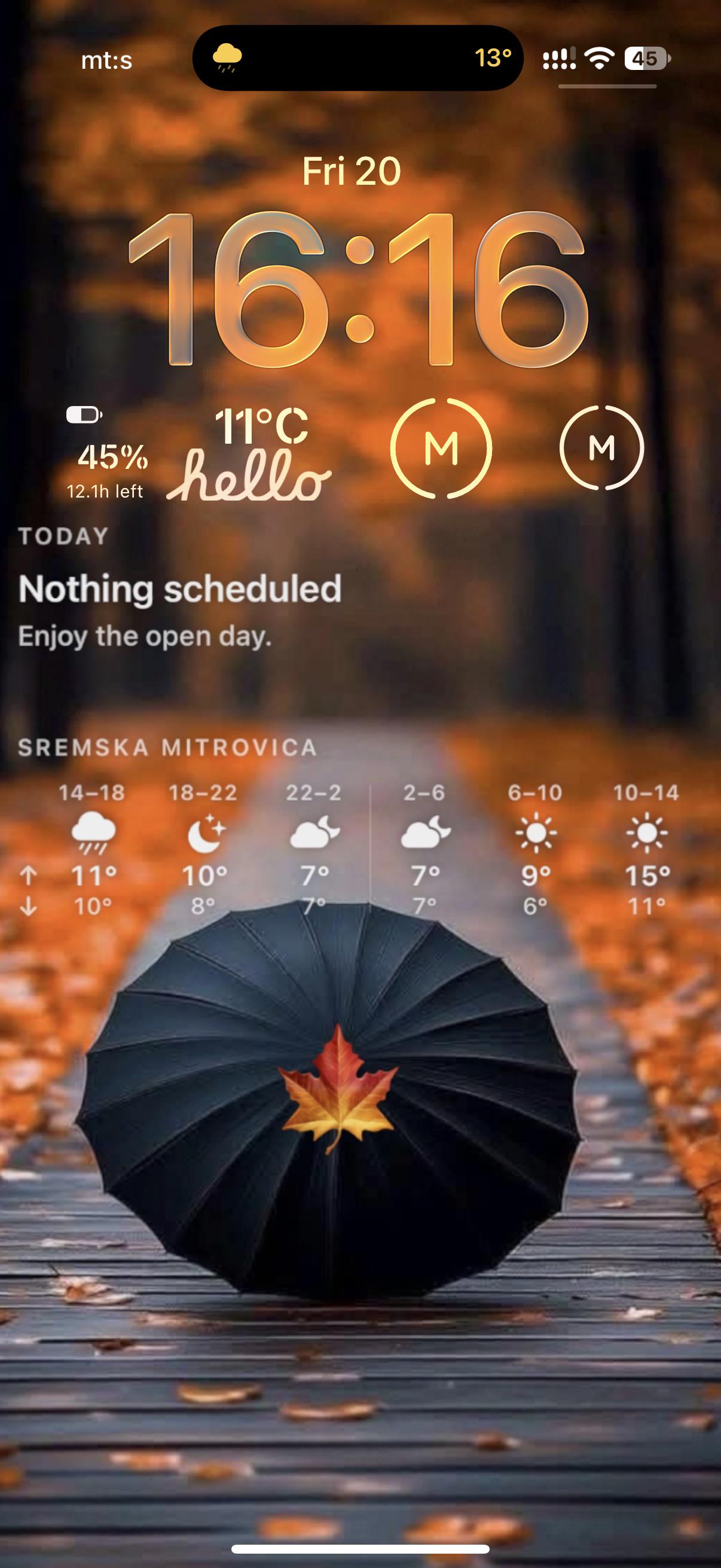
My Lock Widget Lock screen

Post image
5 Upvotes

r/widgy • • 7d ago

My Setup GTA

Thumbnail
gallery
57 Upvotes

Get the Updated QR Code in the comments section below.


r/widgy • • 7d ago

My Setup My current setup

Post image
0 Upvotes

r/widgy • • 7d ago

Bug CSV Picker won't open with "CSV from Web URL" (v27.0.1 / iOS 27.2) — anyone else?

1 Upvotes

Hi, I'm having trouble with the CSV Picker after updating, and I'm not sure if it's a bug or something on my end.

**Summary**

In the Data tab of a Graph or Chart layer, the CSV Picker dialog does not open after entering a URL with "Custom - CSV from Web URL" and tapping Go. Nothing appears at all.

**Steps to Reproduce**

  1. Create a new widget and add a Graph (or Chart) layer

  2. Open the Data tab

  3. Select "Custom - CSV from Web URL"

  4. Keep the default sample URL (Titanic train.csv from GitHub)or enter any CSV URL

  5. Tap Go

**Expected Behavior**

The CSV Picker opens and shows the CSV columns.

**Actual Behavior**

Nothing happens. No dialog, no error message.

**Notes**

- It also fails with the default sample URL, so it doesn't seem to be a server or CSV format issue.

- It happens even when starting from a brand-new widget and layer.

**Environment**

- ❌ Not working: iOS 27.2 / Widgy v27.0.1

- ✅ Working: iOS 26.6.2 / Widgy v26.1.1

Since both the iOS and Widgy versions differ between the two setups, I'm not sure which one is the cause — or if it's something specific to my device.

Is anyone else seeing this on iOS 27 / v27? Thanks!