r/tinkercad • u/EntireCurrency3694 • 19h ago
Help please
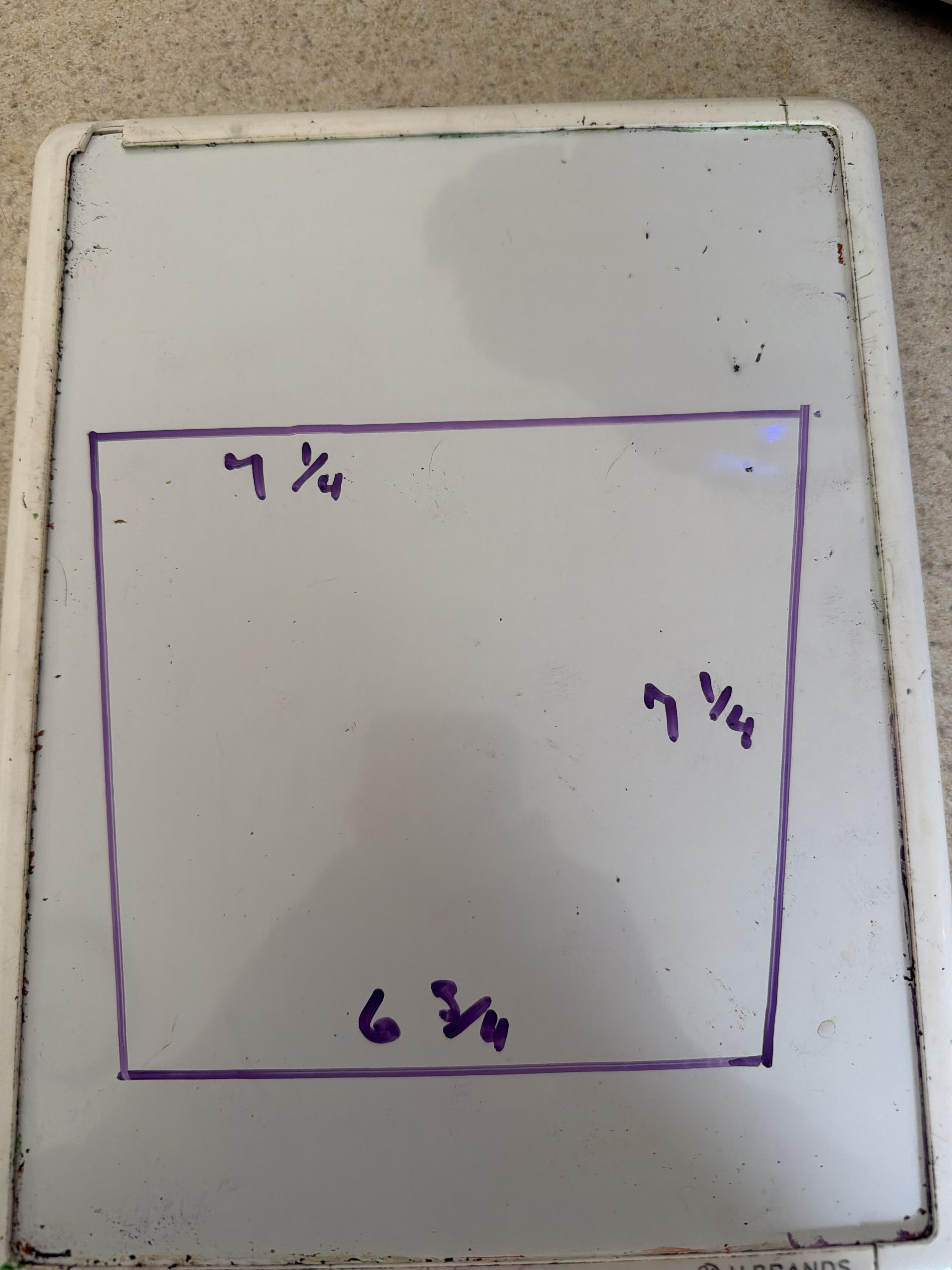
I am brand new to tinkercad and am trying to make a center console insert for my buddies truck. The shape is a square but with one of the 4 sides slightly smaller than the other 3 “trapezoid” and I can’t figure out how to adjust just one side of the square. Also once I have the square how do I had walls to make it a tray? I have a square tray STL already but am unsure how to edit one side of it so thought it may be easier to make a new one.
4
u/rocking_womble 18h ago
There's a trapezoid object you can drop in & set the sizes... then duplicate it & shrink by enough so the difference gives you the wall thickness you want. Make the smaller one a 'hole' and combine the two to create a hollow tray.
2
u/SonyJunkie 19h ago
There are two ways that I can think of to do this.
The first way is to create the shape in sketch extrude twice, one as a shape and use this as the base, make it 2mm tall, the second time as a stroke with a 2mm inner stroke and use this as the walls and set the height to whatever you need
The second way is to use a much more feature rich online CAD tool like Layerling!!
1
0
u/ScienceForge319 19h ago
Because, by definition, you can’t adjust one side of a square. It stop being a square at that point.
1
u/EntireCurrency3694 15h ago
Hence why I said trapezoid in quotations
-2
u/ScienceForge319 12h ago
You did not really internalize what I wrote. Best of luck to you with the attitude.
8
u/original_wolfhowell 19h ago •
So, the easiest way would be layerling's narrow along feature.
The only way I can come up with in tinkercad would be to create a box 6.75x7.25 then add a wedge shape 7.25x.25 on either side. Split the .5 difference between both sides.