r/scrivener • • Aug 15 '20

General Scrivener Discussion & Advice Scrivener 101: A Practical Guide

316 Upvotes

Please use this thread to share helpful tips or tutorials—either that you've made or that you've found elsewhere—in the comments!


Scrivener is a wonderful program, but not all features are terribly intuitive, and the sheer number of options can be overwhelming. As such, I’ve put together a (relatively) brief overview of how I—and a few others—take advantage of some of the most useful features, which will hopefully help new users navigate the program more easily.

Please note that I use the Windows Scrivener 3 beta—some of the below features may not be available to those of you using earlier Windows versions of the program, while Mac users may have access to additional features that I’m unaware of. Also, this isn’t intended as a substitute for the tutorial; I highly recommend you run the tutorial (Help > Interactive Tutorial) prior to setting up your first Scrivener project.

Basic Features
These are some of the most helpful, easiest-to-use functions of Scrivener. If you’re not sure how to access them, many can be found by searching under Help > Search Menus.

  • Snapshots. Taking a Snapshot saves a copy of the file, along with the date and title, in a dedicated pane associated with only that file. Users are also able to compare a Snapshot to the existing text and to restore any Snapshot. This is one of my favorite features: I take a Snapshot right before I edit a scene in case I want to undo changes later, or just to see how the scene has evolved.

  • Dialogue Focus. Dialogue Focus allows the user to fade non-speech text to a light gray, effectively highlighting any dialogue (which remains black). This feature is extremely useful for stepping back, once the scene is drafted, to see if dialogue flows and is compelling. Mac users have an expanded version of this feature called “Linguistic Focus,” which is capable of highlighting different parts of speech (e.g., adverbs, adjectives, pronouns, etc.); I imagine this would be incredibly helpful for anyone trying to follow Stephen King’s “no adverbs” advice.

  • Notes. Each file/folder has a space for notes. I mainly use this to jot down problems that I know need to be fixed, things that need to be changed, or areas where additional research is needed. However, please be aware that Notes aren't captured in Snapshots.

  • Split screen view. Users can change the main layout to view the contents of multiple files/folders, either side-by-side or on top of one another. I find this particularly helpful when rewriting a chapter (I like to open the same file twice so that instead of deleting old paragraphs as I rewrite them, I can write the entire way through and delete the old text at the end), but the possibilities are endless, particularly since Scrivener allows users to apply different view modes (see below) to each screen.

Understanding View Modes: Scrivenings/Document, Corkboard, and Outliner
These three viewing modes each have unique advantages; if you don't have the program open, they basically look like this.

  • Scrivenings/Document View. This is the mode to use when writing. It's straightforward: Scrivener shows selected files/folders as a continuous document with dotted lines separating each file/folder.

  • Corkboard. It’s a virtual corkboard. In Corkboard mode, all subdocuments are displayed as note cards with the titles and synopses visible and editable. Users can customize the size of the cards, and assign colors based on the Label with watermarks based on the Status (more on Label and Status options below). This is arguably one of Scrivener’s best features as it allows a user to see and edit the synopsis of each chapter of their manuscript on a single screen. For outliners, this can be a great place to start brainstorming the plot, as notecards may be freely moved around and edited.

    • Corkboard has a setting to Arrange by Label (again, Labels will be explained further down). This can be a helpful way to visualize/track elements like POVs, locations, or subplots. Just keep in mind that only one Label may be assigned per file.

    • Users may also import images instead of adding a synopsis and use Corkboard as a “mood board” for visual inspiration.

    • Finally, Corkboard has a freeform mode, which is great for rearranging scenes or creating “mood boards,” as mentioned above, for different characters or settings. Moreover, this blog has some fun ideas on how to upload custom Corkboard backgrounds to manage workflow, create family trees, track timelines, and more.

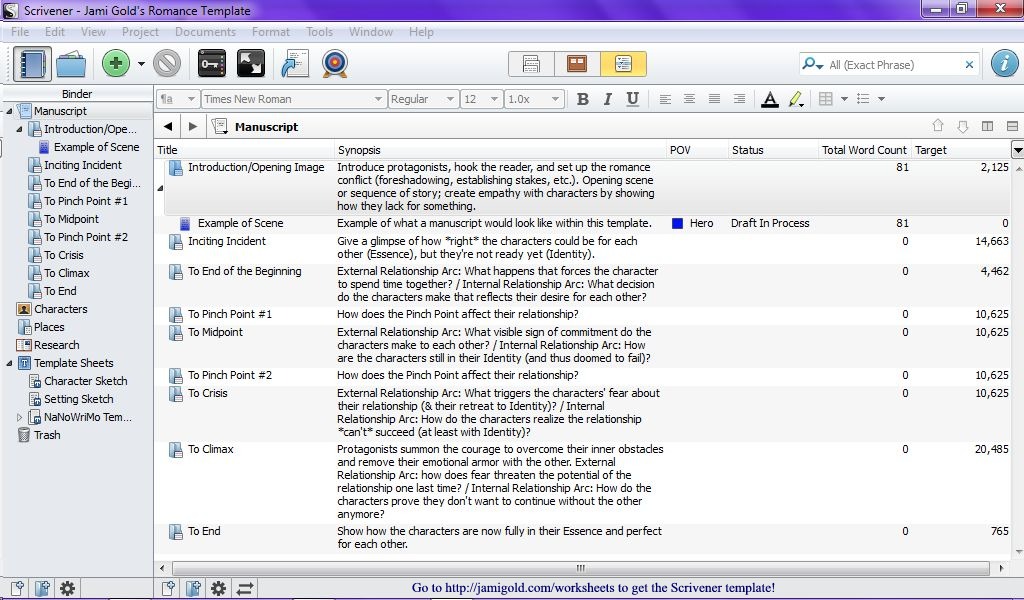
  • Outliner. This is a spreadsheet-style compilation that shows the title and synopsis of each selected file/folder, along with a number of other columns that can be optionally selected (including any custom metadata that’s been set, as explained below). Personally, I find this most useful as a way to view the cumulative word count of each chapter (to do this, add the column “total word count” instead of just “word count”), and also track major subplots a la J.K. Rowling using custom metadata settings (detailed below). There’s also a column for “target word count” for users who like to set goals by chapter/scene. This article discusses some additional uses for this mode.

Organizing Your Project

  • Everything in one place. First things first: one of the beautiful things about Scrivener is that a single project can house everything related to a given work-in-progress: research, character bios, inspiration images, old drafts, notes, etc. When creating a new project, I’d recommend using the Fiction > Novel project template, which comes pre-loaded with various top-level folders, including those for the Manuscript, Characters, Places, and Research. (Feel free to delete folders that don't seem useful—they can always be recreated.) These are convenient places to store photos, notes, or .pdf documents that may help with inspiration, worldbuilding, research, or continuity.

  • Organize by chapter or part. Generally, I think it’s best to set up the top-level folders of the manuscript as if the Binder were the book's Table of Contents (this will make things easier when it comes time to compile). This means that if a novel will be broken into “Parts,” it probably makes the most sense to create a folder for each planned Part with subfolders for each chapter; if the novel will just be organized by chapter, create a folder for each chapter. Then I create a separate file within each folder for each scene. This allows scenes to be moved around between chapters, edited, or banished to the trash can individually, without having to deal with larger chapter documents. The entire chapter can be viewed and edited by selecting the folder in the Scrivenings view mode. Also, there’s no need to worry about scene break notations (e.g., ###) with this format, as they can be added between the files when the project is compiled.

  • Setting “Status.” I pretty much kept the defaults, but this feature can be renamed, as can the various drop-down options (defaults are “To Do,” “In Progress,” “First Draft,” etc.) and colors associated with this setting. Each file/folder can be assigned a single Status. Status is mostly useful in Corkboard or Outliner mode to track whatever element is assigned (status, POV, story location, etc.).

    • When taking a Snapshot, the snapshot title will default to the set Status (though the titles can be changed manually).

    • In Corkboard mode, notecards can be assigned watermarks based on the Status.

  • Setting “Label.” As with the “Status” options, the user has full control over the title, options, and colors associated with this setting, and can assign a single Label to any file/folder. The Label can be used for any purpose: some use it to track POV or character arc, I use it to track the plot beat.

    • In Corkboard mode, notecards can be assigned colors based on the Label, and can also be organized according to the Label. When choosing how to use Labels, think about if/how the “Arrange by Label” feature might be helpful. (Having assigned my labels to plot beats, arranging by label isn’t really useful to me at all.)

    • Files in the Binder can also be color-coded according to the Label.

  • Custom Metadata. With this feature, users can create different types of metadata associated with each scene for….anything, really. It can be used to track dates, POVs, the characters that appear in a scene, locations, subplots, themes, character arcs, and more. Unlike Label and Status, users aren’t limited to just one category, but can create multiple categories of metadata, depending on their needs, and aren’t limited to selecting items from a drop-down menu but can take notes within a set metadata point. This is a great brief introduction to some of the ways that metadata can be used. It can be invaluable for users who like to outline everything or who have a complicated plot and need to keep track of various elements.

  • Using Collections. Collections are, essentially, different ways of organizing the content in the Binder (where all the files/folders are housed). Adding a file/folder to a Collection doesn’t duplicate the content—any edits made to the file will be made in the Binder, as well. Collections may be viewed in Scrivenings, Corkboard, or Outliner mode. Collections can be especially useful in a few different scenarios:

    • Isolating storylines. A story might have multiple POV characters acting out their own storylines independently, or they might be interacting with each other but the writer wants to look at each POV separately to focus on a consistent tone or voice. In that case, a user could collect all the POV files into a Collection and be able to view/edit them in one place, without disrupting the Binder’s organization.

    • Rearranging timelines. In the case of stories with flashbacks/flashforwards (or that are otherwise non-linear), Collections can be a useful way of playing around with different arrangements of chapters or scenes.

Other Notes

  • Back up your work. While this advice isn't Scrivener-specific, I’ve seen enough posts from writers (in this sub and others) to feel that this warrants inclusion. I’d recommend periodically saving each project under a new name (I just use version numbers) in case the project somehow becomes corrupted. Much more importantly, I’d recommend periodically backing up to the cloud and/or to external storage in case your computer is damaged or stolen.

  • The Compile function is complicated. I didn’t touch on this at all because of all Scrivener’s features, the Compile function is probably the most confusing, the least-used, and varies the greatest depending on the program version. If anyone knows of useful tutorials, let me know; however, I don’t have any tips here. Also, I’d note that Scrivener does a good enough job of basic formatting, but writers planning to self-publish may be better off using a separate program for layout.

I hope this is helpful. If there are other features you think should be highlighted, or if you have an organizational tip to share, please comment below!


r/scrivener • • Sep 19 '26

General Scrivener Discussion & Advice Scrivener Template with World Building

Post image
239 Upvotes

I just made a Scrivener template with a lot of world building in it. I thought I'd share it. Dropbox is the only way I really know how to do it, but if anyone has a better suggestion, let me know.

Here it is.


r/scrivener • • 7d ago

iOS Scrivener iOS + keyboard = FreeWrite

Thumbnail
gallery
212 Upvotes

If you have a travel keyboard that you like, you basically have a FreeWrite with Scrivener for iOS. Ok that’s overstating it just a bit. But honestly, not by much.

You can zoom in as much as you’d like to make it as “focus-friendly” as you want. Just the plain screen makes it totally distraction-free. Plus you still get custom fonts, spell-check, keyboard shortcuts, and access to all your files.

I’ve been tempted by the FreeWrite! But turning on Do Not Disturb for an hour and just seeing the little white screen — I’m good to go. Plus, you don’t have to move any files around after the fact. You’ve created your documents right inside Scrivener.


r/scrivener • • 23d ago

Windows: Scrivener 3 Go home Scrivener, you're drunk

Post image
199 Upvotes

r/scrivener • • Mar 23 '21

Windows: Scrivener 3 Scrivener 3 has come out for Windows

161 Upvotes

Just what the title says. You can find out more here.

I am just relieved that it is finally out.

https://www.literatureandlatte.com/introducing-scrivener-3-for-windows

Sorry couldn't find any other flair.

Oh the flair has been fixed.


r/scrivener • • Feb 26 '20

Be realistic

Post image
144 Upvotes

r/scrivener • • Jul 22 '26

General Scrivener Discussion & Advice How Scrivener's automatic backups protect you in this age of AI

114 Upvotes

For the record, I'm not anti-AI. But I am vehemently against people trying to pass off AI writing as if they'd written it.

I often make the point that there is a reason why certain people who get accused of using AI can't prove they wrote their work. They can't prove it because they didn't write it. AI wrote it.

Anyone who actually wrote a novel, meaning they did the writing, would have multiple drafts. Probably lots of 'em.

But it recently occurred to me... those of us who write a novel in Scrivener have tons of backups too. Not just backups of drafts, but also backups of the in-between phases. And if you're on a Mac and you use Time Machine, you have tons of date-specific backups of even more backups.

If somebody accuses me of using AI to write my novel, it's so easy to copy/paste a list of backups and say "Here's a list of versions of the novel, starting with the ugliest writing from day one, going all the way through to the polished final draft."

Scrivener's automatic backups are such an under-appreciated feature. Especially now.


r/scrivener • • Mar 26 '26

macOS Loving my new set up, complete with custom icons in my binder!

Thumbnail
gallery
113 Upvotes

😀


r/scrivener • • Sep 23 '26

General Scrivener Discussion & Advice PSA: Check Scrivener backup setting BEFORE you need backups

106 Upvotes

tl;dr: do my #1 takeaway below (in bold) today.

For reference, I'm on Windows. I had a Scrivener scare this week that ended well enough, but I learned something about its backup system that I wish I'd understood beforehand. I opened a project expecting to find 16 finished chapters, plus front and back matter. Instead, I found a few scattered notes and some default Scrivener text. I freaked out!

Wait, I'll just check Scrivener's automatic backups, right? I opened the 9/21 backup: it was bad. Freaking out continued.

I opened the 9/12 one: bad. Eep!

I had to go back to my 4th-oldest backup to find my finished writing! While I can't swear I didn't make meaningful edits after that backup, I decided having the book back is preferable to doing forensic archaeology on every version.

Anyway, here's the part I thought worth sharing. Scrivener was configured to keep only the latest five automatic backups. I think that's the default. And, with backup-on-close enabled, every time you close a project, Scrivener makes another backup. Guess what I was doing while trying to see which backup had my real project in it?

Yup, I was opening my old backups one at a time in Scrivener. Then I'd close that project and open another one, causing Scrivener to create new backups, pushing older ones out of my five-backup rotation. Luckily, before I started, I copied the backup files to another folder. Had I not done that, my attempt to find a good backup could have deleted the good backup I was looking for!

So my three big takeaways are:

  1. Increase the number of automatic backups Scrivener keeps. Five seemed reasonable until I needed them. I changed this setting to 25 (File, Options, Backup, Retain backup files, 25!!). Disk space is cheap. Rebuilding 16 chapters is not.

  2. Understand when Scrivener creates backups. It might be rotating backups each time you close a project even if you changed nothing!

  3. If you're ever in this situation, before opening anything, copy the entire Scrivener backup folder somewhere safe. Then investigate the copies.


r/scrivener • • Sep 22 '25

General Scrivener Discussion & Advice An appreciation post

106 Upvotes

I’m using Scrivener for my first novel and I am SO thankful for it. I find that the more I write, the more ideas I have - meaning there’s SO much more to keep track of - and I love how much I can structure into the project as needed. Keeping notes on characters, places, and plot points on the left binder is amazing…but also being able to label scenes and chapters with customizable metadata? BRILLIANT. I can both write and reference these materials instantaneously, and never have to fear about having lost an idea under a pile of forgotten sticky notes or papers.

The program seemed intimidating at first but after a weeks of using it, I’ve been able to make it work for me and my process really nicely.

That’s all! Just wanted to share my love for Scrivener. Happy writing all.


r/scrivener • • Jan 18 '23

Windows: Scrivener 3 Some Custom Scrivener 3 (Windows) Themes

104 Upvotes

This post is being updated. The shown designs and more have been moved to this ko-fi shop for better ease of access. All designs are free with optional tip. Follow for future releases.

Themes are provided as a zip file that contains the theme file, relative fonts, the hex & RGB codes of colors used, and some suggested backgrounds to use with the fixed width editor.

Enjoy!

DOS Terminal

Mint Mocha

Storm

There is also a L&L forum page where other people share custom themes. Click here to check that out.


r/scrivener • • Apr 24 '26

Cross-Platform Dear Scrivener, Please make an Android version

103 Upvotes

It's the thing I want most in all the world.

With love,

TalkToPlantsNotCops


r/scrivener • • Oct 11 '25

macOS Made my own Scrivener app icon

Post image
92 Upvotes

Didn't like the purple, so I threw this one together.

I haven't updated to macOS Tahoe, so I can't make it liquid glass. If flat doesn't bother you, though, it can be applied with e.g. the Pictogram app.


r/scrivener • • 11d ago

General Scrivener Discussion & Advice Does Scrivener have metadata that could disprove claims of having used AI?

90 Upvotes

I'm thinking about buying Scrivener, but I have a question.

In Google Docs, there's an automatic record of the version history of all changes. If anyone ever claimed the novel I am writing was AI-written, I could show them all the tracked changes and basically disprove that. At least one author recently, wrongly accused of using AI, has apparently successfully done so.

(I mean, hypothetically AI could create a fake Google Doc record history, but come on. We're already talking about a very remote possibility here.)

I've always been very happy with Google Docs, but as my novel gets longer, there is now a lot of lag every minute or so as it autosaves, which is making it more and more frustrating to use.

I'm about to pull the trigger on Scrivener, but I wanted to see if Scrivener has some sort of automated track-changes process. I know the chance this would ever be necessary is one in a million, but just for peace of mind, I am hoping to be able to have a file I could send to anyone questioning me that in its very data/metadata would refute AI allegations.


r/scrivener • • Oct 29 '25

macOS How to make the first letter larger

Post image
87 Upvotes

Hello!! I’m wondering how to format the text so that the first letter of each chapter is really big.

See photo (just a reference from Pinterest)


r/scrivener • • Oct 16 '25 Helpful

General Scrivener Discussion & Advice What are your favorite tips and tricks for Scrivener? Here's mine.

86 Upvotes

I'm a plotter, so one of my favorite parts of Scrivener is the outliner, but I only recently learned about adding custom items to the title bar (is that what that bar is called?).

For example: In the Outliner, right click on the greater than sign at the far right of the bar that says Title And Synopsis, Total Words, etc. Then, click Custom Columns and add your own.

I added a column for Timeline. Love it!

What fantastic but maybe lesser known features do you wish you'd discovered sooner?


r/scrivener • • Jun 29 '26

General Scrivener Discussion & Advice Is Scrivener worth it or is there better?

85 Upvotes

For so long in my life I’ve written my books in the notes app and then moved onto reedsy. Recently though, especially as I move into the later drafts of my novel, I’ve tried searching for another writing website/app since reedsy—while very useful—doesn’t really have space or capabilities to store past drafts. That means I would have to download my old drafts before clearing space. Another problem I have with reedsy is that if you don’t open your ‘book’ in (I think) three months, it would automatically be moved to the trash.

Anyways, I began searching for a new writing software, somewhere that wouldn’t feed my writings into AI.

I tried Ellipsis earlier but something that bugged me was how if you write more than 25k words in a single document, the entire thing glitches.

Also, I’ve been searching for something permanent. Something I’ve been hoping to use for years and years.

I’ve always heard of scrivener. I tried the free trial and I really liked it! My problem though, is that not only is it expensive (50-60 bucks) but also, I’m wondering whether it’s worth it to get scrivener on my iPad (which is I think 25 bucks) or a laptop.

I typically write on my iPad but I heard I would have to download Dropbox and Scrivener takes up a lot of storage and it’s not as useful since I wouldn’t be able to use split-windows. I’ve heard people even say how useful the wider screen is on the laptop.

I’m wondering whether, if I buy scrivener, to get it on my iPad or my laptop?

I was thinking I could probably transfer my writings from my iPad to the scrivener on my laptop if I buy it there. Or should I just buy scrivener on my iPad?


r/scrivener • • Sep 03 '25

Windows: Scrivener 3 Scrivener 3.1.6 for Windows Released

82 Upvotes

Scrivener 3.1.6 for Windows is now available. This update incorporates bug fixes and overall refinements from the work we've been doing on our upcoming writing app, including:

  • improved right-click behaviour in the binder

  • streamlined image export when compiling to Markdown or plain-text

  • toggling styles on and off

  • improved display of inline annotations

  • Jump to Selection in Scrivenings mode

  • reliably searching newlines

  • suggested/remembered file name in the compiler

You can view the full list of changes here.

To upgrade from Scrivener 3.1.4.1 or later, select Help ▸ Check for Updates from the main project window.

Alternatively, or if you are running a version of Scrivener earlier than 3.1.4.1, you can download and run the full 3.1.6 installer.

Note that since 3.1.5, Scrivener requires a minimum operating system version of 64-bit Windows 10. If you are working on an older system, you can download the last compatible version of Scrivener from our legacy download page.

Happy writing!


r/scrivener • • Apr 12 '26

General Scrivener Discussion & Advice I’ve never seen the app used or even talked about anywhere outside of Reddit, let alone on a TV show (S2:E2 of “Your Friends and Neighbors” - Apple TV)

Post image
81 Upvotes

r/scrivener • • 16d ago

General Scrivener Discussion & Advice How to Keep a Digital Paper Trail of Your Scrivener Projects

79 Upvotes

Keeping a digital paper trail of your writing can protect you against accusations of using AI to write your books.

https://www.literatureandlatte.com/blog/how-to-keep-a-digital-paper-trail-of-your-scrivener-projects


r/scrivener • • Nov 22 '25

macOS I love Scrivener but…

75 Upvotes

I have written six novels now with Scrivener, and I now will never go to anything else. However, the bulleting system is SUCH a pain in the ass. Why? It seems like such a simple function.

My bullets mess up when I open after a save, they constantly don’t work correctly when using them within styles, as well as a list of other specific situations.

Bullet-proof bullets is my Christmas wish, that and filter/hide text by color.

This has been a rant. Thanks for listening.


r/scrivener • • Mar 09 '26

General Scrivener Discussion & Advice Does anyone else just use Scrivener as a glorified word program?

74 Upvotes

I got Scrivener as a gift from someone I used to be friends with, but haven't really touched any of the features. They kind of confuse me, if I am being honest. I know I should probably learn it's features, since it's extremely useful, but for now I just use it's basic stuff and I'll work from there (I don't really need them, considering I have no plans in the immediate future to publish, at least if not on a website).


r/scrivener • • Apr 04 '26

General Scrivener Discussion & Advice Scrivner Android -- yet another desperate petition

71 Upvotes

If the L&L team needs more proof of user demand to get an android app up and running, I'm happy to sit here and bang pots and pans together until it happens

Please, guys. I'm desperate. OneNote decided to not sync a month's worth of writing ideas I jotted down in my phone. I've resorted to redownloading Notion, which is was already bad enough considering my college-specific Notion-related trauma (hyperbole, but also, ew. Notion.) but now I find that in the 2 years I've been a way they've slid their way down the genAI slip-n-slide. BLEH.

PLEASE L&L I'm begging you. I need a writing app that syncs platforms so I can write laying down comfortably on my bad flare days. I need the structure to organize the chaos within my brain. And I need to not be using a product by a company that's drunk so much AI kool-aid that it's adding UI features practically designed to suck sam altman's dick. Scrivener Android could be all of this and more for me.

The only thing I need more than those things is to not be Apple's little bitch. I refuse to go back to iOS after the time a corrupted backup nearly deleted 6+ years of my writing. Please don't make me spend a grand on a phone just to have Scrivener mobile; I'd rather give that money to L&L.

Scrivener Android would heal my soul, cleanse my pores, and generally increase my sanity so SO much. Please. Save me. Make Scrivener Android.

Edit: pardon the misspelling of Scrivener, as you can see I'm clearly distraught and not in my right (write?) mind


r/scrivener • • Oct 02 '25

macOS The icon terrorism

Post image
70 Upvotes

I've just updated my Scrivener to wake up to.... THIS.
Why? Why, why, why? Does anyone know how to get my nice, cute icon back?

This has to be some misunderstanding :0


r/scrivener • • Feb 05 '25

General Scrivener Discussion & Advice What are your favourite features of Scrivener you use?

70 Upvotes

I've been using Scrivener for a while now and love it. But I feel like I'm underusing its capabilities. Would love to hear which features you use the most, how you use the program and just general inspiration on how to maximise the program.