r/omarchy • • 20d ago

Themes / Ricing I'm obsessed with making Omarchy look the way I want, what a time to be alive

Thumbnail
gallery
920 Upvotes

30 days into Omarchy and I never want to touch my macbook or windows pc again.

If you want this look, here are my dot files https://github.com/denonmaryland/omarchy-dotfiles

update: yes the dotfiles work on the new 4.5 update


r/omarchy • • May 15 '26 Bravo

Discussion The waybar is is going away in Omarchy 4.0. Quickshell will replace it.

627 Upvotes

This video is not actually Omarchy but a Quickshell demo.

As DHH said on X, Omarchy is going all-in on Quickshell.

This is very promising but it might be a rough transition, especially for those who put a lot of effort into customizing their Waybar!


r/omarchy • • Aug 29 '26

I Made a Thing Desktop widgets

Post image
543 Upvotes

What do you think? Macos style desktop widgets but with omarchy theming.


r/omarchy • • 14d ago

Discussion Running on a MacBook Neo

Post image
542 Upvotes

Other than a minor sleep power drain issue, it's been a fantastic experience so far.


r/omarchy • • Oct 02 '26

I Made a Thing Omarchy running on M3 M4 M5 Macs, like native!

526 Upvotes

Dear Omarchy Community,

This is for the MacBook Omarchy Squad, I have to share this with you! github.com/gillesgoetsch/omacvm

I've built the most integrated and fun virtualized Omarchy experience for Apple Silicon MacBooks available, after trying out many UTM and Parallels setups. This is what makes this one special:

  • Full Notch support I thought this is mission impossible? OmaNotch is now alive and streams through a virtual monitor into a Helper which renders the Notch Bar, it's just awesome and a real victory for VMs!

  • Wifi and Audio Bridge, enabling Omarchy native Menubar controls, full wifi controls of the Host, same for Audio + Mic.

  • Full 2/3/4 finger Gesture support, enabling workspace Swipes and Pinch Zoom (it's a real trackpad bridge and it disables Mission Control overwrites, making this feel like a locked in native experience, not being able to leave the VM!, leave VM with ⌘+⌥+⌃+Esc)

  • Optional, experimental but awesome: MacOS like Trackpad scroll momentum (no choppy scroll jumps, native feel, awesome if you're used to MacBook Trackpads)

  • Full Volume and Brightness control of the Host over Omarchy's UI Panels

  • Nightshift and TrueTone Host control over the Menubar

  • Theme Background Image sharing between MacOS and Omarchy, making the lock-screen much more seamless

  • External Display arrangement synced with MacOS

  • more!!

This really covers the biggest shortcomings (mainly missing Notch & Gestures) of the VM Path for M3+ MacBooks.

OmacVM lets you either build a full Parallels or UTM VM (comparison here) in one Setup, allowing you to select exactly which features you want, patching afterwards or existing VMs. You can also just point your agent at it (also when you run into errors).

Long story short: Running Omarchy on a MacBook Air M2 natively as my daily driver, Asahi / Native is my go to suggestion for M1 + M2 Macs.

So my MacBook Pro M4 Max was basically gathering dust, despite its hardware being far superior.

Now it's running Omarchy productively and not just as a try-out VM. You really can forget about MacOS, additionally you benefit from the MacOS host's 1000 Nits HDR capability and hibernation support, which Asahi hasn't implemented yet.

Have to say that: as a 25+ Years MacOS user, never experienced not wanting to go back to MacOS, big shout out to DHH and the Omarchy Team!!

Until we have Asahi on M4/5/6 devices, let's make this the greatest experience we can on our ARM Chips.

I'm so glad I can keep the hardware AND run Omarchy integrated beautifully.

Now it's time to go full in on Omarchy VM if you haven't yet ;-)!!

Edit after two days: A lot has happened. We now support 4 different hypervisors: Standalone App, UTM, VMWare & Parallels! Also support for multiple external monitors, GPU / Media engine Video Decode, a Vulkan GPU integration with vastly improved performance plus many more features, is is becoming better and better!


r/omarchy • • 28d ago

I Made a Thing OmarchyTV

Post image
522 Upvotes

Omarchy-styled tiling launcher ecosystem for Android TV, Google TV, LG webOS, Android Mobile & Linux/macOS/Omarchy PCs

https://github.com/piermark/omarchytv


r/omarchy • • Oct 16 '26

Off Topic / Adjacent Framework 13 Pro with Omarchy

Post image
519 Upvotes

took me 20 mins to setup the new framework, 53 seconds to install Omarchy.
Have waited 6 weeks for this. It’s been frustrating to see all the cool things every one was doing here and now I get to experiment.
2 things I wanted to ask
- What is everyone’s favourite meeting transcription tool
- What is the best mail app if all my mail is google workspace


r/omarchy • • Nov 19 '25

I am proud

Post image
519 Upvotes

I have never coded anything in my life and 3 weeks into installing Linux and finally settling with Omarchy, I coded my first Waybar module with a custom python script to show the weather.

Small victory but i loved it!


r/omarchy • • Sep 28 '26

Discussion Introducing Spaces

509 Upvotes

Spaces is an Omarchy Bar Plugin workspace switch that shows the apps open on each workspace by hovering your mouse over the plugin. By Tornike Gomareli.

https://github.com/tornikegomareli/omarchy-spaces

  • Replacement for stock omarchy.workspaces.

  • Change settings when hovering plugin.

  • Shows opened app in every workspace.

  • Live Preview of the workspace on hover.

  • Terminals running Claude Code get a badge, a spinner while the agent works, a pulsing '!' when it needs your input, and a check mark when it is done. A workspace with an agent waiting on you pulses too.

If you plan to use Spaces, make sure you disable Omarchy's first-party version first: omarchy plugin disable omarchy.workspaces then proceed with installation.

https://plugins.omarchy.org/plugin.html?id=tornikegomareli.spaces


r/omarchy • • Aug 14 '26

Announcement OMARCHY QUATTRO RELEASED | 4.0.0

Post image
493 Upvotes

The Quattro Release

Omarchy 4 aka Quattro is the biggest release since the project started. The entire desktop shell has been reimagined in Quickshell: the bar, launcher, menus, notifications, on-screen displays, control panels, lock screen, and polkit agent now all live inside a single long-running shell process with a plugin architecture. That means Waybar, Walker, Mako, SwayOSD, hyprlock, hypridle, swaybg, and polkit-gnome are all gone, replaced by one coherent, fully-themed, IPC-scriptable shell.

You can upgrade an existing Omarchy installation to Quattro by first:
- Using SUPER+ALT+SPACE:
- Update > Omarchy
- Then Update > Omarchy to Quattro.
PLEASE NOTE: THIS IS A ONE-WAY-TRIP, YOU CANNOT DOWNGRADE OR USE A SNAPSHOT TO GET BACK TO Omarchy 3.x.x. Be sure in your intentions. There's a YouTube walkthrough below!

Install on new machines with the ISO:

Always take a backup of important data!

Changelog is WAY too long, but ENJOY! --> https://github.com/basecamp/omarchy/releases/tag/v4.0.0

You can learn about Quattro directly from DHH via YouTube if you're not nerdy enough for the changelog.
https://www.youtube.com/watch?v=F7fe9pa8OeE


r/omarchy • • Aug 30 '26

I Made a Thing Strata - A modern file manager

472 Upvotes

Friday I posted the prototype of what my ideal file manager would look like. I've spent the last 48 hours on a coding bender implementing it.

It's built with Rust, GTK4 and GIO. Here's all the features that I have included so far:

  • 3 explorer modes (List, Grid, Explorer)

  • Blazing fast search

  • Rich file previews (Images, Videos, Text/Code/Confs, PDFs)

  • Support for RAW images if you have libraw/imagick installed

  • Thumbnail previews for images/videos/pdfs

  • Collapsible sidebar

  • Keyboard navigation (still needs more polish)

  • Ability to follow Omarchy's current theme, switches dynamically

  • Pre-built themes/custom themes.

  • Folder peeking on hover (you can disable that in the settings if you wish)

I have released the first couple of binaries, looking for feedback/testers/contributors. You can also build it from source locally if you pull down the repo.

Here's the repo:
https://github.com/lgse/strata

Here's the latest releases:
https://github.com/LGSE/strata/releases/latest


r/omarchy • • Sep 21 '26

I Made a Thing Omarchy billboards in Copenhagen

457 Upvotes

We put Omarchy ads in the heart of Copenhagen!

https://x.com/dennis_rye/status/2101804281766551567?s=46


r/omarchy • • May 20 '26

Themes / Ricing Omarchy 4.0 QuickShell To Allow For Plug-in Customizations!

445 Upvotes

This particular plug-in is being developed by Omarchy's Aether and CLIAMP creator, bjarneo.
https://github.com/bjarneo

No, Omarchy 4.0 is not out yet, but is actively being developed and this demo is not what will ship with the new Omarchy Shell. However, you should get excited that bjarneo was nice enough to share this configuration on his GitHub if you want to use it as a plug-in once Omarchy is ready for the transition away from Waybar, Mako, etc.


r/omarchy • • Jan 26 '26 Bravo

My new system monitoring Waybar modules suite

Thumbnail
gallery
437 Upvotes

Thank you all for your feedback. I incorporated a lot of it and made quite a few changes.

Here is a link to the GIST for each module.

I've done my best to comment the scripts so that it can help you with troubleshooting as I'm sure they won't be a simple drop into a new module but please bear with me as I'm not great with publishing scripts just tailoring them to my own system.

I am using the Everforest theme but it should update to your Omarchy theme as long as the theme updates the colors.toml and alacritty.config in the theme folders ( ~/.config/omarchy/current/theme)

Here is the waybar config to drop them in after you save them:

(save them here: ~/config/waybar/scripts/ )

"modules-right": [
    "custom/cpu",
    "custom/gpu",
    "custom/memory",
    "custom/storage",
],

    
    "custom/storage": {
        "format": "{}",
        "return-type": "json",
        "interval": 5,
        "exec": "~/.config/waybar/scripts/waybar-storage.py",
        "on-click": "baobab", // Set to your own analyser if you like
        "on-click-right": "gnome-disks" // as above
    },

    "custom/memory": {
        "format": "{}",
        "return-type": "json",
        "interval": 5,
        "exec": "~/.config/waybar/scripts/waybar-memory.py",
        "on-click": "btop" // Opens btop directly
    },

    "custom/cpu": {
        "format": "{}",
        "return-type": "json",
        "interval": 5,
        "exec": "~/.config/waybar/scripts/waybar-cpu.py",
        "on-click": "btop" // Opens btop directly
    },

    "custom/gpu": {
        "format": "{}",
        "return-type": "json",
        "interval": 5,
        "exec": "~/.config/waybar/scripts/waybar-gpu.py",
        "on-click": "btop" // Opens btop directly
    },

r/omarchy • • Feb 23 '26

Themes / Ricing Aureth - Pixel amber style theme for Omarchy

Thumbnail
gallery
430 Upvotes

r/omarchy • • 19d ago

Discussion Omarchy 4.5 floats, speaks 50 languages, and runs on your Mac!

Post image
427 Upvotes

Omarchy 4.5 floats, speaks 50 languages, and runs on your Mac!

Omarchy 4.5 (aka Quattro RS!) is the first big feature release since Quattro, and it’s a whopper: over 740 pull requests merged from more than 180 contributors in just twelve weeks. It now offers a traditional desktop mode next to the tiling default. You can install it natively on a M1/M2/M3/Neo MacBooks. And it speaks 50 languages. And a gazillion other features, fixes, and improvements. Already on Omarchy? Run, Update > Omarchy. New machine? Grab it here.

Floating workspaces with a dock

Super + L now cycles any workspace between tiling, scrolling, and floating. On a floating workspace, every window gets a titlebar in your theme’s colors, and a dock shows your pinned apps, everything that’s running, and a grid of every app installed. Drag to reorder or pin, right-click for more, and Super + M minimizes a window down to the dock.

Omarchy on Apple Silicon

Our incredible Omarchy M team has shipped the native Mac installer. Download an app on macOS, and it’ll put Omarchy right alongside it on your M1, M2, M3, or Neo MacBook. No USB stick, no terminal incantations.

ARM support for NVIDIA DGX Spark + N1X (and soon Snapdragon)

Omarchy 4.5 ships its first ARM ISO, and with it comes preliminary support for NVIDIA’s ARM machines: the DGX Spark desktop and the laptops built on the N1X, like the Dell XPS 16 Creator Edition and the ASUS ProArt P14. And soon we’ll have support for the entire lineup of Snapdragon ARM machines as well. It’s still early days, so expect a few rough edges, and please report anything that breaks on GitHub.

50 languages and 5 input methods

Omarchy now speaks 50 languages. Pick one under Setup > Language (or run omarchy language <code>), and the menu, the desktop, and Omarchy’s notifications switch immediately. The system locale follows on your next login.

Sign in to captive Wi-Fi portals

Hotel, airport, and coffee shop Wi-Fi finally just works. Omarchy now notices when a network wants you to sign in or accept its terms before letting you online. The network icon warns you, and the network panel shows a big Open Captive Portal button that takes you straight to the login page. Once you’re through, everything goes back to normal on its own.

Five new default apps

Hype makes presentations from a single Markdown file, with a visual slide editor beside the source, and exports to PDF or PowerPoint.

Signed replaces Xournal++ for the paperwork: open a PDF, place your saved signature, text, and dates, and save a signed copy.

Disktree draws a treemap of what’s filling your disk, colored by kind, calls out the caches that are safe to regenerate, and lets you mark what should go.

Monologue records your camera with one key, themed to match your desktop.

Gliff gives you a remote desktop over SSH. Connect to another Omarchy machine and drive its full desktop from a window on yours, with a tab for each machine. And because it rides on SSH, there’s nothing extra to set up or expose. The machine being controlled shows a remote session indicator in the bar, so it’s always clear when someone is on it.

And MUCH, MUCH, MUCH, MORE!

Already on Omarchy? Run, Update > Omarchy. New machine? Grab it here.

Full Release Notes: https://omarchy.org/news/2026/11/omarchy-4-5/


r/omarchy • • Sep 30 '26

Themes / Ricing We heard you guys want MORE | +200 Omarchy themes

426 Upvotes

Each theme has a 16-color ANSI palette, a background with the Omarchy word-mark, and a background drawn for its colors. From the creator of Omarchy's aether and cliamp, bjarneo.

100 dark themes for Omarchy.
https://github.com/bjarneo/100-themes

100 light themes for Omarchy, the day versions of 100-themes.
https://github.com/bjarneo/100-themes-day

Sharing is caring and the possibilities are endless. GO WILD!


r/omarchy • • Mar 18 '26

Themes / Ricing Omarchy IBM / ThinkPad Theme

Post image
417 Upvotes

Just created a stylized theme for Omarchy on my ThinkPad, inspired by IBM's colors

link: https://github.com/DimaZbr/omarchy-ibm-theme.git


r/omarchy • • Apr 03 '26

Support Omarchy 3.5 Released

Post image
413 Upvotes

The Panther Lake Edition

Install on new machines with the ISO [EDIT UPDATED 04/18/2026]:

[EDIT UPDATED 04/18/2026]

Fixes

Fix JetBrains integration in hyprland by removing all custom rules now that they're using Wayland by u/NicolasDorier

Fix Voxtype AI dictation should use GPU when available by u/sgruendel

Fix makima remapping of copilot key should be opt-in using Setup > Key Remapping by u/dhh

Fix battery remaining calculation to proper work with minutes v hours by u/dhh, u/fedesapuppo

Fix FUSE filesystems hanging before suspend/hibernate by u/alansikora

Fix Moonlight remote player should fullscreen and inhibit idle like other gaming apps by u/dhh

Fix failing firmware updates due to missing UEFI capsule by u/annoyedmilk

Fix webcam overlay on screenrecordings to use vertical framing by u/dhh

Fix VS Code Insiders should use VS Code themes by u/tyvsmith

Fix picture directory should be created if it doesn't exist on screenshots by u/brunorwx

Fix missing package update progress during Omarchy Update by u/robzolkos

Features

Add full compatibility with Intel Panther Lake machines using a patched 6.19.10 kernel (until 7.0 includes everything) and IPU7 camera driver for webcam compatibility by u/spencerbull, u/TsaiGaggery, u/dhh

Add better general Intel performance management by installing thermald for improved thermal throttling, LPMD for optimized core selection, and intel-media-driver for more efficient video playback by u/spencerbull, u/TsaiGaggery, u/dhh

Add LocalSend send action in Nautilus file manager by u/marciobbj

Add sff function for using fuzzy find to send files over scp by u/dhh

Add ONCE installer to Install > Services by u/kevinmcconnell

Add omarchy-sudo-passwordless-toggle to give AI full access to run sudo commands for a limited period during high-risk debugging by u/dhh

Add lazy-install stubs for Opencode, Gemini, Codex, Copilot, and Playwright CLIs via npx due to rapid churn updates by u/dhh

Add battery-low hook for things like sound warnings by u/Lo0rd3

Add image previews in Kitty terminal when using ff by u/dhh

More info on this release: https://github.com/basecamp/omarchy/releases/tag/v3.5.0


r/omarchy • • May 04 '26

Announcement Omarchy 3.7 is out. Huge release!

Post image
409 Upvotes

The Gaming Edition

Update existing installations using Update > Omarchy from Omarchy menu (Super + Alt + Space).

Install on new machines with the ISO:

Features

  • Add unified omarchy CLI by u/ryanrhughes

  • Add text extraction from anywhere on the screen via Trigger > Capture > Text Extract and Super + Ctrl + PrtScr using tereseract OCR by u/Prajwal-Prathiksh

  • Add monitor mirroring of the internal laptop display to connected external display via Trigger > Hardware > Mirror Display and Super + Ctrl + Alt + Del by u/timbelmon

  • Add cliamp TUI music player on Super + Shift + Alt + M by u/bjarneo

  • Add lazy-installed GitHub TUI called ghui by u/kitlangton

  • Add new aliases ic (= tdl c), ix (= tdl cx), and icx (= tdl c cx) by u/dhh

  • Add dosfstools as a default package so you have fsck.fat and mkfs.fat available in case you need to fix a corrupted /boot partition by u/niraletter

  • Add transcode-video-gif function for turning a video into a gif by u/dhh

  • Add full compatibility with the ASUS ExpertBook Panther Lake laptop for both boot, screen, touchpad, and fingerprint reader by u/mijuny

  • Add fred=on kernel optimization for Intel Panther Lake systems by u/dhh

  • Add two-finger tap to right-click on touchpads by default on new systems (see Setup > Input to change existing) by u/dhh

Gaming

  • Add streamlined Steam installer that doesn't need user input by u/dhh

  • Add fully preconfigured RetroArch that no longer depends on AUR by u/dhh

  • Add streamlined bluetooth xbox controller compatibility without needing to restart by u/dhh

  • Add Lutris Launcher to Install > Gaming for running Battle.net games (Diablo/Starcraft/WoW) by u/dhh

  • Add Heroic Launcher to Install > Gaming for running Epic Games (sadly no Fortnite or Rocket League!) by u/dhh

  • Add Moonlight GameStream client to Install > Gaming for remote play of PC games from Sunshine server by u/dhh

  • Add Xbox Cloud Gaming web app to Install > Gaming for remote Xbox Game Pass play by u/dhh

  • Add Install > Gaming > Remove for removing any of the game setups by u/dhh

  • Fix obstructive SDL_VIDEODRIVER env causing problems with many Steam games by u/RyanBreaker

Aesthetics

  • Add boot unlock screen themeing via Style > Unlock (as well as omarchy plymouth) by u/dhh

  • Add subtle highlight to selected item in the omarchy menus for better visibility by u/pipetogrep

  • Add more smoothness to limine progress bar by u/mlombardi96

  • Add new Omarchy logo backgrounds for every default theme by u/dhh

  • Add better text contrast on backgrounds with Flexoki Light, Vantablack, Ethereal, Hackerman, and White themes by u/lukehsiao, u/dhh

  • Add two new Tokyo Night backgrounds based on the new OMA logo by u/jennpiatkowski87

  • Add broader compatibility with older Omarchy themes by extracting their colors.toml from alacritty colors by u/prepin

  • Add themeing to Helix editor when it's installed via Install > Editor > Helix by u/lukehsiao

  • Add themeing for gum by u/severin-richner

  • Add themeing to Brave Origin browser by u/dhh

  • Add color highlighting to man pages by u/spitfire05

  • Add matching SDDM login screen theme to the boot unlock theme so they stay visually consistent by u/dhh

  • Add support for extra theme installs over ssh not just web by u/Vargrul

Controls

  • Add option to skip Limine boot rollback screen and go straight to boot unlock via Trigger > Toggle > Direct Boot (Super + Ctrl + O) (limine can then be selected as a boot option in bios if needed) by u/dhh

  • Add toggling passwordless sudo so agents can run with scissors via Trigger > Toggle > Passwordless Sudo (Super + Ctrl + O) by u/dhh

  • Add toggling touchscreen recognition in Trigger > Hardware (Super + Ctrl + H) by u/niraletter

  • Add toggling touchpad on/off in Trigger > Hardware (Super + Ctrl + H) by u/niraletter

  • Add Apple display brightness control to the normal brightness hotkeys by u/dhh

  • Add maximum brightness on Shift + Brightness Up and minimum brightness on Shift + Brightness Down by u/dhh

  • Add consistent brightness adjustment steps and slow ramp below 5% by u/boobachad, u/dhh

  • Add right-click on the Waybar battery icon to show a detailed battery notification by u/dhh

  • Add persistent monitor scaling from Super + / in the default monitors.conf is used with just a single declared monitor by u/dhh

  • Add push-to-talk keybind for Voxtype on F5 by u/ryanrhughes

Fixes

  • Fix that only Dell XPS needs the linux-ptl kernel now and other Panther Lake systems get vanilla 7.0.3 kernel by u/dhh

  • Fix delays in boot sequence that improves overall boot time by 5-8 seconds by u/dhh

  • Fix install sequence would rebuild limine 4 times instead of just once by u/dhh

  • Fix hybrid GPU hardware detection so the toggle only appears when actually applicable by u/dhh

  • Fix scrambled frames in screen recording on slower systems by guarding the capture pipeline and only re-encoding when garbage frames are detected by u/dhh

  • Fix mid-transition screenshots by keeping hyprpicker alive until the capture is complete by u/ryanrhughes

  • Fix screenrecording with webcam on some systems by switching to screenshot-style selection of region/screen by u/ryanrhughes

  • Fix device dark mode handling in Chrome with a proper configuration by u/dhh

  • Fix jumping cursor / disable-while-typing on the ASUS ROG Flow Z13 detachable keyboard by u/Cliffback

  • Fix the "your kernel has been updated" check to be more resilient by u/dhh

  • Fix the useless lstopo.desktop entry in the app launcher by hiding it by u/dhh

  • Fix ISO installer allowing you to select your install media as the target by u/mplaczek99

  • Fix npx wrapper runtime so it's isolated from project PATH by u/timohubois

  • Fix ufw firewall should allow access for Docker DNS from 192.168 networks by u/davzucky

  • Fix background selector should recognize symlinks by u/tushar-chauhan

  • Fix web apps not disappearing immediately from app launcher after removal by restarting Walker by u/afurm

  • Fix deprecated VSCode theme for everforest by u/cfulton

  • Fix internal monitor disable for systems where built-in display is not eDP-1 by u/17xande

  • Fix refresh-config when target directory is missing by u/timohubois

  • Fix "Bistream" typo to "Bitstream" by u/dotsilva

  • Fix automatic powerprofile setting on boot for some USB-C only charging machines by u/mijuny

  • Fix custom DNS setting should also provide ipv6 servers by u/jardahrazdera

  • Fix low ulimit ceiling by u/cyppe


r/omarchy • • Oct 14 '26

Discussion Fortnite is coming to Linux & We're Working With Epic Games For Day-1 Support on Omarchy

Post image
407 Upvotes

The new Epic Games Launcher is finally here in Preview

Programming is hard. So, instead of doing that, we vibe coded a new Epic Games Launcher that’s way faster and more responsive than the current one, and has a new look.

Join in on the conversation over on Twitter|X.

If you're a true nerd and want to read about all the finer details of what is required for this implementation to work, you can read directly from Epic's article, Awesome Gaming on Linux Without Cheating.


r/omarchy • • Sep 01 '26

Discussion Omarchy 4.1 To Allow Custom Animated Boot Screens

405 Upvotes

OMARCHY QUATTRO 4.1 (coming soon to an Omarchy near you).


r/omarchy • • Sep 13 '26

Themes / Ricing Make it your own!

390 Upvotes

r/omarchy • • Jul 29 '26

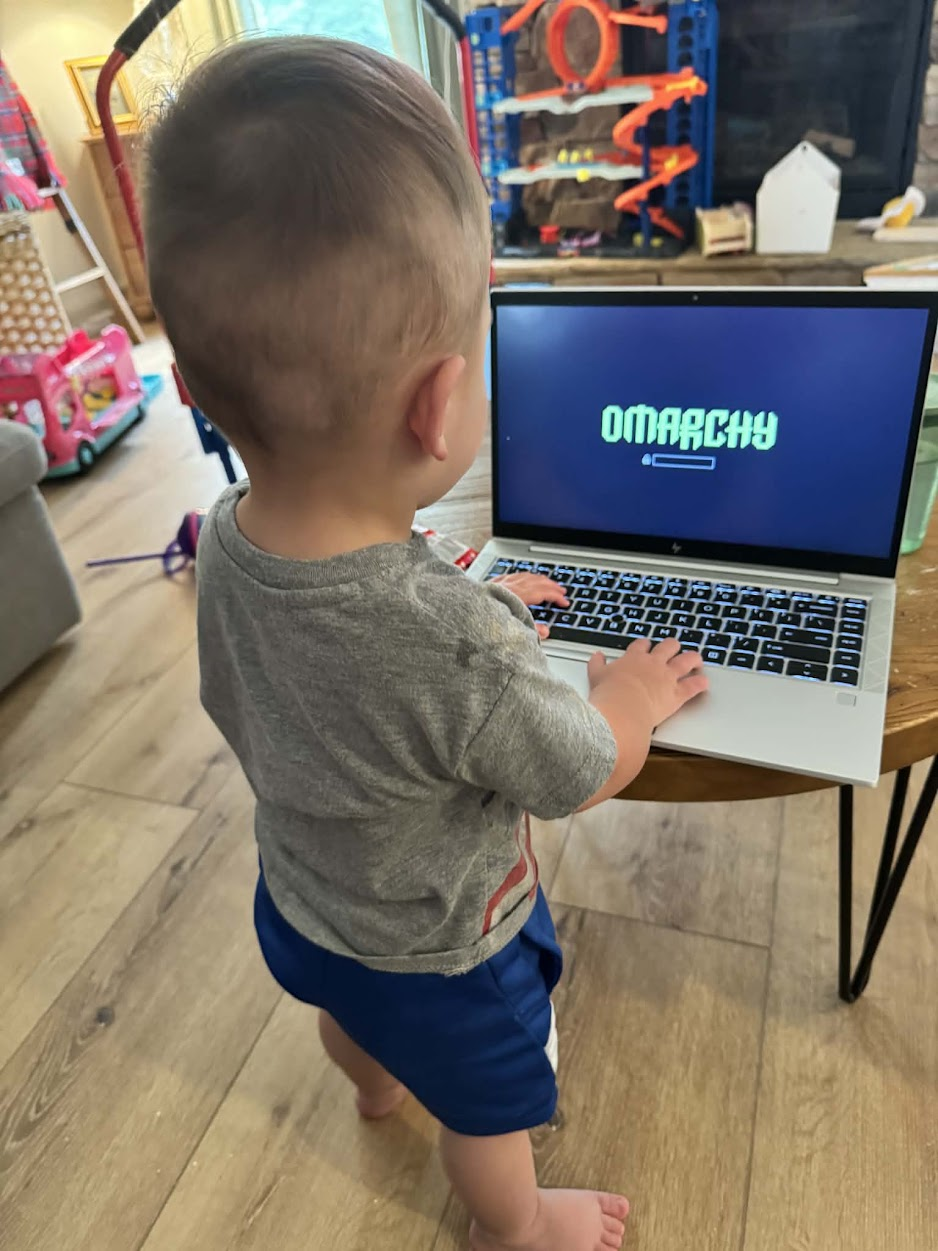
Off Topic / Adjacent Start em young

Post image
383 Upvotes

r/omarchy • • Mar 31 '26

Themes / Ricing I built a TUI monitor manager for Hyprland with drag-and-drop layouts, named profiles, auto-switching daemon

377 Upvotes

Configuring monitors in Hyprland means writing monitor= lines by hand, doing coordinate math for scales and offsets, and reloading until the positions look right. Unplug your laptop, go to a conference, and you're editing config files backstage before your talk.

I wrote hyprmoncfg to fix this. It's a terminal-based spatial editor where you drag monitors on a canvas and see real-time updates.

What it does:

  • Spatial layout editor with drag-and-drop and edge snapping

  • Per-monitor inspector (mode, scale, VRR, transform, mirroring)

  • Named profiles: save "desk", "conference", "projector", switch instantly

  • Hardware identity matching (follows make/model/serial, not DP-1/DP-2)

  • Hotplug daemon that auto-applies the best matching profile

  • Workspace planner (sequential, interleave, or manual)

  • Safe apply with 10-second automatic revert

  • Source-chain verification: refuses to write if Hyprland isn't sourcing the file

  • Works over SSH when your monitor config is broken and you can't see anything

One runtime dependency: Hyprland. Two compiled Go binaries. No Python, no GTK, no GObject, no D-Bus.

AUR: yay -S hyprmoncfg
Docs: https://hyprmoncfg.dev
GitHub: https://github.com/crmne/hyprmoncfg
Blog post: https://paolino.me/hyprmoncfg-monitor-configuration-for-hyprland/

Happy to hear feedback. This is my first Hyprland tool. I built it because I kept doing coordinate math at conferences or struggling with bugs in other tools.

Here's how it compares to the alternatives I tried before building this:

featurehyprmoncfgMoniqueHyprDynamicMonitorsHyprMonnwg-displayskanshi
GUI or TUITUIGUITUITUIGUICLI
Spatial layout editorYesYesPartialYesYesNo
Drag-and-dropYesYesNoYesYesNo
SnappingYesNot documentedNoYesYesNo
ProfilesYesYesYesYesNoYes
Auto-switching daemonYesYesYesNo (roadmap)NoYes
Workspace planningYesYesNoNoBasicNo
Mirror supportYesYesYesYesYesNo
Safe apply with revertYesYesNoPartial (manual rollback)NoNo
Source-chain verificationYesNoNoNoNoNo
Additional runtime dependenciesNonePython + GTK4 + libadwaitaUPower, D-BusNonePython + GTK3None