Really man. Come on. Nano Banana can do anything! It's finally ready to be used professionally. You can combine up to 14 images! With text! You could generate a whole damn magazine cover with a hot chick on it. Sure would love to see what it's capable of in talented hands.
I've uploaded an image of the reddit alien for reference. Create the T-800 endoskeleton from the terminator movie. The terminator is holding the reddit alien up in the air by its neck with both hands. The reddit alien is a 3d photorealistic character. The reddit alien has a shocked expression on its face as it's being choked. The terminators hands are clenched into fists, squishing the aliens neck tight.
I am absolutely shocked with new model, still seeking for the new use cases of the model, I think it can much more than that. Good thing is that AI platforms start giving the discounts for NanoBanana, so it's cheaper and unlimited compared to Google.
A vertical 9:16, iPhone-quality mirror selfie shows a photorealistic depiction of Seiko Ayase from Dandadan in her 20s. Her face is angular and youthful with pale porcelain skin, featuring sharp amber eyes looking confidently over distinct red-framed, semi-rimless rectangular glasses perched on her nose. A cigarette is loosely held between her lips. Her silver-white hair is piled into a high, voluminous, slightly messy intricate topknot with long strands and side-swept bangs crossing her forehead.
Her physique is an exaggerated, voluptuous hourglass with an extra narrow waist. She wears a simple, tight-fitting white scoop-neck cotton tank top that stretches over her very large DD-sized teardrop bust, showing realistic tension folds. Beneath this, a wide, ribbed mustard-yellow wool hara-maki (belly warmer) acts like a corset, tightly cinching her midriff.
The lower body is characterized by exaggerated very wide hips and thick, shapely thighs with a strong runner's build. She wears retro-style short navy blue athletic gym shorts with white piping and side slits, fully revealing her upper legs. She is barefoot, standing naturally to highlight the arch of her foot against the floor.
Her arms are toned and strong, covered by detached grey arm warmers with navy trim that extend from mid-bicep down to her wrists, leaving the shoulders exposed. Her hands, holding the phone for the selfie, are elegant but strong.
To achieve human realism, her skin features realistic subsurface scattering and is slightly glittering with a noticeable sheen of sweat indicating humidity. The natural lighting enhances the three-dimensionality of her muscle tone, the cotton texture of her top, and the thick knit of the waist wrap.
The entire scene is captured as a raw, no-flash iPhone selfie taken in a mirror, showing her full form-fitted silhouette. The pose is upright, emphasizing her leggy stature and revealing her exaggerated body lines against a realistic indoor background.
Well in the first image you'll see direct side to side comparison. Then keep swiping to see the original photo of my car (captured myself with my smartphone) and then see how Nano Banana Pro did it just with simple a prompt which was "Dismantle this car" and voila 🪄
Big picture, I used Nano Banana Pro for the starting frames for each shot and then ran Veo 3.1 fast for the actual videos. NBP is pretty wild and can actually compete with Midjourney when it comes to first frames for cinematic videos.
Here's a quick overview of my process:
Step 1: The Blueprint (Storyboarding) Don't skip this. I use AI to help outline the narrative arc. For the attached video, we decided on 8 distinct scenes. This meant we needed to create 8 specific starting frames to serve as the foundation for the clips.
Step 2: Image Generation (The Volume Strategy) Use AI to direct AI. I used Gemini 3 to write the prompts for my scenes.
The Hack: I asked for 4 prompt variations for each of the 8 scenes.
The Tools: I plugged those into Nano Banana Pro
The Result: I generated ~32 total images, then hand-picked the single best variation for each scene.
Step 3: Animation Take those winning images and run them through an Image-to-Video editor. I’m currently using Veo3.1 Fast. I used Gemini again to generate the motion prompts to ensure the movement matched the vibe.
Step 4: Assembly Dump all your generated clips into CapCut.
Step 5: The "Beat" Edit This is where the magic happens. Pick a music track with a strong beat.
Pro Tip: Even though Veo gives me an 8-second clip, I often only use 1 or 2 seconds of it.
Cut on the beat. Transitioning from scene to scene in rhythm with the music gives the video a strong directional feel and keeps the viewer engaged.
The Verdict: It takes a bit of prep, but the results speak for themselves. I’m dropping a full, in-depth video guide on this workflow later this week. Stay tuned!
----
Here is an example of some of the prompts I used for what became the starting images:
An extreme macro close-up of the Oakley goggle lens worn by the rider. The lens is a vibrant "Prizm" Gold or Orange iridium. The entire surface of the curved glass is filled with a crystal-clear reflection of the massive, apocalyptic dust storm from the previous shots. The reflection is so sharp it acts as a monitor showing the danger ahead. We see the rim of the dusty helmet and the foam of the goggles pressed against her skin.
A low-angle shot of a scorpion hunkered down on a rock. The wind from the previous shot is visibly whipping sand past it at high speed. The scorpion is bracing itself against the gale, tail curled tight. The lighting is dark and moody, emphasizing the harshness of the incoming weather. It shows the environment is becoming unlivable.
A cinematic close-up of a razor-sharp sand dune ridge in the Sahara desert. Golden hour lighting creates a harsh split between bright orange sand and deep shadowed blue sand. Fine grains of sand are being whipped off the crest by the wind, backlit by the sun. Photorealistic, 8k resolution, highly detailed texture, National Geographic style.
I am originally French speaking so pardon my English.
This post is probably full of mistakes and grammatical errors, but this was not generated by AI.
This is real.
For the past few months, I have been making money selling AI photography services on Upwork.
I started with a brand new Upwork account, no history, no review.
Since then I have been able to go from zero to selling to a single client 12 AI images per month for the sweet price of $639/month.
That’s $7,668 per year or $53.25 per AI generated image.
I repeat: $53 per AI generated image. That’s just crazy. Because right now, most people think AI is slop.
Let me tell you something, if you know what you do, it’s not.
In this post, I am going to reveal to you why AI lifestyle photography for e-com businesses is one of the biggest opportunity of 2026 and beyond. This is obviously not for everybody: you need to have a bit of creative fibre in you.
This is not for accountants lol.
But let’s get right into it.
WHAT IS AI PHOTOGRAPHY
Right now, small business who sell physical products online
(AKA e-com businesses (hosted on Shopify mostly or Wordpress)
NEED AI lifestyle photography.
Why?
Because they always needed it. If you are an ecom business, customers buy your physical products online based on two things:
Your copy / brand / offer
Your visuals
Up until Nano Banana came up, the only way to get decent visuals was to do studio photography.
But studio photography is costly, takes a TON of organisation and so most small businesses just did with basic product pictures.
Enter Nano Banana.
Now you can take boring iPhone pics of your product:
And turn them into lifestyle photography pics:
Now for obvious reasons, lifestyle photography generates:
- More engagement
- Higher conversions
- And most importantly, more sales
This is why smart e-com businesses out there need AI lifestyle photography.
And most of them know about Nano Banana, Midjourney, and ChatGPT by now.
So you might be wondering by now…
WHY DO E-COM BUSINESSES NEED ANYONE? CAN'T THEY JUST USE CHATGPT?
In fact, why don't they just login to Gemini, ChatGPT or any of these platforms…
Upload their product images..
And say: “Create an image of a woman holding my product” for me?
Believe me, most do. Some even use these images they get from Gemini and ChatGPT.
But there is a problem.
CUSTOMERS HATE AI SLOPS
I was chatting with a client the other day.
He owns a toy company. He is a marketer, he knows how to use Nano Banana.
But he still paid me $100 for 4 images the other day. A quick job.
He was telling me that if he uses AI generated image that don’t look like the real deal to sell his products, he gets negative reviews on TrustPilot.
He actually got a 2 star review one because he used a sloppy image that embellished his product and didn’t represent it truthfully.
I also came across this post on social media, about a seller using AI.
Needless to say, he got cooked.
The truth is…
IT’S HARD TO CREATE ACCURATE, REALISTIC AND ON-BRAND AI IMAGES
Let me break this down quickly.
This is what matters with lifestyle photography:
1- ACCURACY: does the AI image accurately represent the product (dimensions, texture, etc)?
2- REALISIM: does the AI image, if it contains human model, looks realistic? (As opposed to the default AI plastic look)
3- BRANDING: is the AI image on-brand? Does it target the ICP well, and incorporates colors, visual identity, environments in lien with the brand?
When you take these three aspects into consideration, you realise that AI Photography is not something that you can improvise overnight.
It is a skill, and an extremely valuable one at that.
So when the e-com biz owner tries himself to generate these visuals with Gemini, ChatGPT, Midjourney...
And inevitably fails, he ends up on Upwork and other gig marketplaces asking for help.
EVERY DAY, DOZENS OF E-COM BIZ NEED AI PHOTOGRAPHY
Every day, there is DOZENS of posts like this, at least one per hour from desperate business owner who need help with their AI Photography.
Obviously, these are very hot leads, ripe for the taking.
All you need to do is to be there, have the right approach, tools and skills.
There is so much demand, no one freelancer can take up all these clients.
Simply use these keywords in Upwork search to find these jobs and see for yourself: "ai photo", "ai photography", "ai image", "product photo".
And these are the clients who are aware of the problem they have and made the effort to sign up and post on Upwork.
Think of all the millions of e-com business out there who are not problem aware yet or haven’t taken the steps to recruit someone to help.
The market is massive.
HOW TO APPROACH POTENTIAL CLIENTS
The easiest way to get clients right now to apply to jobs on Upwork.
And simply say:
“Hey I can help, do you want me to create a free sample for you?”
Using this approach, you will get an insanely high response rate.
Because who doesn’t like free stuff?
Now all you have to do is to collect the client’s brief, create the image and send it to him.
Tip: don’t spend more than 20-30 minutes per sample.
Here is how the maths work:
- Dedicate one hour per day for applications
- In one hour, send 2 to 3 applications
- Every week, you will have 10 to 12 applications out there with samples
- This will build up your design skills
- Eventually out of these samples you sent you will get hired
This is how I started and how I got my first job in one week.
And once you get feedback and testimonials, it snow-balls quick.
By the way, if you own a small agency type of business and you have existing clients, even better... Ask them if they need AI photography services.
In fact, I believe that AI Photography is the new web design service.
Remember when it was hot to sell web design or SEO services? Now it will be AI Photography soon. Mark my words (or don't lol I have no clue really).
HOW MUCH MONEY CAN YOU MAKE
Ok so this is where people make the biggest mistake.
It is so easy to undersell your services.
But you shouldn’t.
AI photography is not easy. I wrote a full post about it here. It takes skills, patience, resilience.
Some clients will want to pay you $1 per image.
Forget them, these are delusional.
I don’t charge less than $25/image for simple projects.
For more complex projects, I go up to $50 per image. This is after two months doing this, I intend to double my rates in 2026.
The secret is in bundling and positioning.
Don’t just say: “I’ll create 3 images for you”
Instead say: “I will do deep research on environments and use story-telling to create visuals that sell your products”.
“For each project, I spend a significant amount of time on R&D. This is doing things like researching your niche and ICP; studying your brand identity; do deep research on environments and use story-telling to create visuals that sell your products.
This is even before I create a single image. But when I deliver my visuals to you, you get to keep not only the images, but all that R&D, the prompts, the product images I have prepared to be compatible with AI, all of it.
This is why I prefer to work on a retainer basis.
Either we go straight to a monthly set up, or we can kick it off with a small prototype project of a handful of images to see if you like my work”.
That’s essentially my angle:
Hire me for a one-off prototype project, I can do that once (it’s more expensive though)
But after that, the only option forward is to pay me on a retainer
And the truth is, most serious clients don’t need just need 5 AI generated visuals for their website and then vanish.
They needs 100s of them.
Most store have dozens of products, some in the 1000s like one client I work with.
It’s endless work.
And once their store is set up, then they need creatives for ads.
And this is where the big money is.
In the retainers.
Imagine getting paid $7k a year to create 12 images a month?
True story, when I sent this offer to the client, I wasn’t sure they would take it.
This sounds bloodily expensive right? Wrong! They tried to do it themselves, they couldn’t.
And this company I work with, they used to do photoshoots IRL.
The owner told me, it used to take them a full month of planning and a ton of money for these photoshoots.
So when you and your PC can do the same for 1/10th of the price in half the time with no IRL headache..
It’s a win win.
The client saves money and time. You make money.
BUT WHAT TOOL SHOULD I USE?
To be honest, the tools don’t matter at this stage.
Whatever wrapper of Nano Banana you use can do the job.
But Gemini is fine. Fal is fine. Any tool that uses Nano Banana is fine.
THAT’S ABOUT IT
This is not a get rich quick method but it's a great side hustle.
It’s simply selling an in-demand service to a client.
Like I have shown you in this post, the opportunity is there.
I am sharing this because I feel like a lot of people could use this.
Especially if you are into graphic design, web design, photography, if you are a creative person.
If you are not this might not be fun for you lol. Obviously.
But I love my creative people out there, and I hope this post will open some doors for you.
The competition is super low right now, and to be honest the skill-ceiling is reasonably high so I don’t expect much more competition in the months to come.
Feel free to ask if you have any questions I can help with.
Hope I didn't break any of the sub rules and this is useful to someone.
HI guys, I made Pixpal an app that creates and edit images using the latest Nano banana, Seedream and Seaadance Pro models .. it can merge/edit multiple images and animate then into video! It is completely free without signup! check it out: https://pixpal.chat
I thought i would share the spreadsheet that i made to save some time making prompts.
It includes a list of 1000+ keywords that can be used in the prompts that work very well. I mostly tested the keywords with models like Nano Banana, Seedream, Midjourney and Flux.
I also added a short workflow guide on how to best use it.
We created this realistic photo with just using this json prompt:
{ "prompt": "A sunny outdoor lifestyle portrait of a woman sitting gracefully on white stone stairs, wearing a delicate floral bikini. She sits with her legs crossed and arms resting naturally, her wavy dark hair falling loosely over her shoulder. Soft dappled shadows from nearby foliage fall across her body and face, adding texture and depth. Her expression is calm and relaxed, embodying a summery aesthetic. The setting features clean white stucco walls framing the staircase, creating strong geometric lines and balance. Vibrant flowers cascade adding a bold pop of color against the neutral backdrop. A glimpse of clear blue sky in the upper portion enhances the bright, serene mood. A subtle, ethereal glow emanates from the bougainvillea, casting faint, warm reflections on the stairs, suggesting a magical, summery aura.", "camera_settings": { "lens": "85mm prime", "aperture": "f/2.8", "shutter_speed": "1/500s", "iso": 100, "focus": "shallow depth of field, sharp focus on the woman's face and upper body", "lighting": "natural sunlight with soft dappled shadows", "white_balance": "daylight" }, "negative": "no subtitles, no captions, no text/logos, no UI, no excessive sharpening, no HDR halos, no chromatic aberration, no lens dirt, no cartoon/anime look, no abrupt cuts or zooms, color, sepia, cyan tint, illustration, CGI, plastic skin, over-smooth skin, motion blur on subject, blown highlights, HDR halos, posterization, extra limbs, duplicate legs, readable text or logos, watermark" }
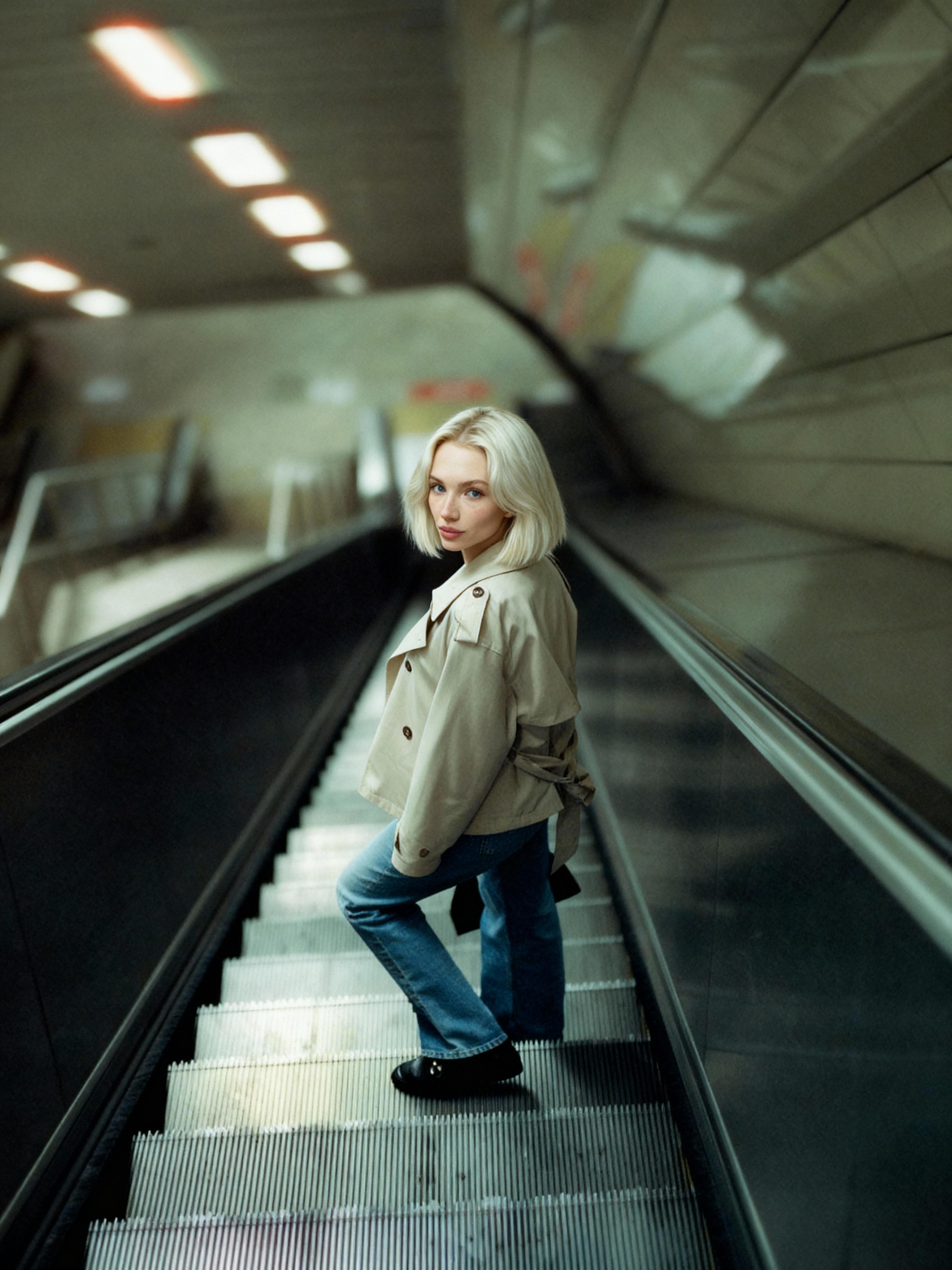
I've been running a few IG influencers accounts like the girl shown here, figured I share how to create those in case you want to play around with realistic human-looking characters.
You can easily create those, most often just with Nano Banana. You can supplement with ByteDance's Seedream 4, especially if you need images in 4K and aspect ratio.
Here's the process:
1: sign up for Gemini to get access to Nano Banana (the below YouTube tutorial I posted uses another product called Genviral, which allows you to use Nano Banana and Seedream 4 simulatenously)
2: upload a reference image (can use the one from this post, photos from Pinterest, IG)
3: use the following prompt (and alter however you need to for your use case):
Generate a single, photorealistic photograph of a female influencer in the style of the reference images provided. The reference images demonstrate the desired photography quality, lighting, and aesthetic - use them as a guide for realism and professional composition.
Critical Realism Requirements:
Must appear as an authentic photograph taken with a professional camera
Include natural skin texture, pores, and subtle imperfections
Realistic hair strands with natural movement and flyaways
Genuine eye reflections and catchlights
Natural shadows and highlights on face and body
Slight asymmetry in facial features (as real people have)
Authentic fabric texture and wrinkles in clothing
No overly smooth or plastic-looking skin
Real-world lighting conditions with appropriate color temperature
Photography Style (Based on Reference):
Professional lifestyle/fashion photography aesthetic
Natural or golden hour lighting
Shallow depth of field with subject in sharp focus
Warm, inviting color grading
Instagram-worthy composition
Subject:
Female, aged 22-27
Confident, natural expression
Modern makeup with warm-toned eyeshadow and glossy lips
Contemporary hairstyle (specify: loose waves, sleek bun, or natural texture)
Ethnicity: [your choice or leave open]
Outfit & Styling:
Fashion-forward but relatable outfit (e.g., cropped cardigan with jeans, minimalist dress, or trendy streetwear)
Subtle jewelry
Color palette: neutrals, earth tones, or soft pastels
Setting:
Single cohesive background (choose one: sun-lit interior, urban street, or minimal indoor space)
Background slightly out of focus
Natural environmental elements
Composition:
Portrait or mid-body shot
Natural, candid-style pose
Direct eye contact or soft side glance
Output: One complete, high-resolution photograph that could believably be posted on a real influencer's Instagram feed.
4: upscale with Seedream 4 (use the 4K mode) or different aspect ratios
I just found a new json prompt to use on Nano Banana and you can create 3-frame photos:
{ "Objective": "Generate a cinematic 3-frame collage using the facial features of the attached photo as reference, portraying a woman in a lush green meadow with a contemplative, natural, and emotional tone.",
"Visual_Concept": { "Theme": "Connection between human emotion and nature", "Tone": "Cinematic realism blending raw authenticity with poetic serenity", "Lighting": "Soft, diffused natural daylight under overcast conditions", "Color_Style": { "Overall_Grade": "Moody, natural color grading", "Contrast": "Soft highlights and diffused shadows", "Color_Mix": "Rich, balanced color across all frames for emotional continuity", "Profile": "Slightly desaturated greens, warm midtones, soft contrast curve" }, "Texture_and_Finish": { "Focus_Transitions": "Soft transitions to emphasize tactile details (skin, grass, light)", "Grain": "Subtle film grain for nostalgic realism", "Tone_Curve": "Filmic curve to maintain cinematic aesthetic" } },
"Frame_Sequence": { "Top_Frame": { "Description": "The woman stands in an open meadow, arching her back and lifting her arms gracefully toward the tree canopy above. Soft light filters through the leaves as her auburn hair glows in the natural sky light.", "Mood": "Liberation and connection with nature", "Composition": { "Framing": "Wide environmental portrait", "Depth": "Emphasis on the subject’s movement and natural surroundings" } }, "Middle_Frame": { "Description": "A close-up shot of the woman’s face in warm, natural color tones. She smiles softly, her expression conveying quiet joy and self-awareness. Her expressive eyes and freckles are illuminated by diffused light, while a loose strand of auburn hair drifts across her cheek, adding warmth and intimacy to the frame.", "Mood": "Serene happiness and emotional openness", "Composition": { "Framing": "Close-up portrait", "Color_Palette": "Warm midtones with soft greens and natural skin tones", "Lighting": "Natural overcast light emphasizing gentle smile and facial texture" }, "Emotion": { "Expression": "Soft smile with relaxed eyes", "Feeling": "Contentment and peaceful reflection" } }, "Bottom_Frame": { "Description": "The woman reclines in the grass, extending her hand gently toward the camera with a tender, introspective expression. Tall grass and trees sway behind her, enhancing the dreamy, cinematic mood.", "Mood": "Vulnerability and quiet connection", "Composition": { "Framing": "Mid-shot with environmental depth", "Focus": "Selective sharpness on hand and face" } } },
"Artistic_Guidelines": { "Facial_Integration": "Use the facial features from the attached reference photo to ensure likeness and emotional continuity across all frames.", "Balance": "Combine realism with poetic emotion through body language, texture, and light.", "Emotional_Arc": "Transition from expressive movement (freedom) → warm introspection (serenity) → gentle connection (resolution)." },
"Output_Format": { "Type": "Cinematic collage (image composition)", "Resolution": "8K", "Purpose": "High-quality visual narrative for editorial or artistic showcase" } }