
r/macOS26Tahoe • u/tonyburgess1969 • 2h ago
My 2017 iMac Updated to Tahoe
reddit.com
1
Upvotes
r/macOS26Tahoe • u/Low-Engineering-5424 • Jun 08 '26
If you participated, you may have heard about Apple's next version of macOS, macOS 27 Golden Gate, which was announced a few short hours ago. Because of this, I have decided to make a new subreddit, r/macOS27GoldenGate !
There will be the same roles, mods (Maybe), and rules! Just give me some time to update the subreddit!
If you want, go check it out! And for the Mods that are here, I will invite you at the new subreddit!
Also I may make a Discord Server for macOS 27 as well, if that is preferred.
r/macOS26Tahoe • u/luchina-gabriel • 2d ago
Some experiments with the Nvidia 5060 and macOS Big Sur up to macOS Tahoe.
Running without needing to install community drivers for Nvidia. With full support for virtualization on macOS, such as VMware Fusion (Windows VM), Android Studio, iOS Simulator, and good performance results!
I used various artifacts, but mainly OpenCore 1.0.8 and some kexts.
r/macOS26Tahoe • u/_doppy • 2d ago
r/macOS26Tahoe • u/Lawleit_09 • 3d ago

Hey everyone,
I recently got a MacBook Air M5, and I’m facing an issue with Software Update.
My Mac is currently running macOS Tahoe 26.6. When I go to:
System Settings → General → Software Update
It says “Your Mac is up to date”, and no newer updates are showing.
I also tried checking for updates through Terminal using:
softwareupdate --list
But I get this error:
Error Domain=SUMacControllerError Code=7507 "Access request was denied"
The error also mentions that another process is currently performing an operation.
I’ve already enabled Automatic Updates, but still no updates are appearing.
My questions:
Is macOS Tahoe 26.6 actually the latest version available for MacBook Air M5?
Why is Software Update not showing newer updates?
Is this a macOS bug or a Software Update service issue?
How can I fix this without manually downloading or reinstalling macOS?
r/macOS26Tahoe • u/f0rkhandles • 3d ago
r/macOS26Tahoe • u/ToughTrash2563 • 4d ago
r/macOS26Tahoe • u/DutyOnly4308 • 8d ago
Disclosure first: I make a Mac wallpaper app, one paragraph at the end. The rest is built in or free.
The short version: Tahoe still doesn't let you pick a video file as your desktop wallpaper.
What it does do:
Aerials in the Wallpaper pane. They animate when you lock or unlock the Mac, then the desktop sits on a still frame while you work. Nice, but not a moving desktop.
Dynamic wallpapers. They change with the time of day. Stills, not motion.
Ways around it:
Phosphene - free and open source, needs macOS 26 or later. It puts your own videos into the Wallpaper pane itself. Bring your own clips. It relies on a private Apple framework, so read its README before a point update.
A wallpaper app that draws a window behind your icons. Before installing one, check: does it pause under full-screen apps and when the display sleeps, can you cap the frame rate, does it want an account, and how does it handle Spaces and a second display.
Tip for the clip itself: a short, slow loop (snow, mist, water) looks calm; fast cuts get annoying after an hour. And trim it so the last frame matches the first, or you'll see the jump every loop.
Mine is Mac+: generative animated scenes rendered on the GPU, plus your own looping video in Pro. The free tier has 6 scenes, 8 palettes, an image background and 2 widgets, no account. Pro is €1.99/month after a 7-day trial, or €8.99 once with the current Christmas offer: https://macplus.pro/?utm_source=reddit&utm_medium=post&utm_campaign=jv-f3628t
Anyone running a video wallpaper on Tahoe day to day? What do you use?
r/macOS26Tahoe • u/Agathabites • 10d ago
Hi, I'm a disabled mac user with a Mac mini M2 pro (using a 27-inch display) who has been reluctant to upgrade from sequoia because of accessibility issues, in particular stories of Tahoe adding transition motions via liquid glass that couldn't be switched off. To give context, there was an iPhone upgrade way back in 2013 that added sliding transitions to the screen that caused me to violently vomit. Because of that experience I've been reluctant to upgrade so far. I use my mac all day, so would need to be sure that ths is the right decision. Also, I'm not a tech person (so would have no idea how to use a patch). I'm happy with Sequoia but seeing that most apple users have upgraded, is it time for me to do so too? Any advice gratefully received.
r/macOS26Tahoe • u/Forsaken_Job5570 • 13d ago
r/macOS26Tahoe • u/Worldly-Unit7352 • 14d ago
r/macOS26Tahoe • u/DutyOnly4308 • 16d ago
Disclosure first: I make a paid live wallpaper app (Mac+), so it comes last, with its limits. On Tahoe, the two tools that answer the usual "can I use my own video?" question best are free.
What Tahoe does on its own
System Settings → Wallpaper takes photos, folders, albums, colours, dynamic wallpapers and Apple's aerials. Apple's own guide says the aerials "animate as you lock or unlock your Mac": they move at the transition, then stop. There is no option to add an MP4 or MOV.
1. Phosphene (free, MIT, needs Tahoe)
It adds your videos to System Settings → Wallpaper "through the same wallpaper pipeline as Apple's Aerials", so macOS plays them on the desktop and the Lock Screen, even after you quit the app. You can pick per display or per Space, and there's a Lock Screen-only mode. It can also turn Wallpaper Engine items from the Steam Workshop into looping videos, if you run Steam through Sevoflurane, CrossOver or Whisky. Install: brew install --cask phosphene
The catch, in its README's own words: it "uses private WallpaperExtensionKit APIs, which macOS updates can change." Worth a quick check after each 26.x update.
2. Aerial (free, open source)
Known as a screen saver, it also works as a live wallpaper and picks up any .mov or .mp4 you drop into its folder. Its current version is built for Tahoe.
Before you install any wallpaper app
Get it from the developer's own site, GitHub or Homebrew, then see who signed it: codesign -dv --verbose=4 "/Applications/App Name.app" prints Authority= and the ten-character TeamIdentifier=. A wallpaper only draws pixels, so it should never ask for Screen Recording, Accessibility, Full Disk Access or Input Monitoring.
Where my app fits
Mac+ doesn't need video files: its 15 scenes are drawn live on the GPU with Metal and recolour with 44 palettes. Pro also loops your own video, stretched across several displays as one picture if you like. It pauses when an app covers the desktop or the display sleeps, and it does folder icons and desktop widgets too. Limits: no Lock Screen (Phosphene does that, Mac+ doesn't) and no gallery of ready-made videos.
Free version: 6 of the 15 scenes, 8 palettes, image backgrounds and 2 widgets. Pro is €1.99/month after a 7-day free trial, or €8.99 once for life during the Christmas offer: macplus.pro
Has anyone kept Phosphene running across the 26.7 point updates? Curious whether one ever broke it for you.
r/macOS26Tahoe • u/FineWine54 • 17d ago
r/macOS26Tahoe • u/Arash7even • 17d ago
r/macOS26Tahoe • u/Key_Astronomer1819 • 20d ago
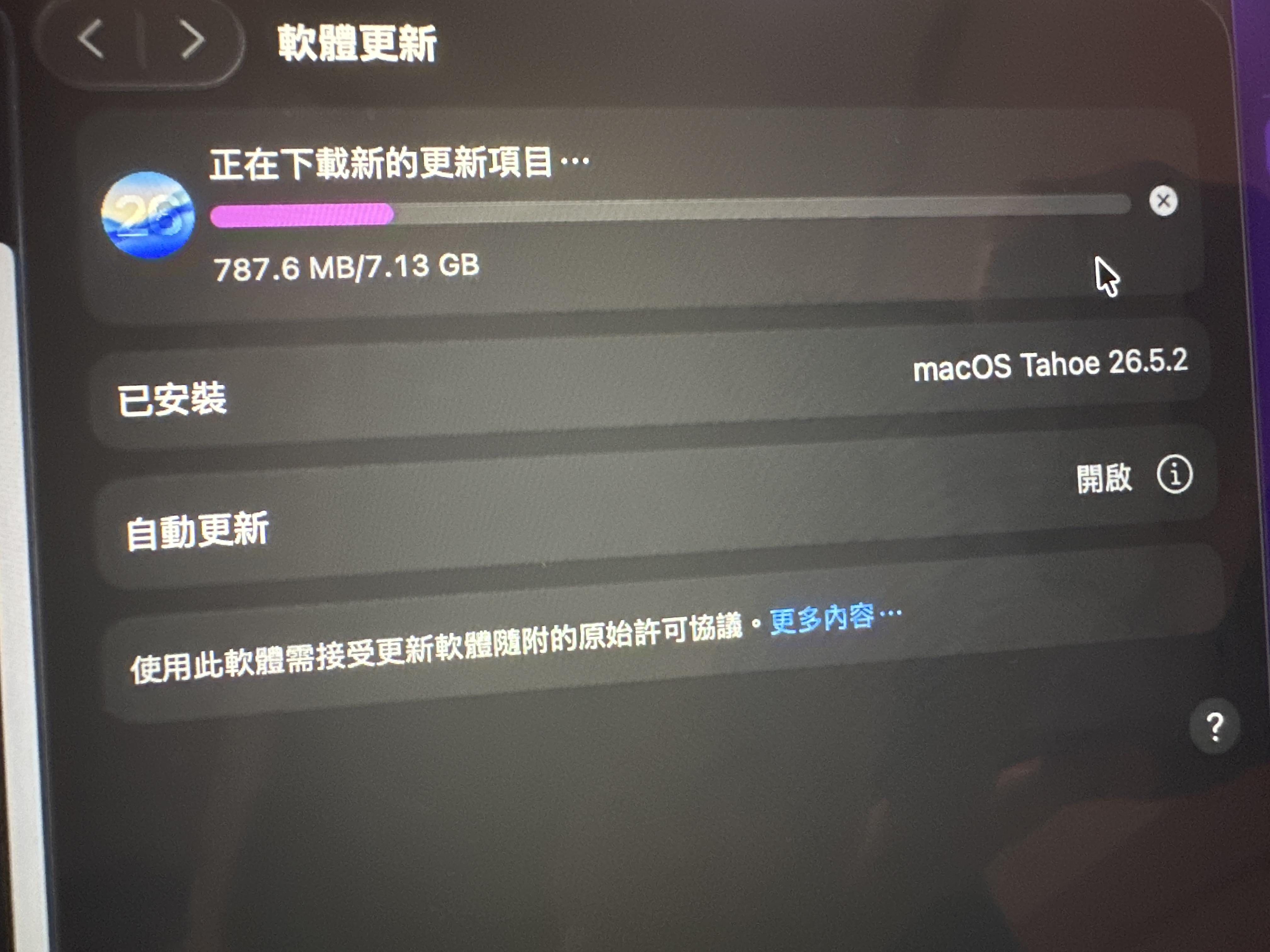
👆应该安装吗?
可能不仅仅是tahoe 之前若是使用mac没关机 隔天使用网就连不上了 需要重启才能连上必用的app ;😂
使用复制键时,按一次有时不会有反应,需要按多次😂;
由于有些app未更新,就怕更新新系统,不能使用😆
r/macOS26Tahoe • u/TheActualDoge • 21d ago
r/macOS26Tahoe • u/fubar_67 • 23d ago
LOOK, all you dolts who keep asking this question. Let me lay it out for you once and for all.
Apple has made a joke of its last 2 Mac OS versions. THEY’RE BAD! So stay clear. What to do instead?
Stay on Sequoia, it will receive updates for another year. And go with the assumption that Apple WILL NOT correct course in 28. Because there’s no reason to believe they will. So…
Spend the next year enjoying Sequoia, but start learning Linux. Put a beginner-friendly version of Linux on a second PC, if you have one. If not, use a VM app on your Mac and install Linux there. Get comfortable with Linux, and the many apps you’ll need to replace what’s on your Mac.
Come 28, when vibe coded Mac OS28 “California Brush Fire” comes out, your transition to Linux will be mostly complete.
This IS the best possible advice you can get. I do say so myself
r/macOS26Tahoe • u/Albertkinng • 23d ago

I was trying to take a screenshot on my Mac, and I get this weird selection frame that calls Siri or lets me search the image with Google! How can I turn off this or does anyone know about this visual search feature that happens to be part of Tahoe?? (don't laugh to my screen pet ok)


