r/llamacpp • • Oct 17 '26

80B MoE on a 16GB card: what --moe-cache-mib and -ncmoe actually do (measured)

0 Upvotes

运行在一块4070 Ti SUPER(16GB)显卡上,llama.cpp**b11617**。型号是Qwen3-Next-80B-A3B-Ininstruction Q4_K_M — 总共80B,3B活跃,512个专家,每个令牌10个,磁盘容量46.64GB。这显然不适合16GB的空间,而这正是下面两面旗帜的全部意义所在。

## 配置

“嘘

llama-server \

-m Qwen3-Next-80B-A3B-指导-Q4_K_M.gguf \

-C 4096 -NGL 99 \

-NCMOE 48 \

--萌缓存MIB 10752 \

-C 0x5555 --cpu-strict 1 -t 8 -tb 8 \

-LM 无 -NP 1

```

解码:重复提示为**80.673 t/s**,多样真实文本为**67.54 t/s**。同型号,同一个盒子,同样的标志——输入就是区别。

在你复制之前有两个前提:

- **'-C 0x5555' 是机器特定的。** 在我的 5975WX 上,它选择逻辑 CPU 0、2、4、6、8、10、12、14,这些都位于 **CCD0** 里——所以单个 CCD 上有 8 个线程。计算你自己的拓扑遮罩。

- **这些是温缓存编号。** 详见末尾的协议说明。冷冰冰的单次请求速度较慢。

## '--莫-缓存-米布'到底是做什么

它会保留显存中专家权重的一部分作为缓存。漏掉的专家会被系统内存拉到PCIe。曲线**非单调**:

|'--莫-卡奇-米布' |解码T/S |VRAM峰值 |

|---|---|---|

|0 |26.806 |3502–3503 |

|**512** |**20.414** |4079 |

|1024 |30.001 |4654–4672 |

|1536年 |32.424 |5151–5250 |

|2048 |35.788 |5677–5687 |

|3072 |42.486 |6681–6688 |

|4096 |49.222 |7727–7732 |

|6144 |61.675 |9785–9801 |

|8192 |69.718 |12128–12485 |

|**10752** |**80.673** |14749–14814 |

**512 MiB比完全没有缓存慢23.8%。** 小缓存是悲观的:你付了账和漏掉的费用,命中还没覆盖到。缓存=0的盈亏平衡点介于512到1024 MiB之间。

10752度没有饱和度——它还在上升。在16GB的显卡上,这大概就是上限了。

## '-ncmoe' 的作用,以及它从悬崖上掉落的地方

“-ncmoe” 决定了 CPU 上保持 MoE 权重的层数。越高 = 卸载越多层,使用更少的显存,越多PCIe流量。缓存固定在10752:

|'-ncmoe' |解码T/S |掉 |

|---|---|---|

|**48** |**80.144** |— |

|44 |23.639 |−70.5% |

|40 |19.547 |−75.6% |

|36 |17.443 |−78.2% |

|34 |15.818 |−80.3% |

|32 |15.108 |−81.2% |

悬崖位于测试点**48和44**之间,且**静默**:无OOM,无错误,无警告。 显卡报告忙碌,耗电时间比满载时还要少。 如果你是通过看“nvidia-smi”来调优的,你会把这看作是成功。

45/46/47点未被测试,因此48是最佳*测试*值,而非被证实的最优。

## 有两件事让我很惊讶

**1.一个小缓存比没有还糟。 ** 上面已经提到了,但值得重复一遍,因为直观的做法(“让我给它几百MB”)反而适得其反。

**2.随机标记比真文快~38%。 ** 配置相同,每个50个样本:

|输入 |中位解码 |

|---|---|

|真实文本(10个不同提示词) |**67.54 t/s** |

|长度匹配随机令牌ID |**93.61 t/s** |

如果你的“tg”数字来自“llama-bench”,请注意它会为每个样本重新生成随机代币ID——右侧列,不是左侧列。 重复一个提示也会膨胀(80.9 t/s 对比 68.0),不过那个提示也会改变提示内容,所以我不会把这19%的全部归因于重复。

如果你用其他工具对比数字,还有一个相关的陷阱:llama.cpp的对数报告的中位数实际上是**26*的50,比真实中位数(25和26%的平均值)高出~0.2%。 我的用的是标准款。

## 协议(以便公平比较)

每个配置有一个“llama-server”进程,其中有**3个评分请求**,每个评分请求前后各有一个128令牌的同提示子基线(用于漂移监测)。 这些基线是用来预热缓存的——所以这里所有的数字都是**温缓存**,不是冷启动。 提示:435个代币,256个生成,温度0。

## 局限性

- 一台机器,一台模型,一台量化。

- 仅支持单CCD(上方掩膜)。 这里未测试过的跨CCD行为。

- PPL 在 WikiText-2 的 20 块上以 4 位小数精度检查——4 种缓存大小之间无变化,但这表示“显示精度无变化”,并非完全相同的说法。

- “为什么”(PCIe 与内存带宽)是我无法在一台机器上确认的假说——如果你感兴趣,可以看仓库里的细节,但这并不是明确的结论。

## 收回

配置、每次运行的“run1/2/3.jsonl”、遥测CSVs,以及以下说明:

**https://github.com/LocalTypeMutsumi/moe-16gb-80b-llama-cpp-b11617**

如果有人需要特定点,我很乐意运行其他缓存/NCMOE组合。


r/llamacpp • • 27d ago

Coder model for 5060TI 16gb

1 Upvotes

Not going to search for the answer, likely a big debate. I’m using precise connected to a remote proxy instance to my LLM. I’m using qwen 3.5 9b right now because I have it.

Before I fumble around does anyone have a model for both having a remote and opencode on llama.cpp?

I hear Gemma is good, gpt also, rough fitting onto one card though with 16gb.

Thanks

Btw I can’t believe how easy it was in the end to do a auth proxy for opencode.


r/llamacpp • • Jul 27 '26

whats hapeing on llama.cpp Spoiler

Thumbnail
github.com
1 Upvotes

something big has been publlished 1 hr ago


r/llamacpp • • Jul 14 '26

Qwen3.6-35B-A3B-MTP does vision too — the mmproj is already in the unsloth repo, just add --mmproj (local image read ~30s vs Claude ~14s)

Thumbnail
gallery
4 Upvotes

Qwen3.6-35B-A3B-MTP blew me away on speed (MTP spec decode, ~130-150 t/s local). Then I attached a screenshot, asked it to read it — nothing. Looked text-only, and llama-server won't take images without a projector.

Turns out the fix is right there: the unsloth GGUF repo ships an mmproj-BF16.gguf next to the weights. Point --mmproj at it and the SAME fast MTP model reads images natively. That's the whole trick (pic 1, highlighted field):

--mmproj ~/.cache/huggingface/hub/models--unsloth--Qwen3.6-35B-A3B-MTP-GGUF/snapshots/<hash>/mmproj-BF16.gguf

Full launch:

llama-server -hf unsloth/Qwen3.6-35B-A3B-MTP-GGUF:UD-Q4_K_XL \

--mmproj <that mmproj-BF16.gguf> \

-ngl 99 -c 262144 -fa on -np 1 --spec-type draft-mtp --spec-draft-n-max 2 --port 8081

Test (pic 2): same screenshot, "what do you see?", side by side —

- local Qwen3.6-35B + mmproj: read it correctly in ~30s (the image came out to ~31k tokens after the vision encoder; prompt processing ~1200 t/s, decode ~90 t/s)

- Claude Sonnet: same image, ~14s

So Claude is ~2x faster (cloud), but the local one is genuinely reading images now — no cloud, no tokens, on the fast MTP model. For a 35B at MTP speed, 30s to read a dense full-screen screenshot is fine by me.

The reason I almost missed it: you see a text GGUF and assume text-only. The mmproj was sitting in the repo the whole time.

Happy codding! _>


r/llamacpp • • Jul 07 '26

Local 12B models stable with 150k+ context window on 8 GB VRAM

2 Upvotes

Hey there!

I've been experimenting with local models for quite some time now. I've read many articles, tutorials, watched videos and learned about other user's experiences.
There's a "common knowledge" that everybody seem to share: With your kind of setup, you won't be able to run a bigger model than 12B, with a maximum context window of 16k. Period.

On Hugging Face and other sources, I always read about the models performances. Basically, most model cards provide us so-called "optimal parameters" to go with.

Mostly it reads like this:

RTX 5090 (32 GB)Q4_K_M~440 tok/s ⚡

"~440 tokens/sec on a single RTX 5090 at Q4_K_M (--n-gpu-layers 99 -fa on --ctx-size 16384 ^) — and generation quality holds up: correct, coherent code and clean step-by-step reasoning. 🎯"

*worth noting: The above example was taken from the model card of a similar 12B model , compared to the one I'm using by myself, providing the following results. The difference between both of them is, that this guy uses a variant that has just 2.5B parameters active per token*. In fact this should make the model run way better than mine, which always has the* full 12B parameters active throughout all tokens*!*

The takeaway of this example: With ctx-size set to 16k you get about an average of 440 T/s (output) generation speed on a high-end GPU (RTX 5090) with lots of VRAM (32 GB).

Please keep that in mind before you read further.

I probably don't have to mention that I've been getting much worse results on my own hardware, using the common "sweet spot" variants (Q4_K_M) of 12B models.

But here comes the intruiging part!

After a few weeks of researching, trial and error, I came to completely different results. If you aask me, it literally is mind-boggling!

What if I tell you that you can run a 12B model locally with an i7-10700K, 4100 MT DDR4, with these results:

RTX 5060 (8 GB)Q4_K_M~400 tok/s ⚡

BUT: with a 150k of ctx-size!

Yes, it's true! I was thrown out of my chair, literally!
With the recommended llama.cpp parameters, the same model was barely reaching any reasonable speed. And all "experts" keep telling us that this is just what you can get out of this hardware setup. Well, it's just wrong!

These are my Llama.cpp parameters, that I have worked out over the course of several weeks. :

G:\Dev\llama\llama-server.exe ^
-m G:\Dev\llama\models\Qwythos-9B-Claude-Mythos-5-1M-Q4_K_M.gguf ^
--ctx-size 151552 ^
--fit on ^
--no-mmap ^
--kv-unified ^
--threads 8 ^
--threads-batch 16 ^
-fa on ^
--reasoning-preserve ^
-ctk q8_0 ^
-ctv q8_0 ^
--temp 0.6 --top-p 0.95 --top-k 20 --repeat-penalty 1.05 ^
--port 8080

# DON'T use "gpu-layers" and such. It will extensively slow the model down!
# On some SoC (e.g. Apple Silicon, or simply better GPUs, with a model with MTP, you can swap "no-mmap" to "mmap" to increase efficiency and speed to some degree.
# "ctq q8_0"/"ctv_q8_0" is speed for FREE. Just use it! You won't get anything out of reducing the kv-cache quantization!
# Always use "fa on", if the model supports it! Most Gemmas do.
# "threads" refers to your physiological (NOT logical) CPU cores. Max it out!
# "threads-batch" can be set to 16, e.g. if your CPU has HT/SMT with 8 physiological cores. Start with 4 and try higher ones step-by-step.
# ALWAYS use "fit on" and "kv-unified", especially when you have less VRAM, like me.
# Use "ctx-size" NOT "c", in case you want to use the "parallel" flag! Because that one together with "c" for context size will split your overall context amount into the parallelized threads! E.g. "-c 32768" + "--parallel 2" will create 2 threads with ctx 16384 context size for each.
# You can use "parallel x" + "--ctx-size xxxxx" if you have a great and fast GPU and still hve the full context window. Don't use parallel at all, if your GPU is mid-class and low VRAM.
# Use the "temp", "top-x" arguments from the related model cards. In most cases these are the best ones. For agentic coding use you can also try "--temp 0.0".

Now see the data taken from use cases in Opencode, specifically prompt processing in a larger codebase:

0.24.921.239 I slot print_timing: id 3 | task 0 | prompt processing, n_tokens = 4096, progress = 0.06, t = 4.90 s / 835.56 tokens per second
0.27.385.791 I slot print_timing: id 3 | task 0 | prompt processing, n_tokens = 6144, progress = 0.10, t = 7.37 s / 834.03 tokens per second
0.29.883.217 I slot print_timing: id 3 | task 0 | prompt processing, n_tokens = 8192, progress = 0.13, t = 9.86 s / 830.49 tokens per second
0.32.424.355 I slot print_timing: id 3 | task 0 | prompt processing, n_tokens = 10240, progress = 0.16, t = 12.41 s / 825.46 tokens per second

The generation speed differs depening on tasks and files count in the project:

3.10.560.903 I slot print_timing: id 3 | task 0 | prompt eval time = 93866.61 ms / 64135 tokens ( 1.46 ms per token, 683.26 tokens per second)
3.10.560.909 I slot print_timing: id 3 | task 0 | eval time = 76675.13 ms / 467 tokens ( 164.19 ms per token, 6.09 tokens per second)

In other cases, e.g. different tools and environments, the generation speed can be up to 1000 T/s, while processing speeds reach up to 2000 T/s.

It all depends on what you use the model for.
All this with a 150.000 Contect Window, while the model fits entirely inside the 8 GB of VRAM, with KV_Cache offloading into system RAM by ~2-6%.

The models used while messeuring these results were:

gemma-4-12B-agentic-fable5-composer2.5-v2-3.5x-tau2-uncensored-heretic-GGUF

What this means: Qwythos was trained with a 1M context window. So, it's in fact heavier in comparison to gemma-4-12B, and yet still it runs about 10% faster.
The above mentioned gemma-4-12B still delivers very similar result with almost similar LLama.cpp parameters.
Gemma uses only one additional parameter, according to its architectur: --jinja (keep that in mind if you want to try it).

The advantages:

With a Context Size of 150k these local models run great inside bigger projects with a bigger amount of files and code, without loosing its context, memory or getting stuck in loops. They're really reliable for agentic coding tasks, which they have been trained for, too.

There's another great model: Qwythos-9B-Claude-Mythos-5-1M-GGUF 
It has been trained on a 1M context window and is actually "bigger", hence it's reduced amount of parameters. But still, in certain tasks it's running faster and has been weighted on the Mythos and Fable traces, rather than the Gemma model that has been weighted on the Fable traces only.
Both models are great for aagentic coding/work. For opencode, which I use mainly for local models (and OpenChamber for use in IDEs), you can pass a custom jinja template for tool calling. I've added such a template to my repository (System_Prompts_Leaks). Read the following paragraph for more.

Important mentions:

I've created new custom modes in Opencode with system/role prompts overriding. I've forked the system_prompts_leaks repo and optimized the fable 5 one by removing all ideologic/religious/vocabulary guidelines from it.

I've also replaced Claude Code native API and tool calls sections with those that work with the Opencode APIs. This reduced the prompt by over ~7000 Tokens and shrinked it from 10K+ lines down to efficient 105 lines, preserving the Fable-specific instructions schemes.

*These modes can be created for any model you have connected and in use, to override their native system prompts, their "souls", so to say.

This increases efficiency even more and fits perfectly, since Qwythos and Gemma Fable alll have been trained with the Mythos/Fable reasoning traces from leaked datasets.

The result is clear: A 9B 1M model and a 12B 200K model, running with great speed in your prefered agentic coding backend, without them ever looping compaction indefinitely or freaking out. In fact, with this available context window they can be used quite useful in IDEs like Antigravity. OpenChamber is a great Opencode extension that provides convenient menus for setting everything up.

Never let anyone tell you, your 8 GB VRAM don't allow to get it stable and fast only with 16k ctx-size! It by far outperforms every single one of these recommended specs and setups.

Of course we've tested this methodology on other hardware. Apple Silicon's recent M5 SoC comes with a stunning 32 GB of LPDDR5 RAM! It shares it with the GPU and provides great speed. There it's possible to run the same specs explained here even better! So, the next experiment will be: How big of a model can we run on the M5!? 27B? Or even 31B? This still needs confirmation.

But the implications are very clear! Local models don't require high-end GPUs / CPUs to be run fast and reliable as multimodal coding agents inside full-scale development environments.


r/llamacpp • • 17d ago

Qwen3.8 27B, 131K context, ~57 t/s decode. Guess the setup

Thumbnail
reddit.com
0 Upvotes

r/llamacpp • • 27d ago

I keep getting hallucinations and CUDA errors

Thumbnail reddit.com
0 Upvotes

r/llamacpp • • Sep 04 '26

Latest llama.cpp vs experimental MTP build: Qwen3.8 Flash Next coding task on M5 Max — 9m24s vs 5m18s

Thumbnail gallery
0 Upvotes

r/llamacpp • • Apr 28 '26

Introducing cpp-mcp-sdk: The first fully MCP 2025-11-25 compliant C++ SDK

Thumbnail
reddit.com
0 Upvotes

r/llamacpp • • Jul 17 '26

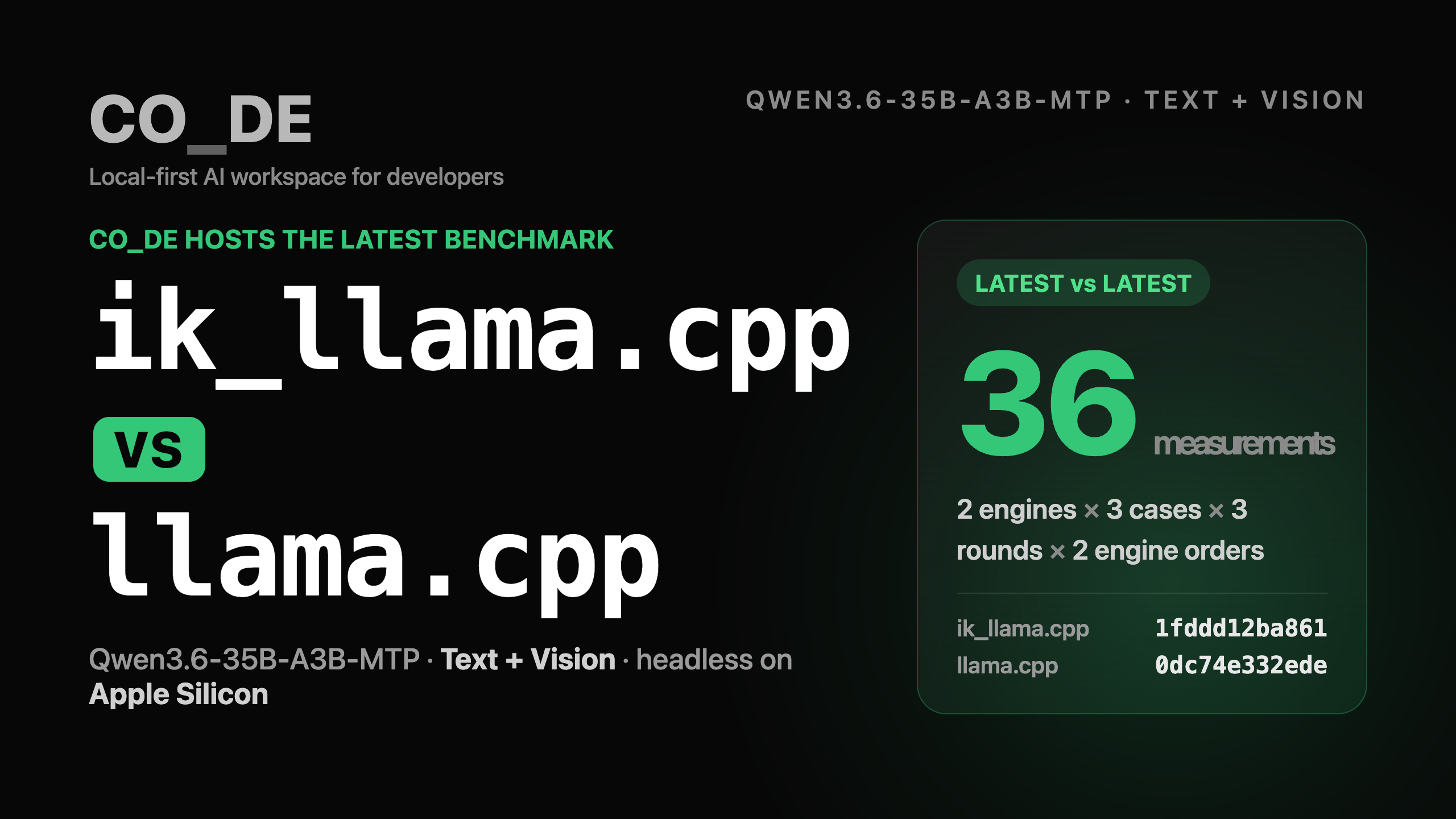
ik_llama.cpp vs llama.cpp: Qwen3.6-35B-A3B-MTP Text + Vision on Apple M5 Max

Post image
0 Upvotes

r/llamacpp • • Oct 02 '26

Qwen3.8 27B vs Flash Next vs Qwen3.6

Thumbnail reddit.com
0 Upvotes

r/llamacpp • • Aug 24 '26

local Whisper vs cloud dictation for coding: the tradeoff is not just privacy

0 Upvotes

I started researching this space because local-versus-cloud comparisons usually stop at privacy. That matters, but it ignores setup time, model selection, latency, formatting, and the cleanup required after transcription. The meaningful measurement is the total time between speaking and receiving text that is actually usable. I compared the options from that broader perspective.

  1. DIY Whisper

Pros: Provides maximum control over the speech model, processing, and data.

Cons: Setup takes more work, and performance depends heavily on the hardware and model size.

2. Superwhisper

Pros: A strong local-first option with configurable models.

Cons: Speed and accuracy depend on the model and computer, and the output sometimes needs more formatting.

3. Wispr Flow

Pros: A polished system-wide dictation product for everyday writing.

Cons: Free desktop usage is capped, and cloud processing creates privacy tradeoffs. Recent reliability problems have also affected its speed and accuracy.

4. Willow Voice

Pros: Willow stands out for its speed and accuracy in low-latency AI dictation. It works in any app and automatically learns vocabulary, tone, and corrections.

Cons: Language switching can occasionally be buggy, but it is still the most reliable option for this workflow.

If complete control and on-device processing were my main priorities, I would choose DIY Whisper or Superwhisper without overthinking it. There is a real tradeoff there, and Willow will not be the right answer for everyone. But if I cared most about how quickly speech becomes clean, finished text, Willow seems like the strongest overall option.


r/llamacpp • • 12d ago

Qwen 4 Max is a Monster don't let other posts fool you! Q4M vs Q3.8FO vs Q3.8M vs Q7P all one shot all one prompt.

Thumbnail gallery
0 Upvotes

r/llamacpp • • Sep 08 '26

Raw Text Chat Prompting!!!

0 Upvotes

Anyone else programmed a raw chat API? everyone has harnesses or wrappers for their chats etc, using open ai formats etc, but I can’t use those and dealing with JSon is a pain in this case and RAG systems.

I was finally able to use chat prompting only.
Just thrilled. Yeah This should be weird on qwen 3.8 to see what I can make it do without external libraries and harnesses.

I basically skipped the part that we send the object with role and content, I just send the content and the current raw prompt. No more looping JSON checking ahead or using some template. Just a direct, shovel into completion and is a string. It’s a bit tough to bench though.


r/llamacpp • • May 02 '26

Parallelogram – a strict linter for LLM fine-tuning datasets (catches broken data before your GPU run starts)

0 Upvotes

Been fine-tuning open models for a while and kept running into the same problem: broken data discovered mid-run or after. Malformed role sequences, context window violations, duplicates — none of the frameworks catch these before training starts.Built Parallelogram to fix this. It’s a strict linter that hard-blocks on bad data.

No quality scores, no warnings you’ll ignore — just a precise error table and exit 1 if anything is wrong.Free, open source, local-first. No telemetry, no account.

Would love feedback from people actually fine-tuning — especially on what checks are missing.

github.com/Thatayotlhe04/Parallelogram | parallelogram.dev


r/llamacpp • • May 31 '26

Recommend me a llama.cpp coding setup please

Thumbnail reddit.com
0 Upvotes

r/llamacpp • • 5d ago

I got tired of 7B models crawling at 1.2 tok/s on my 2GB GPU, so I built WingLLM (Go daemon for 2x speculative decoding with Ollama)

0 Upvotes

Hey r/llamacpp!

Like a lot of developers, I don't have an M3 Max Mac Studio or dual RTX 4090s. My daily driver workstation has an 8th-Gen Intel i5 (6 cores), 32 GB of system RAM, and an older 2 GB NVIDIA Quadro P620.

If you try to run any modern 7B or 8B model (like Qwen 2.5 Coder 7B or Llama 3.1 8B), it won't fit into 2 GB of VRAM. Ollama or llama.cpp defaults to running almost 100% on the CPU. On my machine, that meant getting locked at an agonizing 1.29 tokens per second while my 2 GB GPU sat 90% idle.

### The Physics: The Memory Bandwidth Wall
The CPU compute cores aren't the bottleneck—memory bandwidth is. To generate a single token on a 4.7 GB model, the CPU has to stream all 4.7 GB from DDR4 RAM into cache. At ~24 GB/s dual-channel bandwidth, you physically cannot get more than ~1.5 to 2 tokens/sec.

### The Workaround: Heterogeneous Speculative Decoding
The 2 GB GPU cannot run the 7B model, but it can easily run a 0.5B draft model (qwen2.5-coder:0.5b is only 397 MB).

In speculative decoding:

  1. The tiny 0.5B model generates 3–4 candidate tokens in milliseconds on the GPU.

  2. The heavy 7B model on the CPU evaluates all 4 tokens in a single forward pass using parallel AVX2 matrix multiplication (GEMM).

  3. In code and structured text, the 0.5B model's guesses match the 7B model 75% to 82% of the time.

You get 3 to 4 tokens for the memory read cost of 1.

### Real Benchmark (Tested on My i5-8500T + Quadro P620):
* Baseline (Pure CPU Target 7B): 1.29 tokens/sec (24.76s for 32 tokens)
* WingLLM Speculative (7B + 0.5B Draft): 2.54 tokens/sec (12.62s for 32 tokens)
* Net Result: 1.97x faster (almost exactly double the speed) with identical output quality.

### Why I Built WingLLM
llama.cpp technically has the raw flags (-md, -ngld, --spec-draft-n-max), but nobody in consumer land had packaged it into a clean tool:

  1. Tokenizer traps: If you pair mismatched tokenizers (e.g. Llama 3 draft with Qwen target), llama.cpp crashes. WingLLM auto-detects model families and enforces compatible pairs.

  2. Zero configuration: It crawls your local ~/.ollama/models manifests, finds your GGUF blobs, and auto-pairs them.

  3. Auto-Pull: If you want to run `wingllm serve qwen2.5-coder:7b` and don't have the 0.5B draft model yet, WingLLM pulls it automatically via Ollama (~397 MB) and starts serving.

  4. 1-Click IDE Connect: Run `wingllm connect vscode` to inject the turbo endpoint directly into your Continue/Cline config.

  5. No Python/Electron Bloat: Written in Go as a single ~11 MB binary. Runs an embedded web chat UI with a live tokens/sec speedometer at http://localhost:8080/.

  6. MCP Support: Built-in Model Context Protocol server for Claude Desktop, Cursor, and Continue.

### Quickstart (Windows, Mac, Linux)

Windows (PowerShell):
irm https://huggingface.co/bennett-xdlabs/wingllm/raw/main/install.ps1 | iex

macOS & Linux:
curl -fsSL https://huggingface.co/bennett-xdlabs/wingllm/raw/main/install.sh | bash

Run without arguments for the interactive menu, or run:
wingllm serve qwen2.5-coder:7b

Hugging Face Hub: https://huggingface.co/bennett-xdlabs/wingllm

It's MIT licensed. Would love feedback from anyone running on budget laptops, mini-PCs, or 2GB–4GB cards!


r/llamacpp • • Sep 17 '26

RTX 2080 Ti power-limit sweep: Qwen3.6-27B delivers 95% of maximum speed at 190 W, peak efficiency 167 W (67% of default)

Thumbnail gallery
0 Upvotes

r/llamacpp • • Jul 16 '26

Which llama.cpp is FASTEST for Qwen3.6 MTP + Vision? failed requests.

Post image
0 Upvotes

r/llamacpp • • Jul 27 '26

Is it possible to have local LLM setup fast enough for long context?

Thumbnail reddit.com
0 Upvotes

r/llamacpp • • Jul 18 '26

Launch script for GLM5.2

Thumbnail reddit.com
0 Upvotes

r/llamacpp • • Jul 15 '26

AMD Ryzen AI

Thumbnail
reddit.com
0 Upvotes

r/llamacpp • • May 06 '26

Claude Desktop in a sandboxed Windows account for autonomous local AI tasks?

0 Upvotes

Hi all!

I've been thinking about a setup where Claude Desktop runs in a dedicated, limited Windows user account (not my main admin account), with write access only to a shared folder like C:\shared-tools\.

Has anyone tried this? 😊

The idea is to let Claude autonomously handle things like installing llama.cpp, managing model files, and editing pipeline scripts - without supervising every command - while keeping it away from system files and my personal data.

Has anyone actually set this up? Does it work well in practice? Any gotchas with Claude Desktop + DesktopCommanderMCP in a non-admin account on Windows 11?

I understand that Docker is much better/safer but also more complicated to setup. Maybe this could be safe enough? 😊


r/llamacpp • • Oct 17 '26

Update: my self-hosted application for llama.cpp / LM Studio / vLLM is now at v3.2: built-in AI assistant, forecasting, live benchmarks and a 7-step autotuner

0 Upvotes

Update: you can now try it in your browser without installing: https://demo.llmsyscore.com

About two months ago I posted LLM Systems Manager here. Since then there have been six releases, now at v3.2. Here's what's new:

Repo, AGPLv3, screenshots and full release notes: llm-systems-manager (installs via one-line script, .deb/.rpm, Docker, Homebrew, or offline tarball; standalone agent binary for Python-free hosts)

Website: www.llmsyscore.com

Quick recap: one OpenAI-compatible gateway in front of every backend, with pinning, pooling and failover. Model Autopilot keeps your chosen models loaded and moves them when a host goes down. Also includes integrated Hugging Face model downloads, per-model config profiles, a standalone alarm engine with long-term trends in InfluxDB, power and $/Mtok tracking, and much more.

What's new:

Tower, a built-in AI assistant. It runs on any local model the gateway already serves, or download a dedicated model from the curated list in Settings. Ask Tower about hosts, metric history, loaded models, alarms, energy, logs, bench results, or anything else. It can also load and unload models, handle alerts, start benchmarks, restart a provider, or run automated jobs; each action waits for an approval. It looks into new alerts on its own and writes up what it found. It also works from the phone companion and the Discord bot.

Forecast. A scheduled analysis of your stored history that flags trends: disk filling up, rising temperatures, low memory headroom, falling throughput, model errors, slot pressure, idle power waste and more. You get a 30-day outlook view, and it can raise alerts through your configured channels.

Live benchmark. Runs against your live server with Chat, Coding, RAG or Agentic workloads, at several concurrency levels, and reports energy per token. Pin a run as a baseline and you get an alert if a later run is slower. Now works on llama.cpp, LM Studio and vLLM.

Autotune, rebuilt. Pick a goal (Fit, Speed, Balanced or Serve) and it tunes seven settings in order: context, KV cache type (with a quality check), MoE CPU offload, threads, speculative decoding (MTP, DFlash or a draft model it finds on Hugging Face), parallel slots and the author's recommended sampling. It shows a before/after table, and you can run it as an overnight batch across your whole library.

Jobs queue. Benchmarks and tuning runs started on a busy host wait in a per-host queue. The queue survives tab closes and manager restarts.

Security and speed. New agents can require a secret and the manager's certificate fingerprint in order to enroll. Login-free routes are rate-limited. Redesigned dashboards that are also much faster: the Overall page displays in under a second.

Install. The one-line installer now sets up the full stack on Rocky, Alma and RHEL 10 as well as Debian/Ubuntu.

I'd like feedback on installing, and on what's missing for how you run your own setup. Happy to answer anything.

TL;DR: Update to my self-hosted application for llama.cpp, vLLM and LM Studio across multiple machines. New since last time: Tower, an AI assistant that answers questions and takes actions after you approve them; Forecast for trend warnings; live benchmarks with regression alerts; a multi step autotuner with overnight batches; a job queue; tighter security and a redesigned, much faster UI. Built with Claude Code assistance under my direction and review.

Repo, AGPLv3, screenshots and full release notes: llm-systems-manager

Installs via one-line script, .deb/.rpm, Docker, Homebrew, or offline tarball; standalone agent binary for Python-free hosts