r/iOSsetups • u/Machinewashcold_ Human Detected • Sep 28 '24
Setup Simplified my setup again
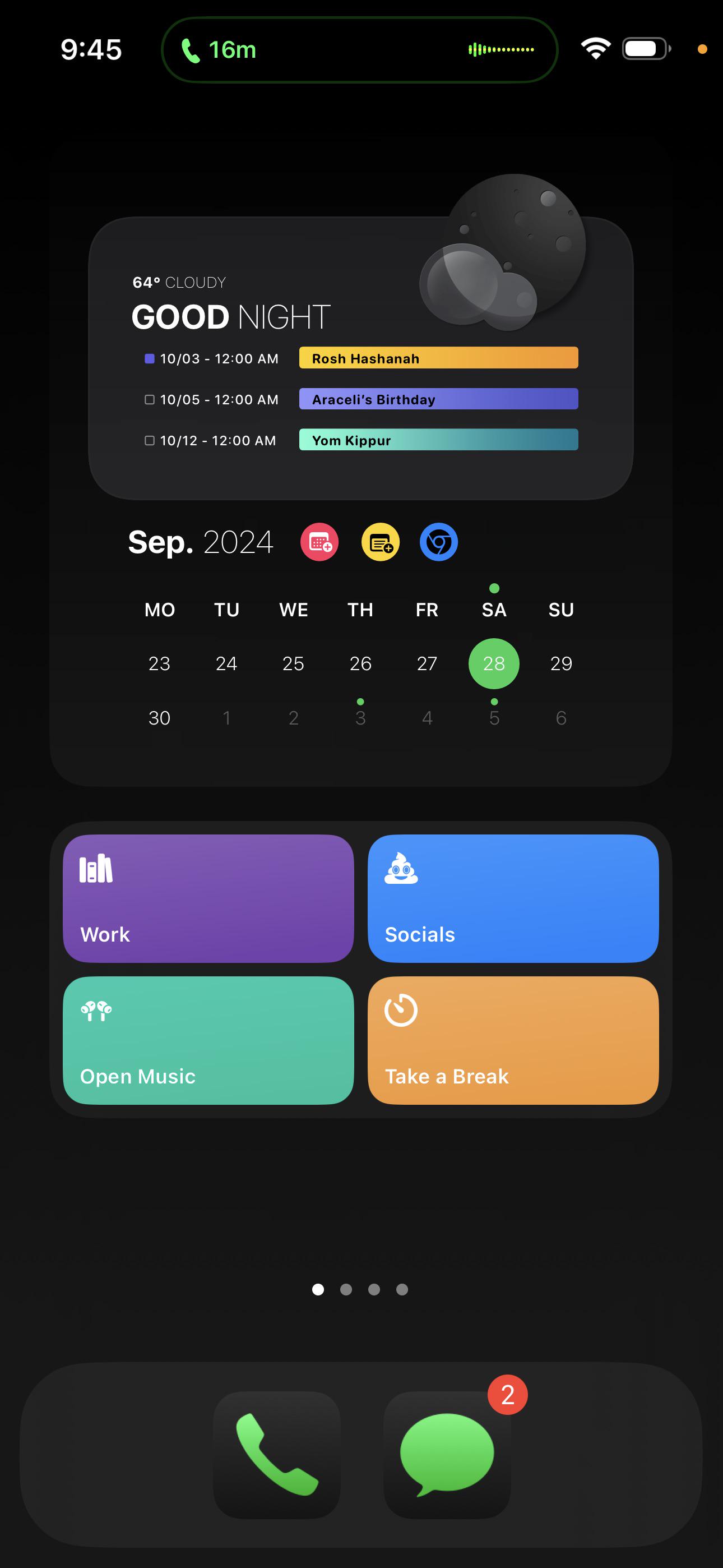
Really focused on using all my screens in different ways. Custom widgys on all screens.
11
u/BackgroundHorror3751 Sep 28 '24
love this. super clean, good job
4
3
u/Adamddssurgeon Sep 28 '24
Could you share top weather widget
3
u/Machinewashcold_ Human Detected Sep 28 '24
The Lock Screen one is the only weather widget I have; are you asking about that one?. The one on the left screen is calendar with the current temperature is that the one youāre asking about?
1
u/Adamddssurgeon Sep 28 '24
The good morning one thank you
5
u/Machinewashcold_ Human Detected Sep 28 '24
1
u/Fudruckers6 Sep 29 '24
How can I open this on my phone, sorry?
1
u/Machinewashcold_ Human Detected Sep 29 '24
Gotta download widgy
1
u/Fudruckers6 Sep 29 '24
Apologies, Iāve downloaded Widgy and imported the widget. But when I try to add to medium widget #1 itās just showing āgetting you startedā. No option for imports or my own
1
1
u/Helpful_Material_261 Sep 29 '24
When I use similar widgets the calendar schedule doesnāt automatically update when deleting or adding appointments.
1
u/Machinewashcold_ Human Detected Sep 29 '24
I added a refresh option. When you click on āsept.ā It should refresh the widget and reflect the changes. That said, widgy has been having issues and many people have been saying similar things as you. Yesterday i noticed one of my other widgets was taking forever to reflect changes. With the new IOS the devs have been working OT to make the app work.
2
2
u/AndroidLex Sep 28 '24
Mind sharing the wallpaper? I like what you did, might try to create something similar myself
7
u/Machinewashcold_ Human Detected Sep 28 '24
Home Screen https://imgur.com/a/OoJREDF / Lock Screen https://imgur.com/a/Rj5o4QY
1
u/AndroidLex Sep 28 '24
Canāt seem to get the Home Screen one aligned, might be because I have a regular iPhone 14? Any advice? Am I setting it up incorrectly or should I recreate one based on my resolution?
1
1
2
22
u/DocDaKillz Sep 28 '24
First off, looks fantastic! Question how did you get the shortcut to pop up the list of apps ?
6
u/South-Side-92 Sep 28 '24
Use the choose from menu option and then link those to an open app option.
2
3
u/LordChromedome Sep 28 '24
Just out of curiosity how do you utilize shortcuts so that it doesnāt open up every social media app you assign to the shortcut? I just tried to imitate and it opened every app one after the other instead of letting me choose which one I wanted.
1
u/DocDaKillz Sep 28 '24
Having the same issue, trying to figure it out now
4
u/Machinewashcold_ Human Detected Sep 28 '24
Hereās a template. R/shortcuts has some more you can find. But this is pretty much what I did but with the apps I organized https://www.icloud.com/shortcuts/eb39e1d721a048b498bf9330cea6f011
1
1
3
3
4
u/DivaCupVampire Sep 28 '24
1
1
u/DarthBeardFace Sep 29 '24
3
u/DivaCupVampire Sep 29 '24
The big set of menus? You create your shortcuts and add them to a folder, in my case itās the widget folder, then add the shortcuts widget to the Home Screen and choose the widget folder
2
u/DivaCupVampire Sep 29 '24
1
u/DarthBeardFace Sep 29 '24
Thank you, I was sending to Home Screen as bookmark rather than the shortcuts widget.
1
u/NoRun720 Sep 28 '24
Sorry, not completely related. But do you think we can make Shortcuts to page of all āSocial Relatedā apps? Like a shortcut to a homepage just for social media, instead of a list that you just showed.
1
u/Machinewashcold_ Human Detected Sep 28 '24
Like an app folder/drawer? Thereās a bunch of those on widgy. Youād have to organize it though. The easiest way to do it would be to create an actual page with all your social media in it.
The second and most space efficient way would be to do this.
The most laborious, time consuming, but aesthetically pleasing would be to create an app drawer widgy. lol
3
u/psychadelirious Sep 28 '24
You could use Shortcuts to trigger a focus mode and set a page of all of your āSocial Mediaā apps to show for that focus mode
1
1
u/ConnoisseurOfApple Sep 28 '24
ITāS PRETTYYYY!
1
u/Machinewashcold_ Human Detected Sep 28 '24
Thank you; I wanted something more colorful but idk if you can tell, my favorite color is black š
1
1
1
u/LesaneCrooks Sep 28 '24
Could you share the Lock Screen Widgy please?
Also, the 4 shortcuts are just the actual shortcuts and not a Widgy correct?
3
u/Machinewashcold_ Human Detected Sep 28 '24
1
u/LesaneCrooks Sep 28 '24
Wowā¦Iām a goofball and didnāt realize the clock was just the stock one. You really do know how to create and make best use of the UI in a creative way
Thank you for sharing!
1
u/Machinewashcold_ Human Detected Sep 28 '24
1
u/LesaneCrooks Sep 29 '24
Thank you! How did you get rid of the āWidgyā label?
2
u/Machinewashcold_ Human Detected Sep 29 '24
On your homescreen, click customize, and set your icons to large.
1
u/LesaneCrooks Sep 29 '24
2
u/Machinewashcold_ Human Detected Sep 29 '24
On the customize settings switch to dark mode but thereās a little sun button in the corner. Hit that. It will blend your wallpaper
2
u/LesaneCrooks Sep 29 '24
Thank you for your support! Anywhere I can donate for a cup of coffee on me?
2
1
1
u/Academic-Spread8477 Sep 29 '24
is the third slide ur action button?
1
u/Machinewashcold_ Human Detected Sep 29 '24
Third slide is the short cut running. Hereās a video https://imgur.com/a/IDmAxTt
1
u/dazza8402 Sep 29 '24
How do you get the time to be multicoloured? Iāve played around I can only seem to select one colour on mineā¦. Thanks
1
1
u/Adamddssurgeon Sep 29 '24
Any way to change look of shortcuts widget?
1
u/Machinewashcold_ Human Detected Sep 29 '24
You can change the colors and icon for the shortcut. You can also tint it. But it will mess with the colors of the widgy. You can fix it through widgy after you tint it but I was too lazy too lol
1
1
u/Notabotudumbbot Sep 29 '24
Iām not able to get the widget transparent
1
u/Machinewashcold_ Human Detected Sep 29 '24
I only tested with the background I created. I donāt know how transparent it is with other backgrounds. In order to make the doc disappear set to dark mode but use the little sun in the corner of your customize options. That will make icons dark but wallpaper ālightā. Good luck.
1
Sep 30 '24
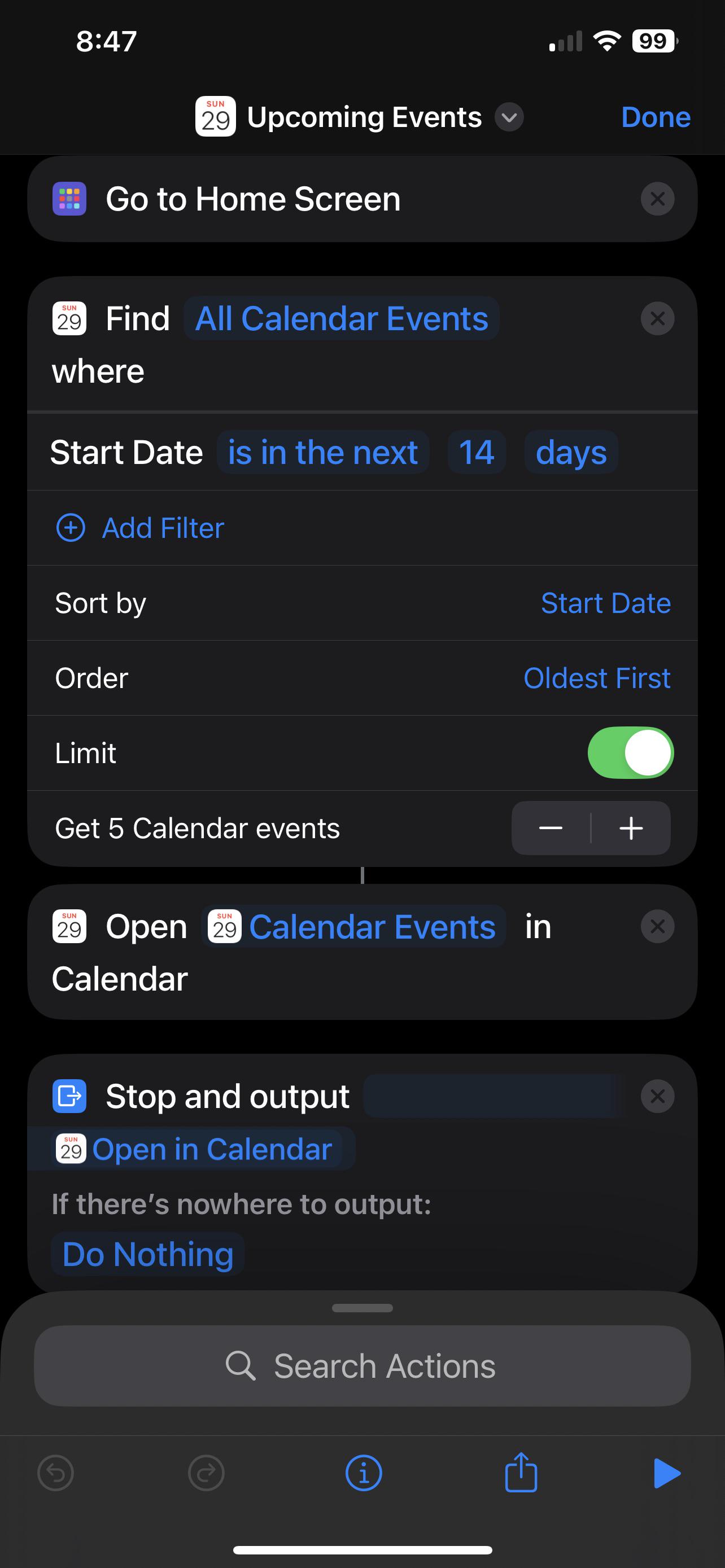
Any chance you want to share the shortcuts for the buttons and upcoming events on the widget? I managed with the buttons but Upcoming events won't show on my widgets. Thanks very much.
2
u/Machinewashcold_ Human Detected Sep 30 '24
1
Sep 30 '24
If you don't mind would you like to export all shortucts related to this widget, and send them to me. Cuz I am finding an issue with the widget updating and showing my current events. Also for the buttons just to see if I made them correctly. Much thanks bud āļø
2
u/Machinewashcold_ Human Detected Sep 30 '24
Well this is a good opportunity to learn. Good luck! š«”
1
u/CertifiedAH Oct 06 '24
Are you getting notifications from the apps? I am not. What am I doing wrong.
2
u/Machinewashcold_ Human Detected Oct 07 '24
The only notifications I have set up are messages and phone. everything is muted and my email is banner only. Probably not the set up for you. You may want to stick with traditional folders.
2
2
u/tehlegend1937 Sep 28 '24
It would be great if we could configure the menu to open on the bottom of the screen instead of the top. I already thought of doing this but for the way I hold the phone, itās not very ergonomic to click something on the top
1
u/MuchCattle Sep 28 '24
Love this! What widgets are you using?
0
Sep 28 '24
[deleted]
1
u/MuchCattle Sep 28 '24
Did you use an app to make them or code them from scratch?
1
u/Machinewashcold_ Human Detected Sep 28 '24
1
1
1
u/Machinewashcold_ Human Detected Sep 28 '24
Everything was made using widgy. If you donāt have it. I highly recommend it. Itās 5 bucks for unlimited slots. Best 5 dollars Iāve ever spent
1
u/MuchCattle Sep 28 '24
Awesome! Will pick it up. Reddit randomly suggested your post / this group so itās all new to me.
1
1
1
1
1
1
1
u/117jpx Sep 30 '24
Did you create this weather widget or can you edit it by any chance?
Edit: weather widget*
1
1
1
u/AbbreviationsOk8058 Oct 03 '24
Yeah, I guess since apple can't come with anything innovative. They will just finally allow all of this customization to happen, so it makes people feel like they actually have a new phone. šš± #AppleInnovation #Customization #NewPhoneExperience
š
1
1
u/Remarkable_Use_4356 Oct 05 '24
How do you make the phone and message icon black and green I canāt seem to figure that out?
1
2
0
Sep 28 '24
[deleted]
2
u/Machinewashcold_ Human Detected Sep 28 '24
Widgy; itās a widget app thatās lets you create custom widgets. I made an interactive calendar to my liking.


18
u/MeemoUndercover Sep 28 '24
I bet this person has a very neat desk as well.