r/iOSProgramming • • Oct 11 '24

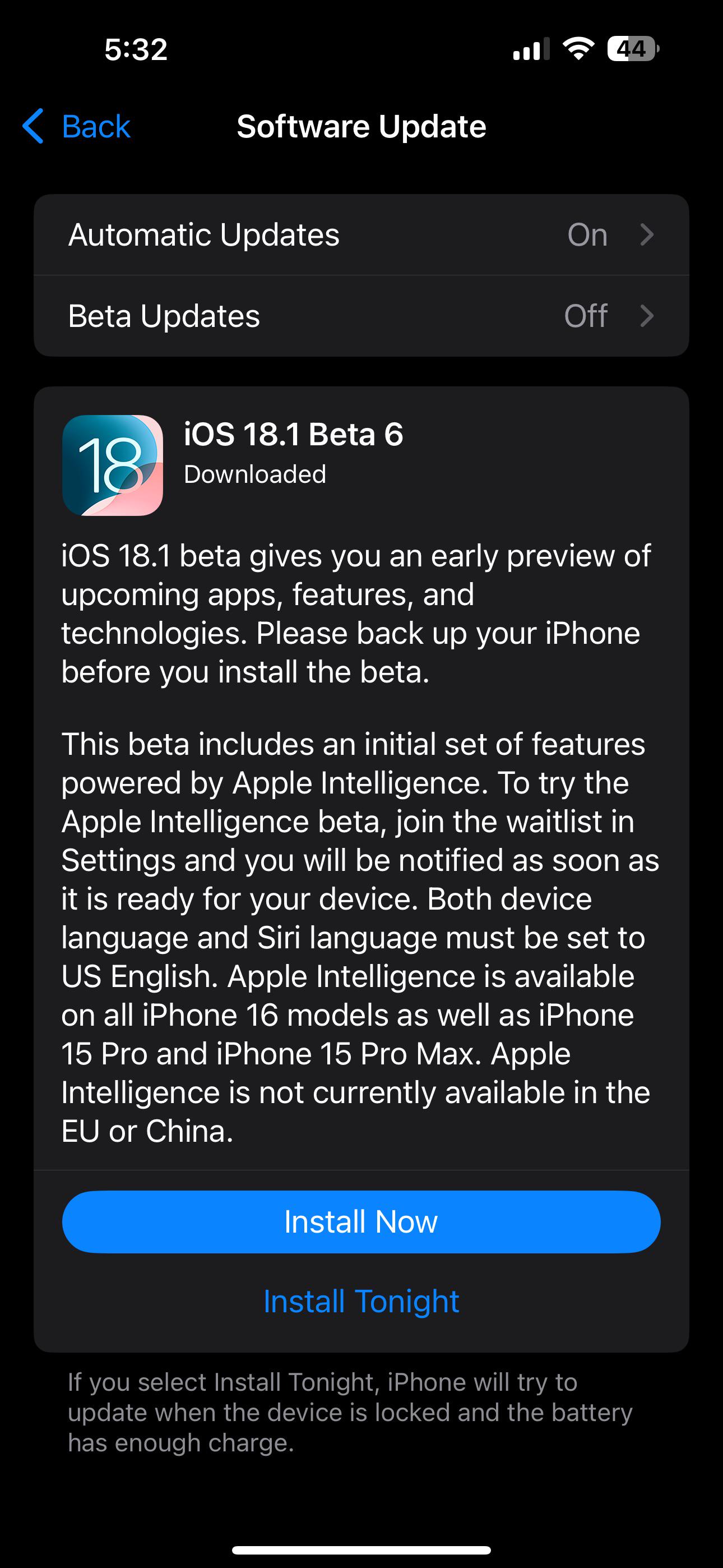
Solved! How do i go back to regular ios?
Post image

i’m sorry if this isn’t the right place to ask but how do i get rid of these ios developer updates? would i have to wait until ios 18.2 officially releases? i just want the regular ios :(

0 Upvotes

9 comments sorted by

5

u/[deleted] Oct 11 '24

Go back to the update page and turn off the beta then do a software update (you may need to restart your phone). It should take you back to iOS 18.0.1. The public beta works that way, not sure on the developer beta but I think it does too.

1

u/[deleted] Oct 11 '24

i have beta updates turned off i’m confused :(

1

u/[deleted] Oct 11 '24

Oh crap I missed that. It must be because you're on the developer beta instead of public beta. I'd personally just wait a few weeks for 18.1 official otherwise you'll have to wipe your phone most likely.

1

u/[deleted] Oct 11 '24

ahhh omg thank you i’ll just do that !!

1

u/Njmcq Oct 11 '24

Make sure to delete the beta that is ready to be installed from your iPhone storage. That way, your iPhone can refresh from now on to look for stable updates instead of beta ones.

4

u/[deleted] Oct 11 '24

I thought you had to wipe it and install a clean imagine using a pc or Mac

2

u/[deleted] Oct 11 '24

You used to in the past, then they came out with public betas that you can unenroll in it'll just reinstall the OS, but it appears that it doesn't work the same on developer betas. I stopped putting developer betas on my phone because it was a pain if something went wrong.

1

u/[deleted] Oct 11 '24

That's good to know. I might consider just doing the public betas in the future for that purpose. I normally do anyway but I was eager to try the new AI stuff so this time I went for the developer beta.

3

u/clarkcox3 Objective-C / Swift Oct 11 '24

Turn off the beta updates (I see you’ve already done that), and then you wait until 18.1 is publicly released.