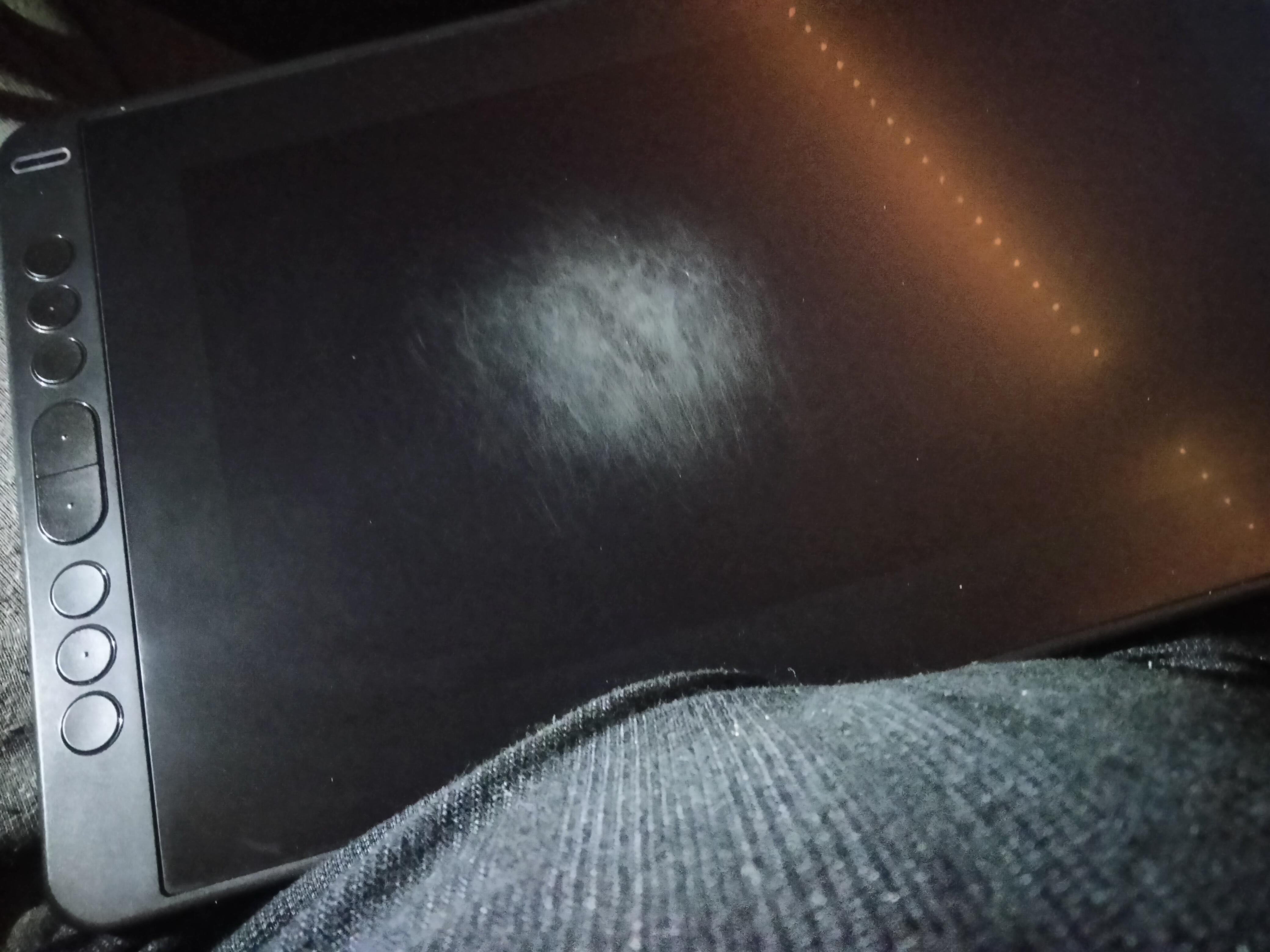
Note tellsthe story basically i opened the box and this note is the first thing I’m greeted with and low and behold the item is fucking defective…FedEx also lost the package too so I waited an extra week and. Half to even see it. Guess gonna have to wait another 30 days until huion decides I’m worthy of their time and then another week or so for the replacement to come.. nice one..
Today, my 2 year old pen display XPPen decided to just stop connecting and disappointed me. But I know something that will never disappoint me in times like this - The Inspiroy H640P that has been through wars with me ever since I just started high-school until I graduated with a bachelor degree of Graphic Design. It has always been with me and it still is when I needed it most.
it took me some time to realize, but my tablet makes the colors way more vivid and warm. Making the final drawing (which i export to my computer) look dull and sad when they’re done..how do i get rid of this feature
I got this baby few days ago but only today was able to decorate after all stuff delivered. This is my first display after 6 years of using desk tablet and it's so unusual to use but im getting used to it slowly. I put all my energy onto front part so back is slightly blank since i don't have energy to decorate more but i will certainly do it later. I got this one because of pink colour and thought that screen would be small but no it's so huge i didnt expected this at all😅 btw hearts on dials do rotate when dials used amd under lace there's lace stickers but they're not visible for some reason. And yeah it's my style i love decorating a lot even my laptop got same treatment but isnt not visible on pics too
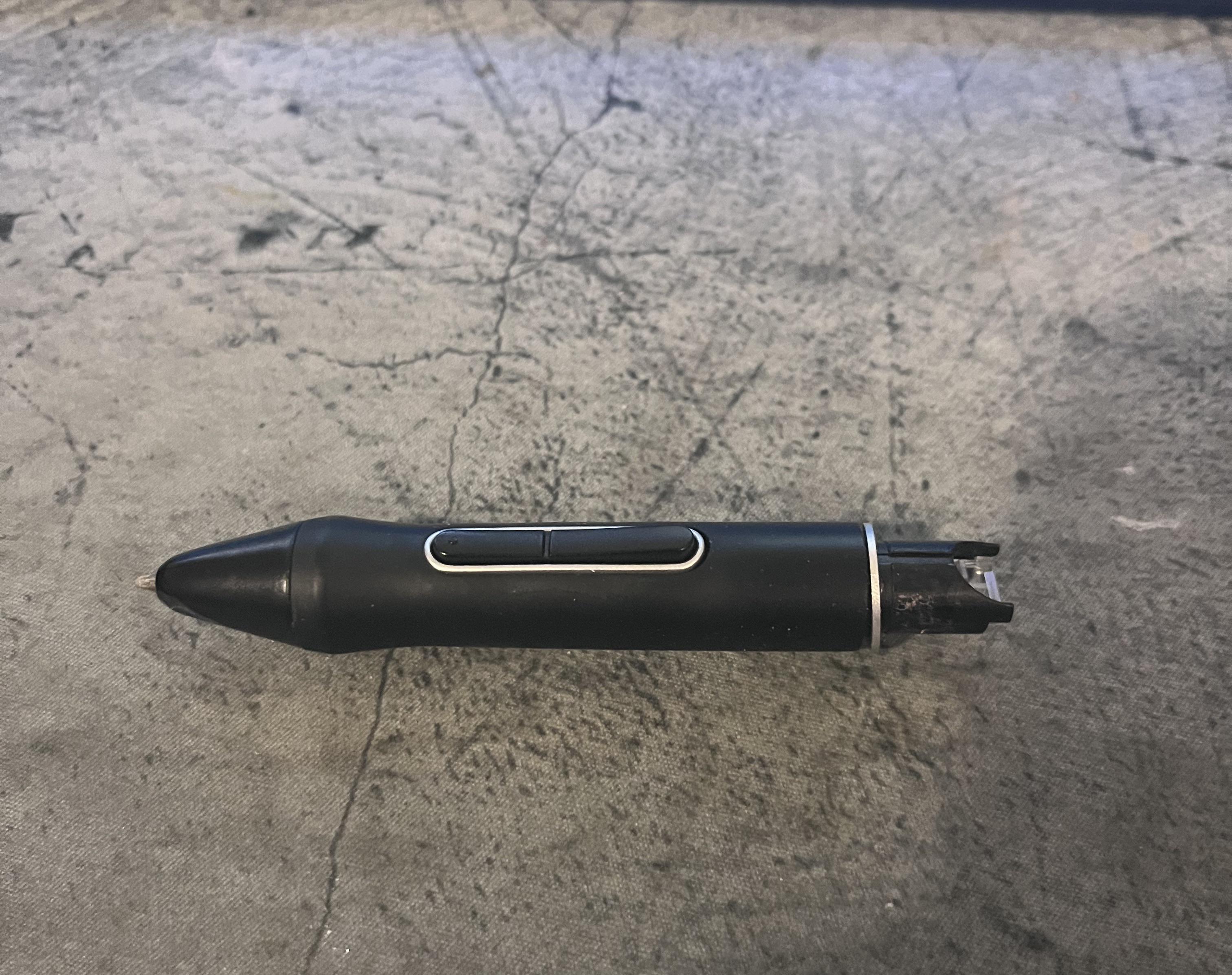
I've had this Huion HS611 for 3 years and I've been using a horribly used to the nub pen tip for that same time. And only today after I went looking for extra tips on the og box, I finally looked at the manual, and found out this, the little holder for the pen slids open and has extra tips! Awesome!
Didn’t want to go too big for travel reasons, so far did display is handsome, pen is compfy. Gonna take some adjusting of workflow but it was a painless plug and play, just that I plugged it into the wrong port wondering what up 😑my bad ahaha
I use huion kamvas 13 and asus vivobook go 14 but as you can see in the pic, the drawing looks desaturated on my laptop and looks better on my drawing tab. App is in krita.
I already did color calibration on my laptop and the settings on my tablet is on default/ set to match my laptop.
I did the things I saw from similar posts but it still looks the same huhu. pls send help grgrgrg
Huion has reached out to me requesting I edit or delete my original post, claiming they have solved my issue, and attempted to hand me a discount code.
I would like to make it clear that I am not trying to trash or drag huion, I love this brand wholeheartedly. But I do feel like this should be shared with the public.
To recap, I had purchased and received a refurbished kamvas pro 19, it was bent and missing many accessories, along with having burned pixels in the screen.
I reached out to huion on July 9th, and was being thrown back and forth with support until July 23rd. With multiple promises of receiving a new tablet, before getting informed they were out of stock.
In this email I just received, they confirm to have these tablets IN STOCK, which yes stock can come back but it feels like a gut punch. Along with that, they want me to share the "completed solution process" yet I did not get my problem solved. I got my refund, yes, but the original problem was NOT solved.
I will not be taking the original post down as I do not feel like i was being unfair, nor mean. I was just sharing an experience I had with the company.
Thank you.
EDIT: I know refurbished display tablets are not going to be perfect, I do understand that! But I also feel like it could have been handled with more care to avoid the tablet being LITERALLY bent. I'm not trying to make it seem like I was expecting a pristine product.
I found this at my local fleamarket last week and bought it for $30 without pen and cables, so I have to get those separately. How good is this particular model especially over my current Kamvas Pro 13?
After retiring my Wacom Cintiq companion hybrid I’ve had for 5-6yrs I decided to test out a Huion!! I’m amazed at all the cool features so far and the simple driver design. Huion is also so much more slim and lightweight. Are there any tips/tricks I should know about this brand?
Edit 3 and possible fix for other people as well without pressure sensitivity (thanks u/Ambitious_Effort_202)
Open the huion software and go to the "Digital Pen" tab, then the "Press Key" subcategory and disable Windows ink (bottom left)
Next, click on the cogwheel to go to settings (top right), click on About (on the left under "General"), now click on "Software Diagnosis" (it might prompt you twice to launch 2 things as administrator, if it didn't just go to step 5)
Now if it didn't reopen automatically just open the huion software again from system tray / just open it with the shortcut or however you opened it before
Click on the cogwheel again, go to about again and then "software diagnosis" button again
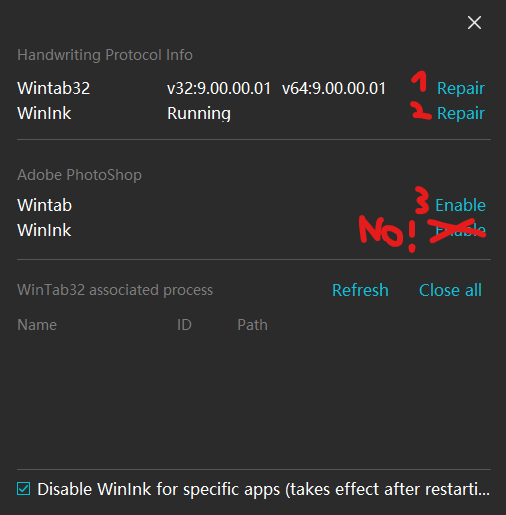
this time a window should open with a bunch of buttons saying "repair"
first is Wintab32, click repair, then WinInk, click repair (might say it has no permissions but i clicked it anyways lol)
next if you use adobe photoshop you might need to have it open if you don't see a section saying "adobe photoshop"
you'll see Wintab and WinInk there as well, click "Enable" ONLY on the Wintab one
now if you want to verify it actually did what it's supposed to do you can go to:
(if you use an older version just change the 2024 and ofc change YOUR_USERNAME to your actual username inside windows)
if there's a file called "PSUserConfig" then you're all set
now just restart your computer, and it should work hopefully, at least it did for me, i hope it helps someone, and i'm attaching pics to make this a little more clear :)
Whenever they release a new driver update and if you want to check if windows ink works again, just go to "software diagnosis" again and in the adobe photoshop area click "enable" ONLY on WinInk, this will delete the PSUserConfig file :) and of course enable windows ink in the digital pen tab!
Hi all :)
I recently installed the latest windows updates and it probably broke something with the huion drivers so i am now experiencing freezes and it's impossible to draw like this (kamvas pro 20 2019).
Temporary solution would probably be to revert back to older windows version before the update, which i won't be doing cuz that's too much of a hassle for me 😂
I tweeted at huion on X (twitter) and hopefully it'll help somewhat get a driver update out sooner.
I tested 3 softwares and all have that issue: photoshop, clip studio paint, krita