3
u/guitnut Sep 03 '20
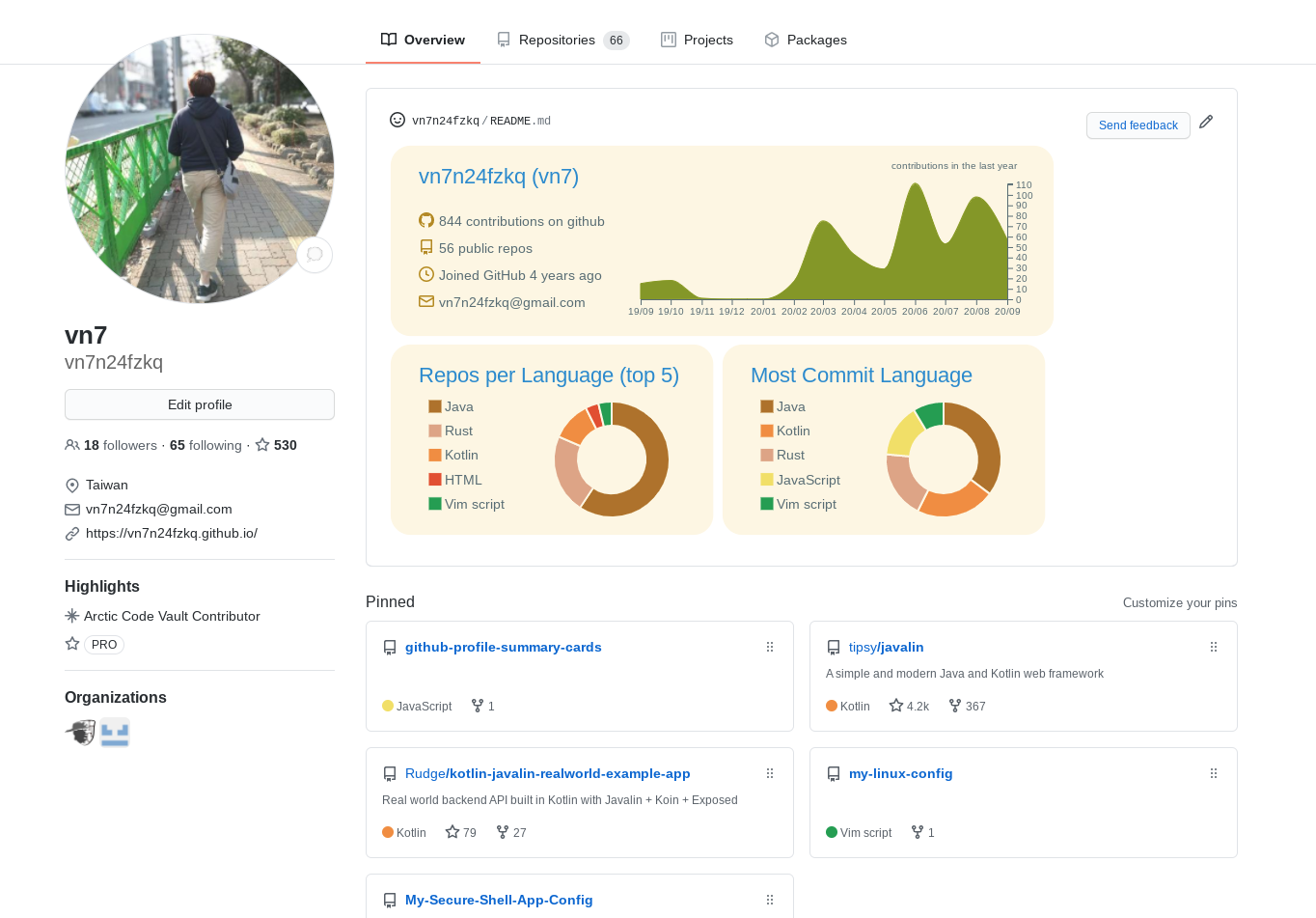
Neat! How did you add it to your profile?
8
u/vn7yee Sep 03 '20 edited Sep 03 '20
Thanks!
This is based on github action, so you need to add a workflow to your repo.
Like this one cards.ymal
name: GitHub-Profile-Summary-Cards

on:
  schedule: # execute every 24 hours
    - cron: '* */24 * * *'
  workflow_dispatch:

jobs:
  build:
    runs-on: ubuntu-latest
    name: generate

    steps:
      - uses: actions/checkout@v2
      - uses: vn7n24fzkq/github-profile-summary-cards@release
        env:
          GITHUB_TOKEN: ${{ secrets.GITHUB_TOKEN }}
        with:
          USERNAME: ${{ github.repository_owner }}
First time you might need to trigger workflow by yourself, and it will generate and push everything to
profile-summary-card-outputin your repo.Then you can copy those raw file links to github readme.
You just add links once and every raw file update is automatically.
Edited: I write a wiki about how to add to profile README. https://github.com/vn7n24fzkq/github-profile-summary-cards/wiki/Add-to-my-profile-README Hope this helps.
2
1
1
1
1
u/an_old_soul_guy_ Sep 05 '20
Does it auto detect the languages used and show that info or u have to manually do it? (I am new at using github)
2
u/vn7yee Sep 05 '20
It's auto by github action, you can use this template to create your profile README , the repo name should be your username.
https://github.com/vn7n24fzkq/github-profile-summary-cards-exampleGithub action will be triggered after repo has created if you use template, you might wait few seconds for github action.
1
1
u/dickdeamonds Sep 12 '20
This is awesome man! Thank you so much. Quick question. Do you happen to know why I get this error when I try to run the workflow? It seems that I can only print the repos per language Preview Card
1
u/vn7yee Sep 13 '20 edited Sep 13 '20
Thanks! Because your github_yoken doesn't have permission,some people got same error, but I dont't know why.
You need to use your personal access token instead.
Creating a personal access token
1
u/dickdeamonds Sep 13 '20
Thanks! I really appreciate it. I am having some troubles after I create the secret. I'm not sure what to do with it?
1
u/vn7yee Sep 13 '20
Can you explain what troubles you got? Or you can PM me, I will help you if I can.
0
14
u/vn7yee Sep 03 '20 edited Sep 03 '20
This repo is for fun, and it would be great if can help someone.
https://github.com/vn7n24fzkq/github-profile-summary-cards