r/essential • u/[deleted] • May 08 '18
Official Essential PH-1 will get Android P Beta
Developer Preview link: https://www.essential.com/developer/developer-preview
Bugs: comment by u/Genericusername083
Known Issues from Essential
Here's a current list of known issues for the Android P Developer Preview on Essential Phone:
• Dynamic calendar/clock is not behaving as designed
• 360 Camera accessory version and serial number do not display in Android Settings
• Outgoing SMS over IP not working
• "System > Gestures > Swipe up on home button" does not work, can use "Home settings" to enable/disable
• W-Fi Hotspot does not stay on
• Cannot receive VT (Video Telephony) calls
• Volume drops during audio playback after tapping on launcher screen with dongle attached
• VoLTE not working
• Quick setting appears in pink with dark wallpaper
Original comment:
This year, there is one sign that the technical fix is working better than just asking nicely. The Android P public beta is available right away, but it’s coming on seven different third-party Android devices. Usually, betas only happen on Google’s own Pixel or Nexus phones. And so if earlier betas are any indication, we might actually see phones release Android P updates sooner than before.
Here’s the list of phones that will support the beta: Sony Xperia XZ2, Xiaomi Mi Mix 2S, Nokia 7 Plus, Oppo R15 Pro, Vivo X21, OnePlus 6, and Essential PH‑1, the Google Pixel, and Google Pixel 2. If you also count the XL version of the Pixels, that’s actually 11 different Android phones with betas. It’s more progress toward solving the Android update problem than I think I’ve ever seen.
In fact, Essential tells me that after receiving a build of Android P on a Friday about a month ago, it was able to stand up a working beta on the PH-1 by Monday. Because Treble does so much to separate out customizations from the core OS, any phone that’s already been “trebleized” and doesn’t have too many deep integrations should be much easier for the manufacturer to update.
39
u/Sean_Essential Verified Essential May 08 '18
Hey Everyone,
We apologize for the confusion. We had an issue with our Fastboot upload earlier that caused the Wi-Fi issues many of you were seeing when flashing your devices. A re-download and flash of our newly replaced link will solve that issue.
Thank you for your patience and hope you all enjoy Android P.
Good Luck!
3
2
u/RawSlugs May 09 '18
Are there checksums somewhere? Not sure if I downloaded the first or second one...
Also wanna just make sure the download is good :)
→ More replies (2)1
u/Steenux May 09 '18
A very good thanks for this information, I don't understand why wifi is down. In fact, i have the first one. I downloaded the new one, check if the checksum is ok and wifi works wonderfully :)
39
u/Genericusername083 May 08 '18 edited May 08 '18
Known Issues from Essential
Here's a current list of known issues for the Android P Developer Preview on Essential Phone:
• Dynamic calendar/clock is not behaving as designed
• Neko accessory version and serial number do not display in Android Settings • Outgoing SMS over IP not working
• "System > Gestures > Swipe up on home button" does not work, can use "Home settings" to enable/disable
• W-Fi Hotspot does not stay on
• Cannot receive VT (Video Telephony) calls
• Volume drops during audio playback after tapping on launcher screen with dongle attached
• VoLTE not working
• Quick setting appears in pink with dark wallpaper
Pretty phone-breaking stuff. I'll hold off for now. Almost flashed without seeing this!
8
u/skyrkt May 08 '18
I'm normally willing to accept bugs and issues for the latest version of Android, but wow, I think I might hold off for the next DP. I'm curious, what does "Outgoing SMS over IP not working" mean though? Over Wi-Fi? I'd love any sort of clarification on this one.
→ More replies (3)7
u/Genericusername083 May 08 '18
Yes, SMS over anything but the carrier's airwaves.
→ More replies (5)5
u/skyrkt May 08 '18
Ah, okay. Thanks for the clarification! Although I'm dying to try it out, I'm going to wait until a few of these major bugs (SMS and Hotspot, mainly) are resolved.
4
u/ItsNotCalledAMayMay May 08 '18
Of these bugs, which are the most critical that would cause you not to update?
6
4
u/Debiscuit May 08 '18
Is Essential going to try to fix this stuff and roll out updates or do we have to wait for google to release a new beta?
2
u/Genericusername083 May 08 '18
Don't think it's worth it to them to fix google's bugs when a new DP is coming in another month or 2 anyway.
→ More replies (2)2
u/SirVeza May 08 '18
Ouch. Looks like I'll be holding off for now and just be happy running P on my 2 XL. I guess it's good to have at least one stable device around.
→ More replies (6)1
•
u/Rox598 Essentially A Ghost May 08 '18 edited May 10 '18
For now this will be the Android P thread.
Any other threads will be deleted just until the excitement calms down (about a week or so, maybe shorter)
Thanks everyone and happy flashing!
UPDATE: please update using the ADB sideload zip and not the factory Image. Seems the factory image results in no Wi-FI functions so for the time being if you want to try P use the sideload zip and it's recommended to do a factory reset after.
Not essential to reset just means you're starting fresh.
1
→ More replies (5)1
May 08 '18
The flashall.sh or flashall.bat doesn't work without unlock_critical. That is the only issue with it as far I can see. The bigger problem is the lack of testing menu access.
Android P is working great otherwise, but I might have to roll back to Oreo 8.1 if I can't figure out the testing menu. The *#*#4636#*#* isn't working anymore.
10
u/ofdm May 08 '18
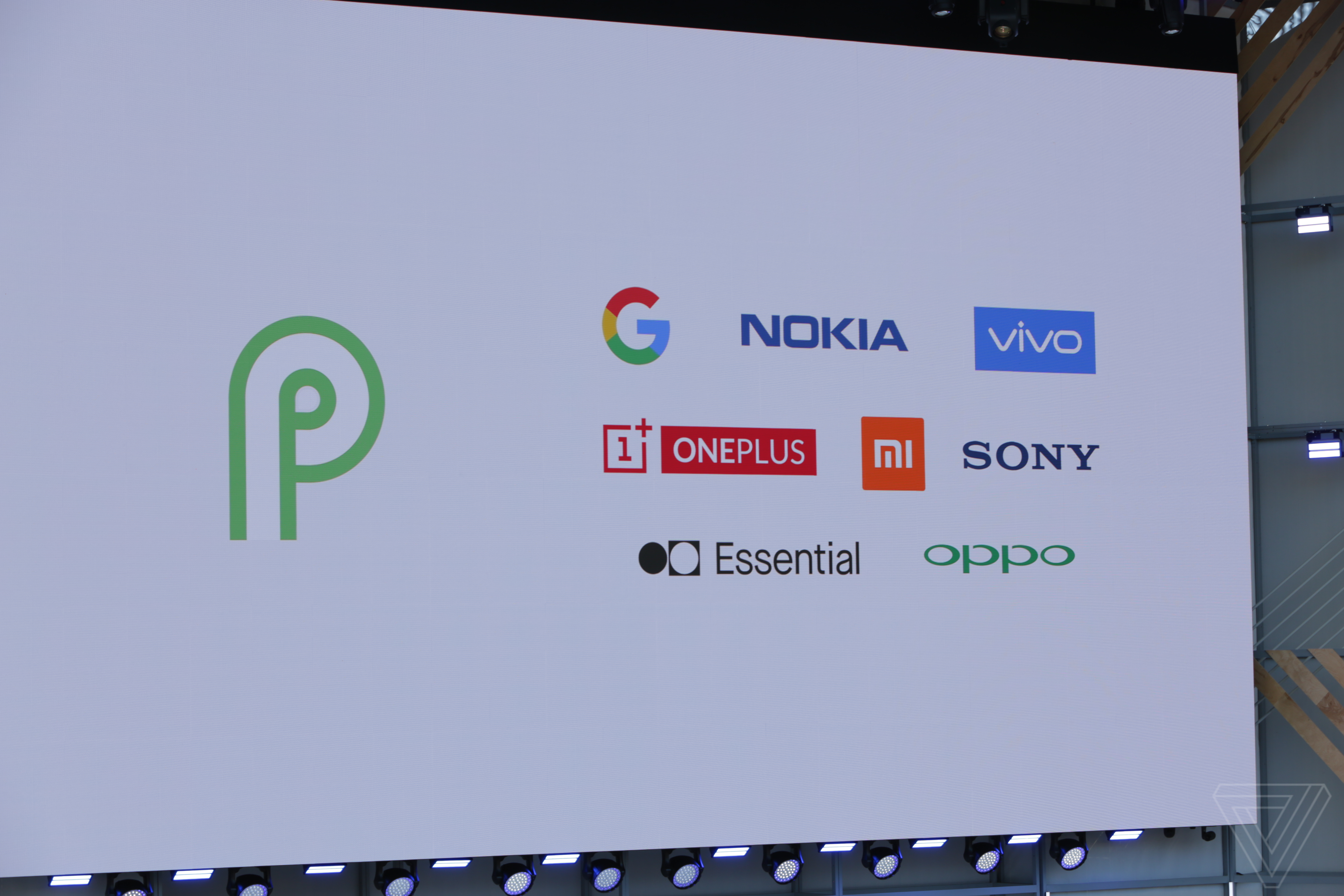
https://syllabus.vox-cdn.com/uploads/photo/image/27334/google_io_2018_2074.JPG Image from the keynote for the curious.
4
9
u/ming3r May 08 '18
Welp. Just tried flashing and I'm running into two problems:
Wifi won't pick up any networks
I can't get past setup
Guess I'm going back to 8.1 for now, I'll try the next Beta
5
May 08 '18
Wifi isnt working for me either unfortunately. Unlimited Data to the rescue!
→ More replies (2)3
May 08 '18
There is actually a problem with the Essential Android P installation instructions which will cause that using flashall.sh or flashall.bat. It tries to flash a portion that you aren't able to flash without an additional bootloader unlock step.
You can use these steps to fix it. Just stop at Step 6 unless you want to use Magisk.
→ More replies (8)1
May 09 '18
How did you downgrade? When I try to downgrade, I get an issue that says that the update package is older than the current build. and a downgrade is not allowed.
→ More replies (2)1
u/Queuni May 09 '18
We're you able to revert to 8.1, without all of your data being reset?
→ More replies (1)
25
u/Bruce_Wayne8887 Essential PH-1 May 08 '18
In fact, Essential tells me that after receiving a build of Android P on a Friday about a month ago, it was able to stand up a working beta on the PH-1 by Monday.
Damn you guys are good.
10
u/Rox598 Essentially A Ghost May 08 '18
The joys of trebel
6
u/Bruce_Wayne8887 Essential PH-1 May 08 '18
~#HereComesTrebel
6
u/altimax98 May 08 '18
Carl 1 and Carl 2
Jingle Jangle
Sandwich
Boner Champ
Broccoli Rob
Doobie
Pubey Lewis and the News
Sparerib
Hopscotch
Lunchbox
→ More replies (2)
7
u/hundeva May 08 '18
https://www.essential.com/developer/android-p-developer-preview
The funny thing is, when selecting "Download and Flash the Android P Developer Preview", and pressing "Submit", I get an error that I did not complete a form... no form is visible anywhere.
3
May 08 '18
Me too! Are you accessing via your phone? I don't have access to a desktop for another hour to try there.
2
2
u/MasterRiffenstein May 08 '18
Tried on both my phone and Windows and both give the same thing. kinda frustrating.
6
u/JMPesce 9.0 Stable May 08 '18
The fact that there is even a beta for P is astounding, I didn't expect it this quickly.
5
5
May 11 '18
I am anxiously awaiting the full gesture feature. Time to reclaim that screen space I hope.
2
u/exu1981 May 11 '18
Yes , I playing around with the P beta. I thought to myself "Yup this is it". Even though Andy Rubin sold Android to Google, I wonder how much he chimed in for this variant?! I remember a interview Andy Rubin was featured in last year, and he mentioned that he wanted to solve smart phone addiction. Now suddenly we're seeing unique features with notifications, different ambient lighting situations that will learn from your useage over time and more.. I guess we'll see as the "P" Beta grows..
4
u/VTFC Essential May 08 '18
Hopefully it's actually soon and not "soon"
14
u/hard_pass May 08 '18
Right now soon enough for ya? https://www.essential.com/developer/developer-preview
6
4
u/Quin1617 May 11 '18 edited May 12 '18
Apparently Sprint has changed their network name to "Chameleon".
I haven't had any issues so far, calls and texts work, wifi, bluetooth, etc, is working perfectly, the only problem I have is with wifi hotspot, but other than that it's a good daily driver for me.
And I can just use Bluetooth Tethering for now, the next beta should be out next month according to Google.
Edit: Speed Test taken in Arlington, Texas on Sprint running P:
2
May 11 '18
does anybody know how that network naming works? occasionally, my phone just puts a bunch of numbers or other words that don't make any sense where the carrier goes. i'm on a ph-1 on verizon pre-paid.
3
u/MBaliver May 08 '18
Do I need to unlock my bootloader to flash the OTA version as well?
5
u/DuMKaSD May 08 '18
My question as well... I think if we don't unlock, data should be preserved, at least that's how it worked on Nexus devices flashing Beta OTA
2
u/cursor18 Essential PH1 White May 08 '18
I unlocked via developer options, side-loaded the OTA and then once P started, re-locked it. No data loss occurred.
3
u/DuMKaSD May 08 '18
Dev options doesn't unlock your bootloader, just enables ADB from powered on device. I flashed the P preview via OTA, same as you, no data loss
→ More replies (5)2
u/ruokunguo May 08 '18
yes, per Essential's instruction you do need to unlock the bootloader.
5
u/DuMKaSD May 08 '18
But their instructions are for fastboot, which is not the OTA. There are 2 files on the page, fastboot and OTA. Downloaded the OTA, debating if I should attempt to flash it from recovery
→ More replies (1)2
u/Luxferro May 08 '18
You shouldn't need to unlock the bootloader to sideload an OTA update. They are telling you to enable OEM unlocking from within android, as a precaution, just in case the OTA renders your phone unusable you'll be able to fastboot unlock and then use fastboot images to roll back.
0
3
3
May 08 '18
FYI if you are using the Rootless Pixel Launcher, delete it. It's not needed and causes issues with P.
3
u/c4software May 09 '18 edited May 09 '18
Also some new feature are missing in the PH-1 beta :
No Adaptive Brightness.
No Adaptive Battery.
No Pixel Launcher search bar.
No Interactive Recent Screen.
Those features are presents in the Google Android P latest beta
2
2
May 10 '18
Is anyone getting the weather widget on the lock screen? I can't seem to get it to show up.
→ More replies (1)1
u/Cstrrider May 10 '18
I have adaptive brightness. The setting has the same text explaination as the pixel but does not have the little sample picture.
→ More replies (2)
3
u/iansayinghi May 11 '18
Does anybody know of a working Android P launcher? Nova just doesn't work.
3
u/syckman May 11 '18
I got Nova to work by changing app drawer scrolling to horizontal from vertical. Only thing in Nova that didn't work for me was my rooted Nova 'screen off' widget.
→ More replies (2)
2
u/andrewmackoul IT'S A COOL PHONE! May 08 '18 edited May 08 '18
Flashing it right now!
Edit: It seems to be sitting on the Essential logo with the "powered by android" text at the bottom for a while. I flashed it with the .bat file provided.
2
u/TheSkyRay May 08 '18
Hey, im trying to configure android p but i'm unable to connect to a wifi network
2
u/scrubling May 08 '18
Does anyone know if the P beta works with Android Auto where it didnt work with stable 8.1?
2
u/Luxferro May 08 '18
Android Auto worked fine for me on 8.1 stable. Just last weekend I bought a Kenwood DNX995S, that features wireless Android Auto, and had been using it wired without issue.
I'm debating if I should flash the P Dev build to try out wireless or not.. Don't want any issues with the one game I play, or my crypto wallets... decisions, decisions..
2
u/skyrkt May 08 '18
Pioneer AVH-4100NEX with Android Auto. Worked perfectly for me on 8.1, works great for me on P.
2
u/unsafeMutable May 08 '18
Can someone provide a mirror of their OTA download? I get "Access Denied" when using the following link: https://storage.googleapis.com/essential-static/PH1-OTA-PPR1.180412.048.zip
1
2
May 08 '18 edited May 08 '18
Here's a list of apps that do and don't work.
Work: Caculator Calendar Camera Clock Contacts Discord Docs Drive Duo Files Fitbit Gmail Google Home Instagram Maps Messages Phone Photos Play movies Play music Play store PUBG mobile Reddit Settings Steam Vlc YouTube YouTube vanced
What doesn't work Snapchat(requires an app reset. Reset user data and cache, Everytime you launch the app)
Its overall a pretty fluid experience. I hate the swipe up on the pill for the stock launcher and the swipe up in general. I think it is a great opportunity to use the new Android version. Just expect bugs. Also the notification tray is pink lol.
Edit: also if you have any apps that don't work reply to this comment with them.
2
u/Ffamousz May 08 '18
Do you have a dark wallpaper? I think Essential themselves wrote that the pink notification shade is a problem when using dark backgrounds, haha.
→ More replies (1)2
1
u/AF0105 May 09 '18
I just wiped data for Snapchat and downloaded the APK from APKMirror and it worked fine.
1
u/je1992 May 09 '18
My Outlook email app crashes and doesnt work.(Before people go crazy and tell me outlook works, I have a special homemade version of Outlook specificly from my employer)
1
1
May 09 '18
Inbox opens but crashes when selecting and email. BofA hangs on loading screen. Play Newsstand crashes when attempting to scroll. Googla App beta crashes when searching
2
u/Omgits4kpc May 08 '18
In this preview, the essential notch settings have been removed from developer options. Any news when this will be coming back?
2
u/Manianyc May 09 '18
Any way to bring the multitasking button back?
1
u/Remootion May 09 '18
Long press on home screen, then change the setting that says enable swipe up
→ More replies (1)
2
u/Luxferro May 09 '18
Am I the only one who has tried to use Wireless Android Auto?
Is anybody out there? ;p
2
u/Manianyc May 09 '18
Can not receive calls on t-mobile unless I set the network to 3G :(
3
u/graesen https://www.instagram.com/gk1984/ May 10 '18
That's because T-mo uses VoLTE. Known issues includes VoLTE doesn't work.
1
2
u/jimmymai95 May 09 '18
Is there a notch setting on android P beta?
→ More replies (3)2
u/je1992 May 10 '18
no it got removed. back to incomplete netflix and wierd glitches
→ More replies (1)
2
u/Draco32 May 10 '18
Will see how we go in the next update there seems to be some really weird mobile profiles on this build where it tries to force over to WCDMA this makes it not work to receive calls on GSM networks hopefully gets a fix in the next update
2
u/graesen https://www.instagram.com/gk1984/ May 10 '18
I just downgraded. Essential's directions to flash the image doesn't work. It said the firmware (8.1) is older than the current one. I had to use the Back to Stock zip on XDA.
You have to wipe everything to downgrade, as is usual when downgrading major OS versions. But I've noticed Google now backs up and restores SMS and call history.
1
u/JsmooVE3990 May 11 '18
Yeah I'm having this same problem trying to downgrade back because I'm not getting phone calls.
2
u/Cstrrider May 10 '18
Has anyone on Verizon figured out a set of settings that allow us to receive calls? I have turned off HD voice on both ends and the only way I can receive calls is to set to CDMA.... I'm fine with no VoLTE but I don't want to have to turn data on and off....
4
u/_Jedidicktricks May 10 '18
Yes, go to mobile data settings and switch to cdma/3g. That will allow incoming and outgoing calls.
2
u/vladdracul1431 May 10 '18
It's not just a Verizon issue. I am using Deutsche Telekom on an unlocked PH-1. Change connectivity to 3G only and you should be able to receive calls again. This is what I did after seeing it recommended elsewhere.
→ More replies (1)
2
u/coldheat06 May 10 '18
I was able to follow the installation instructions here and now I am up and running.
2
u/Praesentia May 12 '18
I don't have a USB type C port on my PC. Is there any way to get this as an OTA update or something?
2
u/_Jedidicktricks May 13 '18
Just use a USB c to regular usb cord. Yes there is an OTA zip download on the essential website.
5
u/secretunlock May 08 '18
It's available.... Way to go Google and Essential... That shitty Galaxy crap company should be ashamed...
→ More replies (2)
4
1
u/MBaliver May 08 '18
Do you guys think there will be an OTA version?
2
u/Genericusername083 May 08 '18 edited May 09 '18
There is an OTA zip, but you have to ADB sideload it. Not sure if it'll come OTA, though.
Edit: no wipey
→ More replies (3)4
u/ArthurGD3 Essential May 08 '18
Crossing my fingers we get a OTA Program like the one they released for Oreo.
→ More replies (3)
1
May 08 '18
Anyone else getting the following error when trying to submit the form? https://imgur.com/tnNWct0
I'm accessing via my phone, and when I tap the download radio button, I'm not presented with any kind of form to fill out.
1
1
May 08 '18
Is anyone able to reupload the OTA/fastboot image? I'm getting an error when submitting the form.
1
u/Manianyc May 08 '18
So what's the difference between the Ota and fastboot if it can't be done over the air?
1
u/ruokunguo May 08 '18
I think OTA approach is by sideloading via recovery, where fastboot approach is done at bootloader.
→ More replies (10)
1
u/ConspicuousPineapple May 08 '18
Damn that's a very good sign for an early release of P on this phone eventually.
1
May 08 '18
Does anyone know if they will be doing an OTA beta for the later builds? I really admired the simplicity of opting in and out of beta and not having to mess with flashing.
3
u/Rox598 Essentially A Ghost May 08 '18
Once it's more stable I'd say it's likely.
But since this is a preview I think they want to keep it to the flashing manually method.
→ More replies (1)
1
u/je1992 May 08 '18
Some of the issues in the current build seems dealbreaker. Any users here using this build and having no real problem ? I don't use hotspot, and I could live with SMS only sending using data.
1
May 08 '18
Anyone else seeing some weirdness with the notch? The black part of the notification shade doesn't seem to go deep enough, and some apps, including the play store, seem to draw a weird line under the notch
1
u/zorn_ Essential - Black Moon May 08 '18
Am I stupid, or does the step to type "flashall.bat" not do anything at all? I also cannot find a batch file in the folder named flashall.bat, so it's no wonder it just gives an error. Is this entire step a typo? How can I actually go about flashing the beta?
1
May 08 '18
Anyone else having major app crashing issues?
Yes, I'm acutely aware this is a brand new beta and many things are broken, but so many apps just won't open at all.
1
1
1
1
u/dougdd May 08 '18
Why no Google Lens support?
1
u/JsmooVE3990 May 11 '18
I have Google lens on mine it was just there in the bottom right when I brought up the assistant.
1
u/Luxferro May 09 '18
Has anyone been able to get Wireless Android Auto to work?
I can't get it to work with my Kenwood DNX995S head unit, which supports it.
1
u/Dr_Liquid May 09 '18
Okay so I'm seeing people having no bugs but then I'm seeing people with the same bugs. Where is the majority at?
1
u/sreearjun May 09 '18
Hi, after upgrading to P-Beta, Onenote, Onedrive and outlook apps are keep on crashing. Re-installing them also didn't fix the issue. Any workarounds
1
u/je1992 May 09 '18
every single microsoft app doesn't work for me. So it could be a business wide decision ! My outlook, and skype also force close.
1
u/xxBrun0xx May 09 '18
Adaptive brightness seems to not be working. Other than that and known bugs, so far so good!
1
u/PalonskE May 09 '18
I can't seem to find the new dashboard, app timers, nor wind down anywhere in my phone. Does anyone know where this might be located (if at all) in the Android P beta?
2
1
u/stromgol62 May 09 '18
That's awesome! Congratulation to Essential ! Might sit out this one and wait for the next beta. Thanks guys !
1
u/salr82 May 09 '18
I updated via sideloading and could not get get phone re-activated (Sprint). I then performed a factory reset and then flashed the factory image and I still can not get the phone activated to the mobile network. It says i'm connected to "Chameleon"...is this an actual wireless provider somewhere?
Anyone else have any issues activating the phone after updating to Android P?
2
u/d0u8l3m May 10 '18
Might be in a bad area, I didn't get activated initially, but went to a spot with better reception and it went through. The odd thing is that even though I can clearly make calls and send SMS mine still says chameleon. Other than that I'm surprised at how good this beta is. Granted I don't use much of, if any, of the stuff that was mentioned in the bug list lol.
→ More replies (1)
1
1
u/shermanpenny May 09 '18
Guys, can you guys clarify me, which one isn't working?
The home button 1st swipe up to view recent apps
The home button 2nd swipe up to view ALL apps
The home button left slide to view recent apps
Multitasking like divide screen into half
Which one guys?
1
u/_wli May 09 '18
all of them works on the stock launcher (quickstep).
https://www.androidauthority.com/android-p-split-screen-863415/
→ More replies (1)
1
u/_wli May 09 '18
Is there anyway to get the Pixel Launcher working on the new beta? I think there is a Rootless Pixel Launcher for Android P but it was designed to make Pixel Launcher of Android P works on Android O. Not sure if there is one for Android P running on non Pixel devices.
2
u/zorn_ Essential - Black Moon May 11 '18
The same dev has a 6.0 branch of his launcher which is meant for the Android P DP2, but it doesn't work properly. When you try to bring up the app switcher, it just freezes and you can't use it. Best bet for right now is just to use the built in launcher, at least until the next beta.
1
u/RawSlugs May 09 '18
How stable is this beta? I'm having issues with my phone right now and thinking to flash may images for a fresh start (I have modified stuff..) was wondering if it's worth it to sideload beta after..?
1
u/Remootion May 09 '18
It's not bad, Snapchat is kinda broken. The notch settings aren't working. We don't have many Android P features that are shown.
→ More replies (2)
1
1
u/cmlndz09 May 09 '18
Will installing this is going to factory reset my device?
4
u/_Jedidicktricks May 10 '18
Not if you do the ota, but if you downgrade back to 8.1 it will.
2
u/cmlndz09 May 10 '18
Thank you, i posted this question in xda and other post in reddit but no one answered until now.
→ More replies (1)
1
u/hue_sick May 09 '18
Anyone on Sprint run into the call and SMS issues?
That's really the only thing that would keep me from flashing. I loved the Oreo beta program from Essential but those are two pretty major issues to risk
1
u/Quin1617 May 11 '18
Nope, I got mine from the $145 deal back in November and I haven't had any problems with calls, SMS, or data, MMS works too.
→ More replies (4)
1
u/graesen https://www.instagram.com/gk1984/ May 09 '18
Anyone have a patched boot image? I can't get Magisk Manager to patch it -- keeps failing. This is using Magisk 16.4, latest beta currently.
1
1
1
u/ifeeltired26 May 10 '18
So quick question for those that have installed the Beta of P. How smooth is it compared to 8.1? Is the lag there when scrolling etc?
2
1
u/Cstrrider May 10 '18
The animations are very smooth but I would say scroll lag seems worse. It does still have the developer preview slider and toggle for grip rejection though
1
u/secretunlock May 10 '18
Does someone know if essential p Dev build is same version as pixel 2?
→ More replies (2)
1
u/thundernuggettz May 11 '18
Sideloaded the ota last night. Im using it as my daily driver just for kicks and 24 hours in I have to say this is a great DP. As noted, the phone app is a bit buggy, and the notch support is obviously yet to come but I did not have to do a complete wipe on installation, and as an old Palm owner, I'm enjoying the webOS flavor in 9. I haven't run into any significant bugs, but I'm not what you'd call a power user so there may be things I would never trigger anyway. Overall it's nice to see a broader test platform for new Android previews.
1
u/Quin1617 May 11 '18
What's in 9 that's similar to webOS?
2
u/thundernuggettz May 11 '18
The pages app switcher, swipe navigation..a fee little things like that.
1
1
u/Gonadventure May 12 '18
If anyone is getting the "No such file or directory" error, double check your OTA update file name. Right click the file > properties > details. Under "Description" the full name of your file will be listed. mine was actually "ota.zip.zip", which gave me a bit of a headache.
1
u/nicktar55 May 12 '18
I'm looking to daily driving this, but I'm still worried. How stable is it on Sprint and does Snapchat work?
1
u/_Jedidicktricks May 13 '18
Snapchat doesn't work as well as the regular user would use it. Small things work, but don't expect to be able to view anything from anyone. I'm not sure about Sprint.
→ More replies (3)
1
u/caiyeo May 12 '18
Been using it for 24 hrs. and it is just awesome. Looking forward to the stable version.
1
u/_Jedidicktricks May 17 '18
looks like another bug is involving Google Home setup.. I can NOT get Google Home Mini to connect via "setup new device" in the Home app, most likely Home app needs an update here..
1
u/computerkiller May 19 '18
I side loaded the OTA and multitasking for recent apps isn't working for me anyone else having trouble? Other than that I am loving the P
1
1
u/SG14_96 May 25 '18
I am currently running the Android P beta but I want to go back to 8.1. But when I follow the steps om essential's website, my phone tells me it can't downgrade. Any Suggestions?
0
May 08 '18
[deleted]
11
6
u/OGhoul Ocean Depths May 08 '18
According to the presenter at Google I/O (going on right now), it will be available today.
→ More replies (2)5
u/maximalx5 May 08 '18
P Beta is already available for Pixels so it should be a question of hours/days. The official release of Android P should be in October-ish
→ More replies (1)
0
May 08 '18
[deleted]
3
u/spearman792 May 08 '18 edited May 08 '18
Does this link work for you? It's pretty much just a blank page for me
Edit: Never mind, it's working now! Go go go!
Edit2: Never mind again! After reading the known bugs, I'm going to hold off. Maybe Beta2!
0
May 08 '18
[deleted]
4
u/Sean_Essential Verified Essential May 08 '18
ok, now that link should be working https://www.essential.com/developer/developer-preview
i got a little too excited lol
→ More replies (7)
0
May 08 '18
[deleted]
1
u/megarust May 09 '18
What is the stock launcher called? I had the pixel2 launcher and the only other option I have is "Quickstep".
0
0
6
May 08 '18
[removed] — view removed comment
3
u/skyrkt May 09 '18
I'm experiencing the same with Verizon.
3
u/injured_slug May 09 '18
I have this issue as well on Verizon. For now, I have the Preferred Network Type set to CDMA/3G, and calls now work normally. You will of course lose LTE access by changing this setting. I am not sure if there's a way to force calls to come in over the CDMA network rather than LTE. I disabled HD calling on my account, but that didn't fix it either.
→ More replies (2)
1
May 08 '18
[removed] — view removed comment
1
u/RawSlugs May 08 '18
When you connect a device to a PC for the first time (in adb mode) a pop-up comes up on the phone asking of you want to authorize this pc to connect with adb
If you don't see it try reconnecting the device. If you still don't see it, goto developer options and revoke all authorized PC's and try again..
1
May 09 '18
[removed] — view removed comment
1
u/Cstrrider May 09 '18
Turn off enhanced 4g LTE mode. You may also have to turn off HD voice on the Verizon website
1
u/JsmooVE3990 May 11 '18
I flashed and had issues with calls on T-Mobile. Had to turn off 4G to receive them.
66
u/HFoletto Pure White May 08 '18 edited May 09 '18
Flashed using the OTA and my data has been preserved.
How I did it:
Download .zip OTA here and save it in your windows user folder (where you have the other folders like Documents, Downloads, Music, Images and so on)
Download the Android platform tools here and add it to the windows PATH (if you are unsure about how to do it, check Edit 3)
Enable Developer options
Activate USB debugging and OEM Unlocking
Plug your device into your computer and launch cmd
type in “adb reboot recovery“
In the phone's recovery screen, press down and hold on the device’s Power button and then press the Volume up button
Using the volume buttons, scroll down to Apply update from ADB
Select it with the Power button
On your computer, type in “adb sideload [filename]”
Hit Enter and watch the installation process on your device
When it’s complete, select Reboot
Hope this helps someone.
Edit: Wow, I'm in love with those animations o.o
Edit 2: Screenshots
Edit 3: How to add platform tools to your windows PATH system variable:
WIN+R
Type shell:mycomputerfolder and hit Enter
Anywhere in the My Computer folder, right click and then click Properties
In the sidebar, click Advanced system settings
Click in the Environmental Variables button
Select the Path variable in the System Variables table and then click Edit
In the new window, click New, then you can paste the path to platform-tools folder you downloaded (it's a .zip, so you have to extract it somewhere) or you can click the Browse button and select the folder from there.
Click Ok in all the boxes
Test it in the CMD running the fastboot command, then the return should be fastboot: usage: no command, if it retuns something like not a recognised command, then something went wrong.
Enjoy!
Some explanation: That makes you able to run the commands from everywhere in the system, so it's a very handy procedure that you have to do only once.