r/dualmonitors • u/thegingerlumberjack • Mar 12 '20
My duel monitor setup

14
Upvotes
r/dualmonitors • u/blubreezecreations • Apr 30 '26
Took a bit to get the layout and lighting how I wanted, but this is where I landed
The warm lighting + plants made a bigger difference than I expected
Still tweaking a few things, but it’s been a much better setup for working day to day
r/dualmonitors • u/SuperBug45 • Oct 21 '26

I currently have two 27" monitors, one is 1440p, and the other is 1080p. I am unable to get them to align properly in the display settings. Windows acts as if my 1440p monitor is physically larger than my 1080p monitor. The motion between monitors is less than smooth due to this. At the very top and bottom of my 1440p display, my cursor is completely unable to move between the displays because Windows thinks that my 1080p display is physically smaller than the 1440p one.
r/dualmonitors • u/Potential-Engine807 • Jul 08 '25
(don't mind how dirty they are)
r/dualmonitors • u/CapNemoG • Sep 12 '22
Sorry I'm new to Reddit and I don't really know how to post on here properly I did look around on some of the forms and could not find what anything about this idea.
I like to know if there's any easy way to physically swap the location of your monitors on a dual monitor setup? I would like to have one monitor for Shooters and one monitor with a very wide curved screen that I can use for workflow and RPGs. The thing is I want to be able to swap the physical locations of the monitors when I want to play first person and have that monitor right in front of me or if I want to play my RPGs and have the wide curved screen monitor right in front of me. Does anyone use a setup like this currently and how do you deal with it what options do you think would be available for physically swapping the locations of the monitors
r/dualmonitors • u/nadhard • Apr 22 '22
Hi
I have a problem, I'm using a dual monitor setup. Sometimes I want to disable Primary monitor as I'm not using it currently. If I disable it by button or by using win+P -> second monitor only.
The second monitor became my primary monitor all my desktops and app from the primary monitor moved to the secondary monitor. Is there any way to deal with it?
r/dualmonitors • u/elHunterino2021 • Jan 17 '22
Hi,
I have a HP Pavilion laptop - 15-cw1021na and I am trying to set up dual monitors (to have a separate display on each screen, rather than mirrorring screens) on it. I have one monitor connected via the HDMI port which works fine. However, I've tried getting a usb-c to HDMI adaptor to connect my 2nd monitor, but its not being detected when I go to display settings in Windows 10. Below are the specs for the ports on the laptop.
External ports 1 USB 3.1 Gen 1 Type-C™ (Data Transfer Only, 5 Gb/s signaling rate); 2 USB 3.1 Gen 1 Type-A (Data Transfer Only); 1 RJ-45; 1 AC smart pin; 1 headphone/microphone combo
Would anyone know how I can set this up please?
Thanks
r/dualmonitors • u/Robin420 • Apr 14 '21
I was thinking of making an auto refresh reddit feed, or maybe stock tickers... I just like looking over and seeing a 'stream' of info. Any suggestions?
r/dualmonitors • u/jabberwockxeno • Oct 07 '26
I have a laptop that I currently use with a LG 27GP850-B monitor (1440p @ roughly 165hz) via a USB C-to-Displayport cable from said laptop's DP 1.4/USB C port
I also want to use my old T22B350ND (1080p 60hz) monitor as a second display in my setup, where I only have one cable running from my laptop to a hub/dock/whatever, and then two cables running from the hub/dock/etc, one to each monitor. (Which, I assume, is the least-desk-clutterly option I have, since my monitors don't support daisy-chaining I don't think)
Is there anything I need to know before just buying a random hub off of Amazon? Do certain hubs not carry over all the data the USB C/DP output is sending? Can I run into performance issues running both displays at once? Will/can a hub add extra latency? Do I need to worry about what displayport (for the LG) and displayport to HDMI (for the T22...) cables I buy?
I have already had issues where for some reason, certain Nvidia control panel color management/profile stuff, and/or the VRR settings there, wouldn't show up when using an HDMI cable from my laptop to the LG monitor, and only did after switching to the USB-C to Displayport cable for the setup, so I know sometimes this stuff can be complicated.
r/dualmonitors • u/arefbhrn • Oct 01 '26
Whenever I look from one screen to the other and start typing, the text goes into the window on the screen I just left, because that's still the one with focus. Then I click, then I type. It's a tiny thing but it happens all day.
So I wrote a small menu bar app for macOS that checks which screen you're facing, using head direction from the camera, and moves focus there. Turn to the other monitor, start typing, and it just works.
It took a while to make it feel right. A quick glance shouldn't switch anything, and it shouldn't switch while you're in the middle of typing. Looking down at your phone shouldn't do anything either. It re-asks for calibration when you add or remove a monitor, since the layout changed.
Free, open source, Mac only. Everything stays on the machine, nothing is recorded.
https://github.com/arefbhrn/FocusFollow
It works by head direction, so it likes setups where the screens are clearly in different directions. I've mostly tried two monitors. If someone has three, or a laptop under an external display, I'd like to know if it holds up.
r/dualmonitors • u/Prihack1982 • Oct 26 '25
Life seems normal as I am back to two monitors after a brief hiatus of three weeks trying to save money as a new found startup founder. I am not sure if two monitors make your more productive but it does feel like it when I am typing away on my keyboard. The joy of watching AWS cloud watch on one screen, Bruno API client on another screen along with VScode as I type in things is amazing. Throw in all the other tools like outlook for email and team etc neatly stacking up as you lookup something on the other screen makes me feel like a power ranger:) The setup on my desk is a bit ugly though with cable ties tying the things together as I still have not got a good solution with a single USBC that connects to dual monitor with two hdmi ports. ANy recommendations in India that is not 200$ or 20000Rs. Thanks peeps!
r/dualmonitors • u/Life-Scar7995 • Mar 25 '25
Very specific problem.. I got a relatively new LG 24MP400, 10+ year old LG 23EA63V and 18+ year old LG W53 series. With the old monitors I could set the background for screen 2 to be black and they would immediately "turn off" until I move the mouse or something else into that window. I can't find a specific option that does that.
The new one is always on.. just glowing, nothing is on the screen but a black background. I have to turn it off with the button and then turn it on with the button. Am I missing something or did monitors become stupider in the last 10 years?
I recently moved to windows 11. When I set the 24'' as "main" the old 23'' still turns off with the black background. When I switch it around the new one is always on. I can't set the 24'' as #2.. I suspect that I can't do it because I'm using HDMI-HDMI for it, while for the 23" I'm using DP into DVI-D. Could the cable type or the fact that it show's up as #1(despite the fact that it's not the "main" monitor) be the reason why it won't turn off? Or they just removed that option over the years?
r/dualmonitors • u/me_luffy • Feb 06 '25
I have a two dell monitors and dell docking station... this works perfectly with my dell laptop...
But i also have a pc... i want to be able to just plug the docking station to my pc and be able to have dual monitors...
My desktop is fairly old bought around 2020... how do i make this setup??? when i connect the docking station outlet (usb c thunderbolt) to the usbc port in my pc... it doesnt work...
What am i missing?
Would a thunderbolt usb c to HDMI cable work? Or this is not possible?
Any help would be appreciated.
r/dualmonitors • u/Apart_Refuse_3823 • Jan 14 '25
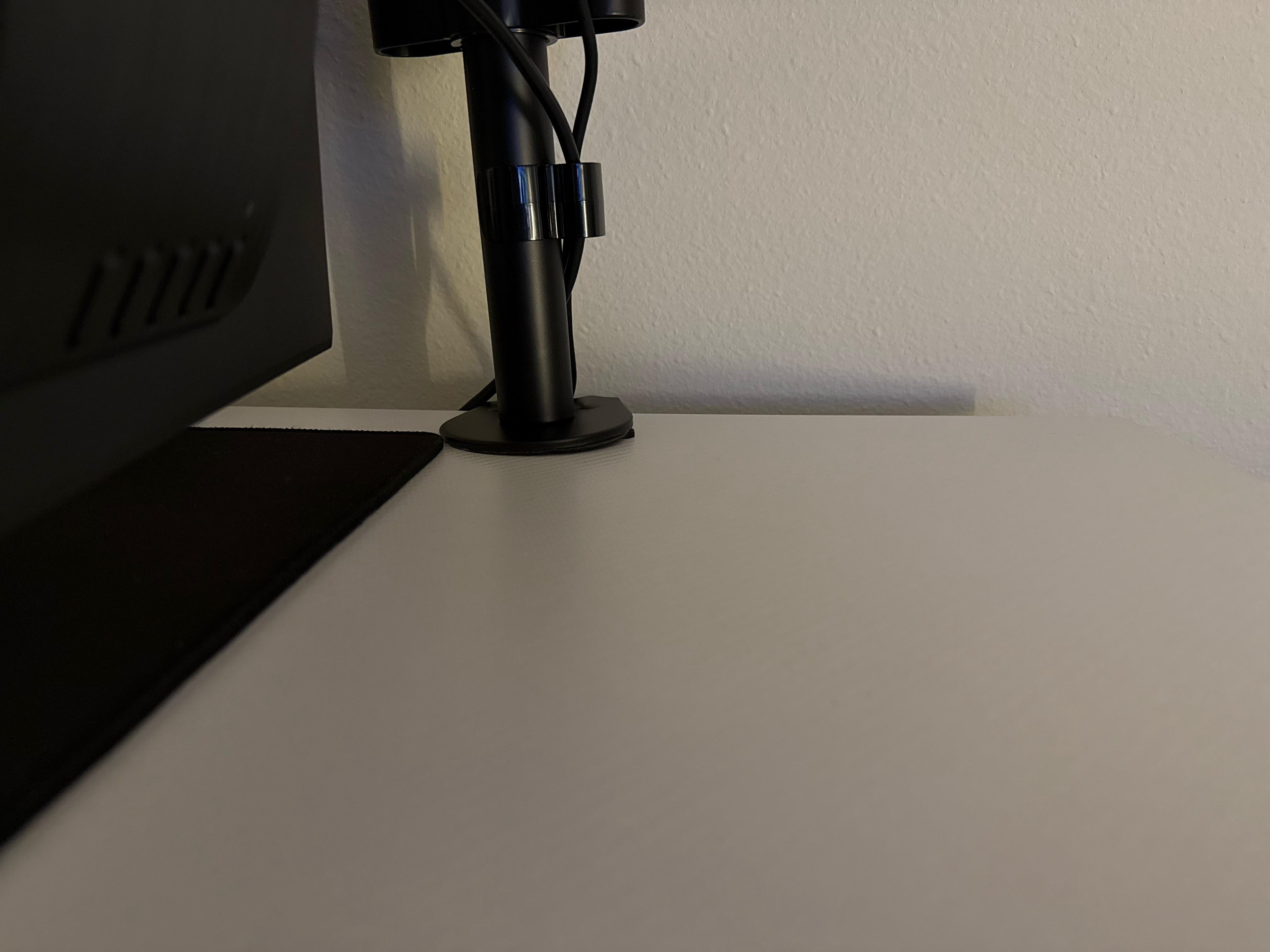
Does anyone know how I can fix this dual monitor tilt/slant? My heavy curved monitor is 32 inches and causing this space as well.
r/dualmonitors • u/stormy_kaktus • Jan 09 '25
Firefox opens on the monitor where another firefox window is even though its a separate window
r/dualmonitors • u/Careful-Rent5779 • Nov 22 '24
So I'm driving ONE monitor with both an HDMI input and a DP input from the same PC. It appeared to work for a while in extend mode and I created hotkey setup for switching the active display.
But now when I enable extend mode in windows both the HDMI and DP go blank(black), need to reboot and then windows switches to pc screen only after rebooting.
Any suggestions?
r/dualmonitors • u/Fit_Assist_9715 • Nov 18 '24
34”(24/27”side panel) or double 27”s
I have a question, and I’m completely new to Reddit.. so still figuring out how this works.
I own a 5700x3d with a rtx 4070 and am in the market to upgrade my double 24’s 1080p.
Having to cut the decision soon wether I go double 27’s 1440p or 34” 1440p (curved) with a 24 OR a 27 on the side.
I only play World of Warcraft Raiding and Mythic+, so based on this game I’m making the decision, I don’t do work at home or something like that. I just want the best possible experience between these 2 options. My 2nd monitor is just for browsing/discord etc.
• would my GPU be strong enough to run on a 34” 1440p on high enough frame rates?
• will I get more use out of double 27’s?
Hope any of you can make me decide..
Have a nice day
r/dualmonitors • u/freddy-- • Jul 25 '24
I recently got an online job and I'm not enjoying working with a single screen. I know that the Macbook Air (M1, 2020) doesn't natively support more than one external screen but that there are some workarounds. There's information about docking stations on websites like Macworld but it's all very overwhelming considering all the different types of Macbooks and monitors (especially as I'm not exactly tech-savvy).
I cannot really afford these fancy setups so looking to find appropriate second-hand monitors, and I only need two external screens, for reference.
I'm very grateful for any help anyone can give me!
Thank you :)
p.s. please redirect me if I'm in the wrong subreddit.
r/dualmonitors • u/Dr_Dronzi • May 08 '24
r/dualmonitors • u/Geneticcz • Feb 12 '24
so i got a 2nd monitor but i only have 1 hdmi connection in my PC (the one from the graphic card)
so i bought a splitter. now i got 1 hmdi from PC to splitter, and then 2 hdmi from splitter to monitors. But it only gives me the same screen on both. and in windows settings it wont detect it as 2 monitors. Is there a way to do this or how can i use 2 monitors as individual monitors?
should i buy a hdmi to usb cable instead of a hdmi splitter?
r/dualmonitors • u/HeroOfTheNorthF • Dec 31 '23
Is it possible? can I setup windows 11 or any software, to choose on which monitor to execute any program? both montiros will be on at the same time but no need to use them at the same time. For example, I'd like to work on the 21:9 and then just play a game on the 4k but the 21:9 won't be used whil I play.
On top of that, both will be on the same soundbard.
Is this too stupid or is possible? if there's a software that can hellp pls recommend.