r/batchfiles • u/stedun • Aug 03 '24
Batch / shell scripting book
0
Upvotes
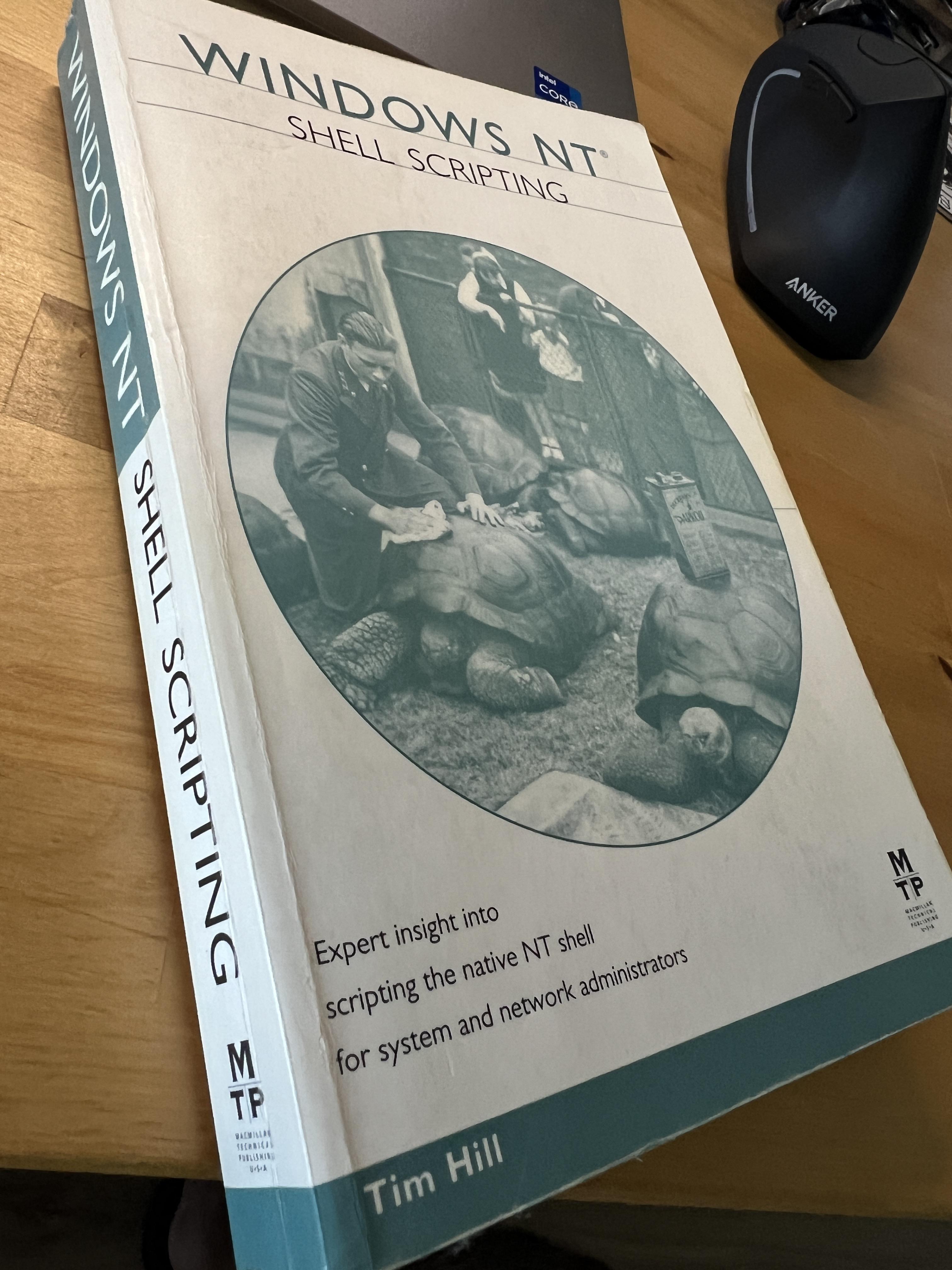
Windows NT shell scripting by Tim Hill.
Old but good. Saved me many hours over my career.
r/batchfiles • u/stedun • Aug 03 '24
Windows NT shell scripting by Tim Hill.
Old but good. Saved me many hours over my career.
r/batchfiles • u/Jazzlike_Site_6249 • Sep 06 '23
Greetings to everyone! I developed a MS-DOS based Batch (.BAT) and PowerShell script. It does things like antivirus, cleaning and so on, and Total cleaning application.
Note: it has a cool and nice GUI. (Windows Forms)
I'm thinking of converting it to an .exe file and creating my own software.
Actually, I don't have a problem with selling it, my aim is to gather a little community. How do you think the number of downloads will be?
Can I deal with and promote this software with an online software marketplace ?
I also coded 5% of it with chatgpt.
What do you think?
Who supports me ?
Thanks.
r/batchfiles • u/Puzzleheaded-Tea303 • Mar 22 '21
I made a virus that does absolutely nothing to a pc but only shuts it down. Theres this "code" I made for it to shut off but im confused at where to put it in the main line of code? Do I put it at the end or beginning
u/echo off
pause
timeout 1800
shutdown -s
r/batchfiles • u/Ill_Alternative_7758 • Nov 23 '25
I want to add some Microsoft accounts to a windows pc from a list with onlh a email
r/batchfiles • u/RegretWhich3689 • Jul 08 '25
If anyone wants anything from Disney plus, Netflix, Prime, OSN Plus, Starz, HBO, etc… I have my own L3 decrypt
r/batchfiles • u/Big-Support-8453 • May 29 '23
Is it possible to make a bat file connecting to an outlook signature?
r/batchfiles • u/Samwasabi1 • Jun 18 '23
Im attempting to find some way to shuffle the names around of all files in a program, example being the files mar.arc lol.arc and your.arc all switch names but retain the data within them
r/batchfiles • u/AwesomeBATCHdev • Aug 12 '17
Go here if you're interested in coding and such: https://www.youtube.com/channel/UCkVtfeNZZSTomoZ3SnkBWdw
r/batchfiles • u/RobertWynter • Dec 23 '20
Hello, folks,
I found this that shows you how to take the sub dir and create a playlist of your mp3. I create and save the file as Make_Playlist3.bat and ran it but nothing happened. Am I saving the file type wrong or is there anything I need to tweak. My folders are located on my NAS (/volume5/MUSIC/Christmas/Christmas Playlist) any suggestions please and thank you in advance
r/batchfiles • u/ISmellPurple1 • Nov 16 '20
i have a problem with my internet that ive remedied by executing 'netsh wlan set autoconfig enabled=yes interface=wi-fi', connecting to the wifi, and then again but 'enabled=no', which works fine, but im trying to create a batch file that, when run, executes the first command, wait long enough for my pc to connect to the wifi, and then runs the other command again. can anyone help write the file please?
r/batchfiles • u/Taken48 • Apr 21 '20
r/batchfiles • u/Jimk-94 • Apr 05 '20
I want to write a bat file that will refresh multiple webpages in chrome on command. Basically I’m a tech in a factory and we have dashboards for every machine on an individual webpage. Occasionally they time out or we switch WiFi networks to remote into the machines and I want a way to refresh multiple chrome webpages at once so I can see the machine dashboards live again when I switch back.
r/batchfiles • u/jackhaswifi • Mar 21 '19
Anyone wanting a more fun and easy way to make advanced batch files, I just released my new tool for creating them called Auto Batch! If there's any features you think I should add, lmk https://www.youtube.com/watch?v=cRJS_MZG_K4
r/batchfiles • u/littlefriend77 • Dec 11 '22
Sub looks pretty dead so idk if I'll get any responses, but I'm looking to create a basic batch file to automatically move some files. It seems like it should be fairly straightforward, but I'm clueless.
I have an app that easily will create the subfolder based on the file name and place the file inside, however I'm not sure how to do this en masse if the folder already exists.
Folder layout is like so:
Parent folder
\Subfolder 1
- files go here
- other files also live here
\Subfolder 2
- files go here
- other files also live here
- Subfolder 1.ext
- Subfolder 2.ext
I just need to sort each of the files in the parent folder into the existing, corresponding named subfolder.
TYIA!
r/batchfiles • u/RoadViper05 • Dec 13 '22
Im looking to do a batch file that searches an ini file for value Surf__088, capture this value then search for Null which is a few lines later & replace Null with 088 but adding an extra 0 to the start of the value, the Surf__ value is always changing so the proceeding null value needs to change accordingly. any advice on making a batch file for this task, thanks.
r/batchfiles • u/throwaway_probabl1y • Feb 14 '20
Hello, I need to preform a search and replace in a .txt file using a .bat file. What would this syntax look like?
r/batchfiles • u/[deleted] • May 11 '21
This is was done for Amazon Prime Video mostly, change it to your own needs.
Based off u/Own_Western8448 post
Programs needed: N_m3u8DL-CLI_v2.9.7.exe, ffmpeg, mp4decrypt.exe, mkvmerge.exe IN THE SAME FOLDER
-----------------------------------------------------------------------------------------------------------------------------------------------------
@ echo off
set path=C:\Rips
echo.
set /p folder= Video Name to be Saved as (No spaces - use underscore between words '-'):
echo.
mkdir C:\Rips\%folder%
set /p stream=Input MPD from stream detector:
N_m3u8DL-CLI_v2.9.7.exe "%stream%" --workDir C:\Rips\%folder% --saveName "stream" --enableDelAfterDone --enableMuxFastStart
ren C:\Rips\%folder%\stream(Audio).*
ren C:\Rips\%folder%\stream.* stream.mp4
echo.
set /p vidkey=enter video key:
echo.
set /p vidkid=enter video kid:
echo.
set /p audiokey=enter audio key:
echo.
set /p audiokid=enter audio kid:
echo.
echo Video being created.........
mp4decrypt.exe --key %audiokid%:%audiokey% C:\Rips\%folder%\stream(Audio).aac C:\Rips\%folder%\decrypted-audio.aac
mp4decrypt.exe --key %vidkid%:%vidkey% C:\Rips\%folder%\stream.mp4 C:\Rips\%folder%\decrypted-video.mp4
mkvmerge.exe -o C:\Rips\Rips\%folder%.mkv C:\Rips\%folder%\decrypted-video.mp4 C:\Rips\%folder%\decrypted-audio.aac
cls
r/batchfiles • u/Coolstriker64 • May 10 '21
So, a friend of mine wants to back up a Minecraft world to drop box. I call it world entanglement because I heard I can use /MIR to make them mirror eachother (like quantum entanglement. That's a poorly done physics joke)
I'm making a batchfile to do that easily (because he's NOT AT ALL tech literate).
I'm running into a bunch of issues as this is my first time makeing a batch file. ICan someone help me? (current code pasted below:)
Echo "World Entangler By CS64"
Echo version Beta 2.3
pause
Echo Starting world entanglement...
tree
robocopy C:\Users%username%\AppData\Roaming.minecraft\saves C:\Users%username%\Desktop smpworld /MIR
echo entanglement complete.
pause
exit
FYI: I put tree in there for some visual flare since it does nothing but looks cool to someone who doesn't know much. Please ignore it.
r/batchfiles • u/Advanced_Crew387 • Oct 03 '24
Just to start off, I'm on the network/hardware side and haven't dabbled in programming since College (visual basic and C++ anyone??)
At my last job we had a few guys that would mess around and create shortcuts or batch files for certain commands we would use frequently. The one I need help with, and is probably small time for some, is a continuous pinger batch file that started pinging when the IP address was highlighted (like copy/paste without having to paste, it just starts).
I no longer have that work PC and would love to try this again, been reading a little but only things I can find on it are for multiple IPs or coloring guide for when the pings are successful vs not successful.
Any help is greatly appreciated!
r/batchfiles • u/AutomaticControlTech • Sep 26 '24
Super rusty at making these.
Trying to make a simple way to execute a bootstrapper.exe program which is required to install the New Teams Classic.
MSFT says they prefer Powershell but it will run without
uecho off
XCOPY "*\\SERVERSHAREPATH\*Microsoft\Teams\MSTDK" C:\temp\MSTDK
cd "C:\temp\MSTDK
start .\teamsbootstrapper.exe -p -o "C:\temp\MSTDK\MSTeams-x64.msix"
Exit
Does this look correct. when I run on a PC it does tech work but everything is showing..I thought echo off hides it?
r/batchfiles • u/pl643 • Jul 25 '22
The below code works fine with files with no spaces, but when a file with spaces is selected, it would fail thinking the part before the space is the file selected.
full script is here: https://github.com/pl643/windows-scripts/blob/main/fzf_start.bat
fzf.exe return a file path like below:
"Documents\file.txt" <-- works
"Documents\file with space.txt" <-- fails
I tried putting quotes around %%f like "%%f", but it just opens a new "cmd" screen after the selection.
FOR /F "tokens=* USEBACKQ" %%F IN (`fzf.exe`) DO (
start /b %%F
rem start /b "%%F" fails with a cmd windows
)
r/batchfiles • u/Cinnnnnny • Jul 01 '24
I have some code in a batch file that opens an mp3 (in the same folder as batch file) and I want it to close after 5 seconds, but I don't know how to close it. Here is the code, and thanks to anyone who can help.
@echo off

echo this is a test to open and close a file.
timeout 3 > nul
start definotsponge.mp3
timeout 5 > nul
REM add a way to close definotsponge.mp3 after 5 seconds.r/batchfiles • u/Odd_Good9058 • Jul 11 '24
I am trying to program a key binder type thing to bind keys to words and since you can't print keys in batch, I need to move lots of variables to VBS. Does anybody have any suggestions?
r/batchfiles • u/xs-man • Nov 16 '16
Start this batch file in the itsc1325 folder
1.Display the current time (without changing it) into a file called time.txt in the itsc1325 folder 2.Append the current date (without changing it) into the time.txt file 3.Display the contents of itsc1325 folder 4.Pause the batch file 5.Ping google.com and save the results in ping.txt into the itsc1325 folder 6.Display the contents of ping.txt 7.Save the windows ip configuration information to a file called ip.txt in the itsc1325 folder 8.Append the mac address and transport name to ip.txt 9.Display the contents of ip.txt 10.Pause the batch file 11.Display the contents of the itsc1325 folder 12.Pause the batch file 13.Concatenate all .txt files in itsc1325 into c:\test\sysinfo.txt 14.Remove the itsc1325 folder and its contents with verification 15.Pause the batch file 16.Display the contents of sysinfo.txt 17. Clear the screen
Submit the batch file as an attachment with a .txt file extension. Do not paste entry into the submission box. Good Luck!
r/batchfiles • u/jbs4bmx • May 18 '16
This is the template I use to create all of my batch/cmd files.
@ECHO OFF
MODE CON:COLS=80 LINES=30
COLOR 02
TITLE "A Bunch of Random Stuff Here"
REM ============================================================================================
REM [        TITLE:
REM [
REM [  DESCRIPTION:
REM [
REM [
REM [
REM [       AUTHOR:
REM [
REM [         DATE:
REM [
REM [      VERSION:
REM [
REM [ DEPENDENCIES:
REM [
REM [        NOTES:
REM [
REM ============================================================================================
: checkPriv
    NET FILE 1>NUL 2>NUL
    IF '%errorlevel%'=='0' ( GOTO gotPriv ) ELSE ( GOTO getPriv )
:getPriv
    IF '%1'=='ELEV' ( SHIFT & GOTO gotPriv )
    SETLOCAL DisableDelayedExpansion
    SET "batchPath=%~0"
    SETLOCAL EnableDelayedExpansion
    ECHO SET UAC = CreateObject^("Shell.Application"^) > "%temp%\OEgetPrivileges.vbs"
    ECHO UAC.ShellExecute "!batchPath!", "ELEV", "", "runas", 1 >> "%temp%\OEgetPrivileges.vbs"
    "%temp%\OEgetPrivileges.vbs"
    EXIT /B
:gotPriv
    SETLOCAL & PUSHD.
    CLS & ECHO.
:main
    :: Rest of script continues here... (Remove this Line)
It will also auto prompt for UAC elevation. If you are not admin, then you will not be able to run it. You can also right click and run as admin, but that would defeat the purpose of the auto elevate script. Unfortunately, I cannot remember the fellow who came up with the auto elevation part, otherwise, I would give credit where credit is due. I want to say his name was Matt...?