r/WindowsHelp • u/Dangerous-Key6336 • 10d ago
Windows 11 Windows 11 keeps blocking every C/C++ compiled .exe file on my new Samsung Galaxy Book 5 – Tried MinGW, MSYS2, GCC and other compilers, but nothing works.

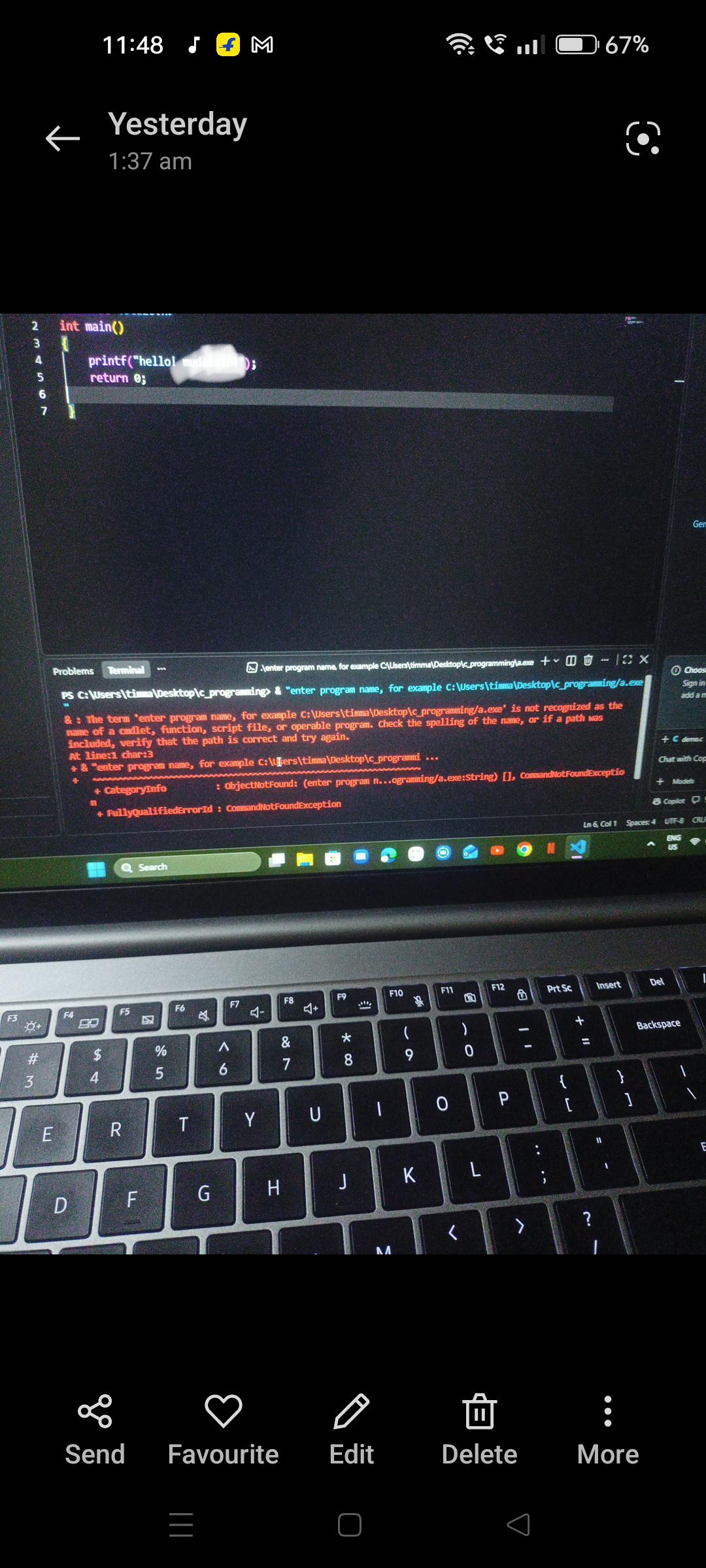
Hello everyone,
I'm facing a really frustrating issue with my new Samsung Galaxy Book 5,💻 and I've been trying to solve it for quite some time. I'm learning C programming and using Visual Studio Code (VS Code) as my code editor, but whenever I compile a C program and try to execute the generated .exe file, Windows blocks it from running.
Initially, I thought it was a compiler installation or configuration issue, so I tried several different approaches:
What I've tried so far:
Installed and configured MinGW GCC.
Tried MSYS2 and its GCC compiler.
Tried Microsoft's C/C++ compiler.
Tried Ubuntu as another environment.
Reinstalled and reconfigured the compiler and VS Code.
Tested compiling and running simple C programs.
Unfortunately, the problem persists regardless of which compiler or environment I use.
My system information:
Laptop: Samsung Galaxy Book 5
Operating System: Windows 11
Code Editor: Visual Studio Code
Terminal: Windows PowerShell 5.1
Compilers: MinGW, MSYS2 GCC and Microsoft C/C++ compiler.
Windows Security: Smart App Control is enabled.
The error I'm encountering:
Windows appears to be blocking the execution of my compiled .exe files through an Application Control security policy. It doesn't seem to be a normal VS Code error or a compilation error. The executable gets generated, but Windows prevents it from running.
I also checked Windows Security's Protection History, but I couldn't find any relevant blocked activity there.
I'm wondering whether Smart App Control, Windows Defender Application Control (WDAC), or another Windows application security policy is responsible for this.
My questions:
Why is Windows blocking executables that I compile myself using GCC or other compilers?
Is this related to Smart App Control or another Application Control policy?
Is there a way to allow locally compiled C/C++ executables without compromising Windows security?
Is there any specific configuration or policy that needs to be changed on Samsung Galaxy Book 5?
I don't want to disable Windows Security or compromise my laptop's security just to run basic C programs.
I'd really appreciate help from anyone who has experienced this issue, especially Galaxy Book or Windows 11 users.
I have asked ai chatbots it won't works at all any body genuinely help me out from this problem😭😭
Thanks in advance!
2
u/Exotic_Mix_3196 Lvl 1 Helpful Contributor 10d ago
exclude the build folder in Windows defender settings:
Configure custom exclusions for Microsoft Defender Antivirus
-2
u/Dangerous-Key6336 10d ago
Iam a beginner really don't know much abt it can you say me step by step
2
u/bruh_moment_2525 10d ago
They sent you a link to a whole help article that goes into as much detail as possible.
2
u/krypdoh
10d ago
•

powershell
Unblock-File -Path .\main.exe
powershellUnblock-File -Path .\main.exe
1
0
u/Dangerous-Key6336 10d ago
Should I paste in terminal or on the top search of vs code
1

4
u/Exotic_Mix_3196 Lvl 1 Helpful Contributor 10d ago
is this a screenshot from a phone taking a picture of your PC.
really?
1
u/AutoModerator 10d ago
Hi u/Dangerous-Key6336, thanks for posting to r/WindowsHelp! Your post has been flagged for manual review by a human moderator, please include as much of the following information as possible (in text or in a screenshot) to get your post approved:
Your Windows and device specifications — You can find them by pressing Win + X then clicking on “System”, we need more than just your OS version! Your hardware details are often critical for resolving issues.
Any messages and error codes encountered — They're actually not gibberish or anything catastrophic. It may even hint the solution!
Previous troubleshooting steps — It might prevent you headaches from getting the same solution that didn't work
Posts must be tech support in nature (such as something is broken and you need help fixing), so general inquiries, software suggestions, and purchasing advice will be removed. As a reminder, we would also like to say that if someone manages to solve your issue, DON'T DELETE YOUR POST! Someone else (in the future) might have the same issue as you, and the received support may also help their case. Good luck, and I hope you have a nice day!
I am a bot, and this action was performed automatically. Please contact the moderators of this subreddit if you have any questions or concerns.
3
u/Khai_1705 10d ago
not that i know much but you can try turning off smart app control and whitelist your working directory.
sidenote, its 2026, take a screenshot and not this abomination