r/WHMCS • • 26d ago

WHMCS 9.1 is out. Have you updated?

12 Upvotes

Honest question. Have you updated to 9.1 yet? If so, what are your thoughts?

Personally? I'll likely update dev sites, but stick on 9.0 indefinitely. Why? Really simple:

- Automatic MarketConnect Account Registration:
If your install isn't linked to a Marketplace account, 9.1 now attempts to create one during upgrade, with a starter credit applied.

I could care less about 'a starter credit'. I want nothing to do with MarketConnect. This is simply a scam from WHMCS to try to make more money off of it's customers. Since customers aren't actually willingly participating, why, we'll just force you to do so.

That's just me though. What about you?


r/WHMCS • • 1d ago

[Action Required] Critical Security Update for WHMCS - 23rd November 2026

16 Upvotes

We would like to inform you that critical security vulnerabilities affecting WHMCS have been identified. Fixes are now available for all supported versions. These vulnerabilities were responsibly disclosed through our security program, and we thank the researcher for reporting them.

1. Remote code execution and sensitive file disclosure via email campaigns: CVE-2026-93700

Situation: A security vulnerability has been identified in WHMCS 8.0.0 and later involving the processing of client-supplied data in email campaigns. Under specific conditions, an authenticated client could use this to read sensitive files and execute code on the server.

Impact: An authenticated WHMCS client could potentially leverage this flaw to read sensitive configuration files on the WHMCS host, including database credentials, and to execute code on the server.

Affected Versions:

  • All WHMCS 9.1.x builds prior to 9.1.2

  • All WHMCS 9.0.x builds prior to 9.0.10

  • All WHMCS 8.x builds prior to 8.13.8

Patched Versions:

  • WHMCS 9.1.2

  • WHMCS 9.0.10

  • WHMCS 8.13.8

A fix is only available for supported versions. If you run WHMCS 8.0.0 or later, you must upgrade to 8.13.8, 9.0.10 or 9.1.2.

Support Link: CVE-2026-93700 - WHMCS Security Update 2026-11-23

2. Unauthenticated data disclosure via the shopping cart: CVE-2026-82981

Situation: The vulnerability is caused by insufficient input validation in the shopping cart. Under specific conditions, an unauthenticated visitor could read data outside the scope of their authorized access.

Impact: An unauthenticated user could retrieve data from the WHMCS database. This includes personal and support information belonging to clients, and admin account records including admin password hashes.

Affected Versions:

  • All WHMCS 9.1.x builds prior to 9.1.2

  • All WHMCS 9.0.x builds prior to 9.0.10

Patched Versions:

  • WHMCS 9.1.2

  • WHMCS 9.0.10

WHMCS 8.13.x is not affected by this issue.

Support Link: CVE-2026-82981 - WHMCS Security Update 2026-11-23

3. Authenticated data disclosure via Client Area contacts: CVE-2026-82979

Situation: The vulnerability is caused by insufficient input validation in the Client Area. Under specific conditions, an authenticated client with the View & Manage Contacts permission could read data outside the scope of their account.

Impact: Such a client could retrieve data belonging to other clients, as well as administrator account records. This includes personal, billing and support information, and admin password hashes.

Affected Versions:

  • All WHMCS 9.1.x builds prior to 9.1.2

  • All WHMCS 9.0.x builds prior to 9.0.10

  • All WHMCS 8.13.x builds prior to 8.13.8

Patched Versions:

  • WHMCS 9.1.2

  • WHMCS 9.0.10

  • WHMCS 8.13.8

Support Link: CVE-2026-82979 - WHMCS Security Update 2026-11-23

Action Required

Remove any planned or ongoing email campaigns. Go to Utilities > Email Campaigns, and for each campaign choose Delete from the Manage Campaign menu under Actions.

Clear the template cache. Go to Utilities > System > System Cleanup and click Go under Empty Template Cache.

Update WHMCS:

Log in to your WHMCS Admin Area.

Go to Utilities > Update WHMCS.

Install the latest update for your branch: 8.13.8 (8.13.x), 9.0.10 (9.0.x) or 9.1.2 (9.1.x). This single update addresses all issues listed above.

Verify the installed version in the Admin Area footer or under Utilities > System Health Status.

Update WHMCS →

If you use WHMCS Cloud, no action is required. All WHMCS Cloud-hosted installations have already been updated.

Mitigation

Issue 1: If you cannot update right away, stop ongoing email campaigns and disable future ones:

Go to Utilities > Email Campaigns and delete each existing campaign.

Go to Configuration > System Settings > Administrator Roles. Edit each role, including Full Administrator, and uncheck Mass Mail under Utilities.

Stop cron jobs from running email campaigns by adding the skip --EmailCampaign option to your cron.php command, for example:

/usr/bin/php -q /var/www/html/whmcs/crons/cron.php skip --EmailCampaign

After you update to a fixed release, re-enable Mass Mail and revert the change to your cron job.

Issues 2 and 3: There is no customer-side workaround. Applying the update is the only remediation.

Please reach out to our support team if you have any questions or need further guidance.


r/WHMCS • • 1d ago

One Step Checkout v3.0.0 Released – Complete Redesign and New Checkout Layouts for WHMCS

Thumbnail
gallery
2 Upvotes

Hi everyone,

We've just released One Step Checkout v3.0.0 at WHMCS Global Services.

This is one of our biggest updates to the order form so far. We've completely redesigned both the checkout interface and the addon module, with a focus on improving product presentation, simplifying the checkout experience, and giving administrators more customization options.

Some of the main changes in this release:

  • Completely redesigned order form and addon management interface.

  • Four new color variations: Modern Teal, Corporate Blue, Prestige Purple, and Nature Green.

  • New boxed product layouts and billing cycle selection cards.

  • Built-in Icon Manager for products, configurable options, payment gateways, and addons.

  • Improved order summary, product presentation, and domain search.

We've also made several improvements to configurable options and added compatibility with WHMCS 9.1.1, PHP 8.4, and ionCube Loader 15.x.

A note for existing users: Since v3.0.0 introduces major layout changes, we strongly recommend testing the update in a staging environment before upgrading your production website, especially if you've customized the existing order form.

You can check out the updated version here: https://whmcsglobalservices.com/custom-template/one-step-checkout-whmcs-orderform-template/

View Live Demo: https://demo.whmcsglobalservices.com/opcdemo/cart.php?a=checkout&systpl=hostx-child

For those using WHMCS, we'd be interested to hear your thoughts on the new layouts and what you'd like to see improved in future releases.

Thanks,
WHMCS Global Services


r/WHMCS • • 3d ago

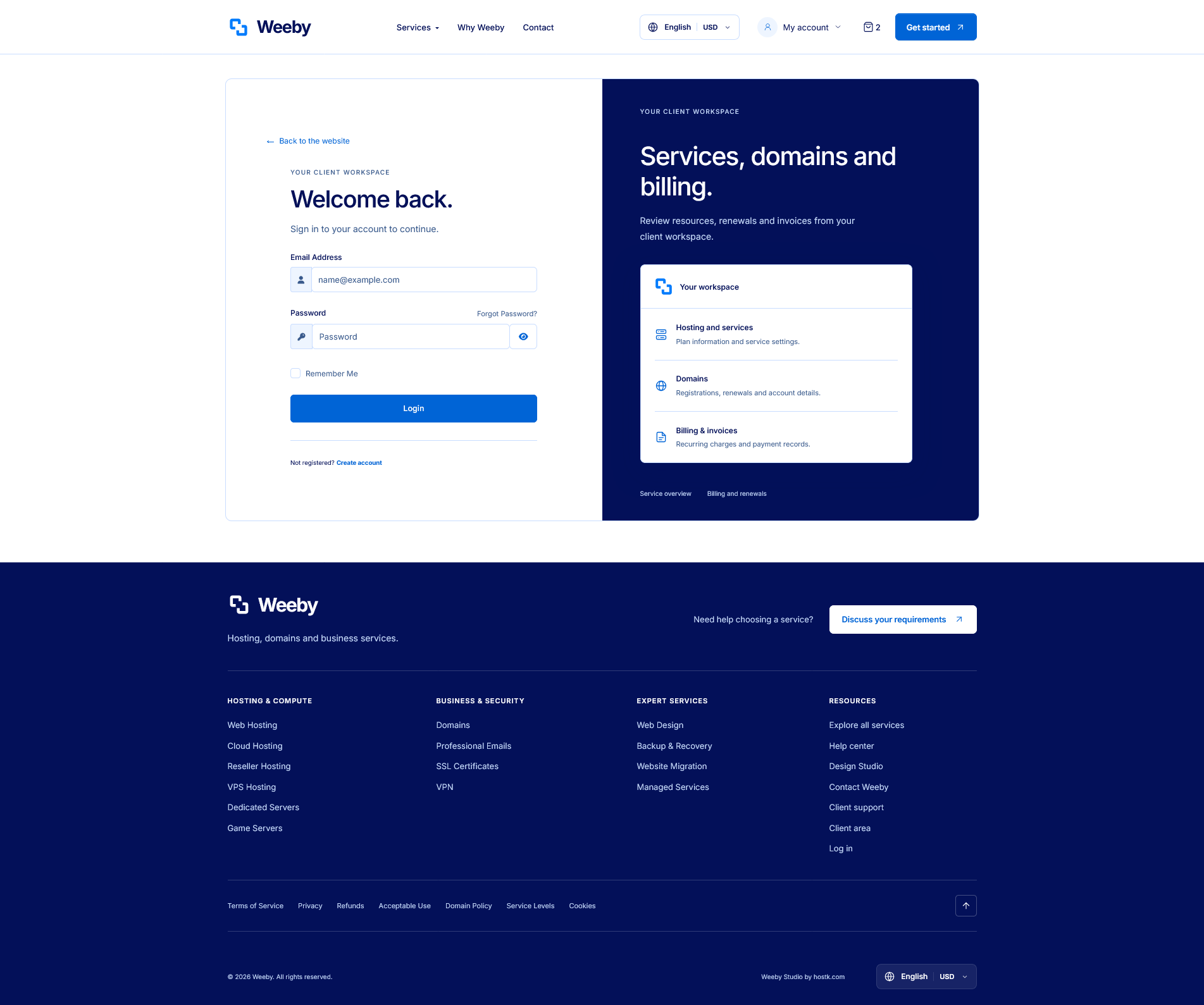
Themes & Customisations Weeby Studio – Complete WHMCS Theme with Visual Website Builder, Custom Client Area & Order Form | Now $49.99

0 Upvotes

Hi everyone,

We've recently launched Weeby Studio, a new WHMCS theme from Hostk designed for hosting companies looking for more control over their website without having to build everything from scratch.

Rather than offering just a frontend template, we've developed a complete solution that includes a hosting website, a custom client area, a matching order form, and a visual website builder integrated directly into WHMCS.

The goal was to make it easier for hosting providers to create a professional, consistent website while keeping the core WHMCS functionality intact.

Visual Website Builder for WHMCS

One of the main features of Weeby Studio is its built-in visual editor.

Instead of editing template files whenever you want to update your website, you can manage much of your content and design through the Studio inside your WHMCS admin area.

You can:

  • Edit website text, images, buttons, and links visually.

  • Create new pages, duplicate existing ones, and arrange editable sections.

  • Customize your logo, fonts, colors, navigation, headers, and footers.

  • Choose from 12 predefined color palettes or create your own.

  • Manage images and other website assets.

  • Preview your changes on desktop, tablet, and mobile.

  • Customize page titles, meta descriptions, and image alt text.

  • Save drafts, publish changes, and manage project backups.

The visual editor is designed for everyday website customization. WHMCS continues to handle billing, product management, authentication, and other core operations.

23 Customizable Website Pages

Weeby Studio comes with 23 public pages, including 14 dedicated service landing pages covering:

  • Web Hosting, Cloud Hosting, and Reseller Hosting

  • VPS Hosting and Dedicated Servers

  • Game Servers

  • Domain Registration

  • Professional Email

  • SSL Certificates and VPN

  • Website Design and Migration

  • Backup & Recovery

  • Managed Services

The pages are designed to work together, giving hosting businesses a consistent website rather than a collection of unrelated layouts.

You can customize the included pages or create additional ones using the Studio.

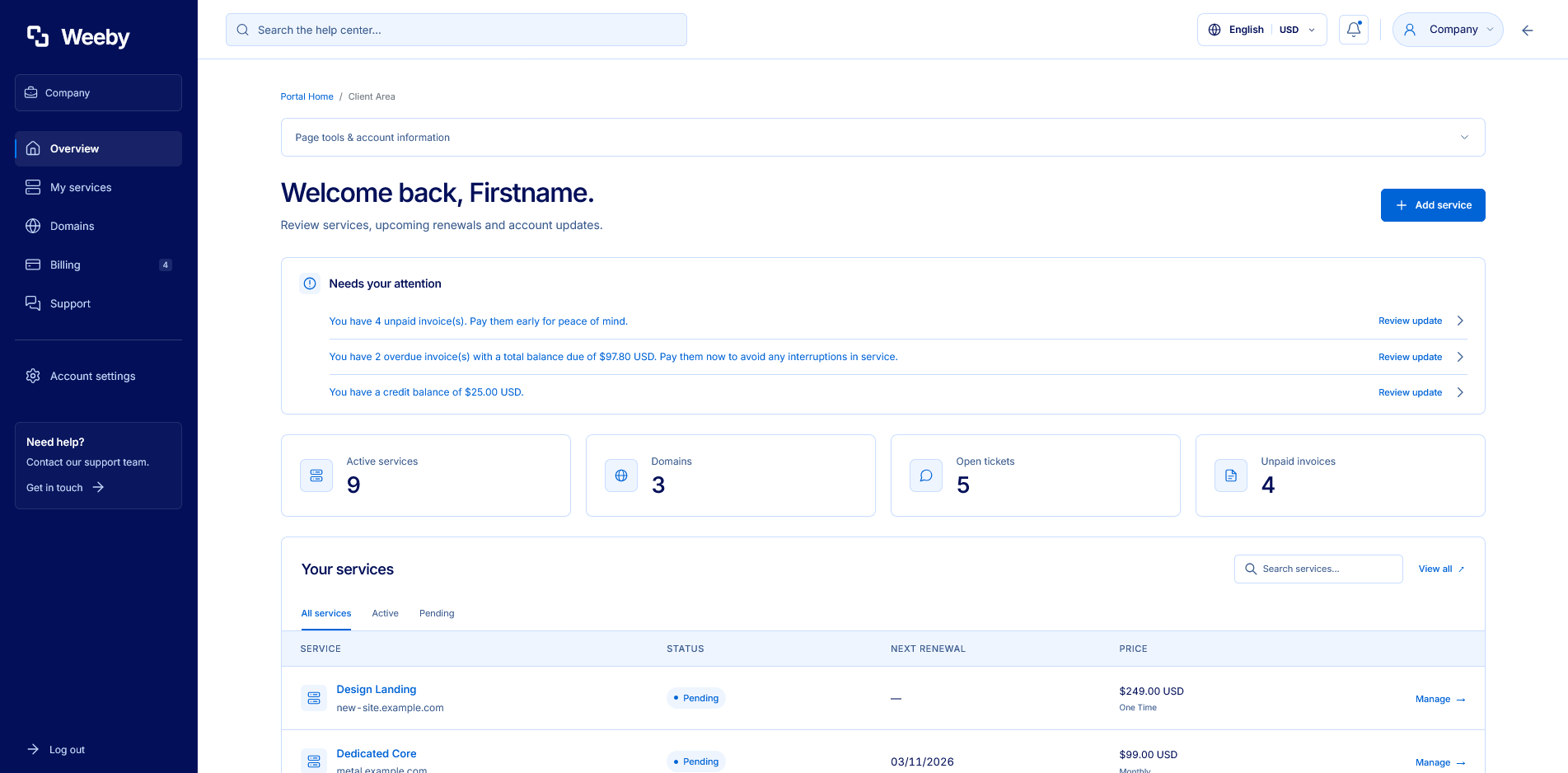
Custom WHMCS Client Area

We've also redesigned the WHMCS client area to match the main website.

Customers get a consistent interface for managing their hosting services, domains, invoices, support tickets, and account information.

The client dashboard includes updated navigation, service overviews, account shortcuts, and dedicated layouts for everyday customer tasks.

All account functionality continues to follow your existing WHMCS configuration and customer permissions.

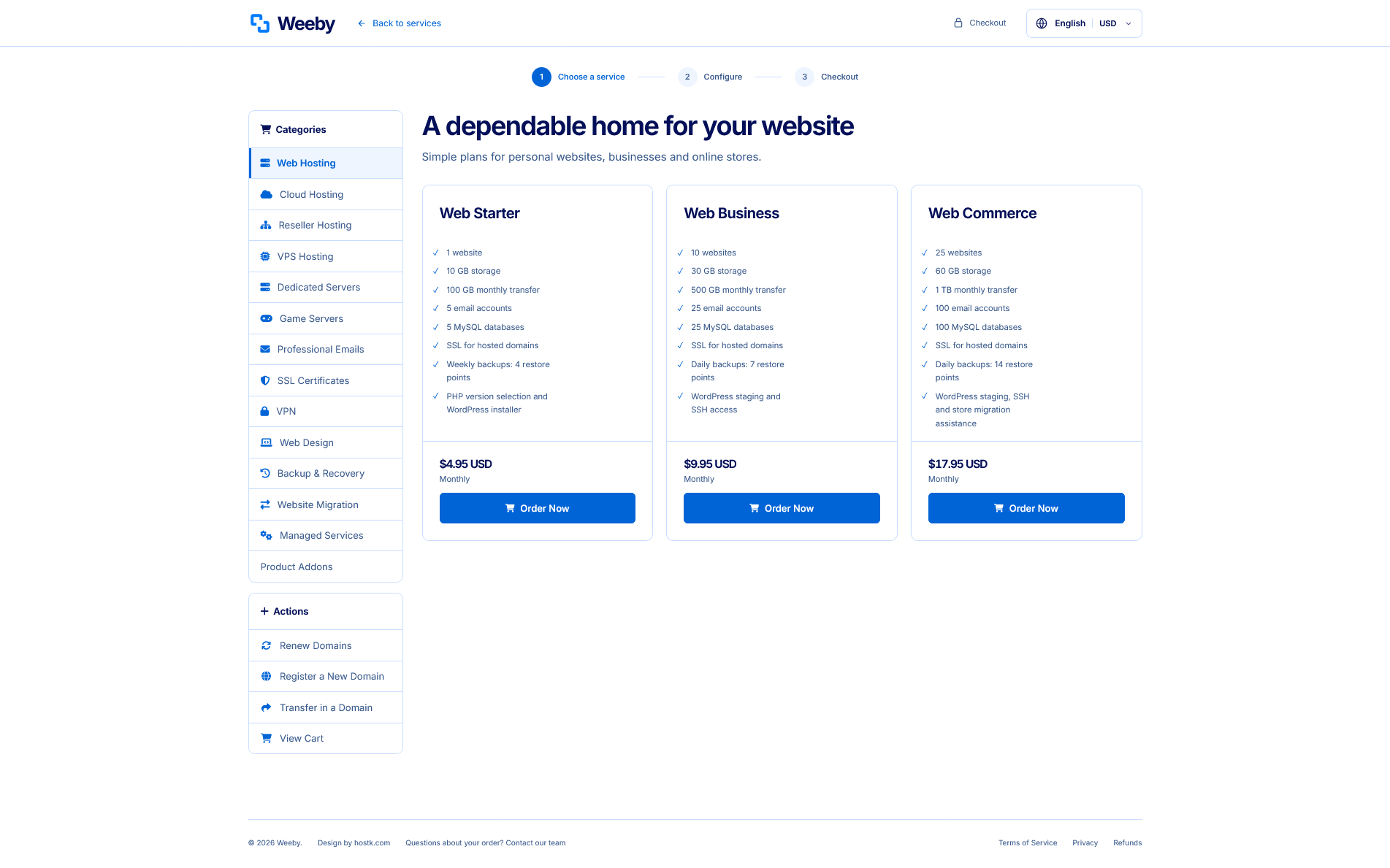
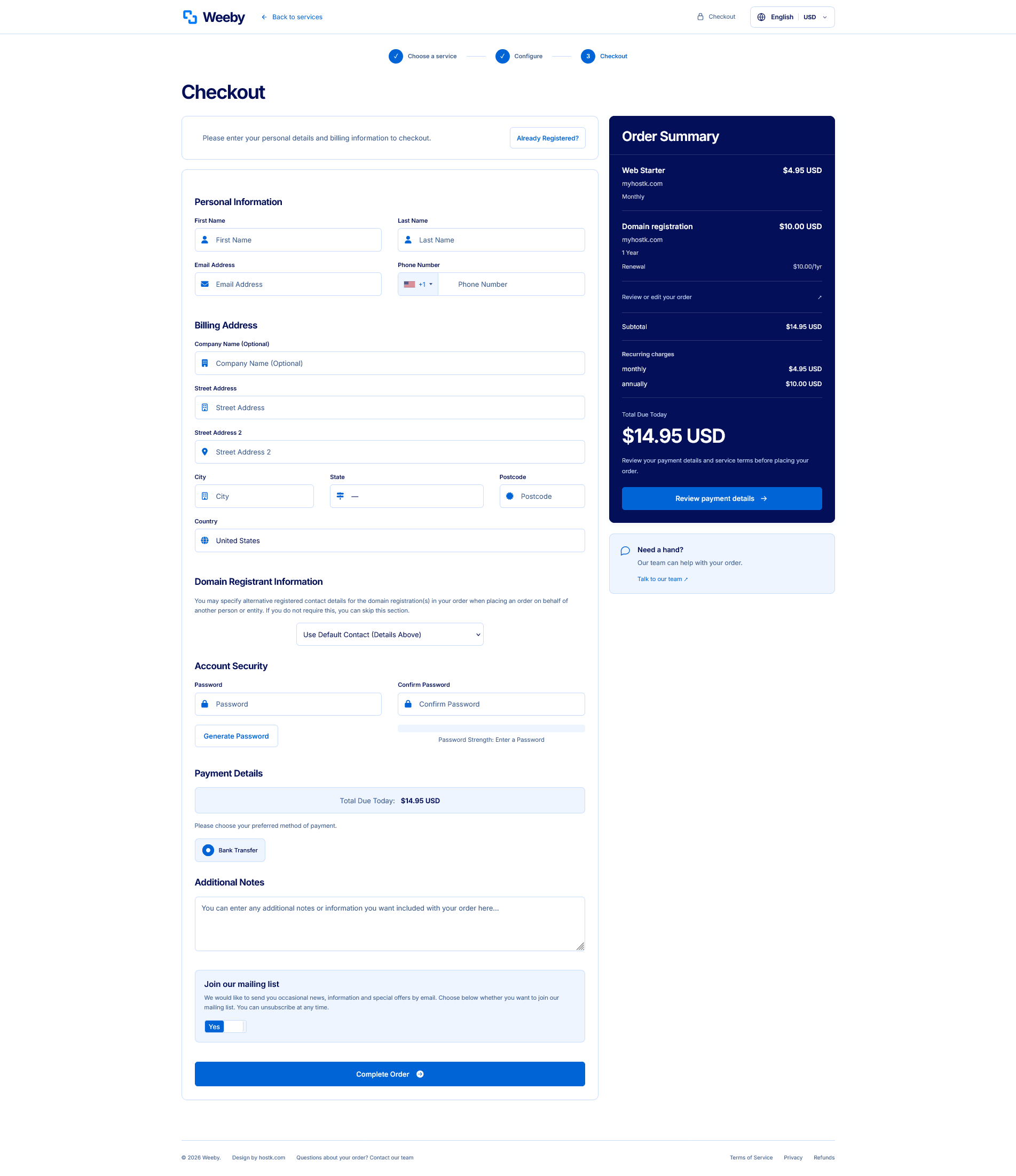
Matching Order Form & Checkout

The order form is designed to feel like a natural extension of the website.

It supports WHMCS product configuration, billing cycles, domain registration and transfers, configurable options, add-ons, and checkout for new or existing customers.

We've also included an itemized order summary to help customers review their selected products, billing periods, and recurring charges before completing their purchase.

Pricing, discounts, taxes, and transaction processing remain managed by WHMCS.

Real WHMCS Product Integration

Weeby Studio isn't limited to static pricing tables.

You can connect website pricing sections to your existing WHMCS products and product groups, displaying product names, descriptions, available billing cycles, and prices based on your WHMCS configuration.

This allows you to maintain your product catalog in WHMCS while managing how those products are presented on your website.

Multilingual Support & Responsive Design

Weeby Studio supports multilingual public content and both LTR and RTL layouts, including English and Arabic.

The theme is responsive across desktop, tablet, and mobile screens.

It also includes English and Arabic HTML documentation covering installation, configuration, branding, publishing, and recovery.

Try Weeby Studio

We've made the live demo available so you can explore the website and client area before purchasing.

Website Demo:
https://hostk.com/weeby-demo/

Client Area Demo:
https://hostk.com/weeby-demo/clientarea.php

Demo Login:

Email: [email protected]
Password: test

You can explore the design, navigation, customer dashboard, and available client area features.

Limited-Time Offer: $49.99 Instead of $120

To introduce Weeby Studio, we're offering a special launch price for a limited time.

Regular price: $120 USD

Limited-time price: $49.99 USD

One-time payment. No recurring theme subscription.

The package includes the complete website theme, visual Studio addon, custom client area, matching order form, 23 public pages, documentation, and free installation.

Each purchase includes activation for one website.

An existing licensed, self-hosted WHMCS installation is required. WHMCS licensing and third-party services are not included.

Get Weeby Studio:
https://hostk.com/weeby/

We'd Appreciate Your Feedback

We've spent a lot of time working on the visual editor and making sure the website, client area, and checkout feel like parts of the same product.

We're particularly interested in hearing from hosting providers who currently use WHMCS, whether with the default Twenty-One theme, a commercial template, or a custom design.

What features do you feel are missing from most WHMCS themes today?

If you get a chance to explore the demo, we'd be interested to hear your thoughts, suggestions, or any questions you have.

Thanks for taking a look.


r/WHMCS • • 3d ago

Typos in add_hook() names fail silently: how I stopped losing hours to them

2 Upvotes

A misspelled hook name in add_hook('ClientAddd', ...) never fires and WHMCS logs nothing. Same for a wrong key in $vars['...'] or a required localAPI parameter you forgot: you only find out at runtime, usually in production.

I got tired of it and built a PhpStorm plugin that knows the WHMCS hook list and API reference:

  • completes the 334 hook names (with what each one does) and the $vars keys inside the closure

  • completes the localAPI commands and parameters, and underlines calls missing a required parameter

  • underlines unknown hook names and misspelled keys, with Alt+Enter to fix

  • live templates (whhook, whapi, whmodule, whaddon...) for hooks and provisioning modules

It is called WHMCS Toolkit, paid after a 30-day trial, PhpStorm / IntelliJ Ultimate: https://plugins.jetbrains.com/plugin/35775-whmcs-toolkit

The worked examples (hook, provisioning module, addon, registrar) are in the public repo, no purchase needed: https://github.com/Design-Master-Agencia-Digital/whmcs-toolkit

Happy to hear which hooks or API commands trip you up the most.


r/WHMCS • • 4d ago

Modules & Addons Free WHMCS security report and admin sign-in alerts: we made a 12-minute walkthrough

Thumbnail
gallery
0 Upvotes

We're the team behind PD Modules, and we've put together a walkthrough of PD Guard, our security and environment module for WHMCS.

The free part covers what most of us want to check first:

  • One grouped report of security and environment checks, with each finding explained and a pointer to what to look at. It advises; it doesn't change your files or settings by itself.

  • Admin sign-in history, with optional email alerts, including one for sign-ins from a new address only.

  • Failed admin sign-in alerts with a configurable lockout threshold and block time.

  • Customer sign-in address history, with optional new-address email notifications.

There are optional Pro checks as well (file integrity against a trusted baseline, a manual malware signature scan, scheduled monitoring with Slack or webhook alerts, a deeper SSL audit). Pro can also send WHMCS errors to your own Sentry project, set up from the admin area with no code. The video shows all of these, but the free report is where to start.

One tip from the video: read the report before changing anything, then refresh it after each fix. That way you can tell which change actually helped.

Video (12 min, chapters): https://www.youtube.com/watch?v=EUwEl94vC6o

Written guide: https://www.pdhosting.co.uk/knowledge-base/pd-guard-whmcs-guide/

Module page: https://www.pdhosting.co.uk/modules/whmcs/pd-guard/

It needs WHMCS 9 or later and our free PD Modules panel. Happy to answer questions here. And if there's a WHMCS check you'd like added to the report, tell us.


r/WHMCS • • 22d ago

HostX – our WHMCS theme for web hosting businesses

Thumbnail
gallery
0 Upvotes

Hi everyone,

I wanted to share a WHMCS theme we've developed called HostX.

It's designed for hosting businesses that want more flexibility in managing their website, pages, and WHMCS client area without having to build everything from scratch.

Here are some of the features included in HostX:

  • 21+ Pre-built Pages: Ready-made pages for different sections of a web hosting website.

  • Page Manager: Create, edit, and manage website pages using a drag-and-drop builder.

  • Blocks Manager: Create, customize, and reuse content blocks across different pages.

  • SEO Manager: Manage meta titles, descriptions, keywords, and indexing settings.

  • Menu Manager: Manage website navigation and menu items.

  • Custom Order Forms: A redesigned ordering and checkout experience.

  • Redesigned Client Area: A consistent interface for customers managing their hosting services.

  • Responsive Design: Layouts designed for desktop, tablet, and mobile devices.

We've recently released HostX 3.1.2, which includes improvements for WHMCS 9.1.0 compatibility along with several UI and responsive design fixes.

We'd be interested in hearing from other WHMCS users.

What do you usually look for when choosing a WHMCS theme? Are there any particular features or customization options you think are important for a hosting business?

For anyone interested in checking it out, here are the product details, features, and live demos:

Theme: https://whmcsglobalservices.com/web-hosting-themes-templates/hostx/

Demo: https://demo.whmcsglobalservices.com/hostxdemo/


r/WHMCS • • 25d ago

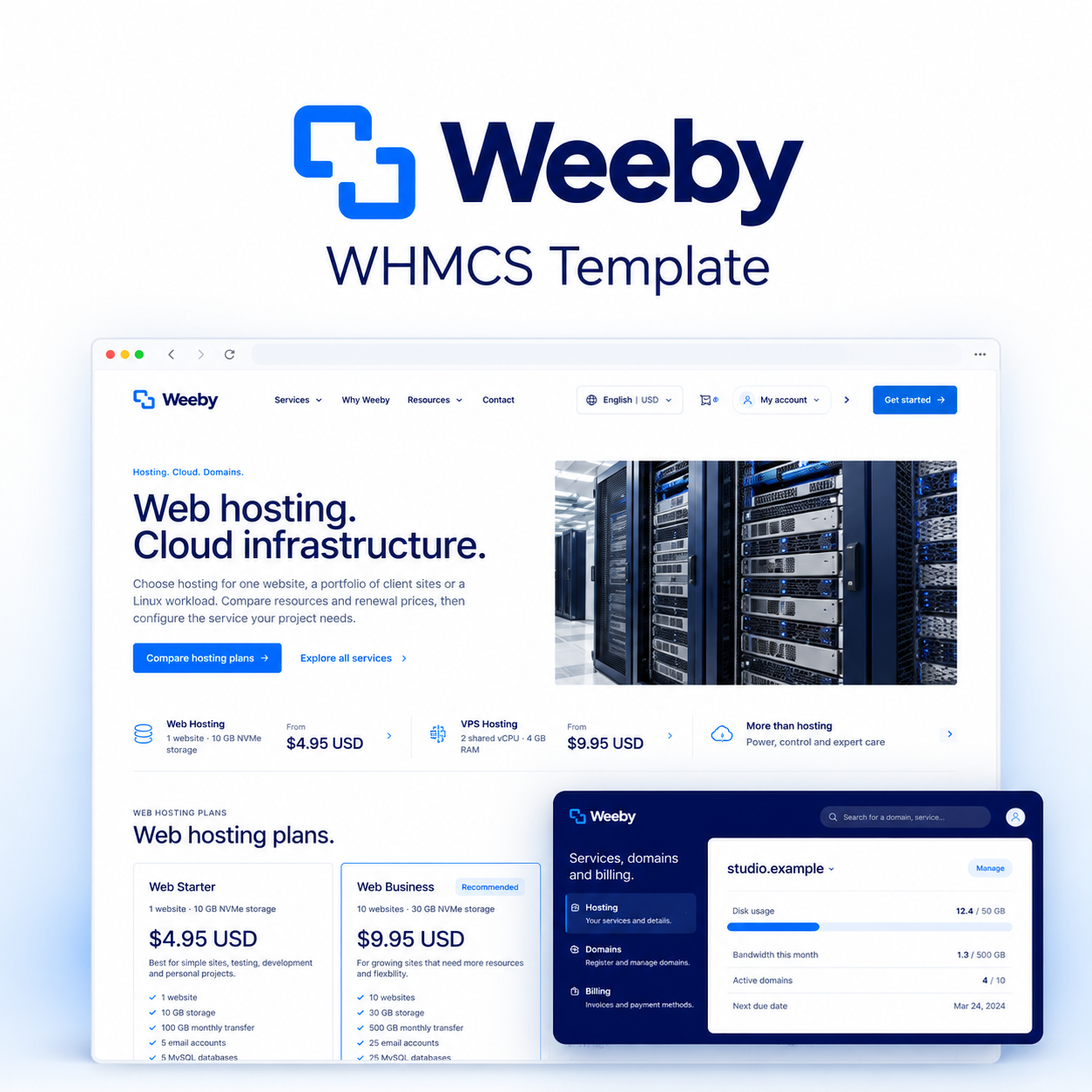
Weeby Studio — WHMCS Theme & Visual Website Builder with Client Area & Checkout 💎

5 Upvotes

Hello Reddit Members,

We’re introducing Weeby Studio — a complete WHMCS theme with a visual website builder, custom client area, and matching orderform and checkout, created by Hostk.

The idea is simple: give hosting businesses a consistent brand experience and practical control over their website. Your pages, product presentation, customer workspace, and checkout share one design, with a dedicated Studio inside WHMCS to make it your own.

Your hosting website. Your brand. Your Studio.

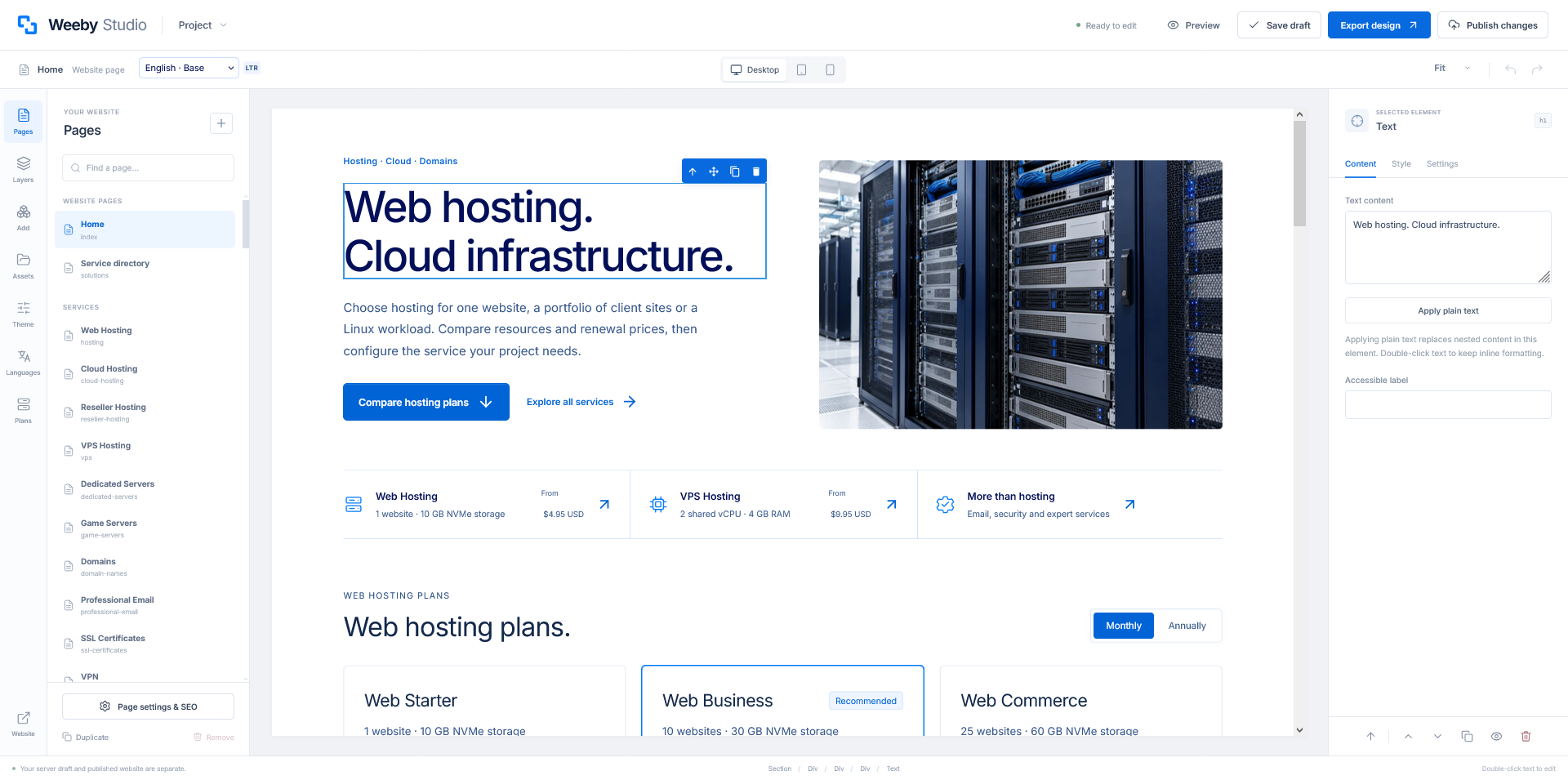
Meet the Visual Studio

Update your website from a focused visual workspace inside the WHMCS administration area.

  • Edit visually: change website text, images, links, buttons, and supported styling.

  • Build your pages: create or duplicate public pages, add content blocks, and arrange editable sections.

  • Find every detail: navigate page structure through Pages and Layers.

  • Manage your assets: upload images and replace editable visuals.

  • Preview across devices: review desktop, tablet, and mobile layouts.

  • Control shared elements: customize website navigation, headers, footers, and brand settings.

  • Manage on-page SEO: edit browser titles, search descriptions, and image alternative text.

  • Publish when ready: save an unpublished draft, review your changes, then publish.

  • Keep a recovery path: export editable project backups and revisit saved published versions.

Everyday content changes can be made in the visual editor, while native WHMCS forms, live prices, permissions, and transactions retain their original behavior.

One design, from first visit to checkout

Weeby Studio includes three connected parts of your customer experience:

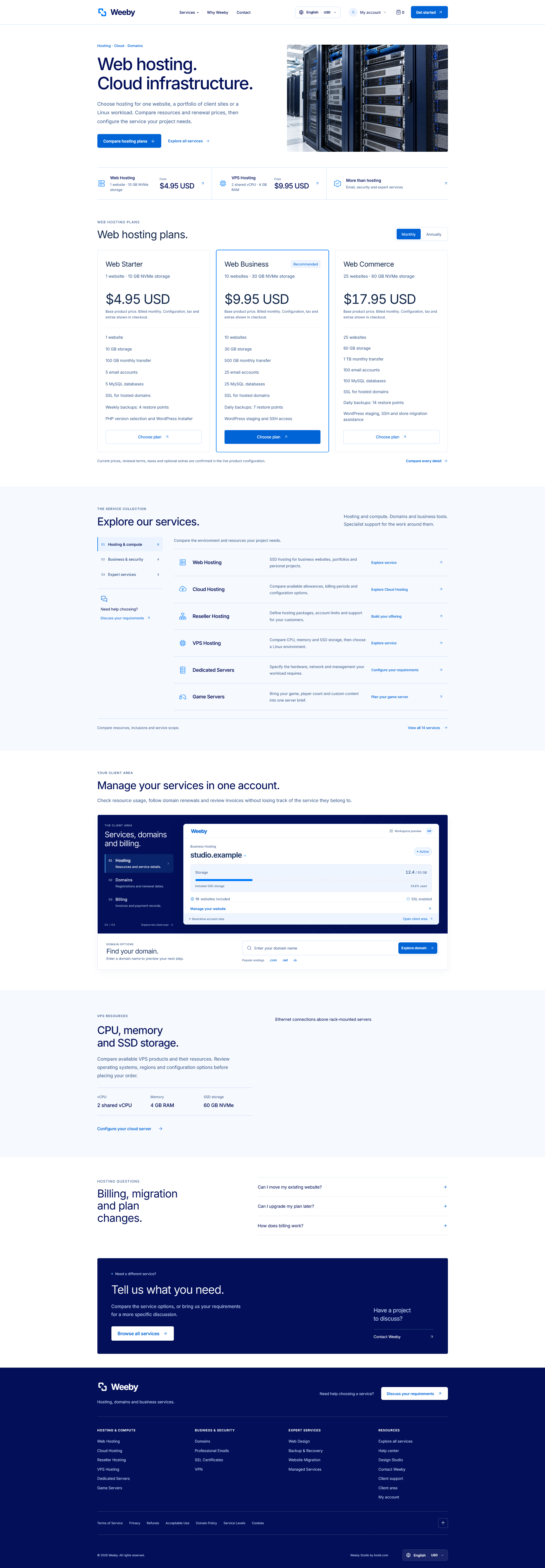
1. Your public website
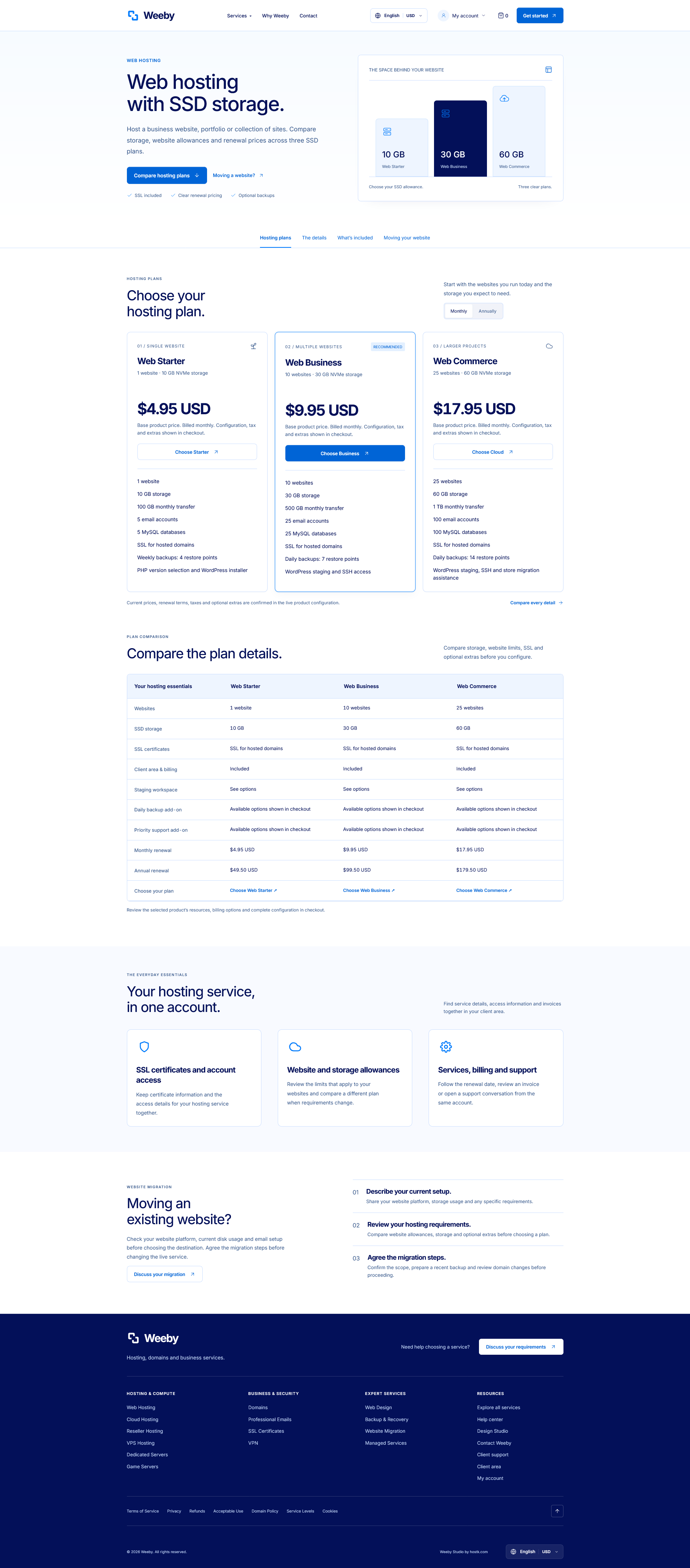
A responsive hosting website with service landing pages, product presentations, comparison sections, and shared navigation.

2. Your client area
A branded customer workspace for services, domains, invoices, support tickets, account information, and everyday account tasks.

3. Your orderform
A matching product selection, configuration, cart, and checkout experience using native WHMCS ordering.

The result is a consistent visual identity as customers move between your website, their account, and their next purchase.

23 starting pages. Room for your own ideas.

The included public collection contains 23 pages, including 14 service landing pages, a homepage, service directory, and policy pages.

  • Hosting & compute: Web Hosting, Cloud Hosting, Reseller Hosting, VPS Hosting, Dedicated Servers, and Game Servers.

  • Business & security: Domains, Professional Email, SSL Certificates, and VPN.

  • Expert services: Web Design, Backup & Recovery, Website Migration, and Managed Services.

Customize the included content or create additional public pages through the Studio.

12 color palettes + your own brand colors

Start with the original Weeby blue, navy, and white identity, choose one of 12 coordinated palettes, or create a custom palette.

Set your brand accents, buttons, navigation, headings, text, backgrounds, surfaces, and borders. Customize your logo, typography, content width, and button corners from the shared design controls.

Supported bundled visuals and the default favicon follow the selected palette. Your uploaded photos, custom logo, and custom favicon keep their original artwork.

Product presentation connected to WHMCS

Your real catalog stays central to the website.

  • Connect website plan slots to specific WHMCS products or product groups.

  • Display product names, descriptions, prices, and available billing cycles from WHMCS.

  • Use the currencies and pricing configured in your installation.

  • Customize supported CPU, RAM, storage, transfer, and other resource display labels.

Presentation labels remain separate from the actual service specifications and allowances defined in WHMCS.

A client area that feels part of your brand

The custom client area brings key customer tasks into a coordinated layout:

  • Dashboard with service overview and account updates.

  • Sidebar navigation and account shortcuts.

  • Product and service management screens.

  • Domain listings and supported management actions.

  • Invoices, billing information, and payment-related account views.

  • Support tickets, Knowledgebase, and announcements.

  • Login, registration, password recovery, and account details.

Available actions follow the customer’s permissions and your enabled WHMCS functionality.

Checkout with the details customers need

The matching orderform supports product configuration, available billing cycles, domain choices, configurable options, add-ons, and guest or existing-customer checkout.

Its itemized order summary presents the information supplied by WHMCS, including products, domains, selected options, billing periods, and recurring charges where available. Native discounts, taxes, credits, and totals remain authoritative.

Multilingual content. RTL & LTR layouts.

Translate public website content, navigation, and supported theme labels through the Studio, with a reading direction for each language.

Prepare English LTR and Arabic RTL presentations, while native account and checkout fields use your installed WHMCS language packs. Language and currency controls follow your WHMCS configuration.

Installation & documentation

The package includes the website theme, matching orderform, Studio administration addon, and English and Arabic HTML documentation.

Installation guidance covers activation, branding, products, languages, publishing, updates, and recovery. Editable project backups, saved published versions, and factory design recovery tools help you manage future changes.

Weeby Studio requires an existing, licensed, self-hosted WHMCS installation. Confirm compatibility with your WHMCS release before purchasing. Hosting, WHMCS licensing, payment gateways, registrars, and provisioning services are configured separately.

Explore Weeby Studio

Live website demo
https://hostk.com/weeby-demo/

Live Client Area demo
https://hostk.com/weeby-demo/clientarea.php
Email Address: [email protected]
Password: test

Special Price: $49.99 USD — reduced from $120 USD
One-time purchase. Website-bound activation for one installation.

Get Weeby Studio
https://hostk.com/weeby/

We’d love to hear your feedback on the visual Studio, the customer workspace, and the ordering experience. Questions are welcome in this thread.

Weeby Studio by Hostk
Your website. Your client area. Your checkout. One connected brand.


r/WHMCS • • 25d ago

Error updating to 9.1.0

3 Upvotes

Id rather not update frankly but I'm worried about the patched security issues.

So I've tried several times, and the upgrade from 9.0.8 to 9.1.0 always fails with:

A problem was encountered while attempting to apply the database schema updates.

The update process returned the following error message:

SQLSTATE[42S22]: Column not found: 1054 Unknown column 'is_cancelled' in 'WHERE' (SQL: select `id`, `notes` from `tblinvoiceitems` where `is_cancelled` = 0 and `type` = and `relid` = 0 and `notes` like %{% and `id` > 0 order by `id` asc limit 1000)


Tried from the UI, failed with that error.  Reset database. Tried again manually, same error.

NO logs are being saved in /install/log

I've updated WHMCS a hundred times, not a novice here. Something is broken.

I've tried manually adding that column to the database too. No joy.

Anyone have any insights here?


r/WHMCS • • 27d ago

Themes & Customisations Iris WHMCS theme - Dark Mode - Out Now!

Post image
9 Upvotes

WHMCS 9.1 shipped Iris, the new admin theme (still a technology preview), and I've been using it every day since. The one thing I missed was a dark mode, so I built one, and I'm sharing it for free.

What it does

  • Adds a moon button to the bottom of the Iris sidebar. Click it and the admin area goes dark; click the sun to go back.

  • It's off until you switch it on, and the choice is remembered per browser, so every admin decides for themselves.

  • Neutral dark greys, while WHMCS's own blues, greens, oranges and reds stay as they are.

  • No white flash between pages, and printed invoices and reports stay light.

  • Widgets and pages from other add-ons get tinted to match (it caught a couple of third-party dashboard widgets on our install).

  • Only Iris is touched: Blend, the client area and your emails don't change.

  • No settings and no database tables. Deactivate it and everything is exactly as it was.

Install

  1. Upload the contents of the `upload` folder to your WHMCS root.

  2. System Settings > Addon Modules > Iris Dark Mode > Activate.

  3. Click the moon at the bottom of the sidebar.

It works with a renamed admin folder and with WHMCS installed in a subfolder.

Download (free): https://marketplace.whmcs.com/product/9215-iris-dark-mode

Tested on WHMCS 9.1.0. Iris is still a technology preview, so if a later WHMCS release changes it, I'll put out an update.

Full disclosure: We run Cloud Cabin, a small UK hosting company, and this was built for our own admin area first. It's free to use on any WHMCS install (just not for resale).

If you find a page that stays light or looks off, post a screenshot below and I'll fix it.


r/WHMCS • • 27d ago

Any way to update old owned license to something that can use PHP8?

4 Upvotes

Back in the day I purchased an owned license for WHMCS and paid the yearly support fee to keep things up to date.  I have less than 20 clients these days so paying $35 a month for that little revenue is pointless to me.  However, even though my server's php is backported I would still like to get the WHMCS install up to PHP8.4.  I am currently stuck on PHP7.4 because the version of WHMCS I have can't go any higher. 

Is there any update available at all for those old installs that does not involve forcing me into a monthly payment that is not viable for me financially?


r/WHMCS • • Oct 23 '26

Cloudflare DNS, Firewall and Cache Management in WHMCS

Post image
0 Upvotes

Hi everyone,

We've been working on making Cloudflare management easier for hosting providers using WHMCS. The goal is to let users access common Cloudflare settings directly from the WHMCS client area instead of switching between panels for routine tasks.

The interface brings together several areas of Cloudflare management, including:

  • DNS record management

  • Firewall rules management

  • Cache management

  • Domain overview and security settings

  • Nameserver information and domain controls

We've also been improving the interface and expanding the available DNS management options.

For anyone interested in the implementation, here's the module page:
https://whmcsglobalservices.com/whmcs-cloudflare-module/

For those using Cloudflare with WHMCS, which features do you find most useful to manage from the client area?


r/WHMCS • • Oct 21 '26

Critical PHP patches - ~14:00 UTC today

Thumbnail
vincentschmalbach.com
8 Upvotes

PHP official announcement:

https://www.php.net/archive/2026.php#2026-10-20-1

The only temporary mitigation you can apply is the PHP session upload 'off' - if you disable multipart, it will break various submissions to WHMCS.

.... you need to be ready to patch, ASAP. Or, take instances offline.


r/WHMCS • • Oct 12 '26

WHMCS + Plesk: How Can We Give Resellers Access Without Root Permissions?

0 Upvotes

We use a single WHMCS system to manage all our hosting customers. We want to let our large resellers manage their own customers through WHMCS, but we can't find a way to properly separate permissions.

Is there a way to give each reseller access to their own customers and hosting accounts without granting root or full admin access? What is the best approach with WHMCS and Plesk?


r/WHMCS • • Oct 12 '26

How are you automating Proxmox VPS provisioning with WHMCS?

0 Upvotes

If you're running Proxmox VE with WHMCS, managing VPS provisioning, IP allocation, and routine server tasks manually can take up quite a bit of time.

We developed a Proxmox VPS module for WHMCS to connect the two systems and automate much of this workflow.

It supports KVM and LXC, automatic VPS provisioning, IPv4/IPv6 management, OS reinstallation, server controls, and browser-based console access from the WHMCS client area.

The latest version v1.1.0 also includes IP management improvements, allowing admins to assign, unassign, and reserve IP addresses.

You can check out the module and its features here: https://whmcsglobalservices.com/proxmox-vps-whmcs-module/

For those using Proxmox with WHMCS, what's the biggest challenge you've faced with VPS provisioning or IP management?

Disclosure: We're the developers of this module at WHMCS Global Services.


r/WHMCS • • Oct 08 '26

WHMCS MarketConnect WARNING about WHMCS 9.1

17 Upvotes

Not satisfied with raising prices through greed, WHMCS now forces you to create an account with 'market connect' in beta. Why? Well, of course, they want more $$$.

- Automatic MarketConnect Account Registration:
If your install isn't linked to a Marketplace account, 9.1 now attempts to create one during upgrade, with a starter credit applied.


r/WHMCS • • Oct 08 '26

WHMCS Customer Licensing Guide 2027 - i.e pricing increases, again.

Thumbnail whmcs.com
8 Upvotes

Here we go again.....

"We're writing to let you know about a pricing adjustment affecting the monthly cost of your WHMCS license, effective January 1, 2027. Full pricing is available in our updated WHMCS Customer Licensing Guide 2027."

https://www.whmcs.com/customer-licensing-guide/


r/WHMCS • • Oct 08 '26

WHMCS 9.1 beta is out, looking for testers and module developers

Thumbnail whmcs.com
0 Upvotes

Hi all, I'm Carlos, I work on the product side of WHMCS.

The 9.1 beta is out and I'm asking for help testing it before GA.

If you develop modules, themes or integrations, please check them against 9.1. This release touches invoicing, payments, the API and the admin navigation, so it's worth a run-through. It also adds PHP 8.4 support with ionCube Loader 15.0.0. Upgrade ionCube first, then WHMCS, then PHP.

If you run WHMCS, put it on a staging copy, do your normal day-to-day tasks, and let us know what breaks or feels off.

Staging only, please, not production.

Download and the feedback form are at whmcs.com/beta. Bug reports, compatibility problems and "this is confusing" are all useful.

Thanks in advance to anyone who gives it a spin.


r/WHMCS • • Oct 08 '26

Using WHMCS Cookie banner, cookie policy page, and privacy policy page

3 Upvotes

I'm using WHMCS for the first time and was wondering how I can add the cookie banner, the cookie policy page, and the privacy policy page. Also, how do I keep everything up to date with future updates? Thank you


r/WHMCS • • Sep 25 '26

We’re building an MCP Server for WHMCS - looking for feedback

3 Upvotes

We’re currently working on an MCP Server that connects WHMCS with MCP-compatible AI tools.

The idea is to make it possible to work with things like clients, services, invoices, domains and WHMCS data through an MCP interface.

We’re still deciding what should be included in the first release.

For those running WHMCS:

What would you actually want to be able to do through MCP?

Looking for practical use cases and feedback from people who use WHMCS day to day.


r/WHMCS • • Sep 07 '26

New WHMCS Module: Passkey Authentication for Clients and Administrators

Thumbnail
gallery
0 Upvotes

We’ve recently released a Passkey Authentication module for WHMCS to provide a more modern way for clients and administrators to sign in.

The module adds:

  • Passkey authentication for WHMCS clients

  • Passkey authentication for WHMCS administrators

  • Microsoft Entra ID authentication

  • Passwordless authentication

  • Support for modern devices and FIDO2 security keys

  • An additional layer of protection for WHMCS accounts

  • A simpler login experience without relying only on traditional passwords

The module is designed for hosting providers who want to improve WHMCS account security while keeping the login process straightforward for their users.

More information:
https://whmcsglobalservices.com/passkey-whmcs-module/

We’d be interested to hear how other WHMCS providers are currently handling authentication for their client and admin areas.

Are you using traditional 2FA, SSO, Passkeys, or a combination of these?


r/WHMCS • • Sep 03 '26

WHMCS (CRITICAL) Security Update 2026-09-03

9 Upvotes

Dear Customer,

We would like to inform you that critical security vulnerabilities affecting WHMCS have been identified. Hotfixes are now available. All vulnerabilities addressed in this release were identified internally through our security review process. We are not aware of any exploitation of these vulnerabilities.

  1. Unauthenticated disclosure of customer data via 2Checkout: CVE-2026-67398

Situation: An unauthenticated user could potentially access customers’ personal data through the 2Checkout payment gateway integration under specific conditions.

Impact: Enumeration of invoice IDs and retrieval of customers’ personal data.

Affected Versions:

  • All WHMCS 9.x builds prior to 9.0.8

  • All WHMCS 8.x builds prior to 8.13.7

  • WHMCS 4.5 and later (all versions in this range require upgrading)

Patched Versions:

  • WHMCS 9.0.8

  • WHMCS 8.13.7

Support Link:

https://help.whmcs.com/m/125386/l/2116695-cve-2026-67398-whmcs-security-update-2026-09-03

2. Vulnerability in WHMCS allows unauthenticated remote code execution via a multistage request/deserialization chain: CVE-2026-67399

Situation: An unauthenticated user can submit a forged payload that is deserialized without adequate restrictions, leading to remote code execution on the server.

Impact: An unauthenticated attacker could leverage this object-injection flaw to execute arbitrary code on the WHMCS host, resulting in full compromise of the installation and its data.

Affected Versions:

  • All WHMCS 9.x builds prior to 9.0.8

  • All WHMCS 8.x builds prior to 8.13.7

Patched Versions:

  • WHMCS 9.0.8

  • WHMCS 8.13.7

Support Link:

https://help.whmcs.com/m/125386/l/2118034-cve-2026-67399-whmcs-security-update-2026-09-03

Action Required:

Update WHMCS Now

Log into your WHMCS Admin Area.

Go to Utilities > Update WHMCS.

Install the latest update to version 8.13.7 (8.13.x branch) or 9.0.8 (9.0.x branch). This single update addresses all issues listed above.

Verify the installed version in the Admin Area footer or under Utilities > System Health Status.

Mitigation

Issue 1: If you use the 2Checkout payment gateway: Until you can apply the update, deactivate the 2Checkout gateway to block the vulnerable endpoint.

Issue 1: If you do not use 2Checkout: No immediate workaround is required, but we still recommend applying the update promptly.

Issue 2: There is no customer-side workaround; applying the update is the only remediation.

Please reach out to our support team if you have any questions or need further guidance.


r/WHMCS • • Sep 02 '26

Modules & Addons Add Fraud Protection to Your WHMCS Orders

5 Upvotes

Add fraud protection to your WHMCS orders with FraudLabs Pro and detect suspicious transactions before they become a problem.

👉 Try it free with up to 500 fraud checks/month.

https://www.fraudlabspro.com/supported-platforms/whmcs

#WHMCS #FraudPrevention


r/WHMCS • • Sep 01 '26

Release Announcement Important Security Updates: WHMCS 9.0.7 and 8.13.6 Are Now Available , Action Required : Update

10 Upvotes

Got this, this morning... Don't hesitate to fix this!!!

Hello,

WHMCS 9.0.7 and WHMCS 8.13.6 are now available as important maintenance releases for the WHMCS 9.0 and 8.13 series.

These releases address a security vulnerability which if exploited can result in unauthenticated remote code execution. There are currently no known exploits in the wild, but details that the vulnerability exists are shared.

We strongly recommend that all self-managed WHMCS customers update to the latest available version for their release series without delay.

** Recommended Action **

Self-managed WHMCS customers should update to the following version as soon as possible:

** Updating Your WHMCS Installation **

You can update your installation using the Automatic Updater within the WHMCS admin area: Utilities > Update WHMCS

For those who prefer to perform updates manually, full release packages and incremental update files are available via the WHMCS download page.

As always, please ensure you take a full backup of your system before performing any update.

Download: https://download.whmcs.com/#full
Upgrade Instructions: https://docs.whmcs.com/system/updates/updating-whmcs/

** Keeping WHMCS Current **

Maintenance releases are an important part of keeping WHMCS installations reliable, current, and supported. We recommend completing this update at your earliest opportunity.

Thank you for your continued support and for being part of the WHMCS community.

9.0 Changelog: https://docs.whmcs.com/releases/9-0/9-0-change-log/
8.13 Changelog : https://docs.whmcs.com/releases/8-13/8-13-change-log/

Kind Regards,
The WHMCS Team
 www.whmcs.com


r/WHMCS • • Aug 27 '26

We just released a Proxmox VPS provisioning module for WHMCS

Post image
6 Upvotes

We have launched a Proxmox VPS provisioning module for WHMCS to automate VPS deployment and allow customers to manage their VPS directly from the WHMCS client area.

Current functionality includes:

  • KVM and LXC provisioning

  • Multi-node and cluster support

  • IPv4 and IPv6 support

  • VPS controls in the WHMCS client area

  • noVNC, SPICE and Sterm.js console access

  • Backup management

  • Snapshot management

  • Firewall management

For transparency, this is our own product: https://whmcsglobalservices.com/proxmox-vps-whmcs-module/

We would genuinely appreciate feedback from people using Proxmox with WHMCS. What features or workflows do you think are still missing from existing Proxmox provisioning solutions?