r/VideoEditingTips • u/hoomanbeing11 • 5d ago
Why speed changes fight video stabilization until you wrap the stack into a compound clip

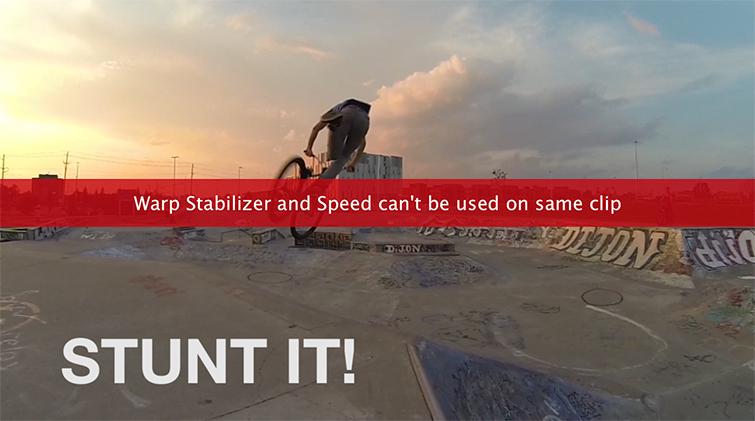


Stacking speed changes and video stabilization on the exact same raw clip is one of those timeline traps that makes people think their footage is broken..... Last week I watched myself burn through a pile of monthly AI generation credits re-rolling prompts on a handheld lifestyle product shot just because the camera drift clashed with a speed-reversed beat and our multi layer callout graphics kept animating out at staggered speeds.
Once I stopped re-rolling prompts and brought the first decent generated take into CapCut Web, fixing both headaches cost nothing in extra generations and came down to effect order and grouping. Whenever you alter clip speed or reverse playback on the same clip you are trying to stabilize, the motion analysis and frame timing pull against each other, or one control overrides the other altogether.
The cleanest workaround is handling timing inside first and stabilizing outside....I would split the generated clip where the speed reverse needed to happen, layered our callout badges and sound hits right above and below, highlighted that entire adjacent cluster, and wrapped them into a single compound clip with a clear descriptive label instead of leaving a generic numbered tag.
Treating that compound container like one flattened clip on the main timeline solved two problems immediately.... Applying stabilization to the outer container smoothed out the handheld drift across the speed change without choking & dropping any single entry and exit transition onto the ends of the compound clip made all the split pieces and graphic layers enter and leave together instead of sliding off screen unevenly....
Whenever our creative director tweaks copy timing inside that section, stepping back inside the compound group updates the inner cuts without wrecking the outer transitions. At how many stacked layers or conflicting effects do you decide to group a section into a compound clip versus keeping every track visible on the main timeline?
1
1
2
u/Plus7122 3d ago
Stabilize the original shot first so the speed ramp only changes timing.