r/SteamDeckEmu • • Mar 05 '23 Heartwarming Take My Silver

Idiot’s Guide to Emudeck

749 Upvotes

I’m using Emudeck as a base for this guide although there are other tools like RetroDeck and Batocera. The tips about BIOS and ROMs will mostly be the same but may vary.

Retro Game Corp’s installation video on Emudeck’s website will guide you through the installation of Emudeck 2.0.

This written guide by Wagnerstechtalk is also incredibly helpful

Which emulators do I want?!

  • RetroArch does NES, SNES, DS, N64, Sega Genesis, Saturn, Dreamcast, GB, GBA, GBC

  • Dolphin is GameCube and Wii

  • Prime Hacks is a fork of Dolphin for Metroid Prime Wii Trilogy

  • PPSSPP is PSP

  • Duckstation is PS1

  • Citra is Nintendo 3DS

  • MelonDS is Nintendo DS

  • PCSX2 is PS2

  • RPCS3 is PS3

  • Yuzu and Ryujinx are both Nintendo Switch (I won’t be going into this emulation)

  • Xemu is OG Xbox

  • CEMU is WII U

  • MAME is arcade stuff

  • VITA3K is Playstation Vita

  • SCUMMVM is for point and click adventures like the old LucasArts ones (Curse of Monkey Island, Full Throttle, Indiana Jones and the Fate of Atlantis, etc.)

Where do I find BIOS files?!

And this is where all the other guides stop due to fears about “copyright infringement”, of which BIOS and ROMs squarely fall. But not this guide because we’re all adults and know about abandonware. It’s got all the links to get you going and they all are either on GitHub, archive.org, Vimm’s Lair (trusted ROM-site) or PlayStation’s Official Website.

I won’t go into Switch emulation.

Complete RetroArch BIOS (GitHub link)

XBox BIOS files (archive.org link)

PS3 firmware (Sony’s official site)

Where do I put the BIOS files?!

These common systems that require BIOS go DIRECTLY in the BIOS folder:

  • PS1

  • PS2

  • Sega Saturn (Three separate RetroArch cores)

  • Sega CD

  • Sega Genesis

  • Nintendo DS

  • XBox (Not - RetroArch)

Dreamcast BIOS goes in the ‘dc’ folder within the BIOS folder

PS3 firmware must be installed via RPCS3 desktop.

These common systems DON’T require BIOS files:

  • NES

  • SNES

  • N64

  • GameCube

  • Wii

  • Wii U

  • Gameboy

  • Gameboy Color

  • Gameboy Advance

  • Nintendo 3DS

  • PSP

  • GameGear

For all other systems, consult Emudeck and RetroArch’s documentation. Emudeck BIOS information RetroArch BIOS information

How do I check if I have the right BIOS file in the right place?!

You could check using Emudeck’s BIOS checker. Go to desktop mode, open Emudeck, Tools and Stuff, Check BIOS.

This will check if the file is in the correct place and has the correct hash but might still be misnamed (capitalization matters). All of the RetroArch BIOS files are named correctly, as are the XBox BIOS files but just be aware that if the BIOS checker says green it may still be named incorrectly.

Now where do I get games (AKA ROMS)?!

I’m going to give you three links, a couple search terms and a video.

Two things to keep in mind.

Sometimes the files you download are in .zip or .7z format which is compressed. Some RetroArch systems can play the condensed files but most systems cannot so you’ll have to extract the files. On the Steamdeck, left click on the file and click Extract.

The other thing is that archive.org downloads are painfully slow unless you use a download manager. On the Discover store is a program called Free Download Manager that works great. Just drag the file from archive.org onto the program and it’ll speed up the download considerably.

1.Vimm’s Lair

  • Has everything up to Wii and PSP

  • Painfully slow download speeds (only one at a time) but safe, reliable and incredibly intuitive

  • XBox downloads in .xiso format which runs automatically in Xemu (the emulator Emudeck installs)

  • Each file you download comes as a zipped file bundled with a .txt file from Vimm’s Lair after you extract the files. You can delete that.

2.r-ROMs Github page aka “the Megathread”

  • To navigate to find a game, use the menu bar at the top (or click the 3 lines button to expand the menu)

  • DON’T use the search bar because it won’t find every game, only some popular games.

  • Once you’ve navigated to the system (For example, Sony - Sony PlayStation - Internet Archive (Redump) (CHD) ) click on download and it’ll bring you to an archive on archive.org. You can scroll to find it or “Find on page”/Control + F to find your game.

  • Some of the files may be behind a lock. You need to make an archive.org account to

3.Last one is just Archive.org

If all the above didn’t help you find why you were looking for, archive.org has you covered.

Here is a video by Mr Sujano on YouTube which explains how to go about using Archive.org to find an download ROMs. On the last step, instead of clicking on the file, you can drag it onto Free Download Manager and it should get processed.

So with a download manager and after watching the Mr. Sujano, I can give you some keywords that should help you find some good ROMsets.

  • Cylum (lots of ROMsets)

  • Ghostware

  • reddit user u/EBZero has some great ROM packs, search EBZero

  • Of course “(insert system) ROMset” works as well

Let me know if this is useful or can be added to. Just a first draft.


r/SteamDeckEmu • • May 23 '23

Emudeck / Bios / Roms guide (with emphasis on PS2 bios/roms)

256 Upvotes

If you are strictly looking for a link to bios, I state how to find a great site for PS2 bios (and way more) during step 2. During step 3, I give a link to a rom site

In desktop mode, let's download Emudeck, Bios and Roms to your Steam Deck.

Step 1: Download EmuDeck to your Steam Deck

Retro Game Corps on YouTube has two Emudeck emulation guide videos! The first video is from April, 2023 (YouTube thumbnail = Black Steam Deck). EmuDeck has gone through some updates since then, so I’ve removed my original statements going over that video. If you are downloading EmuDeck today, then the more recent video guide released in May, 2025 (YouTube thumbnail = White Steam Deck) is going to be more relevant. Please see below!

I recommend watching the first 10 minutes of this guide. This portion of the video is broken up as follows:

1:05-2:39 - Storage set up.

2:40 - 3:52 - Installation of Emudeck.

3:53 - 9:59 - Configuration of Emudeck.

Congratulations, if you watched and followed along with that video, you now have Emudeck set up on your Steam Deck!

Step 2: Download Bios to your Steam Deck

You need bios to play PlayStation games on your steam deck. Where do you find Playstation 2 Bios? Google “fantasy anime bios.” The first link takes you to an old PCSX2 tutorial. Step four has the bios.

You're going to download the bios on that page, but don't follow any of the other steps; they're not applicable to Emudeck.

Open your Dolphin file manager (aka the folder in the desktop toolbar). Make sure you have two windows open (select the three horizontal lines at the top right, then select New Window).

In the leftside window, go to Home > Emulation > bios. There should be multiple empty folders within the bios folder. Ignore them.

In the rightside window, go to Downloads and select the bios you just downloaded. Extract the bios zip file to the bios folder.

DO NOT drag and drop them to a sub folder, and DO NOT create a new sub folder to put them in. Extract the bios zip to the bios folder.

Close those windows. Open Emudeck. Select "More Info" on the Bios Checker. Select Check Again. The Bios files checker will state “PlayStation 2 bios detected!”

Step 3: Download Roms to your Steam Deck

Do a google search on your steam deck, there are tons of links about what websites to get Roms from. I believe in you, you can find a website to download a Rom from on your own. If you can't locate a website, go to this place: Myrient.erista.me

Worried that the Rom you downloaded isn't in the right format? In your Dolphin File manager, go to Home > Emulation > roms > ps2. You'll notice there's a file in there called systeminfo.txt. Open it to view supported rom files. My Roms are .iso. Your roms may be different, but if they're on that list, then they are compatible with PCSX2 in Emudeck.

Once you have the Rom downloaded and in your Downloads folder, you're going to select the zip file that the Rom is stored in. You can give it whatever name you want, and you also have to select the folder you want to extract the rom to. Extract it to Home > Emulation > roms > ps2.

Close or minimize the window. Open Emudeck. Launch Steam Rom Manager. Select Yes. Select Preview. Select Parse. Your PS2 game and PCSX2 will appear here. Tap on the right or left arrows on the icons to change the artwork. Select Save to Steam. Let the little message at the top right display that it is "done adding/removing entries.”

In case the above statements are out of date - please refer to the Retro Game Corps Steam Deck Emulation Guide (released in May, 2025) from 10:00 - 20:02. He goes over how to add roms to Emudeck so that you can access them in your Steam library.

Step 4: Play the PS2 game on your Steam Deck

Close the Steam ROM Manager. Close the EmuDeck. Return to gaming mode. Go to your library. You have two new tabs: Collections and Non-Steam. You can access your PS2 game from either tab.

Congratulations, you can play your PS2 game on your Steam Deck.

Extra stuff:

Please send me a DM if you have any questions, or leave a comment if you have suggestions on how to improve this guide. All in all, I figured all of this out through watching tutorials and lots of trial and error. Hopefully this guide helps condense your first experience with emulating games on a steam deck from a 3-4 hour affair to a smooth 45 minutes.

P.S. One year later and I’ve just finished up with some clean up on this post, mainly updating my instructions based on Retro Game Corps’s more recent video guide on EmuDeck. My original post that I made was born out of my frustration with the lack of clear instructions online on how to play the games from older consoles that I wanted to play on my Deck. Thanks to experts like Russ at RGC and the countless others who actually built all these emulators and Emudeck itself, we get to revisit our favorite games from past console generations all in one place - the Deck!

I am so happy if this guide helped you, knowing that it made even a little bit of a difference. I’ve gotten many DM’s over the last few years and I am always open to assisting. As long as you can send me a screenshot of what you’re seeing from your end, I will try to help! Please reach out with any questions, and good luck with your journey in emulation.


r/SteamDeckEmu • • Sep 20 '24

Love The Steam Deck More!

Thumbnail
gallery
173 Upvotes

The Steam Deck paired with the DNA Duo which clamshells overtop of the Steam Deck when not in use, doesn't use any battery when not in use, has charging pass through, and uses a small hidden USB C Cable is amazing! I have put a lot of work into this crazy amazing product and know those Steam Deck owners will love this! Currently available on Indiegogo!


r/SteamDeckEmu • • Aug 01 '24

Which emulator is that and where can i get the design?

118 Upvotes

r/SteamDeckEmu • • Oct 18 '24

Finally got a Steam Deck

Thumbnail
gallery
109 Upvotes

So, I recently had to sell my PC due to life lifeing lol. Don't have the space nor money to build another PC ATM so I hit up marketplace. Found a 512 GB Steam deck (LCD) for $300 that came with a custom back plate and a 512GB money SD card.

Suffice to say I absolutely love this thing. I've had about every handheld console that's ever been released growing up from the pocket boy up to the PS Vita. This thing is my favorite handheld to date. And before this I was emulating on my Galaxy S23fe but I didn't like having to use my main phone primarily to game because someone would call me and when I'm in a graphically intensive game my phone would have a panic attack. Not to mention the heat.

I've used Linux scarcely in the past I'm really only familiar with Windows and Mac OS. So there was a learning curve but it didn't take long and I can say this thing is the best purchase I've made in YEARS. At this point the only reason I'm gonna build a PC is to stream. Debating if I'm gonna dual boot windows so I can play fortnite and warzone natively.

If you guys have any tips / recommendations please let me know. I'm still learning even though I've gone through at LEAST 100 YouTube videos in the week I've had this😂

Right now I'm playing sparking zero ,playing elden ring again and the performance from this is mind blowing.


r/SteamDeckEmu • • Feb 12 '23

Arcade Punks released a 1TB Batocera image for the Deck.

93 Upvotes

Arcade Punks released a 1TB Batocera image for the Deck.

https://www.arcadepunks.com/fully-loaded-1tb-batocera-steam-deck-retro-gaming-build/

I already downloaded it and I'm sharing a link to direct download from my cloud VM.

1TB Batocera for Steam Deck (localhostcloud.com)

I'm working to split the 1TB file to smaller parts. Will update here once it's done.

Now I need to buy a 1TB SD Card to run this beauty

Update: You will also find a 512GB file to download on the same link


r/SteamDeckEmu • • May 13 '23

Big ups to the Yuzu team. Metroid Prime remastered works on the Steamdeck in 60fps.

Post image
58 Upvotes

r/SteamDeckEmu • • Jan 29 '26 Obsessed

Want a great experience playing TOTK on the SteamDeck?

55 Upvotes

I am going to share years of tinkering around with settings and mods to get the best experience playing TOTK on the Steam Deck and I will not say it's perfect but it definitely challenges the standard for what players have been optimizing their experience while playing the game.

With these notes and pre-knowledge on how to set these up on your steam deck (use YouTube and google to find the files and info you need for the installation of these mods and settings) If followed to the T, you should have an amazing experience playing this game.

I will note that if you don't like dealing with generated frames to get 60FPS due to inconsistent frames that tear off the sync of the flow of the game, you can still get a near perfectly stable experience at 30FPS.

Note: I am using the first version of the LCD Steam Deck and I do recommend to repasting the Thermal Paste on the APU it to get the best thermal experience (But this is advanced and has it's risks)

Disclaimer* I do not condone piracy and this is for educational purposes and also for legal owners of the game that want to play using their own hardware to strip the information they need to play on the steam deck.

Program: Eden Nightly 2026-01-08 Build 28164 (PGO Version)

_______________

Patches & Mods

• Tears of the Kingdom Update 1.2.1

• CutsceneFix_Stable_Totk

• UltraCam

⸻

UltraCam Configuration

* Handheld Resolution: 1280×720p*

• Field of View: 37

• Shadow Resolution: 512

• Render Distance: 1800 (default is excessively high)

Lowering FOV and render distance is critical for handheld screens and greatly reduces CPU/GPU strain without harming visual clarity.

⸻

EDEN SETTINGS

System

• Handheld Mode

• Multicore CPU: ON

• DRAM: 8GB

• Speed Limit: 100%

• Synchronize CPU Core Speed: ON

⸻

CPU

• Unsafe Mode

• All CPU optimization options ENABLED

⸻

Graphics

• API: Vulkan

• Resolution Scale: 1× (720p / 1080p)

• V-Sync: Mailbox (OFF preferred)

• Filter: Bilinear Adaptive

• FSR Sharpness: 20%

• Aspect Ratio: 16:9

• Anti-Aliasing: None

• Optimize SPIR-V on Load: ON

• Window Mode: Borderless Windowed

⸻

Advanced Graphics

• GPU Mode: Balanced

• DMA Accuracy: Unsafe

• VRAM Usage Mode: Conservative

• NVDEC GPU Decoding: Enabled

• Anisotropic Filtering: None

• ASTC Decode Method: GPU

• ASTC Recompression: Uncompressed

)

• Sync Memory Operations: OFF

• Force Maximum Clocks (Vulkan): OFF

• Persistent Pipeline Cache: ON

• Vulkan Pipeline Cache: ON

• Sync to Video Playback FPS: OFF

• Reactive Flushing: ON

• Barrier Feedback Loops: ON

⸻

Extended Graphics

• Fast GPU: OFF

• Skip CPU Inner Invalidation: ON

• Asynchronous Presentation: ON

• Fix Bloom Effects: OFF

• Asynchronous Shader Compilation: ON

)

• Extended Dynamic State: Mode 1

• Vertex Input Dynamic State: OFF

• Provoking Vertex: ON

• Descriptor Indexing: ON

⸻

Audio

• Default (Auto / Stereo)

⸻

Lossless Scaling

(LSFG-VK via Decky)

• FPS Scaling: 2×

• Flow Rate: 55%

• Performance Mode: OFF

• V-Sync: FIFO ON

Steam Deck Performance Menu:

• Allow Tearing: ON (reduces perceived input latency)

This configuration prioritizes frametime consistency and motion smoothness over raw responsiveness. If you dislike generated frames, this setup also performs very well at native 30 FPS.

⸻

Decky PowerTools (Critical for Stability)

• CPU Min / Max: 3.4 GHz

• GPU Min / Max: 1.2 GHz

Locking clocks prevents APU power oscillation, eliminates CPU/GPU wattage contention, and dramatically improves stability — especially when docked or using LSFG.

⸻

EDIT:

CryoUtilities

Very useful to improve/Tune your experience and I would also consider it a must.

⸻

Results & Observations

• Stable gameplay in Lookout Landing, Goron City, Depths

• Reduced shader & traversal stutter

• Dramatically better docked performance

• Frametime stability prioritized over peak FPS

• Estimated battery life: ~2 hours

(Most performance dips now occur only during heavy shader compilation or large scene loads)


r/SteamDeckEmu • • Apr 29 '24

I Rented Out A Movie Theatre (Again) and Used my Steam Deck to Play Co-Op games!

Thumbnail
gallery
55 Upvotes

Yes! I am that crazy lad who rented out a movie theatre last year for my graduation party with the Steam Deck! (on r/SteamDeck)

This time, I decided to do the same thing except a bit bigger and beyond.

As you can see, I have EIGHT PLAYER WIRELESS CO-OP working! No, this is not magic, but a ton of thinking and planning on my part to get this working.

This is done by using an external Bluetooth 5.3 Adapter alongside an Xbox Wireless Adapter. To make this simple, this would split the connections to have 4 controllers that are far away in range using Bluetooth, and the other half using 2.4GHz that the Xbox Wireless Adapter uses.

I used 4 off brand Nintendo Switch Pro Controllers (that were amazingly better than the authentic Pro Controllers) to connect to the Bluetooth Adapter, and used 4 Xbox Controllers to connect to the wireless adapter.

So, you may ask “how the **** did you get 8 player co-op working?!?!”

Great question.

This was done by having Windows and SteamOS dual booted on my Deck, which I used a program on Windows called “NucleusCo-Op” that lets you basically turn any game into a splitscreen title.

I did a lot of effort to get this all set up and working in less than a month, as I pretty much planned this last minute.

As you can see with the 8 player Minecraft, it looks like old console Minecraft with its visuals and HUD/UI!

This is because of a great mod called “Legacy4J” which literally accurately recreates console Minecraft if it were continued today. It even has native controller support built into it, even for the Steam Deck!

The Developer of the Mod, Wilyicaro, helped to make this work with NucleusCoOp!

Shoutout to him, he’s an amazing man, as he did all of this less than a week to get it working for me.

Same goes with Call of Duty: Black Ops II, as I also used NucleusCoOp for that.

So, how did it all run?

Minecraft with a TON of performance mods, ran at a perfect 60fps the entire time, with each instance having 6 chunks to save on memory.

COD BOII with all of the lowest graphical settings, ran at 60fps in all of the instances.

It’s truly amazing, considering I was using Windows, a non-supported platform for the Steam Deck besides a new driver about 8-12 months, with such incredible graphical performance.

And yes, as you can see with later images, I also emulated Super Smash Bros. Ultimate and held a mega tourney all emulated on the Steam Deck as well with flawless performance.

I, at my own birthday party against really good players, somehow managed to win despite the fact at my graduation party last year, I lost in the first round LOL.

You may ask, “Is this practical? Why not use a gaming PC to do all of this?”

Amazingly, I would consider this to be more practical than using a gaming PC because of its size.

I fit all of the 8 controllers I had, along with my Steam Deck, its dock that had a USB hub connected to two USB extenders of the adapters, fit in a small tiny plastic tub.

With a gaming PC, have fun hauling a large 40lb metal box around and take a lot of time to attempt to set up. Steam Deck was literally just plug and play with the projector supporting HDMI!

The Steam Deck is clearly powerful enough to be able to handle what I’ve done, with having 8 player splitscreen AND Nintendo Switch emulation off of one singular device.

It’s genuinely amazing.

Anyhow, I hope this post inspires someone to do what I did, to rent out a movie theatre and use their Deck to play games with good lads and have a ton of fun, because it’s worth it!


r/SteamDeckEmu • • Dec 11 '23

Got it working after 5 hours of research and trial and failure

53 Upvotes

I now know how to get this should be easy enough to get other games working. Trying sonic frontiers next! Lmk if you need help i can help thru discord. Add me! My username is splashpoophead


r/SteamDeckEmu • • Oct 24 '22

I made a video about GameCube emulation on Steam Deck. It covers fixing frame rate issues, multi-controller support, installing texture packs, NetPlay, and PrimeHack

Thumbnail
youtube.com
47 Upvotes

r/SteamDeckEmu • • Jan 24 '23

I made playstation style decals for retro gaming on the SteamDeck :D

Thumbnail
gallery
41 Upvotes

r/SteamDeckEmu • • May 05 '23

Check out how MK8D custom tracks run on Yuzu

39 Upvotes

r/SteamDeckEmu • • Jun 02 '26

Emudeck scrapper issue?

Thumbnail
gallery
37 Upvotes

Hi everyone! I recently added emudeck to my steam deck and followed a YouTube tutorial but I have an issue. I added gamecube games I scrapped the games but when I want to launch a game it suggest Mario Kara double dash. It launches the original game but still Mario kart is in every game. Hope there is a fix for this solution. Images attached for reference


r/SteamDeckEmu • • Mar 26 '24

Nostalgia

Post image
37 Upvotes

r/SteamDeckEmu • • May 06 '24

My Lost Odyssey emulation progress(playing now)

31 Upvotes

GAME FULLY COMPLETED ON THE DECK!!!

So i saw someone play this game on the deck and they said it was working very well on the deck and didn’t crash so I’m going to give it a go.

So far it works almost flawless at 30fps no mods or extra patches a couple small graphical issues but extremely minor on two cut scenes. Not game breaking just some flickering textures on 2 characters clothes. For me that’s a non issue

What I did, I just downloaded and played. I will update my progress as I go.

Installing: So Xenia asked me to install proton experimental when I loaded the iso and I did. Everything else is fine

NOT USING WINDOWS DUEL BOOT. Playing straight on steam os

Used with emu deck and added to steam library Launched in game mode but desktop mode also works the same. Seems the artwork doesn’t work though. I was able to add it manually once but then I tried to add the banner art too and that messed it up so it’s blank again on my steam library. Oh well I changed not one setting as it seems the emulator comes with all the patches for the games already installed.

Edit: I suggest you turn on FSR in Xenia the game looks much better and runs the same.

  • Changing discs works(playing on disc 3 now) I suggest you keep your iso in an easy to navigate to area but I haven’t tested if isos can be anywhere else but the Xenia rom folder yet. I’m playing them in the Xenia rom folder.

It’s a big pain in game mode to navigate to the iso in the Xbox360 folder because of no mouse support. If you do the swap in desktop mode it’s very easy because you can use the trackpad as a mouse. A menu pops up in the game when it says change discs and you are sent to a directory. The folder with no name at the bottom is the deck folder 📁

*Edit: I figured out the steam deck short cut to use the mouse in game mode. Just hold the steam button while moving the mouse with the right trackpad.

Alert: once you switch discs in desktop mode and get to a save point you can now add it again to your steam library. everytime you switch discs in desktop mode you have to remove your Lost Odyssey game in the steam library in game mode. Then you have to go back to desktop mode and add it again in emudeck. Then you won’t be confused which one it is in your steam library . It’s a new disc so I guess it thinks it’s a new game?? Anyway it’s easy to do. This is in order not to be promoted in game mode for the disc. If you manage to find the disc in game mode then I don’t think you have to do this method but it’s hard to navigate.

— so far on Disc 1 there have been a few short cut scenes with no audio but there are subtitles so it’s not a big deal. I think 3 so far. 100% playable and no fps drops at all. This could have been part of the game because I haven’t had this issue in the next 2 discs.

-Disc 2 working fine. If you mess up the disk swap like I did see the post below 👇 for the fix.

-Disc 3 crashes at the inside of the train freezing. Happened 2 times in the exact same spot. So I just skipped the scene and everything was fine. The cut scene after this played fine and leads right to a save point. Still playing! Edit: this freeze has been confirmed with another user Like I said skip it and it’s fine.

-Disc 4 for some reason everytime I open the game in desktop mode it always asks me for disc 4. Everything plays fine. I just got to disc 4 but it’s odd. So can’t play in game mode for now but it’s identical I just have to select full screen mode.

Completed the game!


r/SteamDeckEmu • • Jul 20 '23

First Thing I Emulated

Post image
30 Upvotes

Just got my steam deck a few days ago. This is the first thing I had to emulate.


r/SteamDeckEmu • • Jan 28 '24

Steam Deck RPCS3 Guide

28 Upvotes

Looking for a guide on installing Emudeck and PS2 bios and roms to your Steam Deck? Check here:

https://www.reddit.com/r/SteamDeckEmu/comments/13q1xb2/emudeck_bios_roms_guide_with_emphasis_on_ps2/

Otherwise, if you want to download and play PS3 games on your deck, let's get started:

1. Install Emudeck on your Steam Deck:

This Retro Game Corps Emudeck set up guide walks you through that process:

https://www.youtube.com/watch?v=Y5r2WZAImuY&ab_channel=RetroGameCorps

For reference, watch the set up guide from 6:08 to 10:26. This process involves installing Emudeck and RPCS3 to your Steam Deck. You can store Emudeck on either an external SD card or your deck's internal storage. During the set up process, Emudeck will ask you what emulators you want to download - make sure you select RPCS3.

2. Download a PS3 rom:

You've gotta do this part on your own. Ensure the file is stored in Home > Emulation > roms > ps3. If your rom is a zip file, extract the file to to Home > Emulation > roms > ps3. Once extracted, the file will be a folder containing a pkg and rap file.

3. Download a PS3 Firmware:

Google "Sony ps3 firmware download" and you'll see a listing of links that will take you to the firmware file. I downloaded PS3 Firmware 4.90 (PS3UPDAT490.PUP) from Techspot. Leave this file in your Downloads folder.

4. Load these files into RPCS3:

Open the Application Launcher and go to All Applications > RPCS3. Select File > Install Packages/Raps/Edats. Select Home > Emulation > roms > ps3 to locate your pkg and rap. Install each, one by one, to RPCS3. Next, install the firmware by selecting File > Install Firmware. Select Downloads and select your firmware file to download. Once you've installed the pkg, rap and firmware to RPCS3, both the game and the firmware will be listed on the Game List.

5. Add the RPCS3 Rom to your Steam Library:

Open Emudeck, and Launch Steam ROM Manager. A window will popup indicating you need to exit Steam to launch the manager. Select Yes. Select Preview. Select Parse. Your PS3 game will appear in the list, and you can select the arrows on the game artwork to change it. Select Save to Steam. Close Emudeck, and select Return to Gaming Mode. Open your library and scroll over to the Collections or Non-Steam tab; your game will appear there.

Congratulations, you can play your PS3 game on your Steam Deck.

But wait, there's more!

All in all, this process took me roughly 3 hours to figure out, including the time it took to download the correct files and troubleshoot the game's performance issues on the steam deck. Half the battle to downloading and playing PS3 games on your steam deck is ensuring they can actually run properly on your deck! If you do a google/reddit search for "RPCS3 Steam Deck", you'll find multiple threads of people documenting and attempting to troubleshoot their PS3 games performance issues.

So, let's say you followed all of these steps above, you booted up your PS3 game, and it runs like garbage: The audio is choppy, the framerate is stuttering, and the game crashes without warning. Welcome to the world of emulating PS3 games! Here are some helpful links:

Check out https://www.youtube.com/@EmulatorsGameplay/videos - they show gameplay footage of different roms running on RPCS3 and other emulators, and at the tail end of their videos, they show the settings they configured from within the emulator in order to get the game running smoothly. I replicated their settings for Sly Cooper: Thieves in Time, and the game is now running at a bearable 30fps (I decided to hard cap it at that) with clear audio, albeit there are still occasional crashes.

You can also check out https://www.reddit.com/r/SteamDeck/comments/wodw8x/i_tested_a_bunch_of_rpcs3_games_on_steam_deck_so/ - they give concise reviews regarding a bunch of games' performance on the deck.

Overall, emulating RPCS3 games on your deck will require additional tinkering, and your best friend throughout all of this will be Google, because most likely someone, somewhere, has had the same issue as you with running a PS3 game on RPCS3. If you're having trouble with a step in my guide, please feel free to shoot me a DM, and I can help.


r/SteamDeckEmu • • Mar 04 '24

The week after I order my Steam Deck, Citra goes down

27 Upvotes

RIP. My deck is being shipped out right now and Citra is down for the foreseeable future. I have a whole other library of games to play, but it does suck I can't do 3DS at the moment. I was never interested in emulating the Switch, due to it being in its current lifecycle, but the news about Citra while I'm waiting on delivery is disappointing.


r/SteamDeckEmu • • May 17 '23

Moonlight + Steam deck is the way to play ToTK!

Post image
26 Upvotes

r/SteamDeckEmu • • Sep 11 '24

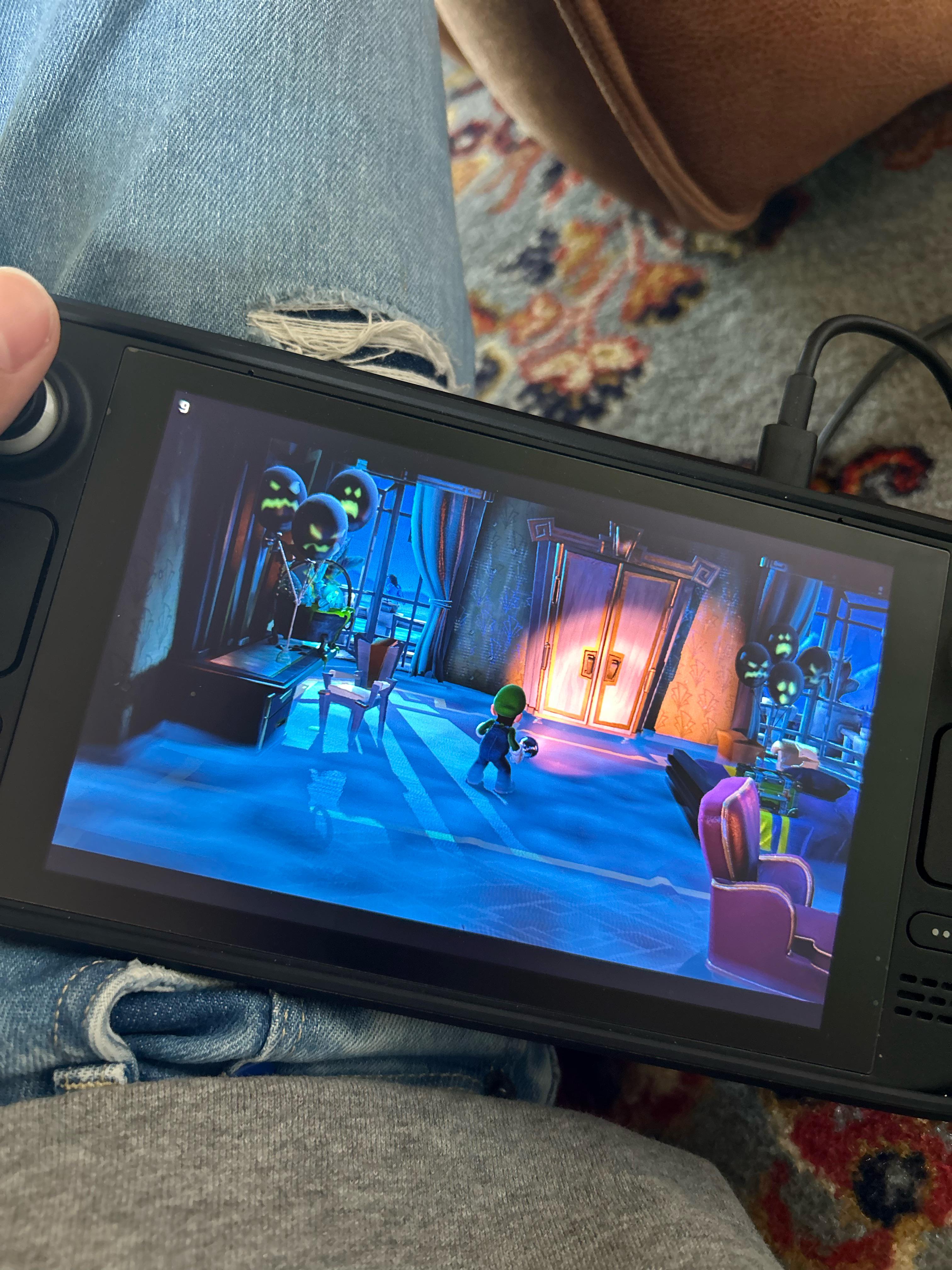
Why is luigis mansion 3 running so poorly(suyu)

Post image
25 Upvotes

Ive been working with suyu for a little while and it works perfectly but luigis mansion 3 runs bad does anybody kniw why


r/SteamDeckEmu • • Sep 11 '23

Where would i be able to find rom files for emu deck im new to all this so im a little lost

23 Upvotes

Hi everyone just got my first steam deck yesterday watched some videos and installed emu deck since I wanted to play older games, but can’t figure out how or where to look to get rom files for games I’m a noob at this kind of things if anyone can help would mean the world Also would I be able to download the files straight through the steam deck or would I have to do it through a computer?


r/SteamDeckEmu • • Mar 15 '24

This thing is the ultimate emulation machine

Post image
22 Upvotes

r/SteamDeckEmu • • Aug 03 '26

What do you think about It ?

21 Upvotes

Hi!
Recently i saw this dev in X, for my is very nice, but for you?
Was it necessary?


r/SteamDeckEmu • • Oct 16 '24

I would rather emulate a game even though I own it and can play it on the hardware. I love emulation

21 Upvotes

Not sure if there is anyone with me on this one but I’ve always loved emulation. Even though I owned a bunch of games I would try and emulate them and add filters ect. If they ran well I would play them emulated. I always loved handhelds but nothing was ever good enough that would do emulation as well as the deck.

I’m in love with emulation again. I get to replay all my old ps2 games but basically making them look like ps3 games. All these people doing the retexture packs are amazing!