r/SBCs • u/MostSilver9666 • 1d ago
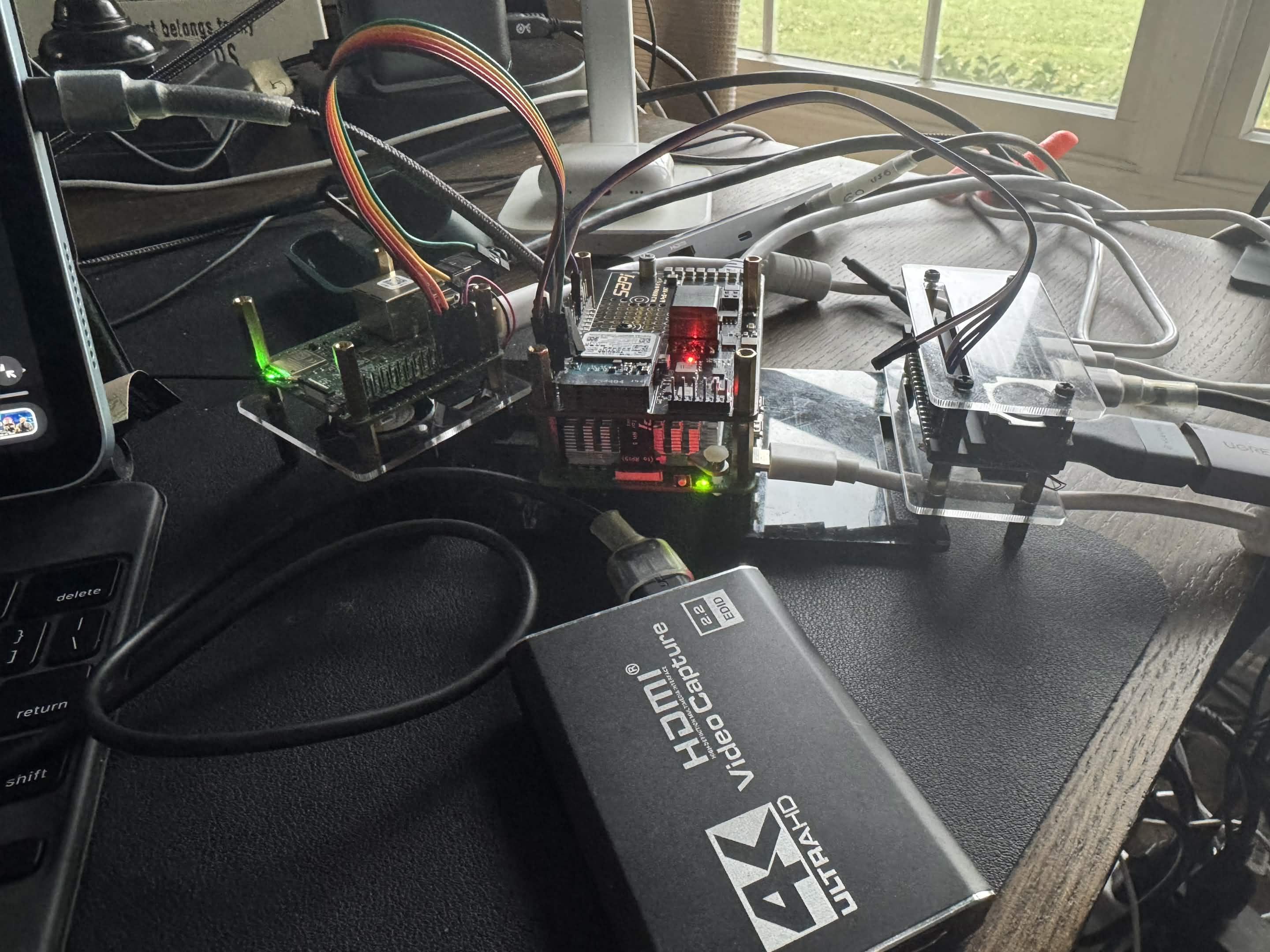
seems reminiscent of an Android phone, I found it at school, do y'all think it works?

18
Upvotes
components seem physically fine
r/SBCs • u/MostSilver9666 • 1d ago
components seem physically fine
r/SBCs • u/DeliciousBelt9520 • 1d ago
Exaviz has opened pre-orders for the Cruiser Carrier Board v2.0, an updated Raspberry Pi CM5 platform with an eight-port Gigabit PoE+ switch, 2.5GbE uplink, and NVMe and SATA storage. The revision replaces the ESP32-C6 with an ESP32-C5 wireless module and introduces redesigned power input protection.
https://linuxgizmos.com/cm5-carrier-board-has-8-port-poe-switch-and-dual-band-wi-fi-6/
r/SBCs • u/dormant-paradox-1105 • 2d ago

r/SBCs • u/Fearless-Comb5250 • 3d ago

r/SBCs • u/ifblackdevice • 3d ago
r/SBCs • u/Professional-Gold217 • 3d ago

r/SBCs • u/gahingwoo • 3d ago
r/SBCs • u/CoolingMyGPUs • 3d ago
One unexpected thing about spending months cataloguing single-board computers is realizing how small a portion of the market actually gets discussed online.
There are manufacturers making genuinely interesting boards that barely show up in search results.
You can spend an entire evening looking for an SBC and somehow end up comparing the same five boards everyone else is comparing.
I've been working on a searchable database of these at findmyboard.ai, which has led me down some interesting rabbit holes.
Curious to know what's the most underrated SBC you've personally used. Particularly interested in boards that aren't from the usual manufacturers.
r/SBCs • u/Professional-Gold217 • 4d ago

r/SBCs • u/DeliciousBelt9520 • 5d ago
The DshanPi-A1 CM5 is a compact compute module developed by 100ASK and Vanxoak, featuring Rockchip’s RK3576J octa-core processor and a 6 TOPS neural processing unit. Measuring 55 × 40mm, the module supports dual Gigabit Ethernet, multimedia processing, and industrial interfaces for embedded Linux applications.
https://linuxgizmos.com/rk3576-compute-module-has-6-tops-npu-and-dual-gbe-carrier-board/

A smart scammer, their price is only slightly cheaper so I thought they were legit. Anyway, AliExpress has started the refund so it's just an annoyance.
Does anyone know what is this thing?
r/SBCs • u/Feldspar_of_sun • 6d ago
r/SBCs • u/Professional-Gold217 • 6d ago

r/SBCs • u/peytonicmaster6 • 8d ago

Hi Everyone, I have released Ubuntu 26.10 images with mainline kernel 7.3 and camera support for the Rock 5 and Orange Pi 5 series boards!!
The key features:
* Libcamera 0.8 is supported out of the box with rkisp2 support
* Pi camera V1/V2/V3/HQ, IMX519 and IMX415 all have drivers and overlays
* WiFi/BT/EMMC supported where applicable
The images use the stock arm64 Ubuntu image and kernel with DKMS for the camera support. This means you’ll get standard Ubuntu images and should be able to upgrade to new releases in the future without needing to reflash a whole new image.
Image repo here
Camera repo here
Please raise issues/PRs on GitHub as you test it out and inevitably find bugs/want to support new features. I have the camera packages stored as an apt repo setup for the dkms camera drivers, so we can add new features there and roll it out for everyone to use!
r/SBCs • u/AlternativeRead7152 • 9d ago
There is an issue with the newest Armbian releases on Orange Pi 5, that hardware acceleration is not enabled by default.
One needs to edit /boot/ArmbianEnv.txt with 'overlays=panthor-gpu'.
I don't understand the reasoning behind this, and believe it is an oversight.
r/SBCs • u/Simple-Ad3267 • 9d ago
I've been working with the TaishanPi RK3566 board, mainly testing Linux and connecting different peripherals.
Here are 5 things worth knowing when getting started.
Same RK3566, different boards. Check RAM, eMMC, interfaces, and pinout before choosing a board.
Keep a USB-to-TTL adapter handy. It's useful for checking boot logs and troubleshooting Linux startup issues.
UART, I2C, SPI, and GPIO may need Device Tree configuration. Check it when a peripheral doesn't work.
Check pin functions and voltage levels before connecting external hardware. Not every header pin is a GPIO.
A few useful commands:
dmesg – check kernel logs.
ls /dev – check available devices.
lsusb – check USB devices.
ip addr – check network interfaces.
Start with the hardware, then check the Linux configuration, drivers, and application code.
r/SBCs • u/erikdamoon • 10d ago

r/SBCs • u/Silver-Control3587 • 10d ago
Hi everyone, I’m an independent developer researching how people use their TV at home for games, streaming and live TV, and what annoys them about it.
The survey takes about 4 minutes and asks for no name. An email address is optional, and only if you want the results.
If you have a few minutes, I’d be very grateful for your answers. I’ll post a short summary of the results here when the survey closes. https://docs.google.com/forms/d/e/1FAIpQLSd6hryGOo9DXcUpF5O7wZMNyZnfqMpEeEnz1nMR-Ts46Ngvxg/viewform?usp=preview
Thanks, and feel free to ask me anything in the comments.
r/SBCs • u/nisitiiapi • 11d ago
My Radxa Zero 3W will not display an image on the Waveshare Round 3.4" monitor (800x800 resolution). It displays fine on my desktop widescreen monitor and my portable 7" monitor (at both 640x480 and 1280x720 on the 7"). This is just HDMI, not SPI or anything.
I have found a reference by others to not being able to get the Zero 3W to work with a similar resolution monitor from Waveshare (not sure if the same one), but no info on why or attempts to fix. I know it CAN work with this monitor as the board apparently came with Debian pre-installed on the emmc which worked fine (I was assuming the emmc was blank and meaning to boot from SD). Unfortunately, I wiped the emmc, so don't know what may have been installed/configured to make it work.
I tried Radxa's image and no luck, but using DietPi. Interestingly, with the monitor, no resolutions are available in dietpi-config, just "Custom" (the 7" has multiple options). I tried manually setting 800x800, but no luck. I also tried to add 800x800 60Hz using xrandr, but no effect.
dmesg does show panfrost is being used with no errors and is the same regardless of which monitor is used. I have noticed lshw shows 1280x720 for the Waveshare even though dietpi-config shows it's set at 640x480 from the 7" monitor.
To be clear, it isn't just X, nothing displays during boot and no console on screen without X installed (though even getting it working with X would be fine -- I can typically deal with no output during boot since I manage my boards by ssh anyway).
Yes, the cable is fine as it works with the other monitors and the Zero 3W; yes, the screen works as it displays fine with an OrangePi 2W still (and the screen's USB touch shows up in lsusb).
Any help or insight appreciated. Thanks in advance.
EDIT/UPDATED info: Seems the preinstalled Debian was just Radxa OS xfce (apparently they retain the Debian logo on the login screen). I booted that from an SD Card and the monitor worked, including console output. With testing, I have found perhaps the Radxa kernel may be the difference, but not necessarily the version. From testing, I have found
DietPi trixie kernel 6.18.x => display DOES NOT work
Radxa OS bookworm xfce kernel 5.10.160 => display works
Armbian bookworm kernel 5.10.160 (not vendor) => display DOES NOT work
Armbian trixie current kernel 6.18.44 => display DOES NOT work
Armbian trixie vendor kernel 6.1.115 => display works
Side note: could not get the current Radxa OS kde kernel 6.1.115 to boot
r/SBCs • u/unevoljitelj • 11d ago
I saw a post about this but cant find it now. Anyone have a link?
I want to try to run gforce now on zero 3w and need opinions on this, do you think its doable? Problem is using that driver on armbian or stock image wich i first have to find.
r/SBCs • u/Dramatic_Week_912 • 12d ago
I am needing a small and capable SBC to run Android with sole purpose of running a single android app. I the display I need to use is the 6.25 Waveshare (I have both the DSI and HDMI models)
In the past day I have bricked two Raspberry Pi 5s removing USB/Ethernet ports, then the other removing a mini HDMI Port.
In the last week I dumped in nearly 100 hours to get one of the above displays working with an Orange Pi Zero 3w, but I could not get rid of the screen flicker. Worked fine with Linux, but could not get it to work with Android.
Any thoughts? The size of the Zero 3w is perfect. Pi 5 is just bit too big even when stripped. Frustrated and over my head.
Many thanks.
r/SBCs • u/dago_mcj • 13d ago