r/ReShade • • Sep 03 '26

DLSS + NR + Framegen in non dlss supported games (dx9-12 + vulkan) via reshade addon

Thumbnail
github.com
173 Upvotes

Little plugin ive been developing to not only enable NR, but also DLSS upscaling/DLAA and framegen. Works in most games ive tried, though mouse inputs can be wonky in some games.

NR gets some very impressive performance enhancements as its ran on frames before theyre upscale, vs other plugins where you need to enable upscaling in game, and NR has to process the full upscaled images.

Still has much room for improvement, im working on refactoring the window reproduction currently to eliminate mouse bugs. But it tends to work quite well. Conan exiles upscaled from 1440p -> 4k with NR runs at 70-80 fps with framegen on. Upscaling from 1080p brings it to over 100 fps. All with Neural Rendering enabled.

32 bit also coming in the near future

Streamline DLLs need installed
DLSS kicks in by lowering the game resolution. You can see if it's active or using DLAA in the reshade menu. If it's not detecting that you're at a lower resolution, try switching to different windowed/borderless/fullscreen modes

Edit:
2.0 is released. This should fix most cursor issues in games, though you may need to toggle some reshape options off/on.

Troubleshooting:
Small or corner-sized image → enable Force reduced-window virtualization

Incorrect mouse/click positions → enable Scale window input coordinates

Mouse escaping or camera rotation being limited → enable Hide detached Windows cursor

Missing/black processed output → try Detached native output

Crashes or freezes → try Serialized presentation

If all else fails, try the latest 1.X binary for the problematic game as that may still work.

Edit:
up to 3x support now added. Downsampling before NR can now be done to improve performance without lowering in game resolution.

32 bit support is now added as well :) deployment process is a bit different, releases are now in a 32 bit and 64 bit zip. The 32 bit has an extra folder called "host64". The streamline files need to go into that folder, as well as the 64 bit reshade executable. You still need the 32 bit reshade installed in the game root as well. Tested with only Arkham City so far, so let me know if you face any issues


r/ReShade • • Jan 12 '21

Coming soon to Reshade: Great looking fog.

147 Upvotes

r/ReShade • • Sep 27 '26

I made an addon that turns a game camera into a LiDAR scan

97 Upvotes

I'm pretty happy with how this is turning out. I especially enjoy the colour view, as shown in the video.

git repo here: https://github.com/CrunchyBuncher/game-lidar

Still a work in progress, as different engines have introduced more edge cases for me to check. However, I have tested on several different games and it's working on all of them:

Black ops 3
Sonic adventure 2
Half life 2
A hat in time
Metal gear solid delta (reshade buffer issues cause my addon to freak out too. It's a little unstable)

If you decide to try it for yourself, it's a tool and requires some fiddling with settings per game, but once those are saved they're plug-and-play. The README has details.

At a high level:

I treat the depth buffer like the output of a LiDAR scan, which in real life sends out lasers and calculates the distance based on the time it takes for light to get back.

I then have a rough way to obtain the camera matrices. It requires a bit of trial-and-error per game, but eventually you can find a good source and save it.

With that, you now have the camera orientation/position, and the output of the scan, which is all you need to build a point cloud as you progress through a level.

It's been a ton of fun looking at levels from a completely different perspective.


r/ReShade • • Nov 26 '25

DayZ is banning Reshade

95 Upvotes

Starting tomorrow when DayZ patch 1.29 comes out, Reshade will no longer be allowed in DayZ.

For the same reason we are adding it to the Reshade ban list, which means the Reshade setup will refuse to install to DayZ. We do this in order to protect you.

And to kill any notion cheaters might have thinking they can get away with it saying "they didn't know" - you were told twice. Once by Reshade and once by the DayZ developers.


r/ReShade • • Mar 20 '21

Please I just want to open the menu

88 Upvotes

Hey all,

I'm trying to use Reshade in CEMU on Breath Of The Wild, but I cannot for the life of me figure out how to open the menu. I get the little popup in-game that says to "Press 'home' to start the tutorial" but I have no idea what 'home' is supposed to be, and the windows key doesn't work. I've searched high and low and can find a lot of people asking this question, but nobody answering it.

Please... I just want to open the menu.

EDIT: SOLUTION!!! The 'home' key is an actual key on the keyboard. If you're on a laptop like I am, you might not have the key. I plugged in an external keyboard and was able to open up the menu with no problem.


r/ReShade • • Jun 20 '26

Which looks better? The first, or the second?? (Cod4)

Thumbnail
gallery
84 Upvotes

Bottom text


r/ReShade • • Sep 04 '26

DLSS 5 aesthetics with ReShade (No AI • Lightweight • Free!)

Thumbnail
gallery
83 Upvotes

Hey everyone!

I’ve been working on a custom ReShade preset to emulate the visual crispness and sharp aesthetic of the new DLSS 5, and I wanted to share it with you!

Achieved by mixing lighting shaders (ssao + rim light) and some postFX. The overall intensity is customizable with a simple slider, if you prefer a stronger / more-subtle look.

(Intensity cranked up in the screenshots to showcase it better)

-

It doesn't use fancy AI algorithms, but it actually gives some positives compared to DLSS 5:

1) Fps friendly: No huge fps loss, especially for older GPUs

2) Artstyle respectful: No "AI Uncanny Valley" look (especially for faces)

3) Hardware agnostic: Can run on any gpu (even iGPUs!)

4) No limitations: Can potentially run on any game

5) 100% Free: No exclusivity, no paywalls

-

Modes:

> Quality: Uses 3D lighting shaders. More accurate. Performance impact: 25%

> Performance: Uses 2D-only shaders. Better compatibility. Performance impact: 10%

(Note: Fps difference may vary. I used an RTX 3060 Ti for my tests. - "Quality" preset requires depth buffer)

-

Would love to hear your thoughts and any constructive suggestions or feedback. Cheers! <3

-

(!) - Important Note: I am not trying to start a flame war here. I know DLSS 5 is controversial, but I think it's an interesting and promising tech: it has some advantages, and it will hopefully get better with time. I absolutely do not claim to have found a flawless replacement. This is just a fun, fan-made project made by a guy with too much free time and a dusty desk, so please don't share hate! (It hurts >﹏<)

Download: https://www.nexusmods.com/site/mods/2277?published=1


r/ReShade • • Jan 16 '21

New SHader: VHS-M (Emulates clean, artifact-free, output of a VHS tape)

79 Upvotes

r/ReShade • • Mar 01 '21

Working on a CRT monitor/TV reshade for 80s and 90s consoles, your opinion?

73 Upvotes

r/ReShade • • Aug 26 '25

Spectral rendering for RTGI - solves oversaturation and hue drifts

Thumbnail
gallery
71 Upvotes

Spectral rendering is coming to the next iMMERSE RTGI release.

In this scene, the dominant direct light is orange. Traditional RGB rendering struggles here: hues shift and saturation becomes exaggerated. RGB GI tends to push colors toward primaries, distorting appearance. For example, an orange-lit orange object drifts toward red.

The upcoming release eliminates these artifacts by handling light transport in a spectrally aware manner, preserving hue and saturation more accurately. iMMERSE RTGI is the first GI solution for ReShade to do so.


r/ReShade • • Mar 06 '25

These games are banned by Reshade

69 Upvotes

Some games ban for Reshade - either as a certainty or there is a very high risk. For this reason we now maintain a list of these that the Reshade installer in turn won't install to.

This is a list of those games as of today:

  • Apex Legends

  • ARK: Survival Evolved

  • Battlebit Remastered

  • Battlefield 1

  • Battlefield V (D3D11/D3D12)

  • Battlefield 2042

  • Counter-Strike 2

  • Deadlock

  • Dead by Daylight

  • Destiny 2

  • Dota 2

  • Escape from Tarkov

  • Fortnite

  • Hunt: Showdown

  • Insurgency

  • League of Legends

  • Overwatch 2

  • PlanetSide 2

  • PUBG: PLAYERUNKNOWN's BATTLEGROUNDS

  • Roblox

  • Rust

  • SCUM

  • Squad

  • The Finals

  • Valorant

  • War Thunder

We have removed Dead by Daylight from the list due to your feedback.


r/ReShade • • Oct 24 '26

Lumenite: LSGI (SSRT Global Illumination) beta release - A GI Shader for the 4K era with experimental HDR support

Thumbnail
gallery
68 Upvotes

https://discord.gg/deXJrW2dx6

  • First of all, as Bruce buffer would say.... "It's TIIIIIIIIIME"

  • 4K? what do you mean? I mean every good quality GI shader costs me > 10ms at 4K on my modest 4070 Ti

  • But Kernel/LSGI combo costs merely ~1.75x the cost of Kernel/LSAO. What? Nah!... really? I don't believe it! You can believe it sweetie.

  • Gud ol 1SPP (+infinite bounces) cosine-weighted hemi monte-carlo ray tracing in SS. hmmm... must be very noisy, right?

  • Nopa! has an incredible denoiser! In fact spent 90% of the dev time in the denoiser. Result is very very decent for the cost..

  • Keeps lighting details sharp, result is noise-free, no grain, boil, flicker or speckle. In fact, also intentionally designed to fight off depth buffer jitter too

  • Fades into fog if you use the fog mask from Kernel.

  • Still in beta, some stuff to improve, so not part of repo yet. Grab the file from #🔨beta-releases channel on lumenite discord.

Let the GImaxxing begin!


r/ReShade • • Dec 10 '20

[Guide] AMD Up-scaling with Reshade properly to compete with DLSS (sort of)

68 Upvotes

Edit: Cyberpunk 2077 pictures added

Edit2: Youtube video added

Here is my homemade DLSS formula that I'm using with my 5700XT:

First, download Reshade. You need 2 things: a) Gaussian Blur b) AMD Fidelity FX Sharpen.

I have an 1440p screen and that may be too much for some games at ultra settings. So, I sometimes play at 1080p or 1260p (middle of 1080p and 1440p).

Instructions:

  1. Never use in game scalars. They use their own scaling filters and their quality varies. AMD already has the upper hand when it comes to resolution scaling. So, enable VSR and GPU scaling.

  2. If you need, use "this method" to add more resolutions. I noticed, width of the resolutions are incremented by 320px, like 1080p-to-1440p-to-1800p etc.. Insert middle values that are different by 160px horizontally, like 2240x1260 or 2880x1620. It'll allow you to better tune your performance/resolution ratio. More options, basically.

(this part explain what DLSS, TAA are and how to mimic DLSS. Feel free to skip to the TL;DR section if you are not interested in too many technical details)

Now, the TAA/DLSS part. Let's first talk what DLSS 2. is. It is basically a clever TAA with highest quality textures. See, TAA has its own variations. A TAA algorithm has a threshold value and according to that value, a new pixel color value is either accepted (displayed) or rejected (not displayed) based on the neighboring and previous values. This threshold is decided by the game developers and there is no golden value. If you keep rejection value high, less flickering and errors occurs but it has more blur (Skyrim, RDR 2, Metro Exodus). If the opposite way is chosen, more flickering with sharper graphics (Shadow of the Tomb Raider, Horizon Zero Dawn) occur. Using higher quality and higher resolution textures makes things harder because in a game scene, things may be at different distances and may come in different geometric angles. A big house that is closer to the camera can benefit nicely from a high rejecting and blurry TAA (it is a blocky build after all) but the distant trees with lots of small branches and leaves will lose lots of detail. These lost details will be displayed as errors/artifacts/aliasing when looked carefully.

DLSS 2. takes this rejection algorithm a step further. A TAA of a game has only one algorithm. DLSS's machine learning takes over and says there is no single algorithm for the entire game. It can "make" different rejection/acceptance threshold values for each pixel based on what it learnt for that particular game by the trainers. So, for each pixel of each object, the best type of TAA decision is made and applied.

TAA itself is equivalent of 8x SSAA, nowadays. That means it can render a static 1920x1080 scene at 5431x3055 resolution and then downscale it (mind that, "8x" means not by axis, but the area count of pixels. Modern games use axis scaling, which is the square-root of pixel area count. 8x is roughly equal to 283% in modern game option menus).

Anyway, DLSS does 2 things. First, It always uses the highest quality textures. Because most games switches to lower quality textures to help with the performance, when the user lowers the resolution. This, we can not solve. The choice belongs to the developers. Second, it makes sure of the best selected TAA threshold for each pixel individually. With it enabled, even when the rendering resolution is 4 times lower, (frame scaling = 50%), TAA can still reach to a resolution that is higher than the screen resolution.

Example:

Imagine having a screen of 1000x1000px. TAA merges the past 8 frames and makes a picture of 2828x2828. Even DLSS reduces the rendering resolution 4 times, it becomes 1414x1414. This is still nearly 2x higher than 1000x1000. Plus, it uses the best quality textures regardless of the resolution. (BTW, 4x lower rendering resolution is roughly equal to "DLSS performance" option, which is the fastest option).

Classic TAA has Gaussian filtering applied to cover for single threshold for every pixel. This filter checks for the 3x3 box neighbors and makes a guess about whether the current value of a pixel belongs to that area. (It is a filmic approach, where the overall contrast is kept under control to hide CGI artifacts).

Basically, Gaussian Blur increases the intensity of TAA and removes errors more aggressively. The downside is, any tiny detail that is the size of a single pixel is also removed. Detail removing is similar to lowering resolution.

This is why AMD first came up with Fidelity FX Sharpening 2 years ago. Sharpening is an organic filter. It doesn't "make up" details out of nowhere. It uses the original details by looking at the contrast and brightness differences. If an area has similar information in a scene, it has less detail, therefore it gets less sharpening. However, if an area has more complex colors and brightness differences, they are "enhanced" even further.

If removing details is equal to lowering the resolution, then sharpening the details should be equal to increasing resolution!

In a cheaper approach, of course. Because, just like regular TAA can not know where to accept or reject a pixel, regular sharpening can not know what is actual data and what is an artifact/aliasing. This is why a regular sharpening helps with increasing the details on the screen but it also makes the image very coarse. I can not stand 1280x720p + high sharpening on my 2560x1440p screen. Sharpening makes every artifact more visible, to the point one would pick an unsharpened image over the sharpened.

TL; DR:

This is where Reshade comes in. Plain sharpening is too harsh for lower resolutions. But a nicely applied Gaussian Blur can spread the data more evenly in the image. A sharpening that is applied after Gaussian Blur can look softer. Because sharpening makes its decisions based on contrast of pixels. Less pixels mean less accurately created image data. Less accurate image means, high contrast errors here and there. Gaussian Blur eases these errors and slightly blends them with the correct data. And then, an after sharpening effect bring the resolution up.

This is not as "clever" and effective as DLSS, naturally. This is why I can't recommend lowering the resolution as low as 4 times (down to 50%). But if my eyes are healthy, I believe I can lower the total pixel count to half and retain the quality.

I'm speaking for AMD GPU scaling, BTW. I don't have an NVidia card but I know that they are using a 13-tap Gaussian filter to scale. That's is bit lower quality than AMD's Bicubic scaling filter.

Here is how I do it:

  1. Install Reshade and place Gaussian Blur before AMD Sharpening.

  2. Pick a resolution lower than your screen resolution. I have a 1440p screen and a 4K TV. I have chosen 1080p and 1800p respectively.

  3. calculate: (rendering Resolution) / (Screen resolution) for one axis. For example: 1080/1440 = 0.75. This is your Gaussian Blur Offset.

Gaussian Blur Strength = 1.125 - (Gaussian Blur Offset). For 0,75; it is equal to 0,375.

Now, to AMD Fidelity FX Sharpening values. This one is mostly up to your screen and tastes. But a minimum value to make up for Gaussian Blur should be:

[(screen resolution) / (rendering resolution)] 2 -1

For example: for my 1440p screen with 1080 in game resolution:

AMD Fidelity FX "minimum" value = [ (1440)/(1080)]2 -1 = 0,778. This is "minimum" to compensate for Gaussian Blur. If your game is already blurry, you can go higher. Or, you can go for another contrast based sharpening shader with Reshade. It is up to your preference.

Here is comparison between a 4K Vanilla shot and a 1620p with Reshade one. They are from Horizon Zero Dawn. FPS numbers are on the top right corner. The performance gain is roughly 55%.

https://imgur.com/a/MBxo8Cd

Here some more pictures from Cyberpunk 2077 (that game is awesome!) with 75% increase in performance. This time I used Smart Sharp With a higher value, instead of AMD CAS, just for a change. And added a high quality FXAA. You can notice the FXAA's impact on the windows blinds on the left (I assume they are still called blinds in the future :) )

https://imgur.com/a/gQWpCO3

Here is the Youtube video link:

https://www.youtube.com/watch?v=hagjH1ZSXL8&feature=youtu.be

What do you think? Please share your comments with me.


r/ReShade • • Sep 23 '21

"We're going to build a (pay)wall"

Post image
62 Upvotes

r/ReShade • • Nov 15 '25

Lumenite: RTAO - Ray traced ambient occlusion shader beta release

Post image
56 Upvotes

Beta files hosted over at lumenitefx discord server: https://discord.gg/deXJrW2dx6 before it goes in the ReShade Installer. Quality cuts were made for low cost budget.


r/ReShade • • Sep 18 '26

Demake shader [showcase]

54 Upvotes

For comparison images (slider) go to GitHub repo link at the bottom of post.

New shader in my collection - Demake.

Simplifies graphics to achieve visuals of game demake by:

  • scaling output into low-resolution and back

  • limiting color pallete and applying dithering

  • flatten lighting, blocky shadows and reduced specular gloss

  • merging nearby high-poly faces (based on depth and normal) into one shared plane that fakes low-poly geometry

  • pixelating & bluring textures

You can get this and other shaders on my GitHub repo:

https://github.com/dwojtasik/UniqFX#demake


r/ReShade • • 16d ago

[Release] Lumenite: LSGI Global Illumination shader

50 Upvotes

https://github.com/umar-afzaal/LumeniteFX
https://discord.gg/deXJrW2dx6

  • Much cleaner and shaper/detailed output.

  • Very responsive, the lag in the GI mask is gone.

  • Fully usable with a jittery depth buffer now, it won't let the jitter reach final output.

  • Cleaner at disocclusions- no ghosting, just look at the shots/vids


r/ReShade • • Aug 26 '25

Lumenite shader new patch test

Thumbnail
gallery
49 Upvotes

Order is after->before


r/ReShade • • Mar 11 '22

Is there any way to get this crap off of my computer without deleting dx files?

48 Upvotes

I would have never downloaded or installed reshade if I'd known it doesn't have something as simple as an uninstaller - it's making a few of my games crash and I play a lot of games from GoG that use direct x libraries from as far back as Windows 3.1. The only way I've seen online to actually remove Reshade is to delete direct x files, which means all my GoG games have to be reinstalled for direct x file replacements. Essentially a clean install of ALL of my games that use vulkan in any sort of way.

How do I get rid of reshade? Why can't I just uninstall it? All I wanted to check was CRT filters for Resident Evil 3, I never would have imagined that trying a CRT filter would require me to reinstall Windows to get rid of it.


r/ReShade • • Mar 04 '21

Trying out roblox shaders! They look nice so far

Post image
48 Upvotes

r/ReShade • • May 11 '26

LSAO Gets Some Love (lumenite update 2025.05.12)

Thumbnail
gallery
46 Upvotes

r/ReShade • • Sep 12 '26

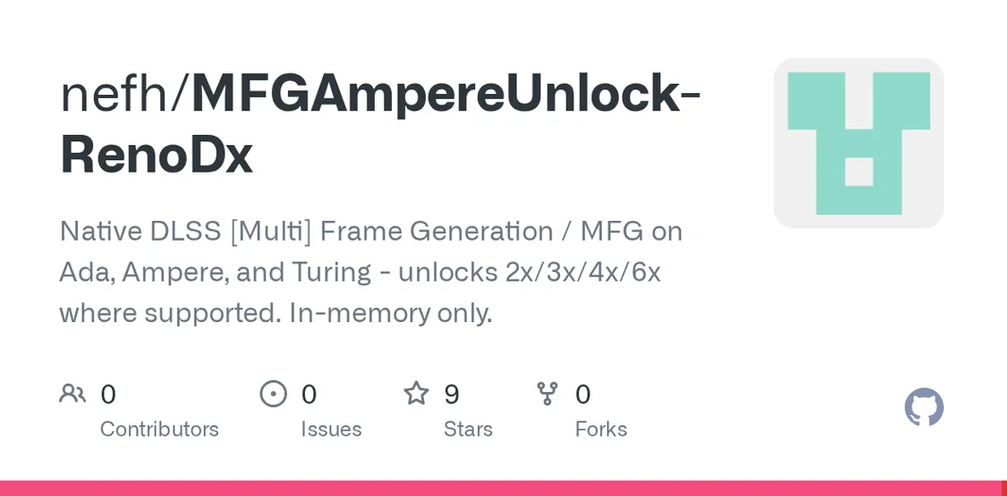
MFGAmpereUnlock-RenoDx - DLSS Multi Frame Generation for RTX 3000/2000 as a ReShade addon. Open source, MIT license.

Post image
45 Upvotes

r/ReShade • • Jul 06 '25

LUMENITE shader/filter adds screen-space multi-bounce Path-traced light on top of exisiting rendering

Thumbnail
gallery
45 Upvotes

Order : Before->After


r/ReShade • • Mar 21 '21

Introducing a new installer: ReShade Centralized!

45 Upvotes

For the past couple months I've been working on an alternate installer for reshade that's more geared towards power users. What this does is it manages a central repository of reshade dlls, shaders, presets, and screenshots, and installs to games by deploying symlinks. How will this benefit you?

Updating reshade in all of your games can be as simple as clicking the "update reshade" button in this installer.

New shader version released? Update your central shader repository and it'll be there for all your games.

Get a new drive that you want to offload your screenshots to? Change the screenshot directory and that change can be rolled out to all your reshade installs.

This installer also supports installing to games in the Microsoft Store in a relatively painless process, leveraging the injector that crosire made.

Check it out on my GitHub:

Release: https://github.com/OopyDoopy/ReShade-Centralized/releases/latest

Readme: https://github.com/OopyDoopy/ReShade-Centralized/blob/master/README.md