r/MacLocalLLM • • 6d ago Hooray

Splash 1.7.0 released 4 hours ago and it's causing my jaw to drop.

Thumbnail
github.com
121 Upvotes

I'm currently in benchmark testing and still working to fill up my prefill cache so that it's comparable to when it ran under 1.6.1.

For M5/M6 users, you'll see a significant boost in performance. Splash 1.6.1 brought INT8 at 2x BF16 performance boost, now it's implemented in the KV cache system. Resulting in an even further 1.46× median decode speed and 1.23× median end-to-end speed versus the 1.6.2 development build (a release we didn't see).

The INT8 storage results in Smaller cached states and faster follow-ups.  Splash 1.7.0 also increases the already very good on macOS concurrency under memory pressure. For M5/M6 users, splash 1.7.0 will do a cold prefill on restart as the INT8 format is not compatible with the prior cache format. You can choose to delete the cache before the start of Splash 1.7.0 or you can let it spill and fill until it's all INT8. Your choice.

Well worth the upgrade!!

For those of you on an M3 or M4 setup, you can still use Splash 1.7.0, but the above benefits are strictly related to the M5 and up GPUs having the new neural accelerators (NA) in every GPU core. Unfortunately you'll have less of a benefit on the upgrade, but the code is cleaner and it increases controls over potential contamination on longer conversations (increased honesty).

  • Control tags quoted in messages and documents stay literal. A role marker in a tool result can no longer forge a conversation turn. With thinking off, constrained JSON starts with the value, including when the output budget is small.


r/MacLocalLLM • • Oct 18 '26

I added LiquidAI’s d1-3B decision model to my hacked TV so I can talk to it

82 Upvotes

I wanted my TV to be content-first, not apps-first. So I wired a decision model in between that opens the right app and sends the right ADB commands based on my intent.


r/MacLocalLLM • • 17d ago

My 5 year old M1 Pro 32GB, bought used for $800, still runs a 35B AI model locally at 51 tokens/sec

60 Upvotes

5 years old. Bought used for $800 in good condition. Still holding its own.

I ran MLX benchmarks on my 16 inch M1 Pro 32GB / 512GB this morning, just to see if it is actually dead for local AI, or if people are overhyping the upgrade.

It is not dead. Not even close.

Qwen3-8B 4-bit: 31.5 tokens/sec

Qwen3-30B-A3B MoE 4-bit: 43.6 tokens/sec

Qwen3.6-35B-A3B MoE 4-bit: 51.0 tokens/sec

Qwen3-32B dense 4-bit: 8.5 tokens/sec

That last one is the lesson. Dense 32B crawls at 8.5 tok/s, MoE 35B flies at 51 tok/s, because MoE only uses a few billion active parameters at a time. Same size on paper, totally different speed in real life.

I use this thing 8 to 10 hours a day. For $800 used, 5 years later, running a 35B model locally, that is kind of insane value.


r/MacLocalLLM • • Sep 09 '26

My local AI stack that's replaced ChatGPT/Claude running on a Mac Studio and Debian VM

56 Upvotes

It took me weeks to get this figured out, and I had to use ChatGPT for help along the way. The time spent has paid off — I now have a local AI stack that rivals ChatGPT/Claude, and I'm done paying for either. I thought I'd share so others can get an idea of what a Mac Studio is capable of.

First, the hardware. I have a base-chip 256GB M3 Ultra Studio. I've also got a headless Debian VM running on an N100 NUC.

I'm using oMLX for inference. It's hosting multiple models at once — mostly Qwen variety — for various tasks. I've configured profiles for different model uses: agent, coding, different thinking levels. oMLX is the only thing running on the Mac Studio. Everything else runs on the Debian VM.

On the VM I run Hermes Agent. My main model lately has been Qwen3.8-Flash-Next-oQ4e-mtp. I also use Kokoro-82M-bf16 for TTS and Mega-ASR-6bit for STT.

In Docker containers on the VM I run the following to enhance Hermes: OpenViking for memory, SearXNG for web search, and Crawl4AI for web extraction. OpenViking uses:

  • Qwen3-VL-Embedding-8B-oQ6e for embeddings

  • Qwen3.6-35B-A3B-oQ4e-mtp for the VLM

  • ov_intent_analysis_sft-oQ8e for query planning

  • Qwen3-Reranker-0.6B-oQ8e for reranking

What this actually looks like day-to-day: I do IT consulting, and Hermes is freaking awesome. I'll have multiple sessions going doing research on MS Learn and auditing Entra/Azure, generating reports. I'm starting to use the Kanban board too for personal projects. It generates Word docs, PowerPoint decks, and PowerShell scripts like a champ.

Search goes through SearXNG, page content comes through Crawl4AI, all reasoning runs on oMLX, and anything worth keeping gets written into OpenViking permanently. Search → extract → reason → remember, full loop, zero tokens purchased.

(Full disclosure: I asked my Hermes agent to write up this post from my draft and its memory — which is sort of the point.)


r/MacLocalLLM • • 5d ago

Splash vs oMLX: Qwen3.8-Flash-Next Decodes 1.5x to 2x Faster on a 128GB Mac

55 Upvotes

A Reddit thread about Splash 1.7.0, released the day before, sent me to check two things: whether the oMLX server I use daily for Qwen3.8-Flash-Next was out of date, and whether Splash beats it. On my 128GB M5 Max MacBook Pro, upgrading oMLX made generation up to 21% faster for free, and Splash was faster again: about 1.5x the upgraded oMLX on an empty context (130 vs 89 tok/s) and close to 2x with 245K tokens loaded (113 vs 58). Detailed write up


r/MacLocalLLM • • 14h ago

Inkling-2-Mini support added to Splash v1.7.2

Thumbnail
github.com
52 Upvotes

Splash 1.7.2 has been released (I know, it was just recently 1.7.0 and then 1.7.1, fast development underway at Inco.Ai). With the new release a new supported model, Inkling-2-Mini.

Inkling 2 Mini is an open-weight multimodal model from Thinking Machines Lab for coding, tool use, and knowledge work. It has 26.4 billion total parameters, accepts text and images, supports up to a 1-million-token context window, and uses a looped architecture that runs its middle layers three times.

Inkling 2 Mini is positioned as a competitive option in the AI landscape, particularly for users seeking a powerful yet compact model for local deployment.

BenchmarkInkling 2 MiniComparison Model (Qwen3.8-27B)
DeepSWE v1.148.2%42.2%
SWE-bench Verified79.2%77.8%
BrowseComp79.0%61.6%

I'm still using Qwen 3.8 Flash Next on my own setup, but I'm excited to see the ongoing development of the highly optimized for Apple Silicon inference engine, and the increasing numbers of supported models.


r/MacLocalLLM • • 12d ago

Splash 1.6.1 released, even further performance increase on my M5 Ultra Mac Studio including concurency

Post image
43 Upvotes

I have been running Qwen 3.8 Flash Next IQ3_S under Splash on my M5 Ultra Mac Studio (the base model with 96GB of RAM) to use as a local AI assistant to edit videos under DaVinci Resolve Studio. Currently on version 21.2 of DRS, but 21.1 introduced an officially supported MCP. Details on that setup are available here - https://github.com/willturner-maker/resolve-ai-workflow

Naturally I test the system with each release to see the impact, with Splash 1.6.1, it is a significant improvement. Not only in performance but in concurrency.

Screenshot from my report shows that the peak moved from a width of 4 to a width of 12. Astounding! The report is here: https://willturner-maker.github.io/benchmarks/reports/2026-11-11-reruns.html

On the graph, if you move your mouse, it'll show the performance at each width. At a single width, it's 186.9 tok/s on my specific system running Splash 1.6.1

I do have a repository for my testing, but it involves 8.1K 30P video in the testing that is proprietary, I'll have to record new footage that is my own rather than client footage before I redo a test others can run with the same content. The Splash tests can be replicated by others, so feel free to use that testing methodology. If you have your own 8.1K video content, that should allow you to replicate my DaVinci Resolve Studio MCP testing.

https://github.com/willturner-maker/benchmarks


r/MacLocalLLM • • 21d ago

I made a GUI for Kapitsa, one of the fastest local LLM engines on Mac, so anyone can use it

Thumbnail
gallery
41 Upvotes

Kapitsa by Nace AI is an open-source inference engine for Apple silicon, and it’s fast. In its published benchmarks, Qwen3.6 35B-A3B decodes about 1.3–1.8× faster than oMLX and about 2× faster than Ollama and LM Studio. But it’s command-line only.

So I built Kapitsa Library, a free Mac app that makes it a few clicks:

  • No setup: Kapitsa is built in. No Homebrew, Python or terminal.

  • Easy models: browse Kapitsa’s catalog or Hugging Face, see what fits your Mac, and download with pause/resume.

  • One-click agents: launch Claude Code, OpenCode, Codex CLI or Pi on your local model.

  • No swapping: it checks memory before loading and shows how much context fits.

  • Live stats: tokens per second, prompt cache, context and memory.

  • Built-in benchmarks: speed and tool calling on your own Mac.

  • Local API: OpenAI and Anthropic compatible.

Free, Apache 2.0, signed and notarized, no telemetry. Needs Apple silicon and macOS 14 or later.

Download: https://github.com/AdityaK2128/kapitsa-library/releases/latest
Source: https://github.com/AdityaK2128/kapitsa-library
Kapitsa engine: https://github.com/nace-ai/kapitsa

All the speed is Kapitsa’s work. This app is an independent front end, not affiliated with them. Feedback welcome!


r/MacLocalLLM • • 4d ago

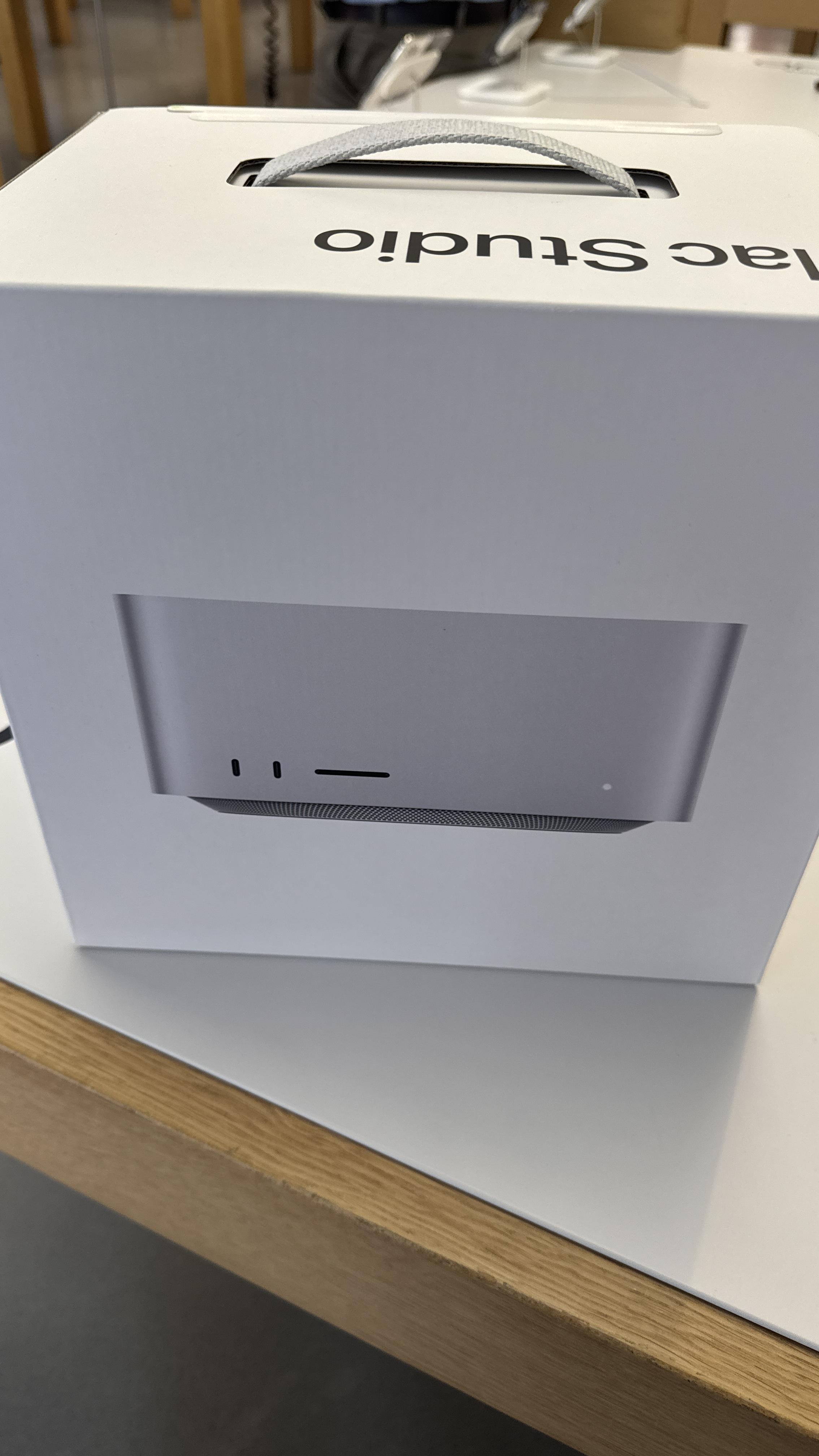
Just picked up my Mac Studio

Post image
37 Upvotes

128gb unified memory. Time to surf reddit and find the best config!


r/MacLocalLLM • • Sep 28 '26

M5U 256GB/64C/2TB Oct 27, landed early

Post image
36 Upvotes

Anyone else get to pick up their M5U early? Mine came in a month early

M5U 256GB 64C 2TB

Mainly for LocalLLM usage and some videos.

Super stoked to get it open and setup to run some agents. Do I need it? No.

But I will be using this for my Small Business to help do a lot of small tasks and preprocess information privately. So I can use summarized data for the big models.


r/MacLocalLLM • • Sep 14 '26

Finally got Qwen 3.8 27b working with MTP ~60tps

36 Upvotes

I'd hoped that my M5 Max with 64GB RAM would be enough for some decent Local LLM work, and the Qwen 3.8 27b model is pretty decent. But speed is shitty on my M5 Max, just 20tps. In particular I found that while the 35b MOE model was much faster, the quality was far lower than the 27b dense model, which produces much fewer bugs and less rework.

I saw the same model working on a friend's Nvidia setup much faster with MTP, so I set out to get it working on my Mac but it was not straightforward. Here's some pointers in case you wanted to get it working.

  1. LM Studio doesn't process MTP weights. No matter what I did, it just wouldn't work. It works on Intel/Nvidia so this must be a MLX thing.

  2. MTPLX has a native MTP head but it's buggy. On my machine it had a habit of crashing in one of a few ways, and I found GitHub issues reporting similar issues but no fixes.

  3. oMLX was the only inference server that supported MTP and didn't crash.

So I wired oMLX into Pi, which is what I'm using as my coding harness. Even then, it was picky:

  1. I had to use text-only quants because oMLX won't enable MTP if vision weights are active

  2. It was a bit picky with settings, and I had to map thinking levels manually

  3. I didn't see a reduction in quality with 4-bit quants for my use case, so used that to squeeze a few more tps out

This is a huge 3x difference in inference speed, and that allows me to do a lot more work.

"omlx": {
  "baseUrl": "http://localhost:8000/v1",
  "api": "openai-completions",
  "apiKey": "none",
  "models": [{
    "id": "Qwen38-27B-textonly-mtp",
    "name": "Qwen38-27B-textonly-mtp",
    "reasoning": true,
    "contextWindow": 163840,
    "maxTokens": 32768,
    "input": ["text"],
    "cost": { "input": 0, "output": 0, "cacheRead": 0, "cacheWrite": 0 },
    "thinkingLevelMap": { "off": "low", "minimal": "low", "low": "low",
                          "medium": "medium", "high": "xhigh",
                          "xhigh": "xhigh", "max": "xhigh" }
  }]
}

r/MacLocalLLM • • 26d ago

2x256GB is better than 1 x 512GB for almost everything

32 Upvotes

Unless you're set on using a large model, 2x256GB is likely better...

What use cases would the 512GB make more sense?


r/MacLocalLLM • • 13d ago

MiniMax H3 Image running locally on a Mac, 4 to 16 MP, free and open source

Post image
30 Upvotes

I ported MiniMax's new image model to Apple Silicon (MLX) inside Phosphene, my free open-source Mac app. As far as I know it's the first Mac port.

Numbers on an M4 Max with 64 GB, same prompts and seeds as the previous best image model in the app:

- 4 MP in about 2 min, 8 MP in about 4 min, 16 MP in about 8.5 min

- Peak memory 27.5 GB at every size

- 6 steps, no guidance. Faster than the image model I used before, and clearly better at hands, text and skin (see the pictures)

- The app downloads the model and prepares an 8-bit pack on your Mac the first time

Honest limits: it needs a Mac with 48 GB or more. Editing with reference images isn't ported yet. Short prompts are weaker; the model likes a long, detailed English description. The licence doesn't cover the EU, UK, South Korea and the US.

Get it: phosphene.video (Mac app) or Pinokio, then Images, then MiniMax-H3-Image.

All pictures made with AI on a Mac. Happy to answer questions about the port.


r/MacLocalLLM • • 19d ago

Can a Mac M5 & 128GB run DeepSeek V4.1 Flash (1017)?

26 Upvotes

I'm trying to figure out if an M5 Mac with 128GB of Unified Memory might be able to handle DeepSeek-V4.1-Flash-1017 locally, or if that context/quant combination is still out of reach for this amount of RAM.

Any thoughts, theoretical calculations, or early tests would be appreciated!


r/MacLocalLLM • • 18d ago

Who else is using a Mac mini as a home AI box? What do you actually run on it?

25 Upvotes

I just got an M6 mini with 32 GB specifically to see if I can run local AI models on it and get value out of it as a Local AI server. I like it because its small, quiet, it barely uses any power, and it’s can be on all the time which makes it kind of perfect for this.

Day to day I run an 8B model at Q4 for everyday questions and for digging through my own files (insurance, warranties, that kind of stuff), and it handles it fine.

Curious how other people use theirs:

  • Which mini, and how much memory?

  • What do you run it with (LM Studio, Ollama, something else)?

  • What does it actually do for you week to week?

  • Any hurdles I should watch out for?

Especially interested if you’ve got it doing household stuff, not just coding. Trying to figure out what’s actually worth running on one of these.


r/MacLocalLLM • • 24d ago

M5 Max (64GB) for AI

25 Upvotes

I'm planning to upgrade from my 16-inch M3 Pro MacBook Pro (36GB RAM) to the new 16-inch M5 Max with 64GB, mainly for running local LLMs.

Currently, I'm running Qwen 3.8 27B and getting around 100 tokens/s for prefill and 18–19 tokens/s for token generation, even after trying MTP and various other optimisations.

The biggest issue for me is working with larger contexts and longer coding sessions. Even relatively small projects can take quite a while, and performance becomes a bottleneck as the context grows.

I'm expecting the M5 Max to be a pretty significant upgrade, especially with the extra memory and bandwidth, but I'm curious how much of a real-world difference I can actually expect. I'm also interested in running larger models, including the upcoming Qwen 4 models.

For those running local LLMs on an M5 Max (or even an M4 Max), what kind of performance are you getting? What models do you use regularly, and how well do they handle long coding sessions?

I also run image generation models locally and occasionally do photo editing, so I'd love to hear how the newer chips perform for those workloads too.

Would appreciate any real-world experiences before I make the switch!


r/MacLocalLLM • • Oct 17 '26

Local models on 64gb

23 Upvotes

Hey looking for you experts here
Thinking about purchasing a MacBook Pro M5 pro with 64gb of ram
I’m not obviously looking for frontier subscription replacement rather a hybrid setup
And also video and image generation if possible
I’d like to explore my options what’s your recommendations
Thanks


r/MacLocalLLM • • Oct 15 '26

GLM 5.3 Flash on a 256GB M5 Ultra: local oMLX vs Ollama Cloud for PHP

Post image
23 Upvotes

I wanted to see how GLM 5.3 Flash runs locally on my Mac compared with Ollama Cloud for PHP coding and shell work. I ran two small sets of identical prompts, then repeated a PHP task with the local model already loaded.

My Mac: Mac Studio M5 Ultra, 30-core CPU, 64-core GPU, 256GB unified memory, macOS 27.0.1.

Local: oMLX 0.7.1.dev1, TensorFold/GLM-5.3-Flash-MLX-4bit-MTP, MTP disabled. Model allocation was approximately 170 GiB.

Cloud: Ollama glm-5.3-flash:cloud, reported as FP8. This compares local oMLX with Ollama's hosted model; it doesn't compare two local inference engines.

A little background. I'm using the Ollama Cloud Pro (old $20 plan vs leased $230/mo M5U). I use cloud quite a bit and I find that it compliments my work for various tasks.

I see a lot of comparisons and wanted to do my own. Unsurprisingly, the cloud is faster. Cold starts are slow so that was interesting but once warm, processing was pretty decent. Its slower, but I wanted to put some numbers on it. These numbers are generic, but I do intend on giving it problems from my actual codebase to see how well it does.

Overall if you are considering clouds vs hardware. Just note, It's significantly slower, but not horrible if you use autonomous agents. If you're interactive, that's where the pain is felt in real time. Also, if you plan on using this specifically, then you should know I ran out of memory so you can only use a single instance of GLM 5.3 flash and no other agents.

I think if you use agents for more than coding. Many smaller ones are likely going to be better, but if you need a coding assistant, this wouldn't be too bad. The $20 cloud plan works and will be significantly faster but if you are working constantly and run into limits you're basically buying round the clock work vs interactive albeit also slower work.


r/MacLocalLLM • • 13d ago

Have been getting into Local LLM’s recently, especially Qwen 3.8 27B on my M4 Pro MacBook (48GB) served using Splash and loving it! Now looking to try some harnesses to do some coding, any suggestions what ones I should try? Any favourites?

21 Upvotes

The ones I have currently heard of are as follows:

Pi
Opencode
Hermes
Deepseek

Any thoughts on what one is best?


r/MacLocalLLM • • 5d ago

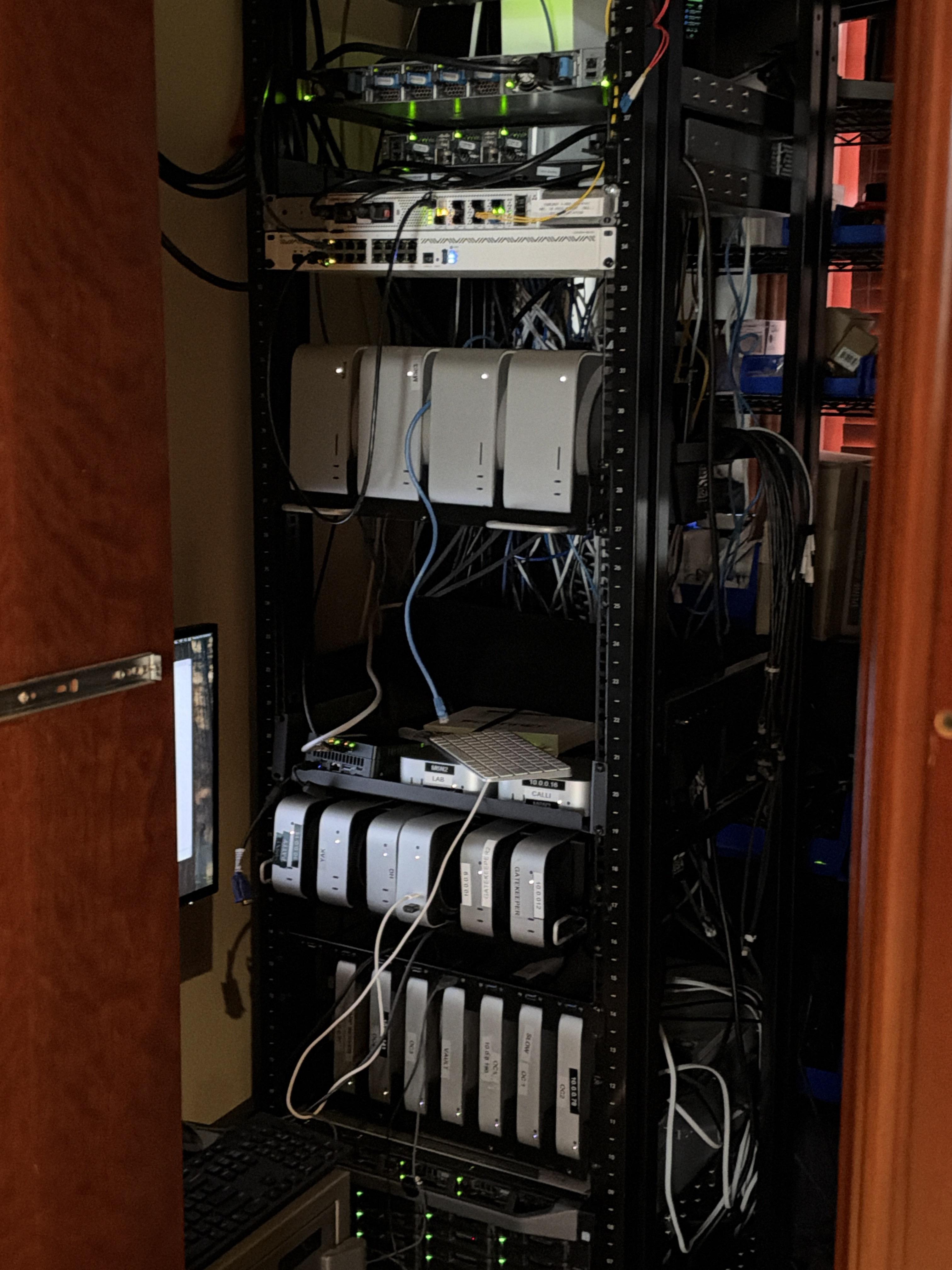
4xM(x) Studio Apple Cluster

Post image
19 Upvotes

r/MacLocalLLM • • 23d ago

M5 PRO 64 GB or M5 Max 48 GB

18 Upvotes

I am about to order a Mac for local AI, and I could really use some advice.
I know some people might recommend a more powerful Mac, but my budget is around €3,600, and unfortunately, I cannot go any higher.
My main use cases will be running Qwen 27B, doing some agentic work, occasionally using Qwen Flash Next with Strata, and experimenting with video generation through ComfyUI.
I am currently torn between two options:
Mac mini M5 Pro – 64GB RAM
Mac Studio M5 Max – 48GB RAM
I understand that RAM is extremely important for local AI, which is why I am leaning towards the Mac mini with 64GB. However, I also know that the Mac Studio should offer considerably better performance, particularly for video generation and ComfyUI.
My dilemma is whether 48GB is enough for my use cases, or whether I would be sacrificing too much memory just to get the performance benefits of the Mac Studio.
In other words, is the performance improvement from the Mac mini to the Mac Studio worth giving up 16GB of unified memory, especially when local LLMs are my primary focus and video generation is more of a secondary use case?
I know some might suggest simply getting a 64GB Mac Studio, but that is unfortunately outside my budget. €3,600 is already my absolute limit.
I’d really appreciate hearing from anyone with hands-on experience running local LLMs, agentic workflows, and ComfyUI on either machine.
Thanks in advance!


r/MacLocalLLM • • Oct 08 '26

Mac Studio 512GB x1 or 256GB x2

18 Upvotes

Curious on thoughts and even better, experience on picking one 512GB unit vs two 256GB units. I know cost is more for 2 computers, but how about AI performance and capability to handle larger models?

Two 256GB machines have double the CPU/GPU/NPU of one with the downside of the slower interconnect between them.

The 512GB is not available yet, but it would be interesting to hear from anyone linking two Mac Studios of any RAM configuration together and how it worked out.


r/MacLocalLLM • • 6d ago

Kapitsa vs Splash on Qwen3.8-Flash-Next (Apple M5 Max, 128 GB) — in case you wondered. I sure did.

17 Upvotes

So, same machine, same prompts, 256K context on both, speculative decoding on both (MTP in Kapitsa, DFlash2 drafter in Splash).

Kapitsa 0.2.37 with the MLX oQ4e-mtp quant (99 GB on disk, 77 GB in memory)

Splash 1.7.0 with the Unsloth-style GGUF UD-Q4_K_XL-PLE8 (137 GB on disk, 92 GB memory cap, PLE table streamed from SSD)

MetricKapitsa (MLX)Splash (GGUF)
Decode, short prompt82 tok/s58 tok/s
Time to first token, 106K prompt88 s55 s
Prefill speed~1,200 tok/s~1,950 tok/s
Decode at 106K context65–72 tok/s70–72 tok/s
Model load7 s11 s

Kapitsa is ~40% faster at generating on normal chat prompts. Splash is ~60% faster at chewing through long prompts (like big docs, agent contexts). At long context they decode about the same. Splash also fits a bigger quant in less RAM because it keeps the 52 GB per-layer embedding table on SSD.

Cheers!

EDIT: same tests on the other MLX quant I had on disk, both in Kapitsa

MetricUncensored oQ4e-mtp (99 GB)KQuant Q4 (100 GB)
Decode, short prompt82 tok/s72 tok/s
Time to first token, 106K prompt88 s106 s
Time to first token, 106K + 600-tok essay98 s118 s
Decode at 106K context65–72 tok/s64–73 tok/s
Memory in use77 GB78 GB

Same context (256K), same prompts, MTP speculative decoding on both. The uncensored oQ4e build is the faster of the two, probably thanks to its mixed 4/5/6/8-bit layout. No speed penalty for going uncensored.

EDIT 2: the 27B and a small MoE, same three prompts, same 256K context, all in Kapitsa

MetricFlash-Next oQ4e-mtpQwen3.8-27B q4Ornith-1.5-35B-A3B + DFlash2
Memory in use77 GB15 GB23 GB
Decode, short prompt82 tok/s61 tok/s190 tok/s
Time to first token, 106K prompt88 s194 s56 s
Decode at 106K context65–72 tok/s37–61 tok/s125–131 tok/s

The 27B is slower than Flash-Next on everything; being dense, a 106K prompt takes it more than twice as long. Ornith (35B-A3B MoE with a DFlash2 drafter) is 2–3x faster than Flash-Next in 23 GB, if its quality is enough for what you do.


r/MacLocalLLM • • 22d ago

Worth keeping a Mac mini M4 16GB ram for any local LLM purposes?

17 Upvotes

I've been meaning to trade in my Mac mini M4 (16GB RAM, 10 core CPU/GPU, 256GB), but I've recently gotten into running models locally on my M5 MacBook Air which has gotten me wondering if there are any practical applications for running anything less intense on the mini.

I'm expecting about 450$ from Apple, I just have to actually make it to their store.


r/MacLocalLLM • • Sep 20 '26

Local AI stack on M5 128GB

17 Upvotes

tldr:

Served simultaneously by Apple M5 Max 128 GB:

  • Qwen3.8 Flash-Next (110.97 GiB language model, 512-expert MoE, 10 experts/token, abliterated)

  • Qwen3 4B Instruct 2507 (tool-calling shell helper)

  • Whisper, speech-to-text service

  • Chatterbox, text-to-speech service, multi-lingual

  • SDXL via ComfyUI

  • Open WebUI (chat frontend), llama-swap (gateway and frontend)

  • Swap = 0, iogpu.wired_limit_mb = 0 (GPU ceiling 107.52 GiB), KV unquantized

Details:

Services

DetailsRAM
Coding modelQwen3.8-Flash-Next-Abliterated-Q4_K_M.gguf, 110.97 GiB, 128k ctx83.73 GiB Metal + 32.78 GiB CPU
General modelHuihui-Qwen3.8-27B-abliterated-UD-DW-Q6_K_L.gguf plus vision, 128k ctx, evicts Flash-Next and vice versa31.31 GiB
Shell helperQwen3-4B-Instruct-2507-Q4_K_M.gguf, 32k ctx4.89 GiB
Speech to textWhisper large-v3-turbo1.81 GiB
Text to speechChatterbox Multilingual, 23 languages, MPS1.81 GiB
DiffusionComfyUI 0.36.0 + SDXL base 1.00.53 GiB idle, ~7 GiB generating
Gatewayllama-swap v2491.22 GiB
Chat frontendOpen WebUI 0.11.30.88 GiB

Performance

tldr: End to end, both Qwens feel like ~30 t/s (tokens divided by time elapsed). "Steady-state" (tokens divided by generation time) excludes prompt processing and queueing.

steady-stateend-to-endtime to first tokenDetails
Flash-Next, bare question43.3 tok/s31.8 tok/s1.1 s43-44 tok/s steady shallow, 37 tok/s at 18k depth, 774 tok/s prompt eval
Flash-Next, system prompt + 3 turns42.5 tok/s24.1 tok/s2.8 s-
27B, bare question29.3 tok/s22.5 tok/s1.6 s26-29 tok/s steady on open-ended prose, 28 tok/s at 18k depth
27B, system prompt + 3 turns21.5 tok/s-7.3 s-
Speech to text---~33x realtime (11 s clip in 0.33 s)
Text to speech---0.96x realtime at sentence length, 1.55x at phrase length
SDXL 1024x1024, 20 steps---12.0 s warm alone, 13.6s warm with Flash-Next loaded

Fitting it all into memory

  • llama-swap starts and stops upstreams on demand, routing on the model field. Groups:

    • resident, persistent: true, never evicted (voice stack + shell helper)

    • heavy, swap: true, the two big models, loading either unloads the other

    • diffusion: ComfyUI alone, so it lands in no shared default group (no cross-eviction)

  • ComfyUI is a llama-swap catalogue entry (comfyui_auto, ttl: 600): llama-swap does not control ComfyUI-internals (adding Flux or Qwen-Image some day will not affect the group layer).

  • Offload the n-gram embedding table to CPU memory: 32.78 GiB of the 110.97, stays file-backed, kernel can drop its pages and re-read from the SSD at 13 GB/s.

  • Disable mmap: Counter-intuitive: under mmap, ggml maps the whole file extent into the Metal buffer regardless of -ot, so Metal still claims 110.96 GiB and OOMs.

Configuration

Coding model:

llama-server --host 127.0.0.1 --port ${PORT}
  -m /models/Qwen3.8-Flash-Next-Abliterated-Q4_K_M.gguf
  -ngl 999
  -c 131072
  --parallel 1
  --jinja
  --load-mode none           # NOT mmap; mmap defeats -ot (see above)
  -b 2048                    # -ub 1024 lifts prompt eval 81-115 -> 128 tok/s
  -ub 1024
  -ot per_layer_token_embd=CPU  # the 32.78 GiB PLE table off the GPU
  • -fa is left at default auto, resolves to ON

  • No mlock, to leave an eviction path

Groups (llama-swap YAML):

groups:
  resident:  { swap: false, exclusive: false, persistent: true,
               members: [shell-4b, whisper, chatterbox] }
  heavy:     { swap: true,  exclusive: false,
               members: [qwen3-27b, flash-next] }
  diffusion: { swap: false, exclusive: false,
               members: [comfyui_auto] }

To measure:

sysctl iogpu.wired_limit_mb    # 0 = default; ceiling is 110100 MiB
llama-server --list-devices    # MTL0: Apple M5 Max (110100 MiB)
vm_stat                        # free + File-backed + purgeable = real headroom
curl $GW/api/metrics/stats?model=flash-next         # per-model tok/s
curl -sIL <hf-resolve-url> | grep -i '^x-linked-'   # expected size + sha256

Test: Image generation (single 1024, 20-step, Flash-Next loaded)

126G used ( 93G wired,  1805M compressor), 269M unused   <- idle
127G used ( 97G wired,  6830M compressor),  73M unused   <- checkpoint loading
127G used ( 93G wired,    12G compressor),  68M unused   <- peak squeeze
126G used (104G wired,  3838M compressor),  87M unused   <- sampling

Test: Escalating image workloads (Flash-Next loaded)

1024² ×1 success  18.1 s
1024² ×4 success  50.3 s
1536² ×2 success  90.5 s
2048² ×2 success  247.3 s
2048² ×8 -        10+ min

Test: Image work + coding work (Flash-Next, 7x slower, silent)

no images                   43 tok/s
during sustained 2048²×8    6.4 tok/s
after unloading ComfyUI     40.5 tok/s

Test: Context scaling

ContextKV + recurrent stateMetal (of 107.52 GiB)Generation (steady, shallow)Reclaimable headroom4B model survives?
32,768976 MiB79.20 GiB44.8 tok/s26.7 GiByes
131,0723,568 MiB83.73 GiB44.5 tok/s22.3 GiByes
262,1447,024 MiB89.23 GiB44.4-46.9 tok/s17.0 GiByes (tight)