r/MSILaptops • • 49m ago

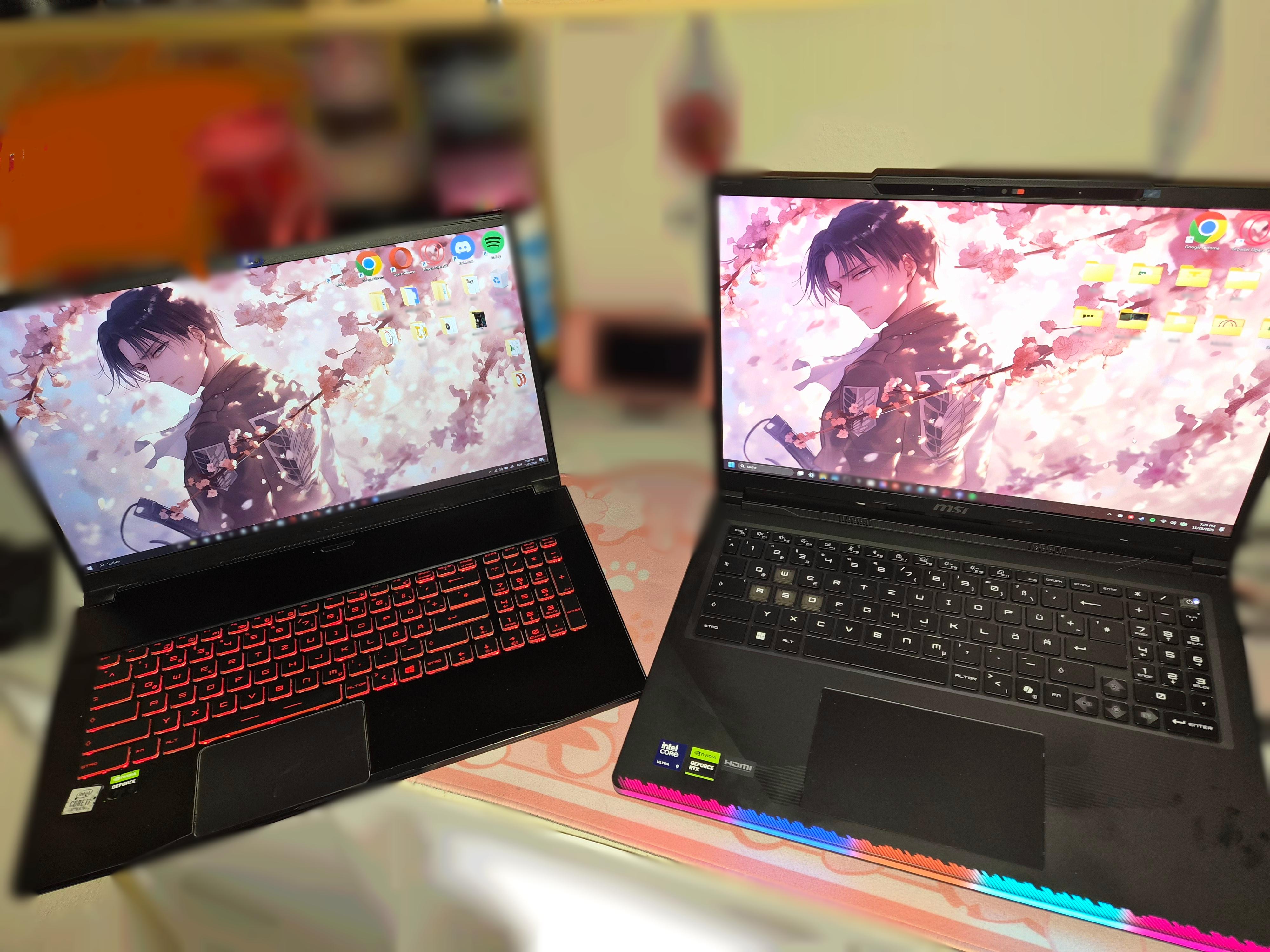
Discussion What do you usually do with laptops that are this old?

Post image
8 Upvotes

Hey everyone, I’m about to get my new MSI laptop and right now I’m still using a GT70 Dragon Edition 2 Extreme from 2013 with an i7-4930MX and a GTX 780M. It still works perfectly fine, and it’s even usable for watching Blu-ray movies with the built-in drive.

I upgraded it to Windows 10 back in the day and since then drivers have been a pain because a lot of them were made for Windows 8.1 and cause problems on 10. Even the official NVIDIA ones from their site (which is down) are an issue. On top of that, Windows 10 no longer gets security updates, so I’m not sure if it’s a good idea to keep using it connected to the internet nowadays.

What would you guys do? Switch it to Linux? I think it’s still quite fine for older games or indie titles even though it’s old, and throwing it away would really suck.

r/MSILaptops • • 5h ago

wheres the end key

0 Upvotes

I have a MSI Raider laptop and am using 3DCoat and need to define hotkeys on it following the directions the software gives me. I have ZERO idea where the end key is at to define it. I've tried multiple combinations of keys and google searches to try and find it and i have zero luck. Figured I'd try my luck here if anyone can help


r/MSILaptops • • 11h ago

Discussion Prestige 14 AI+ screen lines, then a crack, after ~30 hours of use. Anyone else?

Post image
1 Upvotes

I've used laptops since 2003, including HP, Acer, LG, Fujitsu-Siemens, Sony Vaio and a Mac Pro, and I've never seen anything like this.

I bought this Prestige 14 AI+ (Core Ultra 7 355, OLED) a couple of months ago and have used it for around 30 hours in total. I closed the lid fine, and a couple of days later I found two vertical lines on the screen. It deteriorated fast, with more lines, color inversion in one area and dark blotches. I didn't use it for a few days after that.

When I was preparing it to ship to the service center, I closed the lid slowly and carefully, and heard a crack. When I opened it there was a hairline crack from the right edge to the left edge, with no impact point and no spiderweb pattern.

It has never been dropped, imapcted, or damaged in any means. It actually never left my home office.

Has anyone had a similar experience with this model?


r/MSILaptops • • 12h ago

How nicely would u rate an Msi vector 16 hx ai 5070 ti with fhd screen and ultra core 7 255hx IF I bought an external monitor due to shit sRGB?

0 Upvotes

r/MSILaptops • • 14h ago

Image Saying Goodbye to my 5 year old Laptop - From MSI GF75 Thin 10SER to MSI Raider 16 Max

Post image
39 Upvotes

r/MSILaptops • • 14h ago

Discussion MSI Stealth 18 AI Studio A1V 4K Screen Issues

Post image
1 Upvotes

*Edited to add link to images to show progression of the issue:

https://imgur.com/a/ZA9iGKl

Bought from Newegg in July '25. About a month after the 1 year warranty ended, I started to see issues and black/brown spots on the screen. Progressively got worse. It was only on the right side. The only thing I found online that looked remotely similar was this thread. It didn't have any replies on anything helpful on what it was or what caused it nor how to fix it besides doing an RMA which the OP could not and neither can I.

https://www.reddit.com/r/MSILaptops/comments/1x1flp6/absolute_trash_4k_laptop/?sort=old

I was doing as they did and applied gentle pressure to the bottom of the screen and on the bezel. That helped initially. Kinda mostly went away or have very few and light spots left. So I just dealt with it for the time being as it wasn't too noticeable when in use except for on an almost all white screen. Now it's spreading to the left side of the screen too. And more lines are showing up and having image retention too. The trick isn't working really anymore.

Google seems to think "Mini-LED zones on your MSI Stealth 18 AI Studio A1V turning brown or showing dark, muddy patches typically indicates degraded or failing backlight diodes or phosphor/diffuser heat discoloration inside the display panel, though it can occasionally be triggered by a local dimming controller glitch." It also suggested it could be a loose wire connector to the screen itself which seems more plausible as when I pressed on the bottom bezel it mostly went away so it doesn't make me think the diodes or whatever are permanently damaged themselves.

Google gave me this for a model number on the part for a screen replacement if needed: AUO B180ZAN01.0. It's like $500 and probably more to have it installed. Maybe I could do it myself? Looks like there might be some videos to show how to open the laptop myself and try to re-seat the connectors to see if that fixes it. a little hesitant and it says it's not easy and the screen is fragile and could break the plastic and/or the screen itself. Just wanted to know if anyone else has had this happen or any advice? Thanks!


r/MSILaptops • • 15h ago

Discussion Did anyone manage to switch their msi computer from Windows to Linux?

2 Upvotes

Hello!

I got a Cyborg 15 a12v and few years ago. It still works fine but yesterday I tried to switch to Linux since i'm not a huge fan of Windows.

But when I went to set it up, I couldn't even deactivate the secure boot. It was fully greyed out. I scoured this sub to see if anyone encountered the same issue, and saw that it was a pretty common problem. Tried the key combination to show the hidden settings and all that, reset default keys, but nothing worked. Even looked up resources online, but most of what I found said it comes with the risk of my pc not booting up so I avoided messing with it too much.

I also saw very few posts about fan issues when changing the OS? Or problems with recognizing hardware or with MSI Center. I dont know if it's true or if it's a common problem, or if it's fixable.

In the end, I kinda gave up on Linux. I was way too scared of screwing over my computer. I know the chances of that happening are low, but I guess I gave myself a bit of a scare when looking through the subs and seeing all sorts of issues come up from messing with the BIOS. I study in the tech field but honestly i'm more into the programming part and less into the technical stuff, so I dont trust myself to fix something on that level.

So far I just debloated my windows and downloaded some tweaks to defer updates. I'm thinking of turning off all updates though and freezing that pc by cutting the wifi access (no, i will not be using the net with it ever again lol). I know it comes with risks and it seems counter productive since it's, well, a gaming pc. But most of my games are portable zips and I already have a main computer that I use for work and for my lighter/online games. I'm not sure whether I should go through with it yet though. Would love to hear about other people's experiences with Linux. I'm asking in this sub specifically for experiences relating to MSI computers. :(


r/MSILaptops • • 16h ago

Discussion Audio stuttering on vector 16 HX AI A2XWHG

0 Upvotes

Is this normal?


r/MSILaptops • • 17h ago

Discussion MSI GE76 Raider 11UH-006 suddenly won't fully boot

2 Upvotes

Hey guys,

I have a MSI GE76 Raider 11UH-006 laptop, and I keep it plugged in all the time as essentially a desktop computer/media station. It's worked perfectly for years for anything I've wanted. I could play games like Cyberpunk and Red Dead Redemption 2 with full maxed out graphics and they worked fine. I could edit fairly intensive content with Adobe Premiere and build motion broadcast graphics with After Effects with no problems at all.

It's been a great laptop for years.

Then the other day I turned it off because it had been running hot when I did anything that pushed the system like editing or starting up a game that would probably be graphically intensive.

The next morning when I went to turn it on, it would start to power up, the keyboard would light up...and then it died. Wash, rinse, repeat. I tried over the course of a few hours to start it up probably 30 times. Sometimes it would say it was trying to repair an issue, and then it'd say it had an issue that it couldn't repair. Then there'd be ten more times where it died almost as soon as it sort of turned on.

I do know that the battery has been dead for at least a year. It's consistently said it's at 89%...but on the rare occasion I've unplugged the laptop (either on purpose or accidentally) it turns off immediately. But I always have it plugged in, so it wasn't a big deal for me.

I'm curious if anyone else has had this issue. It has been working absolutely fine other than running a little hotter than it probably should.

Really wanting to find out what to do to remedy this issue because not having a computer would be awful, since I do most of my work on it, and I'm in no place financially to buy a new one.

Any help or guidance would be very much appreciated.

Thanks!


r/MSILaptops • • 20h ago

Will i7 12650H and RTX 4060 45w handle GTA 6 at 1080p low setting when it releases on pc?

0 Upvotes

Just got curious whether it handles or not. Also anybody knows how to get most performance out of this laptop?


r/MSILaptops • • 22h ago

Does MSI Raider 18 HX allow Killer Doubleshot Pro?

Thumbnail reddit.com
1 Upvotes

r/MSILaptops • • 22h ago

Request Consiglio acquisto portatile Black Friday (~650€): MSI Modern 14 (Core 7 150U) vs alternative per uso "quasi fisso"

1 Upvotes

Ciao a tutti, sto valutando di cambiare il mio vecchio portatile sfruttando le offerte del Black Friday su Amazon e vorrei un vostro parere prima di procedere.

Situazione attuale**:** HP con Ryzen 5 3500U, Vega 8, 8GB RAM, 256GB SSD, 15" che fa un po' fatica.

Attualmente uso il PC per:

  • Navigazione web pesante con molte schede aperte.

  • Videochiamate (Meet/Zoom) registrando contemporaneamente lo schermo con OBS in 1080p 60fps.

  • Studio universitario (Word, PPT....).

  • Trasferimento backup da smartphone a HDD esterno/Cloud.

  • a volte app come Sky Go / DAZN / Netflix...

Setup: Lo uso al 95% in casa come se fosse un PC fisso: sempre collegato alla corrente, attaccato via HDMI a un monitor esterno (con lo schermo del laptop spento) e con mouse e tastiera esterni. Mi serve comunque un portatile per quelle poche volte in cui devo spostarmi.

Il modello che ho puntato: MSI Modern 14 F1MG-469IT in offerta a 639€ (invece di 729€):

  • Intel Core 7 150U

  • Intel Iris Xe

  • 16GB DDR4 3200MHz

  • 512GB PCIe 4.0

  • Schermo: 14" (senza tastierino numerico)

  • Windows 11 Home

Avevo visto anche l'MSI Modern 15 (i7-1355U, 15.6" con tastierino) a 679€, ma non è in offerta ed è FreeDOS (senza Windows), quindi lo scarterei.

I miei dubbi:

- A 639€, questo MSI Modern 14 è un buon acquisto per affidabilità, o a questa cifra c'è di meglio su Amazon?

- Con questa configurazione (Core 7 150U + Iris Xe + 16GB RAM) riesco a gestire senza problemi Meet + registrazione OBS a 1080p 60fps?

Grazie in anticipo a chi risponderà.


r/MSILaptops • • 22h ago

Discussion MSI Katana 15 B12-VGK is horribly made

4 Upvotes

I bought the above laptop back in like 2024 to use for college and gaming when I'm back at my dorm. It's been okayish? But there's been a constant issue with overheating. Literally like 2 days after the warranty expired, it shut itself off because it overheated, this was the first of MANY times it would then do this. I play a game, put the laptop up on a laptop cooling stand so it gets good airflow, but I forget to do Fn + Left arrow so the fans don't blow aggressively loud, so after an hour, bam, laptop shuts off. It did this maybe 6 times in the last year of owning it. I once watched my CPU temp shoot to 99 C just by launching Raft and staying on the main menu. Is that supposed to be normal?

Finally today, while playing bedrock minecraft, it fully shut off for good. It turned off, and it will not power back on no matter what. I opened the laptop up and tried unplugging the battery and then plugging the charger back in; didn't even make the charging LED come on. I can't tell if the board is damaged anywhere, but I can tell that the CMOS battery isn't there. I haven't opened this up before so that means MSI must've just forgot to put a CMOS battery in there. Is there anything I can do now? The board alone is 510 dollars so I imagine taking it to MSI to get repairs post-warranty is going to be expensive.

Here's the specs that were on that laptop in case this model is like known for issues

CPU: Intel i7-12650H

GPU: NVIDIA 4070-M

RAM: 64 GB DDR5

SSD: 2TB


r/MSILaptops • • 23h ago

Discussion Need help with laptop ( msi gf63 thin)

Thumbnail reddit.com
1 Upvotes

r/MSILaptops • • 1d ago

Discussion Dancing pixels

1 Upvotes

I have been playing with an MSI monitor and a PS5 now and when I go in the PS5 menu the pixel dances or when I played GTA and I’m in the menu the pixel dances, but I can’t be sure that it dances well I’m playing the game, but I feel like it is making the graphics. Worst I have changed every setting known to man that I’ve been told to online. How can I fix this? Please help me.


r/MSILaptops • • 1d ago

Audio popping (crackling) via USB-C DAC when cpu hits 80 while gaming (PUBG and etc)

Thumbnail reddit.com
1 Upvotes

r/MSILaptops • • 1d ago

Discussion Purpose of metallic sticker

Post image
1 Upvotes

I just redid the thermals on my MSI GS65, as I was putting stuff back together I came across the sticky piece of metallic paper(?). What is it supposed to do? EMF shielding?


r/MSILaptops • • 1d ago

Discussion Laptop Cooler Positioning

Thumbnail reddit.com
1 Upvotes

r/MSILaptops • • 1d ago

Video Titan HX unreal turbine fan exhaust noise

21 Upvotes

I just got a Titan HX after 7 years with an ROG Strix and it's crazy how much louder the MSi is, it sounds like a turbine, after a few hours of playing I get headaches


r/MSILaptops • • 1d ago

Issues with Laptop Freezing while Gaming

1 Upvotes

Hello! I've been having trouble with my MSI PULSE 15 B13V for a while now. It's a little over 2 years old, but this problem has persisted for months. Whenever I play a game on steam, it will run great but then fairly often the screen will freeze and I won't be able to do anything until I power off the computer and turn it back on. My warranty recently ran out on it. While my warranty was active, I took it to Microcenter to have it looked at twice. The first time they reapplied thermal paste, and the second time they replaced the heatsink, but the problem was never fixed. I wasn't able to take it back again, since by the time they got it back to me the second time the warranty had run out. I don't generally play games that are very GPU intensive (e.g. Slay the Spire 2, Celeste, Pizza Tower, Peggle, etc.), but the problem sticks around. Additionally, when I'm gaming, I'll keep the laptop propped up so air can more easily escape through the vents. I also need this computer for school, so I can't be without it for long. Has anyone experienced issues similar to this? Are there any software or hardware suggestions that you may have for me?


r/MSILaptops • • 1d ago

New BIOS Version : MSI Vector 16 HX AI (2026-11-12, E15M3IMS.11B) Yo tengo un error de actualización MSI Vector 16 HX AI. Tenemos dos síntomas que podrían estar relacionados: El ordenador se congela al reproducir vídeos de YouTube.

1 Upvotes

r/MSILaptops • • 1d ago

Discussion msi sword 16 hxb14vfkg overheating

1 Upvotes

i7 14700hx rtx 4060, cpu is overheating on internet (chrome) with extreme performance mode , tired of this laptop :D 11 months ago was changed cpu paste with arctic mx5 i think. Thermal pads werent change, but repairer said there is no need to change them because they seemed to be good and "no need to change""". Gpu also was pasted with arctic mx but temps are better 73C max on internet. Also its now with undervolt, not sure if it even helps for me :D tried to play cs2 impossible, fps dropping to 8fps till u plug out charger and then wait for 30sec and put it back.


r/MSILaptops • • 1d ago

Need advice for cleaning and repasting MSI Katana GF66 11UC

1 Upvotes

Hello everyone

i have katana gf66 11uc that i bought 4 years ago, never cleaned or repasted it. right now the temps are really bad even on idle. and i want to do full cleaning and repasting to bring the temps down.

since this will be my first time, could anyone help me out with a few question?:

what thermal paste i should go for cpu and gpu? i checked that alot of people suggested Honeywell PTM 7950, should i go for it? and should i change the thermal putty on the VRAM/VRMs too?

should i use isopropyl alcohol for cleaning the old paste?

how do i clean the fans if i unscrew them? do i need a compressed air or just a simple brush?

besides disconnecting the battery first, are there any quirks with the heatsink screws, fan screws, or bottom cover clips I should watch out for?

thank you for any advice and help.


r/MSILaptops • • 1d ago

First gaming laptop

Post image
4 Upvotes

So I bought this as my first gaming laptop last week. How good is it and what games can I play at 1080?