r/M365Reports • • Feb 10 '23

Unlock Increased Collaboration with SharePoint Storage Mapped as Network Drives

0 Upvotes

The solution is simple! Map your SharePoint document libraries as network drives. With this setup, you can access and edit files as if they were stored locally, while still enjoying the added security and accessibility of the cloud.

This can easily be achieved with a simple PowerShell script. Say goodbye to the frustration of navigating SharePoint and hello to seamless file management through File Explorer.
https://m365scripts.com/sharepoint-online/how-to-map-a-network-drive-to-sharepoint-library/


r/M365Reports • • Apr 20 '22

Get Exchange Online Mailbox Details using PowerShell

3 Upvotes

I have written PowerShell code examples to view and export mailbox properties such as email address, mailbox size, archive status, audit tracking status, etc.

You can copy and use code from below link:

https://m365scripts.com/exchange-online/get-mailbox-details-in-microsoft-365-using-powershell/


r/M365Reports • • Nov 17 '22

Microsoft missed turning off some basic authentication protocols in Exchange Online.

0 Upvotes

Yes, it's true! Microsoft leaves some Office 365 legacy services turned on, even if you turned off basic authentication protocols via Microsoft 365 admin center. 

The two Office 365 legacy protocols that are left uncared are:

  • AllowBasicAuthOutlookService and

  • AllowBasicAuthReportingWebServices.

But why does it really happen? Microsoft left turned on some reporting web services turned on to get access to Message tracking logs and more.

Therefore, these reporting web services will be enabled until December 31st. Importantly, there is no opt-out or re-enablement required.

However, if you do not want this basic authentication protocol to be turned on, Microsoft has provided a cmdlet solution. So, now disable all the Microsoft Exchange basic authentication protocols in one go, as suggested.

https://m365scripts.com/microsoft365/disable-microsoft-exchange-unnoticed-basic-authentication-protocols-in-one-go/


r/M365Reports • • Jun 03 '24

Meme When Cutting Costs Gets You Cut!

Post image
0 Upvotes

r/M365Reports • • Mar 28 '23

Why the New Microsoft Teams is the Ultimate Communication Tool for the Modern Workplace

0 Upvotes

Microsoft has just released a public preview of the new version of Microsoft Teams! This latest update is designed to enhance the way we work together, with a host of new features and improvements that make it easier than ever to stay connected, organized, and productive.

Some of the highlights of the new Microsoft Teams include:

  • Faster performance and less memory usage.

  • A fresh, modern design that's both sleek and intuitive.

  • More control over how you organize and manage your teams and channels.

  • Support for multiple work accounts and tenants.

So why not give the new Microsoft Teams a try? With the public preview now available, you can get a sneak peek into the future of teamwork and collaboration, and discover all the exciting new features that are in store! Dig deeper into the topic by checking out the following blog.

https://o365reports.com/2023/03/28/new-microsoft-teams-the-future-of-workplace-communication/


r/M365Reports • • Apr 06 '23

Optimize your SharePoint environment with valuable insights from SharePoint usage reports!

0 Upvotes

As an administrator, monitoring the Microsoft 365 SharePoint environment is essential to ensure optimal performance and user engagement. Native SharePoint usage reports offer a valuable insight for administrators to track and analyze user behavior, site usage, and content performance.

By analyzing SharePoint usage reports, admins make data-driven decisions to manage and improve SharePoint environment effectively.

Check it here for more information on SharePoint usage reports and start monitoring your SharePoint environment today.

https://o365reports.com/2023/04/06/get-multiple-built-in-sharepoint-usage-reports-to-improve-site-productivity/


r/M365Reports • • May 12 '23

No more Zoom Fatigue: Microsoft Teams Together Mode Enhancements Bring Meetings to Life

1 Upvotes

Are you tired of endless virtual meetings where it's hard to tell who's talking and where you're just another face in the crowd? Microsoft Teams has you covered with its innovative Together Mode feature, and it's about to get even better! 💡

With the latest update, you'll be able to see name labels, status icons🔉, raised hands🙋🏽‍♀️, reactions🙂, etc., overlaid over the user's video. Plus, the removal of your own video from the gallery during Together Mode means you can stay focused on the task at hand without any distractions. In early May, the public preview of usability improvements will be released, followed by the standard release in early June!

With these significant strides, Microsoft Teams is quickly catching up to Zoom's Immersive View feature. Don't miss out on the exciting improvements in Together Mode Teams meetings - start exploring now! 💻🙌

https://o365reports.com/2023/05/12/together-mode-in-microsoft-teams-meetings/


r/M365Reports • • Aug 10 '22

Does All MFA Authentication Methods are Equally Secure?

5 Upvotes

MFA is under risk today!!

MFA is the sole reason that gives an extra layer of security to Office 365 and should be supposed to limit attacks, right?  

But what about if I said that the two-factor authentication could also be bypassed? Doesn't that seem fishy? Can hackers beat strong two-factor authentication?

Yes, a serious attack has started to arise that bypasses the MFA technique and compromises the security posture of the Office 365 environment. MFA spamming is an intrusion technique relying on human factors, started to invade the two-step authentication technique, and proved that not all MFA solutions are secure. 

Find your organization's authentication methods usage and prevent users from MFA spamming!

https://blog.admindroid.com/safeguard-office-365-users-from-mfa-fatigue-attacks/


r/M365Reports • • Mar 23 '22

How to Convert a User Mailbox to Shared Mailbox in Microsoft 365

7 Upvotes

Do you believe you can reduce Microsoft 365 license costs effortlessly? Yes! When an employee leaves an organization, you can convert the user mailbox to a shared mailbox to reduce the license costs. I have written a blog that provides simple steps to convert a user mailbox to a shared mailbox.

The blog covers both PowerShell and Exchange admin center (EAC) methods.

https://m365scripts.com/exchange-online/microsoft-365-convert-user-mailbox-to-shared-mailbox-using-powershell/


r/M365Reports • • Mar 06 '24

High Volume Email in Exchange Online Hits Public Preview This March!

1 Upvotes

Dear Microsoft 365 admins, are you tired of juggling third-party tools for bulk emailing in Microsoft 365? 📧

Microsoft introduces 'High Volume Email,' a feature in Exchange Online that briefly caught attention before vanishing, sparking curiosity among admins. This new service is designed for sending bulk emails in Microsoft 365, going beyond what Exchange Online could do before.

By filling a critical gap, this update promises to streamline email management, eliminating the need for third-party tools for bulk emailing services. Set to preview in March 2024, this feature is ready to change the way we handle high-volume emails in Microsoft 365.

Learn more about this new service and what it could do from here:

https://o365reports.com/2024/03/06/high-volume-email-in-exchange-online


r/M365Reports • • Sep 23 '25

Prevent SharePoint Permission Errors by Disabling the Lockdown Mode

0 Upvotes

Trying to share a file or folder in SharePoint but running into permission errors? The Limited-Access User Permission Lockdown Mode could be causing it. While it’s designed as a security feature to restrict what Limited Access users can do, the trade-off is that it can also: 

  • Block actions like drag-and-drop uploads, browsing restricted folders, or using Shared With. 

  • Trigger errors even for site owners when sharing folders. 

Disabling it reduces these permission errors, but it may also impact Publishing Infrastructure features. 

Learn how this mode works and when to activate or deactivate it:
https://o365reports.com/2025/09/23/limited-access-user-permission-lockdown-mode-in-sharepoint-online/


r/M365Reports • • Jul 21 '23

Microsoft Teams Update: Good news for Team members who love mentioning people!

0 Upvotes

With @ mentions, the power of instantly connecting with a whole group has never been more effortless! Need to rally the dream team for a project? Done! Want to find the right experts with specific skills or training? Consider it done with Team tags!

To boost the benefits, the tag management settings in the Microsoft Teams admin center is introducing a brand-new addition: the 'Microsoft default' option to the 'who can manage tags' section of tagging controls. This option currently maps to 'Teams owners' value by default. When you choose the 'Microsoft Default' option, control over the setting is given to Microsoft, and Team owners no longer have the ability to manage it themselves.

So, if you're a mention-person, discover how tagging can enhance collaboration in Microsoft Teams.

https://m365scripts.com/microsoft-teams/a-complete-guide-to-manage-tags-in-microsoft-teams/

Happy tagging!


r/M365Reports • • Apr 18 '23

Boost Your SharePoint Online Management with PnP PowerShell

0 Upvotes

Are you tired of manual operations in SharePoint Online? Look no further than SharePoint Patterns and Practices (PnP) PowerShell!

PnP PowerShell is a community-driven set of cmdlets that simplifies common SharePoint Online tasks and makes scripting easier. By taking advantage of its built-in cmdlets and simplified scripting implementations, PnP PowerShell enables us to decrease the number of lines in our scripts.

So why wait? Start exploring PnP PowerShell and learn its benefits today!

https://m365scripts.com/uncategorized/connect-to-sharepoint-online-using-pnp-powershell/


r/M365Reports • • May 27 '24

Phishing link nightmares! What's your worst nightmare like this?

Post image
0 Upvotes

r/M365Reports • • Nov 03 '21

October 2021 Exchange Server Security Updates

0 Upvotes

Microsoft has released security updates for vulnerabilities found in:

  • Exchange Server 2013

  • Exchange Server 2016

  • Exchange Server 2019

https://techcommunity.microsoft.com/t5/exchange-team-blog/released-october-2021-exchange-server-security-updates/ba-p/2838287


r/M365Reports • • Aug 21 '24

User activity reporting

0 Upvotes

Not a post I ever wanted to have to write, but I need to report on what work an Employee has been doing.

I don't want to get into a discussion on the legitimacy ot legality of this, its unlikely to end up in court anyway. HR are involved in this issue.

With more staff working from home, its much more difficult to determine how hard some people actualy work, I know its a Managers responsibility to ensure Staff are pulling their weight. But we all know some people like to make all the excuses in the world as to why something was not completed.

I have a genuine reason to believe an employee is doing almost no work and using a mousemove application to appear busy.

User has E5 license, I can run Advanced Hunting queries in Security portal to check for things like USB devices plugged in, websites visited from Edge etc.

Also have logs going to a Analytics Workspace, and Sentinel, where they are retained for 180days.

I could run a Purview Advanced eDiscovery too, if there would be something useful there.

Also have connectivity to Graph from PowerBi, so could get some data through that.

Whats the best way to get a summary of all work done by a user? When logged in, files opened, edited, websites opened, emails sent etc etc To really build up a picture of what they have done in the last month, for example. I don't have the time to spend days on this, I need simple ways to gather the key information and produce some kind of summary/report.

Any website links, scripts, code suggestions gratefuly received.


r/M365Reports • • Aug 04 '22

Easily set automatic out-of-office replies in Office 365 using PowerShell.

11 Upvotes

Managing out-of-office settings for admins is a bit hectic. For ex: If a user forgets to set the OOF automatic reply message on an off-day, only the admin has to take charge and set it up. So, how can admins automate the setup of automatic reply messages? 

We've got PowerShell to automate these tasks. PowerShell makes it easy for admins to configure auto-reply messages.

I've written a detailed blog on this, explaining how to perform the setup based on your preferences. It covers PowerShell cmdlets to perform the following actions:

  • Set Automatic Reply in Outlook for Another User. 

  • Configure Out-of-Office message with start and end times. 

  • Setting Exchange Out of Office for Multiple Users. 

  • Turn Off Auto-Reply Messages

https://m365scripts.com/exchange-online/how-to-set-automatic-out-of-office-reply-using-powershell/


r/M365Reports • • Dec 31 '21

Connect to Microsoft Teams with PowerShell

7 Upvotes

This blog helps administrators to install Microsoft Teams PowerShell module and connect to their Microsoft Teams environment.

https://m365scripts.com/office365/how-to-connect-to-microsoft-teams-using-powershell/


r/M365Reports • • Jul 22 '25

URL Flagged as Malware

1 Upvotes

Hi, my domain had malware and we cleaned within 3 hours. Microsoft marked our URL as malware and because of that all the emails which has URL in the signature part got quarantined. Now we removed all the urls from the signature of emails.

Anyway to fix the flagging of our url? anyway to ask microsoft to re-evaluate the url and mark it as clean and safe?

Anyone experience similar issue?? Please guide. I have been struggling for the past 15 days.

Note: i raised 6 support requests, all ended up useless. Microsoft support doesnt know how to resolve this issue.


r/M365Reports • • May 23 '22

Configurando seu 1º domínio na Console de Administração do MS365

Thumbnail
youtu.be
0 Upvotes

r/M365Reports • • May 13 '22

Everything at once! Automatic groupings and Suggestion messages in Teams.

1 Upvotes

Hereupon, Let's stop tagging everyone individually! Teams now offer automatic groupings for channel posts and suggestion messages. Just mention "@Team Owners" in a channel posting, and all Team Owners will be notified.

Plus noticed Teams suggesting messages to respond ;) What a neat update! These quick reply messages have made my replies to messages a lot less painful anymore.

Have you noticed these suggestion messages yet?


r/M365Reports • • Oct 26 '22

Boost up Your Security Posture with Microsoft Secure Score

Thumbnail self.admindroid
1 Upvotes

r/M365Reports • • May 25 '24

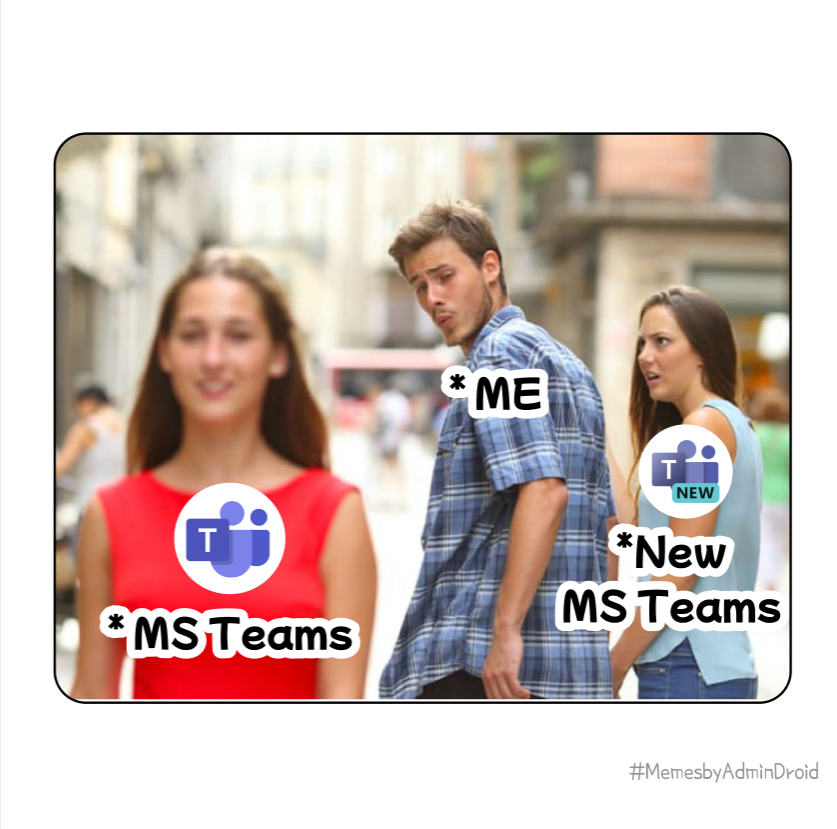
New Teams vs Classic Teams - Who is your favorite?

Post image
0 Upvotes

r/M365Reports • • Jan 08 '26

M365 app crashing on MacOS since last update

Thumbnail reddit.com
1 Upvotes