r/HomeLabPorn • • Aug 27 '26

Finally finished my 7" mini homelab - the RackMate TT is seriously underrated

Thumbnail
gallery
700 Upvotes

About two months ago I made a post asking for some advice on building a tiny secondary homelab around a RackMate TT, and I said I'd post the finished build once it was done.

Well... it took quite a bit longer than expected due to a few problems and some changes of plans along the way, but it's finally finished!

This whole project actually started much more simply.

I originally just had a 2.5GbE switch sitting behind my desk to give my PC and a few other devices wired connectivity. The wired side worked perfectly fine, but the Wi-Fi coverage in my room was terrible — I was sometimes getting less than 20 Mbps.

So I bought a small router to improve the Wi-Fi in the room.

At that point I had a router, a 2.5GbE switch, more cabling, power supplies and a growing pile of networking hardware sitting around the desk... and I figured that if I was going to have all of that anyway, I might as well organize it properly.

That's how it somehow turned into this little rack.

What's inside

From top to bottom:

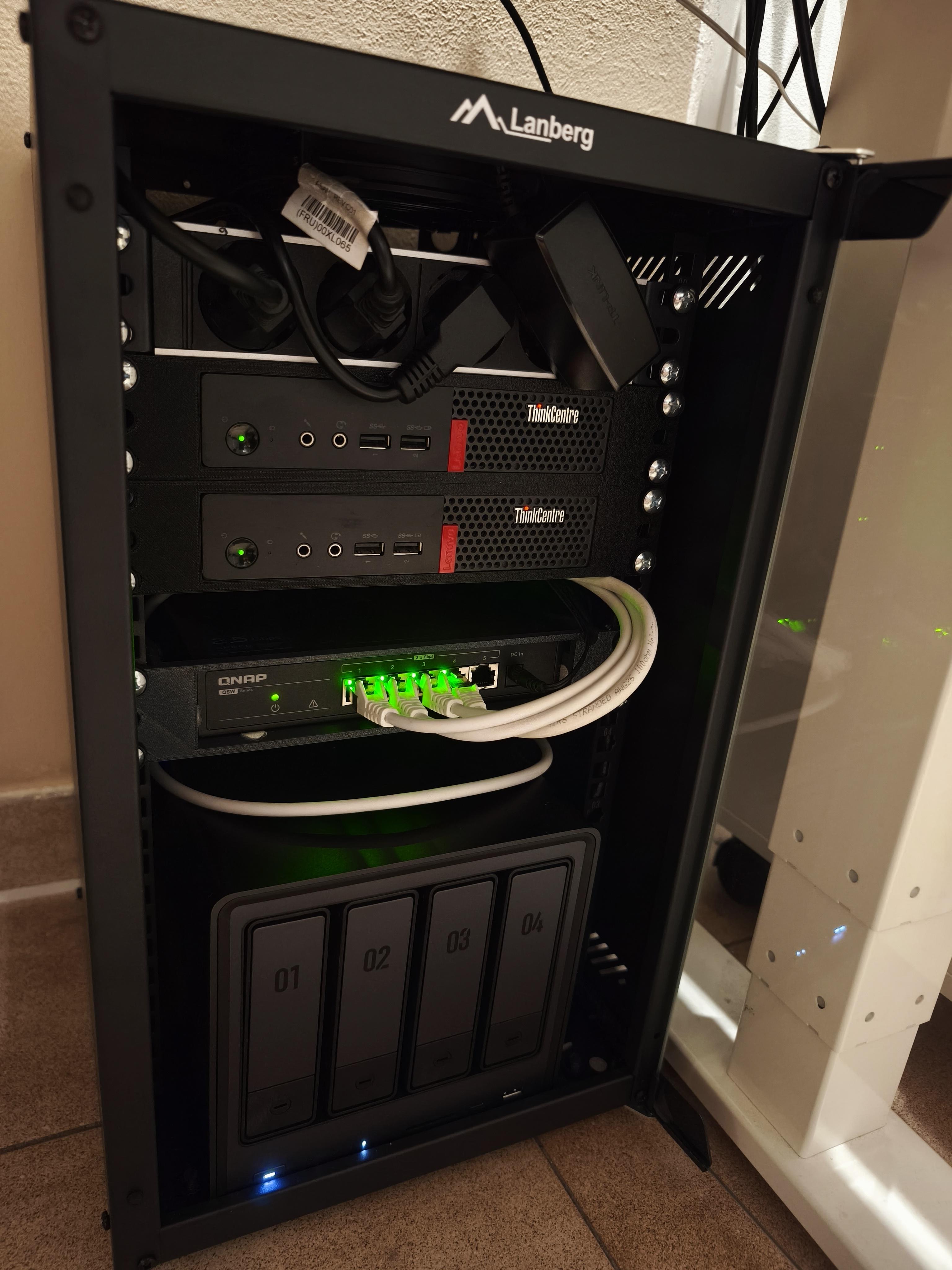
  • GL.iNet Slate 7 (GL-BE3600) – Wi-Fi 7 router/AP and the uplink to the rest of my home network

  • Cudy HS105 – 5-port 2.5GbE switch

  • 7-port patch panel

  • Cudy GS105ES1 – managed 1GbE switch for devices that don't need 2.5GbE

  • GMKtec G10 – Ryzen 5 3500U mini PC, currently used as my small server hosting Project N.O.M.A.D.

  • Wallecube W150 mini UPS – powers the entire rack and keeps it running during outages

The basic network topology is:

Main network → Cat5e through the wall → Slate 7 → 2.5GbE switch

The 2.5GbE switch then connects my gaming PC, the GMKtec G10 and the managed 1GbE switch.

The 1GbE switch handles devices where anything faster would be pointless, such as my TV, Xbox and Nintendo Switch.

I'll include a topology diagram in the pictures because it's much easier to understand visually.

Why 7" instead of 10"?

This is probably my favorite part of the build.

I already have a larger 10" RackMate rack elsewhere, but for this project I specifically wanted something that could sit on my desk without taking up much space.

The RackMate TT can be configured as either a 10" or 7" rack, and I honestly think the 7" configuration is really underrated.

You obviously lose a lot of compatibility with standard rack equipment, but for a mini homelab built around small switches, mini PCs, routers and custom 3D-printed mounts, that limitation isn't nearly as bad as I expected.

The internal width is only around 130 mm, yet I still managed to fit the networking, compute and power infrastructure I wanted into it.

A lot of the mounting hardware is custom, and having a 3D printer makes a setup like this much more practical. Instead of choosing hardware based on whether a rack mount exists for it, I could basically design the rack around the hardware.

It was supposed to be just a network rack...

At first I wanted this to be purely a networking rack.

But a rack without a server just felt wrong.

So naturally I couldn't resist adding a mini PC.

I ended up using a GMKtec G10 with a Ryzen 5 3500U, which is small enough to fit without ruining the compact footprint while also consuming very little power.

I also used it as an excuse to install Project N.O.M.A.D., so the rack ended up becoming more than just networking equipment.

The idea now is that, besides improving the network in my room, it also works as a small self-contained compute node with local services and offline resources.

Combined with the UPS, that gives it a bit of a portable/survival homelab angle too: a tiny rack with networking, compute and battery backup that can continue operating even if the main infrastructure or Internet connection goes down.

Was any of this necessary? Absolutely not.

But that's half the fun of projects like this.

The UPS and power situation

This was actually one of the biggest questions in my original post.

Originally I was considering the UGREEN US3000, but thanks to a recommendation in the comments I discovered the Wallecube W150, which ended up being a much better fit for what I wanted.

So thanks to u/krysmopompas for pointing me towards it in the original thread

Power efficiency was also something I kept in mind throughout the entire build. When choosing the hardware, I wasn't looking at price and size alone — power consumption was an important factor too.

I wanted the rack to be cheap to run 24/7, but more importantly, keeping the power draw low means getting considerably more runtime out of the UPS during an outage.

There was one interesting problem to solve, though: the W150 doesn't have its own AC power supply and relies on an external DC power brick.

For that I went with a SlimQ 150W DC & USB-C GaN Charger. It's extremely compact, can use SlimQ's AC extension cable instead of having the entire charger hanging directly from the wall, and its output is a very good match for the W150's input requirements.

Then there was the other side of the problem: everything in the rack wants a different voltage.

The 2.5GbE switch runs at 12V, the Slate 7 and 1GbE switch at 5V, while the GMKtec G10 normally expects 19V.

Instead of using a separate power brick for every device, I added a SlimQ DC to USB PD3.0 Charging Hub after the UPS to handle the different power requirements.

The entire power chain is therefore:

AC → SlimQ 150W GaN → Wallecube W150 → SlimQ DC/USB-PD Hub → rack devices

There were definitely cheaper ways of doing this. Separate power adapters or a more DIY DC distribution setup would have cost considerably less, but since the whole point of the build was to keep everything compact and self-contained, I decided the extra cost was worth it.

The result is that the entire rack only needs a single external power cable. Everything else — the power supply, UPS and voltage distribution — stays with the rack, so moving it basically means picking it up and plugging in one AC cable.

And all the effort spent keeping the power consumption down seems to have paid off: with the router, mini PC, both switches and the UPS itself, the entire setup idles at around 26–27W.

I can shave another couple of watts off by turning off the Slate 7's display, although the little rabbit face is way too cute to keep turned off under normal circumstances. :3

That's reserved for emergency power-saving mode.

According to Wallecube, the W150 can provide around 90 minutes of runtime at a continuous 30W load, so at my normal idle consumption I should get a little over an hour and a half of battery life.

Obviously, real-world runtime will depend on the actual workload and battery conditions, but considering the rack is running the entire network stack plus a small server, I'm pretty happy with that.

Cost

For anyone curious, the entire setup ended up costing me roughly €740–750, thanks to some pretty crazy deals — like getting the mini PC with 16gb ram and 1tb ssd for €250 and the rack for €50 brand new.

This includes everything: the rack, networking hardware, mini PC, UPS, power distribution, cables and the hardware used for the custom mounts.

At normal retail prices, I'd estimate that replicating the same setup would cost closer to €850–900.

So €740–750 isn't necessarily representative of what you'd normally have to spend to build the exact same thing — I just got pretty lucky with some of the components.

I can post a full BOM with individual prices if anyone is interested.

And yes, the router has a face now.

The Slate 7's antennas already made it look suspiciously like a little rabbit sitting on top of the rack, so I gave up trying to pretend it wasn't one and made a custom face for its display.

The antennas are the ears. There is no going back.

Overall I'm really happy with how this turned out.

It's obviously not the most powerful homelab in the world, but fitting a router, 2.5GbE networking, managed switching, a compute node and battery backup into such a small rack was exactly the kind of unnecessarily over-engineered project I wanted.

And after building this, I genuinely think 7" racks deserve more love for tiny homelabs.

This is only the second homelab rack I've ever built, so I'd genuinely love to hear what you think of it — especially if there's anything you would have done differently or think I could improve.

Happy to answer any questions about the rack, mounts, networking, Project N.O.M.A.D. or the power setup!


r/HomeLabPorn • • Oct 01 '26

Nothing fancy but it works

Thumbnail
gallery
692 Upvotes

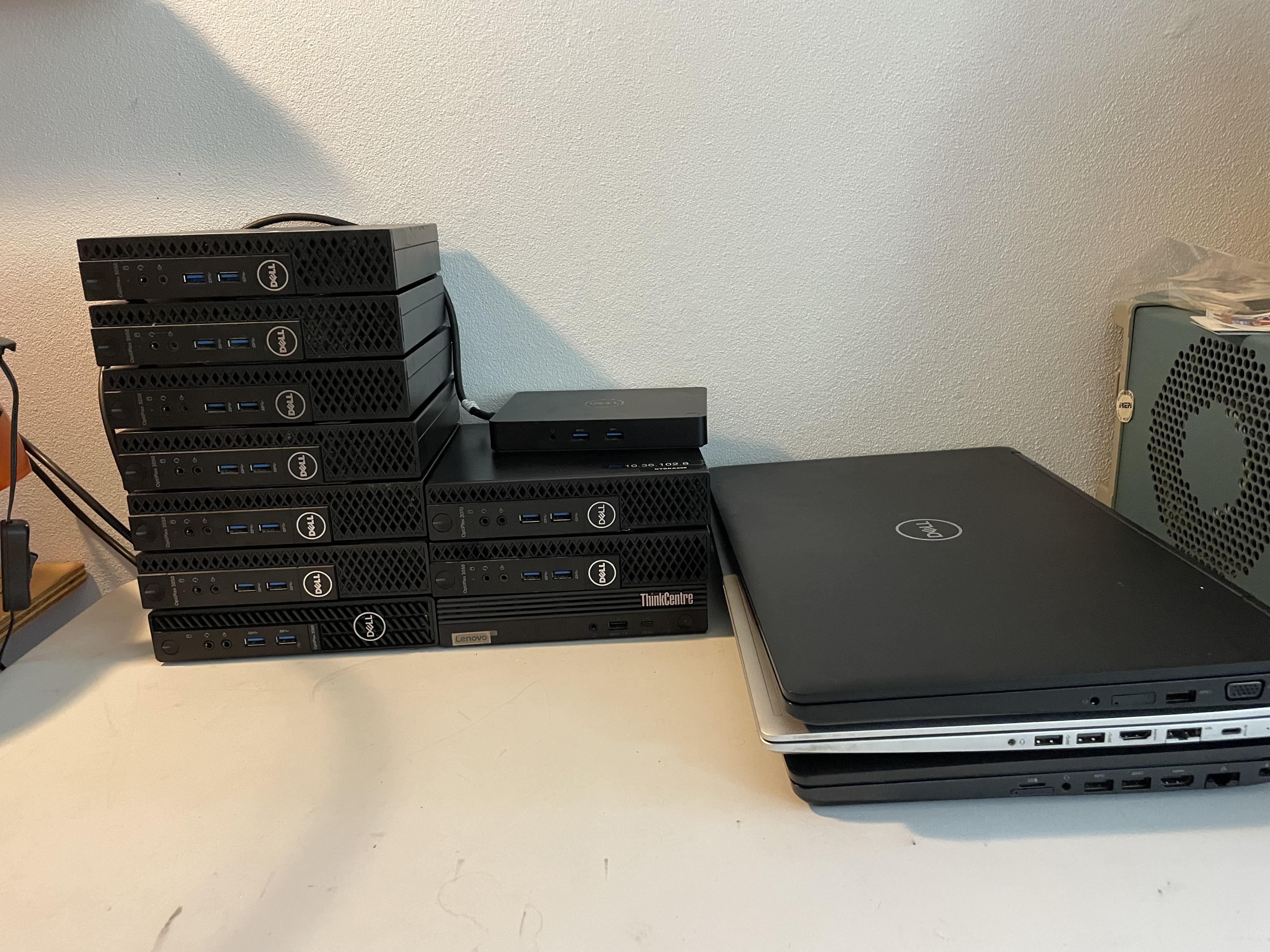
Just 3 proxmox nodes and a PBS with some external drives for media.
The laptops were collecting dust before I repurposed them. Now they collect dust on the inside too lol.

Edit:
I didn’t stack them on top of each other for better airflow. Also I’ve already set handlelidswitch=ignore but I should probably close the lids a bit more so the screens turn off

Setup:
HP Prodesk 600 G6 refurbished, 32 gb RAM, 1250gb for cloud and monitoring (2 lxcs running docker with nextcloud, frigate, Immich, actual budget etc on the cloud stack and arcane, Beszel, homarr, npm, gitea and uptime kuma on the monitor stack)

DELL 3m4700, 16 gb RAM, ~1.5 Tb for media (one jellyfin lxc and one docker lxc with arr-stack)

Lenovo z50-70, 8 gb RAM for home assistant

Hp Laptop, 4gb RAM, 750 gb for PBS


r/HomeLabPorn • • Nov 08 '25

I set up my first homemade server with Umbrel OS

Thumbnail
gallery
677 Upvotes

I'm a beginner in this part of home lab, I move house very often because of my father's work. Now that I've established myself, I'm going to start putting one together. Give me tips please :)


r/HomeLabPorn • • Jun 03 '26

What Can I do with theese?

Post image
671 Upvotes

My Dad’s Company wanted to theis em out so I took em😃🫪


r/HomeLabPorn • • Apr 25 '26

Homelab update

Thumbnail
gallery
671 Upvotes

Homelab update (before/after).

EDIT: pictures in reverse order.

StarTech 25U rack, from the top:

  • MikroTik RB5009UPr+S+IN

  • CAT7 patch panel

  • MikroTik CRS310-8G 2S IN

  • stuff (external backup, AP, hue hub, RPI for UPS management)

  • Supermicro X11DPL-i, 2 x Xeon Gold 6230, 256GB DDR4 ECC, 4U case, Proxmox (for services, labs, etc)

  • Lenovo P520, Xeon W-2135, 128GB DDDR4 ECC, RTX 4000 ADA, Proxmox (for LLMs)

  • ASUS PRIME H310M-A R2.0, i7 8700k, 32GB DDR4, SilverStone RM21-308 Case, TrueNAS (storage)

  • ISP router and UPS


r/HomeLabPorn • • Apr 12 '26

Not finished yet

Thumbnail
gallery
615 Upvotes

First homelab build at 17. UniFi Dream Machine Pro, Switch Pro Max 24, UNAS Pro 7-Bay NAS, U7 Pro XGS AP, all in the UniFi Toolless Mini Rack. HDDs and proper cable management coming soon! I hope you like it!


r/HomeLabPorn • • Jul 27 '25

My little homelab

Thumbnail gallery
613 Upvotes

r/HomeLabPorn • • Sep 26 '25

Finally finished my homelab!

Thumbnail gallery
609 Upvotes

r/HomeLabPorn • • Apr 01 '26

WoodRack 80TB Storage

Post image
606 Upvotes

r/HomeLabPorn • • Jul 26 '25

How to homelab in an apartment

Thumbnail
gallery
605 Upvotes

What's up everybody. After admiring all of your setups from a distance, I finally pulled the trigger on racking all my gear

I moved from my server being in a Define 7XL connected to an ASUS router to a 45 Home Lab HL15 2.0, with a full Ubiquiti network setup

Shoutout to NetworkBuck and Print3DSteve on Etsy for the 3d printed rack mounts


r/HomeLabPorn • • Jun 13 '25

At the heart of my home network. (Welcome)

Post image
598 Upvotes

r/HomeLabPorn • • Sep 29 '24

Homelab I built out of decommissioned items at work.

Post image
597 Upvotes

Older barracuda backup appliance repurposed into pfsense firewall above patch panel. Dell R710 running proxmox, tower on bottom left is also a proxmox node, right tower runs TrueNas.


r/HomeLabPorn • • Oct 28 '24

My first homelab "Rack" my dad and I made from wood

Thumbnail
gallery
581 Upvotes

Dad has been having a rough time lately so I found a good excuse to do something together 😀


r/HomeLabPorn • • Nov 22 '25

My Homelab

Thumbnail
gallery
570 Upvotes

r/HomeLabPorn • • Sep 27 '26 Mindblown

My homelab so far

Thumbnail
gallery
563 Upvotes

I still have to remove my ISP’s XB7 router and switch it out with my Arris SURFboard modem and Cisco ISR4451 router. I’m hoping the Cisco router will fit just above the OptiPlex, and then this 20U should be tapped out. But here’s what I’ve got so far:

Bottom left is the Dell T320 running Windows Server 2025. It handles DNS, DHCP, Active Directory Domain Services, and NTP. It has 64GB of DDR3 ECC RAM.

The T320 on the right is a Proxmox host running multiple VMs for Plex, Jellyfin, Samba, Grafana, Wazuh, a Hermes assistant, and a REMnux malware-analysis VM. It also runs softflowd to generate NetFlow and uses goflow2 to receive and process it. This machine is also my Tailscale subnet router for the network. It has 128 GB of DDR3 ECC RAM.

Above that is my SFF OptiPlex 7010. 32GB RAM 2TB storage. It just runs Proxmox Backup Server. It has a dedicated backup network with the Proxmox host. It saves backups to its internal hard drive and keeps a copy on the external hard drive sitting above it. This machine also does a nightly sync with a second PBS machine off-site at my parents’ house. The off-site PBS server is a Dell R330.

My Pi 4 runs Pi-hole and also works as a makeshift IDS by running Bettercap. It also uses Speedtest Tracker to test my internet speed and saves it to MariaDB and it tracks devices reachability with Uptime Kuma.

The mini PC next to the Pi is a Beelink Mini S. It runs a Cowrie SSH honeypot and has a malware repository that feeds into my Wazuh dashboard for real-time monitoring and into the REMnux VM for malware analysis. The Beelink is behind a Fortinet 50E firewall. (Not pictured.)

The next device above that is an Axiomtek NA580. It currently runs VyOS. I’m not sure what I’m going to do with it yet since it only has 2 CPUs and 4 GB of RAM. I may turn it into a firewall or something. Open to suggestions!

Above that is my Cisco 2960X switch. I just got it off eBay recently, so I haven’t had much time to set it up yet.

The new router I haven’t mounted yet is a Cisco ISR4451. The plan is to use the Cisco gear for practice with routing, switching, VLANs, ACLs, and other stuff I’m learning.


r/HomeLabPorn • • Nov 23 '25

Only the best for my 300sqft studio

Thumbnail
gallery
542 Upvotes

3 ISPs

2 WISP (Webpass, MonkeyBrains) 1 Fiber (AT&T)


r/HomeLabPorn • • Sep 11 '26

Had to replace 3 switches. Before after.

Thumbnail
gallery
529 Upvotes

r/HomeLabPorn • • Nov 07 '24

My First Homelab Project

Thumbnail gallery
521 Upvotes

r/HomeLabPorn • • Sep 09 '25

My Homelab Journey.

Post image
517 Upvotes

r/HomeLabPorn • • Nov 05 '24

My Proxmox hacking lab

Post image
516 Upvotes

r/HomeLabPorn • • Jul 03 '26

Pi Setup For Home Lab

Post image
511 Upvotes

Been working on this homelab setup.
Got GitLab hosted (Pi5 with NVMe) at home along with a GitLab runner for CI/CD (Pi4).
The Pi Zero is a PiHole and serves DNS.
I am now working in an application that'll run on another Pi server (Pi5), code will be maintained in GitLab locally.
Took it apart to put it together in this neat build.
Will post again in a few weeks when it's all up and running again.

Edit: Fixed spelling and grammatical errors.


r/HomeLabPorn • • Aug 02 '25

Hope i'm right here!

Post image
509 Upvotes

Hi! Finally i got time and inspiration fory homelab.

It is a simple 2.5Gbps Network between Server , Storage and PC. Media and Management für esx has a 1Gpbs Uplink to home net.

Mounts for tinys and qnap are 3D printed. Thanks to all who share their ideas and labs!


r/HomeLabPorn • • Sep 08 '25

My little homelab...

Post image
508 Upvotes

I cropped the picture to due to some work tech...

I spent the weekend updating my network so figured I'd share with the group.

Connectivity: 2 Gbps FTTH powered by Xfinity XER-10

Router: Unifi DreamMachine SE

Switch: Unifi 24 Port ProMax

Server 1: Dell PowerEdge 630 (2) Intel Xeon E5-2640 v4, 352 Gb of RAM, 6 Tb SAS Drives

Server 2: Dell PowerEdge 730xd (2) Intel Xeon E5-2630 v3, 384 Gb of RAM, 24 Tb of HDD

Not Pictured: Raspberry Pi 4, Raspberry Pi 5

Hypervisor/Virtualization: Proxmox 9 running in a two server + QDev for quorum

Software Stack:

AdGuard Home - (2) instances for redundancy

Unbound

PaperlessNGX

Home Assistant OS

NGINX Proxy Manager - An internal and external facing instance

Bitwarden

Authentik

Frigate

FreeRadius - Running cert-based WPA3-Enterprise WiFi

Prometheus

Grafana

Wazuh

Proxmox Backup Server

I just did an upgrade from a gigabit based network to 2.5 Gbps network due to the internet. Need to swap out the rest of the patch cables to match.

I'm probably paying an exaggerated power bill but I've already learned so much.

The load I've got on the servers isn't even making them break a sweat. Still trying to decide what the next thing I'm going to host is and learn from. I work in the tech world so I try to stick with stuff relevant to helping me advance in technology.


r/HomeLabPorn • • May 17 '26

My little homelab!

Post image
505 Upvotes

12U rack for my simple homelab, in a ventiled furniture (and a wire mesh gate with air extraction spaces), with:
- Router: Unifi UCG Max
- Core Switch: Unifi Pro Max 16
- NAS: Synology DS423
- Server: A Little Dell Optiplex 9020 Micro (just above the Switch, micro format let me add a second server on the same shelve later)

I run about 10-15 light Linux VMs on a Proxmox node in the Dell for my services.
My VMs are using not a lot of compute all the time, except Jellyfin sometimes for transcoding, it’s pretty rare, so a 9020 Mini is perfect! I’m just almost at the RAM limit (16GB), that’s why I plan to scale the installation later.

The cooling system is home-made (but very reliable) with two large Noctua fans (silent is required here, little flat, I don’t have the chance to have a dedicated room for technical stuff😅) connected to a homemade electronic regulator made with a PCB Breadboard, a temperature sensor placed at the top of the rack and an Arduino Nano. All the stuff is inside the little black box on the left, 3D Printed, and the temperature sensor is deported and fixed at the top of the rack, on the lateral rail with a 3D printed support.

The fans are fixated to the rack by two powerful neodymium magnets. Easy to move, clean, and better access/maintenance to stuff.
Initially, fans was fixated on the mesh door, but results wasn’t good…

I changed few times the C program in the Nano regulator chip to optimize the cooling and it’s perfect now since 2yrs!
My homelab does not generate a lot of heat, but I optimized my regulator to force air renew every hours (1 minute to 100%), target specific temperatures, etc… I also optimized NAS and server positions. Awesome results, very silent and discreet setup!

Outside (not visible here) I have a little Eaton UPS to failsafe NAS and Dell server from power outages just for shutdown them properly.
That’s all! :)