r/HomeLabPorn • u/[deleted] • Jul 17 '25
Total Newb
0
Upvotes
r/HomeLabPorn • u/AlarmIntrepid9781 • May 22 '26

Eu tenho esse switch 8 portas e um sonho de montar um homelab improvisado, o que eu preciso?
r/HomeLabPorn • u/Tashinho_21 • Aug 16 '26

I've been building out my Windows Server homelab and recently started working on RRAS and VPNs. This was supposed to be a fairly simple lab, but it ended up taking me about three days to get everything working properly.
I'm running the lab in VirtualBox with a Windows 11 client and a Windows Server machine acting as the RRAS/VPN server.
The server is using 192.168.56.10 on the lab network, and the Windows 11 VM is the VPN client.
The main goal of this lab was to understand how a Windows-based VPN actually works rather than just following a tutorial. I wanted to get hands-on experience with:
RRAS
VPN address pools
VPN authentication
GRE traffic
Windows Firewall
Routing
Domain authentication
Troubleshooting connectivity from the client side
The first problem was that the VPN client could connect to RRAS but wasn't receiving an IP address.
After checking the RRAS configuration, I realized I needed to configure a static address pool. I added: 192.168.56.100 - 192.168.56.120
After that, the client was finally receiving an address.
Then I ran into problems with the VPN protocols. Since this particular lab was focused on PPTP, I disabled the other VPN protocols I wasn't using and restarted RRAS to simplify the configuration while troubleshooting.
The next problem was connectivity. The VPN would establish, but I couldn't reach the server from the client. I checked the Windows Firewall, GRE traffic and the RRAS interface bindings until I found the configuration issue.
Finally, I started getting Error 691 during authentication.
The credentials were correct, so I checked the authentication settings on the Windows client. MS-CHAP v2 wasn't enabled as expected. After changing the authentication settings and reconnecting, the VPN finally worked.
From the Windows 11 client I used: rasdial "TestConnection" iskutashi Isse190239 and ping 192.168.56.10
The connection was established successfully and the server responded with: 0% packet loss
I also verified the VPN connection through the Windows Network & Internet settings.
The screenshots show both the Windows VPN connection and the PowerShell verification.
This lab was mainly about learning how RRAS, VPN authentication, routing and firewall rules interact. I'm continuing to build this environment so I can use it to practice more Windows administration and networking scenarios.
One important note: I'm using PPTP here strictly as a learning exercise. I wouldn't use PPTP for a real production VPN because it's a legacy and insecure protocol.
For anyone running a Windows-based homelab, what would you add to this lab next? I'm thinking about testing another VPN protocol and adding more clients to make the environment a little closer to a real network.
r/HomeLabPorn • u/Altruistic_Day_4049 • Jun 04 '26

I have a question. I'm starting out in Media Center, but I wanted to do this for porn. What do I need to install? Are there video tutorials like on YouTube? I have a server running on Linux
ps He asked me to attach a file before posting.
r/HomeLabPorn • u/ccvb-2000 • Jul 23 '26
r/HomeLabPorn • u/homelabnetworks • Mar 24 '23

r/HomeLabPorn • u/Insecure05 • Jul 25 '26

I shared a lot of pictures and documentation with Copilot. My goal was to have it help me create a documentation about my network. Then I asked it to review my setup. This is what it spit out for me.
r/HomeLabPorn • u/DuckeyDev • Jun 14 '23

Its just 2 tablets and one phone which i was able to flash custom rom and got kubernetes so they are just nodejs servers
r/HomeLabPorn • u/Snorklingsouth • Jul 25 '26

I've been building https://homelabprint.com, a small shop of 3D-printable mounts for homelab enthusiasts. Everything is an instant download — STL plus a 3MF with the print profile already dialed in, so you're printing in minutes instead of tuning settings for an hour. The lineup covers the gear people actually rack: a 1U dual hot-swap caddy for the Raspberry Pi 5/4, a 2U sled for the ASUS NUC 15 Pro, a rack-or-wall bracket for the Unifi USW-Lite-8, a 1U mount for a 120mm PC fan so you can pick your own quiet one, and cable management to tie it all together. Files are $12–14 each, or all five in the bundle for $45. Take a look — and tell me what hardware you want mounted next.
r/HomeLabPorn • u/fundor333 • Sep 14 '26

Starting some reserching for which software to install in my HomeLab
r/HomeLabPorn • u/TrivialSolutionsIO • Jun 16 '23

Bought 40kg Supermicro beast for 1700 USD
r/HomeLabPorn • u/[deleted] • Jul 09 '23

It’s ain’t much but it’s an honest work.
r/HomeLabPorn • u/Rahideh • Jul 26 '26
r/HomeLabPorn • u/Anti-Hero25 • 11d ago
r/HomeLabPorn • u/New_Stay_6451 • May 24 '26

Instalei o CasaOS em um notebook antigo e agora não tenho ideia do que fazer para utilizar o servidor. Eu o fiz por curiosidade apenas, pois tenho interesse em usar placas como Raspberry, mas estou com essa limitação no momento.
Eu optei por usar o CasaOS porque não conseguia instalar o Zima, o notebook é bem ultrapassado.
r/HomeLabPorn • u/WindowsUser1234 • Jun 22 '24
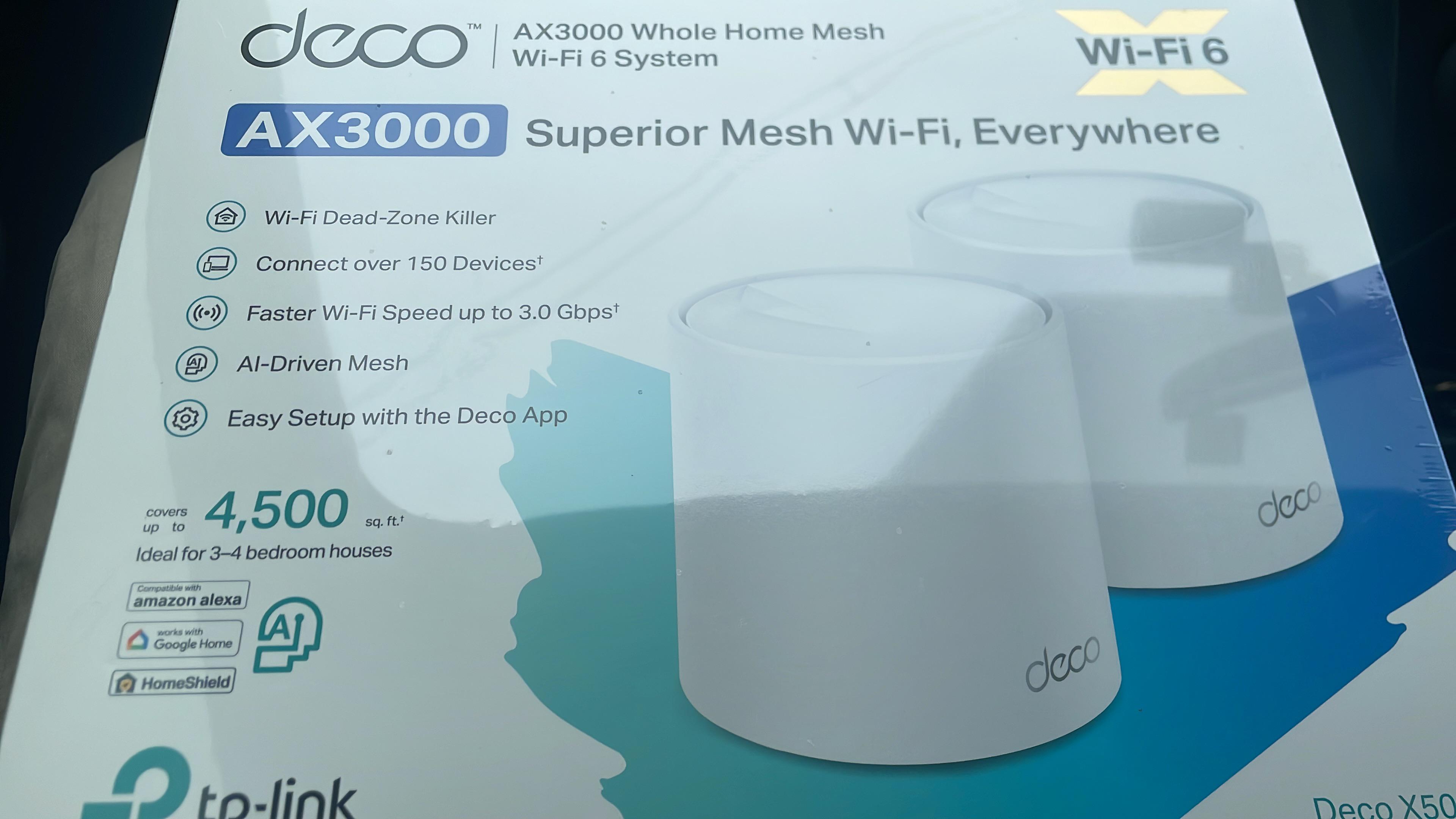
Been wanting to have Ethernet in my office and I may finally have the chance to do it. One of the devices will connect to my modem in the TV room and in the office I’ll connect another device to the switch and the switch will connect to my servers.
