r/GetComputerHelp • u/Sea-Indication-3834 • Oct 03 '26
Monitor flashing black on and off when refresh rate is turned up.
1
Upvotes
r/GetComputerHelp • u/Educational-Job-4036 • Sep 29 '26
i rearranged the ram and took out the cmos my specs are: 4080 super amd ryzen 7 7800x3d motherboard b650e 32gigs ddr5 2tb ssd 850w power supply
r/GetComputerHelp • u/FreakyFly96 • Sep 19 '26
r/GetComputerHelp • u/remghetti • Sep 17 '26
For the record, I also ran ddu and it somehow got worse
r/GetComputerHelp • u/Glum_Gap7654 • Sep 13 '26

r/GetComputerHelp • u/Dangerous-Ad3139 • Sep 09 '26

r/GetComputerHelp • u/EconomyScholar8321 • Sep 09 '26
r/GetComputerHelp • u/habsrashid • Sep 05 '26
My AC leaked water onto my setup… PC somehow survived, but my keyboard, mouse and monitor got soaked. How screwed am I?
So yeah… I made a pretty stupid mistake. I had my PC setup directly underneath my AC. I obviously never expected the AC to start leaking, but unfortunately, it did.
Thankfully, the PC itself seems to be completely fine. The water mostly landed on the tempered-glass side panel rather than getting inside the case. I was able to use my mouse to shut the PC down immediately before unplugging everything.
The keyboard, however, got absolutely drenched. 💀
My mouse also got quite a bit of water on it, and I'm pretty sure some may have gotten inside.
My LG 27GL650F monitor also got water running down from the top, along the entire top-to-bottom bezel, with some water reaching the back of the monitor as well.
The weird thing is that everything was still working immediately after the incident. The monitor was displaying normally, and I could still use the keyboard and mouse long enough to shut everything down.
I immediately unplugged everything and took the monitor to a repair shop. They powered it on and confirmed that the display itself still works, but I didn't connect an HDMI cable, so obviously that doesn't completely rule out any damage to the inputs or other components.
The repair guy told me to lay the monitor face-down and let it dry for at least 2 days before trying to use it again.
I figured I'd do the same with the keyboard and mouse. I removed all the keycaps from the keyboard so everything could dry out properly.
So my questions are:
- Is letting everything dry for 2+ days enough, or should I wait longer?
- Should I do anything else before powering them back on?
- Is there a chance the monitor could develop problems later even though it currently turns on?
- For the keyboard and mouse, should I open them up to make sure there's no moisture trapped inside?
- Should I avoid plugging them into my PC until I'm 100% sure they're completely dry?
Honestly, I'm just relieved the PC itself seems to have survived. 😭
Any advice from people who've dealt with liquid damage before would be greatly appreciated.
r/GetComputerHelp • u/OnePatternAtaTime • Aug 30 '26
Desktop Windows 10 with all updates, old system (DDR3 old). I was playing Minecraft when suddenly both of my monitors went black - the main HDMI one giving me the going to sleep message, and both remained on. At the same time my sound shut off.
I checked the GPU and found the fan still blowing. Wiggled the connections and no change. So I tried to restart using the physical button, didn't work and neither did holding down the power button. It did shut off by using the power supply switch.
Now that it's restarted, everything seems fine. This has happened twice now, both when playing Minecraft. The second time turning my main monitor on from the sleep mode it put itself in, restarted my computer... which isn't a setting I've ever heard of in windows lol.
I'm stumped. Is this a hardware or software issue? Is my motherboard about to finally kick the bucket? Power supply using its max? I am plugged into a battery backup which regularly passes its automatic tests.
r/GetComputerHelp • u/BugFar6300 • Aug 27 '26
I’m trying to sell my computer because i don’t use it anymore tbh. i turned it on a few weeks ago and it was fine? i did just dust it and took the graphics card out then put it all back in. All fans are working, for some reason no display and the LEDs on my keyboard are not working either. Prior to me cleaning it, the graphics card wasn’t detecting too and i’m not sure why. Anyone have any ideas?
r/GetComputerHelp • u/AshesTTV • Aug 25 '26
r/GetComputerHelp • u/Sea_Garage_5785 • Aug 16 '26
Please help
r/GetComputerHelp • u/vnajduch • Aug 14 '26
r/GetComputerHelp • u/Gabrielkayin • Aug 12 '26
r/GetComputerHelp • u/anyyna237 • Aug 04 '26
Bonjour,
Je rencontre un problème d'affichage graphique sur un serveur Dell il tourne sur Ubuntu 22.04
Le serveur possède :
2 GPU NVIDIA Quadro M4000
1 GPU intégré Matrox G200eR2
Au démarrage, Ubuntu affiche le logo avec le cercle de chargement, puis au lieu d'arriver sur l'écran de connexion GNOME, il bascule directement sur TTY1.
J'ai effectué plusieurs vérifications :
gdm3 démarre correctement (systemctl status gdm3 → actif).
GNOME et Xorg sont installés.
Les pilotes NVIDIA sont correctement chargés (nvidia-smi détecte les deux Quadro M4000).
lspci -k montre que les deux Quadro utilisent le pilote nvidia et la Matrox utilise mgag200.
Il n'y a aucun fichier /etc/X11/xorg.conf.mais j'en ai creer un.
Les journaux système ne montrent pas d'erreur critique concernant GDM.
En revanche, le fichier ~/.local/share/xorg/Xorg.0.log contient l'erreur :(EE) No screens found
Avez-vous des idees pour m'aider?
r/GetComputerHelp • u/Common-Ingenuity7210 • Aug 03 '26
r/GetComputerHelp • u/Dry-Butterscotch734 • Aug 03 '26
It's been going on for a couple of months now and it has been pissing me off for the longest time ever.
r/GetComputerHelp • u/_YANEEM_ • Jul 30 '26
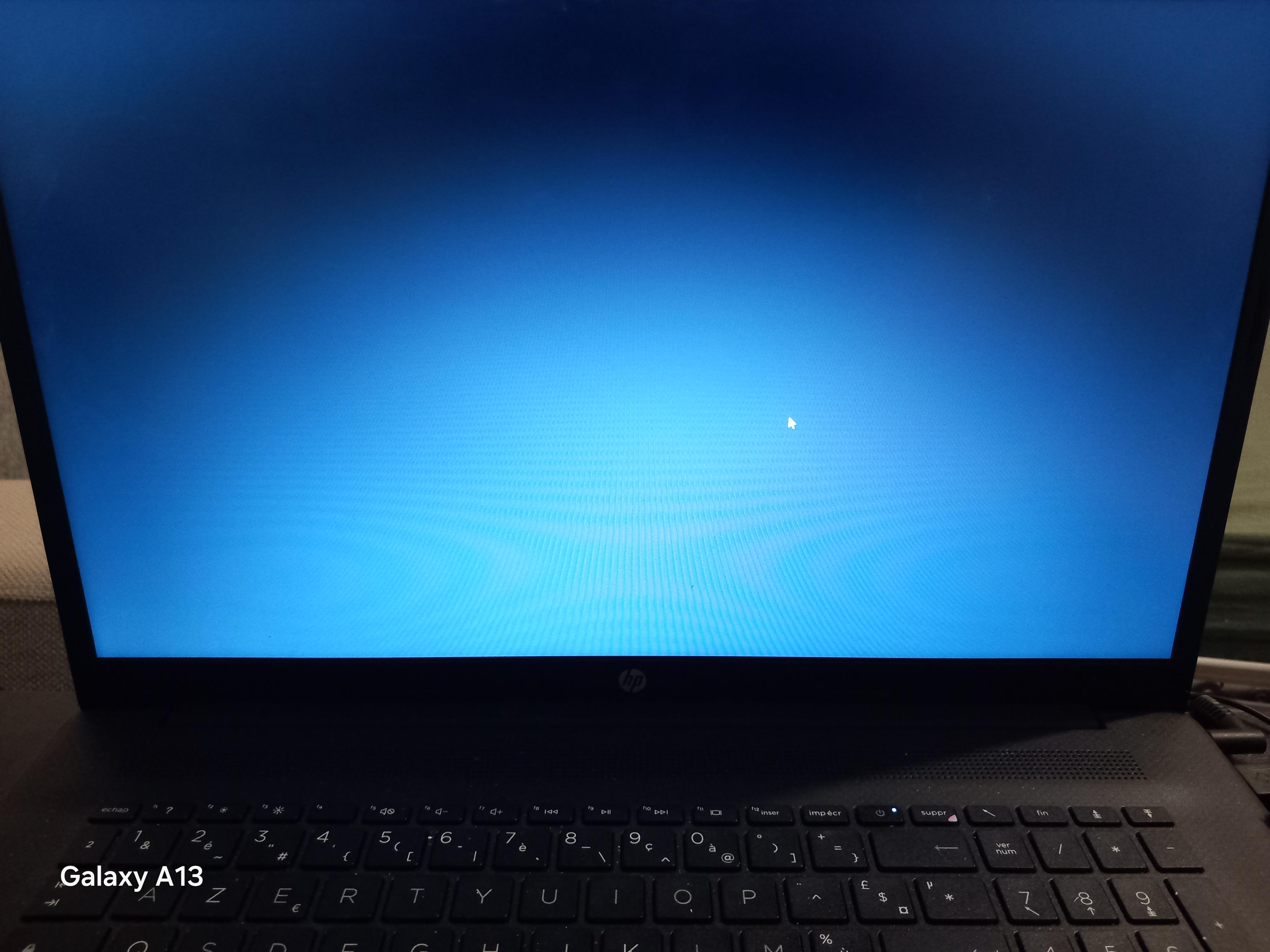
Mon ordi s'allume pas mais il met cet écran et je peux bouger la souris je sais pas comment faire pour le rallumer