r/GetComputerHelp • u/Numerous_Salad9211 • Nov 15 '25
What does this blue screen mean?

1
Upvotes
r/GetComputerHelp • u/Numerous_Salad9211 • Nov 15 '25
r/GetComputerHelp • u/West_Table_8102 • Aug 31 '25
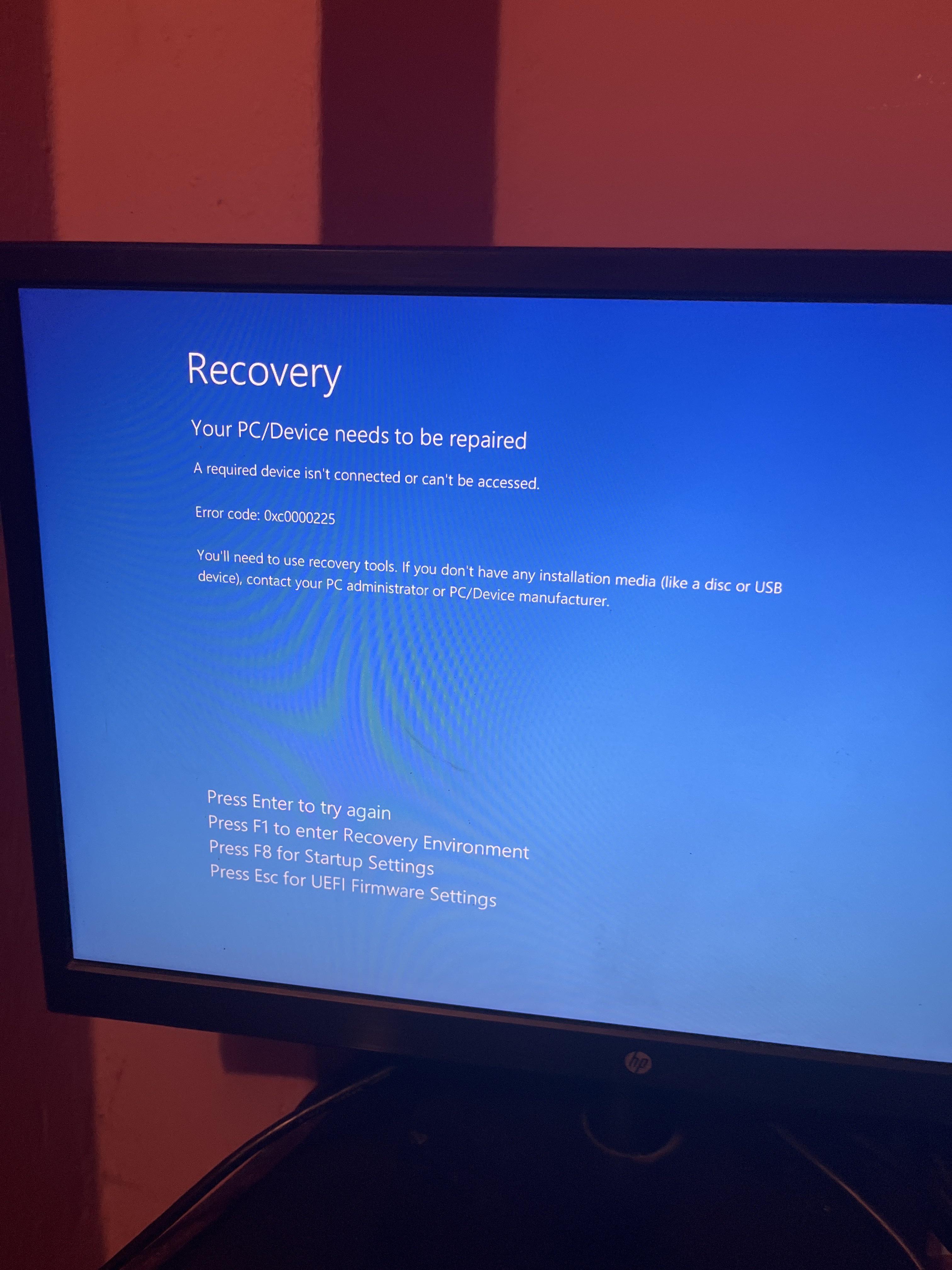
Hey so yall i got a question (if anyone can help me it would be so good) so i got this computer and i made the dumbest mistake by asking chat gpt to help me so it all started when i wanted to download voice mod for fun and then i realized i have windows home N and for voice mod i needed the regular windows home so i asked chat GPT and they said id have to make a whole new boot section so i did they made me do 12 gigs or probably less so i had no storage to install my games because windows took it up and i always saw there was 2 boot points i thought it was ugly so i deleted the other one asking chat GPT and now i tried back getting back all my storage.. i deleted the other boot option so now my pc boots up with an error i have no other computer to download windows on so i tried using a phone to download windows and it kept giving an error so i decided to download windows xp iso just to boot my computer and eventually upgrade it and my usb wont boot it to windows xp either ill attach a photo of what it’s saying but if there’s anyone out here that can help me i’d love that 🙏
r/GetComputerHelp • u/Big-Vanilla1129 • Aug 28 '25
I let someone play games on my pc, however what he ended up doing is trying to dual boot windows x p with the already installed windows 10. He tried putting xp on a separate drive. However, he said that after it said windows is copying files and then asked to reboot, it booted back to the install CD (he took the CD with him to me and told me it were just some games) so he went to the aptio 2010 bios and he said to ke he didn't see the windows x p drive, so he just clicked "something with hdd in the name" I asked him again but he said it said USB hdd. And result: no flashing hdd light, no signal to monitor, monitor stays in standby. I don't like what he did. What now?
r/GetComputerHelp • u/Maleficent_Top1179 • Oct 03 '26
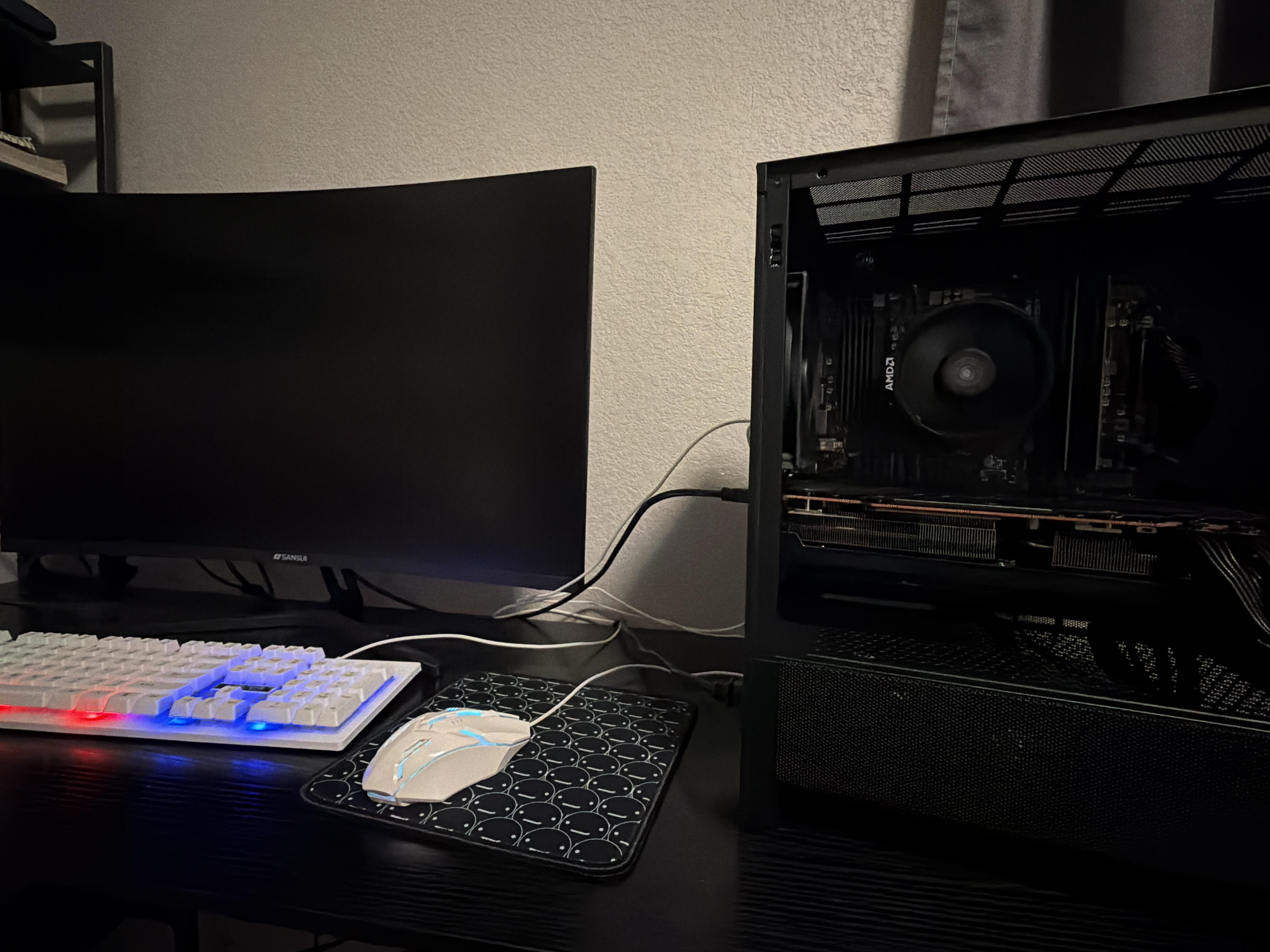
I just got a pc for the first time, so I do not know why it is not connecting to my monitor, pls help!
Everything is turning on in my pc but it is not connecting to my monitor.
r/GetComputerHelp • u/Sweet-Egg-9577 • Nov 05 '25
Hello so uhh my dummy brain downloaded a rat virus on my pc (happened 8 weeks ago) a few minutes passed then my pc shutted down and said it had to be booted because a important file was deleted, I didnt know what that meant so I just saw the screen again, I tried activating the windows protection but because of that damn MCafee "anti" virus was the cause from this, now I dont use that pc anymore because it was stealing a lot of my accounts and passwords so I was panicked because I couldn't open the internet and windows protection because it would close fast. Now im sad that most of my google accounts were stolen except some roblox and discord ones. I tough McAfee was an anti virus app too but I just got my accounts robbed instead (good thing it didn't had bank stuff) but sad how my steam account that I bought stuff on it can't be played anymore
r/GetComputerHelp • u/BRiZYBOT • Jul 16 '26
My laptop PC has this issue lately where almost every time it goes to sleep, the sound just stops working. Troubleshooting does not help. The only thing that works is going into the device manager, disabling the speakers and then enabling them again, and restarting the computer. Usually the sound comes back after one reset but sometimes it takes repeating the process multiple times. If it helps here are my specs. Any ideas what is going on and how I can fix it?
Processor Intel(R) Core(TM) Ultra 7 155H (1.40 GHz)
Installed RAM 16.0 GB (15.5 GB usable)
Graphics card NVIDIA GeForce RTX 4070 Laptop GPU (8 GB)
Intel(R) Arc(TM) Graphics (128 MB)
Storage 866 GB of 954 GB used
Device ID 3CBD3D98-1B11-43DF-BE7B-1720ED0087DF
Product ID 00342-21183-67704-AAOEM
System type 64-bit operating system, x64-based processor
Pen and touch No pen or touch input is available for this display
r/GetComputerHelp • u/tastyteater • Oct 08 '26

There is some weird lines and distortion going on
r/GetComputerHelp • u/PotheadPorpoise420xx • May 01 '26
I don’t know for sure if it’s an issue with the charger I’m using because it does look a little worn, but it could be an issue with the battery too. Leaning more towards it being a battery issue tho since it’ll boot up initially and then just turn back off, and you would think that if it was a charging issue that it wouldn’t turn on at all. Also it won’t even stay turned on if I let go of the power button, but even while continuing to hold it down it still doesn’t boot past this screen on startup. Please help idk what to do.
r/GetComputerHelp • u/Ok_Life_6514 • Mar 02 '26
I disassemble my laptop to check my battery model and but when I'm gonna reopen it. It's start to repair again and again.
r/GetComputerHelp • u/journeymoon101 • Apr 02 '26
First off, I am fairly computer literate but I have ADHD, and while the task I need done is probaby easy for anyone familiar with Windows 11, but all it does is give me a headache.
I have to organize my windows 11 explorer. I have lots of doc files, pdf files, jpeg files folders, subfolders--you name it. Right now my explorer architecture is a mess. Lots of duplicate files, lots of folders and subfolders with mixed file types like doc, pdf, jpeg, mp3, epub files thrown together into folders whose titles have lost sense. With some tasks, I have no trouble--I wrote a g--dam--ed Ph.D. for god's sake, but when it comes to organizing files, folders, subfolders, etc. into categories so they can make sense to me for searching easily, is driving me crazy. I need some solution to create a simple architecture where if I'm looking for a folder or subfolder, or word files or pdf file, I can type what I need into a search box and let the computer do the work. What would be the most cost effective way to do this? Buy a windows 11 book for dummies, hire a high school student, college student, freelancer, etc., etc. or some sort of combination. I am tight on money and on time, plus I'm getting carpal tunnel. I am really afraid of letting someone work on my computer remotely for obvious reasons. I'm near Gaithersburg. I need a game plan to follow, like a. First do this; b. Then do this. c. Next do this, etc. or hire someone to do it. I bet someone could basically separate out all the file types into categories, using USB drives, set up the target folders, and just herd those files into their proper folders so they are easy to get to. Any suggestions?
r/GetComputerHelp • u/1livvvvvvvvv • Apr 28 '26

Hi I wondered if someone could help me please? The computer at my work isn't working but can't figure out what the problem is.
I've attached some photos of what appears on the monitor.
The computer on button flashes white for a second then goes back to amber and doesn't switch on.
I've also ordered a new video cable and tried it with that but still no luck.
Computer is Optiplex 3060, HP monitor
Thanks in advance!
r/GetComputerHelp • u/cardcowdoor • Oct 05 '26
I have an Asus Viviobook X512DA
Most days, I have a docking station that connects via USB-C and that docking station has 2 external monitors (three screens total including laptop).
This is the docking station I use and have used since 2022 (https://a.co/d/01FsfVBe)
My laptop has an AMD Vega 8 Graphics card
The problem is that my HDMI port doesn’t connect to external displays. At least not consistently.
I have confirmed that my software/firmware is all updated.
I have tried multiple cables and multiple projectors.
In looking at other posts about this type of thing, they recommend uninstalling the graphics card driver and then restarting the computer to reinstall. And that has worked for me but only temporarily.
So basically, I need to be able to connect my laptop to a projector on Sundays via HDMI. In order to make this work, every week I have to uninstall the graphics card from the device manager and then restart the computer. And then it works. And then Monday I plug it back into the docking station and it works on the docking station. But by the next Sunday, the HDMI port doesn’t connect anymore.
Is there a solution so that I can more flawlessly move between docking station and hdmi projector?
r/GetComputerHelp • u/Tight-Elderberry8391 • Oct 17 '25

I just got my brand new pc yesterday and everything worked fine, i updated it and when the update was done i shut my pc off, went to play a few hours after and this came up. Haven’t been able to do anything since then. I suck when it comes to computers so any help would be appreciated! A quick note it says to “click(or select enter) for more recovery options” but the thing is when the screen comes up my keyboard AND mouse disconnects so I can’t click or select enter in any way. I use a network cable, I don’t know if that ones too old for this pc and I have to get a new cable? Relatives in my family says it’s a virus but I’ve heard that this is a new thing Microsoft is doing. I’ve tried solutions from other threads but it’s hard since my keyboard and mouse disconnects whenever the screen comes up.
r/GetComputerHelp • u/Pretty_Jewels_1217 • Jan 17 '26

I’ve had 2 Apple products for home use in the last 20 years (a white MacBook and my current iMac) and it’s time to upgrade again. I don’t know anything about anything anymore and don’t want to walk into the store lost. I use my iMac for World of Warcraft, adobe creative suite, surfing, screenwriting, and GarageBand.
Looking at the iMac models, I want the 10 core because it has two internal fans. 16gb unified memory is what I want, but I don’t understand upgrading the storage from 256 to 512 to 1tb. I know I have 1tb in my current, but I don’t understand if I really need it or not. I have an external 500gb “backup” hard drive in case the hard drive fails (happened on the MacBook and I lost everything) and from what I can tell in my computer, my external has about 50gb before it’s full. My internal 1tb Fusion Drive has 577gb available. Should I continue to pay $400 extra dollars for the 1tb? I know I’ll have to get a usb hub since there are no usb ports on the new iMac, but is there some kind of hub + hard drive that functions like additional storage and as a backup hard drive? Can anyone link a product like that? I’m going to get the pink iMac so it’ll match my walls, if that helps :)
r/GetComputerHelp • u/Objective-Bet-1218 • Jun 18 '26
Hi I recently bought a new ssd and I’m trying to get it to run but i can’t find a reliable free cloning software and the one I tried (macrium free something) kept giving an error, if anyone can help that’d be greatly appreciated
r/GetComputerHelp • u/Mr-BeeBo • Oct 14 '26
I have 3 monitors and every time I turn it on it it kindo of blinks the big one and refreshes it i don't know what's happening.
r/GetComputerHelp • u/Southern_Ad7805 • Jan 09 '26
I've noticed that my laptop has been consistently getting worse from day to day for the past month and I've tried to factory reset it since I always did it when my laptop started to slow down. But for what ever reason I cant do that, every time I try to reset through the settings everything just freezes and I have to restart my device and I cant even acess the advanced startup menu since everytime I try doing that it only turns on my laptop screen (which is broken) and not my main monitor. Or does anyone know why my laptop suddenly slowed down that much, for example I went from 80fps in lol to 30fps. Let me know if you guys have a solution
r/GetComputerHelp • u/The_Jackalrat • Jan 31 '26
Basically as the title says but some further details:
I installed a new SSD, windows recognized it, I formatted it & created a new volume. Started installing a large game and after a while it had an error (Steam said it was a drive error and the install failed). When I went to check the drive in the file explorer Windows stopped responding and I had to manually reboot. Upon the reboot, it got stuck on the mobo logo screen. The key to bring up the boot menu normally responds instantly, but now it would only pop up about 2 minutes after I pressed the key. However, while changing the boot order would get the PC to restart it still hang on the mobo logo screen and it remained very unresponsive regardless of the boot order.
I swapped the SATA ports and the SATA cable, same thing. I put it in my computer (a different computer), same thing. Have I reasonably assured this new SSD is defective? I've installed plenty of hard drives in these devices without issue.
Oh, and both computers boot fine as always when the drive isn't connected.
Thanks, just want to know I did everything I could before my husband has to wait a week for a new HD with enough room to game with.
r/GetComputerHelp • u/Plus_Donut_2877 • Dec 07 '25
my computer is a HP Envy Touchsmart SE running windows 8.1, I've tried everything, I have tried resetting the password through the microsoft website, and it won't sync despite the pc being connected to the internet, and it needs a password if I want to reset my PC.
I have a 8 GB SanDisk USB drive with Windows 8 installed, tried going into the BIOS setup via the startup menu, pressed enter on "SanDisk" under "Legacy Boot Sources" ran into "error: unknown filesystem, and ran these commands
grub rescue> set root=(hd0,msdos1)
grub rescue> set prefix=(hd0,msdos1)/boot/grub
grub rescue> insmod normal
as soon as I type "insmod normal", i get "error: unknown filesytem", I just want to know what is causing this, whether it's my USB or else. But I know "(hd0,msdos1)" is my USB because when I use the "set" command it shows up.
r/GetComputerHelp • u/Top_Lawfulness6278 • Nov 04 '25
Hey so like my dad has this old laptop (hp elitebook revolve g3) and my little sister wants to use it but it was a company's laptop that my dad used to work for but that company has shutted down but my dad kept the laptop. how do I break from the like company control because I tried normal reset in setting but it won't work. and if you're asking I don't have another laptop nor computer. and lastly I can't access to the internet because It detect only the wifi that was in my dad company which doesn't and also can't detect my home wifi router. I hope anyone can help me.
r/GetComputerHelp • u/DeepEggplant215 • Jan 03 '26
Hi! I'm looking to buy my daughter a computer to play a few games on. Desktop or laptop would work and not a set budget but cheaper the better, under $1,000 is what I'm aiming for. Might pay a bit more if things are upgradeable in the future. Below are the two game recommended requirements that she plays now.
I know enough about computers to troubleshoot issues and things but comparing specs gets me confused. Please let me know of any suggestions you have!
Game 1.
CPU: Intel Core i5 or faster/AMD Ryzen 5 or better
RAM: 8 GB
Graphics Card: 1 GB of video RAM, NVidia GTX 650 / AMD Radeon HD 7750 or better
Game 2.
CPU: Intel Core 10th Gen (i7-10700K/i9-10900K) / AMD Ryzen 5 5600G or better
RAM: 16 GB
Graphics Card: NVIDIA GeForce RTX 2060 / AMD Radeon RX 5500
r/GetComputerHelp • u/[deleted] • Sep 19 '25

r/GetComputerHelp • u/Bing-Bong14 • Feb 14 '26

A lot of people were saying dust build up so cleaned out the dust from the fans using a q-tips this is before/after, anything else I should clean for better performance
r/GetComputerHelp • u/tresher_564 • Jun 22 '26
Я когда чинил старый пк то я чинил в нем видеокарту (там были оголены провода +и-) я их случайно соединил и после этого случился какой-то взрыв не большой, и потом на моей мониторе (он был в это время к нему подключен по моему) навело писать что нет сигнала хотя все было вроде ок до этого я уже все перепробовал чтоб это исправить, за одно к этому у меня почему перестал работать 2 монитор и перестала выходить картинка на моих 2 ноутбуках (1 мой основной на нем до этого просто был поплывший экран из-за этого я пользовался монитором но теперь не могу даже поиграть в игры) буду рад каждому ответу