r/GetComputerHelp • • Nov 26 '25

Can’t sign into my Yahoo Mail?!

14 Upvotes

I have had my Yahoo account since I was a kid and I use it for EVERYTHING! Every website every important thing in my life I used the email for. Well in August it kicked me off my phones yahoo saying I needed to sign back in. When I did it told me it was sending a verification code to the email I’m trying to sign back into… yes I know, stupid. I hadn’t attached a phone number to the account either since when it was made I didn’t have one so I was locked out. I have called twice now to the yahoo support and they were “unable to identify I was the account holder”. But I don’t understand how they can’t get me into my account when I know the email, the recovery email, and the password to it. Plus for the fact that my birthday is included in my email and password so logically it’d belong to me. I wasn’t worried before cause I figured I’d be able to get in after calling but now I’m getting stressed. I haven’t had access to this account since August and I’m worried there’s important emails I’m missing (note my work has a separate email address) Can someone please help I truly have no idea what to do????

r/GetComputerHelp • • Aug 22 '26

how do i fix this

Post image
2 Upvotes

its been like this for a month now and i done everything and it still wont work.


r/GetComputerHelp • • Jan 14 '26

Lenovo Ideapad 5 2-in-1 says cant connect to network

Post image
2 Upvotes

At the beginning of the school year this laptop had no trouble connecting to the wifi, but around two months after school started my laptop randomly had issues connecting to wifi and every time I tried connecting to the wifi it gave me the message “Cant connect to network” and its really frustrating because no one else has this issue except for me.


r/GetComputerHelp • • 19d ago

Brightness issues

2 Upvotes

I have a PC Monitor, so brightness slider is non existent. I press my monitor button, but the brightness option is greyed out/disabled - contrast is fine however, for example.

I have a windows key activated, up to date. I deleted drivers in device manager, updated them, tried apps, nothing. I don't have HDR, it's disabled and blocked. "Not available" something... I also checked reddit posts. Also checked the microsoft website,Nothing.

I feel this may be relevant too: When using said brightness apps, it'd flash a lot and stay on the same brightness - I'd turn it up to max, it'd get a little bit brighter, then go dark again.
I feel like there's some setting that locked my brightness somehow, but I have genuinely no idea, and frankly I give up


r/GetComputerHelp • • Sep 29 '26

Can anyone help?

Post image
0 Upvotes

I was watching a video on my laptop and after watching it I just tried to change my account where suddenly my laptop showed black screen, I turn the lid down for a moment until my laptop was off and after a few minutes its just blank even after powering it on and charging it.

Pls anyone help😭🙏

I have tried many key shortcuts but nothing changed😢


r/GetComputerHelp • • Dec 25 '25

crashing

2 Upvotes

My PC consistently crashes after approximately five minutes when placed under any load. It only remains stable after restarting it multiple times.


r/GetComputerHelp • • Oct 09 '26

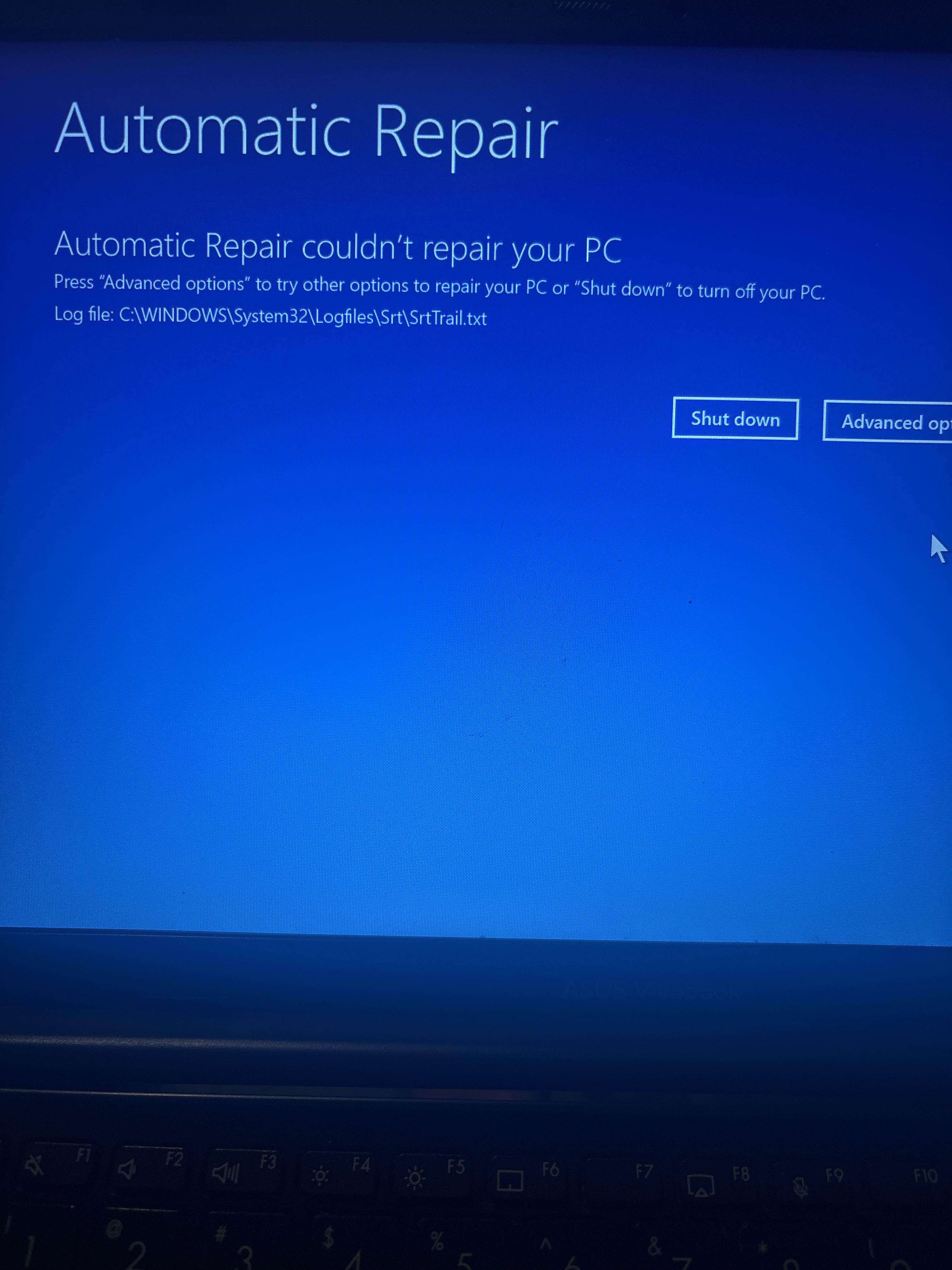
Pc stuck in a boot loop

3 Upvotes

I reset my pc because it was really laggy and now it's stuck on some sort of boot loop and keep saying preparing but then just goes back any solutions


r/GetComputerHelp • • Jul 13 '26

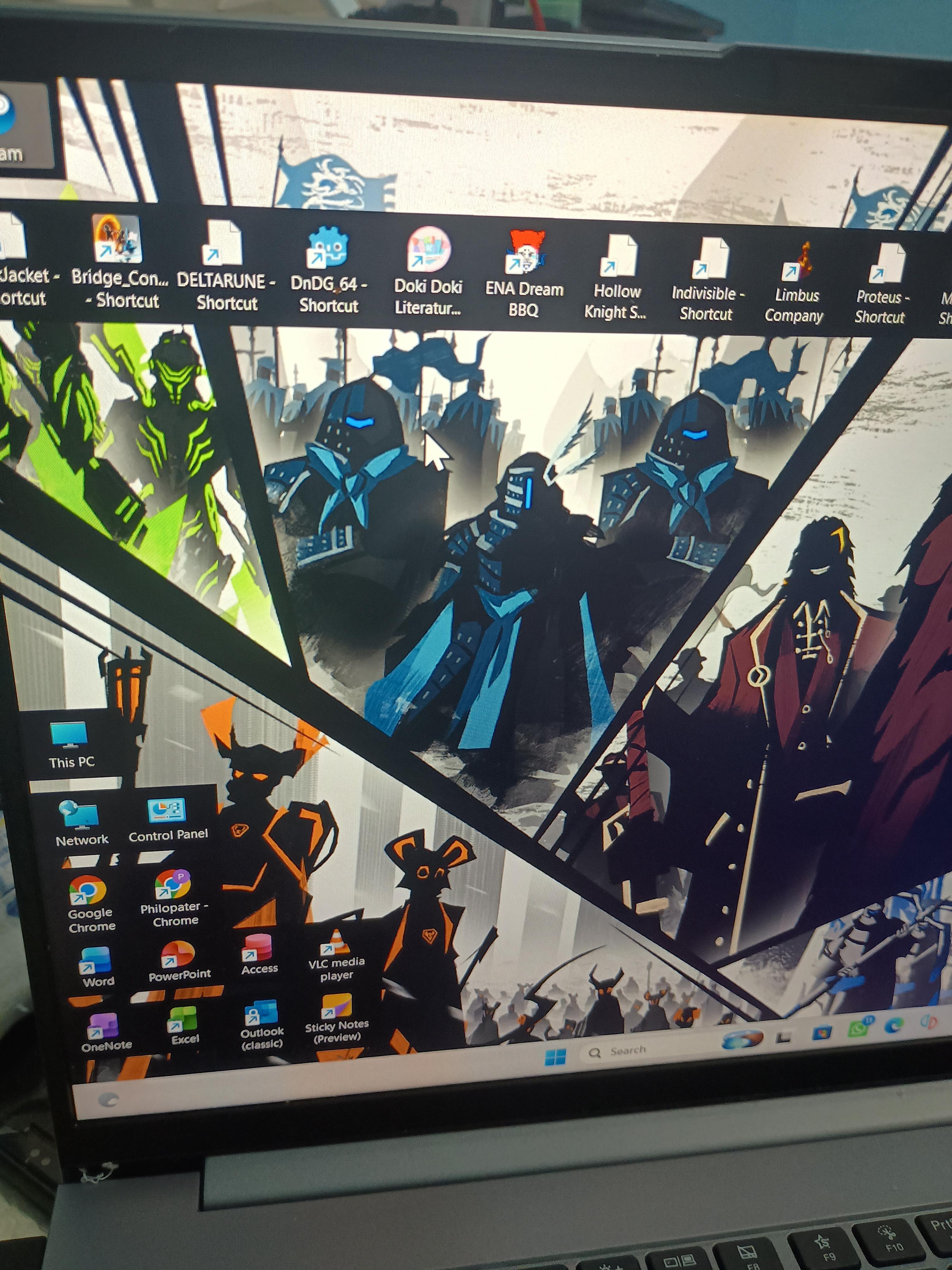
my apps have suddenly become weird when i typed in some gibberish, how can i revert this?

Post image
3 Upvotes

i use windows and some random shortcut somehow made this, i looked on the internet and nothing helped and for some reason they are big and small? i forgot exactly what i typed in.


r/GetComputerHelp • • Sep 27 '26

Monitor sometimes gets no signal after one day when my pc suddenly cant turn on. Should I replace my PSU?

5 Upvotes

Hello, sorry if rant for a bit. Somewhere like 3 or 4 months ago one day my pc couldn't turn on after pressing the power button. I looked on the internet and trying to find a solution as how to turn it back onto, this was after I confirmed that the psu still works using the paper clip trick. I also found out the reason why mabye i the pc won't turn on was because i always turn off the pc as well as flupping the psu switch to off every time i was done using my pc for today.

After a few days I could not find any way to turn it back on so as a last ditch effort I did the paper clip trick again and left it on for a few hours. Then after that I plugged the power connector back on the mother board that some how it turned on.

Then like 1 or 2 months later I suddenly had no signal on my monitor. I again looked on the internet and searched around. I solution i found that worked for me was to just remove the display port and plug it in another socket. The issue ,although I'm sure, was something to do with the pc not giving enough power to the gpu.

Now just today my monitor had no signal. I swapped the display port to a different socket and it still wouldn't have signal. I then decided to do a power cycle on my pc, but once I tired turning it back on but for a brief moment the fans spun but just stopped.

I'm just worried that my psu might fry out my components one day ever since my pc won't turn on. Any help would be appreciated

Also here are my PC specs just in case if you guys want to know

CPU: AMD Rysen 3 4100 4-core Processor

GPU: Nividia GeForce RTX 3060

Motherboard modle: Gigabyte A520M KV2

PSU: DeepCool PF500 (Max wattage is 500)


r/GetComputerHelp • • Oct 27 '26

Frankin-computer not sending signal to monitor

Thumbnail
gallery
2 Upvotes

So long story short the white parts are apart of my late brothers pc, and everything else is relatively new (3 years😅) that he helped me pick out, but now that he's gone i have no idea what I'm doing and I'm only just now deciding to turn it on. I did do a bit of research before this and it said the red light could mean like power supply issues so I'm thinking I need to buy a new cable sense the one I'm using is just one I found in my garage. The writing on it says 175v nothing about wattage so I'm not sure how much it's putting out, the red light is a constant not a blinking. All help is welcome thanks🙏🏽


r/GetComputerHelp • • Oct 19 '26

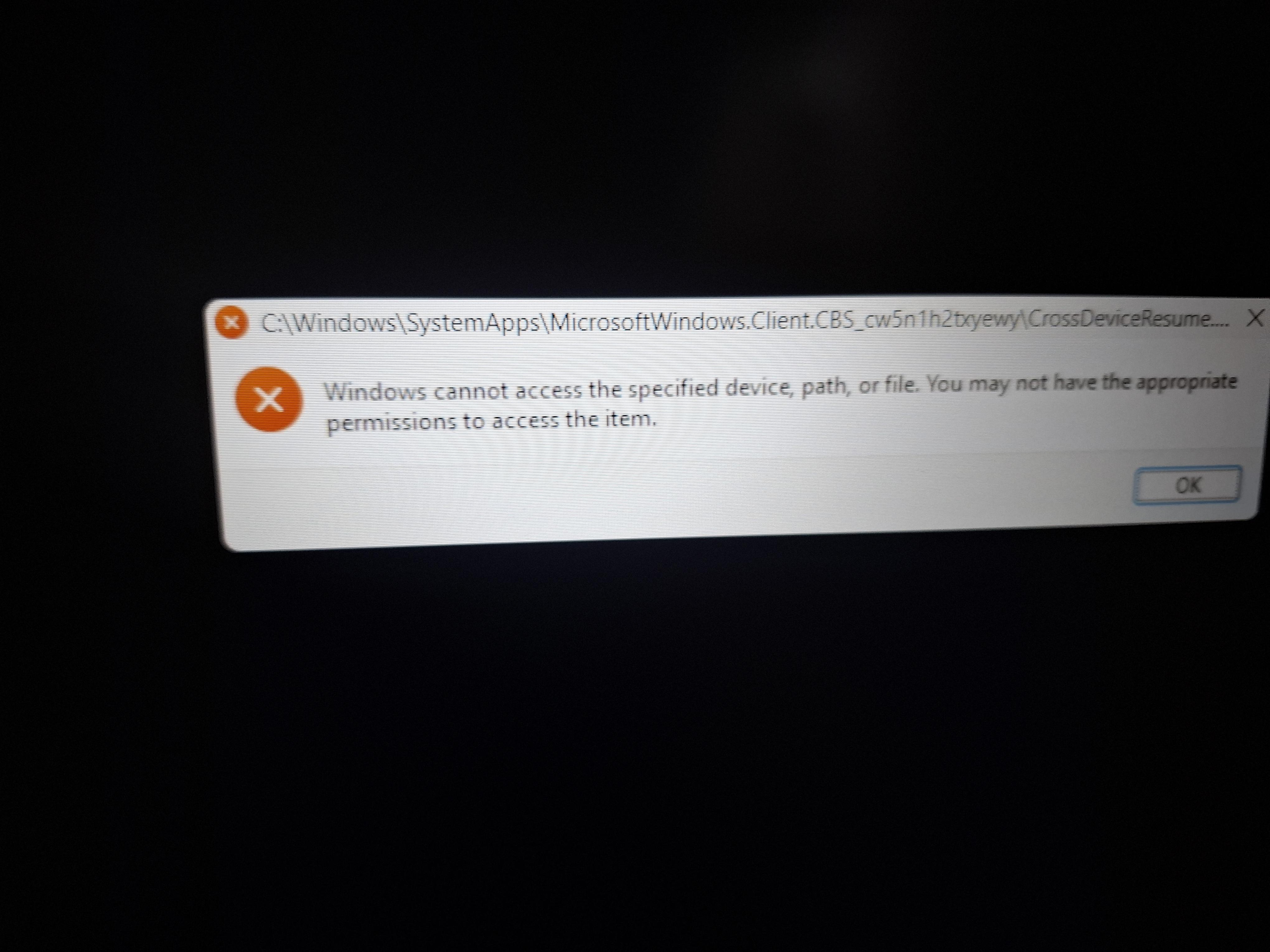
This is showing on my screen after an update

Post image
2 Upvotes

r/GetComputerHelp • • Oct 14 '26

Laptop Gaming/Music

Thumbnail reddit.com
0 Upvotes

r/GetComputerHelp • • 5d ago

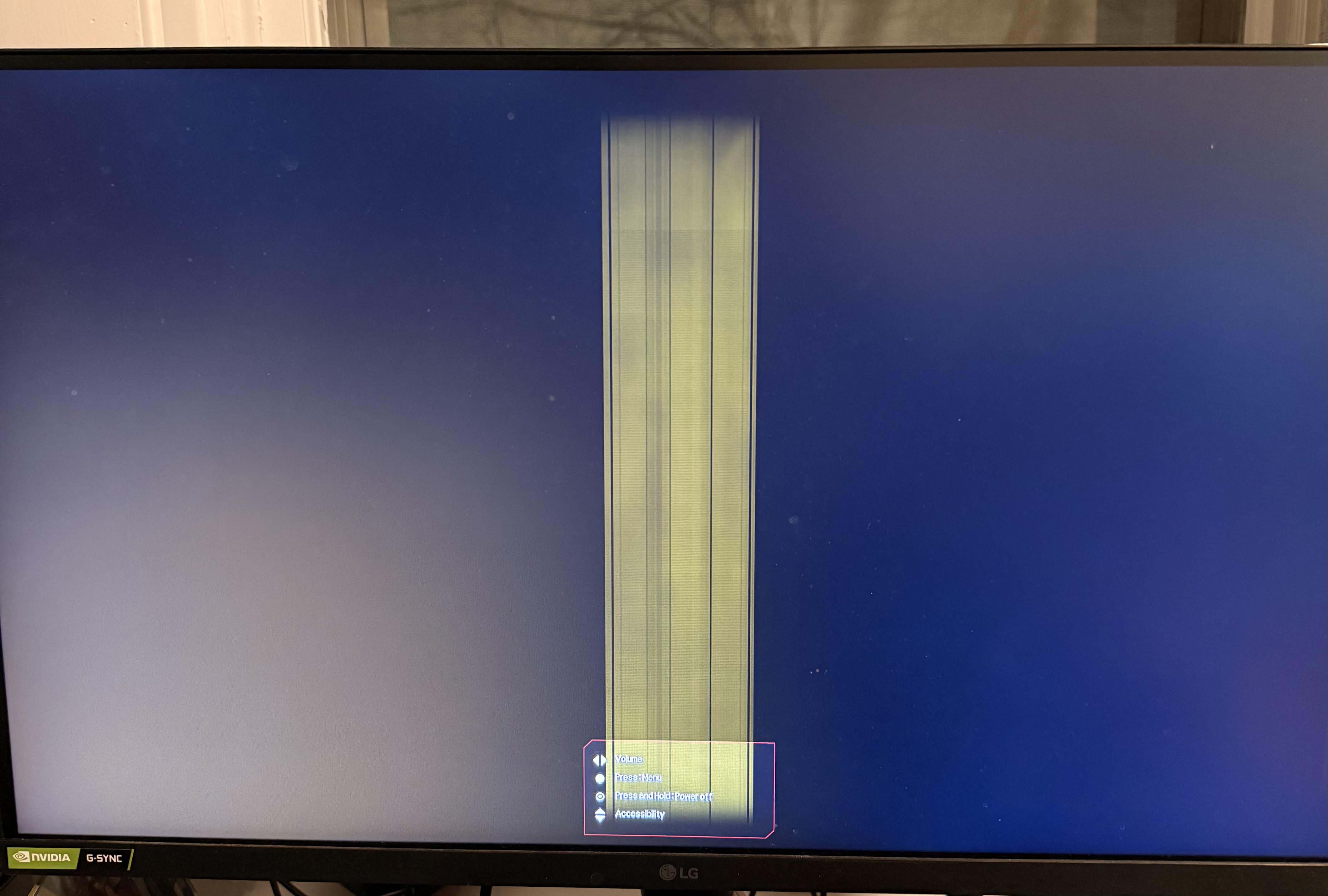
Is my monitor cooked?

Post image
3 Upvotes

Just randomly happened, so physical damage. Happens with no signal from the PC.

LG Ultragear, ~5 years old


r/GetComputerHelp • • Jul 26 '26

Lines on the display

Thumbnail gallery
2 Upvotes

My LG monitor took a knock while I was mounting it, and now the screen looks like this. It's not a GPU issue or anything else, because even without cables connected, the screen remains the same in the menu.


r/GetComputerHelp • • Sep 24 '26

icons I move my mouse on on my computer become black for some reason

Post image
3 Upvotes

r/GetComputerHelp • • May 16 '26

asap (laptop screen is nearly frozen but I can move my mouse and the time updates?)

Post image
2 Upvotes

r/GetComputerHelp • • Oct 01 '26

Advice on a new computer purchase

Thumbnail
gallery
2 Upvotes

I hope this is alright to ask here. It's been a long time since I bought a new computer for myself or kept up with new tech. I am in the market for a new computer, but I have some specific needs. I am about to retire and my wife and I are going to do a lot of RV camping but I will still work part time from the road. I need a computer that is not a huge desktop box but still meets the below specs for the software I'll be using (and to keep my gaming fix). I think I have found one I like and works, but I'd like some input before I buy it.

I am looking at the Minisforum G1 Pro

Here are the recommended specs from the software company and the G1 Pro specs. Does the G1 meet the needs? It doesn't have to hit all the high end specs, but I don't want to have to look at a new computer for quite a few years.

Thanks in advance.


r/GetComputerHelp • • Dec 18 '25

Best way to download Windows 11 Pro?

344 Upvotes

Edit: I eventually downloaded it from Microsoft and Got a Windows License from CodeGuardia for 20 usd. Will definitely Buy from them again!!

I’m setting up a PC and need to download Windows 11 Pro, but I want to make sure I’m grabbing it from the right place. There are so many sites offering ISOs and downloads that it’s hard to tell what’s legit and what’s sketchy.

Is it best to download Windows 11 Pro straight from Microsoft? Can I download it first and activate later with a key, or is there a better way to do it?

If you’ve done a clean install recently, where did you download it from and did everything go smoothly? Any tips or things to avoid would be appreciated.


r/GetComputerHelp • • May 18 '26

Downloading a game

3 Upvotes

So I used to really like watching this YouTuber play a game when I was younger, and now that I’m getting a computer, I’m trying to download it. I got it from Game Jolt.

I downloaded it, and it went to my Downloads folder. You know the little window that opens on the side of the browser after something downloads? I clicked “Open File,” and it opened my Files folder with the game right there.

I clicked on it and pressed the application, but then it said:

“This application may depend on other compressed files in this folder for this application to run properly. It is recommended that you first extract all files.”

So I clicked “Extract All,” and then it said:

“Files will be extracted to this folder.”

I pressed “Extract,” and it started copying 108 items totaling 6.32 GB. The green bar went all the way to the end, and it finished copying.

After that, I clicked on the application again, but it just showed the exact same message about the application depending on other compressed files. If I press “Run,” it gives me an error and says I can’t play or open the application. Please help


r/GetComputerHelp • • Oct 04 '26

MY LAPTOP won't turn on💔🥲

2 Upvotes

I recently got a acer spin 15 and it was working perfectly fine when suddenly it just doesn't turn on

Even when I plug the charger in there's no light

I tried to do the methods like holding power button and stuff but like... nothing

Chat.. I need this for my school💔💔

Lmk if u guys have anything I could try or like do... or if I should just call it ggs

Thanks!


r/GetComputerHelp • • Jun 28 '26

My pc is on but the monitor is not receiving any signal

2 Upvotes

r/GetComputerHelp • • Jan 09 '26

My case fan is always 100%

4 Upvotes

r/GetComputerHelp • • Oct 27 '25

I have a dell insperion 15, and h can’t turn it on even though it is on.

Thumbnail
gallery
2 Upvotes

Someone help me please, I have been charging it for the past hr btw


r/GetComputerHelp • • Nov 16 '25

What’s going on

2 Upvotes

It’s not just epic games, it’s my whole computer