r/GPURepair • • Oct 16 '26

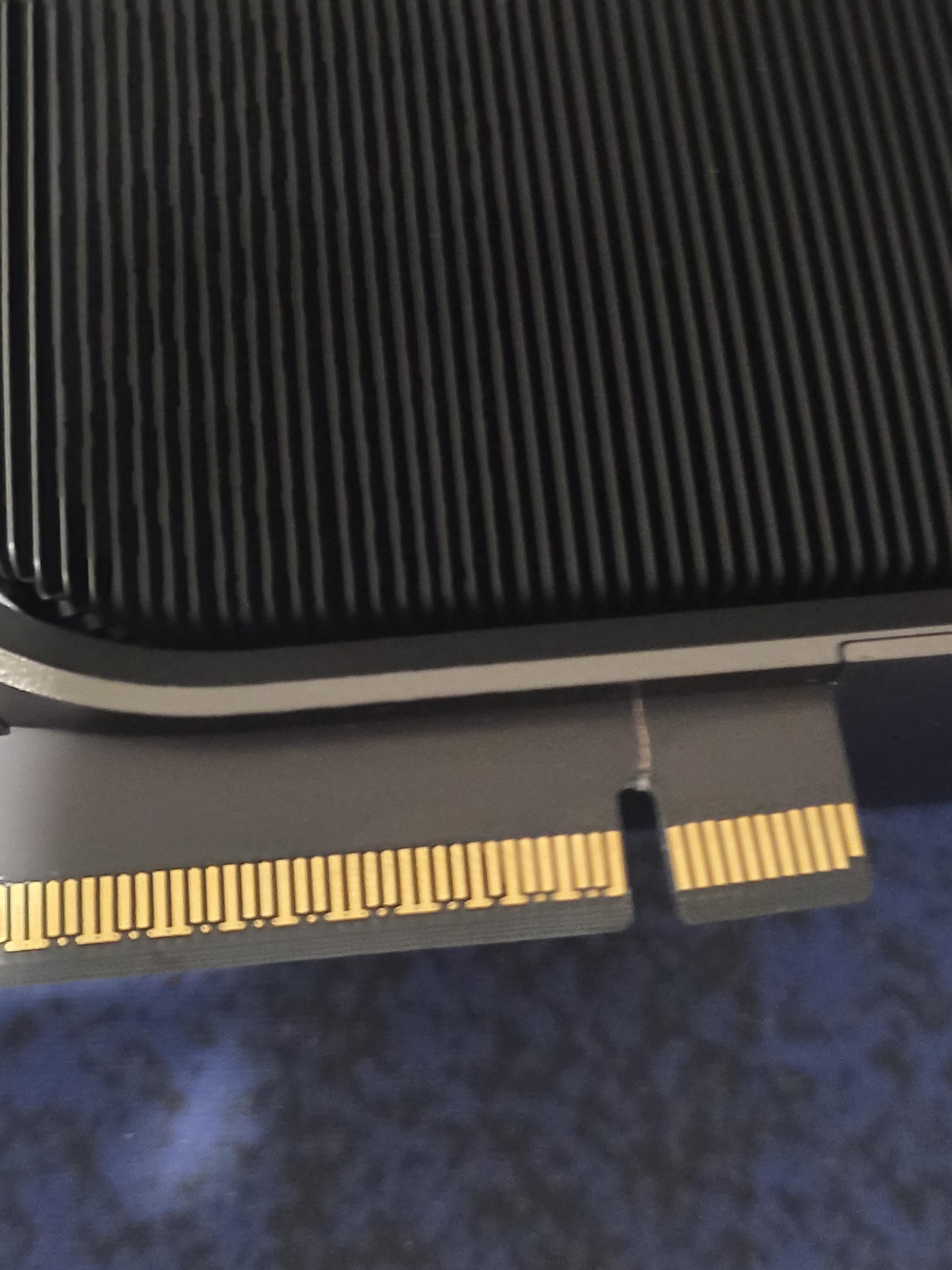
NVIDIA 50xx Gigabyte RTX 5090 Aorus Master Ice. Well , after a year , it happened :(((

Thumbnail
gallery
569 Upvotes

I have owned this card for about a year, having purchased it open box from Micro Center. It is registered and remains under warranty until 2029.

It performed well for roughly a year. Last week, I observed multiple black screens during gaming under load. I inspected the cable and identified the issue, so I am unsure how to proceed. I have encountered many warnings about returning the card to Gigabyte—they might not honor the warranty, they might not return the card, or they might simply issue a refund, which is the option I prefer to avoid.

Should I bring it to a repair shop for assessment?

Could I still use it ( since it still worked the last time i turned it off to inspect the cable) ? Could I still test a different cable, such as Corsair Thermal Protect, with Wireview Pro II while monitoring the situation? If so, how should I clean the connector to clear any leftover residue?

My build :
9950x3D
Asus Pro-art 870E Creator
Corsair Dominator 96GB ( 2x48GB)
MSI Mag A1250GL

Any advice is appreciated. Thank you!

Update 1: Thank you all for taking the time to contribute, i appreciate your time . Also,the volume of negativity and judgmental posts is just sad :) Live and let live, everyone.

For now, I will visit Microcenter to describe my situation and perhaps gain guidance on the issue. I plan to wait for Wireview Pro and Corsair Thermal Protect so I can attempt to use the card again. I will also give the onboard connector a brief cleaning before reconnecting everything. If I detect any current imbalance, I will send it to a trusted repair shop for inspection. I remain hesitant about an RMA, though I hope Microcenter can provide the confidence to pursue that path.

I am a videographer, photographer, designer, and casual gamer, which explains my choice. NVIDIA has served me well over the past decade—from the GTX 1080 Ti and GTX 2080 Ti to the GTX 3090 Ti. These cards have worked reliably for me and my work with editing tools like the Adobe suite and DaVinci Resolve, and I have enjoyed gaming at maximum settings with NVIDIA’s top products (when they are good company rather than shady and greedy at the moment).

I purchased this card at MSRP—roughly $2599—when it launched.
I travel for work often, sometimes for two or three months at a time, so I have used this computer for about 15 months with a three-month gap in between. I was unaware of Wireview Pro until September 2026.
I did not undervolt the card until this September, when I noticed black screens. After doing so, I limited power to 70–78%, but the issue persists.
I avoided the cable included with the PSU and used the one provided with the GPU (picture uploaded).

https://imgur.com/a/BWD3ygb

https://imgur.com/a/QEmrguq


r/GPURepair • • Feb 07 '26

NVIDIA 30xx Is my 3080 FTW3 salvageable?

Thumbnail
gallery
416 Upvotes

I have an EVGA RTX 3080 FTW3 that sadly fell victim to physical abuse a few years ago. I have not had the opportunity to test it, but seeing as how 2 of the 3 8pin connectors are misaligned I’m not sure if that’s even possible. My question is, would it be possible or even worth sending it somewhere to see if it can be repaired?


r/GPURepair • • Sep 20 '25

NVIDIA 30xx There’s a burn-hole right through the GPU core of my RTX 3060 Ti. How could this happen?

Post image
362 Upvotes

The card can boot to the desktop just fine, but the moment I fire up FurMark the GPU temperature rockets past 90 °C within a minute.


r/GPURepair • • May 26 '26

NVIDIA 16/20xx Picked up this “defective” ASUS ROG STRIX RTX 2070 SUPER for 47€ a few days ago and finally managed to get it working again.

Thumbnail
gallery
251 Upvotes

The original eBay description basically said: “RGB LEDs turn on, but the fans don’t spin and there is no display output. Card already opened before. Sold as defective.”

And that was exactly the condition it arrived in. RGB worked, but absolutely nothing else. No fan spin, no display signal and the motherboard always stopped at the VGA LED.

The first thing I found was a missing DrMOS, so I replaced that and honestly thought the card would boot afterwards. It didn’t. Still completely dead.

At that point I started tracing the startup sequence manually because a lot of rails were missing. I basically started at the BIOS and traced 1V8_AON backwards through the whole enable and monitoring chain trying to figure out why the card never entered the proper startup sequence.

One annoying part was that I couldn’t find a proper boardview for my exact revision. The only one I found was for a different revision of the card, but luckily most sections were still very similar or only slightly changed, so it still helped a lot.

Finding datasheets for some of the chips was also pretty painful. A lot of components only had tiny SMD markings and almost no useful search results. Eventually I managed to identify every chip I needed though, which made understanding the pinout and switching logic way easier.

Before finding the actual fault, I also found another missing component with a ripped pad, which I believe was probably R1196 based on comparing the PCB to the boardview. I carefully scraped a bit of the trace open and got pretty lucky because the spacing between the remaining pad and the exposed trace was almost perfect for directly soldering in another 10k resistor without needing a bodge wire or solder bridge.

While tracing the startup logic I eventually ended up at the 5V enable path. At first I thought PS_5V_EN_Q1 was the problem since it goes through a resistor to GPIO1_GC6_FB_EN, so I followed that whole path for quite a while until I eventually couldn’t get any further there.

After going back to the 5V_EN section and checking the surrounding components again, I noticed that R1222 wasn’t getting 12V even though it was connected to the exact same trace as R462, which did have 12V present. Replaced it with a 10k donor resistor from another board and now the card works perfectly again.

Before finding that though, I injected 1.2V into the 5V_EN line with a lab bench power supply just to see what would happen and the card instantly came to life. Got display output, Linux detected the card correctly, USB-C worked, audio showed up and OpenGL was running fine.

Ran multiple stress tests afterwards and everything seems stable. No PCIe lane errors, no crashes, normal temps and normal power draw. I also tested the card in actual games afterwards and it runs perfectly there as well without artifacts, crashes or instability.

This was actually my first proper board level GPU repair and also my first time using an SMD rework station and infrared preheater, so I’m honestly pretty happy with how it turned out.

Would be interesting to hear what you guys think about the repair and especially the soldering work.


r/GPURepair • • Sep 22 '26

NVIDIA 30xx Previously working 3080 shows no display

Thumbnail
gallery
177 Upvotes

I sold it. It was working perfectly. Until the buyer said that he gets no display and VGA light is ON on the motherboard. I gave the money and took the GPU back convinced that the GPU is working. Reset the display drivers, plugged in the GPU and no display. No VGA light either. RGB is lighting on the GPU but no display. On-board graphic shows display. What could be the problem? Did the buyer mess up? Couple days before I sold it, it was working perfectly on my PC after I returned it, it didn't show any display.


r/GPURepair • • Feb 07 '22 Popcorn

Read before posting: GPU repair guides/links List of GPU Repair Resources (Schematics, Boardviews, Tutorials, Tools, Etc..)

158 Upvotes

READ THE PINNED COMMENT FOR UP TO DATE INFORMATION!

START HERE IF YOU'RE NEW TO ELECTRONICS REPAIR:

https://repair.wiki/w/Category:Repair_Basics


r/GPURepair • • Jan 08 '26

Question RTX 5070 inno3d 2x, brand new, Should these capacitors be touching each other like that?

Post image
151 Upvotes

I just got this rtx 5070 inno3d 2x, I don’t know about eletronics, but this worries me, should I return it? I cant test it right now, the motherboard haven’t arrived yet.

UPDATE: This is the email I got from the local authoryzed tech repair of inno3d:

" The technician analyzed the photos and video sent. Because they are shielded capacitors, misalignment and possible contact do not affect the operation and performance of the GPU. Regarding the aesthetics, as we are only the authorized technical assistance, what we can guarantee is warranty coverage for 3 years. If your card presents any problem and is in accordance with the terms, we will solve your problem. Whether it's repairing the GPU or replacing it with a new one. Attached is the INNO3D warranty terms, should you need any information. "

Still I can't test yet, but thank you guys for the help!


r/GPURepair • • Sep 23 '26

NVIDIA 50xx If this 5090 FE powers on fine, is this crack something to worry about long term or would it need to be repaired?

Post image
123 Upvotes

This is an RTX 5090 founder's edition. Arrived from stupid cyberpowerpc like this. If it powers on is this something to worry about long term?


r/GPURepair • • Feb 08 '26

NVIDIA 30xx 3080 Ti Reball - Am I cooked?

Thumbnail
gallery
118 Upvotes

Hey guys, it’s my first time reballing!

I managed to remove the core off the PCB, but when it came time to remove the solder, I made a brown spot on the chip. I used a preheated board at 210c and a solder at 250c.

I think the core is done for.

What do you guys think?

Edit: Welp, guess I'm cooked

If anyone's courageous enough to repair it, it's auctioned starting at 25$ CAD on eBay, selling AS-IS: https://www.ebay.ca/itm/287131250099

Please note that 90% of the screws are missing, I've done a terrible job at keeping any of them together.

In any case, I'm just looking for someone who can benefit from my mistake, or potentially scrap some components off the board.

In regards to the PCB condition, the VRAM seems to be untouched (except for 1 module which has blown off and has been repositioned), but I cannot say anything for the rest of the board. Some capacitors have been pushed upwards due to the preheater being too hot.

Thank you guys for all the feedback!


r/GPURepair • • May 01 '26

NVIDIA 50xx 5090 FE missing SMDs

Thumbnail
gallery
115 Upvotes

So I accidentally knocked 2 smds off from around the die when I was removing the gasket on the fe models to clean all the Liquid Metal out. Since, I have put a water-block on the card and it runs great under load but sometimes I get some errors when waking from sleep. Can anyone identify what these smds are for and if I should bother having it repaired. Thank you.


r/GPURepair • • Feb 25 '26

NVIDIA 50xx Accidentally fried my RTX 5080 while doing a deshroud mod — need advice from anyone experienced with modern GPU repairs

Thumbnail
gallery
107 Upvotes

Hey everyone,

Hoping someone here has experience with modern GPU diagnostics or repair, because I’ve managed to do something very stupid and expensive.

I attempted a deshroud mod on my Gigabyte RTX 5080 Gaming OC, replacing the stock fans with quieter ones (following a post like this: https://www.reddit.com/r/nvidia/s/W8YUlKWG90). The mistake: I connected the fans using a fully mirrored pinout. The connector orientation wasn’t marked in the schematics, so I guessed… and guessed wrong.

Meaning:

• + and - were flipped

• PWM and tach/sense were flipped

• Basically the entire wire order was mirrored left-to-right.

I’ve attached pictures showing the correct pinout vs the wrong one I used.

---

What happened when I powered on:

• GPU actually powered on, but fans didn’t spin.

• I immediately smelled a mild burn smell (no smoke, just a smell).

• The little LED that indicates 12VHPWR / 12V2x6 external power wasn’t lighting up.

• No video output at all.

I shut it down, disconnected the modded fans, and tried again:

• GPU still doesn’t start.

• HDMI from my motherboard works (CPU has integrated graphics).

• In Device Manager, the GPU does show up — but with an exclamation mark. So I assume it’s drawing just enough power from the PCIe slot to identify itself, but the 12VHPWR side is dead.

Tried the original fans too (just in case) — no change.

---

Warranty?

Yes, I know most of you are thinking “just RMA it, they’ll never know.”

Unfortunately:

• I bought it abroad

• I don’t have the original invoice

So warranty is basically off the table. My fate is in my own hands now.

---

What I’ve tried so far (DIY troubleshooting):

I disassembled the card down to the PCB. I have some electronics background (electrician, decent multimeter) and hoped to spot a burnt component. Unfortunately:

• No visually burnt components

• Checked all the 0‑ohm resistors → none are open

• Most SMD capacitors have no markings, so can’t test them meaningfully

• No schematics available online (brand new GPU generation, so not surprised)

• Haven’t removed the thick thermal putty on some components yet because I’m afraid I won’t find a proper replacement. Will do it if necessary, but don’t want to blindly peel it off.

I’m also trying to find a reputable electronics repair shop locally, but it’s tough — and with how expensive GPUs are right now (plus memory shortages), I’m terrified of getting scammed or having the card damaged further.

---

My current dilemma: what should I do next?

Given what I’ve described, what would be the smartest way forward?

  1. Stop messing with it myself and find a skilled repair tech who understands modern GPUs?

or

2. Keep troubleshooting myself using generic GPUs schematics / power rail maps / common failure points?

I’d really appreciate advice from anyone who has seen similar failure modes from miswired fans or blown PWM rails on GPUs.

Thanks in advance for any insights.


r/GPURepair • • May 26 '25

NVIDIA 40xx Crack in 4090, is it fixable?

Post image
104 Upvotes

Give it to me straight doc. Already took to a shop and the guy charged me 140$ to say he wouldn’t touch it. Actual POS.


r/GPURepair • • Feb 15 '22

NVIDIA 10xx Gtx 1070 FE 5V short

94 Upvotes

Hello!, my 1070 founders edition just died (no led, no fan spin, BGA not getting warm) and would be very thankful to get some guidance on troubleshooting faulty components, please. Checked board for burnt components, all looks good and clean. 12V present, missing 5V, found one shorted capacitor exactly on the opposite side as buck converter, but still no changes. One of the mosfets resistance is out of the way compared to the other ones (which is exactly 12K) and 3.3v line has lower resistance, thought it should be around 40.0-50.0K. Thinking it may be buck converter itself or resistor for 5V but can't find which one exactly is for that power rail. Thank you for helpful youtube videos and wiki page for helping to understand power rail sequence.

https://ibb.co/xgbKPdb progress troubleshooting


r/GPURepair • • Nov 21 '25

NVIDIA 16/20xx Unusual LDO regulator got replaced with an unusual method, meet the MSI RTX2060 SUPER VENTUS

Thumbnail
gallery
86 Upvotes

Got it with missing vcore voltage, enable pulled low indicating a fault somewhere with the power sequence, after tracing back bunch of diode, and gates and dual n-transistor, I came across this very tiny LDO regulator, it's a 2x2mm regulator that outputs 3.3v but only reads 0.6 although there's no short, I pulled it out and then the tweezer trip, flew across the room and gone, can't find any replacement from my stash of donor board because of how weird this chip, finally decided to Frankenstein it, took a 3.3v buck regulator from an HDMI screen cast dongle, since this chip has a enable logic which is a must for a proper power sequencing, cut it, and slap that board to the gpu 😂, cards works well without instability issues


r/GPURepair • • Oct 14 '26

NVIDIA 40xx Is my GIGABYTE RTX 4090 GAMING OC cooked?

Thumbnail
gallery
85 Upvotes

I noticed a white light flashing on my GIGABYTE RTX 4090 GAMING OC. unplugging the power cable, I discovered that one pin had melted. The connector itself doesn't appear damaged, but the slot where the melted pin was heating up has turned a lighter color. The power cable was fully inserted. Do I need to take the card in for repairs, or is replacing the cable enough?

UPDATE: On the advice of experts, I decided to have the 12VHPWR connector replaced at a repair shop. I’ve already ordered a 12V-2x6 connector (which is more reliable than the old 12VHPWR) and a new custom cable. I’ll post an update on the results later.


r/GPURepair • • May 08 '26

NVIDIA 10xx 1080ti died on me after 7 years.

Thumbnail
gallery
83 Upvotes

Ive took it apart and checked for shorts anywhere on the board, and everything seems fine. Beside the colossal amount of cooling semi-liquid substance I found under it (it's a second hand card) I've spotted a transistor with some corrosion on the upper left, cleaned it and tested and it's okay. My biggest fear is, can my core ore vram be dead? I can't verify it with mats because she does not post, just a freeze image or not even that most of the time. What else can check with basic tools? I've tried reflowing too with the station and no clean Flux but nothing. I don't wanna let her go yet


r/GPURepair • • Apr 17 '26

NVIDIA 40xx Got this gpu that was damaged in shipping for free, Asus Tuf 4090, damage near pcie latch, 3 traces broken, doesn’t boot.

Thumbnail
gallery
80 Upvotes

Does anyone currently have a board view / Schematic to see if there’s traces underneath in the inner layers?


r/GPURepair • • Mar 09 '26

NVIDIA 16/20xx Should I get rid of this gpu? 2080ti

Post image
75 Upvotes

It's been almost 2 years now since my gpu stopped working (rtx 2080ti), I'm in the market for a new or used gpu but the price is really high.

Before I decide to buy a gpu, I just want to ask if there's no more hope for this gpu.

  • all 3 fans were just spinning really aggressively

  • rgb lights are on

  • no video output

  • gpu can't be detected

Games I play before when I had the gpu: Lies of P, Assassins Creed Odyssey, DMC 5

Game I play no with just dedicated graphics card: The Binding of Isaac


r/GPURepair • • 9d ago

NVIDIA 40xx 4090D 48GB - Code 43 in Windows with subsystem ID 0000:0000

Thumbnail
gallery
74 Upvotes

It still shows up on PCIe as 10DE:2685, but with subsystem ID 0000:0000 and Code 43. No driver, not visible to nvidia-smi.

nvflash lists the card as (10DE,2685,0000,0000) but every operation fails with "A system restart might be required"

Any ideas what I could try next?


r/GPURepair • • Oct 02 '26

Resources Free GPU repair 2.0! I'm back!

Thumbnail
gallery
71 Upvotes

This is my same post from a month or so ago, from my last post 3 people sent their cards in 1 came in fine and was returned (RTX 3090) and I have a 1080 ti and 1080. The 1080 is diagnosed and the VRAM module I needed to replace to fix it just arrived today, the 1080 ti is getting reballed (hoping the core isnt toast). I figure by the time these are done and in the mail back to their owners I might have a few more people lined up!

I'm learning microsoldering and need practice/experience before I could start charging for repairs. I figured instead of having to buy broken ones on Ebay and deal with scammers I'd offer people free repairs. I get to learn for free and the other person gets a free repair.

I included a picture of my bench as some kind of (hopefully) proof that I'm not trying to scam. All I would ask is that you cover the shipping both ways and any components I'd need to replace (if any). I already own a 5070 ti, 6600 XT, and GTX 970(960?), so I have no need for the cards and I'd rather not deal with Ebay selling for the same reason I don't want to buy from their.

Ideally, I would just like to be able to charge people for repairs eventually so I can avoid dealing with the headaches of Ebay. I get this probably sounds sketchy but I figured the worse that will happen is no one will be interested. Thanks to anyone who read this far! :D Feel free to ask any questions!

Contact me on here or if you prefer my discord is: kirklandqq

Im super bad about checking discord, so you'll get a quicker response through reddit. But I've come to understand some people really prefer discord :D

Oh yeah the name on the 2nd photo was because someone had asked me to provide a different angle, I assume because AI can't fake different angles to prove I'm not scamming? Anyway, thats why someone else's name is written below mine in picture 2.

EDIT: IMPORTANT READ PLEASE

I had an incident with a porch pirate last week (10/23/2026) and he ran off with 2 different peoples packages (likely saw both of them and couldnt resist) so I'm going to have any future packages delivered securely through UPS Access Points. There is a CVS and other places near me that allows pick up with ID/Tracking number as proof. If you don't live near a UPS store I can look into FedEx or USPS if possible but the stress of dealing with this was brutal. I blubbered like a baby, and I don't want to feel like this again or put anyone else through it either. The devices taken were both broken (a 3070 and 3080 ti) and I spoke to both owners and we worked it out privately to their satisfaction. I still feel like total shit regardless and I just don't want either of us to be left dealing with a bunch of unresolved anger and stress while some asshole makes off with the hardware. So, I'm filing for an LLC to legitimize things and will probably have some kind of standard waiver that people will agree too. Nothing insane just the basic boiler plate stuff. Everything should be secure if we adhere to the UPS Access Points (or FedEx/USPS/etc if they offer the same service). It should provide as much security as possible for peoples hardware.

Also, in closing, fuck fucking porch pirates god fucking damnit.

Thank you, and if you have any questions/concerns feel free to message me anytime.


r/GPURepair • • Jun 08 '26

NVIDIA 30xx RTX 3080 suddenly had sparked and just turned off

Post image
71 Upvotes

I was gaming then I heard sparking noise, not a loud pop then everything shut down. I can smell burns, sent it in to a repair shop and they told me this card can't be repaired, there is a hole on the board. This is the pic they sent me. I want to know what I am looking at and if it really is nothing I can do. This is a Zotac RTX 3080 12gb


r/GPURepair • • Mar 27 '26

Story/Experience GPU Had a chance, I cooked it and it was completely preventable

Thumbnail
gallery
71 Upvotes

So I got this rx 6950 xt for £150 and had to perform a bga on it, im learning to repair gpus so this was a stressful repair. successfully removed the core, used the bga stencil 3 times, i was in a literal flow state on the 3rd time using the stencil ( genuinely thought to myself this is fairly easy for me i could make a living out of it), perfectly picking up and placing solder balls in the right positions. MY PROBLEM IS I THOUGHT I HAD TO PUT A THIN LAYER OF FLUX, WHICH I DID BUT IT WAS VERY THIN! Popped it on the heater and reached 180c. balls did not pop into place, now when you looked at the pcb it was bone dry, I mean bone dry. I thought for a second "hmm I should probably add more flux" then stopped thinking flooding would make the balls bridge and id have to restart. said no and thought more heat was a good idea. kept cranking up the heat (mind you the balls were actually melted they just needed flux. I reached 300c and it started cracking, I saw air pockets and quickly pulled it off and my first thought was. FLOOD WITH FLUX TO PULL THE HEAT. WELL WATCHA KNOW, ALL THE BALLS FINALLY POP INTO PLACE. Completely preventable btw :)

I even DIY MY own stuff such as foil funnel, 3d printed stencil holder i modelled to fit my core. the repair had a high success rate :_(

So yeah this is a sore reminder to not use heat as your first solution to anyone else learning. I know im never doing it. its like I lost a child, the gains would have been huge! please let me sob in peace. RIP RX 6950 XT. You had a chance


r/GPURepair • • May 08 '26 Bravo

Solved Got a dead Gigabyte RTX 3090 Gaming OC, no fans, no lights- How to diagnose ?

Thumbnail
gallery
70 Upvotes

Hi all,
just got a RTX 3090 that is completely dead. The pc is turning on, but the GPU does make no sound and light - fans not turning.
I just removed the heatsink and checked the three fuses (two Z, one Q) they seem ok.

Can you help me diagnosing the board? Multimeter, power supply and thermal Camera are available.
Thank you!!

Edit: I felt sick the last days and wasn‘t able to do anything. During that days I decided to sell the card on eBay, transparent with „unknown defect“. So I reassembled the cooler today and wanted to try using the card for the last time - and the fans keep spinning, the LEDs are lighting and HDMI is working too. So, I have no clue what the initial problem was. Maybe the crap Molex-8-PIN adapters they use in this card?
Thank you very much for your help!!


r/GPURepair • • 17d ago

Question I’m building a free board viewer that opens every format (TVW, FZ, BRD, BDV and more). What features do you wish your current viewer had?

Post image
62 Upvotes

Hey everyone,

I'm learning GPU and board-level repair, and I’ve been frustrated with existing viewers due to usability & speed and lack of good ux.

So I started building my own free board viewer, mainly to speed up my own work but also to share with the community.

Current goal: support all the common formats in one app

  • .tvw (Teboview)

  • .fz (ASUS)

  • .brd, .bdv, .bv, .cad, .asc, .gr, .pcb and others

What I’d love your input on:

  1. What viewer do you use right now, and what annoys you most about it?

  2. What feature do you wish existed but no viewer has?

  3. What would make diagnosing a GPU faster for you? (e.g. net highlighting, voltage/diode value notes per pin, linking schematic PDFs to board parts, side-by-side boards, dark mode, search by part/net)

  4. Platform: Windows only, or do you need Mac/Linux too?

Nothing to sell here. It will be free. I just want to build something that actually helps repairers instead of guessing what people need.

Drop your wishlist below, no idea is too small. Thanks!