r/GMail • • Jan 24 '26 This Bravo

Gmail not filtering promotions?

3.6k Upvotes

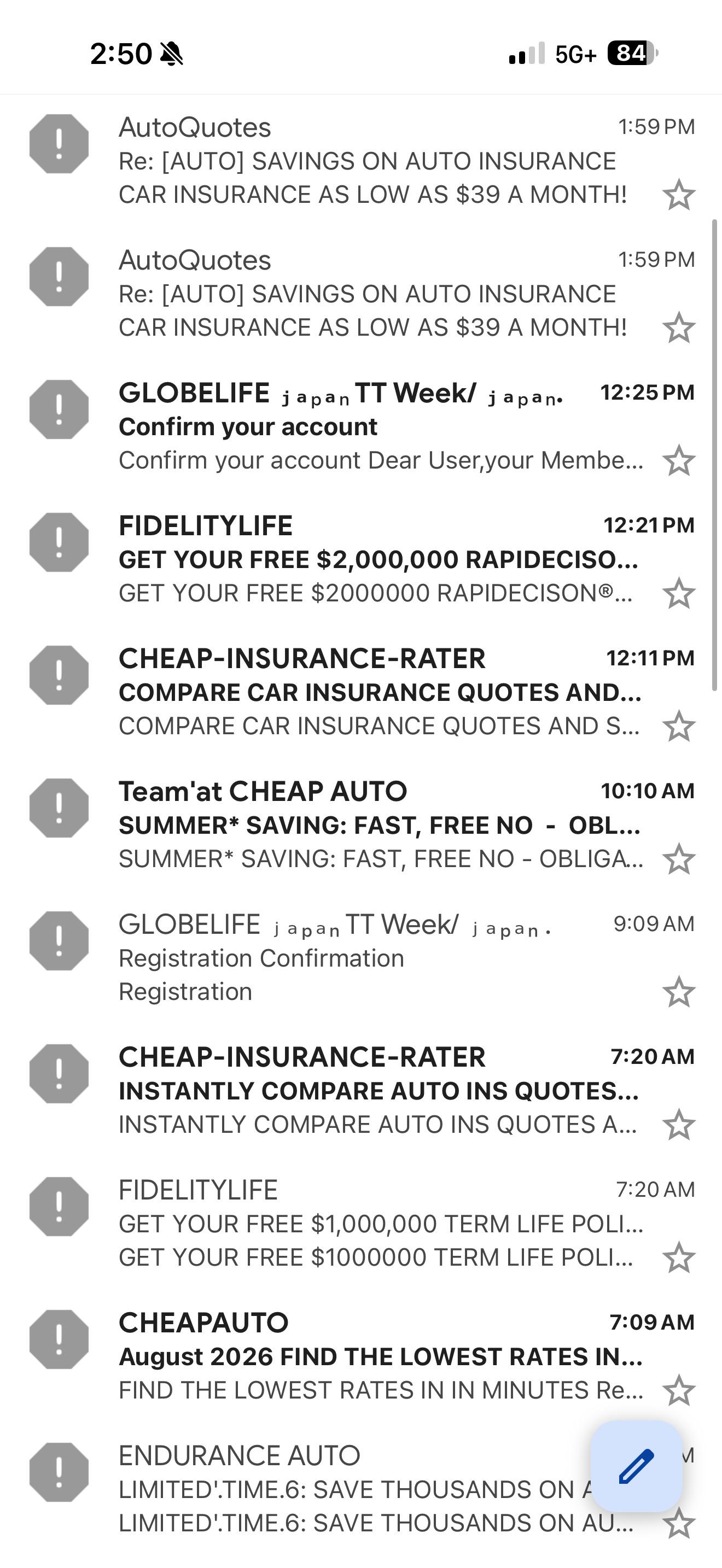
What is going on this morning? Has anyone else's Gmail stopped filtering entirely? Everything that should go to Promotions is landing in my main inbox so my phone is pinging literally every two minutes with garbage


r/GMail • • May 13 '25

I have received 3500+ emails, 25+ emails per minute for the last 3+ hours. I do not know what to do

1.1k Upvotes

I am experiencing an email bomb. How do I stop it? Am I at risk of anything?

I recently lost my job and have been applying to countless jobs with my email for weeks now. I recently submitted a claim, for what all resources claim to be a legit class action lawsuit, and 8 hrs later I am being relentlessly drowned in emails.

I have no idea what to do, help me.


r/GMail • • Oct 20 '26

Gmail got hacked.

759 Upvotes

I know my email AND password. Still works, technically. (I'm surprised the hacker hasn't changed it.) But, when I try to log in even with a password, it keeps sending this two digit number TO THE NEW DEVICE the hacker bought, for verification. I obviously do not have access to that new device. Any tips how I can recover my email? In advance, THANKS.


r/GMail • • Apr 13 '25

Account theft - popular trick

734 Upvotes

This same basic trick happened with my Paypal account a few months ago and it just started happening to my main Google account. Since Paypal's setup is slightly different, I'm just going to explain how it works for Google / Gmail:

  1. You start getting several notifications that someone is trying to log into your account. Google sends you alerts saying someone is trying to access your account and asks if it was you, which you verify through your phone app saying "yes, it was me" or "no, it wasn't me."

The trick here is that they do it multiple times in a short period of time. And then they keep doing it periodically. Maybe you get 5 alerts on Friday and then 3 more alerts Saturday. At some point, you might think to yourself, "Oh no, someone's trying to brute force my password. Eventually, they're probably going to get it. I should change my password."

2. You attempt to change your password and THAT is how they get your account. THAT IS THE TRICK. When you change your password, Google will send you the same alert: "Is this you?" You click "Yes, this was me," but you've just accidentally clicked one of the hacker's login alerts instead of your own. You will have granted them access which they can quickly use to change your password and take over your account.

If you ever start thinking you need to change your password because of these alerts, DO NOT do it around the same time this is happening. Instead, just check out your devices recent activity to confirm nobody else got in. If your password is secure, there's really no reason to change it at that moment. If you received 8 recent alerts about someone trying to log into your account, that means they've only tried 8 times. It takes way more than 8 times to brute force / guess your password.


r/GMail • • Oct 20 '26

IF YOU SEE THIS IN YOUR GMAIL, IGNORE IT, THIS IS A SCAM, AND MY SEARCH HISTORY IS INNOCENT (And maybe yours too)

Post image
650 Upvotes

THIS IS A SCAM AND I AM NOT JOKING, PLEASE IGNORE IT


r/GMail • • Oct 09 '25

Person who used have my number is asking me to send the security code so that they can login

470 Upvotes

UPDATE:

I told the dude, send me your email and pw.

I logged into the email: changed pw, changed phone to his current one.

I then let him know of the pw i changed to.

I put the full risk on them.

Glad I could help?

On second note, if i get scammed, FML...lol

thanks for the advice everyone.

---------------------------------

Yesterday I kept on getting G-XXXXX codes via sms text. 

Then someone called me on a local number saying that they used to have my phone number a while back and that their Gmail is associated with that number. 

They need it to access Gmail, but requires the G code. 

They been texting/calling begging for the code. Telling me it is not a scam and just a one time approval. 

Regardless of scam or not, I dont want to risk compromising my security to help someone out. 

They should be dealing it with Google and not me. Why risk anything for myself?

Is there a way to let google know that this is happening and have my number removed from other peoples accounts? 


r/GMail • • Nov 23 '25

Google has officially held my entire digital life hostage

460 Upvotes

What the actual fuck, Google.

Two months. TWO MONTHS. I have been locked out of my main Google account because of the most soul-crushing "error message" known to man.

"We don't support delivering messages to your provider at this time. Try a number from a different provider."

OH, I'VE TRIED. I have tried my number, my partner's number, my work phone, a number from a completely different carrier. I've waited weeks between attempts. The result? The same goddamn message. It's a completely broken, automated brick wall.

And the worst part? This wasn't just an email. I, like a fool, used "Sign in with Google" for everything. So now, my entire digital identity is in a vault that Google welded shut and then threw the key into a volcano.

  • My YouTube channel? Gone.

  • My Patreon with actual income? Gone.

  • My other business accounts? Fucking gone.

I have proof it's me. I know the old passwords, the security questions, the damn names of files I had in Drive. But I can't tell that to a human being because THERE ARE NO HUMANS. Just this infinite loop of a broken SMS system that doesn't work.

This isn't a "oops I forgot my password" issue. This is a multi-billion dollar company having a critical, user-destroying failure in their core service and offering ZERO recourse. They've built a single point of failure for the modern internet, and that point has failed catastrophically.

Edit: I’ve just tried creating a new google account with my phone number that needed verification and that works. So what’s up with this? 👇Some similar situations https://www.reddit.com/r/GMail/s/vJdrcfXGdQ https://www.reddit.com/r/GMail/s/HfrrD1Atsn


r/GMail • • 4d ago Bravo

Gmail officially useless

432 Upvotes

Today Gmail reached peak bottom.

For years I have watched Gmail getting worse and worse and today it reached peak bottom.

The website loads, but whenever ever I try to search for an email it loads forever.

I know perfectly well why this is happening. Gmail is bloated and if one of its many modules fails to load the whole email experience fucks up. I used to love Gmail because it was simple and quick. Now a days just checking emails is a hassle.

I need get away from this service. For too many years I've accepted the gradual decline in usability, but today is yet the worst I've experienced.

The only problem I have is that my gmail has kind of become my identity on the internet. How can I do the switch?

EDIT:

just to highlight my issue. Gmail is loaded, but still cannot load an email, or search for that matter. This is what i mean by saying that it must be some module not loaded properly when I loaded the website.
This issue is dependant on my WiFi signal.

Currently my internet is good enough to open reddit and upload a screenshot, but not good enough to browse my emails. This is exactly the problem I refer to.

At my home internet, never ever problems. On other hotels no problems either. On some hotels problems. What I don't understand is why i can open up Reddit and other websites but not Gmail.


r/GMail • • Apr 23 '26

Is this a joke?

Post image
426 Upvotes

You want me to wait 30 days to sign into an an account that I literally can't sign into, to get a link to sign into that same account using the password I just gave and verified on my phone, just because I haven't used it lately?


r/GMail • • May 09 '26

NO FREAKING WAY

Post image
417 Upvotes

r/GMail • • Sep 23 '26

Some A******* at Google just decided that all the things are blue

367 Upvotes

Some asshat at Google just decided wholesale that all the yellow stars and arrows we have in gMail should be blue!

I have muscle memory looking for the yellow stars and yellow chevrons pointing at my stuff. It shocks my BRAIN when I see all these blue dingbats everywhere... just because.... "contrast for someone for some reason"

NO. I am not ok with forcing me to live with a change I don't want and didn't ask for to placate some miniscule percentage of people. If they want to serve those people in that way, they can make it an option for them, not a forced UI change for everyone in the world. They have made someone elses choice on MY interface more important than MY choice on MY interface.

I don't like this at all and they didn't ask me. To turn them back is practically pulling your own teeth and nosehairs out.


r/GMail • • Jul 28 '26 Bravo

GMAIL GOT HACKED

364 Upvotes

Hello!

So my gmail account was hacked and they were able to change the password, is there anything I can do to recover it? It asks for 8 digit code or a pass key (I don't have both).

Ps. Four of my gmail accounts were disabled because they were log in on indonesia and I live in the philippines.

Can anyone tell me how did this happen? Is my phone hacked?


r/GMail • • Jul 15 '26

Thank you gmail!!

Post image
320 Upvotes

r/GMail • • Apr 30 '26 Popcorn Bravo

Latest Gmail App Cannot Authenticate Exchange Online Account on Pixel 9 Pro, Outlook Works Fine

312 Upvotes

Edit: Upvote here: https://issuetracker.google.com/issues/461996029 / https://issuetracker.google.com/issues/510740139

Bug confirmed (16.05.): https://www.google.com/appsstatus/dashboard/incidents/kWSuRqLdsXGzT7Qxjdmz?hl=en

Hi everyone,

I'm running into an issue where the latest Gmail app on my Google Pixel 9 Pro (Android) is no longer able to sign in to my Microsoft 365 Exchange Online account. The error message reads:

"Check your account info or switch to modern authentication below. If you need help, contact your IT admin."

The app then just asks for a password, which it rejects regardless of input.

Key facts:

  • Device: Google Pixel 9 Pro

  • Gmail app: latest version (fully up to date)

  • Email account: Microsoft 365 / Exchange Online

  • Outlook for Android works perfectly with the exact same credentials

  • No changes were made on the Exchange Online / Entra admin side

What I suspect:
Since March 1, 2026, Microsoft enforces a minimum of Exchange ActiveSync (EAS) version 16.1 for all mobile clients connecting to Exchange Online. Gmail for Android uses EAS to sync mail, calendar, and contacts. There is an active entry in the Google Issue Tracker (#461996029) suggesting the current Gmail app still has problems with Exchange ActiveSync after a recent update.

Outlook works because it does not use EAS at all — it connects via its own protocol (Microsoft's proprietary REST-based sync), which is unaffected by the EAS 16.1 enforcement.


r/GMail • • Sep 03 '26 Bravo Mindblown

Account deleted

302 Upvotes

My Google account was deleted out of no where without warning. This account is used frequently and is attached to Google Photos. I have so many photos on this account and now I can’t access them. Someone please help.


r/GMail • • Aug 20 '26

This is getting out of control!

Post image
301 Upvotes

This has been going on for weeks. I try and block report as spam. All this still gets through.


r/GMail • • Aug 05 '25

First name dot last name email address

300 Upvotes

I’ve had [email protected] for 20+ years. In the past ~10 years I’ll get a random spectrum internet late payment request, a utility bill reminder, other small random emails. Over those 10 years it’s probably been ~30 emails in total.

His email address is [email protected].

I have 2FA enabled but am just confused as I hear these email addresses are essentially the same to Google.

What’s going on here? Nothing unusual has changed recently - I’m just finally taking the time to ask.


r/GMail • • Mar 22 '21

GMail App Crashing

295 Upvotes

NEW SOFTWARE UPDATES BEING ROLLED OUT FOR ANDROID SYSTEM WEBVIEW AND GOOGLE CHROME. SEE END FOR DETAILS. 7:30AM PST MARCH 23

Gmail and regular Email application is constantly crashing as of 12pm today March 22nd. App stays open for 5 seconds before closing automatically. Issue consists after two restarts and cache cleans.

Device: Samsung Galaxy Note 8

Update as of 5 pm same day:

additional applications are experiencing crashes. Uninstall of recent updates have not cleared issues. Some users have advised uninstalling Android System Web View but other users are unable to perform uninstall of this application. Based on site wide response, crashes appear to not be limited to certain countries, version software or brand devices.

Still no official notice from Google on fixes.

Update as of 7pm same day:

Many users are still experiencing crashes in various applications (not just Google apps) across different devices, software versions and regions. Different sources have confirmed this to be a worldwide issue.

Recent confirmation from Google spokesperson says company is aware of issue and are working on a fix.

Several other users have suggested the uninstall of Android System Webview may fix crashing. Those who are unable to uninstall via normal means may disable Android System Webview in the settings. Disabling Google Chrome has also seemed to have fixed issues for other users.

Update as of 7:30pm same day:

Users that have disabled automatic updates in the play store along with disabling Android System Webview and Chrome have confirmed other apps to run normally. This is not an official fix but for those that need basic function of email or other communication, this will help temporarily until an official fix is rolled out.

Forewarning for those users with android software versions older than 7.x, disabling of system applications may cause other system errors and/or inability to correctly run processes.

At the moment, there is no real evidence to determine likelihood of application to crash. It seems this is affecting different applications from many different developers.

Update as of 8:30 pm same day:

A few users have confirmed new update in the play store being pushed out. I have enabled automatic updates for several apps and enabled Chrome again. I performed updates on all my applications and brought my device back up to date.

So far, my apps seem to be working normally and no crashes yet.

I recommend those who want to bring there phone back up to normal performance to try and update their apps. Hopefully this works for everyone.

UPDATE AS OF 9:00PM SAME DAY:

Updates did not hold out. After some minutes. Some apps were going through crashes again.

NEW SUGGESTIONS FOR PEOPLE TO TRY: Some users have suggested some new temporary fixes to fix the apps that are crashing.

It seems Chrome may be at the base of the issues. For those that were unable to uninstall Android System Webview in the play store, please try to uninstall Chrome from the play store. This wont delete the app from your phone but it will clear the data and all recent updates. I have personally tried this fix and it does appear to be working for now.

If you have tabs open currently on chrome then i would try and save them before you form this action.

UPDATE AS OF 10PM SAME DAY: New suggestion posted above of deleting recent chrome updates in the play store have appeared to fix crashing of all other apps so far. Minus an official update from Google, this appears to be our best bet for those that depend on these application. Feel free to try out the fixes and let us know if you have issues.

UPDATE AS OF 11:30PM SAME DAY: Final update for today as i have work tomorrow and need some sleep.

For the moment people have been confirming that the temporary fix of deleting the recent updates in the play store for Google Chrome has fixed all the crash issues in other apps. No disabling of any apps is needed for this fix. Just turn off automatic updates for Chrome and ride it out until official update is rolled out by Google. This is of course for those that were unable to delete Android System Webview in the play store.

Additionally, a handful of users have confirmed a new update has just hit the play store for Android System Webview application. Those same users have confirmed the newest update have resolved all previous issues and device appears to be operating normally. Newest version of Android System Webview is 89.0.4389.105

This new update has not been made available to me through the play store yet as of 11:30pm, March 22 so i can not validate.

I will retry tomorrow morning and update this post.

UPDATE AS OF 7:30AM PST, MARCH 23: All major issues of crashes and lag appear to have originally derived from an update some days ago for Android System Webview and/or Google Chrome. Users around the world experienced major crashes across multiple apps in many different devices. Through collaborative efforts, many suggested several quick fixes for those that were inconvenienced by the issues. While those fixes helped many get through, an official fix by Google was not made available until early this morning.

For those that have yet to do so. Please return to the play store and assure that all applications have been updated to their most current versions. Updates have been rolled out for Android System Webview and Google Chrome. All new evidence (myself inculuded) confirms that the recent updates have fixed the issues and these apps no longer have to be disabled in your settings.

Should the update not yet be available for you please have patience as it will be rolled out soon. Be sure to have automatic updates enabled.

A big thank you to all those that participated in the discussions below and offered suggestions and feedback.


r/GMail • • 3d ago Heartwarming

"Emails will stop on December 24"

252 Upvotes

I've been threatened by Gmail for years now that I'm running out of space and my Gmail account will be paused or something unless I purchase extra space. This is the first time I've been given an end date and I am pissed.

Unfortunately part of it is my fault because I have a ton of pictures on my phone and thought it would be smart to back them up in google photos years ago when I started getting alerts of low space on my phone. Well lo and behold that wiped all the space out of my Gmail account but apparently if I delete photos from google it will delete the photo from my phone as well and not just the local google file, which I don't want. I want to be able to access my photos from my phone, not have them sitting on a thumb drive somewhere virtually inaccessible to save them. But I need to be able to use my email. So I'm fucked, essentially.

I have turned off access from google photos so it doesn't try anything funny after I discovered my blunder but it was too late. Theoretically since they're no longer synced together, I could go delete photos from google, but I truly fear it being overridden or my forgetfulness someday, especially since I own an android and google has pretty much taken over Samsung.

If anyone has other advice, I'd appreciate it. If not, please enjoy my rant and learn from my mistakes

Edit: I want to add that I routinely go through and delete any email I get other than important ones I want or need to keep. I have no more emails I can delete at this point

Edit 2: never could've imagined this post would get so much traction. Had no clue this post of all things would become a fucking nightmare. I'm tired. I'm not responding to anything else so don't waste your time, but I'm not gonna delete since I have already seen proof this has helped a few others who are also not as internet savvy


r/GMail • • May 22 '26

They really did it...

Post image
250 Upvotes

Who approved this?


r/GMail • • Apr 24 '26

I am old :/

Post image
242 Upvotes

r/GMail • • Aug 12 '25

Scam attempt

240 Upvotes

Over the last week I was receiving emails saying someone in France and England was trying to recover my account. Obviously I declined the confirmation attempts and moved on.

Changed password. Confirmed my secondary recovery account and phone number information.

Today, I was called by a google number:

+1 (650) 253-0000

And a guy with a very Californian accent said he was contacting me from google because they saw some unauthorized attempts to access my account, and he wanted to confirm that with me— and help take steps to secure my account and prevent further recovery attempts from outside of the US.

He said he would need to send a confirmation prompt to my phone, and I’d have to accept it.

He sent an account recovery prompt from California, and said i need to accept the prompt to confirm my identity and ownership of the account.

He was trying to actively recover my account and steal possession of it, while on the phone with me.

I said “google would never operate this way, you’re scamming me.”

He assured me he wasn’t and that I could google search his phone number and see it was google, and said I could even call back and someone could reconnect our call if I wanted to be sure.

He was completely bluffing— as when you call that number you cannot get a human on the line. They don’t staff that line with agents.

Obviously, I didn’t accept the prompt but just wanted to catalog this somewhere so people searching in the future have something to read.

The best thing I’ve read regarding these attempts is “google will NEVER call you out of the blue. They don’t care about your account.” Be highly suspicious and never give anyone a code or password and never accept those recovery prompts unless you are 10000% certain YOU issued them.


r/GMail • • Nov 13 '25

Gmail is holding "Important" messages hostage behind this new "Smart Features" AI permissions.

228 Upvotes

Since discovering that Gmail now has an auto-subscribe feature to its "smart features" in which you are giving permission for Google to train their AI models on your data, I've immediately started turning the "smart features" off. I don't want my data used for training.

But now I've discovered that my messages no longer organize with the "important" messages on top. Gmail says that gets disabled when you disable Smart Features, but that's absurd, because the entire system was based on the "Important" box that you either tick or don't tick, based on your own manual organizing. The system doesn't need smart features to work. So they're just holding it hostage as a way to entice me to give over my data, and it's goddam annoying. I get we're the product, but this feels like a big bait and switch when one is trying to be a savvy consumer and a little self protective.


r/GMail • • Mar 12 '26

[email protected] owners are you all going crazy too?

222 Upvotes

I'm getting so so annoyed. I have [email protected] and I'm getting so so so many notices on people adding my email as their recovery. I get banking information, people's physical Id photos insurance policies, transactions it's so frustrating.

What's annoying is a few apps for like rewards points random people signed up first with my email then it's such a complicated process to get my account with my mail address as they registered it already. Most times they can disconnect their account from it and give me that account. But a few times they can't/ won't do it without a 2fa from the other person. And also I had one that jsit ended up disabling the account so neither I or that person can use it.

Mostly just venting but who else has this issue and what do you all do about it.


r/GMail • • May 18 '26

Suspended

Post image
216 Upvotes

> use a google account for 15+ years
> do everything with it: youtube: google, drive, playstore
> launch a saas
> stripe, slack, notion, vercel, ....: sign in with google
> wake up and see: "your account has been suspended for ..."
> can't open notion → 3 years of client files gone
> can't open stripe → can't refund
> can't reach cofounder (slack-sso-via-google)
> domain renewal notice goes to dead inbox
> lose a $140k mrr saas
> still don't know what i did wrong
> mfw "sign in with google is more secure than passwords"