r/AndroidHelp • u/ByteBars • Jun 02 '26
How can I access this "Other" folder?
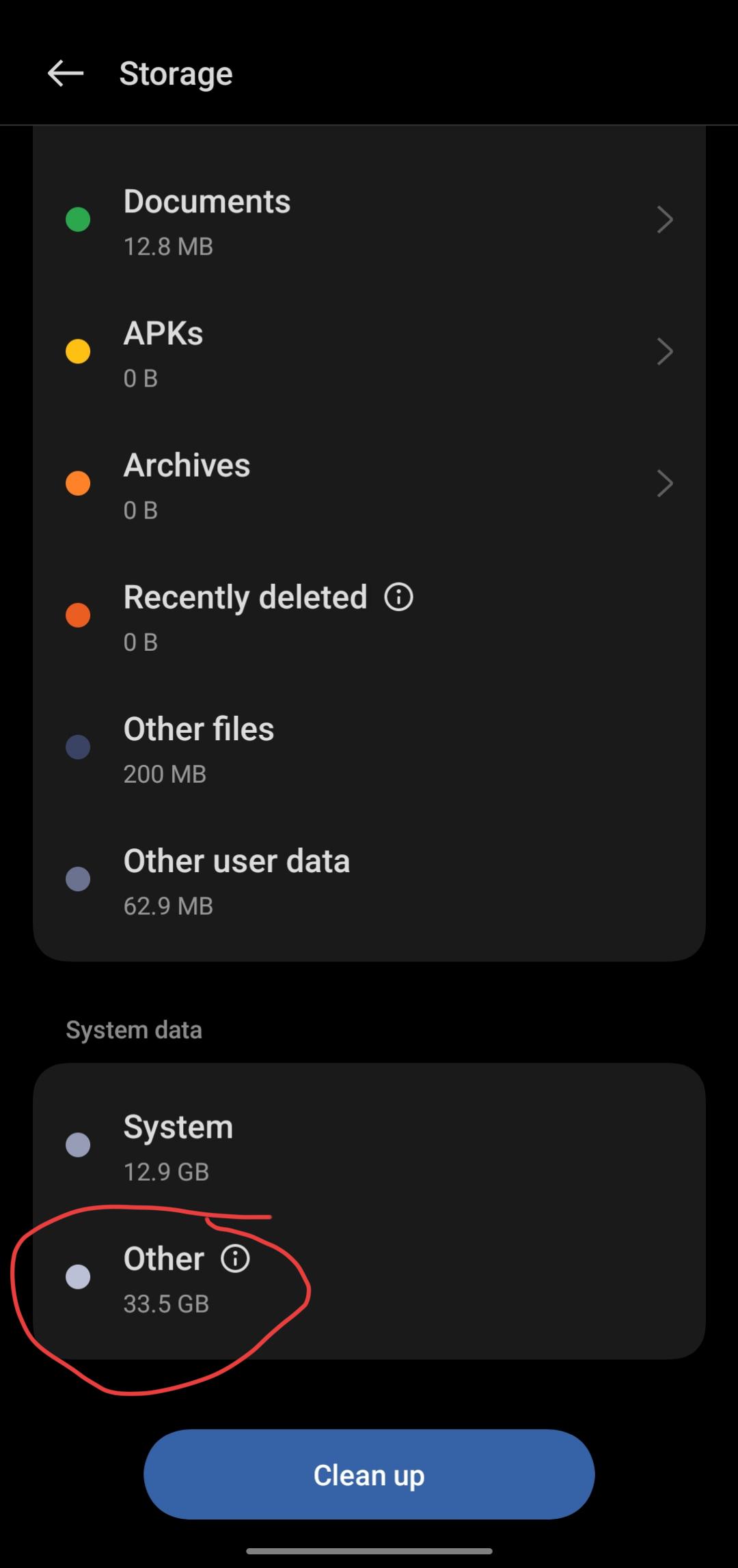
This 'Other' file is occupying 33.5 GB on my Android, and I don't know how to fix this. Does anyone know how can I get rid of this 33.5 GB?
2
u/khiladi_10 Jun 02 '26
These are the things that you can do to delete as much as possible, also delete search history if necessary, and remember this thing can't be fully deleted because it holds the necessary storage to open websites or apps more quickly.
2
1
Jun 03 '26
Go to storage/Android/data and then go to folders of apps like WhatsApp. There you'll find every photo you've ever sent it received. Clear that
1
u/brokewash Jun 04 '26
On windows my favorite app is "wiztree". Similar to "windirstat" it shows all the files on a drive represented by colored blocks of different sizes. Find the biggest block, click it, it'll tell you the file and you can delete it.
On Android you can download "disk usage" from the play store and it'll do the same thing.
1
u/Similar-Chair-2634 Aug 14 '26
So I once deleted it and it deleted so many important stuff and I tried to get it back but smashed my phone
0
u/khiladi_10 Jun 02 '26
Ok so this is the songs downloaded in any music app like Spotify and youtube music. Youtube videos, search history and cache i recommend you to check any music apps you use and check whether is there any music downloaded and also youtube videos. After that delete chache of all possible apps mostly social media.
0
0
2
u/ByteBars Jun 02 '26
I found the solution. There was a file that was cancelled mid download and it was not showing in the phone. But, I plugged my phone into laptop and it showed up and I deleted it.