r/iOSDevelopment • • Oct 01 '25

Demofy, iOS App Mockup & Demo Generator

5 Upvotes

I was at this hackathon building a dermatology app. Everything was going great until I needed to put together a demo video for the website. That's when I realized the iOS demo tool situation is... well, it sucks. I tried Rotato and way too much going on. Plus $79 for something I'd use maybe once every few months? I just wanted something simple that could: Record from the iOS simulator, Slap an iPhone frame around it Let me pick the background color Trim the video to show just the good parts Couldn't find anything that did all of that without being either over complicated or overpriced. So I built Demofy. It's pretty straightforward, you record from the simulator, see it with the frame in real-time, and export when you're happy with it. Since I'm planning to build more apps,I figured I'd share this with everyone

https://www.demofyapp.com/


r/iOSDevelopment • • Aug 20 '25

My first App

Thumbnail
gallery
5 Upvotes

https://apps.apple.com/ca/app/useby/id6749925117

This is my first app, designed for expiry tracking with a smart scan feature that auto-fills names and dates. I’d really appreciate any feedback, ratings, or reviews. Thank you!


r/iOSDevelopment • • Aug 05 '25

Just Launched My First iOS App, miniAtlas – Geography Quizzes! Looking for Feedback 🙏

Thumbnail
gallery
5 Upvotes

Hi r/iOSdevelopment! I’m Julius, an aspiring iOS dev, and I’m thrilled to share my first-ever app, miniAtlas, built with Swift and SwiftUI. It’s a fun, interactive geography quiz app to test your knowledge of flags, capitals, and world trivia.

Here’s what miniAtlas offers:

  • Daily flag challenges to build streaks

  • Capital city quizzes (easy to hard)

  • Fascinating geography trivia

  • Continental exploration and progress tracking

I’d love for you to try it out and share your thoughts! As a new dev, I’m eager to learn what works, what doesn’t, and how I can improve. Any feedback on UI/UX, features, or performance is super appreciated.

📱 Download miniAtlas on the App Store.

🌐 Check out more at my website.

Here’s a quick look at miniAtlas in action: [Insert screenshot and picture]

What do you think? Any tips for a first-time dev to grow downloads or polish the app? Thanks for checking it out! 😊


r/iOSDevelopment • • Jul 01 '25

Need help choosing new Mac

Thumbnail
gallery
5 Upvotes

Hi, I’m currently looking to buy a new MacBook Pro specifically for iOS dev, but I can’t decide between two options. One is the M4 with 10 CPU and GPU cores / 24Gb and 1tb SSD model and the other one is the M4 Pro with 12 CPU and 16 GPU cores / 24G RAM and 512 SSD

Are the extra cores worth against the extra SSD capacity? I also read that the 1TB SSD in this new models is faster than the 512gb. Has anyone noticed it? Both cost the same and it’s really my max so I can’t upgrade more the m4 Pro

I leave both of the specs in case I wasn’t very clear

Thanks!


r/iOSDevelopment • • Jun 30 '25

Been using Cursor with AI to build SwiftUI apps and found it surprisingly productive

5 Upvotes

I have been building native iOS apps for a while, mostly using SwiftUI. Recently started using Cursor as my main IDE with AI support and found it surprisingly helpful for speeding up the workflow.

This is what I have set up:

  • Added Apple documentation and Human Interface Guidelines inside Cursor so the AI has proper context

  • Defined rules for state management, MVVM architecture, and navigation structure

  • Cursor generates the code and builds it automatically in the background using Xcode’s command line tools

  • If something breaks, it tries to fix the issue and rebuild on its own

  • I keep Xcode open just to run the app on a simulator or physical device, no code changes are made there

It is not perfect but I was able to build a couple of apps much faster than usual using this setup.

If anyone wants more detail, I wrote up the full process and shared the rules I use here:
https://www.infinitetrooper.com/build-ios-apps-ai-cursor/


r/iOSDevelopment • • Jun 23 '25

As a developer — and a dad — I built GrowthPath to help my child build better habits.

5 Upvotes

I’m a developer. And I’m also a dad.

That’s why I built GrowthPath.

Becoming a parent taught me one thing very quickly:

It’s really hard to help your kid stick to something.

Let’s be honest — even we adults struggle to stay consistent.

So how could we expect a child to build a habit without support?

Last week, my son said he wanted to practice handwriting.

Day 1: excited.

Day 3: excuses.

Day 4: forgot.

Day 5: I found myself yelling…

Not because I was mad at him.

🔴 I was overwhelmed by work and life.

🔴 I wanted to support him, but I lacked a simple, consistent way to do it.

So I built an app — for him, and for us.

It’s called GrowthPath.

🎯 What parenting problems does it actually solve?

1. “My kid gives up halfway.”

I built a 21-day challenge feature, based on the idea that forming a habit takes consistent effort over time.

The goal isn’t to push kids, but to visualize their efforts and build momentum through small wins.

2. “We forget to do it.”

The home screen shows each child’s habit tasks for today.

Tapping a 👏 icon marks it as complete — even young kids can do it themselves.

3. “I have more than one kid, and I lose track.”

You can easily switch between children, each with their own points and progress history.

4. “I’m too busy to monitor everything.”

Set reminders for daily check-ins. A quick glance tells you whether a habit was completed.

No, this app doesn’t have fancy AI.

It won’t magically turn your kid into a genius.

But it’s something I built with love, for my son —

and maybe for your family too.

Not to help him “win” in some race,

but to let him feel seen, supported, and proud of small habits he builds along the way.

He doesn’t have to be the smartest, or the best.

But I want him to grow up with tools, habits, and confidence — and I want to be part of that journey.

👨‍👩‍👧‍👦 If you’re trying to help your child build better habits (without turning it into a chore), maybe GrowthPath can help.

Available on iOS

(Search “GrowthPath” on the App Store)

Feedback is welcome — from one parent to another.


r/iOSDevelopment • • May 16 '25

Singleton Cheat Sheet in Swift

Thumbnail
gallery
5 Upvotes

r/iOSDevelopment • • May 09 '25

Just launched my developer tool called Deploy Path in the App Store

Post image
5 Upvotes

Super excited to share that I have launched my developer tool in the App Store. Deploy Path lets you plan out features and improvements in your apps and track any bugs you find. If you have any suggestions or features you'd like to see let me know.

https://apps.apple.com/us/app/deploy-path/id6743410869


r/iOSDevelopment • • Feb 22 '25

I made a free app that helps you reflect & understand your thoughts

Post image
5 Upvotes

r/iOSDevelopment • • Jan 27 '25

Where is Swift Assist?

5 Upvotes

I'm using the latest Xcode as of now and it's still not here except for the placeholder command menu button. What's up? It was supposed to be here in 2024.


r/iOSDevelopment • • Jan 22 '25

My first app using AI, AI scan and summarization, hope it provides some value to people

5 Upvotes

Just finished an app using latest AI model.
https://apps.apple.com/us/app/insightsscan/id6740463241

I've been working on ios development on and off for around four years. Published a few apps including games, music player, and tools. This is the app I feel most excited when working on it.

It's an app that uses AI running locally on your phone to explain and summarize texts from images. No need for an internet. Everything stays on your device. Super safe. You can use your camera to capture an image in real time, or select from your photos.

I tried a lot with it myself, scan my mails, scan item labels while shopping. It's pretty fun.

I hope it can provide some value to people and make life a bit easier.

Please try it out and let me know your thoughts.


r/iOSDevelopment • • Dec 03 '24

This is how I translated my apps to multiple languages in a few minutes automatically

5 Upvotes

r/iOSDevelopment • • Jun 01 '24

ios dev

5 Upvotes

Hello everyone ,
I am starting my journey to learn ios development , what resources i should follow ?


r/iOSDevelopment • • Jan 30 '24

Brushing up on the latest Swift releases

Post image
5 Upvotes

r/iOSDevelopment • • Sep 15 '22

20-year industry veteran describes 5 critical design mistakes you should never make as a iOS game dev

5 Upvotes

I had the wonderful privilege of sitting down with an almost-20-year veteran of the game industry James Mouat.

He has been a game director and designer at EA and Ubisoft and here are his tips, generously summarized and sometimes reinterpreted.

Listen to the audio instead >>

5 things you should never do when designing your games:


1) Be pushy about ideas:

Game designers, especially junior ones, really want to fight. They want to prove how smart they are… but a lot of the best designs come from collaboration. You can throw ideas out there but you need to expect them to change. Roll with the punches and find your way to good stuff.

It's really easy to get caught up on how brilliant you think you are but it’s really about being a lens, a magnifying glass. Game design is not about what you can do but what you can focus on from the rest of the team and bring all that energy to a point.


2/3) Not focusing on the “Why”

It's easy to get caught up in fun ideas but you have to really focus on why the player wants to do things. Why do they want to do the next step, why do they want to collect the thing, all the extra features in the world won’t make your game better, focus on the “Why”.

Part of it is understanding the overall loop and spotting where there are superfluous steps or where there are things missing. Ultimately it's about creating a sense of need for the player, for example; they need to eat or drink.

In case you want to hear more >>

Find the core of the experience, find what's going to motivate them to take the next steps in the context of real rewards and payoffs they want to get.

Start people by having them learn what they need to do, give them opportunities to practice the gameplay loop and then they will move on to mastering the game.

Note from Samuel: “Learn, practice, master” is a way of thinking about how you want to present your game. You want the player to learn how to engage with the gameplay loop, give them chances to put that learning to the test and then give them an environment where they feel like they can put it all together and become a master. This gives a player an amazing sense of joy.

More on this later in the video.


4) Writing long and convoluted documents

Long documents can be fun to write but become incredibly inflexible and therefore hard to iterate on.

Use bullet lists over paragraphs, use illustrations over text, keep it short and sweet and make sure you have a summary and a list of goals.

It’s good to tie it all into what the player will experience.

Practical example with context:


**Context: **

To bring some clarity, James mentors my own Open Collective of game mature developers out of the kindness of his heart and I was surprised there was no easy-to-access guide on how this works that I could find.

I made this video and article with him with the hope of making many of the mostly-hidden systems and processes more known.

He really can't show much of what he has worked on since it's under NDA but he has described to us the systems and processes of making a game and gratuitous detail.

**Example: **

With his help we came up with this gameplay loop for our game: Gameplay Loop

To be honest with you at the time we didn't even know what a gameplay loop was or that we needed one.

How he described it to us is that a player should feel a strong sense of why they need to do what they do in the game in order to be motivated to play the game.

He instructed us to make several loops which tie into each other, a second to second loop of what people will be doing most of the time, to tie that into a larger minute by minute loop and then a larger hour by hour loop.

To give you an example, in our game you:

  • Find resources

  • Nurture creatures with them

  • The creatures give you blocks

  • And you use the blocks to bridge to other sky islands where you find more resources.

Notice how it begins and ends with resource gathering.

In our game the creatures and their needs are the “Why,” you want to take care of the creatures, watch them grow and nurture them. From the get-go you have a reason to do what you do.

If you ever played a game where you cheated to win or you got all the resources for free, you probably found it boring pretty quickly. This is what happens when you don't focus on a “Why,” you need challenges in order to build gameplay, you need to give people a reason to play.

Give them a sense of where they will go, what they will unlock and try to bring it all back down to a gameplay loop.

James and quite a few others have been drawn to our community as a place to share knowledge with people who are eager and who take their stuff to heart. He is a real hero of the game dev community and does all this for free.

If you would like to be notified of future 1-1 sessions he does, keep an eye on the events section of this Discord.

That Discord is the home of an Open Collective I run of 17 daily-active, mature, hobbyist devs and we are looking for more animators and artists to join in the fun if that would interest you.

You can learn all about it here

We are willing to help mentor new devs and designers and we often have execs from Microsoft, EA, Ubisoft, Sony and other companies come down, however, we are mostly already-skilled individuals working together to build interesting stuff we could not make alone in our free time.


5) Failure to test

Get feedback from as many people as you can, your first idea is almost never your best idea.

Try to find people who have no interest in giving you kind feedback and have them share their feedback.

Personal note: I see many people try to hide their game idea afraid that somebody else will steal it. Anybody else who has the capability to steal an idea already knows how much work it takes and how much better life is lived doing your own stuff than stealing other people’s ideas. 99% is execution, your idea is less relevant than you think. You don’t want to find out AFTER you publish that no one likes your idea, share early and often!


Respond

When it comes to designing a game, there's so little information out there about how it should be done, and that's partially because it's going to be different with every field but I would love to see your gameplay loops and I would love those of you who work in the industry to share your thoughts on those loops.

Also, if you enjoyed this content, please say so as it encourages me to make more.


r/iOSDevelopment • • Jun 22 '22

From concept art to reality -- Seeking more help, see comment.

5 Upvotes

r/iOSDevelopment • • Mar 09 '20

Can apps be removed for low ratings?

5 Upvotes

I'm an editor at Chinese tech media outlet TechNode.com, and I'm trying to confirm whether Apple is known to remove apps from the App Store for low ratings alone.

We're working on a story about a low-ratings campaign organized by Chinese schoolchildren, who have been using the app for online classes during the recent quarantine. There are rumors going around that Alibaba's office collaboration platform DingTalk was briefly removed from the store this morning, and we would like to know if this story is plausible. We suspect that, in fact, they are based on an unverified claim printed in the London Review of Books a day or so ago.

At any rate, greatly appreciate any insight this community can offer into Apple's practices. Happy to quote someone by name and title (and can mention your app or company if you want the plug), or take a comment off the record.


r/iOSDevelopment • • Jan 07 '20

Swift vs Flutter: Which one to choose for iOS development?

5 Upvotes

Nowadays, hybrid mobile application development is gaining more demand and popularity than before. This is because of the budget constraints and rapid development needs. This is why Flutter is considered as a great option to native Swift for iOS development. Here we will compare Swift vs Flutter, so that you can choose the perfect framework for app development. Before starting the comparison let us have a brief idea about Flutter and Swift framework.

Also know, How to convert iOS app to Android App?

What is Swift?

Swift is a programming language for native iOS application development. Swift is developed by Apple as fast-paced, type-paced, and dynamic programming language which is continuously being developed and accompanying value additions. Apple is consistently improving Swift by giving incredible toolset, documentation and frameworks.

What is Flutter?

Flutter is a cross-platform, open-source mobile SDK built, launched and maintained by Google for cross-platforms developers. It uses Dart language while giving detailed and robust documentation. Flutter works a lot like the React Native besides offering full support for the necessary features.

Also know, Why choose Flutter for cross platform app development?

Swift vs Flutter for iOS Development-

Each iOS application needs a few features and technologies unique to it. This is exactly where Swift fits the requirements perfectly. However, Since Flutter has come as a brilliant language for building more effective iOS applications, the comparison between the two seems obvious.

1. Onboarding and installation-

The setting up and onboarding for both are different and contrasting from each other. With Swift, the onboarding requires native tools which uses Xcode as the IDE. For installation of development kit, you have to install Xcode in the macOS device. With Flutter, the onboarding process requires installing both Flutter binary other than installing Xcode. Other alternatives like Android Studio and IntelliJ IDEA should also be installed. Conclusively, the Swift onboarding is a simpler and less complex as compared to Flutter as the previous needs too little configuration.

2. Development Time-

After you have built up an application compare each application and analyze the development time for both Swift and Flutter platforms. 

Swift-

For native iOS applications, you can easily analyze the build time using the xcodebuild command line tool or Xcode. In Xcode, you can run the following command for allowing the build timing summary:

$ defaults write com.apple.dt.Xcode ShowBuildOperationDuration -bool YES

You can also delete the build folder or derived data for evaluating the build time for clean builds. In Xcode, you can delete the derived data by choosing Product > Clean Build Folder.

In Xcode, when you run the Build command from the Product menu, it will show the build time. A clean build tool takes near almost 13.334 seconds, though a consecutive build takes less than a second in Xcode. You can do a similar experiment from the command line with the xcodebuild command.

Flutter-

Developers can develop Flutter applications for iOS in debug mode with the command as given below:

$ flutter build iOS –debug –no-codesign –simulator

You can apply the previously mentioned command to get the clean build time by erasing the derived data from the build directory. It takes nearly 33 seconds for the clean build of the Flutter iOS application and afterward 10 seconds, 8 seconds, and so forth for consecutive builds. Thinking about this, a clean build of your Flutter application takes almost 30 to 45 seconds.

Analysis-

With the analysis of the development time for the Swift and Flutter application, Flutter development appears to take somewhat longer for clean builds. When developing additionally, Flutters gets the speed. For extra builds, the build time in Xcode is superfast.

3. Reloading-

Developers changes code frequently in iOS application development and test it on a simulator or a device. This testing strategy is called application reloading that is significant in mobile application development.

Swift-

If you have to change the button name, you require renaming the interface element from the storyboard which needs changes in data and accessibility. After renaming the element, you have to rebuild the application for checking whether the changes are seen on the simulator or the device. In Xcode, this process takes 7 to 12 seconds.

Flutter-

Flutter accompanies an incredible Hot Reload feature. This helps to make changes in applications as per your feasibility and reload it. You will find these changes on the simulator within a few seconds. As previously mentioned comparison, you need to update the text in the Raised Button widget from Press Me to Click Me and reload your application. Flutter application building platform performs the whole procedure in only 3 seconds.

Analysis–

This  implies that the Flutter app reloading is more rapid than Swift app development.

4. Continuous Integration & Development-

Continuous Integration and Development are key practices to accelerate ios app development with a proactive and responsive approach. In spite of the fact that the way that the Xcode server of Apple is completely equipped to ensure constant Integration and delivery of iOS applications, the solution lacks scalability regularly. To address this weakness further, Apple came up with BuddyBuild, which is still insufficient.

Contrary to this, Flutterby tying up with Nevercode actually revealed the all-new Codemagic CI/CD recently at the Flutter Live event held in London. The best thing about the Nevercode built Codemagic solution is that it can make, detect, test and package the applications with zero configurations.

5. Accessibility-

In an application, the accessibility feature improves the user experience of individuals with disability. Being an iOS application developer, you should add to them with certain efforts by building iOS applications accessible to everyone.

Swift-

Swift iOS tools have accessibility in the UIKit framework. Hence, there is no necessity of importing another framework for allowing accessibility support in Swift applications. Apple offers the Accessibility API, yet developers require offering accurate accessibility data for each UI component in the iOS application using the UIAccessibility protocol.

In your iOS application, you can include the accessibility features, identifiers, and labels using the code. You can also use interface builder and StoryBoard for offering the accessibility information to the user.

Flutter-

Flutter iOS applications don’t support for including accessibility. Instead, Flutter documentation recommends measuring iOS applications by using the Accessibility inspector tool of Xcode. There is an issue of including accessibility identifiers for testing, however it’s still in progress.

Analysis-

On account of accessibility feature, Flutter requires improvement for building better applications for individuals who are handicap. There ought to be something on the Flutter road-map for improving this support of Flutter applications.

Which One to Choose for iOS App Development Between Swift and Flutter?

Along these lines, it can be concluded that Swift is the winner. Without a doubt, Flutter provides quick reload yet Swift is still better. Henceforth, choosing Swift can be an ideal decision, in spite of the fact that this decision relies upon you and your business needs.


r/iOSDevelopment • • 7d ago

Apple, are you following your friend Microsoft?

Post image
4 Upvotes

Am I the only one who cannot access App Store Connect? 🥲
The status page says it’s all ok though


r/iOSDevelopment • • 16d ago

Solo devs - how many apps have you launched and currently maintain?

4 Upvotes

Just curious what the average is around here. I have 5 on the App Store and 3 in Google Play (ports of iOS projects).

How about you? Casting a wide net better than locking in in 1-2 projects?


r/iOSDevelopment • • 24d ago

Gemma 4 26B-A4B running on an iPhone at 6–10 tok/s, in about 2 GB of RAM

4 Upvotes

I've been adding on-device models to Vehla for iPhone (the companion to my Mac app), and wanted to share this one because I didn't think it would work.

Gemma 4 26B-A4B runs fully offline on my iPhone Duo (12 GB) at 6–7 tokens/s. The 4-bit model is about 14 GB on disk, more than the phone's RAM, yet it runs in roughly 2 GB.

How it works

Gemma 4 26B-A4B is a mixture-of-experts model: 26B parameters in total, but each token only uses about 4B of them (the 8 experts the router picks in each layer). So most of the model doesn't need to be in memory at any moment:

- The shared core (attention, embeddings, router), about 1.35 GB, stays in RAM along with the KV cache.
- The routed experts stay on the SSD, and only the ones each token needs are read with pread.
- A small cache (16 slots per layer, least-frequently-used) keeps the popular experts in memory, so most lookups don't touch storage.

For Gemma I'm using TurboFieldfare (https://github.com/drumih/turbo-fieldfare) by drumih (Apache 2.0). It's a Swift 6 + Metal 4 engine built for exactly this model, and it compiled for iOS without changes. Its installer downloads only the byte ranges it needs from the MLX weights on Hugging Face, repacks them into its own format, and hashes every file. All credit for the engine goes to them; I wired it into the app, added resumable downloads with iOS 26 background continuation, and handle thinking-mode output.

Taking it further with MLX

The idea generalizes, so I added the same expert streaming to my own copy of mlx-swift-lm:

- When the model loads, stacked expert tensors in SwitchLinear are swapped for placeholders, so they're never read into memory.
- At each call, the layer reads which experts the router picked, reads the missing ones from disk in parallel, and keeps a cache per layer.

That got these running on the phone too:

- Qwen 3.6 35B-A3B: about 6 tok/s, from a 20 GB model
- gpt-oss 20B, GLM 4.7 Flash, Qwen 3 30B-A3B, Nemotron 3 Nano, Trinity Mini, Ling mini 2.0, Granite 4.0 H Small and Phi-3.5 MoE, which are all in the build but still need speed testing on more devices

Things I learned the hard way

- iOS's memory limit is well below the RAM you buy. One phone stopped my app at 6 GB, so size caches from os_proc_available_memory(), not from the RAM total.
- Some attention designs (gpt-oss's attention sinks, GLM's latent attention) don't work with a quantized KV cache, and MLX stops the app if you give them one.
- The bottleneck right now is likely GPU sync, not storage. Each layer has to read its routing back to the CPU before it can fetch experts, which means 40+ round trips per token. Predicting the next layer's experts and prefetching them is next.

It's free on TestFlight if you want to try it on your own phone. I'd love to know what speeds you get, especially on 8 GB iPhones: https://testflight.apple.com/join/G8peDyNY

Happy to answer questions about the implementation.


r/iOSDevelopment • • Oct 20 '26

Is TCA (The Composable Architecture) overkill for a solo indie iOS project?

4 Upvotes

I'm working on a small indie iOS app and wondering whether TCA is worth adopting as a solo developer.

I like the idea of predictable state management, testability, and having a consistent architecture as the app grows. But I'm also worried about adding unnecessary complexity to a relatively small project.

For those who have used TCA in their own projects:

  • Would you choose it again for a small indie app?

  • Does it actually make development easier in the long run?

  • Or would you stick with SwiftUI and a simpler MVVM approach?

Curious to hear about real-world experiences, especially from solo developers.


r/iOSDevelopment • • Oct 15 '26

EU DSA Trader Status Change - how long "In Review"?

4 Upvotes

Hello,

I recently updated my address for EU DSA trader compliance, and now my ASC account is showing the status “Under Review”; and ALL of my apps in the EU have been removed.

How long will the review take, and is there a way to speed it up? I’ve already opened a support ticket.

I’m a bit desperate: an app I’ve been developing for the past year is intended exclusively for Germany, Austria, and Switzerland and is aimed specifically at a German audience. I released it a few days ago and launched corresponding ad campaigns with my private money.

Now the link to the iOS App Store leads nowhere. So part of my ad campaign is useless.

I also didn’t see any warning or anything like that beforehand. Either I missed it, or there wasn’t one.

Estimates of how long it takes vary widely online - from 48 hours to 2 months....That would be a disaster!

So: does anyone have any recent experience with how long it’s currently taking, and is there perhaps a way to speed things up a bit? Thank you very much.


r/iOSDevelopment • • Oct 03 '26

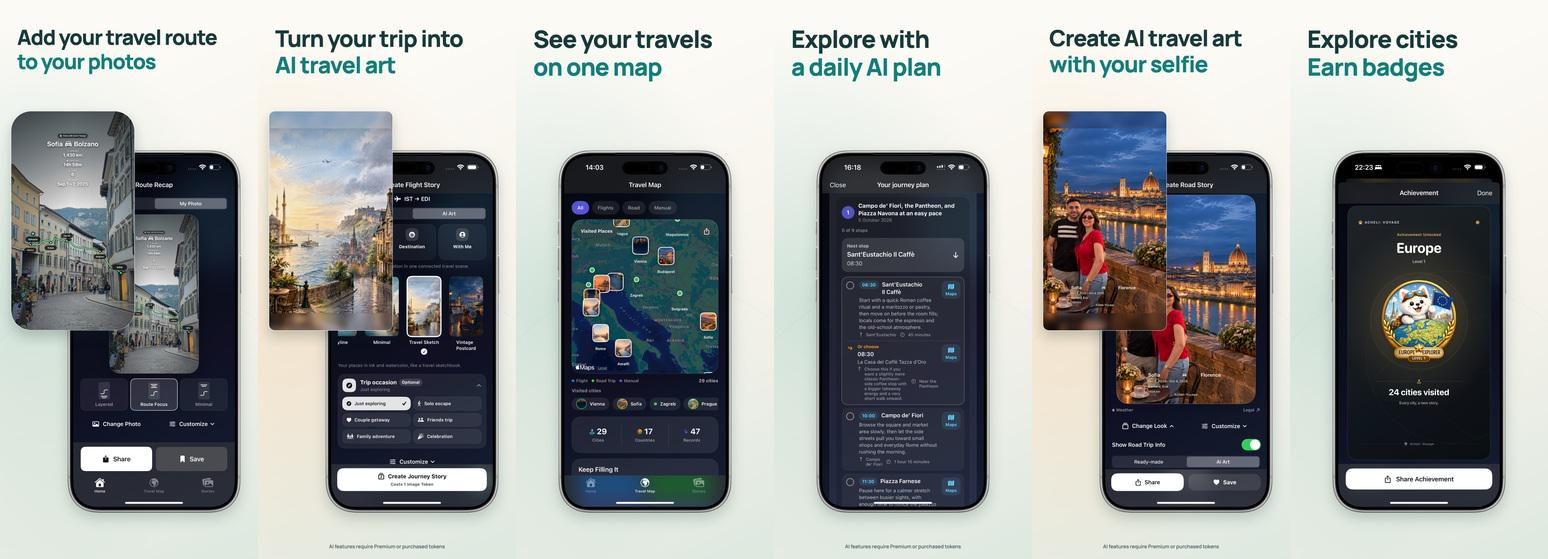
Updated my App Store screenshots after feedback. Is the app’s purpose clearer now?

Post image
4 Upvotes

r/iOSDevelopment • • Sep 18 '26

Apply Video Material to USDZ- Viewable and sharable in AR QuickLook on All Apple Devices!

4 Upvotes