r/SteamDeckPirates • u/Daaku1numbr • Feb 13 '25
Image Never buying rockstar game

4.6k
Upvotes
Got this for free on epic. Was planning to get rdr2, i guess they just dont want my money.
r/SteamDeckPirates • u/Daaku1numbr • Feb 13 '25
Got this for free on epic. Was planning to get rdr2, i guess they just dont want my money.
r/SteamDeckPirates
•
u/hellsgates666
•
4d ago


If this is released with an exe. because it’s running at 30 fps anyone think it’ll work ? Sorry if this is a dumb idea
r/SteamDeckPirates
•
u/DknMessiah
•
Dec 26 '25


Today and every day
r/SteamDeckPirates • u/ArachnidEcstatic1759 • Oct 18 '26

Tired of emulation in Windows Pc, mac mini m4 and Steam Deck-Eden with inconsistent frames and bugs.
found an OLED with pico instead for 250USD
.
now the switch OLED is the best accessories of my steamdeck lol
r/SteamDeckPirates
•
u/JNat3z
•
Jul 27 '25


hello there! if you're reading this, you probably know the loop of installing games on the steam deck: go to the website, find the link, find the right host, wait for it to install, open the setup file (if needed) with wine, link it to steam manually and get artwork, etc. etc. etc.
it takes a long time to do all of this, and although there are tools to help with this on windows (like Fit-Launcher), there is one main problem: they don't work on steam deck.
additionally, for developers, if we wanted to create a tool for downloading games from sites, it would require an insane amount of effort to build the application, make it look nice, work with debrid services, handle downloads smoothly... (you see the problem?)
realizing this problem, i decided to create:
a tool for both users and developers for making and using addons to install games.
OpenGameInstaller is a generic platform, making it easy for developers to make addons for sources AND for users to download hundreds of games from various different sources in one app.
curious to see how easy it is? here is a demo (filmed on my mac because it was easier).
the app already has addons for FitGirl Repacks and Steamrip, with Real-Debrid support built-in (along with an internal torrent client too).
games installed on opengameinstaller are also automatically setup and added to steam (with game art and proton too), saving you that extra step.
support for other sites is growing quickly, so you can expect a great amount of options for sources on opengameinstaller in the future!
i know this is kinda tooting my own horn, but i was using it today to download some games for an upcoming roadtrip, and the experience of simply clicking the download button and seeing the game in my library without many manual inputs was absolutely magical to me (adjacent to just downloading on steam).
i hope you give opengameinstaller a shot! this project took a while to make, so just trying it and giving
feedback will help tremendously (and yes, it's free)!
source code: https://github.com/Nat3z/OpenGameInstaller
download: https://ogi.nat3z.com/
—————-
UPDATE: 7/27/25 - Fixed Steamrip Gofile integration! Many downloads have now been fixed!
THERE ARE MANY ISSUES WITH STEAMRIP AND I AM AWARE OF IT. I WILL KEEP THIS THREAD UP-TO-DATE, BUT FOR THE SAKE OF THE MODS, PLEASE DON’T SPAM THIS POST WITH “NOT WORKING” POSTS.
IF YOU TRIED TO DOWNLOAD THIS DURING THE FIRST ~5 HOURS, THE BUGS ARE RESOLVED! Launch the -Setup.AppImage File, go to Settings > General, scroll down and click "Clean All Addons" and then "Install All Addons"
THIS IS A SUPER EARLY-ACCESS APP, THERE WILL BE STABILITY ISSUES. NOT ALL GAMES WILL WORK. PLEASE BEAR WITH ME (I'M A SOLO DEV).
—————-
r/SteamDeckPirates
•
u/Fickle_Software6543
•
Apr 19 '26


I was going through my Kurtis and non steam games and though shit…. These would’ve been a lot of money. 700$ in switch games alone. I’d like to think I’m anywhere in between the 4,000-5,000$ mark with currently 250 non steam pirated games including emulation. Not including once’s I’ve finished playing and deleted.
r/SteamDeckPirates • u/PictureOdd8771 • Oct 08 '25
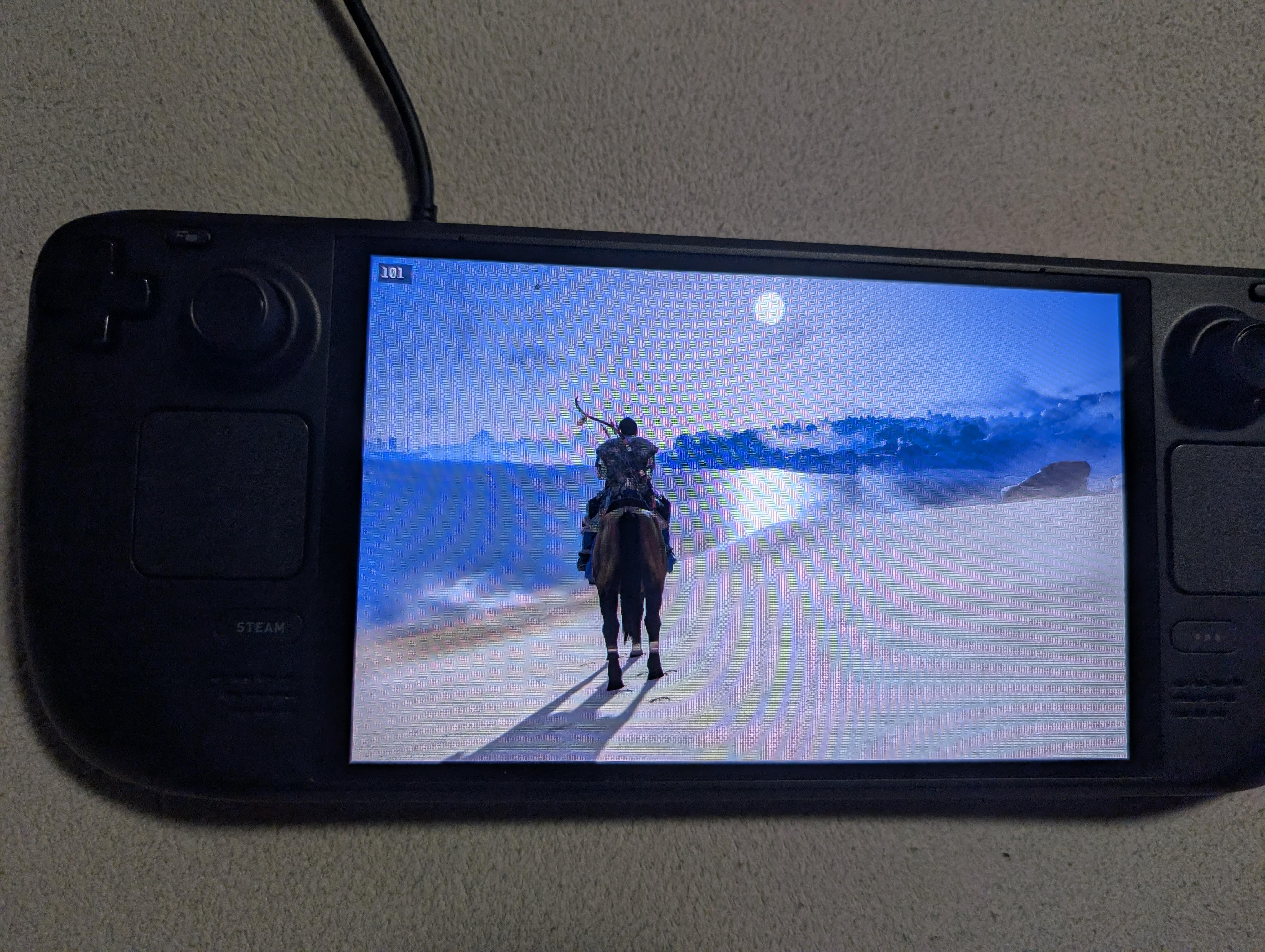
I got this steamdeck OLED a few months back for $400 CAD on marketplace, basically brand new condition, old guy never used it. I didn't even know it was the OLED until I came home. Since then I've tested many games, albeit pirated, I am just shocked how I've spent $400, and don't need to spend a single penny more. Although I should spend some money on indie games.
This is Ghost of Tsushima running with pirated loseless scaling at 2x, game runs beautifully, can barely tell there is input lag, and I notice if you lower the fps on the steamdeck, games run worse. Just letting it run off 90hz/90fps, game is just great.
I direct download my games with J downloader, and barely any games have failed to work. I guess this post is just to say that it's possible to be resourceful, and that if you spend your time learning how things work, you can end up saving alot of money.
I have been a guy who tries to game but fail to sit down and focus, but the steamdeck helps a lot. I don't take it outside much, but I feel it still has its purpose being at home.
Not sure where I'm getting at with this post. Was thinking of posting a simple guide on downloading games, as I feel people overcomplicated it, now I realize it's pretty damn simple, most games I can get in under 5 minutes if I'm fast.
I'm just appreciative of the steamdeck and glad Linux is getting better support, and we know we are getting the best possible performance.
r/SteamDeckPirates
•
u/Inner_Singer_592
•
Jul 22 '26

This plugin combines slsteam-moon, cloud-redirect, recently released decky hypervisor plugin, and some other tricks to create a seamless gaming mode experience. Denuvo games on demand, automatic online fix integration, automatic cloud redirect shortcut creation, pirate badges...This is a holy arsenal of tools created for most convenience! Currently plugin is ongoing last stages of development - mostly bug fixing and future polishing. Plugin will exist in two versions - slsdeck and slsdeckheavy. Heavy version requires acess to root and does denuvo bypass by downloading denuvo cracks and all prerequisites (you must get ryuu manifest api key in order to be able to acess denuvo fixes, currently only part that requires external meddling). If anyone wishes to help testing or even with development, ideas or advice feel free to dm! In coming days, github with plugin will be published.
r/SteamDeckPirates • u/kcgarbin • Oct 18 '26

It is available in fitgirl and it does not need emulation. They say it runs better than ShadPS4, tho I have a feeling it is vibe coded. Anyonw tried it on ther SD?
r/SteamDeckPirates • u/No_Ad_5765 • Dec 20 '25

Pirates gotta have their booty. Current setup - 2Tb SSD + 1Tb SD Card: 120 games
r/SteamDeckPirates • u/AnnoyingScreeches • Sep 17 '25
r/SteamDeckPirates • u/Curulinstravels • Feb 11 '25

r/SteamDeckPirates • u/Training_Pop8879 • Nov 15 '25

I know you can get it free but worth supporting them for a fraction of the price!
r/SteamDeckPirates • u/NegotiationExpert855 • 22d ago

Progress is very fast. Hopefully we'll be able to run it at full speed soon
r/SteamDeckPirates • u/Global_Earth1299 • Apr 22 '25

Personally in my 15 years of torrenting/pirating I’ve NEVER seen a torrent gain this much traction. 11,025 peers. Absolutely insane.
r/SteamDeckPirates • u/Only_Archer_2006 • 8d ago
I’ve been seeing so many people say that nothing works on steamdeck but longshot runs fine enough and I haven’t even tweaked anything. Granted I haven’t gotten to the biggest part of the game but a lot of people say they can’t even get past like 10-15 frames. If you have a steamdeck try long shot. I tried Navi and Tuxchii and both crash and can’t even get passed the first cutscene. Which is weird cause on my PC Longshot was buns and I couldn’t get good frames on it. My PC is way better than the Steam Deck.
r/SteamDeckPirates
•
u/niwia
•
Jun 18 '25


Hey everyone,
I wanted to share a quick guide on SLSsteam, a Steam client modification for Steamdeck that gives you a bunch of powerful features most importantly ability to unlock dlc's and getting over the Family share restrictions!
this tool is not made by me, i'm just sharing the guide on how to use it on steam deck!
jd Ross made an amazing video explaining how to install, etc please do check it out: HOW TO INSTALL SLSTEAM VIDEO
Chekout SLSah for getting achivements working with this tool
🔧 What is SLSsteam?
SLSsteam is a shared object (.so) preload that adds various enhancements to your Steam client, such as:
🔓 Disable Family Sharing license lock (works for your account and others')
🧩 Unlock DLCs (supports blacklist/whitelist modes)
🔄 Force-enable DLCs not in the Steam store
🎮 Play games you don’t own (via manifest or manual method – allows Steam Cloud syncing too! ** Achievements support. ( still early days , check the op in cs rin thread for more details )
These make pirated/manual games behave more like real Steam purchases:
🎮 Dev-Made Controller Layouts Use official controller configurations even for games you don’t own — great for Steam Deck and Big Picture mode.
🛠️ Steam Workshop Support Access Steam Workshop mods for supported games without needing to own them.
🚫 Bypass Mod Launcher Ownership Checks Use tools like Vortex, r2modman, and Thunderstore even if the game isn’t in your library.
💾 Proper Save File Location Save files are stored in the correct Steam directory, so if you buy the game later, your saves carry over seamlessly.
Playing games you don't own?
You can make the steam client think you own the game!, it will show up like your purchased game.
NOTE: THIS DON'T MEAN U HAVE HACKED STEAM, U STILL CANT DOWNLOAD THE GAME OR ANY FILES/SHADERS, YOU WILL HAVE TO DOWNLOAD THEM YOURSELF. THIS WILL ONLY MIMIC YOU OWN THE GAME
example:


Since we are on Steam Deck follow these steps before installing on desktop mode:
If you've never done this, you won't be able to run sudo commands.
passwdEnter your desired password twice.
Steam Deck uses an immutable system by default. Run:
sudo steamos-readonly disable3. Have a text editor from discover store installed ( i recommend kwrite)
4. Set Dolphin (ur file browsing app) to show hidden files (normally the three dots top right when u open dolphin will show u this toggle)
📦 Installation
Download & Extract: Grab the latest release from the GitHub repo: 👉 https://github.com/AceSLS/SLSsteam
You should have a folder named bin and a setup file, Ignore the setup file as that's aimed at Linux users.
Now open the bin folder and right click, copy location of the SLSsteam.so by right clicking.
Close steam app from running. (make sure no icon in the taskbar)
open terminal and paste: LD_AUDIT="/full/path/to/SLSsteam.so" steam (paste ur path inside the "")
You should see steam opening as normal.
Now, head towards: /home/deck/.config/SLSsteam/ and open the config file using your text editor.
Here is your options to configure what you want and what you don't want! 8.a: the author has made info about config here : https://github.com/AceSLS/SLSsteam/wiki
To add Games/DLC you want, firstly visit steamdb, find your game, copy the App id number and add it to the Additionalapps list in the file.
To get the game DLC, visit the game steamdb page and copy the DLC appids
After You finished editing, save the file. Close steam and open it again using the Command from above (5)

You should see the Games u added show up in steam with the option to install!
To install games: you should now press install on the games you want to install, Select Sd card/Internal and proceed.
Now Right click the game name on steam -> Manage -> Browse Local Files
Paste your game installation files here! MAKE SURE THE GAME IS RIPPED FROM STEAM!


Making sure you have already set compatibility options in steam, have applied proper cracks the game should open from steam like any other game...... in desktop mode
Note, slsteam dont need any cracks for the game to run ( unless specail cases like denuvo or laucher ones). most games will run without a crack!
To make this work in Gaming mode needs couple more steps! basically we have to load the file along with steam when it boots. for this follow the below instructions.
FYI, THE DEV SAID MAKING THIS RUN IN GAME MODE CAN POSSIBLY CAUSE ISSUES AND IS STILL IN TESTING PHASE, SO FOLLOW ALONG WITH CAUTION.
THE FILE WILL BE RESET AFTER ANY MAJOR STEAM UPDATES. YOU WILL NEED TO DO THE BELOW STUFF AFTER EVERY UPDATE. DO NOT RUN THE SAME FILE AFTER STEAM UPDATES! WAIT FOR THE DEV TO CONFIRM THAT IT IS WORKING / WAIT FOR HIM TO PUBLISH A NEW VERSION. ALTERNATIVELY YOU CAN BLOCK STEAM FROM UPDATING.
Navigate to the folder: /usr/bin (its easier to reach here by pasting the location on the top bar of dolphin)

Make sure u scroll down and find the steam-jupiter file! Backup this file somewhere safe!
Now right click the file and open steam-jupiter using text editor
AS OF 12/30/2025 SLSsteam had a major change internally, so u need to use the updated methord
THE NEW LINES ARE:export LD_AUDIT="/home/deck/.local/share/SLSsteam/library-inject.so:/home/deck/.local/share/SLSsteam/SLSsteam.so"
exec /usr/lib/steam/steam -steamdeck "$@"

Make sure you save the file after editing this! YOU CAN ONLY SAVE IT IF YOU HAVE DISABLED READONLY (Prerequisites STEP 2)
now open steam normally in desktop mode ( if you have steam open already, close from taskbar and open it normally)
If everything is good, steam should open normally and you should be able to see all the games you added/ family unlock etc now!
IF steam dont open, make sure you have followed the instructions carefully and recheck the path you pasted while editing steam-jupiter.
Make sure to only boot into gamemode if you can open steam normally in desktop mode!
Chekout SLSah for getting achivements working with this tool
Quick update: for the games that dont use game.exe file to open but some other crack lauchers to open u can edit the steam game lauch options using https://github.com/tralph3/Steam-Metadata-Editor and direct it to open the laucher which ur repack given u to play the game
Frequently asked Questions:
Question: Feature xyz doesn't work! Why's that?
Answer: Please post what exactly you're trying to achieve and what exactly fails on the cs rin forum not here. Also getting your problem fixed is way more likely and quicker if you post your ~/.SLSsteam.log and ~/.config/SLSsteam/config.yaml.
Question: I can't download app xyz that's in my Family Library! How to fix?
Answer: Make sure it's not on your AdditionalApps list! Otherwise it's OwnerId will get changed, which will mess up downloads.
Question: Steam updated and SLSsteam isn't working anymore! How can I fix this?
Answer: Either wait around 24 hours for an update or follow the guide by Riku_Wayfinder in cs rin on how to block steam updates ( Refer the SLSsteam FAQ thread in cs rin)
Question: What config options should I use?
Answer: https://github.com/AceSLS/SLSsteam/wiki/Configuration
Question: Can i unlock dlc for games that play online?
Answer: No, Dont. even though steam dont ban you for using this tool, trying to play online can trigger EAC and can leaf to getting banned. 9/10 cases you wont be able to boot into the games. The games the play like pvp are the ones that usually have server checks!
Question: How does family share unlocking work?
Answer: say your friend in your steam family owns balatro, According to steam when he is playing Balatro you cant play balatro. But using this tool you'll both be able to play almost all the games!
Question: Can this bypass the Ubisoft/Ea Family sharing restrictions?
Answer: No.
Question: Can i play the games that require any other file than game.exe to play?
Answer: No, the tool only opens game.exe like it was designed by steam, however you can use other apps/ launch parameters to launch different files like steamloader.exe etc
Question: What happens if i Buy the game that i previously added
Answer: Make sure you remove the game appid from the config file, and then verify file integrity of the given game. else may not receive updates/ achievements etc
Question: How safe is it running in gamemode?
Answer: Personally i have been running this in gamemode for 3+ months and been fine.
Question: Does additional apps mean you can download from steam?
Answer : No.
Question: My game when opening is showing : Content is encrypted!
Answer: This has now been fixed. if u are still getting the error make sure u uninstall the game from steam ( this wont remove the gmae data) and go to konsole and type: steam steam://install/12345 (insted of 1234, use ur game id) this will open steam and prompt u where u want to install, point it to where u have the game installed. after that go the game folder and right click the game execution file, notmally its named as: game.x86_64. right click that and go permissions and make sure the execute as program is checked
Question: Can my friends or Gabe see that i am playing the games?
Answer: No, The whole thing is working locally
Question: how does steam show that i own the game even when i dont?
Answer: Steam, when u own a game downloads appmanifest file into your appmanifest folder, any appmanifest you have of a given game in that location makes the stean client think you own the game. When you boot steam after adding appids, the program is just downloading appmanifest files!
Question: How to reach out for support
Answer: Visit cs rin and search for slssteam. this is a just a guide, i along with you are a user not a developer
Credits
AceSLS: the legend who made this happen after bluecomet was abandoned
Riku_Wayfinder: Being extremely supportive and lightening my workload by a lot. So show him some love my guys <3
thismanq: Informing me that DisableFamilyShareLockForOthers is possible
Gnanf: Helping me test the Family Sharing bypass
rdbo: For his great libmem library, which saved me a lot of development and learning time
oleavr and all the other awesome people working on Frida for easy instrumentation which helps a lot in analyzing, testing and debugging
All the folks working on Ghidra, this was my first project using it and I'm in love with it!


