r/ProductivityApps • u/FrancescoD_ales • Jan 02 '25
Request Which is your go-to note-taking app for 2025?

[removed] — view removed post
17
u/_oeuvresmajeures Jan 02 '25
Notion/toggl track
→ More replies (1)3
u/Additional_One_3908 Jan 02 '25
Do you use toggl track standalone or combine with some other tools for time tracking ?
53
u/MohSilas Jan 02 '25
Apple notes. It ain’t much, but it gets the job done.
→ More replies (8)3
u/Necessary_Coyote_571 Jan 03 '25
Me too! I have tested a lot of apps and alway come back to Apple notes. My wish list for Apple Notes: Time Machine for individual notes.
→ More replies (1)
11
u/420vegan420 Jan 02 '25
OneNote
→ More replies (1)3
u/ravenisblack Jan 03 '25 edited Feb 03 '25
full crawl wise long tan tidy edge salt wild reach
This post was mass deleted and anonymized with Redact
3
9
u/lapadut Jan 02 '25
I mostly take motes with pen
Samsung notes - quick for everyday work or brainstorming together. Works qell on S24U and Galaxy Tab
For the same reason sometimes OneNote - especially when online call as I can turn my tablet quickly to external monitor and share the note taking
Onyx notes (on Boox note e-ink tablet)- when reading e-book - it syncs to OneNote, but also is accessible through web. Useful device to either snnotate the documentstion or take quick notes while reading or doing research.
With keyboard
notepad++ on windows to (pre) format text and quick notes when necessary. It is especially useful when sharing code, or I need to reformat code to something
sublime in Mac - not so powerful as notepad++ but gets things done
google keeps to share with family and set reminders
google Drive for larger documents and documentstion Figma to share the designs
2
17
8
7
7
7
5
9
3
3
u/chevalierbayard Jan 02 '25
Obsidian, mainly because I discovered there's a Vim mode!!!
→ More replies (1)
3
3
u/Present_General9880 Jan 02 '25
i use Apple Notes on mobile and Onyx Notes Firefox Extension on Desktop which i made for myself https://addons.mozilla.org/en-US/firefox/addon/onyx-notes/
3
3
4
4
2
2
2
2
2
2
2
2
2
2
2
u/silent-reader-geek Jan 02 '25
SiYuan - For some personal notes, storing my blog/article written.
Diarium - For my daily journal/diary.
Coda Docs - for project collaboration, dashboards and finance tracking etc.
Google Keep - I find it useful storing some screenshots and images for my bucket list.
Standard Note- I just use it to stored my passwords, CVV etc.
Notesnook as my personal notes inbox and storing some of my most personal stuff.
Ticktick - My official todo list
2
2
2
u/crashdown77 Jan 02 '25
After a long search, almost landing on Joplin, I finally went for TriliumNext. Been using it for a few days and I'm really impressed.
→ More replies (1)
2
2
2
3
3
3
2
2
1
1
1
1
1
1
1
1
1
1
1
u/French-Builder Jan 02 '25
2 years Notions after many many years Evernote. Have been looking at Obsidian but I am actually quite happy with Notion
1
u/_what_even_ Jan 02 '25
Capacities
the object-based system clicks well with my hoarder personality lol
1
1
1
1
1
1
1
1
1
1
u/siasmic Jan 02 '25
One note does the trick. Serves my purpose in terms of segmentation, categorization and even when I take handwritten notes. However when I want to paste and save code I find myself using notion as it has the /code feature. I occasionally use Google keep as it has what it does best. Overall Microsoft OneNote.
→ More replies (1)
1
1
1
1
1
1
1
u/sottey Jan 02 '25
I have always dreamt of an “all in one” solution. Tasks, notes, calendar. … So NotePlan was all I used in 2024.
1
1
1
1
1
1
1
1
1
1
1
1
1
u/cinciallegra Jan 02 '25
Evernotes for me since years. I always go back to it, even though it’s not perfect and has some annoying qualities. It just strikes the perfect balance of simplicity of use with needed features present.
1
u/Firehorse67 Jan 02 '25
Amplenote after trying many. Sometimes Samsung notes on the phone for shopping lists or to cut and paste.
→ More replies (1)
1
1
1
1
u/UtterCodex Jan 02 '25
The below, which so far is my most fun workflow ever after years in the scene:
-Highlights in e-reader -Dialogues and notes in ChatGPT organized using projects -SRS flashcards Matuschak style in RemNote
1
1
u/the1architect Jan 03 '25
Asana for tasks, Workflowly for structure and Obsidian for the rest. To write texts I use FocusWriter. The free versions of all of them are enough!
1
1
1
1
1
1
1
1
1
1
1
u/comiccaper Jan 03 '25
Switched from Evernote to Notion in 2024. So glad I made the switch. Now if Notion had Canvas like Obsidian I could drop Obsidian, but I haven’t found anything that comes close to how well the canvas portion works. I do cheat however and still use Evernote’s web clipper as it’s superior to Notion’s, however I just import from Evernote after.
1
1
1
u/Due_Strength_4075 Jan 03 '25
both Apple Notes and Notion, depending on what I need to do
For everyday things, like jotting down notes, planning trips, or basic text formatting, I stick to Apple Notes. It has everything I need—tags, simple multimedia, cross-device syncing, and even collaboration. And honestly, it's super stable, which is a big plus 👀.
But when I need to organize things properly or create something to share, like a tech article, I go with Notion. It's powerful enough to help me structure and present my ideas exactly how I want.
1
1
1
1
u/har1s1mus Jan 03 '25
Obsidian is ♥️ for a few years and recently I discovered Notesnook that got nice security features
1
1
1
1
u/tonejac Jan 03 '25
I’ve dabbled in all 5 of those apps but keep reverting back to Google Keep, and emailing to myself. There’s always so much overhead with Note-taking and Task Management apps.
1
u/ilirium115 Jan 03 '25
I use Obsidian for ideas, thoughts, plans, research and KB. Apple Notes – for cheat sheets (CLI commands, tiny snippets of code, shortcuts etc), meeting notes, random short-living notes (buying lists, measurements, names etc), travel plans. Evernote – I still pay for keeping my archive.
1
1
1
u/Mysterious-Evening-7 Jan 03 '25
iA Writer for me. Markdown all the way. On iOS it has regex. On macOS I’ll have TextSoap to deal with regex.
1
u/Sad_Cardiologist_835 Jan 03 '25
Simplenote. Free, cloud based, cross platform, no frills, gets the job done.
1
1
1
1
1
1
u/mcswainy Jan 03 '25
I use a combo of onenote for work and obsidian for personal use. Onenote could be great if they would store things in md format.
1
u/Guitardude0102 Jan 03 '25
I’ve switched in the last couple of months. Was all in on notion but with the advent of Apple intelligence, I’ve moved the majority of my notes back over to Apple notes. Still use notion for work as a portal/database for important links and task organisation.
1
1
u/Taake89 Jan 03 '25
Obsidian for the last 1,5 year. It can do very complicated things if you want but I highly recommend to start super simple and let it grow from there.
1
1
1
1
1
1
u/RepLava Jan 03 '25
I've tested Xtiles, Capacities, Anytype and a few others this Xmas but none of them can replace Obsidian for me. This as Obsidian just can do almost everything, exactly how you want to do it.
1
1
1
1
1
1
1
1
1
1
1
1
u/Efficient-Ninja-6814 Jan 03 '25
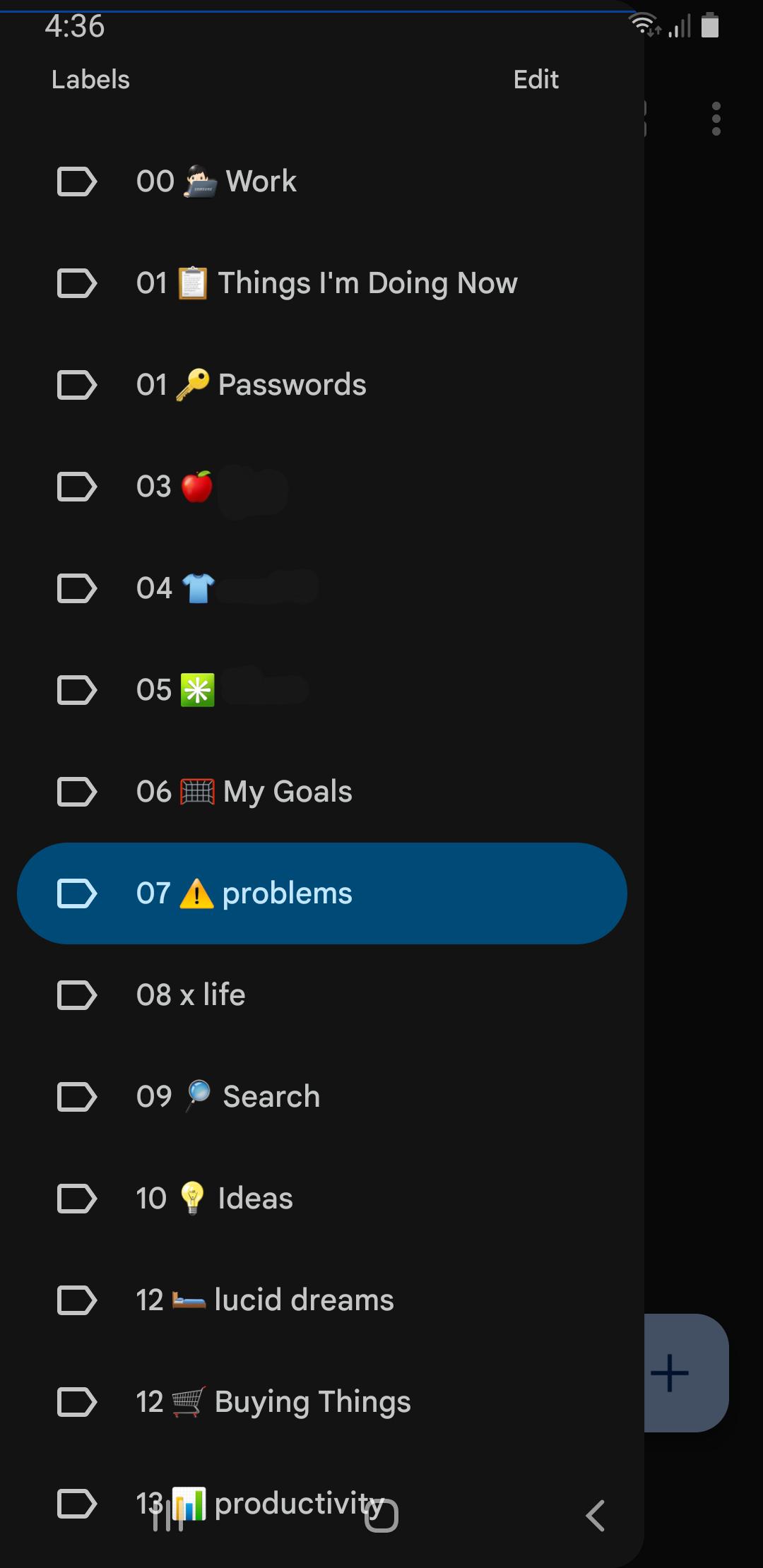
I've tried using Obsidian and Notion, but they didn’t work for me. Now, I use Google Keep, and it works perfectly for my needs.
1
1
1
1
1
1
1
1
1
1
1
1
u/Omphaloskeptique Jan 03 '25
The AI approach is making traditional software feel outdated, like it’s stuck in the past. Even trying advanced AI tools for a short time can be eye-opening, showing just how much the game has changed. AI isn’t just an upgrade; it’s a whole new way of thinking about software and what’s possible to do without it.
1
1
u/Earth_Believer Jan 03 '25
None of the ABCDE. I use Samsung Notes + Standard Notes for couple of years (free tier).
Samsung Notes is the best of the best imo but downside is you can't use it without a Samsung phone... So I'm trying to find an alternative. Google Keep is convenient but too simple in formatting (dumb words limit for example).
I'm trying Notesnook now. Seems decent and good formatting for free tier.
1
1
1
1
1
1
1
u/scapeskymusic Jan 04 '25 edited Jan 04 '25
Notion for tasks, Obsedian for notes and the canvas feature of obsedian >>
1
1
1
u/LeadingBorn5011 Jan 04 '25
I use Notion for project management at work. One note when I teach classes or solving problems with pen via tablet. Obsidian when I write stuff that have a bigger field of knowledge or some Daly journalling. Google calendar for scheduling stuff personally, but work stuff are in Microsoft calendar because my work space mail. Umm for personal Todo list I use Google keep, and for work Todo list I use notion. I do like the separation I have between work and personal stuff, that's why I use everything kinda. For personal projects I guess I use notion just to mange it a little bit, but lately it was lacking time for stuff like that.
Any suggestions for improvement in my system for 2025 haha?
1
1
1
u/cool_neutrophil Jan 04 '25
Apple notes for fast, simple, clear, powerful and efficient information gathering. All others laggy, buggy, slow, features lacking or learning curve needing. I need fast note taking and fast search with search in attachment’s content which apple notes app is providing.
1
u/tommartens68 Jan 04 '25
Obsidian, here are some of the reasons a) available across different platforms (macos, ios, windows, google) b) local first c) synch across all my devices And yes, I probably do not use all its features, and do not use all the available community plugins, why: because I do not need them (at least not now).
The most important fact why I'm using Obsidian, the more I grow (meaning my requirements regarding note-taking) the more features of Obsidian I can use.
1
1
1
1
1
1
u/JynxU8 Jan 04 '25
Samsung Notes. I've tried some of the other things like Notion and just can't get with it. Also, I like taking notes with my pen.
1
1
1
Jan 04 '25
Apple Notes for actual notes I think. I use Notion for stuff like worldbuilding, planning stories, and class checklists.
90
u/ElderZion Jan 02 '25
Obsidian